Software & SaaS Professional Website Template
Clause is a hub-and-spoke landing page template built for contract management platforms. It opens with a live terminal animation, guides visitors through data-backed spoke sections, and drives leads through a progressive scan form and a gated report download. The design runs on a dark Acid Digital palette with phosphor green, cyan, and magenta alert states.
by Rocket studio
Quick summary
Clause is a single-page, anchor-nav landing page template for contract management software. It pairs a terminal-style header with industry-report-style spoke sections, each anchored in the sticky navigation. Visitors move from a live portfolio scan demo to obligation tracking, risk heatmaps, and two distinct lead capture paths, all inside a dark, data-center-grade visual system.
Who this template is for
This template is built for contract management platforms that need to speak directly to operational and legal buyers. It works best when your audience already lives inside the problem you solve.
- In-house legal teams managing high volumes of third-party contracts across multiple counterparties
- Procurement directors who have missed auto-renewal windows and need a credible solution fast
- Operations managers coordinating compliance obligations across multiple jurisdictions from disorganized shared drives
What problem this template solves
Most contract management landing pages lead with features. This template leads with a diagnosis. It surfaces the specific pain each buyer segment feels before introducing the product as the logical answer.
- Visitors cannot connect generic feature lists to their own contract chaos
- Legal and procurement buyers need evidence before they trust a new platform
- A single call-to-action misses buyers at different stages of readiness
What you get with this template
You get a fully structured, single-page layout with a sticky anchor navigation system that keeps every spoke section reachable from any scroll depth. The template is ready to adapt to your platform's real data and branding.
- A terminal-style hero with a live CLI query animation and a blinking cursor sequence
- Five spoke sections each paired with an interactive product preview and a repeating lead form
- Two conversion paths: a progressive portfolio scan form and an email-gated report download
Feature list
This template is built around deliberate structure. Every section earns its place by moving a skeptical buyer one step closer to trusting the platform.
Terminal Hero with Live CLI Animation
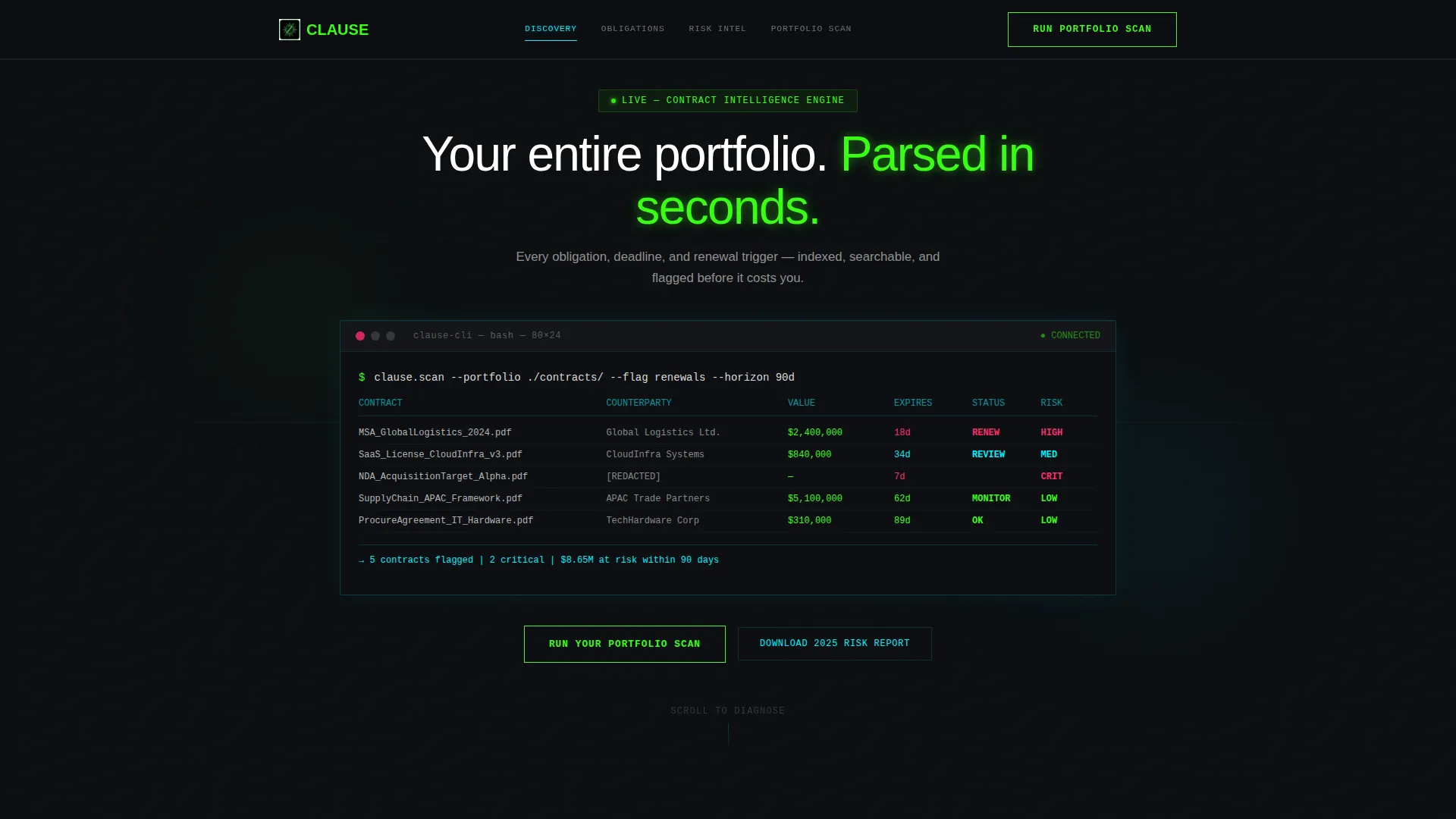
The header renders a styled terminal block on a void-black background. A live query runs line by line, populating contract names, counterparties, dollar values, and days-to-expiration in phosphor green and cyan syntax highlighting. No stock photography appears here, just raw system output that mirrors the visitor's own working environment.
Hub-and-Spoke Anchor Navigation
A sticky navigation bar sits at the top of the page and links directly to each spoke section. Visitors can jump to Discovery, Obligation Tracking, Risk Heatmap, or any other spoke without losing their place. Cyan traces the active nav state so the current section is always clear.
Industry-Report Spoke Sections
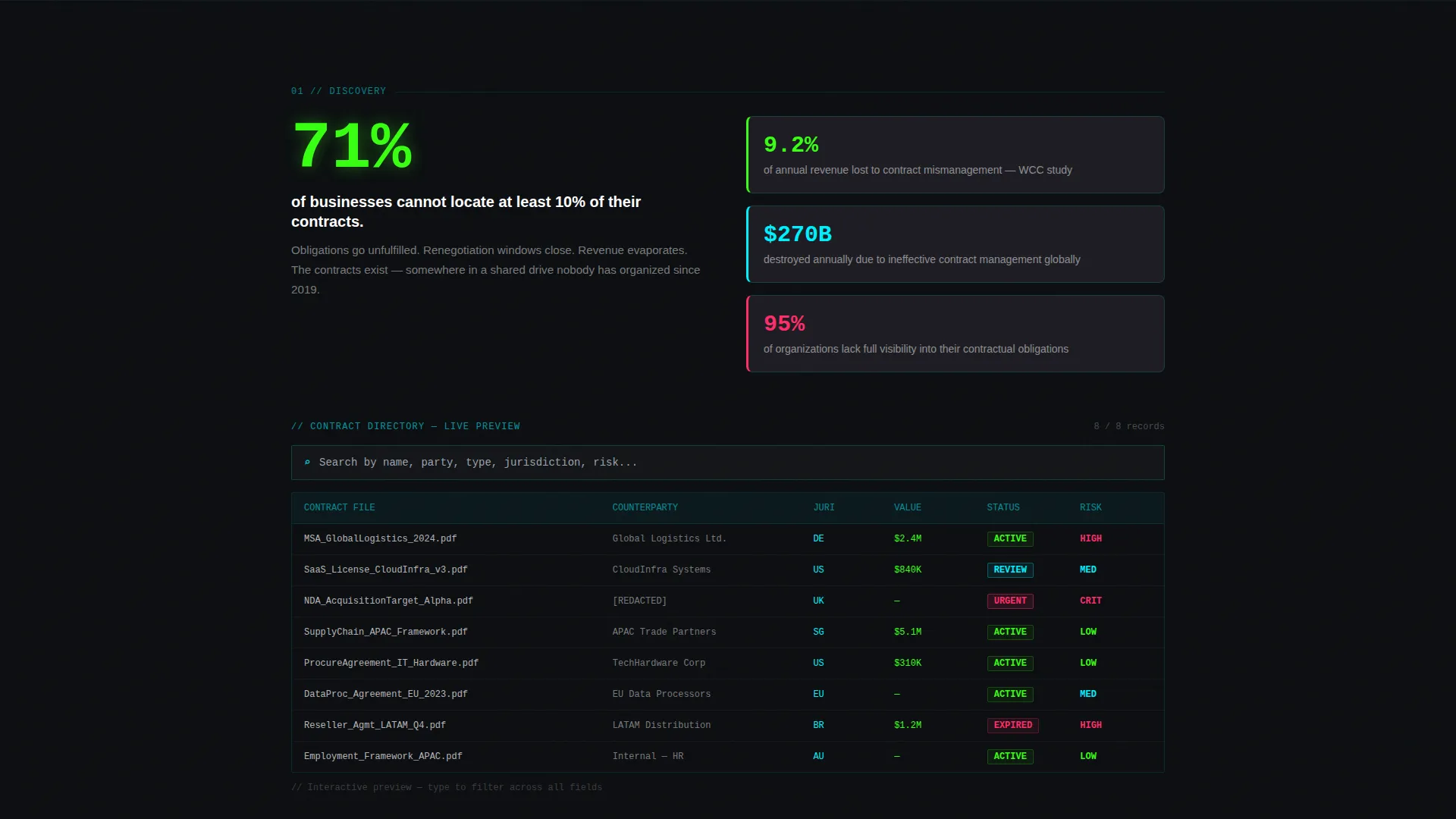
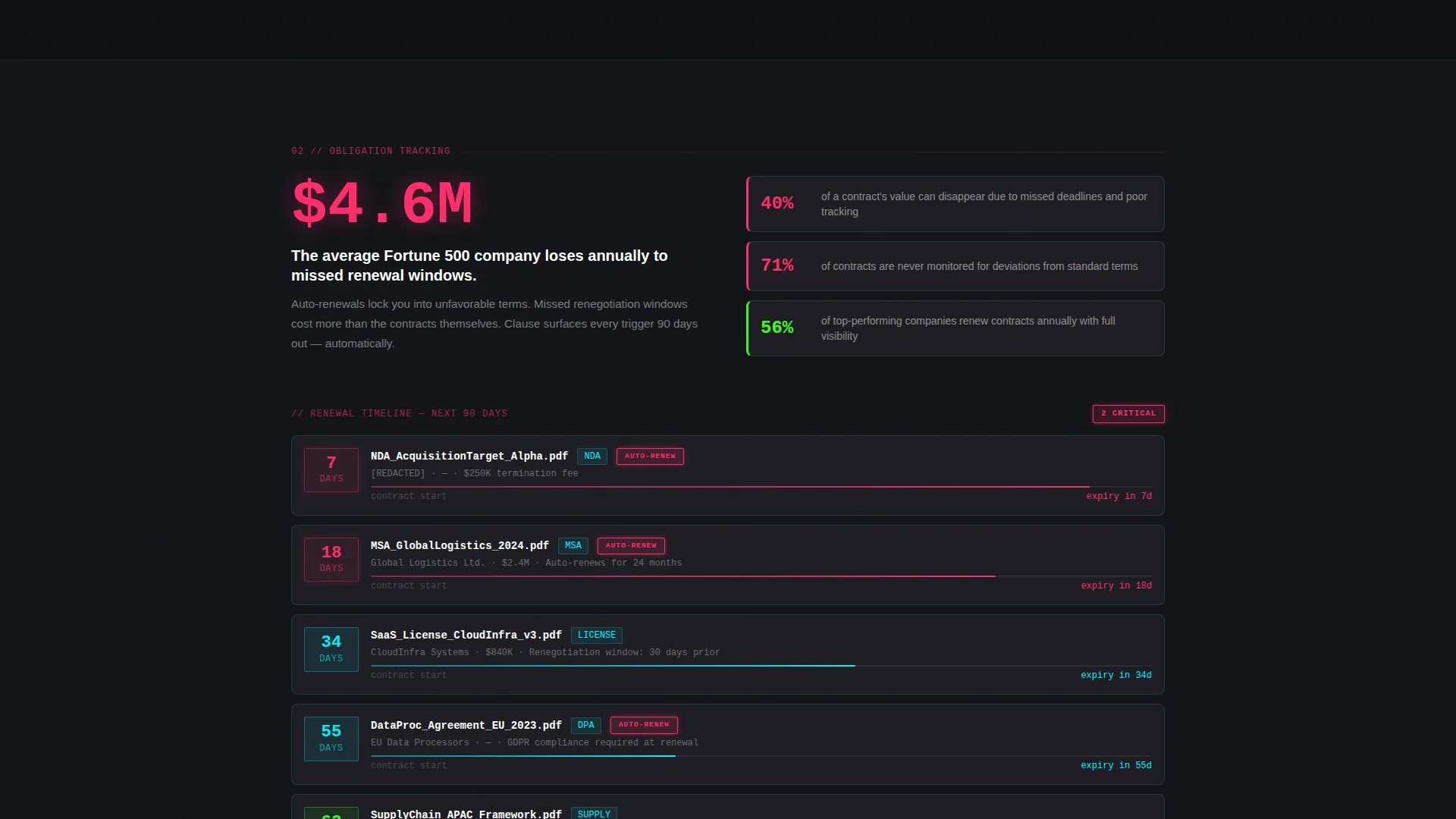
Each spoke opens with a data point drawn from real contract risk research. The Discovery section leads with the statistic that 72 percent of enterprises cannot locate executed contracts within 24 hours. The Obligation Tracking section anchors on the figure that the average Fortune 500 company loses 4.6 million dollars annually to missed renewal windows. Statistics pair with interactive product previews at every stop.
Progressive Lead Capture Form
The primary call-to-action is a short three-field form: company name, approximate contract volume selected from a dropdown with four ranges, and work email. This form appears at the hub center and repeats at the bottom of every spoke section, lowering the friction at every decision point.
Gated Report Download Path
Visitors not ready for a sales conversation can download the 2025 Contract Risk Report by submitting only their work email. This secondary path keeps lower-intent visitors inside the funnel without forcing a full form submission.
Magenta Alert and Urgency System
Hot magenta is reserved exclusively for urgency states: expiring contracts, missed clauses, and risk flags. This color discipline makes every alert feel genuinely important. Nothing uses magenta unless it demands the visitor's attention.
Page sections overview
| Section | Purpose |
|---|---|
| Terminal Hero | Opens with live CLI query animation and primary headline |
| Sticky Anchor Nav | Keeps all spoke sections reachable from any scroll depth |
| Discovery Spoke | Surfaces contract-location statistics with searchable directory preview |
| Obligation Tracking Spoke | Anchors renewal-loss data with countdown badge timeline |
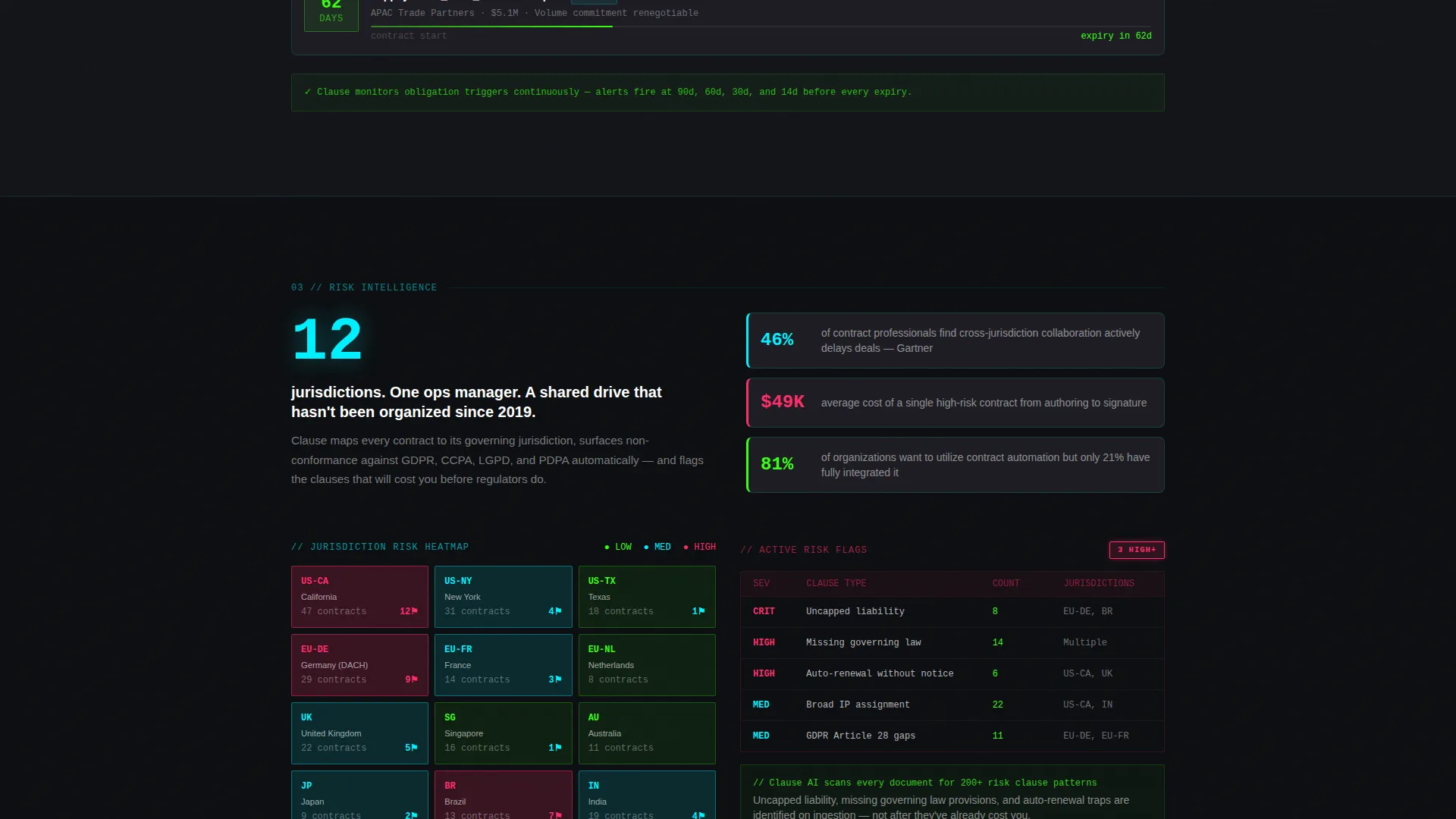
| Risk Heatmap Spoke | Displays jurisdiction-level risk visualization with compliance context |
| Hub Lead Form | Houses the primary progressive portfolio scan form |
| Report Download call to action | Offers gated 2025 Contract Risk Report for email-only capture |
| Spoke Repeat Forms | Repeats the lead form at the base of every spoke section |
Design & branding system
The visual identity runs on an Acid Digital color system. Every design decision reinforces the feeling of a network operations center, dark, precise, and glowing with purpose.
- Background layers use void black (#0B0D10) and muted graphite (#1E1E24) for card surfaces, keeping the interface deep and readable
- Primary text and interactive highlights render in phosphor green (#39FF14) and scanner-line cyan (#00F0FF), with cyan tracing borders, progress indicators, and navigation states
- Hot magenta (#FF2D6B) appears only in alert and urgency states such as expiring contracts, missed clauses, and risk flags, keeping its signal value intact
Mobile & speed optimization
The template is structured for responsive layout across screen sizes. The anchor navigation and terminal hero adapt to narrower viewports without losing their visual hierarchy.
- The sticky anchor nav collapses cleanly on smaller screens so spoke links remain accessible without crowding the viewport
- Card surfaces and interactive preview components maintain legible contrast ratios in the dark palette at all breakpoints
How this template helps you convert
This template does not ask for trust before earning it. Every spoke section presents evidence first and positions the product as the natural resolution.
- The terminal hero immediately demonstrates platform capability by simulating a live contract scan, giving technically minded buyers a concrete reason to keep reading before any sales language appears
- The repeating spoke-level forms reduce the distance between conviction and conversion, a visitor persuaded by the Obligation Tracking section can submit the form without scrolling back to the top
- The dual-path conversion system captures both high-intent buyers ready for a scan and lower-intent researchers willing to trade only an email, widening the total lead volume without weakening the primary offer
Other information about this template
This template is designed specifically for the contract management software category and is well suited to platforms operating in the legal technology and procurement automation space.
- The template style is Hub and Spoke with Anchor Navigation, making it straightforward to extend with additional spoke sections if your platform covers more use cases
- The creative direction follows an Industry Report format, which positions the platform as a knowledgeable authority rather than a typical vendor
- The Directory and Discovery theme reinforces the core product promise: that every contract, obligation, and deadline is findable in seconds
Theme
Directory & Discovery
Creative direction
Industry Report
Color system
Acid Digital
Style
Hub & Spoke (Anchor Nav)
Direction
Lead Generation
Page Sections
Terminal Hero with Live CLI Animation
Hub-and-spoke Anchor Navigation
Industry-report Spoke Sections
Progressive Portfolio Scan Form
Gated Report Download Path
Magenta Alert and Urgency System
Related questions
Can I change the statistics used in the spoke sections?
How does the dual lead capture system work?
Is the terminal animation customizable?
Who is this template built for?
Does the Acid Digital color system have to stay as-is?



