Preschool & Early Education Specialist Booking Website Template
Sprout is a single-column landing page template built for preschool and pre-K programs that want to earn family trust before asking for a commitment. It opens with a warm quiz, follows a problem-to-solution scroll arc, and closes with two clear lead paths: a visit scheduler and a downloadable daily guide. The Botanical color system keeps every section calm, grounded, and inviting.
by Rocket studio
Quick summary
Sprout is a warm, story-driven landing page template for preschool and pre-K programs. It opens with a parent quiz, walks families through their real anxieties, and resolves each worry with a specific classroom practice. Two lead-generation paths, a visit form and a gated PDF, give parents a way in at their own pace.
Who this template is for
This template is built for early childhood educators and school administrators who want their online presence to feel as welcoming as their classroom. It speaks directly to the families most likely to be searching for a preschool program right now.
- Preschool and pre-K programs looking to convert website visitors into scheduled tours
- Early education directors who want to address parent anxiety before it becomes a barrier
- Relocating families or first-time preschool parents who need to build trust quickly
What problem this template solves
Most preschool landing pages lead with tuition tables and enrollment forms. Families searching for early education are not ready for that. They arrive carrying quiet fears, about separation, about screen time, about whether their child will feel safe. This template meets those fears head-on before asking for anything in return.
- Parents leave pages that feel clinical or transactional before they ever fill out a form
- Generic enrollment pages cannot address the specific worry each family is carrying
- A one-size-fits-all pitch misses the emotional nuance that drives preschool enrollment decisions
What you get with this template
The template delivers a complete single-column landing page flow, built around a guided emotional arc from first scroll to final form. Every section has a clear job, and nothing is filler.
- A quiz-led header that personalizes the page experience from the very first tap
- A problem-to-solution scroll arc that surfaces parental worries and answers each one with a real classroom practice
- Two lead-generation paths: a visit scheduling form and an email-gated downloadable PDF
Feature list
This template is built around four core capabilities that work together to move a hesitant parent toward a confident next step.
Interactive Quiz Starter Header
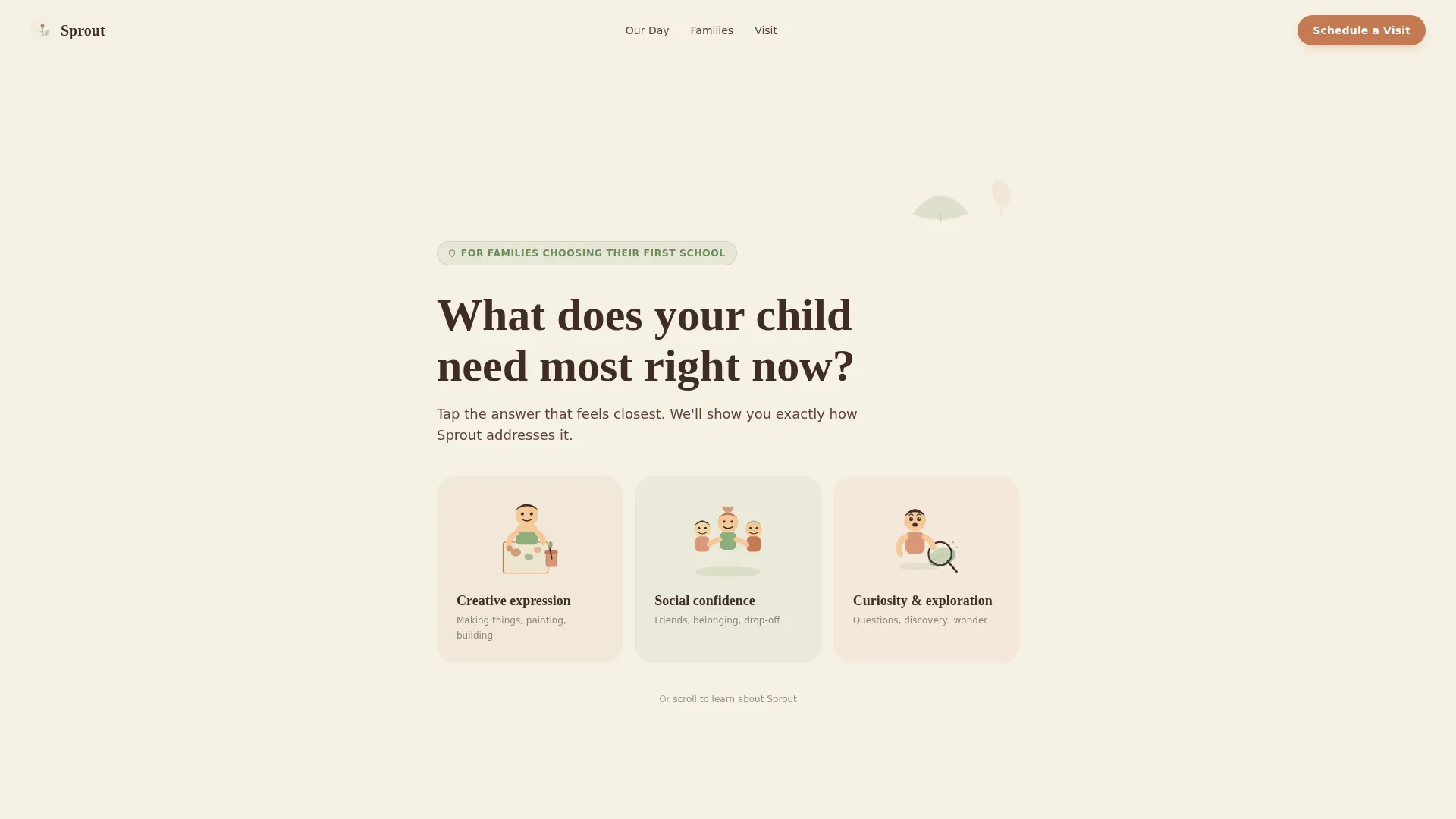
The page opens with a single warm question in large, rounded serif type set against soft parchment cream: "What does your child need most right now?" Three illustrated answer cards let a parent tap their top concern. The hand-drawn illustration style feels personal, not promotional, and the low-stakes interaction makes the page feel like a conversation rather than a pitch.
Problem-to-Solution Scroll Arc
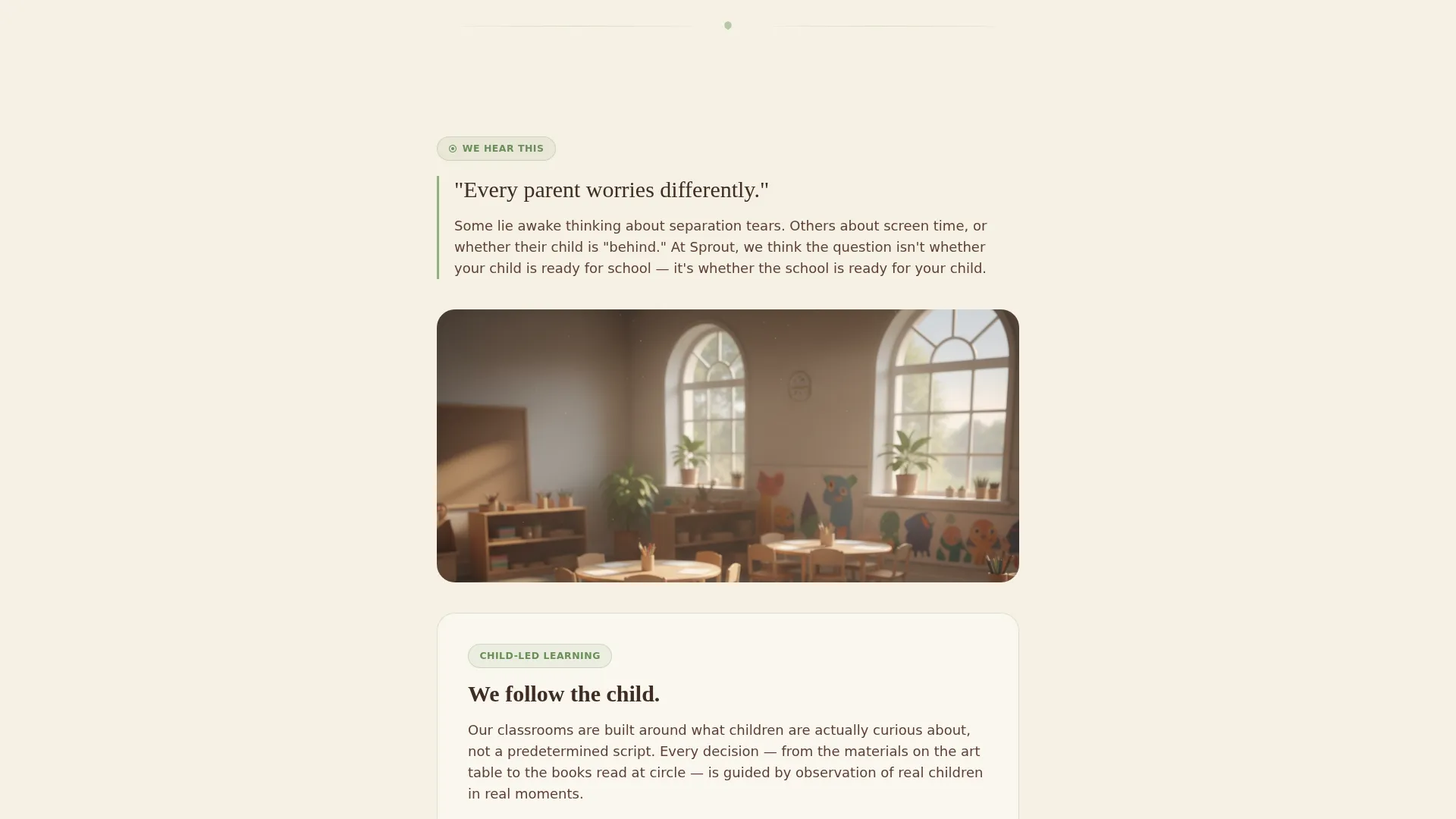
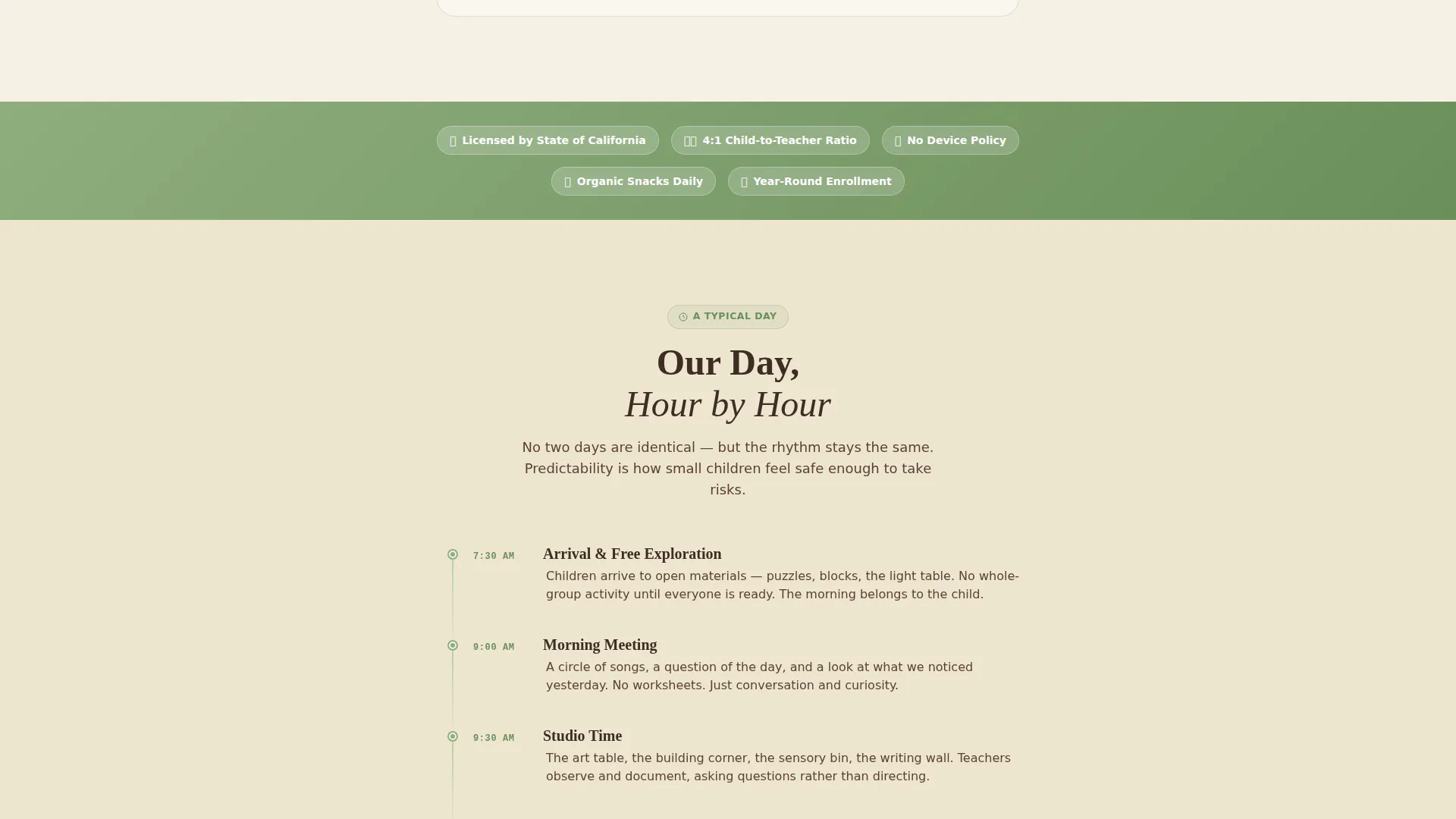
Each section of the page follows the same honest rhythm: name the parental worry first, then answer it with a specific classroom detail. The buddy bench system addresses fears about social confidence. The no-device policy answers screen-time guilt. The emergent curriculum responds to worries about falling behind. Photographs move from wide classroom views to intimate close-ups, building emotional momentum as the parent scrolls.
Child-First Lead Generation Form
The visit scheduling form asks for the child's first name and age before it asks for the parent's contact details. This small structural choice signals that the school leads with the child, not the data. The form also captures a preferred visit day and one optional open-ended question, keeping friction low while gathering useful context.
Downloadable Daily Guide Path
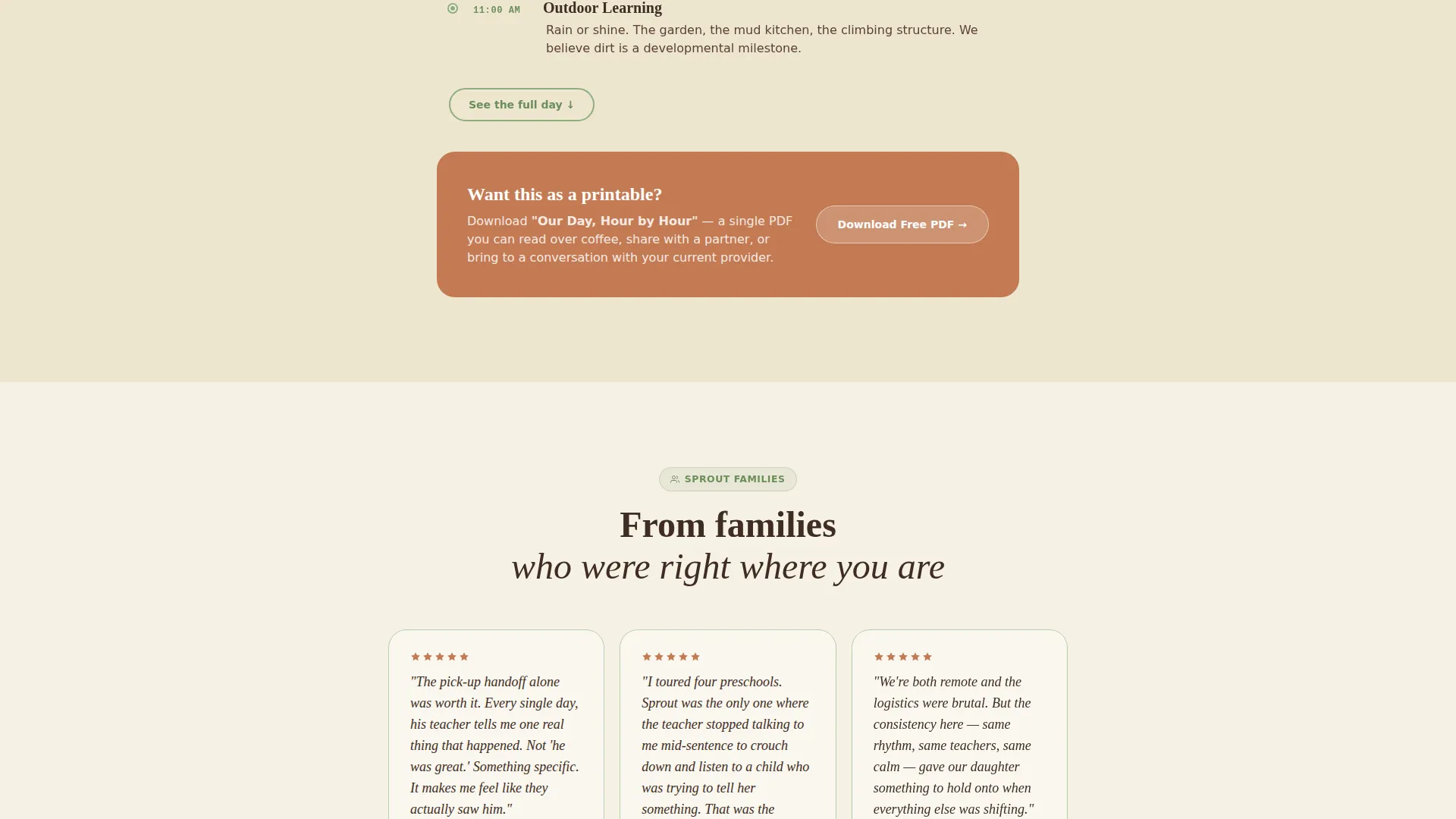
Parents who are not yet ready to schedule a visit can download a PDF called "Our Day, Hour by Hour." The download is gated by email only, keeping the barrier minimal. This secondary conversion path gives cautious families a meaningful next step without requiring them to commit to an in-person visit.
Botanical Color System and Illustration Style
The visual identity uses warm sage, sun-warmed terracotta, soft parchment cream, and deep mulch brown. Terracotta warms buttons and callout cards. Sage anchors section dividers and trust badges. Cream dominates the background. All illustrations are hand-drawn in style, slightly imperfect, intentionally warm, and free of stock photography.
Page sections overview
| Section | Purpose |
|---|---|
| Quiz Starter Header | Opens with a warm parent question and three illustrated answer cards |
| Personalized Arc Section | Acknowledges the specific worry behind the quiz choice |
| Worry-to-Practice Blocks | Pairs each parental fear with a named classroom practice |
| Close-Up Photo Moments | Shifts tone from overview to intimate trust-building detail |
| Parent Testimonials | Closes the emotional loop by echoing the visitor's selected worry |
| Visit Scheduling Form | Primary lead capture with child-first field order |
| PDF Download Gate | Secondary path for parents not ready to book a visit |
| Sticky Mobile call to action Bar | Keeps the visit call to action visible throughout the mobile scroll |
Design & branding system
The Botanical color system is built around a late-morning garden palette. Every color has a structural role, so the page never feels decorative for its own sake.
- Soft parchment cream (#F6F0E4) dominates the background, giving the page the warmth of natural paper rather than a clinical white screen
- Warm sage (#8FAE7E) anchors section dividers and trust badges, while sun-warmed terracotta (#C47A53) heats every button and callout card
- Deep mulch brown (#3E2C23) grounds all body text with the quiet authority of handwritten classroom labels, and rounded serif typography keeps every headline soft and approachable
Mobile & speed optimization
The template is designed with a mobile-first scroll experience in mind. Parents searching for preschool programs are often on a phone, mid-commute or between meetings.
- A sticky bottom bar on mobile keeps the "Schedule a Visit" call to action visible at all times without interrupting the reading flow
- The single-column layout eliminates the layout shifts and crowded grids that make preschool pages hard to navigate on small screens
- Illustrated assets replace heavy photography in key sections, keeping the visual experience light and fast to load
How this template helps you convert
The page is engineered around two principles: earn trust before asking for action, and give every parent a path that matches their readiness level.
- The quiz arc personalizes the experience from the first interaction, so each visitor feels the page is speaking to their specific concern rather than broadcasting a generic message
- The child-first form structure and optional open-ended question lower perceived friction, making the visit scheduling step feel like a friendly conversation rather than a data-collection exercise
- The email-only PDF gate gives hesitant families a low-commitment way to stay connected, capturing a lead from parents who would otherwise leave without engaging
Other information about this template
Sprout is part of a Family First theme collection, designed specifically for early childhood education contexts where emotional trust is the primary conversion driver. A few additional details worth noting:
- The template style is Single Column Flow, making it straightforward to adapt and publish without a complex page-builder setup
- The creative direction follows a Problem-to-Solution Arc, a structure well-suited to any preschool or pre-K program that wants to speak to parent anxiety directly
- The header concept is a Quiz Starter, which can be adapted to reflect the specific language and values of your own early education program
- The Botanical color system and hand-drawn illustration style are intentional departures from the polished stock-photo aesthetic common in education marketing
Theme
Family First
Creative direction
Problem→Solution Arc
Color system
Botanical
Style
Single Column Flow
Direction
Lead Generation
Page Sections
Quiz Starter Header with Illustrated Cards
Problem-to-solution Scroll Arc
Child-first Lead Generation Form
Email-gated PDF Download Path
Botanical Visual Identity System
Related questions
Can I adapt the quiz questions to match my school's specific programs?
Does the template include the downloadable PDF content?
How does the visit scheduling form collect parent preferences?
Is this template suitable for a small independent preschool?
What does a parent see after completing the quiz?



