Intelligent Event Planning Landing Page Template
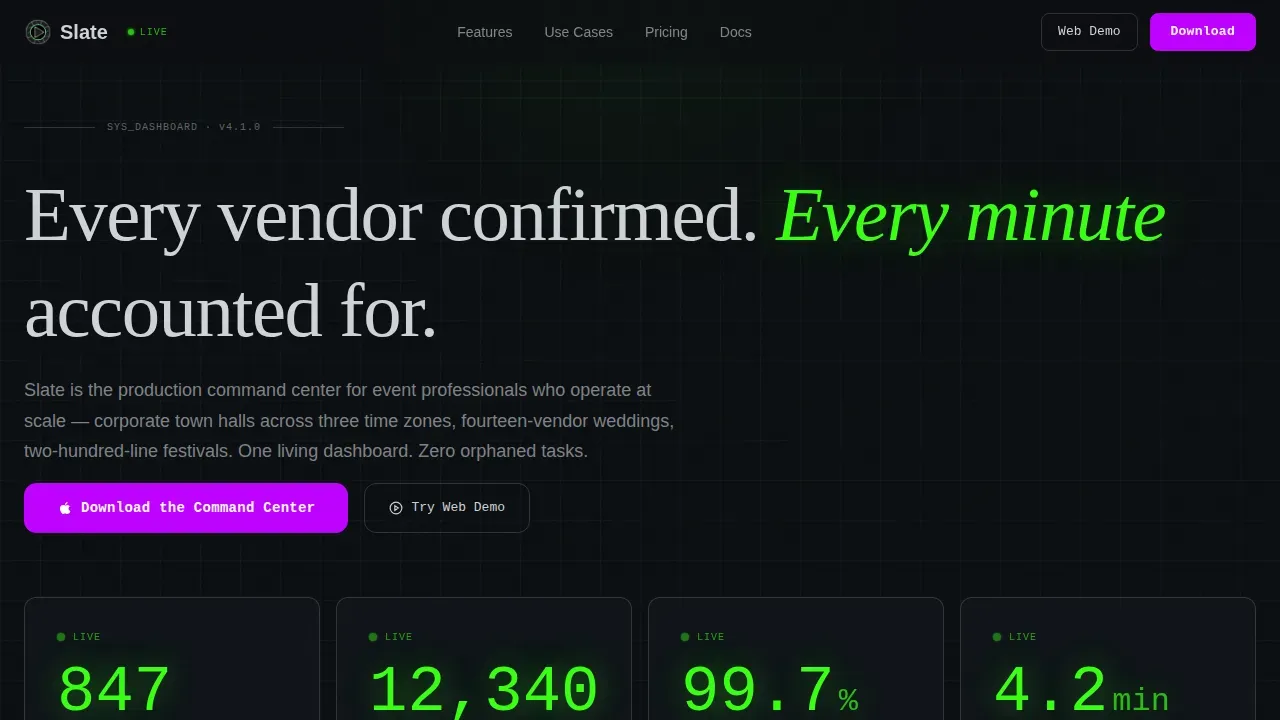
Slate is a dark-themed, card grid landing page built for event planning booking and scheduling platforms. It opens with a live stats dashboard, moves through six modular spec cards, and closes with a sticky app download bar. Every field, button, and data point is designed to convert event managers into confident app users before they reach the bottom of the page.
by Rocket studio
Quick summary
Slate is a single-page, card grid landing page template built for event planning booking and scheduling products. It leads with oversized live metrics, walks visitors through six capability spec cards, and ends with a clear app download call to action. The design follows a Data Command theme: void black background, phosphor green text, electric violet interactive elements, and hairline silver card borders.
Who this template is for
This landing page is built for teams that run complex, multi-vendor events and need a scheduling tool that can keep up. It speaks directly to the professionals who open their laptops at 6 AM and need every task green before gates open.
- Corporate event managers coordinating town halls across multiple time zones
- Wedding planners juggling fourteen or more vendors sharing one loading dock
- Festival producers tracking two hundred line items before the day-of run sheet is final
What problem this template solves
Event professionals lose time and credibility when their scheduling tools look generic. A bland landing page cannot communicate the scale, speed, or reliability that production-level event managers demand. This template addresses that gap directly.
- It replaces lifestyle photography with live data, so the product's value is immediate
- It uses spec card logic to answer each objection before a visitor can raise it
- It gives the download button a reason to exist by the time visitors scroll to it
What you get with this template
You get a fully structured, single-page event landing page ready to customize with your own copy, metrics, and brand assets. Every section is pre-built and logically ordered to guide visitors from awareness to app download without friction.
- A live stats dashboard header with animated counters and monospaced phosphor green text
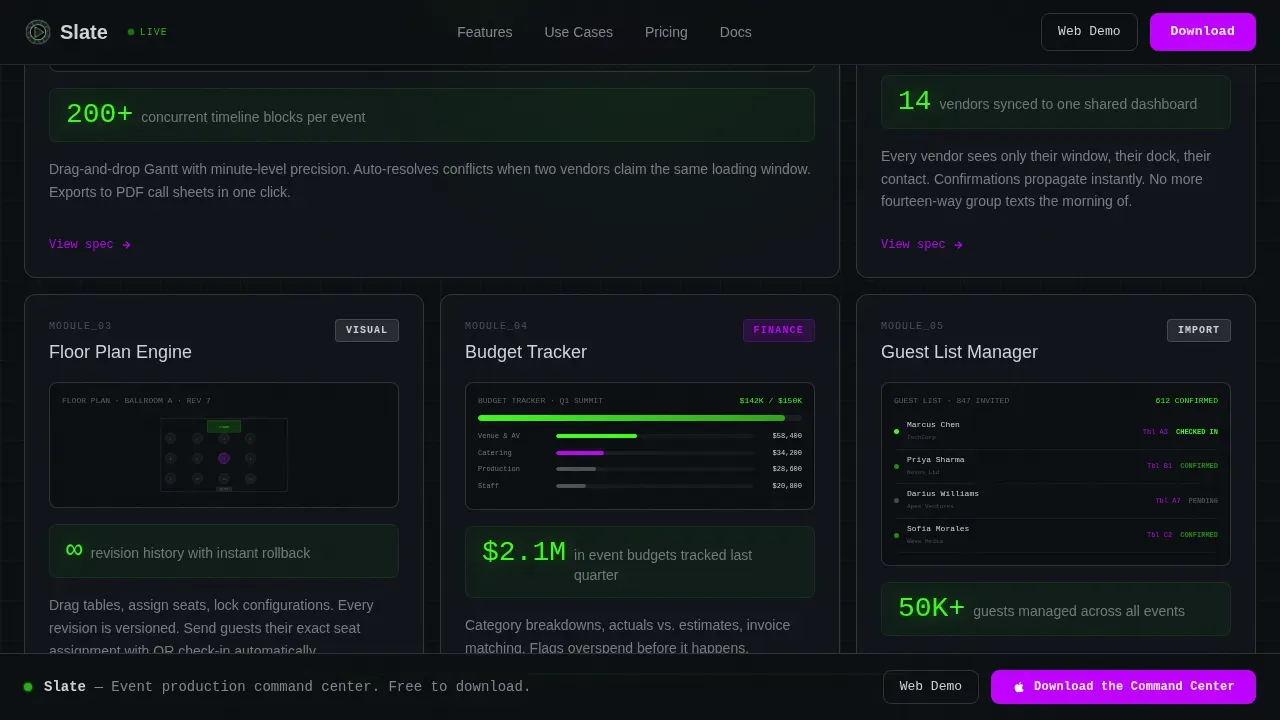
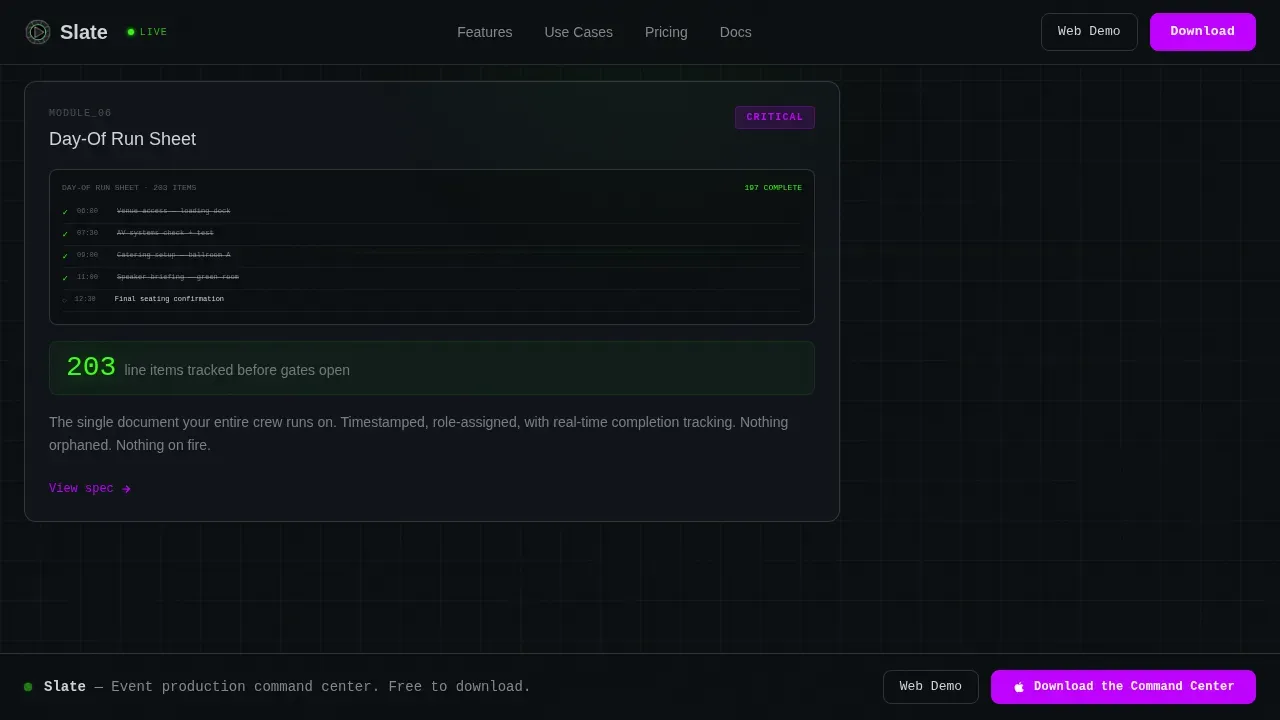
- Six modular capability spec cards with per-card metrics, descriptions, and mock interface thumbnails
- A sticky bottom download bar paired with App Store and Google Play badge slots, plus a secondary web demo link
Feature list
This template ships with six distinct capability modules, each designed to add evidence and deepen confidence as the visitor scrolls. Below is a description of what each section delivers.
Live Stats Dashboard Header
The header displays four key metrics in oversized monospaced type: events managed, vendor bookings confirmed, on-time execution rate, and average response time. Counter animations run on page load, and the phosphor green on void black palette makes every data point feel urgent and earned.
Modular Spec Card Grid
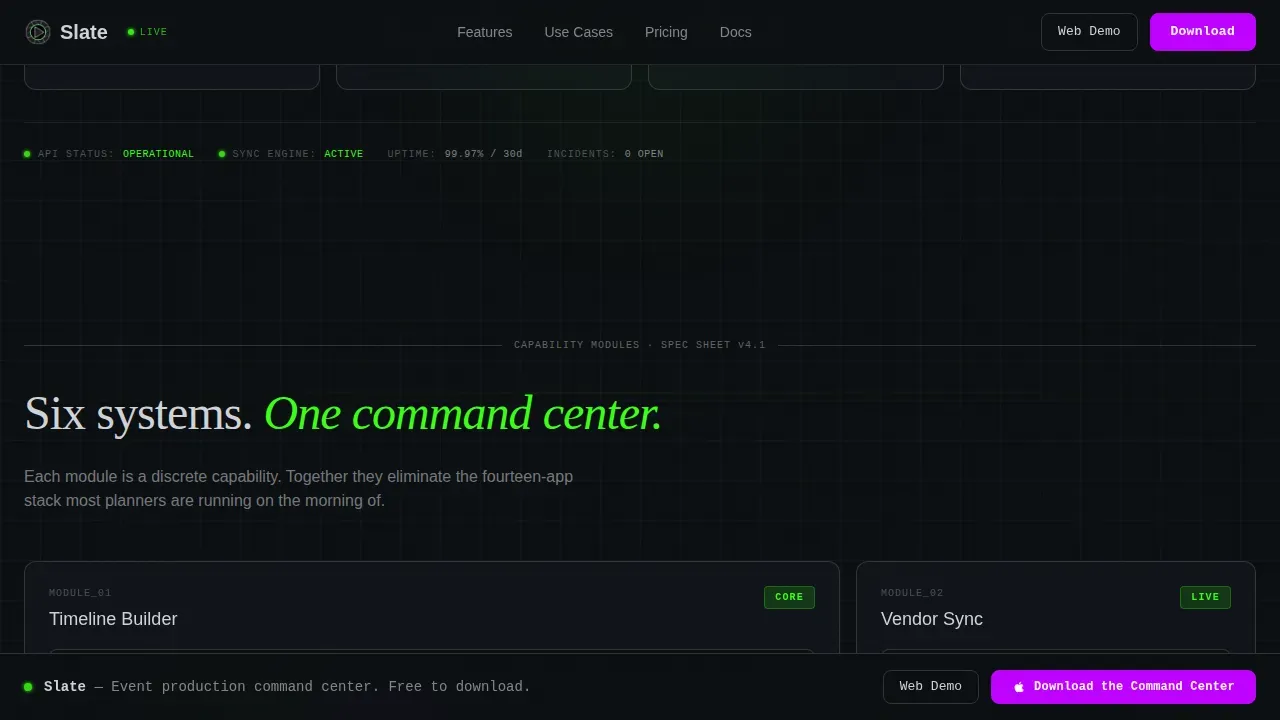
Six capability cards sit in a responsive card grid, each opening with a single headline metric. Cards cover Timeline Builder, Vendor Sync, Floor Plan Engine, Budget Tracker, Guest List Manager, and Day-Of Run Sheet. Each card includes a short functional description and a mock interface screenshot, so visitors can check exactly what the tool does before they commit.
Dynamic Registration and Waitlist Logic Display
The template is structured to display real-time availability states, including a "Join Waitlist" button state when event capacity is reached. This is a design-level display pattern that prompts teams to wire up live waitlist functionality in their app, so no lead is lost when an event fills up.
Sticky App Download Bar
A persistent bottom bar follows the user through every scroll step. It holds the primary "Download the Command Center" button alongside App Store and Google Play badge slots. A secondary "Try the Web Demo" text link is provided for visitors who want to run the browser sandbox before they sign up.
Use Case Archetypes Section
Three client archetype cards map specific pain points to platform capabilities. Each archetype gets its own tab panel, so visitors can select the scenario that matches their role and follow a path built for their exact workflow.
Social Proof Testimonial Row
An outcome-specific testimonial row is set between the spec grid and the final call to action card. Each testimonial references a concrete result, such as time saved or vendor conflicts avoided, adding the human feedback layer that data metrics alone cannot provide.
Page sections overview
| Section | Purpose |
|---|---|
| Stats Dashboard Header | Display live event metrics with counter animations |
| Spec Card Grid | Present six capability modules with metrics and mock user interface |
| Use Case Archetypes | Map platform value to three client roles |
| Social Proof Row | Show outcome-specific testimonials |
| Final call to action Card | Drive app download and web demo sign-up |
| Sticky Download Bar | Keep the primary button visible at all scroll depths |
| Footer | Provide navigation links in horizontal flow pattern |
Design & branding system
The visual identity follows a Data Command theme built on the Acid Digital color system. Every color choice is functional: accent colors are selected by importance, not decoration, so each element earns its place on the screen.
- Void black (#0B0E11) as the base background, terminal phosphor green (#39FF14) for all live data text and status indicators
- Electric violet (#BF00FF) reserved exclusively for interactive hotspots, primary buttons, and the sticky download bar
- Interface silver (#D0D3D8) for body text, card borders, and hairline separators; typography set in JetBrains Mono for numbers, DM Sans for body, and Fraunces for display headlines
Mobile & speed optimization
The template is built desktop-first, reflecting the reality that event managers run their command centers on laptops. Mobile parity is maintained for day-of use, so the layout holds at every viewport without sacrificing the data-dense card grid.
- Sticky bottom bar and card grid reflow cleanly at tablet and mobile breakpoints
- Counter animations and pulse indicators are implemented with GSAP scroll reveals and staggered grid entrance transitions
- Server Components handle static sections while Client Components run the counter and animation logic, keeping interactive fields fast
How this template helps you convert
This template is designed so that each scroll step adds a new layer of evidence. By the time a visitor reaches the final call to action card, the decision is not whether to download but which event to start with first.
- The header metrics function as social proof before a single line of copy is read, setting value expectations immediately and reducing the need to search for credibility signals further down the page.
- Each spec card answers a specific objection by leading with a capability metric, then filling in the functional description, so visitors can determine whether the tool fits their workflow without leaving the landing page.
- The sticky download bar keeps the primary conversion button selected and visible at every scroll depth, removing the need to scroll back to the top to act.
Other information about this template
This template is part of the Slate Data Command Event Planning Landing Page Template collection. It is designed to work alongside platforms that use Slate's event-driven application configuration, where a Slate data command refers to using Configurable Joins, Query Builder, or Liquid Markup to dynamically manipulate database records.
- Event details like name, start time, and location can be dynamically displayed using Liquid markup in Slate, so changes to data such as speaker names reflect instantly across all event landing pages without hardcoding
- All events that share an event template inherit the same registration form and communications; changes made at the template level are passed down automatically, so teams avoid editing each event instance one by one
- A user-friendly vanity URL is recommended for Slate event registrations to make sharing easier; embedded registration forms keep the user on the landing page and avoid off-site navigation
- Event templates can be used to add recurring events en masse without additional configurations, saving time when managing a large schedule of similar events
- The registration limit for each event can be set at the template level, and that limit is stored and applied to every event created from it; individual event instances can override template settings without affecting the default for future events
- Dynamic location data in Slate uses the Location Field to display maps and directions based on linked dataset records, giving visitors the information they need without requiring a separate documents page or PDF download
- After events are created from a template, they appear in the event calendar view automatically, giving coordinators a clear record of all scheduled events in one place
- The Include Guests setting factors into waitlist transfer logic, so guests selected alongside a registrant are included when a spot opens up
- Feedback from past events, including outcome-specific testimonials, can be added to the social proof section to add credibility and create urgency
Theme
Data Command
Creative direction
Spec Sheet
Color system
Acid Digital
Style
Card Grid (Modular)
Direction
App Download
Page Sections
Live Stats Dashboard Header
Modular Spec Card Grid
Sticky App Download Bar
Use Case Archetype Tabs
Dynamic Waitlist Display State
Outcome-specific Social Proof Row
Related questions
Can I customize the spec card descriptions and metrics?
Does this template support dynamic content from a live data source?
How does the waitlist display state work?
Can one event template cover multiple recurring events?
Is the sticky download bar visible on mobile?



