Executive Consulting FAQ & Dark Glass Website Template
Boardroom is a hub-and-spoke consulting FAQ landing page built for firms that work at the executive level. It pairs a Dark Glass Panels header, an anchor navigation system, and accordion FAQ spokes with persistent lead-capture tools. The result is a single page that answers every hard question a CFO, COO, or founder is carrying before asking for a conversation.
by Rocket studio
Quick summary
Boardroom is a single-page consulting FAQ landing page with a hub-and-spoke layout. Anchor navigation in the header snaps visitors to each topic spoke instantly. Accordion rows, stat interstitials, and a persistent bottom-bar form work together to build authority and collect leads without interrupting the reading experience.
Who this template is for
This template is built for consulting firms that work directly with senior decision-makers. If your clients are executives who need answers before they ever agree to a meeting, this page closes that gap.
- Strategy and operations consultancies targeting CFOs, COOs, and founders
- Boutique advisory firms that compete on credibility and need to prove it up front
- Consulting practices that receive the same ten questions repeatedly and want a scalable answer
What problem this template solves
Most consulting websites bury the answers executives actually want. A CFO evaluating a restructuring partner does not want to book a call to find out if the firm has done this before. This template puts proof and answers first.
- Visitors arrive skeptical and leave qualified, because every common objection is addressed on the page
- The anchor navigation removes friction by letting busy readers jump straight to the topic they care about
- Stat interstitials placed between spokes turn scrolling into a cumulative trust-building sequence
What you get with this template
You get a fully structured FAQ landing page designed around the consulting buyer journey. Every section has a clear purpose, and nothing is decorative without also being functional.
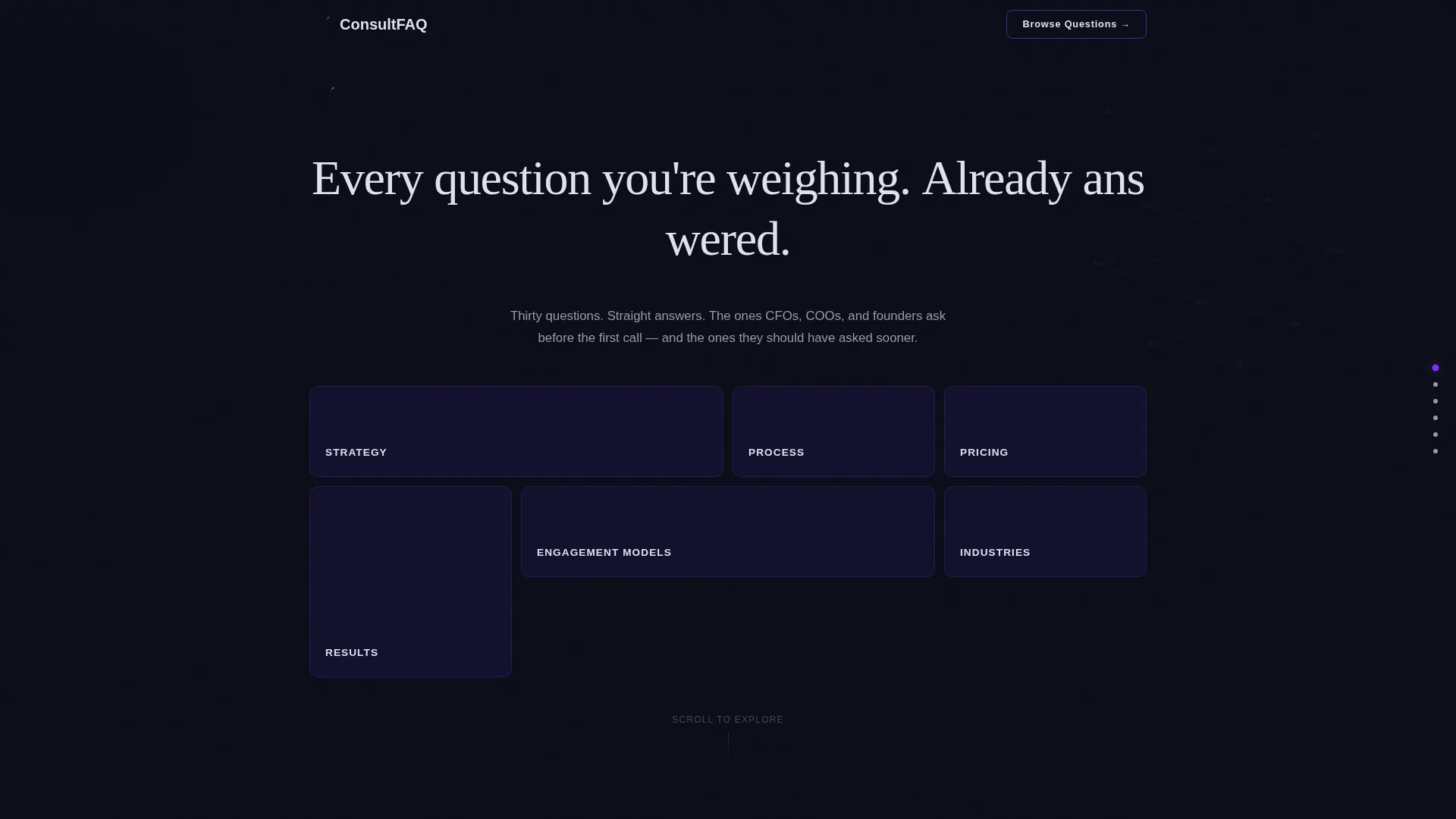
- A staggered Dark Glass Panels header with six category panels and an animated headline
- Six anchor-linked FAQ spokes covering Strategy, Pricing, Process, Results, Engagement Models, and Industries
- A persistent bottom-bar lead form and a full-width closing conversion section
Feature list
This template ships with a tightly coordinated set of components. Each one serves the core goal: answer questions, build authority, and earn the contact.
Hub-and-Spoke Anchor Navigation
Six frosted glass panels in the header each carry a FAQ category label. Clicking any panel fires a smooth snap-scroll to that spoke section. The anchor nav also carries electric violet highlight states so the active destination is always visible.
Accordion FAQ Rows
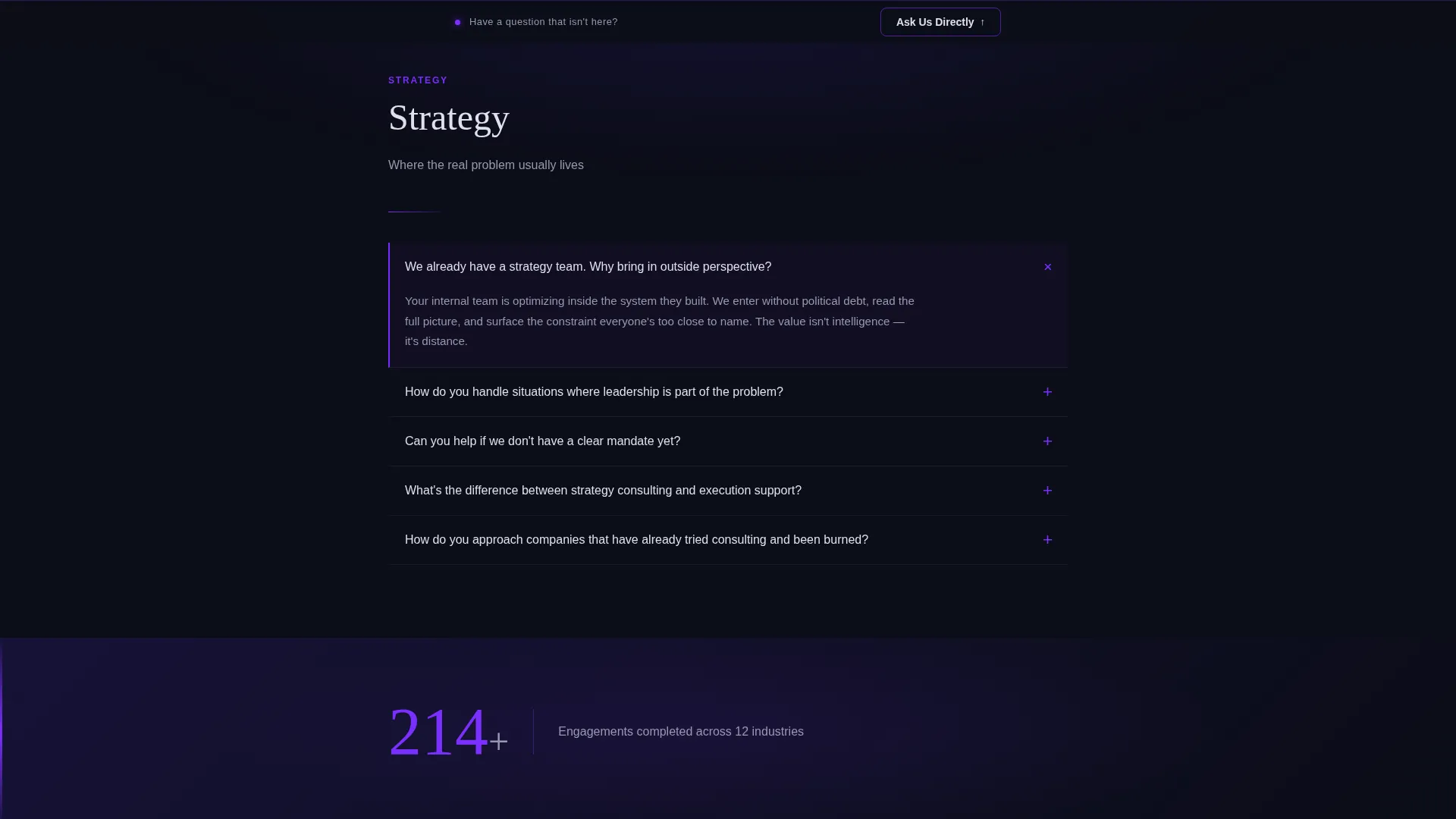
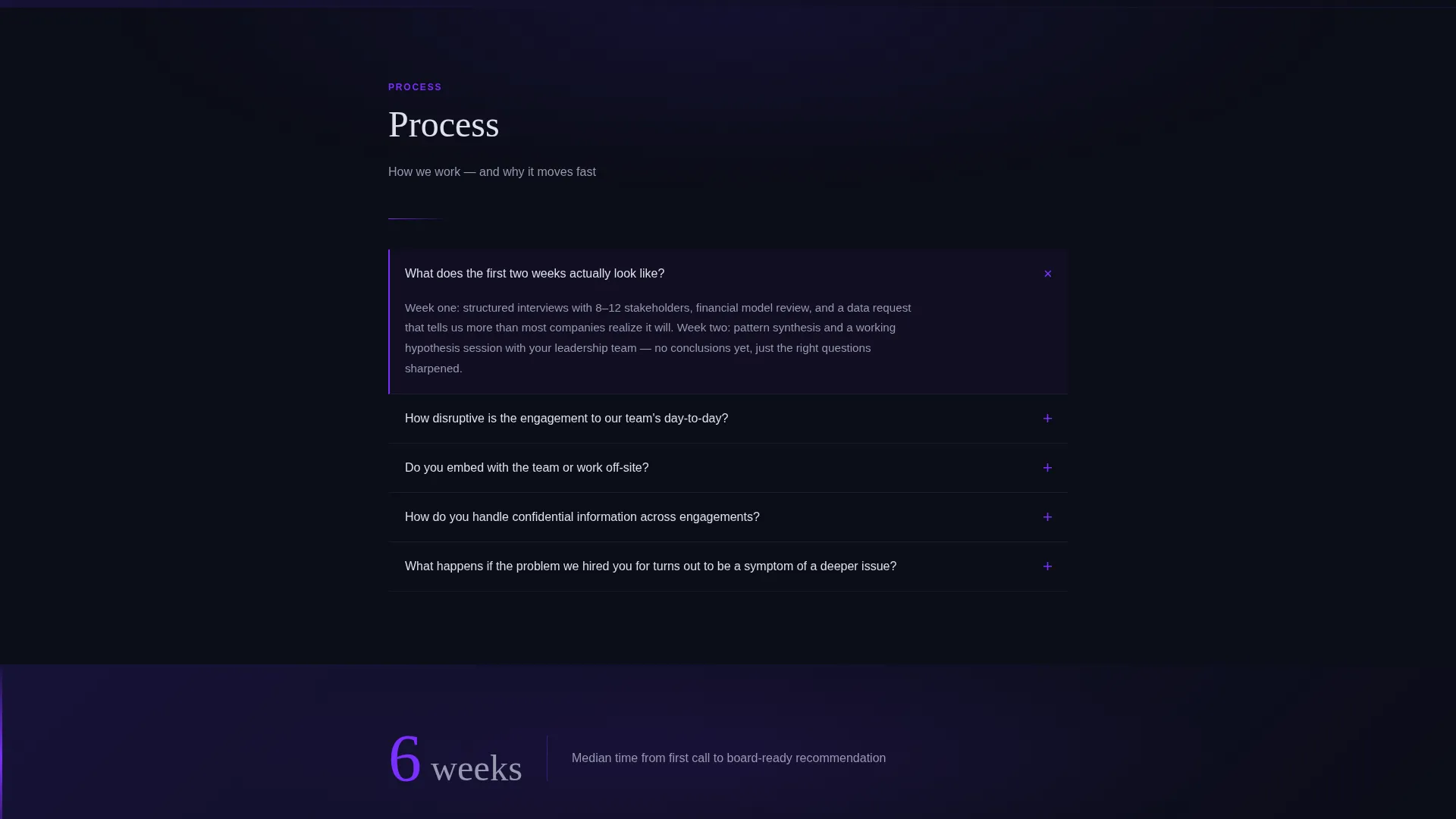
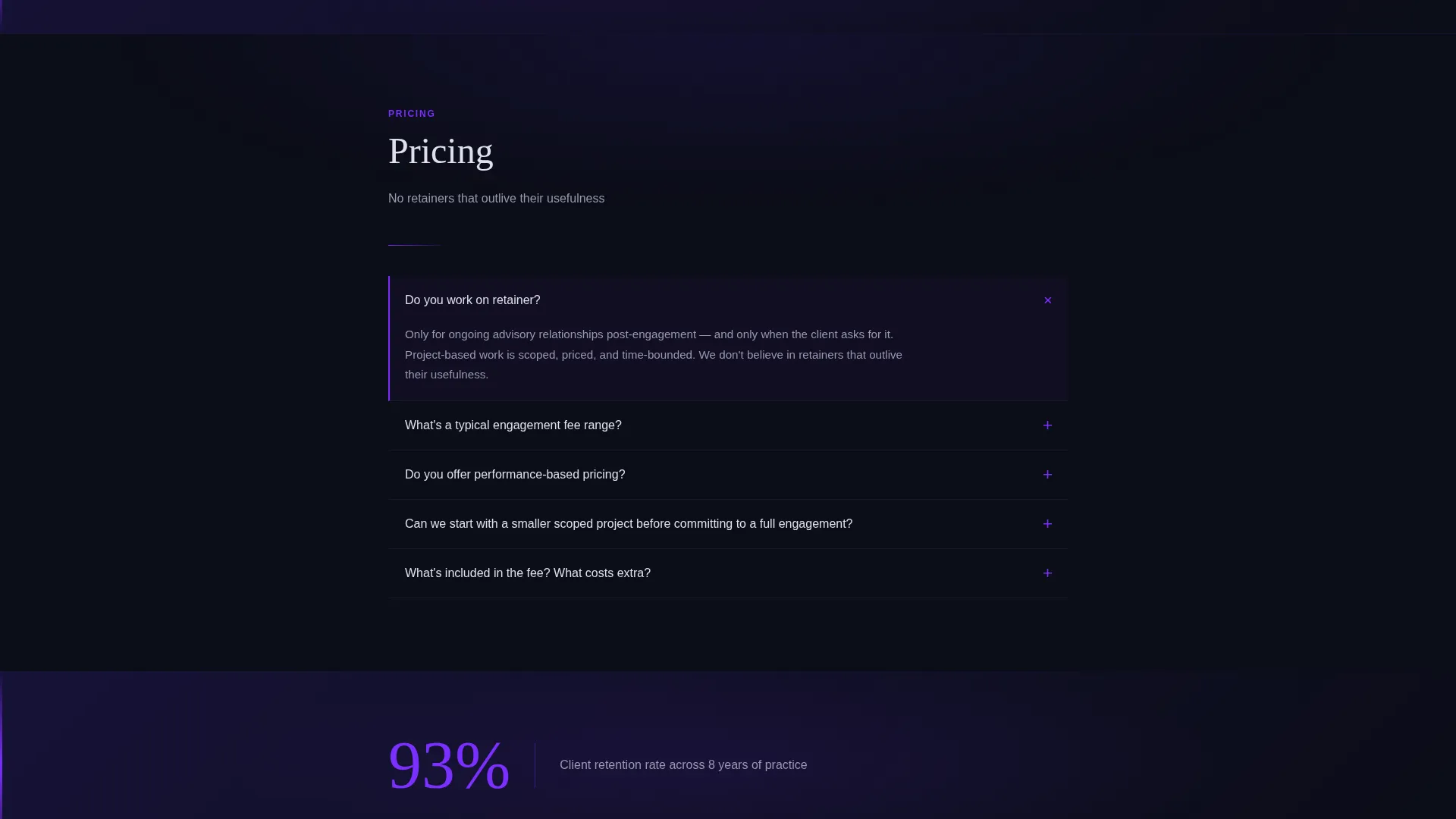
Each spoke section stacks questions as accordion rows. A violet left-border indicator ignites on hover, signaling interactivity before the visitor clicks. Answers are written in two to three tight sentences in the consultant's voice, not legal boilerplate.
Kinetic Spoke Entry Animations
Every spoke section opens with a micro-animation: the category title splits apart to reveal the first question expanding beneath it. This launch-energy motion reinforces the sense that the page is alive and responsive, not static.
Stat Interstitials Between Spokes
Single-stat callouts appear between FAQ sections. Examples from the brief include figures like 214 engagements completed and 93 percent client retention across eight years. These interstitials give the scroll a rhythm of question, answer, and proof that accumulates authority as the visitor moves down the page.
Persistent Bottom-Bar Lead Form
A minimal two-field form slides up from the bottom of the viewport at all times. It asks only for a name and the single question on the visitor's mind. The low-friction design keeps the conversion opportunity present without interrupting the reading flow.
Full-Width Closing Conversion Section
At the end of the final FAQ spoke, a full-width section reframes the contact moment. The headline reads "Still have a question that isn't here? That's usually the one that matters most." A slightly expanded form below it collects company name, email, and an open question field, ending with a submit button reading "Send Your Question."
Page sections overview
| Section | Purpose |
|---|---|
| Dark Glass Header | Displays six category panels with animated headline and anchor nav entry points |
| Anchor Navigation Bar | Lets visitors jump directly to any FAQ spoke with one click |
| Strategy Spoke | Answers questions about consulting approach and strategic frameworks |
| Pricing Spoke | Addresses fee structures, engagement costs, and value expectations |
| Process Spoke | Explains how engagements are scoped, staffed, and delivered |
| Results Spoke | Shares outcome-oriented answers backed by retention and engagement stats |
| Engagement Models Spoke | Covers retainer, project, and advisory arrangement options |
| Industries Spoke | Clarifies which sectors and business types the firm serves |
| Stat Interstitials | Punctuates spoke transitions with single proof-point callouts |
| Bottom-Bar call to action | Keeps a persistent low-friction lead form visible at all times |
| Closing Conversion Section | Reframes the final ask and captures open-ended buyer questions |
Design & branding system
The visual identity follows a Data Command theme built on the Electric Indigo color system. The palette reads like a Bloomberg terminal reflected in a glass office wall late at night: precise, charged, and technically confident.
- Void black (#0B0D17) as the primary background, deep indigo (#1A1440) for card and panel surfaces, and cool platinum (#E0E0EC) for body text
- Electric violet (#7B2FFF) reserved for all interactive states including nav dots, accordion hover borders, expanding icons, and call to action borders
- Background data visualizations behind the glass panels use node maps, faint grid lines, and slow-moving gradient pulses in indigo and violet, with no stock photography anywhere on the page
Mobile & speed optimization
The layout is built to perform at any screen size without sacrificing the command-center atmosphere. Accordion rows are touch-friendly by default, and the persistent bottom bar adapts to smaller viewports without covering key content.
- The staggered glass panel grid in the header reflows gracefully for tablet and mobile breakpoints
- Accordion interaction and snap-scroll anchor behavior are designed to work smoothly on touch devices
- The Data Command aesthetic is preserved at every screen width, keeping the visual weight intentional rather than accidental
How this template helps you convert
This template earns the lead before it asks for one. The structure is deliberate: thirty questions answered before a single contact field appears.
- The anchor navigation lets a CFO or COO go directly to Pricing or Results, the two sections that most often determine whether a consulting inquiry moves forward, reducing drop-off from impatient senior buyers.
- Stat interstitials positioned between spokes deliver social proof at the exact moment a visitor might otherwise leave, turning each scroll transition into a reinforcing data point rather than dead space.
- The persistent bottom-bar form and the closing conversion section give two separate capture moments with different levels of commitment, so a visitor who is not ready for the full form still has a zero-friction way to start a conversation.
Other information about this template
This template sits inside the Consulting Firm Website Templates subcategory and is specifically optimized for the Consulting Firm FAQ page use case. It is a strong fit for any firm that needs a dedicated FAQ landing page rather than a buried FAQ section inside a larger site.
- The template style is Hub and Spoke with Anchor Navigation, making it a structured alternative to long-scroll FAQ pages with no wayfinding
- The creative direction is Launch Energy, meaning interactions feel immediate and intentional rather than passive or decorative
- The Lead Generation landing-page direction means every design decision, from the persistent call to action bar to the closing form, is oriented toward capturing a qualified contact, not just informing a visitor
Theme
Data Command
Creative direction
Launch Energy
Color system
Electric Indigo
Style
Hub & Spoke (Anchor Nav)
Direction
Lead Generation
Page Sections
Hub-and-spoke Anchor Navigation
Accordion FAQ Rows with Hover States
Kinetic Spoke Entry Animations
Proof-point Stat Interstitials
Persistent Bottom-bar Lead Form
Full-width Closing Conversion Section
Related questions
Can I change the FAQ categories from the default six?
Is the bottom-bar lead form connected to any external system?
Can I update the stat interstitial numbers to reflect my firm's real data?
How many accordion questions can I add to each spoke section?
Does this template work for a solo consultant or only for larger firms?



