Cybersecurity Bootcamp Landing Page Template
Breach is a hub-and-spoke cybersecurity bootcamp landing page built around a Case Study Narrative structure. It opens mid-action with a three-step registration form and guides visitors through four anchored sections. The Forest Trust color system and Institutional Authority theme create the feel of a classified ops briefing, earning trust through story before asking for commitment.
by Rocket studio
Quick summary
Breach is a single-page cybersecurity bootcamp template designed for incident response programs. It opens directly inside a three-step registration flow and walks visitors through real anonymized breach scenarios across four anchor-nav sections. The Forest Trust palette and Institutional Authority theme give the page the weight and credibility that serious technical audiences expect.
Who this template is for
This template is built for cybersecurity training programs that need to recruit technically experienced adults. The narrative-driven layout earns trust before asking for commitment, which matters when the audience has seen through generic marketing before.
- Incident response bootcamps targeting mid-career IT professionals
- Security training programs enrolling veterans transitioning to civilian certifications
- Help desk or sysadmin upskilling programs positioning toward a Security Operations Center role
What problem this template solves
Generic course landing pages list features and hope visitors connect the dots. Breach flips that model. It places the visitor inside a breach scenario first, maps the curriculum to an incident timeline, and lets competence do the selling.
- Visitors leave course pages when the content feels irrelevant to real work situations
- Technical audiences distrust marketing copy that does not demonstrate applied knowledge
- Registration forms feel like friction when they appear before trust is established
What you get with this template
You get a complete single-page layout built around narrative momentum and a controlled registration path. Every structural decision points toward one outcome: a visitor who has mentally responded to three incidents and feels the gap the bootcamp fills.
- A sticky anchor navigation bar linking four hub sections: Threat Lab, Alumni Ops, Curriculum, and Instructors
- A three-step header form that remembers visitor input and pre-fills on return, with a gated PDF secondary conversion path
- Four hub sections each opening with an anonymized breach scenario tied directly to curriculum phases
Feature list
This section covers the core built-in components that define how the Breach template works and what each piece contributes to the page experience.
Three-Step Registration Form Header
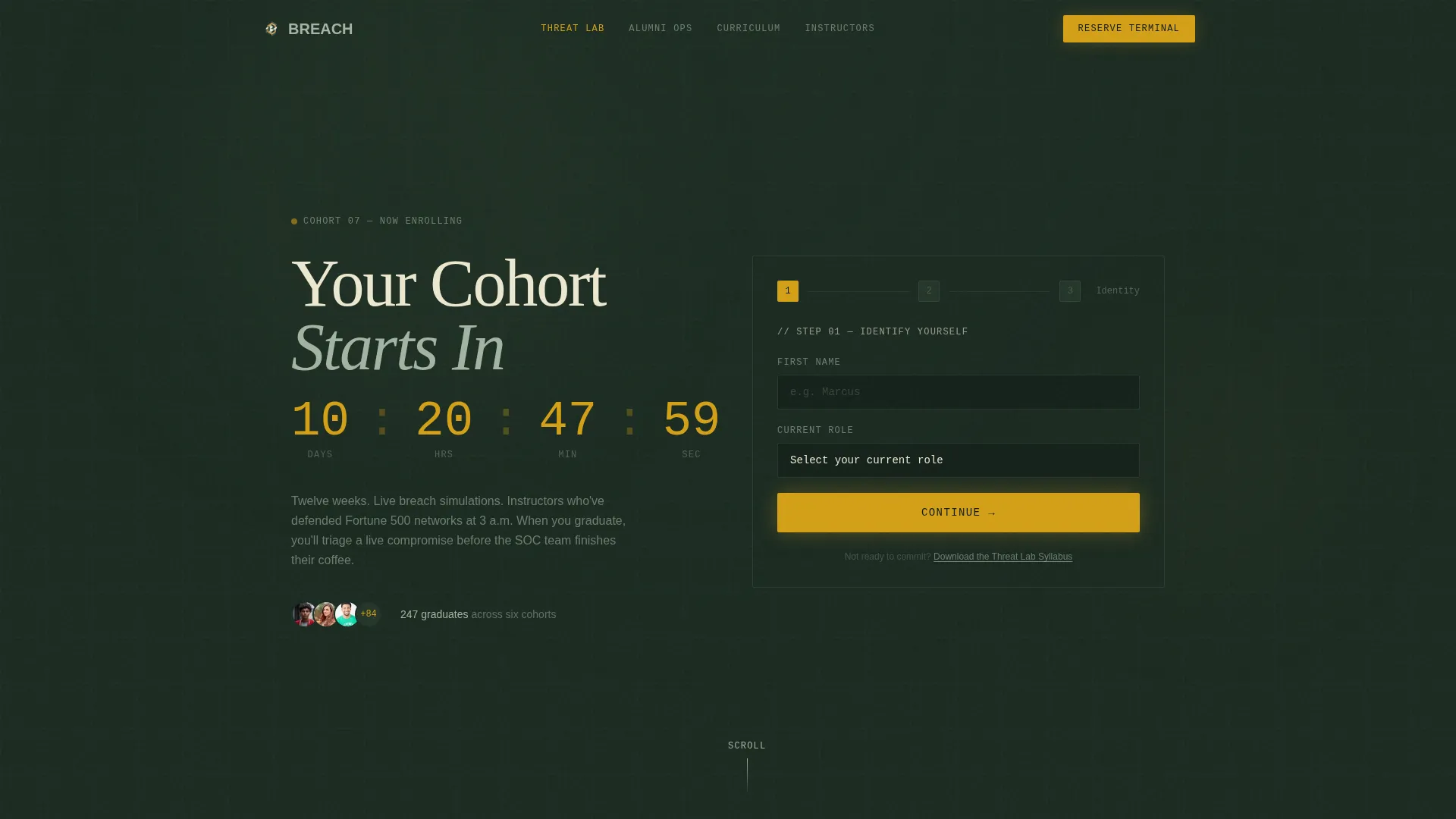
The header opens mid-action at Step 1, asking only for first name and current role. Step 2 collects email and optional employer. Step 3 presents a single experience-level toggle: Beginner, Intermediate, or Advanced. The form feels less like paperwork and more like the first command typed into a new environment.
Hub-and-Spoke Anchor Navigation
A sticky navigation bar connects four named hub sections across the page. Visitors can jump between Threat Lab, Alumni Ops, Curriculum, and Instructors without losing context. Each section is self-contained and contributes a distinct phase of the incident response story.
Case Study Narrative Structure
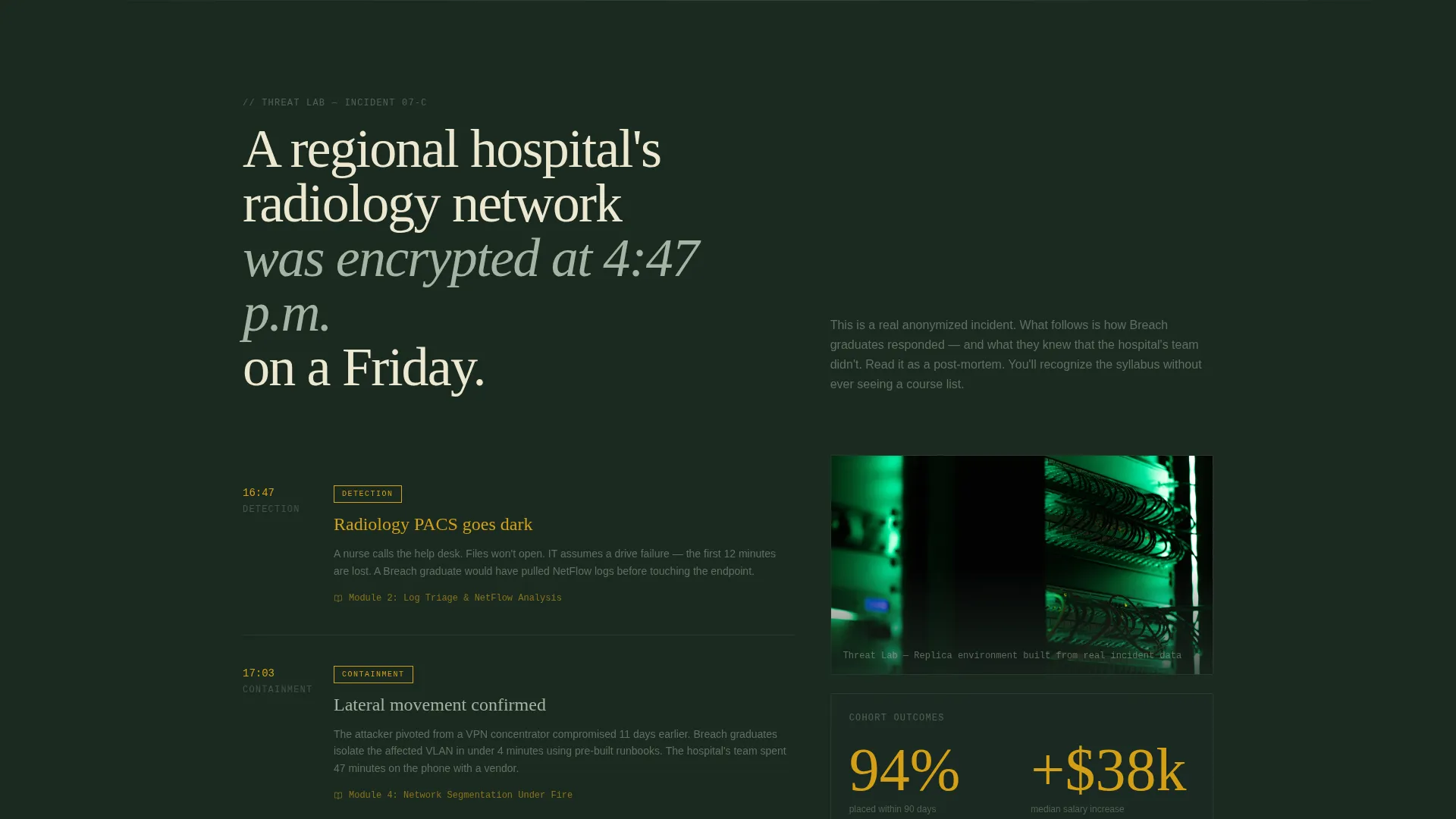
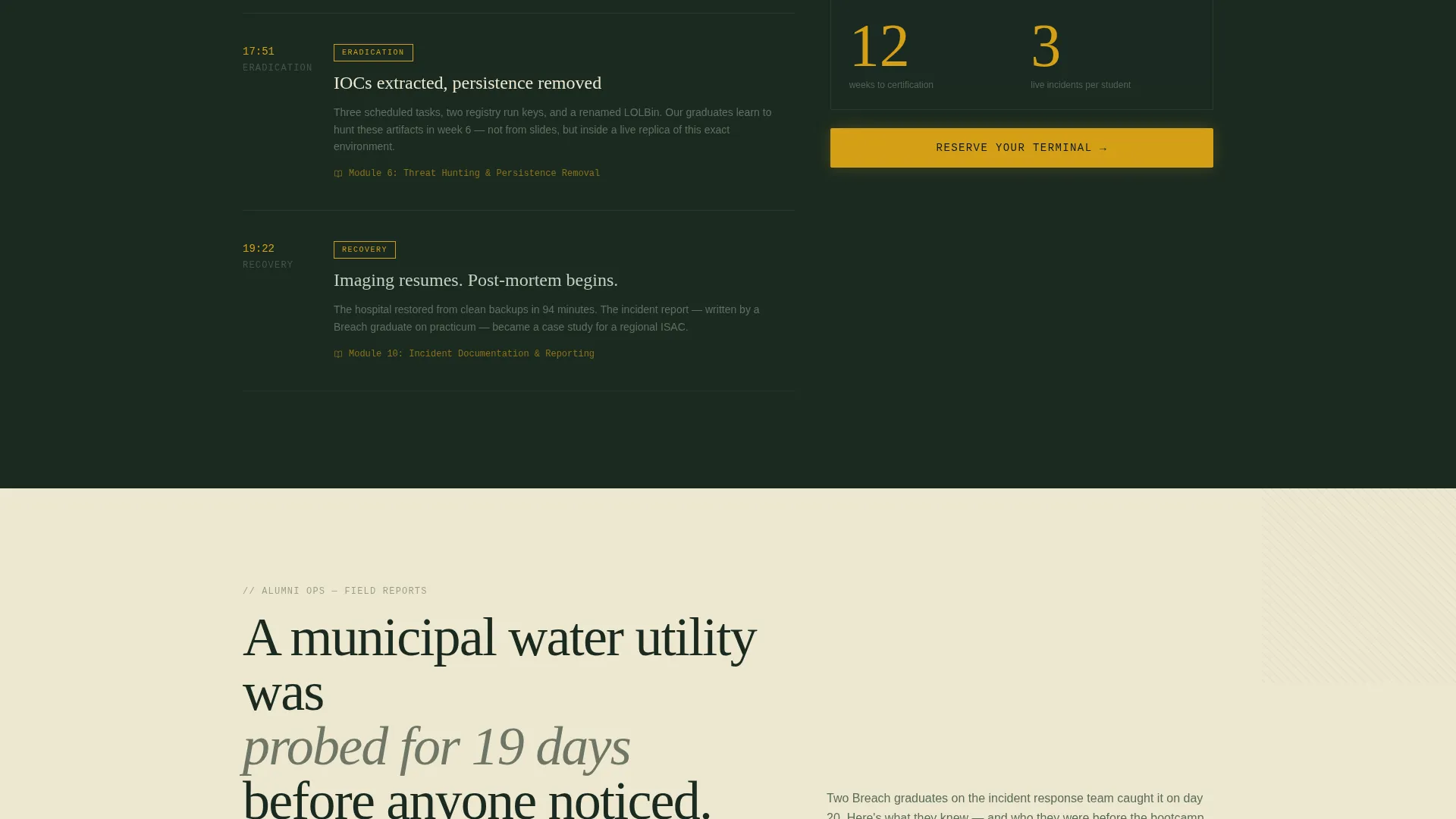
Each hub section opens with a real anonymized breach scenario, such as a regional hospital's radiology network encrypted on a Friday afternoon. The section then maps bootcamp curriculum modules to phases of that incident timeline. Visitors absorb the syllabus through story rather than a bullet-pointed course list.
Repeating Contextual Call to Action
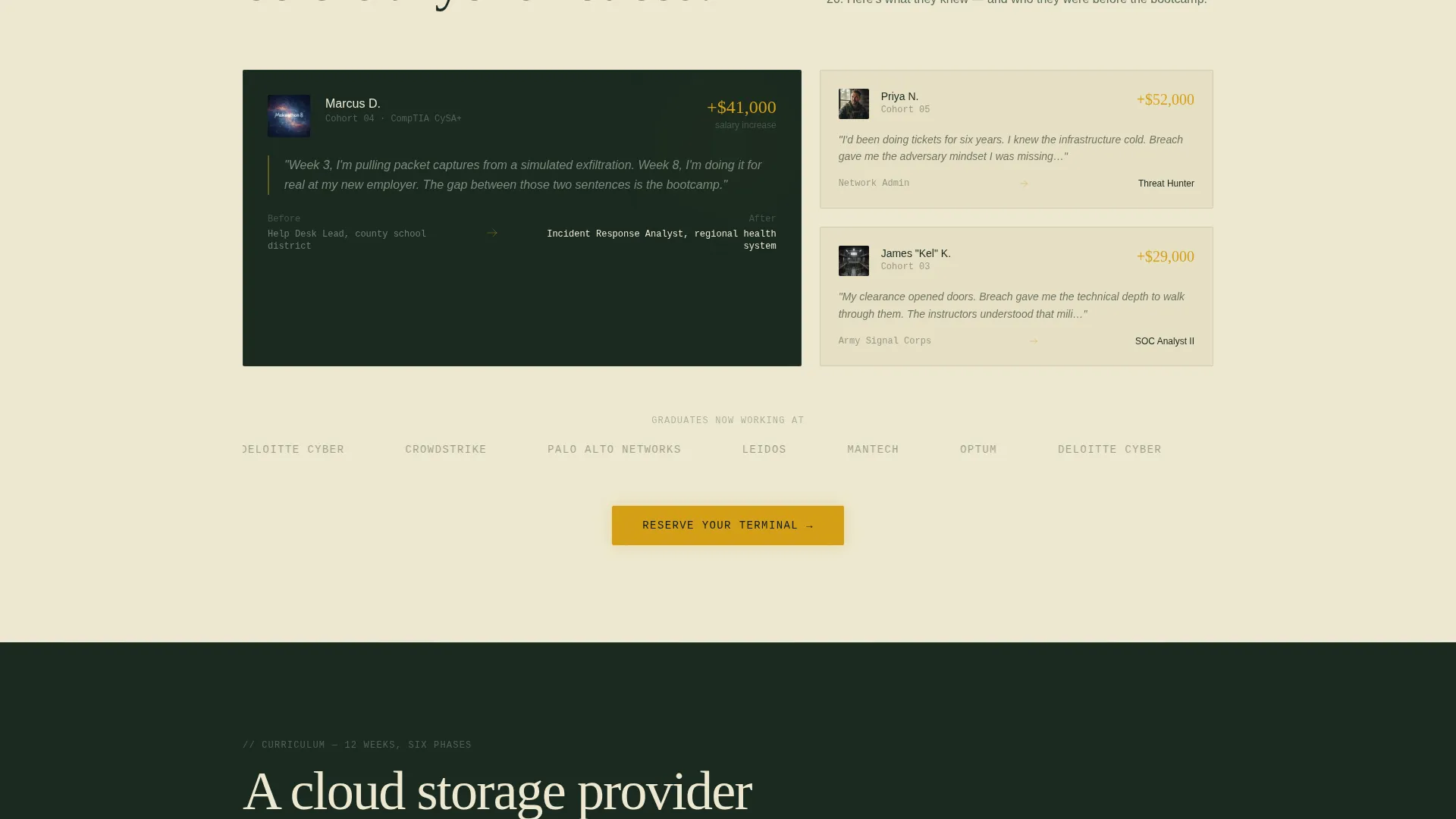
The primary call to action, "Reserve Your Terminal," appears at the close of each hub section. Each instance scrolls the visitor back to the header form, which now remembers their name and pre-fills Step 1. This creates a looping registration path without requiring the visitor to hunt for the sign-up point.
Gated Syllabus Download Path
A secondary conversion option, "Download the Threat Lab Syllabus," captures email with a single field. This path serves visitors who want more detail before committing to registration. It keeps undecided visitors inside a conversion funnel rather than losing them entirely.
Forest Trust Color and Typography System
The deep woodland black-green, lichen gray, birch parchment, and alert amber palette is applied with deliberate restraint. Amber appears only on calls to action and warning-state accents, so every instance carries visual weight. Backgrounds alternate between black-green and parchment, keeping long scrolls readable without losing the ops-center atmosphere.
Page sections overview
| Section | Purpose |
|---|---|
| Header Registration Form | Opens the three-step cohort sign-up flow immediately on page load |
| Sticky Anchor Nav | Lets visitors jump between the four named hub sections without losing scroll position |
| Threat Lab Section | Opens with a breach scenario and maps response tactics to curriculum modules |
| Alumni Ops Section | Shows how graduates applied training to real incident timelines |
| Curriculum Section | Frames the twelve-week structure through a post-mortem narrative arc |
| Instructors Section | Establishes instructor credibility within the breach scenario context |
| Syllabus Download Gate | Captures email from visitors not yet ready to register for the cohort |
Design & branding system
The Institutional Authority theme is built on restraint. Every color, spacing, and typographic decision reinforces the feeling of a classified briefing folder left open on a mahogany desk.
- Forest Trust palette: deep woodland black-green (#1B2A21) for primary backgrounds, lichen gray (#A3B4A2) for body text on dark sections, birch parchment (#EDE8D0) for light-background sections, and alert amber (#D4A017) reserved exclusively for calls to action and warning-state accents
- Alternating background sections between black-green and parchment maintain visual rhythm across a long scroll without breaking the ops-center atmosphere
- A single commanding typographic headline, "Your Cohort Starts In 23 Days," anchors the header and sets the urgency register for the entire page
Mobile & speed optimization
The layout is designed to maintain narrative momentum on smaller screens. The hub-and-spoke structure keeps sections self-contained, which helps mobile visitors follow the incident story without losing orientation.
- The sticky anchor nav remains accessible on mobile, letting visitors jump to any hub section without excessive scrolling
- The three-step form breaks registration into small, focused inputs that feel manageable on a phone screen rather than overwhelming on first glance
How this template helps you convert
Breach earns registration by building a sense of competence and urgency before the form ever asks for a commitment. The conversion architecture has three deliberate layers.
- The header form opens mid-action at Step 1, reducing the psychological weight of starting registration by making the first two fields feel like a system login rather than an application
- Each hub section closes with "Reserve Your Terminal," pulling visitors back into the form loop with context already established from the breach narrative they just read
- The gated PDF option captures email from undecided visitors, creating a secondary conversion path that keeps them inside the program's orbit even if they are not ready to register today
Other information about this template
Breach is a purpose-built template for programs that sell transformation to technical professionals. It is not a general-purpose course page. The design choices and narrative structure are specific to audiences who respond to credibility signals over promotional language.
- The twelve-week cohort framing and the "23 days" countdown headline are structural examples; placeholder text is intended to be updated with your program's actual dates and duration
- The anonymized breach scenarios used in each hub section are narrative scaffolding; operators should replace them with real or composite case studies relevant to their own curriculum
- The template style is Hub and Spoke with Anchor Navigation, making it a strong fit for programs with distinct curriculum pillars that benefit from named, navigable sections
- The Event Registration landing page direction means the entire page architecture is oriented toward a single cohort start date, not an evergreen catalog
Theme
Institutional Authority
Creative direction
Case Study Narrative
Color system
Forest Trust
Style
Hub & Spoke (Anchor Nav)
Direction
Event Registration
Page Sections
Three-step Registration Form Header
Hub-and-spoke Anchor Navigation
Case Study Narrative Structure
Repeating Contextual Call to Action
Gated Syllabus Download Path
Forest Trust Color and Typography System
Related questions
Who is the target student this template is designed to attract?
Can I use this template for a bootcamp that is not focused on incident response?
How does the three-step form reduce registration drop-off?
What is the secondary conversion path for visitors who are not ready to register?



