Cybersecurity Booking Website Template
Breach is a scroll-reveal landing page template built for penetration testing and ethical hacking firms. It guides visitors through a simulated pentest engagement, from reconnaissance to reporting, using progressive scroll animations, a full-viewport dashboard header, and a click-through structure designed to earn scoping call bookings from CTOs, compliance officers, and security-conscious founders.
by Rocket studio
Quick summary
Breach is a single-page template that turns a passive website visit into an active security experience. Visitors scroll through five engagement phases, each revealing more critical findings than the last. The design uses a terminal dark aesthetic with frosted glass panels and phosphor green accents. The end goal is one action: booking a scoping call.
Who this template is for
This template is built for teams that sell penetration testing and ethical hacking services to technical buyers. It speaks directly to decision-makers who already understand the stakes and need to trust the firm before making a call.
- Chief Technology Officers at mid-market software-as-a-service companies preparing for SOC 2 audits
- Compliance officers at financial technology firms acting on board-level security directives
- Startup founders whose codebase growth has outpaced their security posture
What problem this template solves
Most cybersecurity service pages describe their work in abstract terms. They list certifications and generic shield icons, but never show the buyer what an actual engagement looks like. That gap kills trust and delays decisions.
- Prospects leave without feeling the urgency of their own attack surface
- Generic design fails to signal the technical depth and precision that a pentest buyer demands
- The page does not earn the click to a booking call because the value has not been demonstrated first
What you get with this template
You get a fully structured, single-page landing page that simulates a live penetration test as the visitor scrolls. Every section is a phase of a real engagement, and every design choice reinforces that you are already doing the work.
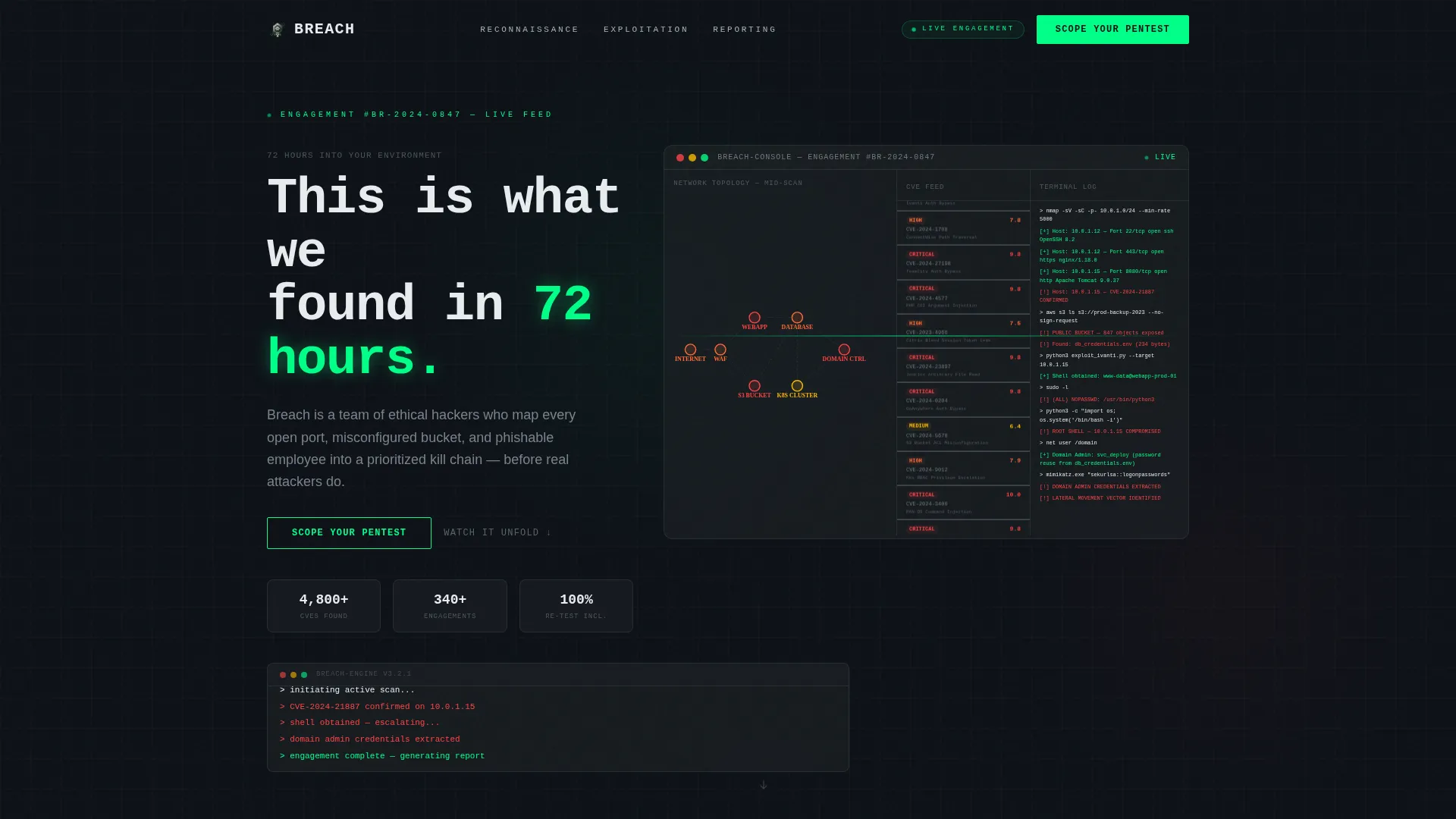
- A full-viewport dashboard hero with scan-line animation, a live CVE feed mock, network topology nodes, and a terminal text reveal
- Five scroll-linked content sections covering Reconnaissance, Enumeration, Exploitation, Privilege Escalation, and Reporting, each with progressive reveal animations
- A click-through conversion structure with a primary "Scope Your Pentest" call to action and a secondary "Download a Sample Report" micro-call to action
Feature list
This template is built around a specific set of designed and animated capabilities, each derived directly from the engagement narrative.
Full-Viewport Dashboard Hero
The header renders a mock pentest reporting interface at full viewport height. Network topology nodes light up as they are enumerated, a sidebar scrolls discovered CVEs with severity badges, and an attack path visualization threads from an exposed storage bucket through lateral movement to a domain admin credential. A scan-line animation pulses across the entire panel.
Progressive Scroll-Reveal Engagement Flow
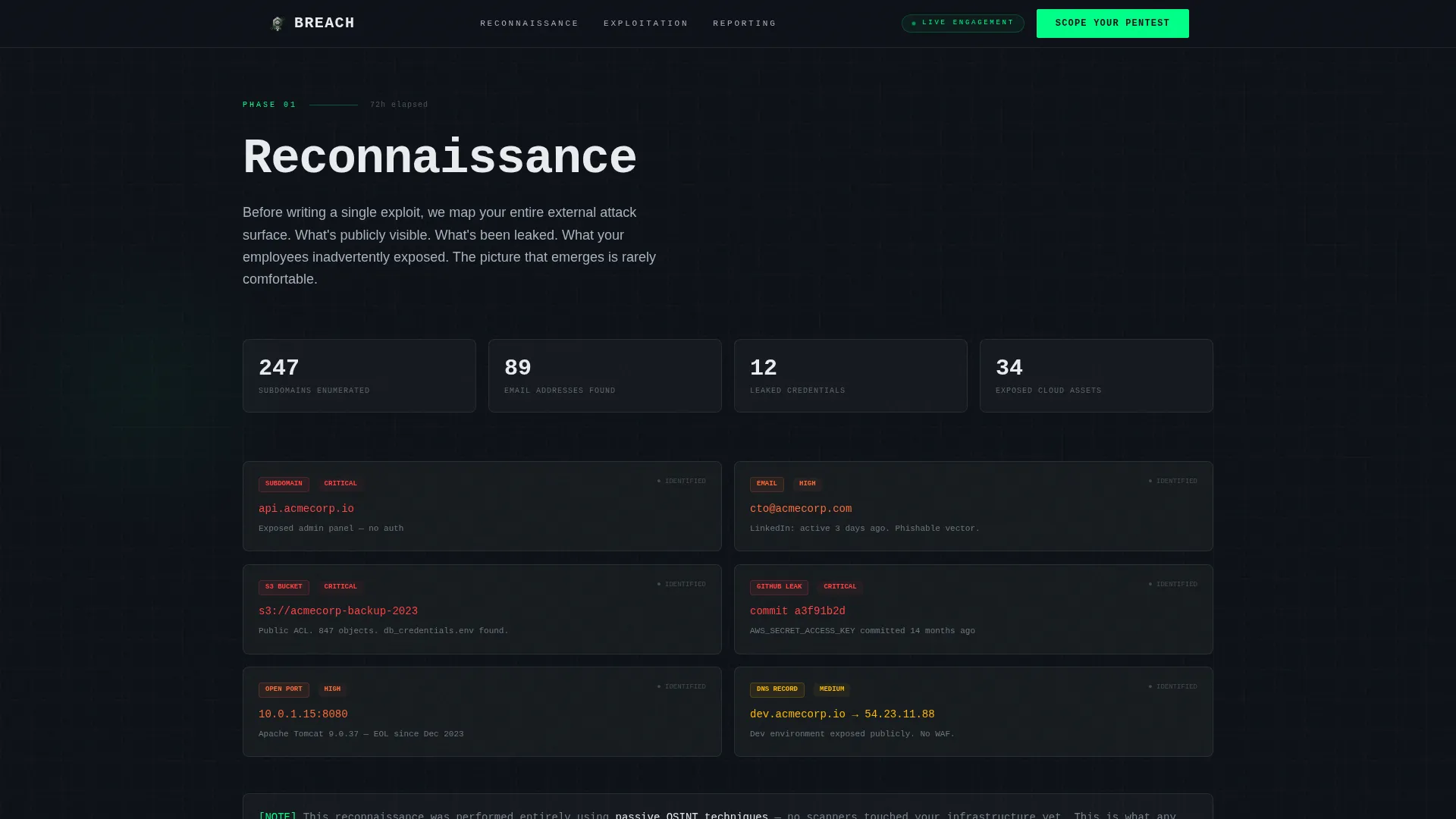
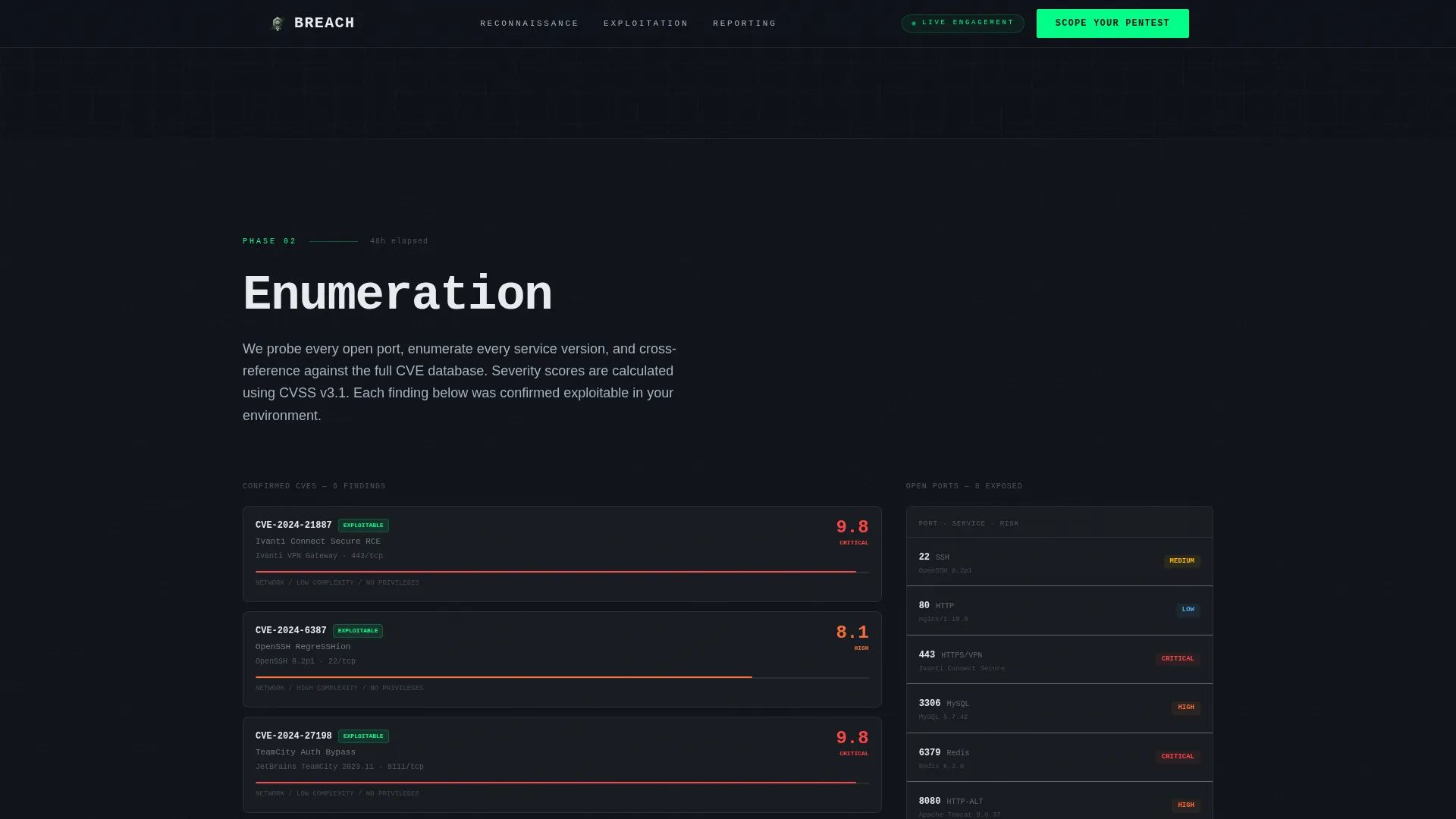
As the visitor scrolls, each engagement phase unlocks. Blurred IP addresses and hostnames sharpen into focus. Severity scores animate from zero to their final values. Redacted data unmasks itself line by line. The scroll itself is the narrative engine.
Hoverable Attack-Path Nodes
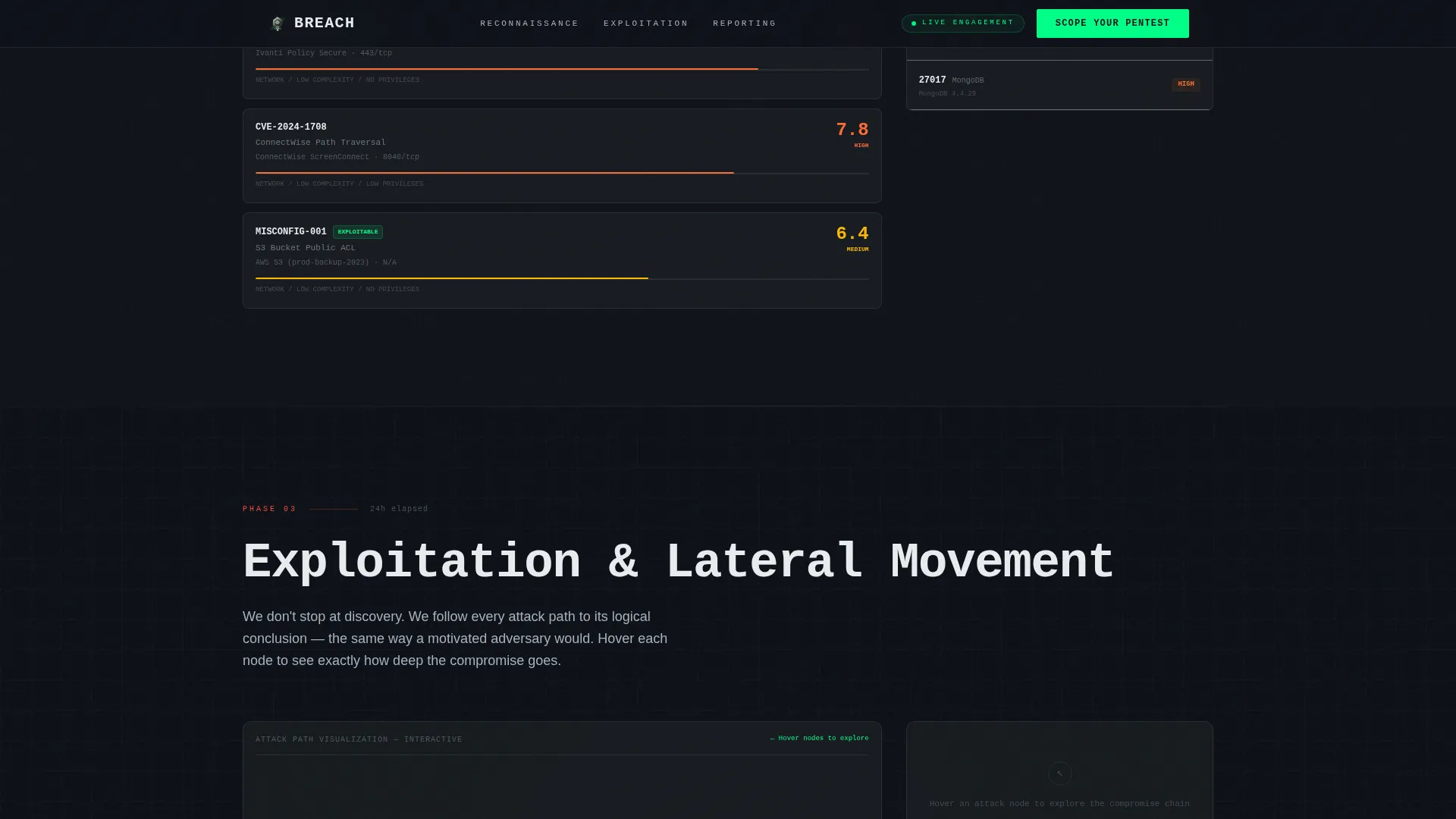
During the Exploitation section, visitors can hover over individual nodes in the lateral movement chain. Each node represents a step in the attack path, letting prospects explore how an attacker moves through an environment before privilege escalation.
Dual Call-to-Action Conversion Sequence
The primary call to action starts as a ghost-outlined button in the header. After the Exploitation section, it solidifies into a filled phosphor green button. A secondary micro-call to action, "Download a Sample Report," appears at the Reporting phase for prospects who need more evidence before booking a call.
Terminal Typography and Monochrome Steel Palette
JetBrains Mono handles all terminal and code-style text elements. DM Sans carries body copy. The color system uses deep gunmetal for backgrounds, frosted glass white for card surfaces, brushed chromium for secondary text, and phosphor green strictly for interactive and active-state elements.
Scroll-Linked Animation Engine
Animations are driven by scroll position using GSAP ScrollTrigger. Severity score count-ups, terminal typewriter effects, node hover interactions, and a magnetic call-to-action button all respond to visitor behavior. GPU-accelerated transforms and Intersection Observer keep the animation layer performant.
Page sections overview
| Section | Purpose |
|---|---|
| Hero Dashboard | Establish technical credibility with a full-viewport mock pentest interface |
| Reconnaissance Phase | Show passive attack surface discovery with progressive IP unmasking |
| Enumeration Phase | Animate CVE severity scores and open port discovery in real time |
| Exploitation Phase | Present hoverable lateral movement chain and solidify the primary call to action |
| Reporting Phase | Preview the deliverable and offer the sample report micro-call to action |
| Footer | Single-row linear layout with final navigation and social proof statistics |
Design & branding system
The visual identity follows a Tech Glass theme built on the Monochrome Steel color system. Every design decision reinforces the feeling of being inside a live security operations environment.
- Color palette: deep gunmetal (#1B1F23) for backgrounds, brushed chromium (#A8B2BD) for secondary text, terminal phosphor green (#00FF88) reserved for interactive accents and live-data highlights, and frosted glass white (#E8ECF0) for card surfaces and typographic contrast
- Surface treatment: glass-morphism panels float above near-black backgrounds with subtle noise grain texture and frosted blur borders
- Typography: JetBrains Mono for terminal and code elements, DM Sans for all body copy
Mobile & speed optimization
The template is designed desktop-first, reflecting the primary audience of CTOs reviewing vendor options on workstations. A responsive mobile fallback is included to handle the full range of devices.
- GPU-accelerated CSS transforms are used exclusively for animated elements, keeping the animation layer smooth across devices
- Intersection Observer handles scroll triggers so the browser only activates effects when sections enter the viewport
How this template helps you convert
The conversion strategy is built into the scroll journey itself. The visitor does not reach the call to action cold. By the time the primary button solidifies, they have already experienced a simulated version of what an attacker sees in their environment.
- The progressive reveal of vulnerabilities, from reconnaissance through exploitation, builds urgency organically so the visitor arrives at the call to action already convinced of the stakes.
- The dual call-to-action structure captures prospects at two different readiness levels: a direct scoping call booking for decision-ready buyers, and a sample report download for those who need one more proof point before committing.
Other information about this template
This template is a strong fit for penetration testing firms that need a site presence aligned with the technical expectations of their buyer profiles. It is built as a single landing page rather than a multi-page site, which keeps the visitor focused on one decision.
- The click-through destination is designed to connect to a scheduler pre-loaded with three qualification questions covering infrastructure type, compliance framework, and preferred engagement window
- Social proof elements in the footer reference engagement statistics, CVE counts discovered, and client infrastructure types served
- The no-form-on-page approach is intentional: the landing page earns the click to the scheduler rather than interrupting the scroll narrative with an embedded lead capture form
- The template is localized for English-language audiences using USD pricing references and US date formatting
Theme
Tech Glass
Creative direction
Interactive Explorer
Color system
Monochrome Steel
Style
Scroll Reveal (Progressive)
Direction
Click-Through
Page Sections
Full-viewport Dashboard Hero
Progressive Scroll-reveal Phases
Hoverable Attack-path Nodes
Dual Call-to-action Conversion Sequence
Terminal Typography System
Scroll-linked GSAP Animation Engine
Related questions
What kind of business is this template designed for?
Does this template include a contact form or lead capture?
Can I customize the CVE data, network nodes, and attack path visuals?
What animations are included in this template?
Is this template suitable for mobile visitors?



