Bold Brutalist Cybersecurity Landing Page Template
Breach is a bold brutalist cybersecurity landing page template built for firms that need to make risk feel real, fast. It opens with a live Breach Cost Calculator, escalates through scroll-reveal threat statistics, and drives lead generation through a focused three-field form. The design uses void black, toxic green, and warning amber to turn raw security math into urgent action.
by Rocket studio
Quick summary
Breach is a single-page, scroll-reveal cybersecurity landing page template designed to generate leads through quantified risk. It opens with an interactive cost calculator, builds urgency through progressive threat statistics, and closes with a focused three-field form. The visual identity is bold brutalist with an acid digital color system that feels like a live terminal in a darkened operations center.
Who this template is for
This template is built for cybersecurity firms that sell to buyers who understand operational risk but need to feel the financial consequence of inaction before they engage. It is ideal when the sales cycle depends on urgency, not brand familiarity.
- Security consultancies and managed detection and response firms targeting mid-market companies
- Penetration testing and incident response teams pitching to SaaS companies, healthcare networks, or startups facing compliance pressure
- Cybersecurity service providers whose prospects include security directors, CTOs, or founders who have recently experienced an audit failure or board-level scrutiny
What problem this template solves
Most cybersecurity landing pages lead with credentials, certifications, and vague promises of protection. They lose the visitor before the offer ever lands. Breach solves this by leading with math instead of messaging.
- Visitors arrive, enter a few inputs, and immediately see a personalized estimate of their breach cost, detection time, and regulatory fine exposure
- The page removes the need for a sales pitch by letting the numbers do the convincing before any human interaction
- Prospects who are not ready to talk still have a clear secondary path, the gated breach cost report download, so no visitor leaves empty-handed
What you get with this template
Breach delivers a complete, production-ready single-page layout structured around progressive disclosure and escalating commitment. Every section is designed to earn the next scroll.
- A live Breach Cost Calculator header with animated toxic green number outputs, three animated threat statistic reveals, an attack surface visualization diagram, and incident timeline case study bars
- A primary lead generation form with three fields (work email, company size, and biggest security concern dropdown) plus a secondary gated PDF download call to action
- Full bold brutalist visual system using void black, toxic green, warning amber, cold terminal gray, and sharp white in a flat, hard-edged, no-gradient layout with monospaced typography
Feature list
This template includes a focused set of high-impact components, each serving a specific role in the lead generation flow.
Live Breach Cost Calculator Header
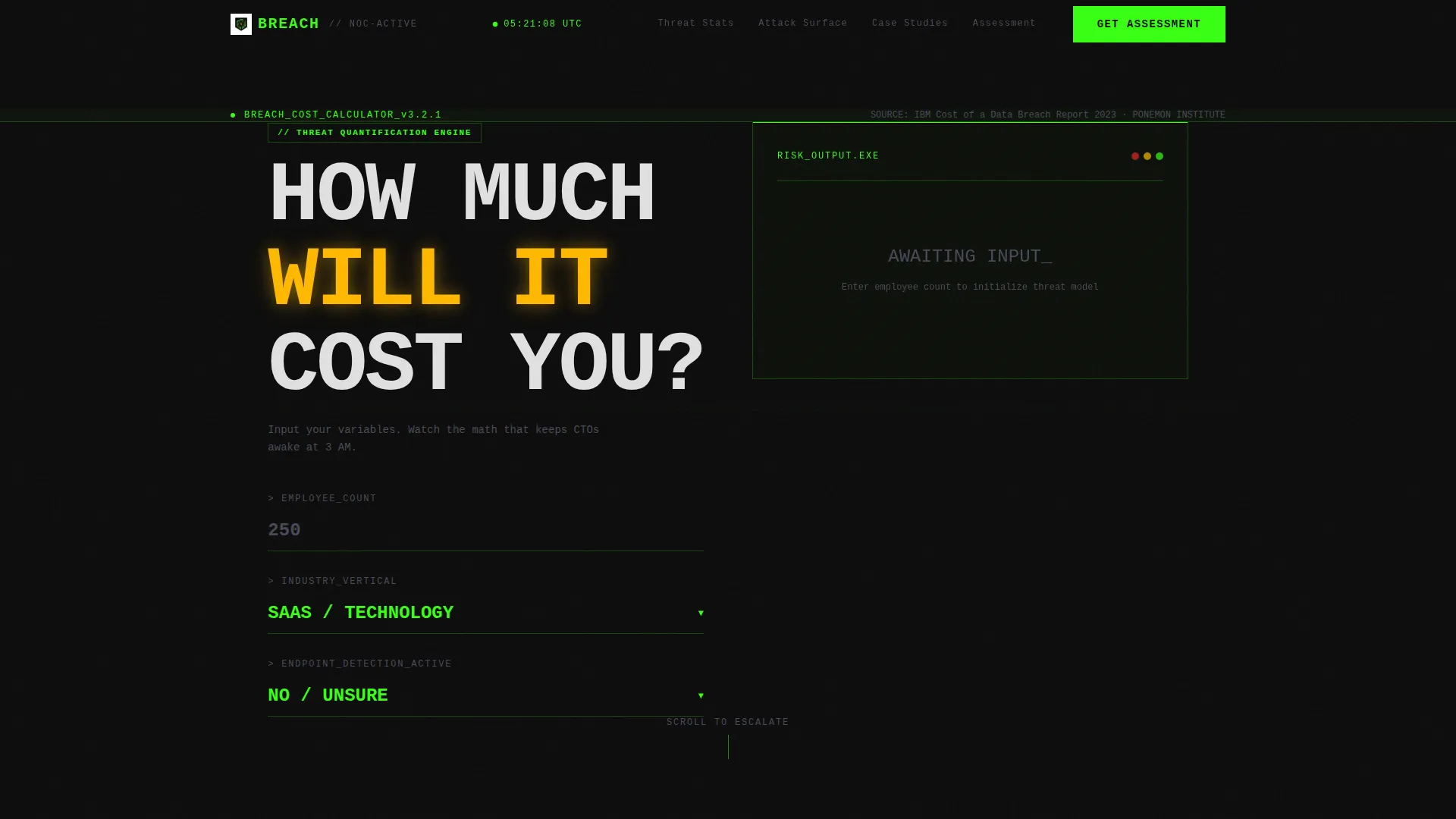
The header replaces a traditional hero section with an interactive monospaced calculator. Visitors input employee count, industry vertical, and endpoint detection status. As they type, toxic green numbers animate in real time showing estimated breach cost, average detection time, and regulatory fine exposure. The numbers are set at enormous scale, occupying roughly sixty percent of the viewport.
Scroll-Reveal Threat Statistics
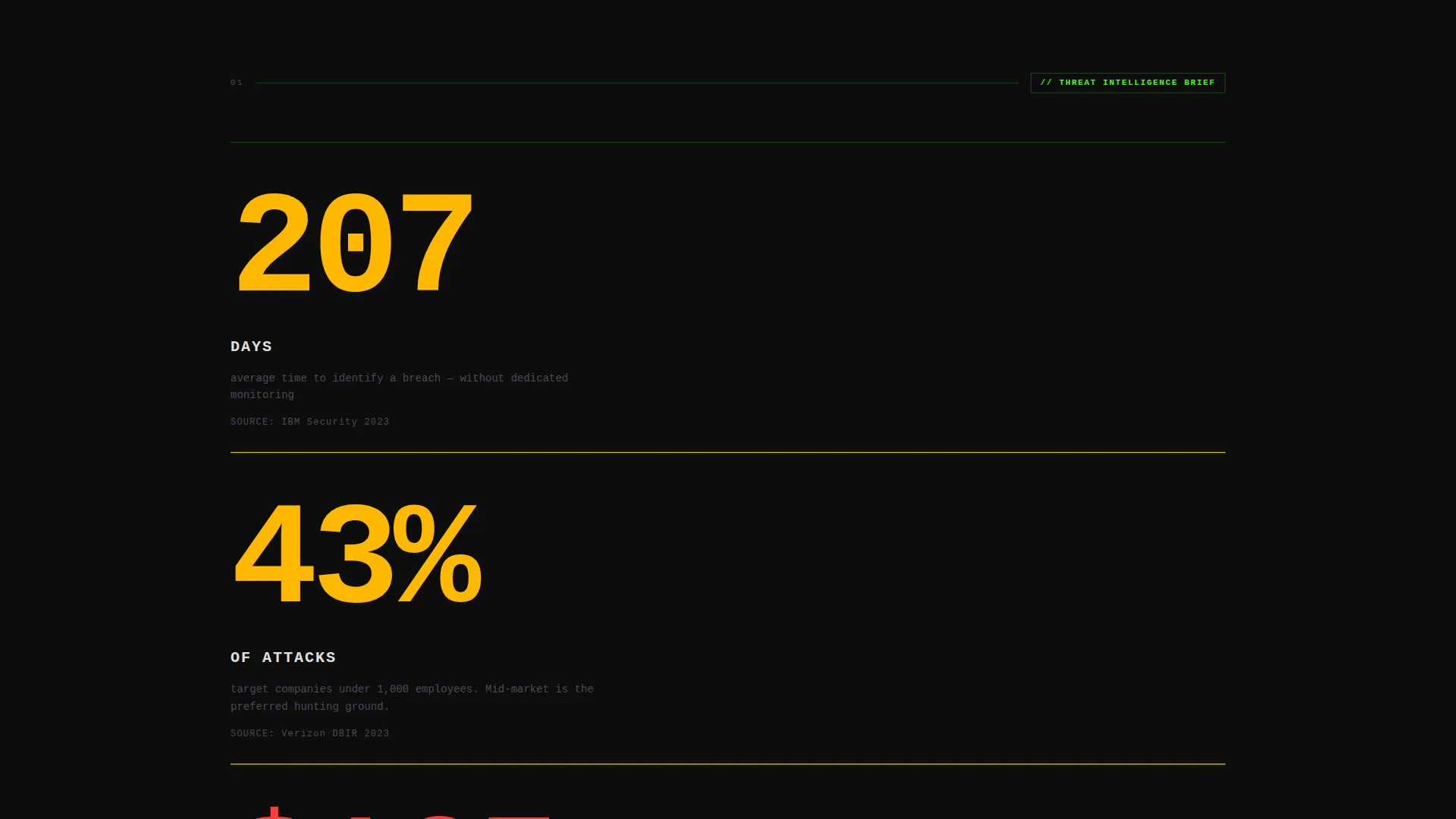
Three large statistics animate onto the screen one at a time as the visitor scrolls. Each number counts up from zero at high speed. The statistics cover average days to detect a breach, the percentage of attacks targeting companies of the visitor's size, and cost per stolen record. Each reveal is designed to make inaction feel more expensive than the last.
Attack Surface Visualization
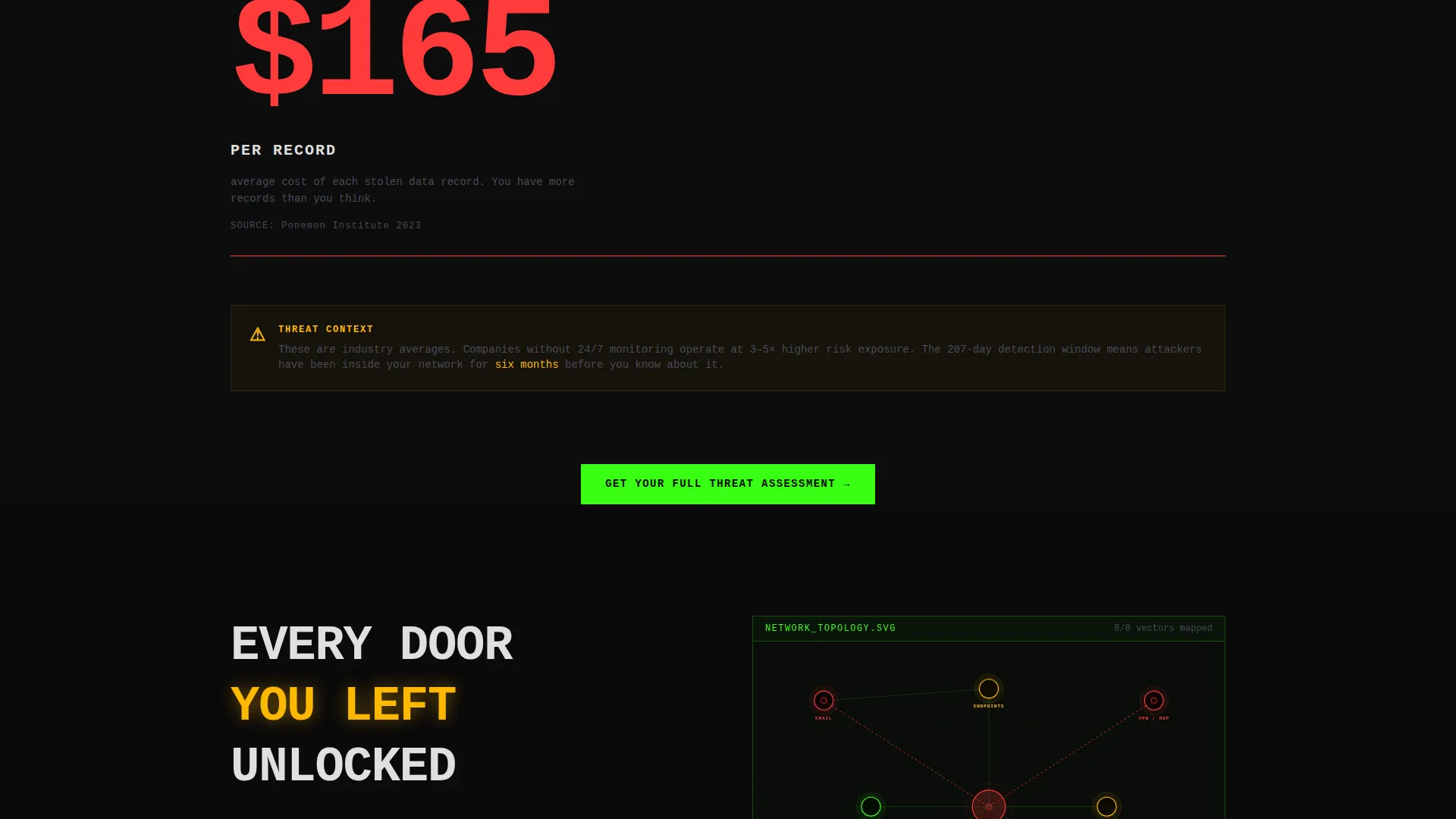
A minimal diagram builds itself progressively as the visitor scrolls into the section. It maps entry points the visitor may not have considered, creating a visual sense of exposure without using stock imagery or generic threat icons.
Incident Timeline Case Studies
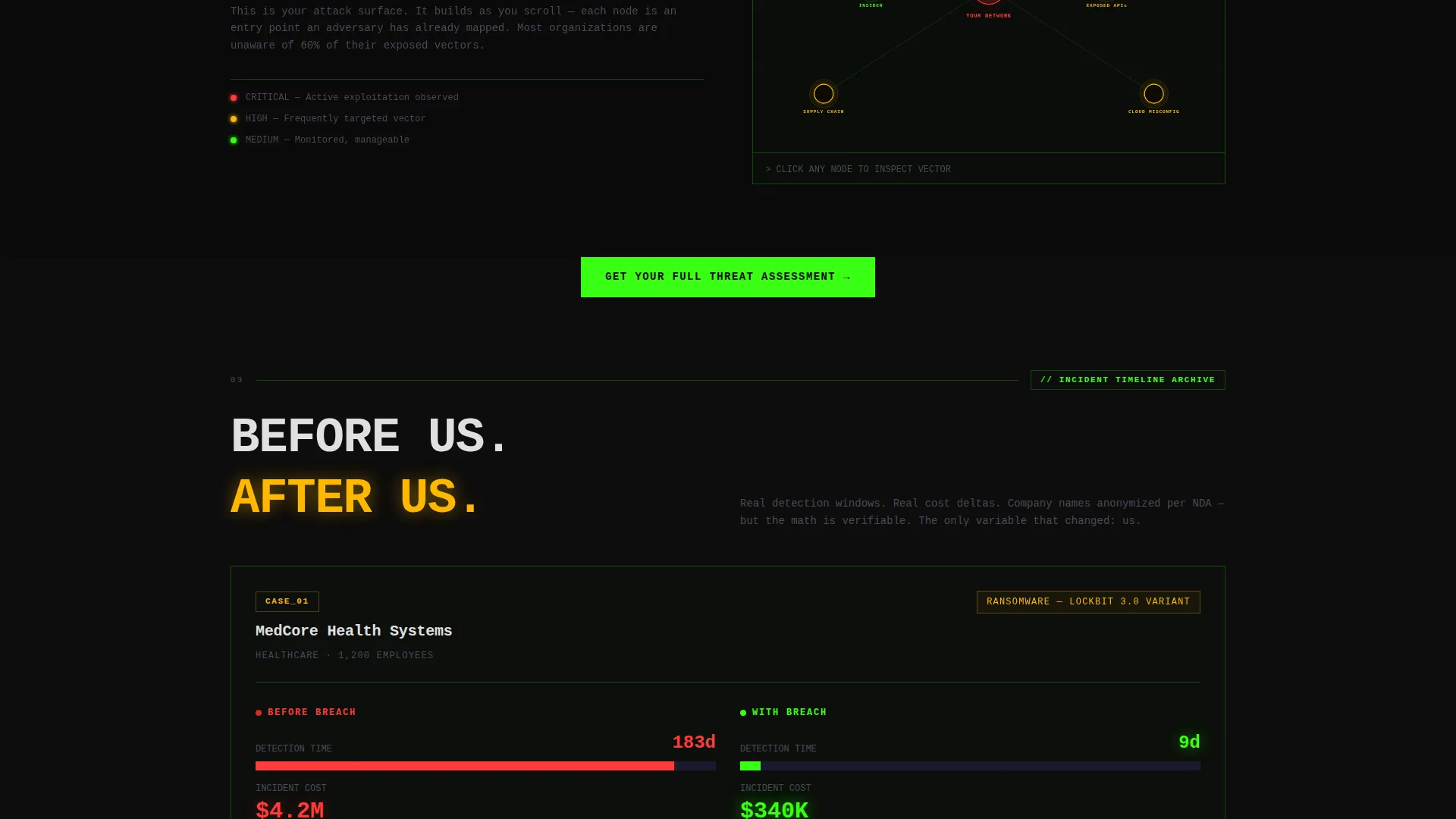
Case studies are presented as stark horizontal timeline bars. Each bar shows a before-and-after comparison of detection windows, contrasting outcomes prior to and after engaging the firm. The format is data-forward and immediately legible without requiring the visitor to read long paragraphs.
Escalating Commitment call to action Structure
The primary call to action, "Get Your Full Threat Assessment," appears immediately below the calculator score and repeats after every second section. This placement reinforces the ask at every moment of peak anxiety, turning the form into the natural next move rather than a sales interruption.
Gated PDF Secondary Conversion Path
For visitors not ready to book a call, the page offers a "Download the Breach Cost Report" option. This secondary path captures leads at a lower commitment level while keeping the visitor engaged with the firm's content and framing.
Page sections overview
| Section | Purpose |
|---|---|
| Breach Cost Calculator | Opens with personalized risk math to create immediate visceral urgency |
| Threat Statistics Reveal | Three animated counters slam breach data onto screen one at a time |
| Attack Surface Diagram | Visual diagram builds on scroll to expose unconsidered entry points |
| Incident Timeline Cases | Horizontal bars compare detection windows before and after engagement |
| Lead Generation Form | Three-field form captures qualified leads at peak visitor anxiety |
| Gated Report Download | Secondary call to action captures lower-commitment visitors with a PDF offer |
Design & branding system
The visual language of this template is deliberately stark and confrontational. There are no gradients, no soft shadows, and no decorative imagery. Every color choice functions as a system state, not an aesthetic preference.
- Void black (#0D0D0D) and cold terminal gray (#1A1A2E) form all backgrounds; toxic green (#39FF14) drives interactive elements, hover states, and live-counting statistics; warning amber (#FFB800) marks urgency signals including breach cost figures, countdown clocks, and risk scores; sharp white (#E0E0E0) is used exclusively for monospaced body text
- Typography is heavy and brutalist with oversized numerals that dominate the viewport, reinforcing the data-first hierarchy
- The grid is hard-edged and flat throughout; every element is placed with the deliberate weight of a concrete slab, creating visual tension that keeps the visitor alert and moving downward
Mobile & speed optimization
The template is structured for clean rendering across screen sizes without compromising the brutalist visual impact that makes the design work.
- The large-scale typographic hierarchy and flat color system adapt to smaller viewports without requiring complex reflows or image-heavy assets
- Scroll-reveal animations and the calculator interface are built for interaction on both desktop and mobile without relying on hover-only states
- The absence of gradients, stock photography, and decorative imagery keeps the visual payload lean and the layout fast to render on any device
How this template helps you convert
Every design and copy decision in Breach is oriented toward a single outcome: getting the right visitor to submit the three-field form or download the report.
- The calculator at the top produces a personalized risk score before the visitor has read a single line of copy, anchoring the entire page experience to a number that feels specific to their company rather than generic to the industry.
- The repeating primary call to action placed after every second section means the form is always within one scroll of wherever the visitor is reading, removing friction at every moment of peak engagement.
- The secondary gated PDF path ensures that visitors who are not ready to talk still convert into a trackable lead rather than leaving the page without a next step.
Other information about this template
This template is part of a broader category of high-impact cybersecurity landing page designs built for firms that compete on credibility and urgency rather than price. It is suited to any service provider that needs a professional digital presence capable of handling a high-stakes first impression.
- The template style is scroll reveal (progressive), meaning sections are structured to reward continued scrolling rather than presenting everything at once
- The header concept is a calculator or estimator, a format that works particularly well for cybersecurity service providers because it makes abstract risk tangible without requiring the visitor to trust a claim they cannot verify
- The creative direction is stats-first impact, prioritizing raw data over narrative copy to match the decision-making style of technical buyers such as security directors and CTOs
- The lead generation direction means every section feeds toward form submission or content download, making this template a direct fit for firms running outbound campaigns, paid search traffic, or account-based marketing efforts targeting specific verticals
Theme
Bold Brutalist
Creative direction
Stats-First Impact
Color system
Acid Digital
Style
Scroll Reveal (Progressive)
Direction
Lead Generation
Page Sections
Live Breach Cost Calculator
Scroll-reveal Threat Statistics
Attack Surface Diagram
Incident Timeline Case Studies
Escalating Commitment Call to Action Placement
Gated PDF Secondary Conversion
Related questions
Can I change the calculator inputs to match my specific service offering?
Does this template work for a firm that offers multiple cybersecurity services?
What happens if a visitor is not ready to book a call?
Is this template suitable for a startup-stage cybersecurity firm?
Can the warning amber urgency signals be applied to custom metrics?



