Expert IT Services & Consulting Professional Website Template
Breach is a cybersecurity consulting landing page built for offensive security teams. It uses a dark terminal aesthetic, live-scrolling Nmap output, and a data-grid layout to signal technical credibility. The primary call to action drives domain scan signups, while a secondary gated PDF path captures visitors who are not yet ready to commit.
by Rocket studio
Quick summary
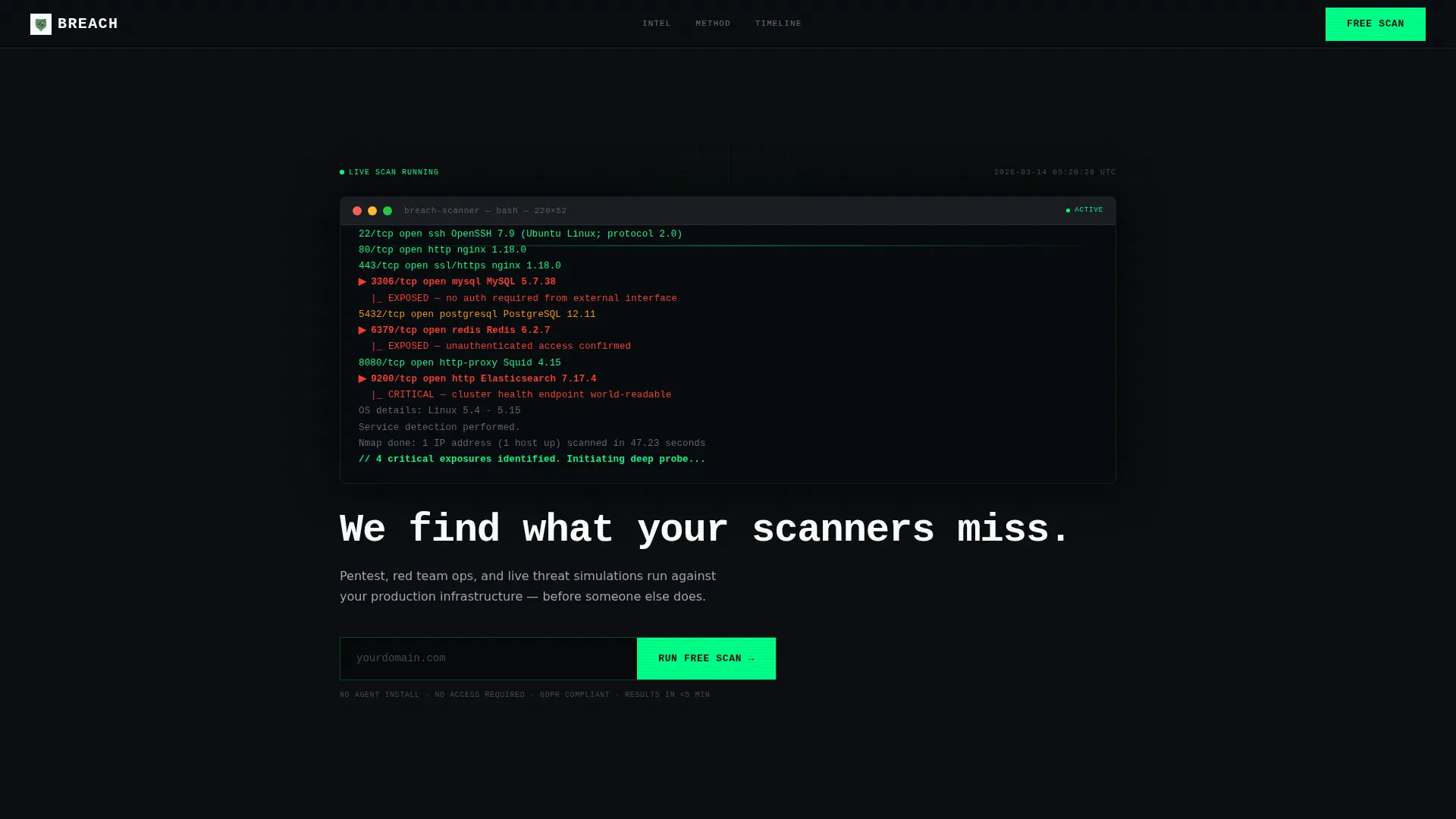
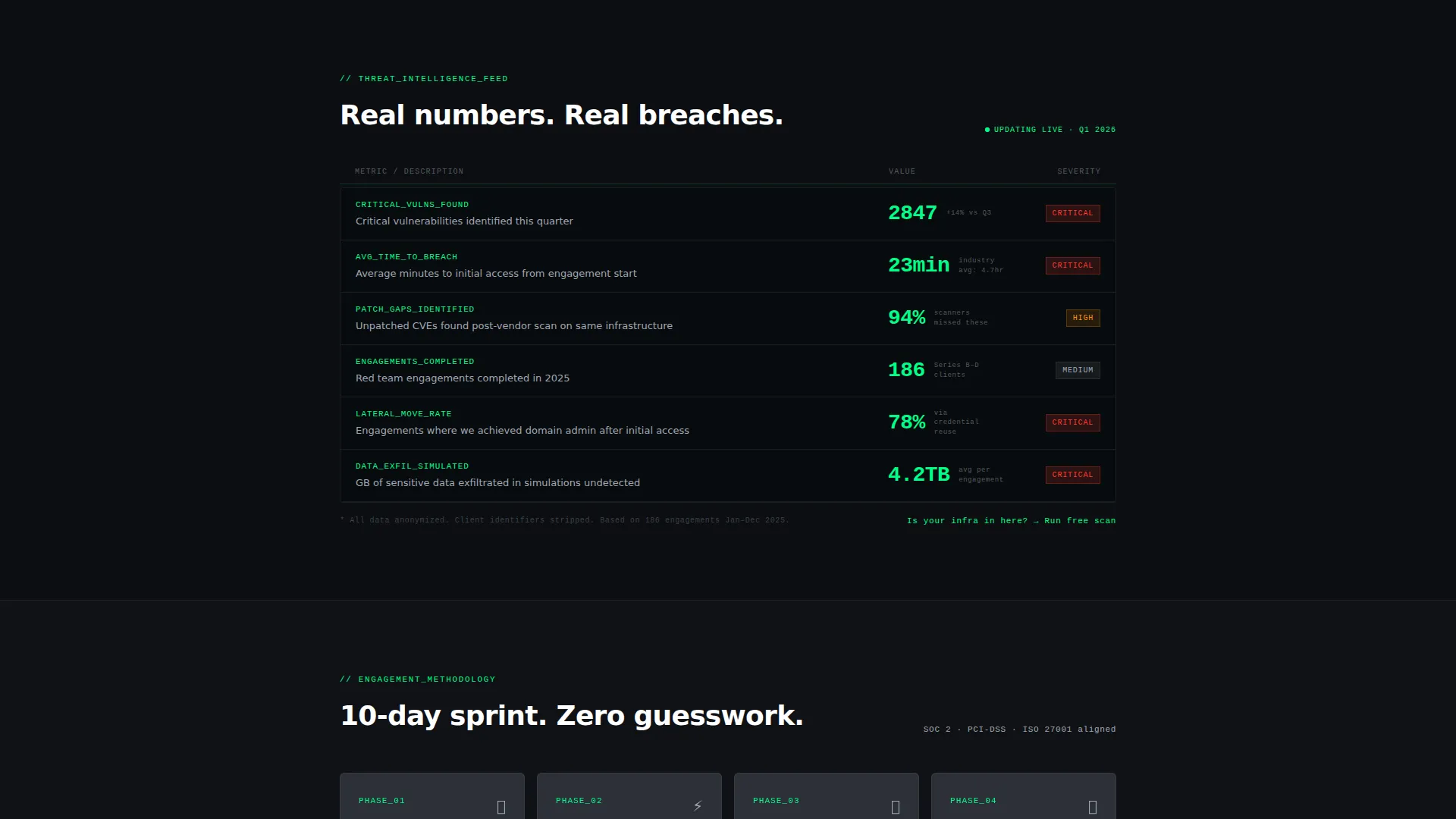
Breach is a single-page template designed for offensive security firms. It opens with a cinematic terminal header simulating a live Nmap scan, flows through a real-time threat data grid, a four-phase methodology board, and a scrolling attack timeline. Every section is built to move a technically savvy visitor toward running a free attack surface scan.
Who this template is for
This template is built for cybersecurity consulting firms that sell offensive security services. It speaks directly to the buyers who feel the pressure of compliance deadlines, failed audits, and active vulnerabilities.
- Penetration testing and red team consulting firms
- Offensive security freelancers and boutique security shops
- Security service providers targeting DevOps leads, CTOs, and compliance officers at fintech or high-growth companies
What problem this template solves
Generic agency templates look polished but fail to earn the trust of an engineering audience. A CTO who just failed a SOC 2 (System and Organization Controls 2) audit or a compliance officer staring down a PCI-DSS (Payment Card Industry Data Security Standard) deadline will not be convinced by stock photography and shield icons.
- Existing templates lack the technical urgency that converts security-minded buyers
- Most landing pages bury the call to action under branding fluff instead of leading with proof
- No standard template simulates the live, operational feel that makes an engineer lean forward
What you get with this template
You get a complete, single-page layout built around a freemium scan conversion model. Every section is structured to reduce friction and build technical credibility from the first scroll.
- A full-viewport terminal header with simulated Nmap scan output and a character-by-character headline
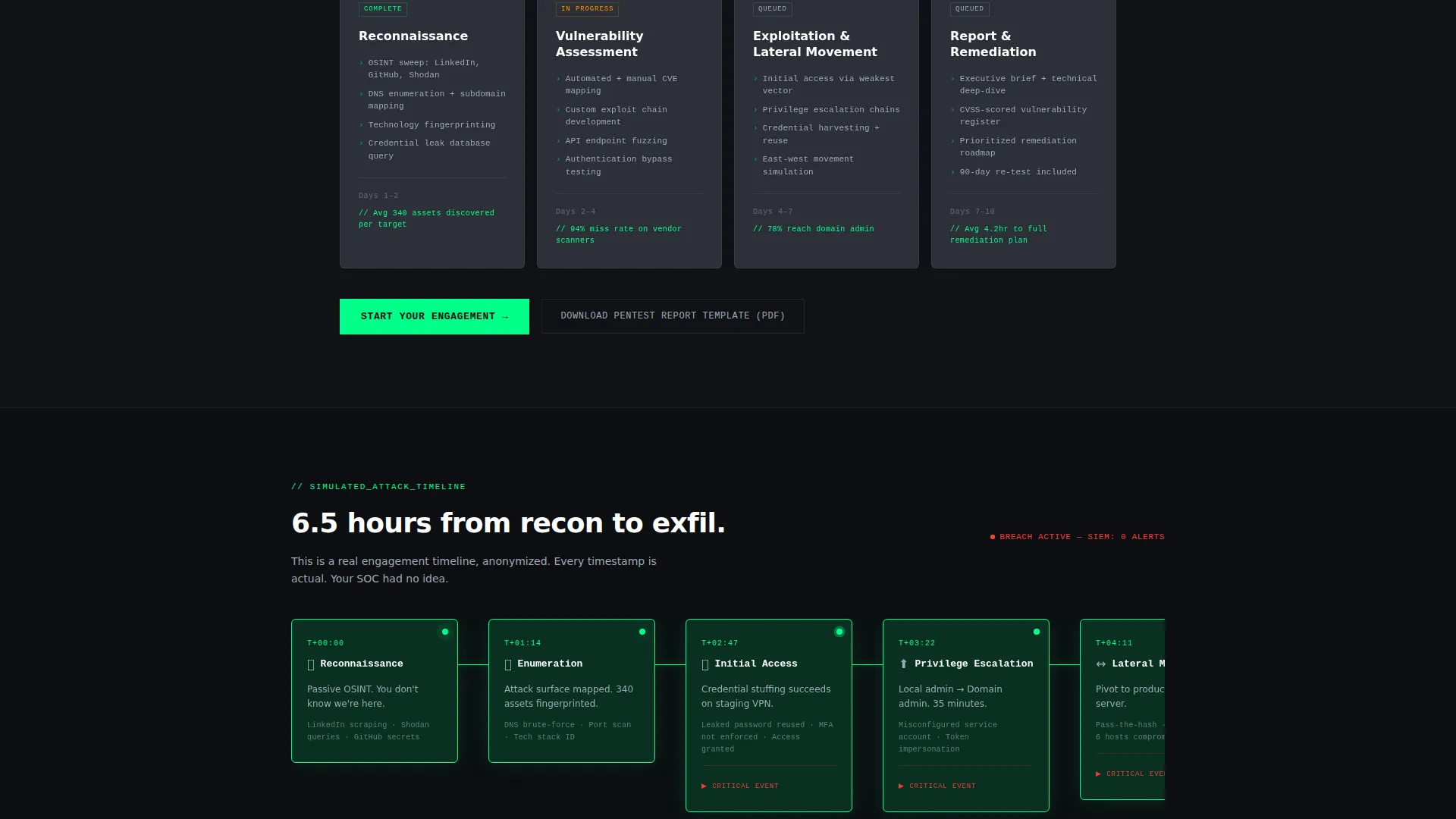
- A live-updating threat data grid, a four-phase Kanban methodology board, and a scrolling attack timeline
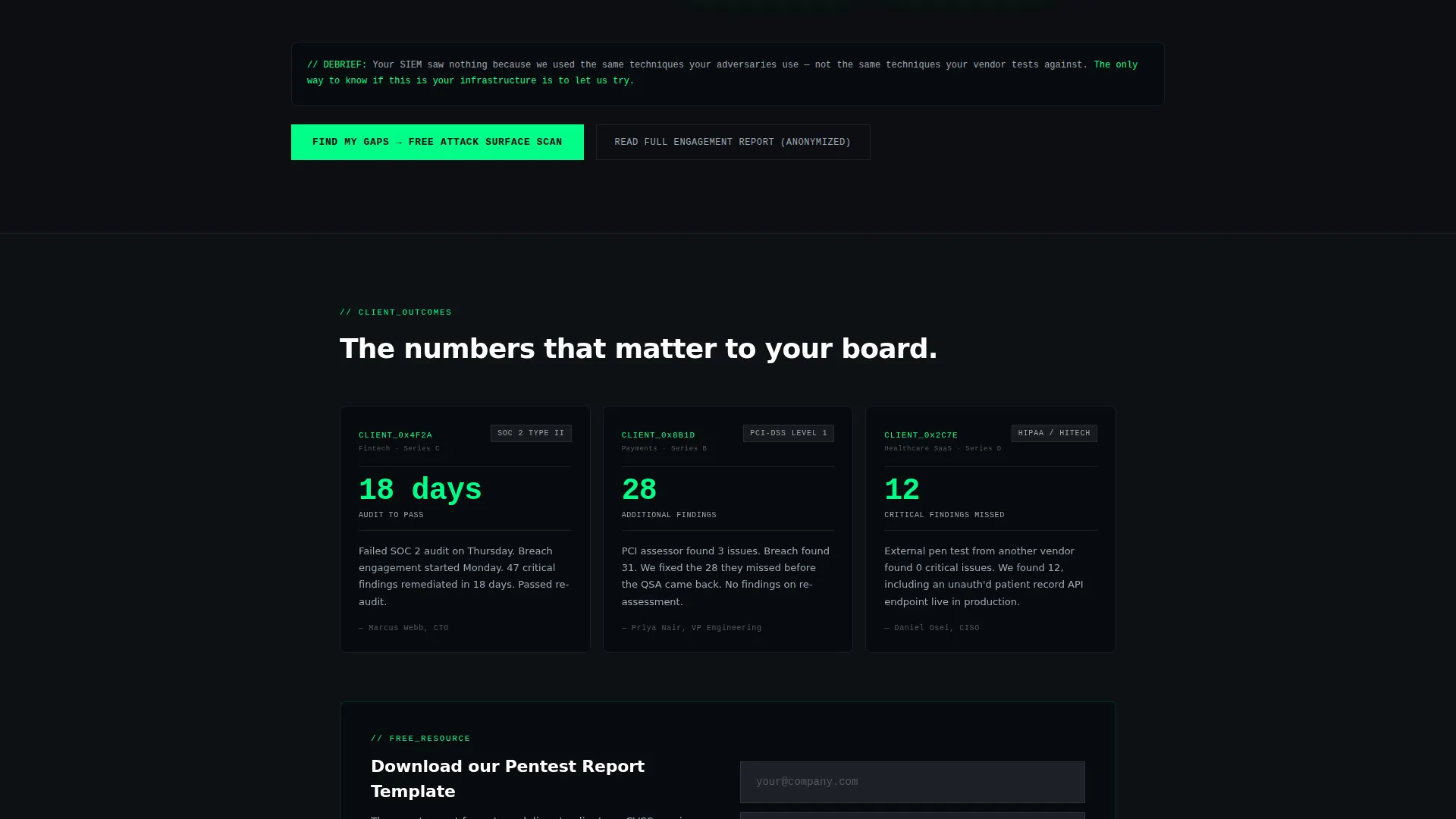
- A low-friction primary call to action form, a sticky bottom bar, and a secondary gated PDF download path
Feature list
This template ships with purpose-built components that match the operational intensity of the services being sold.
Full-Viewport Terminal Header
The header fills the entire screen with a styled terminal window. It renders a simulated Nmap scan line by line, with ports lighting up in phosphor green as they resolve. A headline types itself out character by character beneath the output.
Live Threat Data Grid
The first content section displays anonymized threat statistics in a tightly structured data grid. Numbers tick upward like a stock ticker, covering metrics such as vulnerabilities found this quarter, average time-to-breach, and critical patches pending.
Four-Phase Methodology Board
The methodology section breaks the engagement process into four sprint-style phases. Each phase is presented as a Kanban card that snaps into place as the visitor scrolls, making the workflow feel active and structured.
Scrolling Attack Timeline
A horizontal attack timeline walks through reconnaissance, exploitation, lateral movement, and exfiltration. Each node pulses green as the visitor scrolls past it, creating a visceral sense of how a real breach unfolds.
Progressive Disclosure Scan Form
The primary conversion form asks for just one input first: a domain name. After the scan initiates, company size and email are disclosed progressively, reducing the barrier to entry to a single URL field.
Sticky Bottom Bar with Primary call to action
A sticky bar persists at the bottom of the page throughout the entire scroll. It keeps the "Run a Free Attack Surface Scan" call to action visible at all times without interrupting the reading experience.
Page sections overview
| Section | Purpose |
|---|---|
| Terminal header viewport | Opens with a live Nmap simulation and typed headline to establish technical credibility immediately |
| Live threat data grid | Displays real-time anonymized security metrics to create urgency and proof of active work |
| Four-phase methodology board | Breaks the engagement process into Kanban-style sprint cards for clarity and confidence |
| Horizontal attack timeline | Walks visitors through a simulated breach sequence to make the threat feel concrete and present |
| Free scan form | Captures leads with a single domain input field, then progressively collects more detail |
| Sticky call to action bar | Keeps the primary call to action visible throughout the entire scroll without friction |
| Gated PDF download | Offers a pentest report template as a secondary conversion path for less-ready visitors |
Design & branding system
The visual identity is built on a Monochrome Steel color system. Every choice reinforces the operational, machine-room feel of the service being sold.
- Terminal black (#0B0E11) dominates all backgrounds, with brushed gunmetal (#2C3038) used for card and grid surfaces
- Cold phosphor green (#00FF88) appears only on active elements: live scan outputs, ticking numbers, and call-to-action buttons
- Steel-wire gray (#A0A8B4) handles secondary text, grid lines, and structural labels in monospaced type throughout
Mobile & speed optimization
The template is structured with mobile breakpoints in mind, so the terminal header, data grid, and timeline remain readable and usable on smaller screens.
- The full-viewport terminal scales gracefully, preserving the cinematic scan output experience on phone-sized displays
- The horizontal attack timeline converts to a vertically stacked sequence on narrow viewports
- The sticky bottom bar and progressive scan form remain fully functional across device sizes
How this template helps you convert
Every design and copy decision in this template serves the freemium conversion model. The page is built to move a visitor from curiosity to action as quickly as possible.
- The terminal header creates immediate technical credibility. A security-aware visitor recognizes real Nmap output and trusts the firm before reading a single line of marketing copy.
- The live threat data grid and attack timeline sustain urgency across the scroll. By the time a visitor reaches the scan form, the threat feels real and the solution feels obvious.
- The progressive disclosure form and secondary PDF path ensure that both high-intent and low-intent visitors have a clear next step, maximizing the number of leads captured.
Other information about this template
This template is part of the Startup Velocity theme family, built with Launch Energy creative direction for fast-moving, high-stakes service pages. It pairs well with security firms looking to position themselves as operators rather than consultants.
- The template style is Dashboard/Data Grid, a format that communicates data density and operational authority
- It is categorized under Technology, IT Services and Consulting, with a specific niche focus on cybersecurity consulting
- The header concept is a Code Snippet execution, designed to appeal to a technical buyer who evaluates credibility at a glance
- The landing page direction is Freemium/Trial, optimized for a free-scan offer that generates qualified leads before any sales conversation
Theme
Startup Velocity
Creative direction
Launch Energy
Color system
Monochrome Steel
Style
Dashboard/Data Grid
Direction
Freemium/Trial
Page Sections
Full-viewport Terminal Header
Live Threat Data Grid
Four-phase Methodology Board
Scrolling Attack Timeline
Progressive Disclosure Scan Form
Sticky Call to Action Bar and Gated PDF Path
Related questions
Who is this template designed for?
What does the progressive disclosure form do?
Does the template include a secondary conversion path?
Can I adapt this template for a compliance-focused security firm?
What makes the design different from a standard agency template?



