Breach - Ruthless DevSecOps Landing Page Template
Breach is a Bold Brutalist DevSecOps landing page template built for security research labs. It opens with live-metric glass panels, drops visitors into an interactive attack surface calculator, and routes each risk result to deep-dive research sections anchored by hub navigation. The primary call to action drives CLI installs, with a secondary report-download path for cautious visitors.
by Rocket studio
Quick summary
Breach is a single-page DevSecOps research lab template with hub-and-spoke anchor navigation. It leads with a dark glass header displaying live metrics, then immediately presents an interactive attack surface calculator. Each risk score links to a dedicated threat-class section with research excerpts and detection rule snippets. The page closes with a CLI install call to action and a gated report download.
Who this template is for
This template is built for technical teams who need credibility before they need persuasion. It speaks directly to practitioners running rigorous security workflows, not general marketing audiences.
- Security engineers running purple team exercises at growth-stage startups
- CISO offices at federal contractors managing Software Bill of Materials (SBOM) compliance attestation
- Red team operators who prefer open-source tooling over enterprise dashboards
What problem this template solves
Most DevSecOps landing pages read like product brochures. They describe features without demonstrating expertise, and they ask visitors to trust claims rather than evidence. That approach fails with security practitioners who are trained to be skeptical.
- Visitors leave before engaging because the page offers no immediate diagnostic value
- Risk findings stay abstract until mapped to a visitor's real stack and environment
- Download calls to action feel unearned when no proof of capability has been established
What you get with this template
You get a complete, single-page hub-and-spoke layout designed around demonstration rather than description. Every structural decision serves the technical audience first.
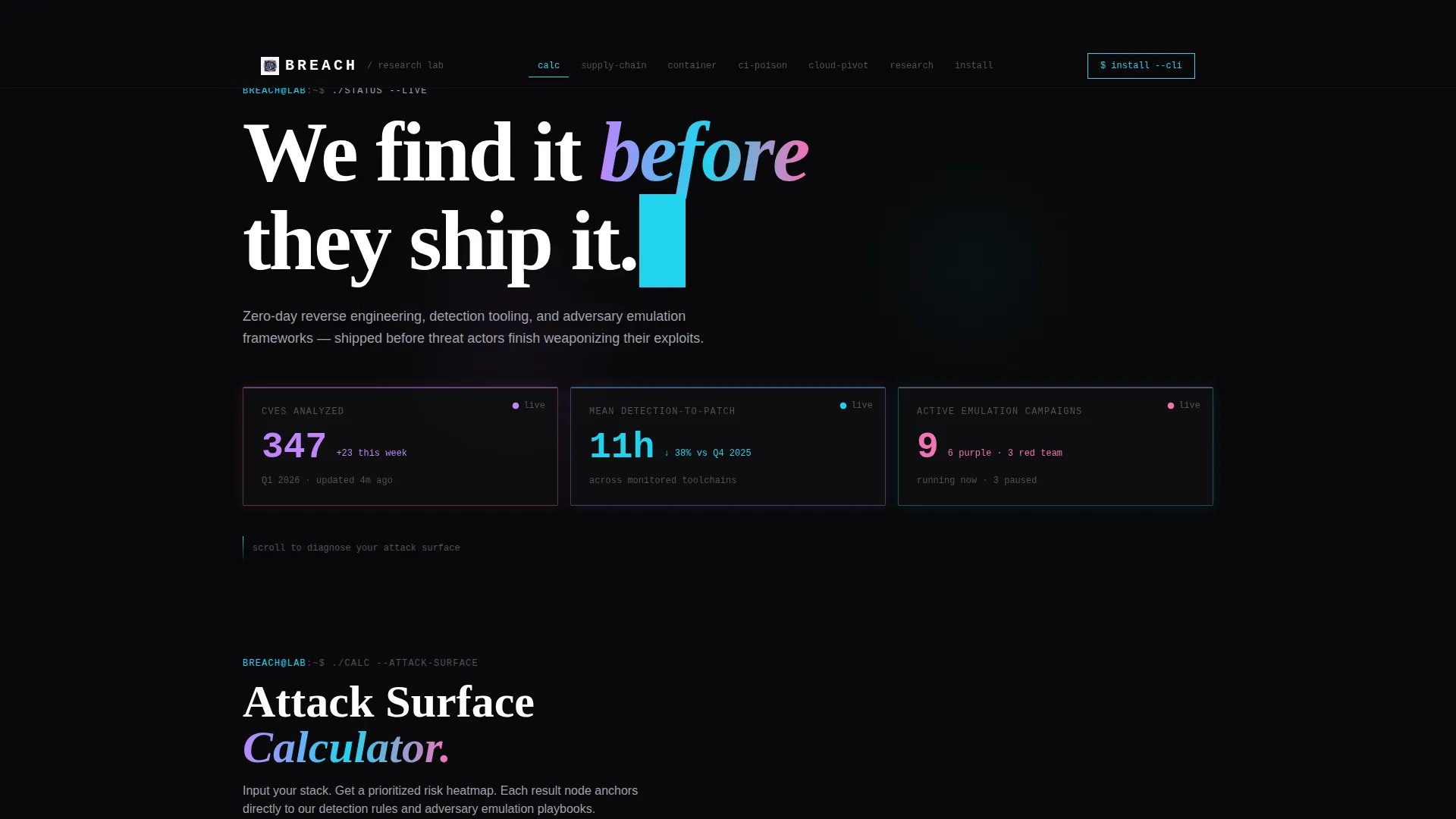
- A dark glass header with three live-updating metric panels covering CVEs analyzed, mean detection-to-patch latency, and active adversary emulation campaigns
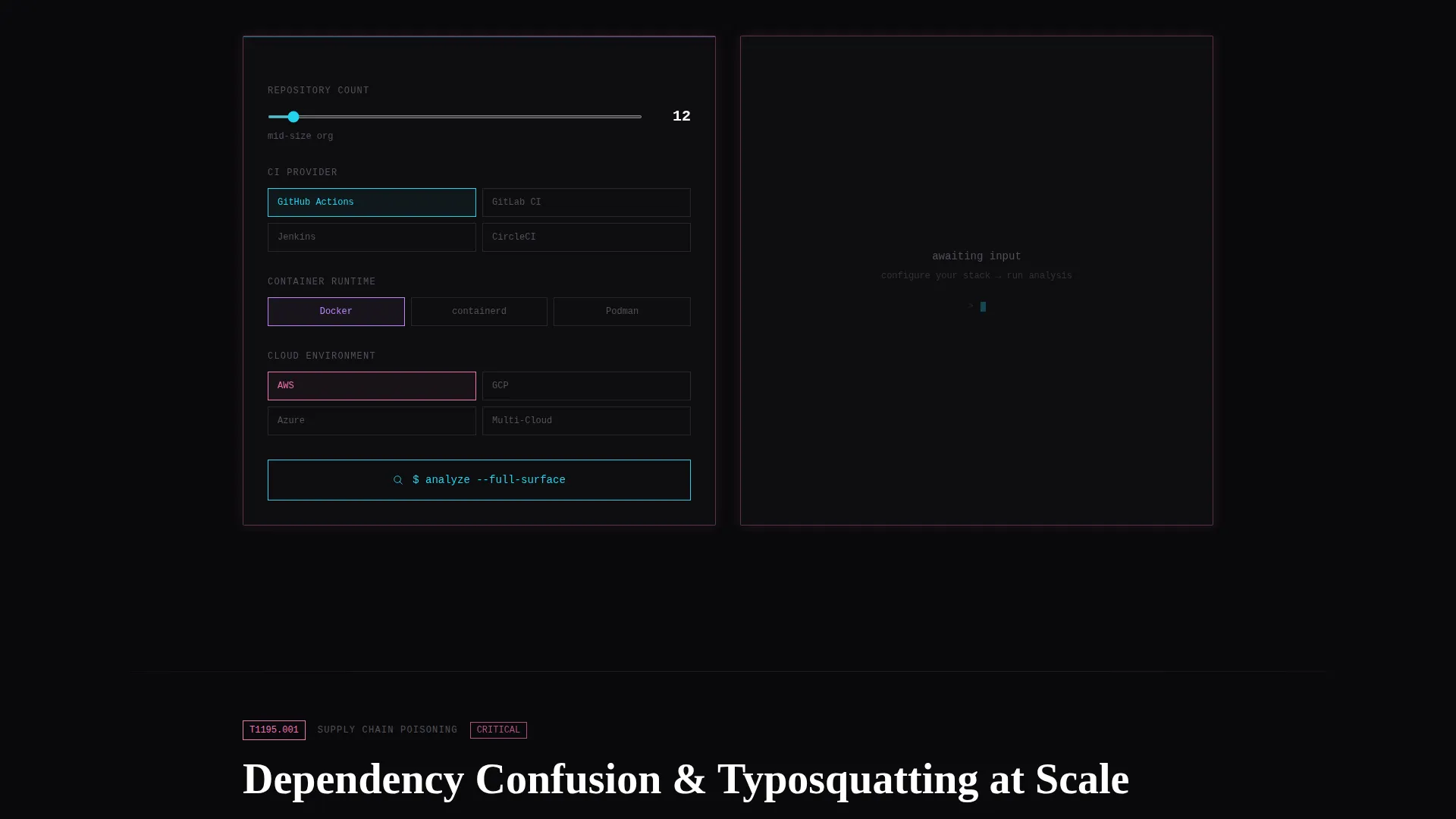
- An interactive attack surface calculator that accepts repo count, continuous integration provider, container runtime, and cloud environment as inputs
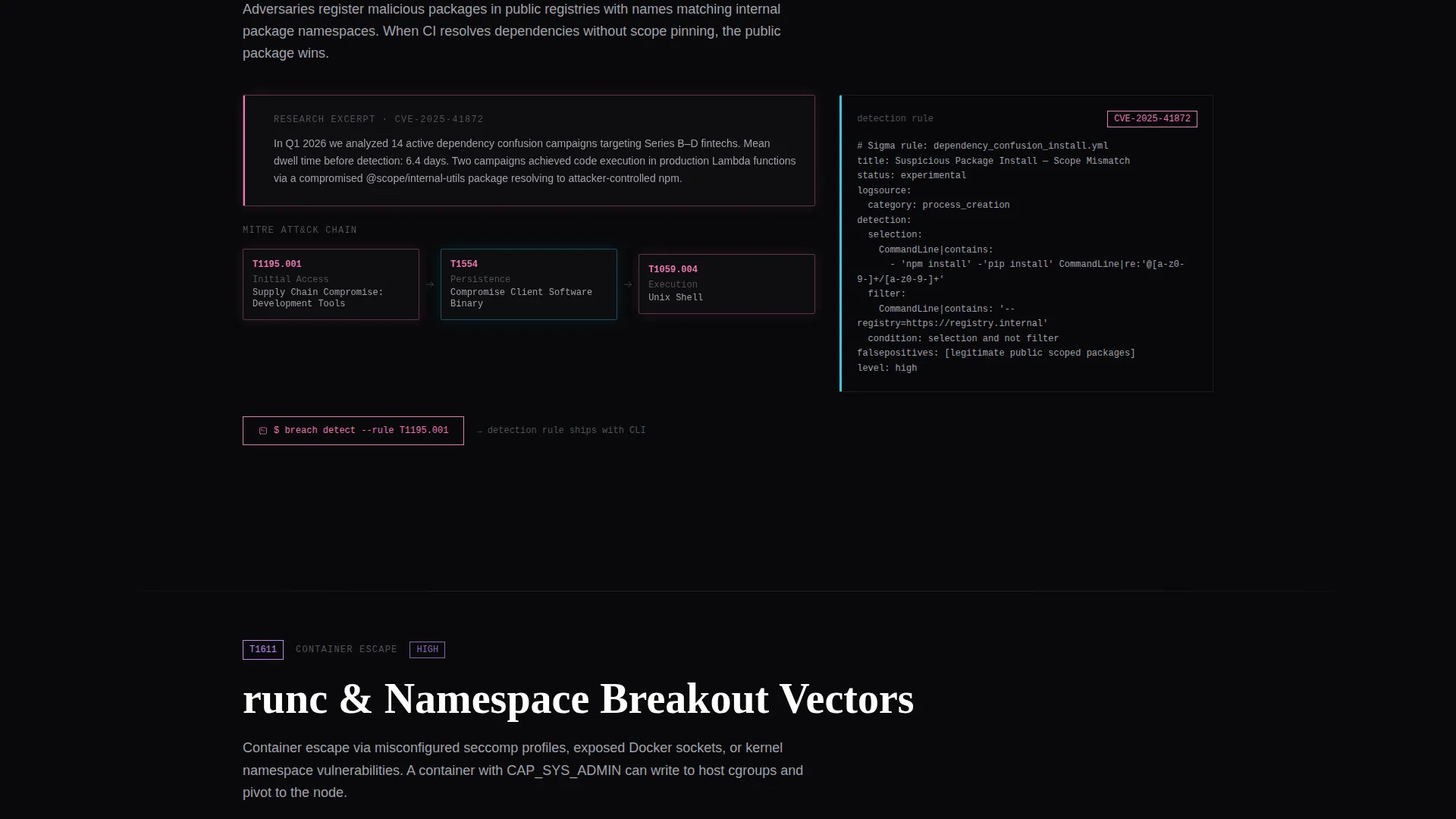
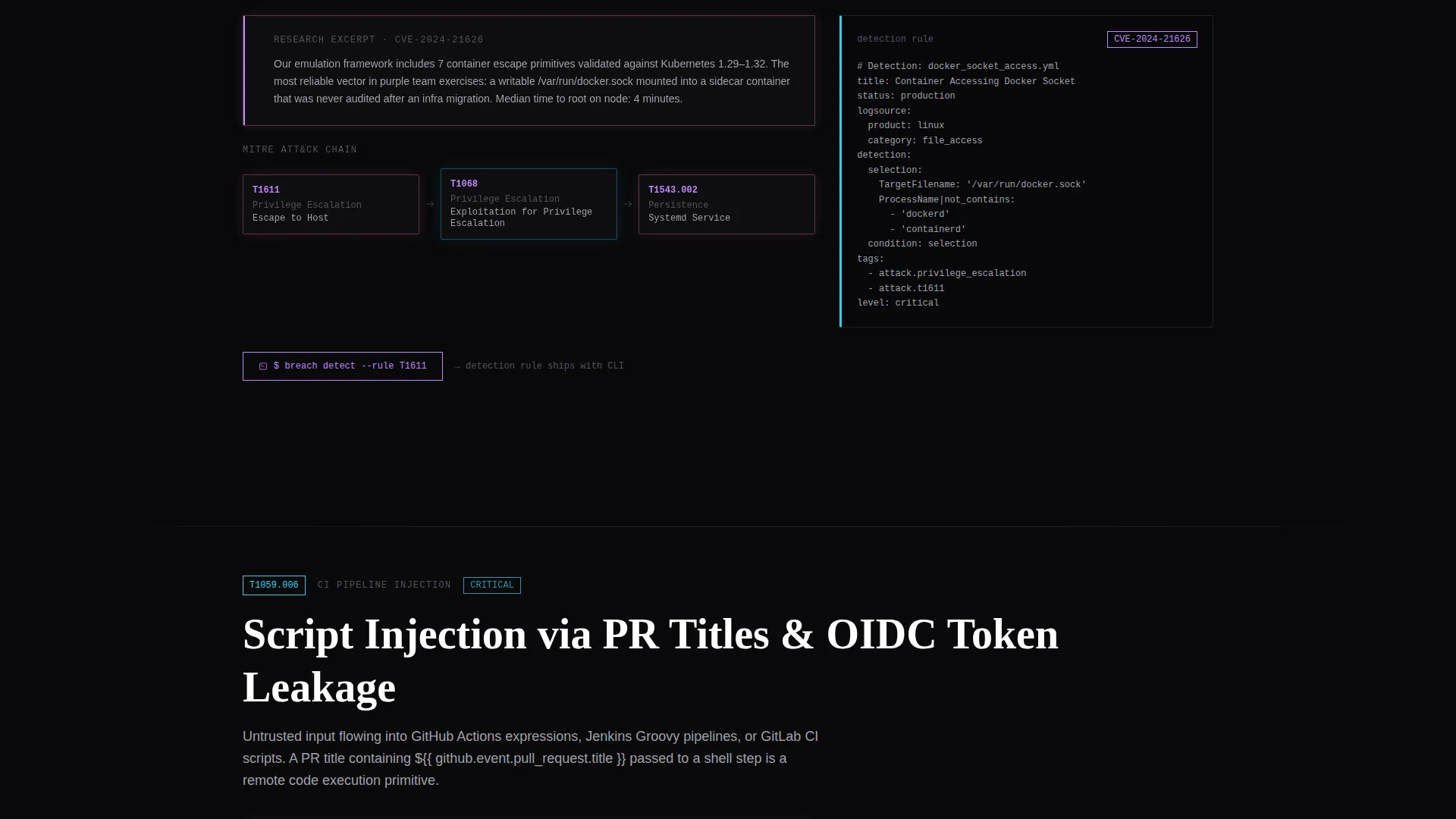
- Anchor-navigated spoke sections, each tied to a threat class with research excerpts, detection rule snippets, and a mapped MITRE ATT&CK chain
- A CLI install call to action with platform-toggle pills for macOS, Linux, and Docker plus a copyable one-line curl command
- A secondary gated path offering a full report download behind a work email field
Feature list
This template ships with tightly scoped components that serve a diagnostic browsing experience. Each feature exists because the source brief demands it.
Live-Metric Glass Panel Header
Three frosted, translucent dark glass rectangles float on a void black background. Each panel displays a live-updating metric: CVEs analyzed this quarter, mean detection-to-patch latency, and active adversary emulation campaigns running now. Iridescent accents shift from phosphor lilac to refracted cyan as scroll position changes.
Interactive Attack Surface Calculator
Visitors input their repo count, continuous integration provider, container runtime, and cloud environment. The tool returns a prioritized risk heatmap with a severity score. Each result node is a clickable spoke that anchors to the matching threat-class section below.
Hub-and-Spoke Anchor Navigation
A persistent hub nav tracks the visitor's scroll position and highlights the active threat category. Each spoke section contains research excerpts, detection rule snippets, and a mapped MITRE ATT&CK (Adversarial Tactics, Techniques, and Common Knowledge) chain. Navigation indicators use the iridescent accent palette to signal position, never just decoration.
CLI Install Call to Action with Platform Toggles
The primary conversion path presents a one-line curl command visitors can copy directly. Platform-toggle pills let visitors switch between macOS, Linux, and Docker install instructions without leaving the page. The command is the entire ask, nothing more.
Gated Full Report Download
Visitors who are not ready to install can submit a work email to download the full research report. This secondary path captures intent without forcing a commitment. The gate is minimal: one field, one button.
Monospaced Terminal Typography System
All body copy renders in monospaced type. Headings use raw, slab-weight styling that communicates severity without decoration. The typographic system reinforces the terminal aesthetic the brief describes as "ssh-ing into a machine you're not sure you're supposed to be on."
Page sections overview
| Section | Purpose |
|---|---|
| Glass Panel Header | Display live security metrics |
| Attack Surface Calculator | Diagnose visitor's risk profile |
| Hub Anchor Navigation | Route users to threat sections |
| Threat Class Spokes | Deep-dive research per category |
| MITRE ATT&CK Chains | Map detections to known techniques |
| CLI Install Block | Drive primary app download action |
| Report Download Gate | Capture email for secondary path |
Design & branding system
The visual identity is Bold Brutalist, executed through an AI Iridescent color system. The palette feels like light refracting through a cracked prism on a concrete slab. Every color decision signals function, not decoration.
- Void black (#09090B) and near-black (#111114) cover all backgrounds; desaturated silver (#A1A1AA) handles body text
- Phosphor lilac (#C084FC), refracted cyan (#22D3EE), and chromatic rose (#F472B6) appear only on interactive states, graph lines, and anchor nav indicators
- Monospaced type throughout body copy; slab-weight headings carry structural weight without ornamentation
Mobile & speed optimization
The template is structured to remain legible and functional on smaller viewports. The terminal aesthetic translates cleanly to narrow screens without losing its severity.
- Dark backgrounds and high-contrast silver text maintain readability at any screen width
- Platform-toggle pills and the curl command block are designed to be tapped and copied on mobile without friction
- The calculator inputs and risk heatmap output are laid out to stack vertically on narrow viewports
How this template helps you convert
Conversion happens because the page earns trust before it asks for anything. The diagnostic flow makes the call to action feel like the logical next step, not a sales pitch.
- The attack surface calculator surfaces a personalized risk score early in the scroll, making the visitor's problem concrete and specific before any download prompt appears
- Each spoke section deepens credibility with research excerpts, detection snippets, and ATT&CK chain mappings, so the CLI install reads as a tool the visitor already needs
- The dual call-to-action structure captures both ready installers and cautious researchers, with the gated report providing a lower-commitment entry point that still moves visitors toward the platform
Other information about this template
This template suits teams who want their DevSecOps research presence to feel as rigorous as the work itself. A few additional details worth knowing before you build with it.
- The hub-and-spoke anchor navigation structure supports as many threat-class spoke sections as your research library requires
- The calculator component is designed to accept any combination of stack inputs relevant to your lab's detection coverage
- The template works equally well for labs publishing adversary emulation frameworks, zero-day research, or detection engineering tooling
- The Bold Brutalist theme and AI Iridescent color system are cohesive out of the box and do not require additional design customization to feel complete
- This template is categorized under DevSecOps Technology and is built specifically for the DevSecOps research lab niche
Theme
Bold Brutalist
Creative direction
Calculator/Tool First
Color system
AI Iridescent
Style
Hub & Spoke (Anchor Nav)
Direction
App Download
Page Sections
Live-metric Dark Glass Header
Interactive Attack Surface Calculator
Hub-and-spoke Anchor Navigation
CLI Install Block with Platform Toggles
Gated Research Report Download
Terminal-first Typography System
Related questions
Who is the primary audience for this template?
Can I customize the calculator inputs for my specific tech stack?
What does the hub-and-spoke navigation structure mean in practice?
Does the template include both a CLI install path and a report download option?



