Intelligent API Operations Landing Page Template
Gateway is a mission control API management landing page template built for backend teams who need to show, not just claim, that their API gateway handles everything. It combines a dark dashboard aesthetic, animated tab-switching views, and a clear install-focused call to action. The result is a single-page experience that earns developer trust before asking for a single click.
by Rocket studio
Quick summary
Gateway is a single-page template designed around one idea: prove the platform works before asking anyone to install it. It ships with a Feature Tab Switcher hero, animated topology diagrams, a simulated attack deflection sequence, a plugin code snippet section, and a latency benchmark table. Every section is built to convert backend engineers, platform teams, and engineering leaders who have seen too many dashboards that look good but deliver nothing.
Who this template is for
This template is built for teams shipping serious API infrastructure products. It speaks directly to the people who have to trust a gateway with production traffic before they can recommend it upstairs.
- Backend engineers who debug 502s at 2 a.m. and need proof that the api gateway handles pressure reliably.
- Platform and DevOps teams wiring up OAuth flows, configuring a virtual network, and managing api management operations across multiple environments.
- Engineering leaders and CTOs who need unified visibility into api usage, security events, and system performance across every service.
What problem this template solves
Most API infrastructure landing pages list features without demonstrating them. Visitors read bullet points, feel unconvinced, and leave. The gateway's complexity never becomes visible, so the value never lands.
- Engineers cannot verify that the api gateway handles rate limiting, authentication, and request transformation at scale just by reading a list.
- Platform teams need to see that the architecture supports high availability, internal mode deployments, and secure network configuration before they can commit.
- Decision-makers need one clear view of api requests, traffic distribution, and security posture to justify the deployment investment.
What you get with this template
You get a fully structured, section-led landing page that walks visitors through every major capability of an api management platform in a logical, escalating sequence. Each section is self-contained and deployable as a reference implementation for your own team.
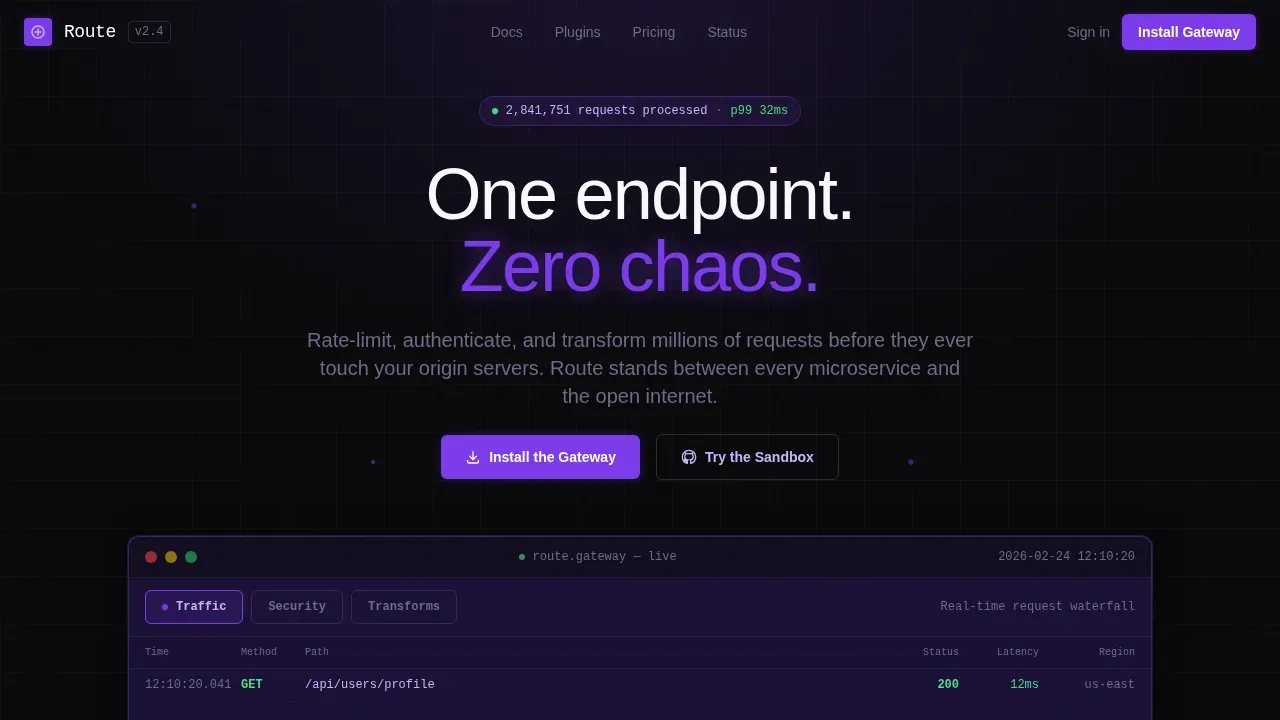
- A hero with a three-tab Feature Tab Switcher showing Traffic, Security, and Transforms views inside a live dashboard mockup.
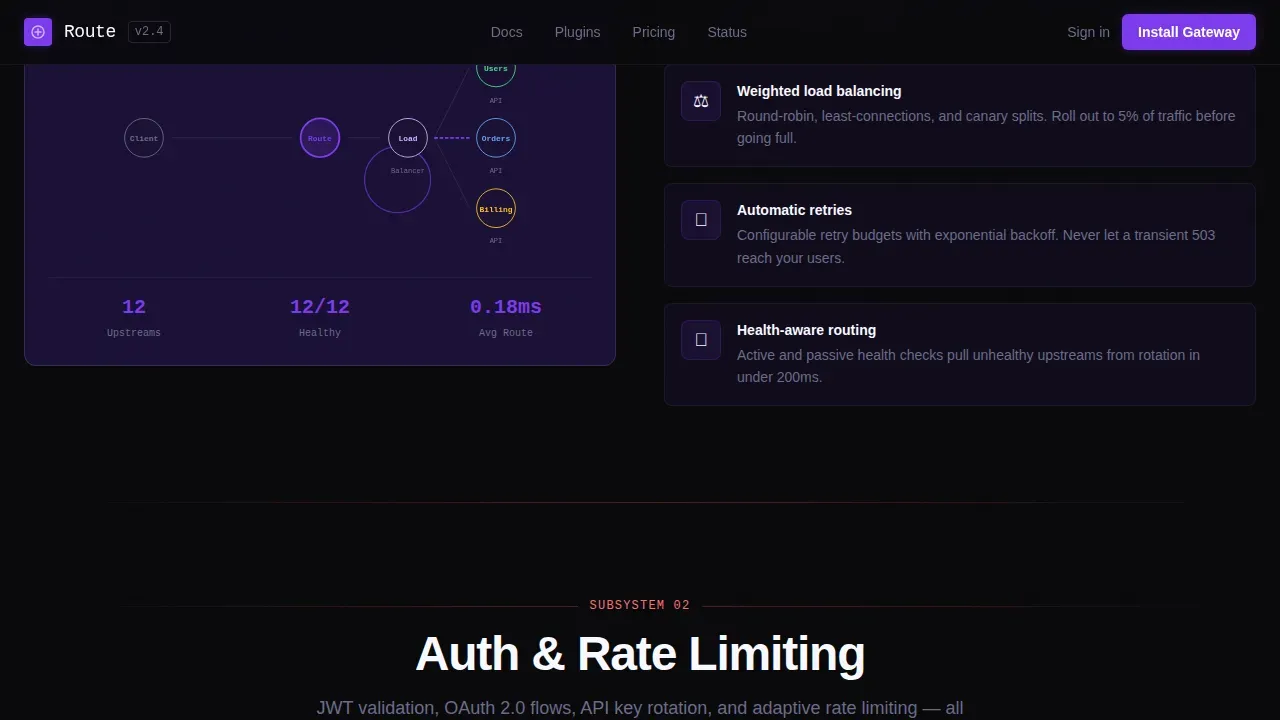
- Animated sections for routing, load balancer topology, auth and rate-limiting deflection, plugin architecture with inline code, and a latency benchmark table comparing p50, p95, and p99 against raw upstream.
- A conversion-focused footer with platform toggle buttons for Docker, Homebrew, and apt, each revealing a one-line install command with copy-to-clipboard.
Feature list
This template is structured around six core design areas that reflect real api management scenarios and best practices for gateway-led infrastructure products.
Three-Tab Dashboard Hero
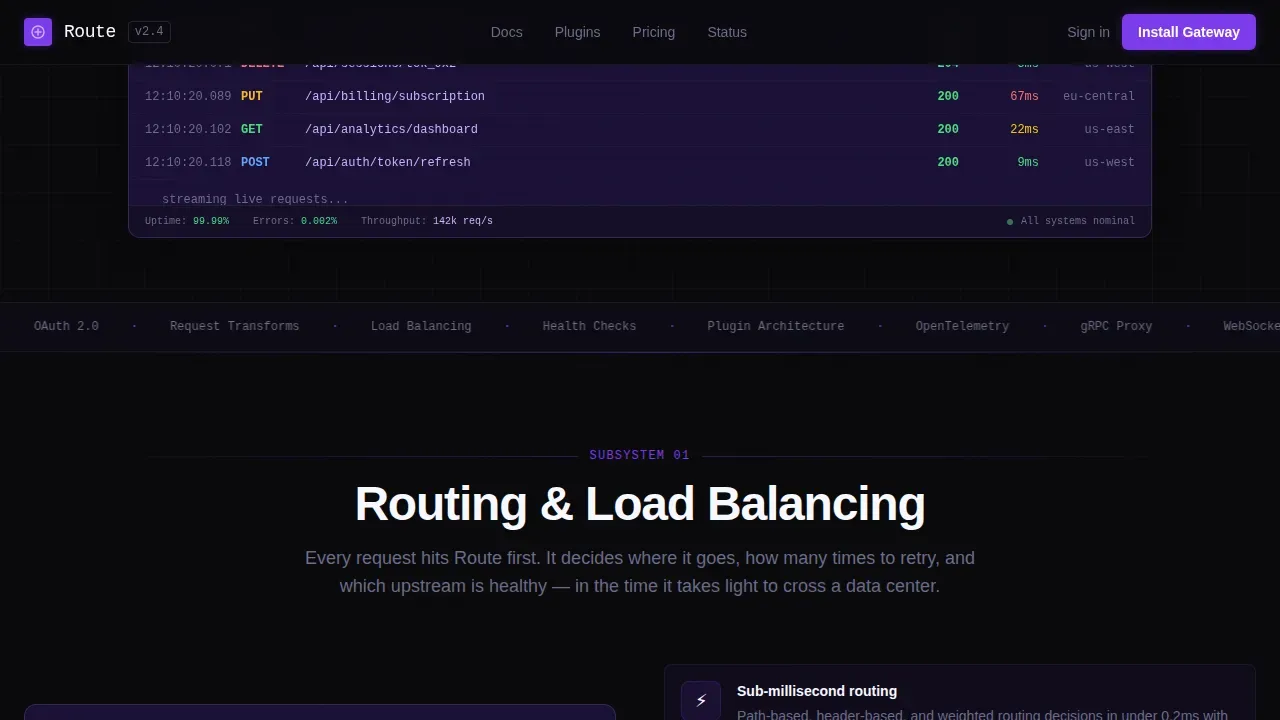
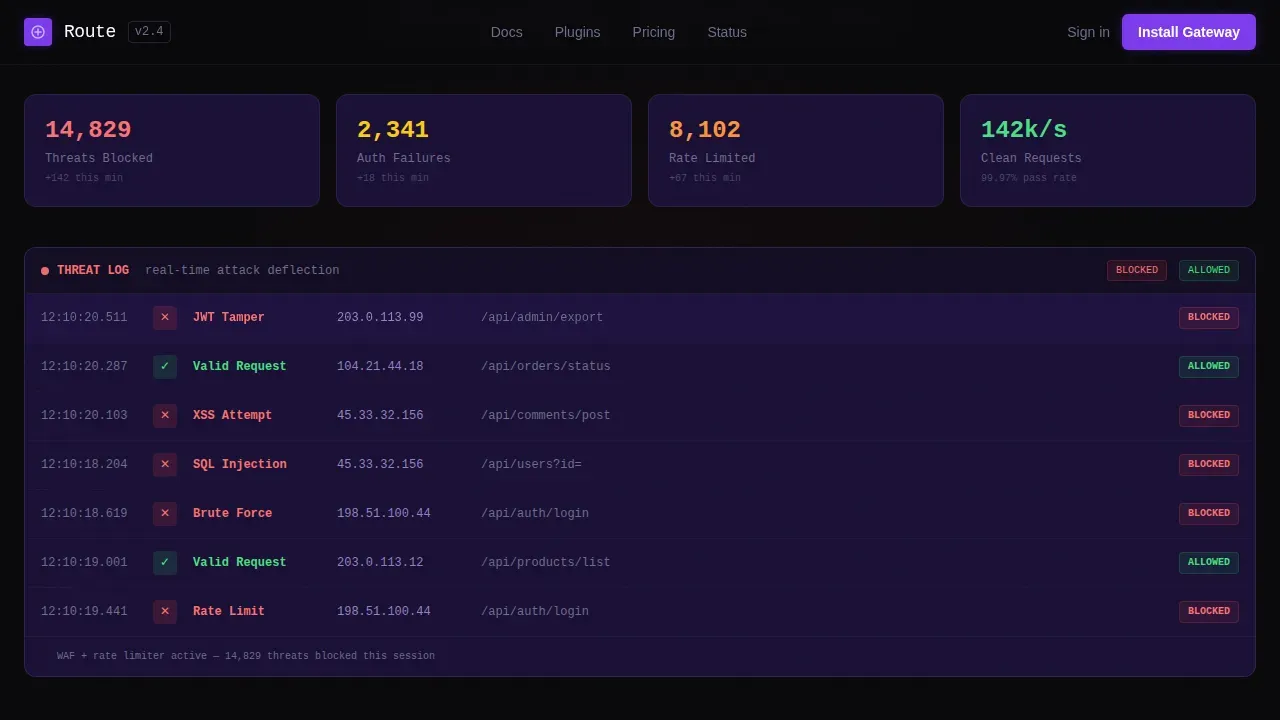
The header uses a Feature Tab Switcher with three clickable states: Traffic, Security, and Transforms. Each tab snaps the entire data grid below into a different view. Traffic shows a request waterfall with latency histograms and geographic heat dots. Security reveals blocked threats, auth failures, and rate-limit triggers in a scrolling log. Transforms displays request and response payloads being rewritten mid-flight with diff-highlighted JSON. The dashboard renders on void black with violet accent pulses on every simulated event.
Routing and Load Balancer Section
This section visualizes routing and load balancer behavior through an animated topology diagram showing node connections and traffic paths. It makes the architectural approach to request distribution immediately readable. Visitors can see how incoming requests are distributed across back end services before they ever reach origin systems. Advanced routing based on headers, paths, or query parameters is conveyed visually, including support for canary releases and blue-green deployments.
Auth and Rate-Limiting Deflection
The auth section simulates a live attack being deflected in real time, making the security posture tangible. Authentication and authorization modules covering industry standards like OAuth 2.0, JWT (JSON Web Token), and OIDC (OpenID Connect) are presented in a structured, scannable format. Deploying this section as a reference implementation helps visitors understand how the gateway enforces specific policies before any request reaches a protected service.
Plugin Architecture and Code Snippet
A dedicated section shows the plugin architecture with a tweet-sized code snippet that demonstrates extensibility. Note that the more plugins you add to your apis, the more demand you place on your gateway, which the section acknowledges visually with a latency impact indicator. This helps teams plan capacity honestly and configure the gateway with realistic expectations about performance.
Latency Benchmark Table
A structured table compares p50, p95, and p99 latency figures against raw upstream, giving visitors concrete performance data rather than marketing claims. Real-time dashboards and benchmark tables like this one can identify performance bottlenecks immediately, reducing Mean Time to Repair. The table is deployed in a dark card surface and reads cleanly at a glance.
Install-Focused Conversion Footer
The primary call to action is "Install the Gateway" with platform toggle buttons for Docker, Homebrew, and apt. Each toggle reveals a one-line install command with a copy-to-clipboard button. A secondary path offers "Try the Sandbox" with a GitHub login requirement. A strong call-to-action button is visually distinct and uses action-oriented language, and this template applies that principle with electric violet highlights on every primary action.
Page sections overview
| Section | Purpose |
|---|---|
| Tab Switcher Hero | Show Traffic, Security, Transforms views in a live dashboard mockup |
| Routing Topology | Animate node connections and load balancer traffic paths |
| Auth and Rate Limiting | Simulate real-time attack deflection and policy enforcement |
| Plugin Architecture | Demonstrate extensibility with a minimal inline code snippet |
| Latency Benchmark | Compare p50, p95, p99 against raw upstream in a data table |
| Install and Sandbox call to action | Convert visitors with a one-line install command and sandbox trial link |
Design & branding system
The visual identity is built around a mission control aesthetic. Every color choice is functional. Nothing glows without a reason, and every violet pulse signals that a system is alive and handling requests.
- Color system: void black (#09090B) for the primary background, deep space indigo (#1A1035) for card surfaces and secondary panels, electric violet (#7C3AED) for active states and data highlights, and phantom lavender (#C4B5FD) for secondary text and grid lines.
- Typography: JetBrains Mono for all code blocks and data-heavy elements, Manrope for headings and body copy, creating a clear split between human language and machine output.
- Animation and interactivity: tab switching, pulsing violet events on simulated data, animated topology diagrams, scrolling security logs, animated counters, and a platform toggle with copy-to-clipboard behavior.
Mobile & speed optimization
The template is built desktop-first to match how backend engineers actually work: at a workstation with multiple monitors, evaluating software at full resolution. Fast page loading speed is essential, and the template isolates client components from server-rendered static sections to keep the default experience lean.
- Desktop-first layout with responsive mobile breakpoints so the landing page remains readable and functional on smaller screens.
- Client components are isolated to interactive sections only, such as the tab switcher, animated counters, and platform toggle, while static sections are server-rendered.
- High animation fidelity is maintained without blocking the primary content, so visitors see a fast initial load before any interactive elements activate.
How this template helps you convert
The page is structured as a capability proof sequence. By the time visitors reach the install command, they have already watched the gateway handle traffic, block threats, and transform payloads. The call to action feels like the obvious next keystroke rather than a request for trust they have not yet earned.
- The Feature Tab Switcher hero immediately demonstrates three distinct api management scenarios in a single viewport, creating engagement before a visitor scrolls. A key performance indicators dashboard displaying total requests, response times, and error rates establishes credibility in the first section.
- Each subsequent section escalates one new capability, from routing and load balancing through auth enforcement to plugin extensibility and latency benchmarks, building a compound case for the gateway's reliability before the install prompt appears.
- The install section offers two clear paths: a one-line command for engineers ready to deploy, and a sandbox link for those who want to test first. Both paths lower the barrier to commitment and match where different users are in their evaluation.
Other information about this template
This template is designed to support api management scenarios that align with the cloud adoption framework for enterprise infrastructure. Teams preparing to configure a landing zone for API workloads will find the architectural approach demonstrated here useful as a reference implementation. The template's structure maps well to concepts used in Azure API Management deployments, where a secure baseline configuration is essential before onboarding production apis.
- The landing page architecture reflects best practices for api management instance setup, including the recommendation to deploy at least two gateway instances across availability zones for high availability and to reduce downtime during rolling updates.
- Teams working with a virtual network and internal mode deployments can use this template to communicate how the apim gateway restricts access from the public internet and ensures apis are only reachable from trusted network paths.
- The design areas covered in this template support scenarios where log analytics, key vault integration, and subscription id management are part of the broader api management architecture, including access to private azure openai endpoints.
- Landing zone subscriptions and the process to prepare landing zone subscriptions are context that engineering leaders evaluating this template will recognize. The template does not implement these systems directly but is structured to communicate their value clearly to customers across technical and executive audiences.
- Resource recommendations for a gateway instance are based on traffic, the deployment context, and expected usage. CPU load is directly proportional to the volume of api traffic handled, and effective capacity planning relies on storage, memory, and CPU optimization. For cloud-based architecture such as Kubernetes, pod resources should be adapted to workload requirements.
- Azure API Management serves as a foundational element for governance, publication, and oversight of apis for both internal and external stakeholders. Azure API Management can also integrate with Azure OpenAI endpoints to extend api management with AI capabilities, using Infrastructure as Code tools like Bicep or Terraform for repeatable deployment. The azure portal provides a centralized interface for management operations and configuration.
- A secure baseline reduces the attack surface and enforces organizational standards. Neglecting a secure baseline can result in apis being accidentally exposed to the public internet, increasing the risk of data breaches. Managed identities allow secure access to azure resources without hardcoded secrets. Deploying a sample api helps validate the platform and test policies before onboarding production apis. Log Analytics and Application Insights are integrated for logging, monitoring, and telemetry. Versioning management provides clear indicators for experimental, stable, or deprecated api versions to ensure backward compatibility.
Theme
Dashboard Pro
Creative direction
Launch Energy
Color system
Void & Violet
Style
Dashboard/Data Grid
Direction
App Download
Page Sections
Three-tab Feature Switcher Hero
Animated Routing and Load Balancer Diagram
Auth and Rate-limiting Deflection Display
Plugin Architecture with Inline Code
Latency Benchmark Data Table
Install-focused Call to Action with Platform Toggles
Related questions
Who is this template designed for?
What sections are included in the template?
Can I use this template to communicate enterprise api management architecture?
How does the conversion flow work in this template?
Is this template customizable for different install methods?



