Cross-Chain Protocol Comparison Table Landing Page
Bridge is a single-page landing page template built for cross-chain bridge protocols. It leads with a live bridge estimator and a real-time comparison table, letting visitors calculate routes and costs before reading a single paragraph. The design uses a glassmorphic dark theme with electric cyan and soft lilac accents, targeting DeFi power users, DAO treasurers, and yield farmers moving assets across blockchains.
by Rocket studio
Quick summary
Bridge is a focused landing page template designed for cross-chain token transfer protocols. It opens with a scrolling chain logo bar and a live stats counter, then drops visitors straight into a bridge estimator tool. The comparison table, glass card layout, and dual conversion paths make it purpose-built for crypto-native audiences who want data before they read.
Who this template is for
This template is built for teams shipping cross-chain infrastructure who need to convert technically sophisticated visitors quickly. It speaks the language of people who read gas fees before they read headlines.
- DeFi power users rebalancing liquidity across chains like Ethereum, Arbitrum, and Solana
- DAO treasurers migrating funds to lower-cost execution layers and needing clear cost comparisons
- Yield farmers moving large positions and evaluating slippage, time-to-finality, and wrapped-token risk
What problem this template solves
Most bridge protocol pages bury the product behind marketing copy. By the time a technical user reaches anything useful, they have already left. This template reverses that order entirely.
- Visitors interact with a live estimator before encountering any persuasion copy
- The comparison table surfaces route cost and speed data against competing bridges immediately
- Lead capture is positioned after the tool, so form submissions come from already-convinced users
What you get with this template
You get a complete, single-page layout structured around a tool-first conversion flow. Every section is a glass card that floats over a void-black background and appears on scroll with a soft parallax drift.
- A live bridge estimator with source chain, destination chain, token, and amount inputs
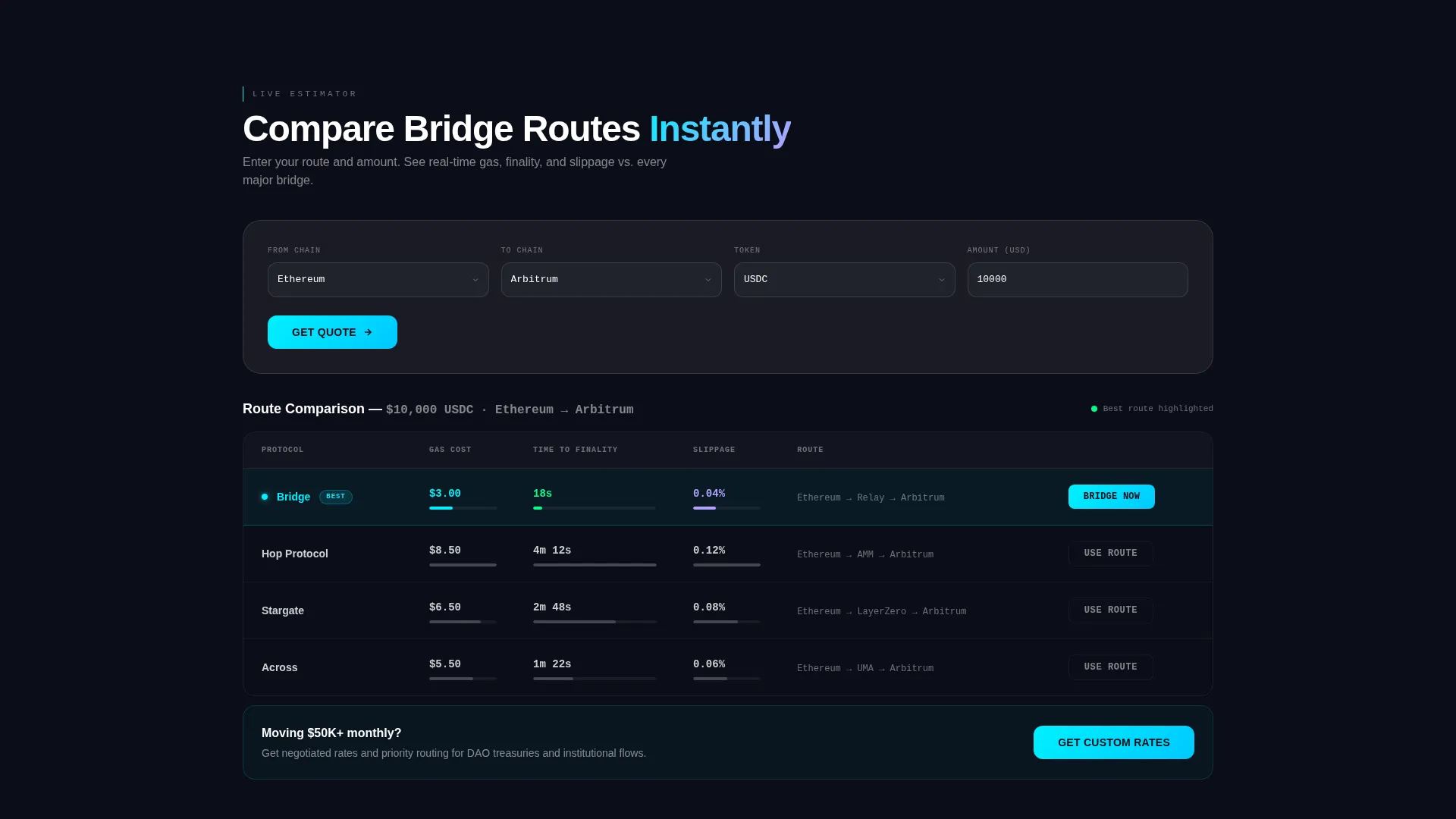
- A side-by-side comparison table showing estimated gas, time-to-finality, and slippage versus three competing bridges
- Two conversion paths: a lead generation form for institutional users and a direct dApp launch button for retail users
Feature list
This template ships with six distinct functional and visual components, each grounded in the brief.
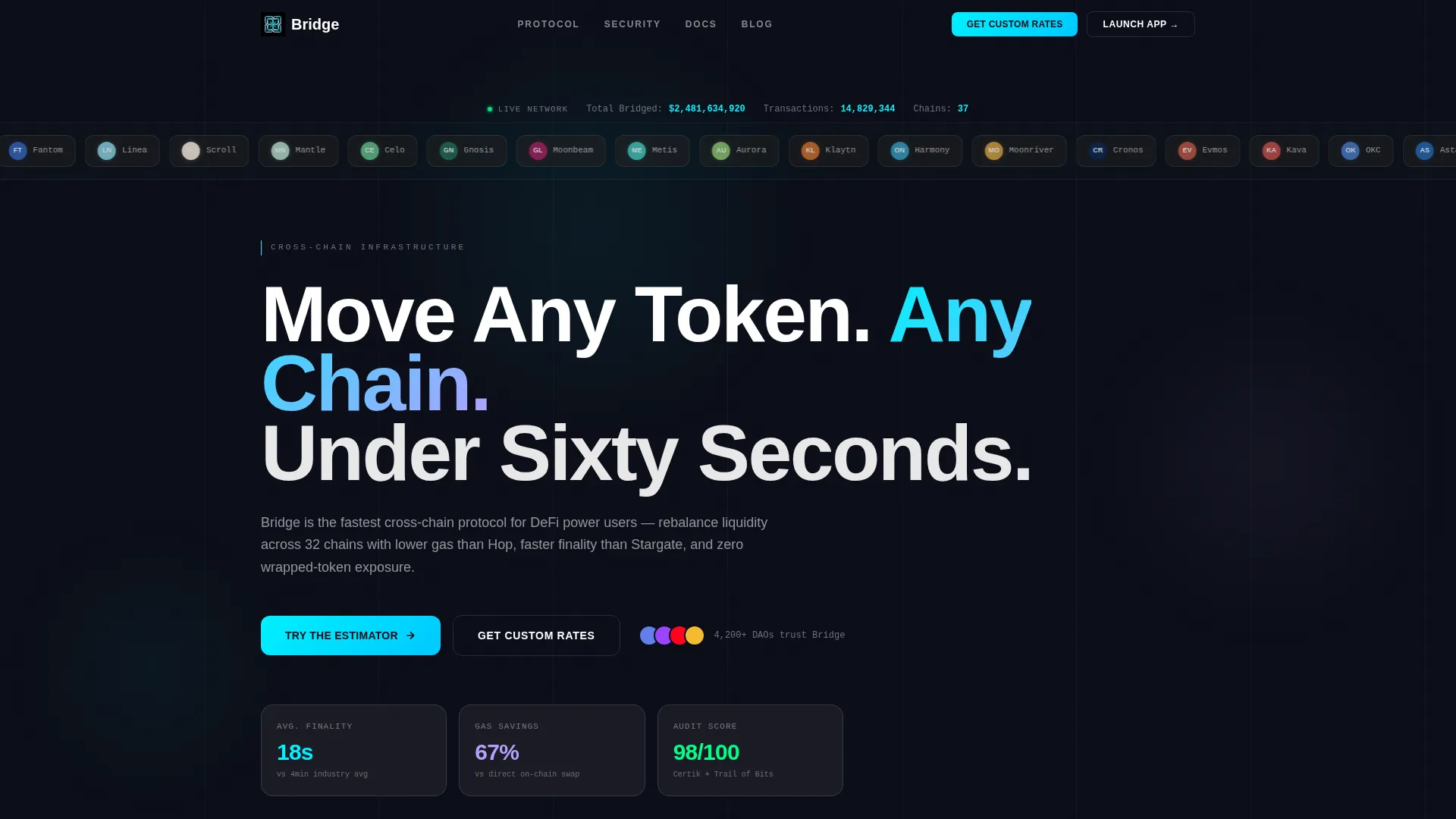
Infinite Chain Logo Marquee
A horizontal ribbon of thirty-plus supported chain and protocol logos scrolls in a slow infinite marquee across the page header. Each logo is rendered in frosted glass with a faint glow on hover, giving visitors an instant read on network coverage.
Live Stats Counter
A single line of monospace text above the marquee displays total value bridged and total transactions completed. The numbers tick upward in real time, establishing credibility before the visitor scrolls an inch.
Bridge Estimator Tool
The estimator sits immediately below the header. Visitors select a source chain, destination chain, token, and amount to receive estimated gas cost, time-to-finality, and slippage. The tool makes the product tangible before any marketing copy appears.
Side-by-Side Comparison Table
The estimator output feeds directly into a comparison table that benchmarks the protocol against three competing bridges. This layout does the selling passively: once a user sees their route is cheaper and faster, the next click is already earned.
Dual Conversion Paths
The primary call to action, "Get Custom Bridge Rates," is placed sticky in the navigation bar and repeated after the comparison table. It leads to a short lead form. A secondary button, "Launch Bridge App," routes retail users directly to the decentralized application.
Trust and Architecture Section Stack
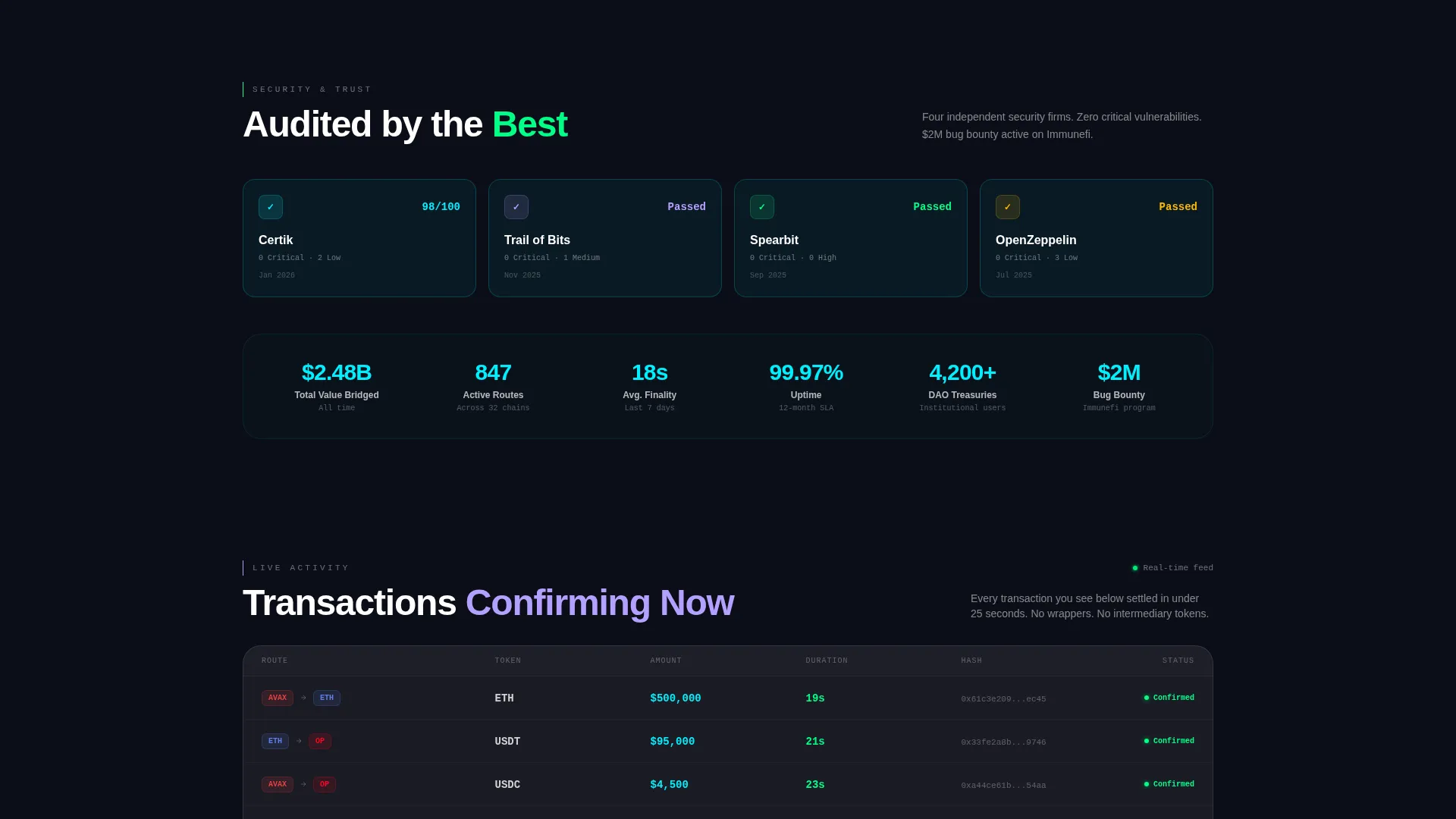
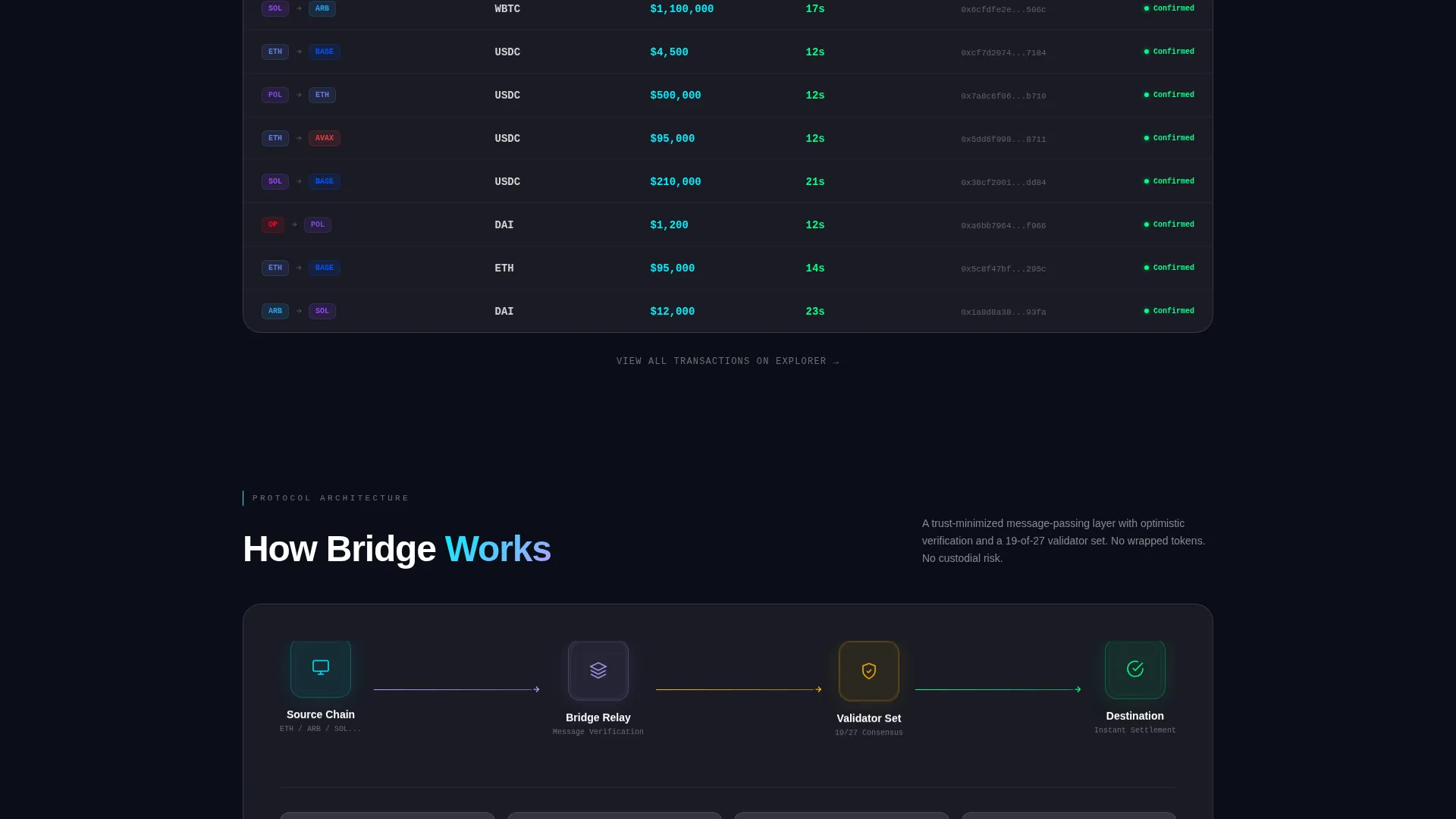
Below the comparison table, glass card sections escalate credibility in order: security audit badges, total volume statistics, a real-time feed of recent transactions, and an architecture diagram showing the message-passing layer.
Page sections overview
| Section | Purpose |
|---|---|
| Chain Logo Bar | Show supported networks at a glance via infinite marquee |
| Live Stats Counter | Display total value bridged and transaction count in real time |
| Hero Headline | Anchor the value proposition with one direct statement |
| Bridge Estimator Tool | Let visitors calculate routes and costs interactively |
| Comparison Table | Benchmark protocol speed, gas, and slippage against competitors |
| Primary Lead Form | Capture institutional and DAO treasury contact details |
| Security Audit Badges | Build trust with visible third-party audit references |
| Volume Stats Block | Reinforce scale with aggregated protocol usage figures |
| Recent Transactions Feed | Show live activity to validate real-world usage |
| Architecture Diagram | Illustrate the message-passing layer for technical audiences |
Design & branding system
The visual identity uses a Tech Glass theme built on a glassmorphic color system. The palette is intentionally minimal and high-contrast, designed to feel like a live block explorer rather than a marketing site.
- Core colors: void black (#0B0D17) for backgrounds, electric cyan (#00F0FF) for active states and data in motion, and soft lilac (#B4A0FF) for supported-chain icons and hover states
- Cards use frosted panels at 6% white opacity with a 1-pixel border at 12% white opacity, combined with backdrop blur and subtle refraction edges
- Typography pairs thin-weight monospace for all data and numbers with a geometric sans-serif for headings
Mobile & speed optimization
The layout is structured as a vertically stacked single-page flow. Glass card components translate naturally to narrower viewports without losing visual hierarchy.
- The estimator inputs and comparison table are designed to reflow cleanly for touch-based navigation
- Scroll-triggered parallax drift on card entry is kept subtle to avoid janky behavior on lower-powered devices
- The sticky navigation call-to-action remains accessible at all scroll depths on both desktop and mobile
How this template helps you convert
The template is structured so the most persuasive element, the estimator and comparison table, appears before any copy asks for commitment.
- A visitor uses the bridge estimator, sees their route is faster and cheaper than alternatives, and arrives at the lead form already persuaded rather than being pushed toward it.
- The dual conversion path separates high-value institutional leads from retail users, routing each audience to the most relevant next step without friction.
- Trust signals, including audit badges, live transaction feeds, and volume statistics, appear after the tool, reinforcing a decision the visitor has already started to make.
Other information about this template
This template is categorized under Technology, specifically the Blockchain and Cryptocurrency subcategory with a cross-chain bridge niche focus. It is matched to a Calculator and Tool First creative direction, meaning the interactive estimator is the structural centerpiece of the page.
- The template style is a Comparison Table layout, making it well-suited for protocols competing on measurable metrics like speed, gas cost, and slippage
- The lead generation form collects wallet address or ENS name (optional), average monthly bridge volume via dropdown, primary chains used via multi-select, and a Telegram or email contact field
- The header concept is a Logo Bar, which communicates broad network support instantly to technically literate visitors who recognize chain logos on sight
Theme
Tech Glass
Creative direction
Calculator/Tool First
Color system
Glassmorphic
Style
Comparison Table
Direction
Lead Generation
Page Sections
Infinite Chain Logo Marquee
Live Bridge Estimator Tool
Side-by-side Comparison Table
Dual Conversion Path Design
Real-time Stats and Activity Feed
Trust Signal Section Stack
Related questions
Who is the primary audience this landing page template is designed for?
Can the comparison table be customized for different competing protocols?
What information does the lead generation form collect?
Does the template support two different user types on the same page?
Is the glassmorphic color system editable for a different brand palette?



