Architecture Digital Presence Pricing Website Template
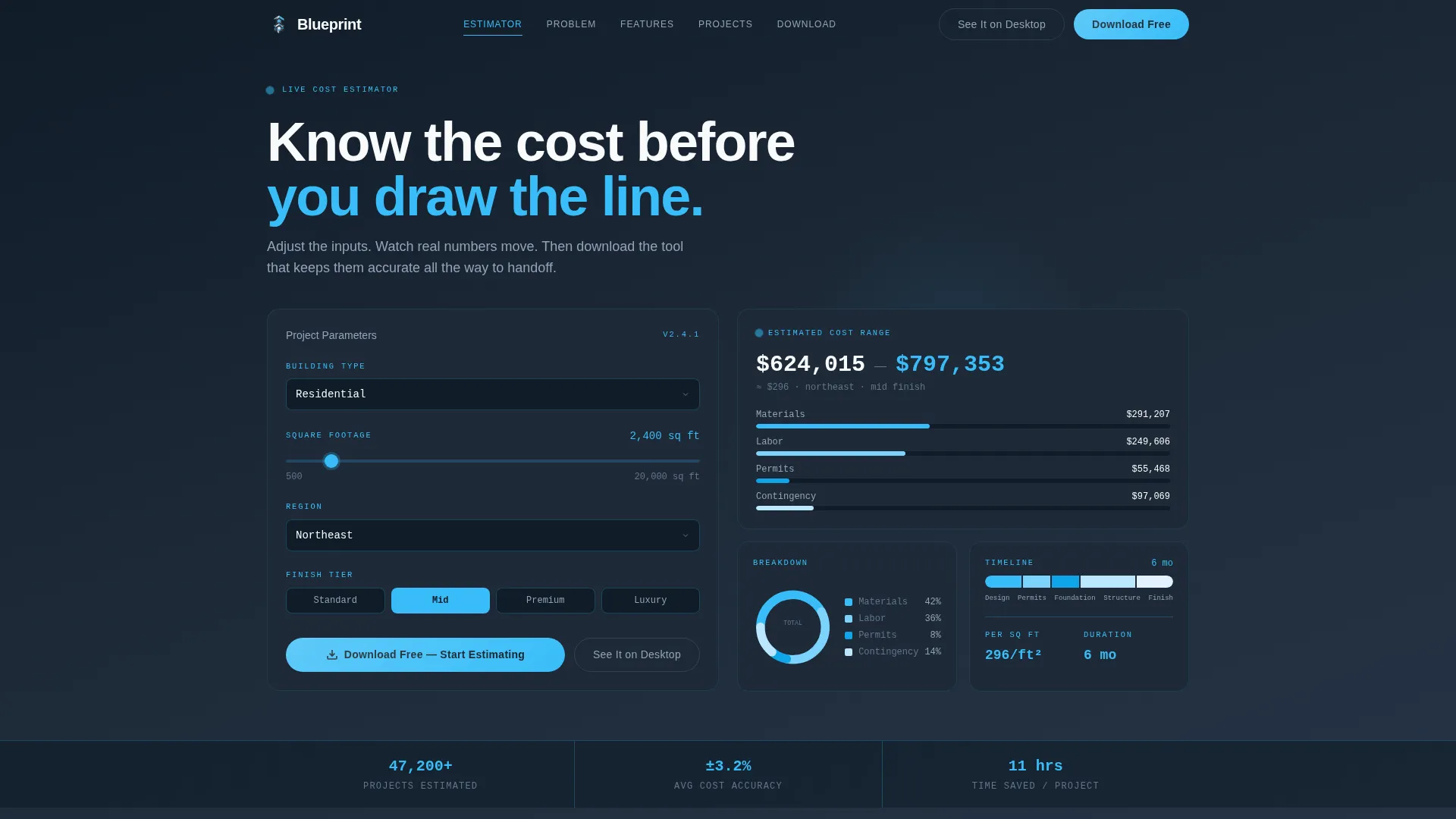
Blueprint is a hub-and-spoke architecture landing page template built around a live cost estimator above the fold. It guides visitors through a Problem-to-Solution scroll, surfacing real pain points and resolving each one into a clear product feature. The slate-and-sky color system, animated calculator, and app-download call to action make it purpose-built for architecture apps targeting solo practitioners and firm project managers.
by Rocket studio
Quick summary
Blueprint is a single-page architecture app landing page template with a working cost estimator embedded at the top. The design follows a Problem-to-Solution scroll arc, moving visitors from recognized pain to product features through a sticky anchor navigation. Every section resolves tension, builds trust, and leads naturally toward an app download.
Who this template is for
This template is built for teams and individuals promoting an architecture or construction estimation app. It speaks directly to the people who price projects, manage builds, and report to clients.
- Solo architects handling residential renovations who need quick, credible cost estimates
- Mid-size firm project managers coordinating multiple concurrent builds at once
- Junior architects who need to price a client brief before a morning meeting
What problem this template solves
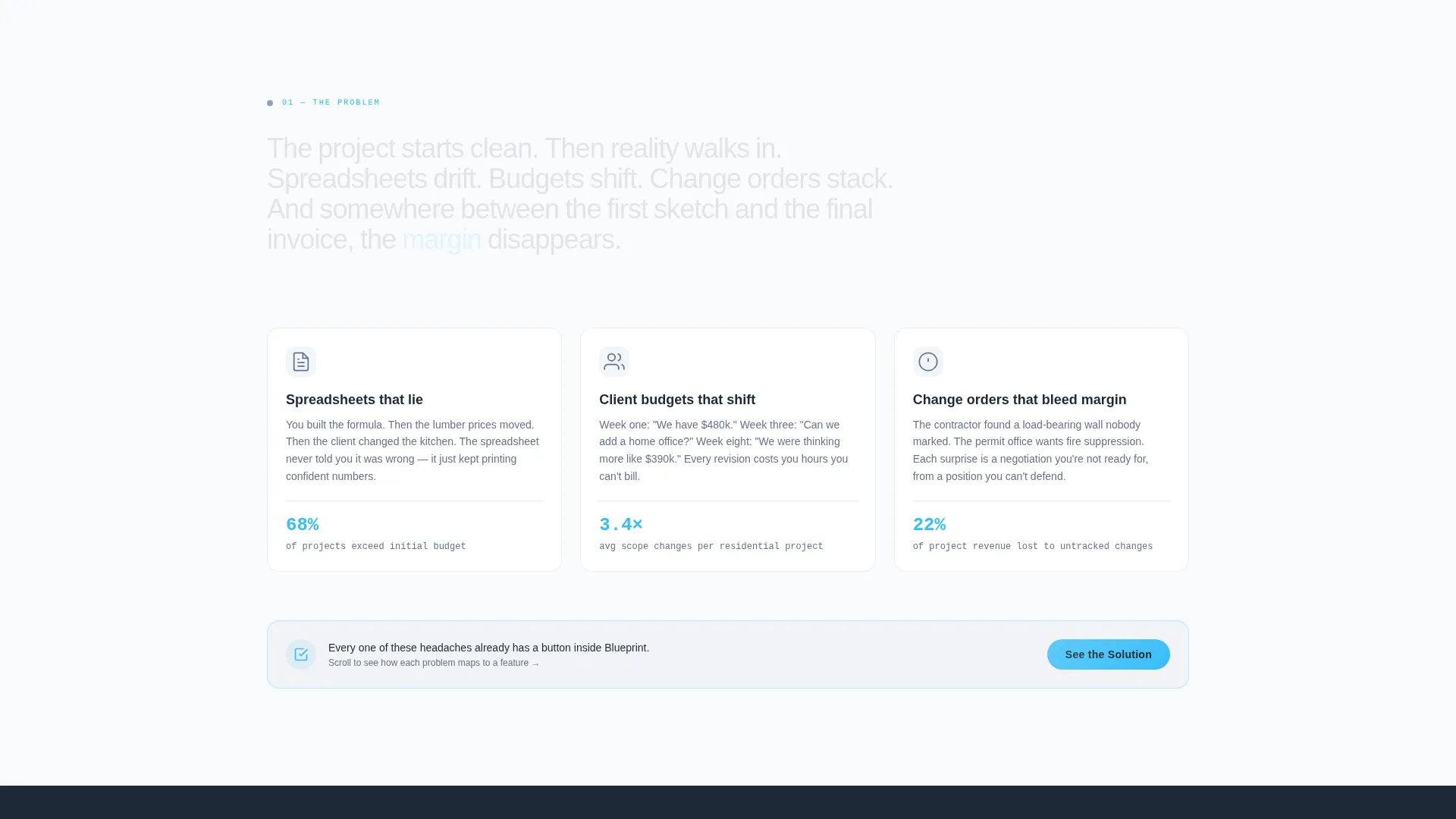
Architects lose time and credibility when their numbers are wrong. Spreadsheets fall out of sync, client budgets shift mid-project, and change orders quietly eat into margin. This template addresses that reality directly before asking for a download.
- Spreadsheet chaos and manual recalculation that slows down project planning
- Mismatched client expectations caused by vague or outdated cost estimates
- The gap between a client's vision and a realistic, priced project scope
What you get with this template
You get a fully structured single-page layout built for an architecture estimation app. Each section is pre-designed with clear content slots, interactive user interface demonstrations, and a consistent visual language throughout.
- A functioning above-the-fold cost estimator with animated slider inputs and live output cards
- A sticky anchor navigation that links directly to each spoke section as visitors scroll
- Annotated user interface screenshot sections, a project portfolio block, and app download calls to action at every resolution point
Feature list
This template ships with six purpose-built sections and design components. Each one is crafted to reflect the real workflow of an architecture professional.
Live Cost Estimator Header
The header embeds a cost-per-square-foot calculator directly above the fold. Visitors input building type, square footage, region, and finish tier. The right column updates instantly with an estimated cost range, a material breakdown donut chart, and a timeline bar. Numbers animate as sliders move, delivering value before any scroll happens.
Sticky Anchor Navigation
A persistent navigation rail links to every spoke section on the page. Visitors can jump directly to the feature or pain point most relevant to them. This keeps the page skimmable and reduces drop-off on longer scrolls.
Problem-to-Solution Spoke Sections
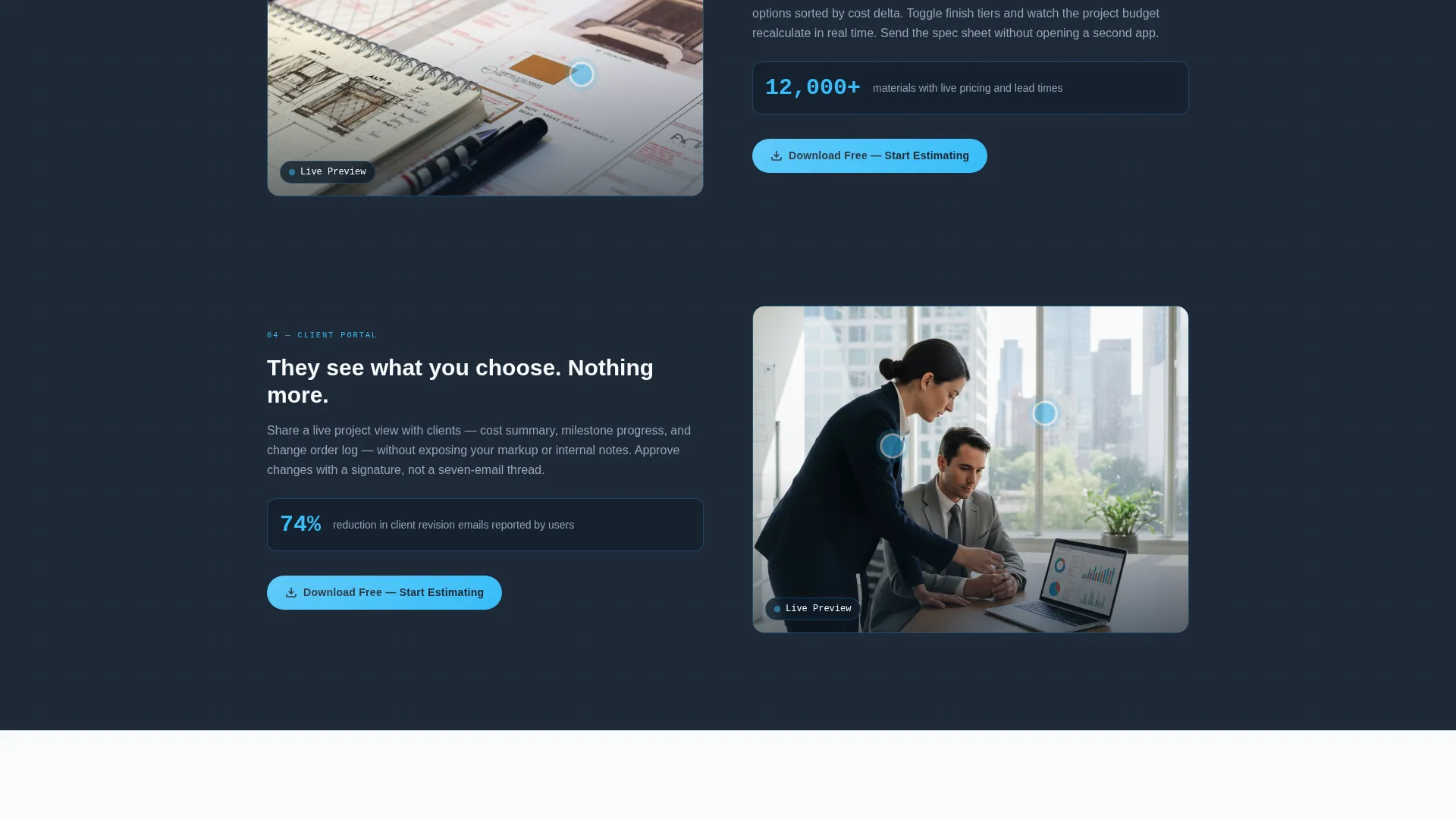
Each content spoke names a real architectural pain point, then resolves it into a specific product feature. Live cost sync, a material library, and a client portal each get their own spoke. Annotated hotspot screenshots show the product interface in context.
Portfolio and Social Proof Block
The final spoke presents a portfolio of real projects built using the app. Each entry shows actual saved-cost percentages, giving the page a grounded, evidence-based close rather than a generic testimonial.
App Download Call to Action
The primary call to action reads "Download Free, Start Estimating" and appears first inside the calculator header. It repeats at every spoke resolution. A secondary option, "See It on Desktop," serves mobile visitors who prefer a larger workspace. Platform selection covers iOS, Android, and Mac with no extra form fields.
Dashboard Pro Visual Theme
The Dashboard Pro theme structures the page like a professional tool interface rather than a marketing brochure. Data cards, chart components, and annotated user interface elements reinforce the idea that the product is already working, not just promised.
Page sections overview
| Section | Purpose |
|---|---|
| Calculator Header | Embeds live cost estimator above the fold |
| Sticky Anchor Nav | Links visitors to each spoke section |
| Pain Point One | Names spreadsheet chaos and budget drift |
| Feature Spoke: Cost Sync | Resolves cost-tracking pain into a live feature |
| Feature Spoke: Materials | Introduces the material library as a solution |
| Feature Spoke: Client Portal | Demonstrates client-facing transparency tools |
| Project Portfolio Block | Shows real builds with saved-cost percentages |
| App Download call to action | Closes the page with platform-specific download options |
Design & branding system
The Slate and Sky color system grounds the page in the tactile world of drafting and construction. Every color has a functional role, not just a decorative one.
- Deep charcoal (#1E2A38) anchors backgrounds and the navigation rail, giving the page structural weight
- Open-sky blue (#38BDF8) activates every interactive element, live data point, and call-to-action button
- Cloud-white (#F8FAFC) creates visual breathing room between dense information blocks, echoing light wells in a narrow building
Mobile & speed optimization
The template is designed to serve architects browsing from a job site or a client meeting, not just a studio desktop. The secondary call to action, "See It on Desktop," acknowledges the mobile context directly.
- Slider inputs and data cards are sized for touch interaction on smaller screens
- The sticky anchor navigation condenses cleanly so key sections remain reachable on mobile
- App download platform selection for iOS, Android, and Mac requires no form fields, keeping the conversion path short
How this template helps you convert
The entire scroll arc is engineered to move a skeptical visitor toward a confident download. Every design decision reduces friction and builds trust through demonstration rather than description.
- The live cost estimator delivers immediate, personal value above the fold. Visitors who play with real numbers before reading a single marketing claim are already engaged with the product's core promise.
- Each spoke resolves a named pain into a visible feature, so the visitor arrives at the download button having already seen their own problem solved on screen.
- The portfolio block closes with concrete saved-cost figures from real projects, replacing abstract benefit claims with evidence a practicing architect will find credible.
Other information about this template
Blueprint is a strong fit for any architecture app that needs to demonstrate credibility quickly. The hub-and-spoke structure keeps the page organized without requiring multiple pages or complex site architecture.
- The template style is a hub-and-spoke layout with anchor navigation, ideal for apps with several distinct features to showcase
- The creative direction follows a Problem-to-Solution Arc, a proven scroll narrative for product landing pages targeting professional tool users
- The header concept is a Calculator or Estimator, one of the highest-engagement above-the-fold formats for utility-driven apps
- The theme is Dashboard Pro, which frames the product as a working tool rather than a concept
- The landing page direction focuses on app downloads with minimal friction: platform choice only, no sign-up forms

Theme
Dashboard Pro
Creative direction
Problem→Solution Arc
Color system
Slate & Sky
Style
Hub & Spoke (Anchor Nav)
Direction
App Download
Page Sections
Live Cost Estimator Above the Fold
Sticky Hub-and-spoke Navigation
Problem-to-solution Spoke Layout
Portfolio Block with Cost Savings
Friction-free App Download Ctas
Dashboard Pro Component Theme
Related questions
Can I customize the color palette in this template?
Does the cost estimator in the header actually calculate figures?
Is this template suitable for mobile visitors?
How many sections does this landing page include?
What type of app is this landing page template designed for?



