Smart Industrial Document System Landing Page Template
Forge is a scroll reveal landing page template built for AI-powered manufacturing document management platforms. It combines a dark Data Command visual identity with high-energy animations, a live terminal code snippet header, and a freemium conversion flow. Quality managers, compliance officers, and plant directors get a page that proves the product works before asking for a signup.
by Rocket studio
Quick summary
Forge is a single-page, scroll reveal landing page template designed for AI-powered manufacturing document management software. It opens with an animated terminal that types a real query and returns a real document result. Every section that follows builds momentum, from a live document graph to a compliance countdown, before driving visitors toward a no-credit-card freemium trial.
Who this template is for
Forge is built for SaaS founders, product marketers, and development teams launching a document management platform aimed at mid-size manufacturers. If your software turns factory floor chaos into a single, searchable, version-controlled source of truth, this template was designed with your buyers in mind.
The ideal builder for this template fits one of these profiles:
- A product team launching an AI-powered document management solution for quality managers and compliance officers who spend hours hunting down the latest revision of a work instruction
- A marketing lead at a manufacturing software company whose clients include plant directors, quality assurance leads, and vice president level stakeholders who make critical decisions about document systems
- A developer or agency creating a high-conversion freemium landing page for a B2B SaaS platform in the manufacturing or industrial technology space
What problem this template solves
Manufacturing documentation is a genuine operational hazard. Standard operating procedures live in shared drives. Engineering change notices get trapped in email chains. Quality records are scattered across legacy systems that do not talk to each other. One outdated spec sheet on the production line can trigger a six-figure recall. The page you show prospective clients needs to make that pain visible and then immediately resolve it.
Generic SaaS templates cannot do that job. They lack the visual language, the structural momentum, and the conversion logic that a technically sophisticated manufacturing audience demands. Forge solves specific template problems that slow teams down:
- No ready-made structure for demonstrating AI document retrieval through an interactive terminal experience, leaving teams building costly custom components from scratch
- No conversion flow designed for a freemium model where the product must prove its value before the visitor commits, which is exactly what quality managers and vice president level buyers require before they upload company data
- No design system that communicates the precision and authority that compliance officers and plant directors expect when evaluating software that will govern their documentation process and manufacturing processes
What you get with this template
Forge delivers a complete, production-ready landing page structure with every section, animation concept, and conversion element pre-planned and pre-organized. The template is a high-conversion, AI-powered landing page built specifically for manufacturing document management software. You get a page that earns the signup by demonstrating the product before asking for commitment.
Key deliverables included in the template:
- A five-section scroll reveal page layout covering the hero terminal, document graph visualization, compliance countdown, revision timeline, and a live demo call-to-action section, plus a linear single-row footer
- A fully specified dark design system using void black as the dominant background, holographic violet for primary actions, liquid cyan for data highlights, and phosphor white for text, all with iridescent hover shimmer behavior defined
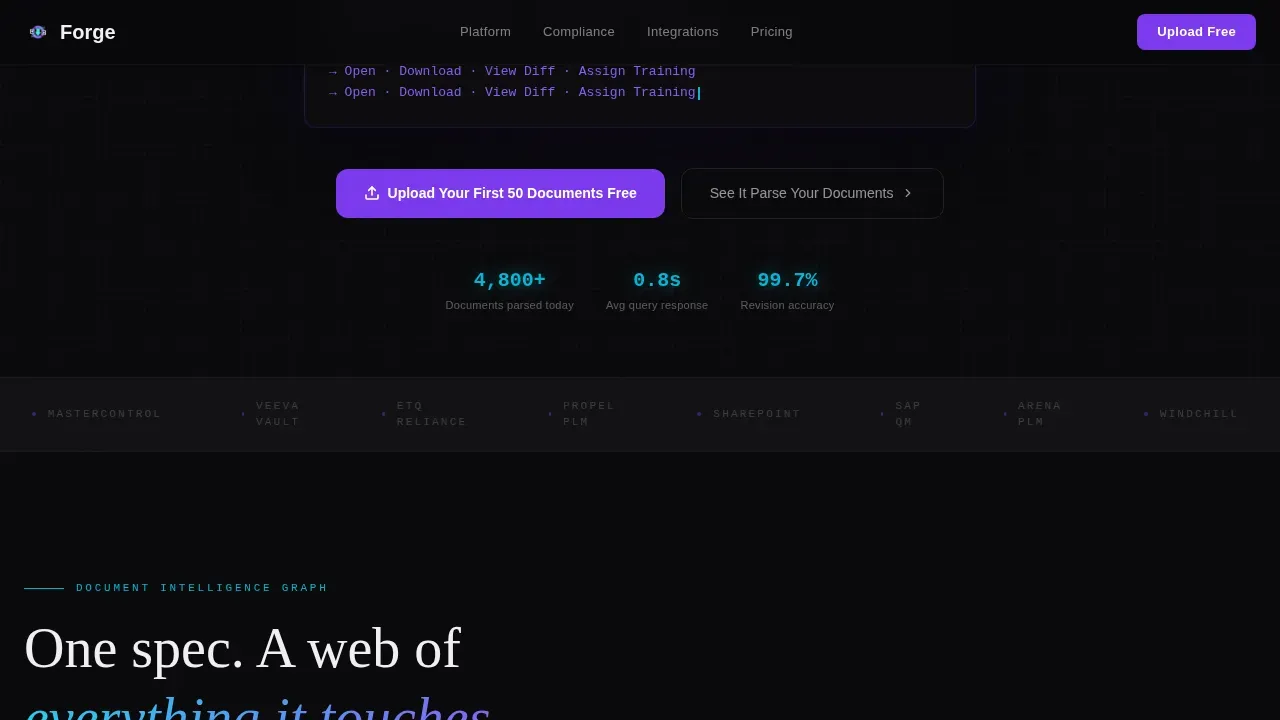
- A progressive freemium conversion flow with a primary call-to-action for uploading the first fifty documents free, a persistent bottom bar that resurfaces after the third scroll reveal, and a secondary path offering a live document parsing demo
Feature list
Forge packages several distinct capabilities into one cohesive template. Each feature serves the core goal: help manufacturing software teams present a compelling, technically credible case to quality managers and compliance-focused buyers.
Animated Terminal Hero with Code Snippets
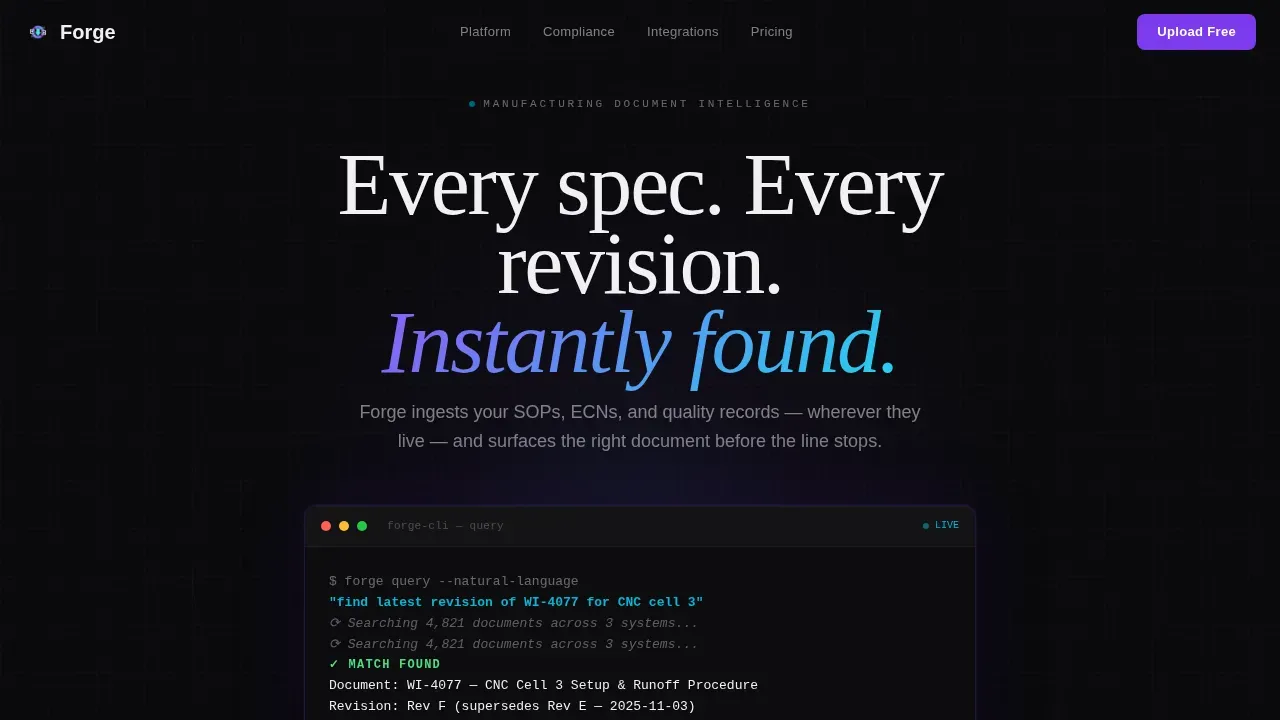
The header centers a dark terminal window on the viewport. Characters type themselves in real time, presenting a natural-language query followed by a structured system response: document title, revision number, approval date, and linked engineering change notice, all rendering line by line. The code snippets format communicates the product promise instantly. A faint iridescent glow pulses behind the terminal as results populate, making the AI feel alive and responsive without relying on stock photography or abstract illustration.
Document Graph Visualization Section
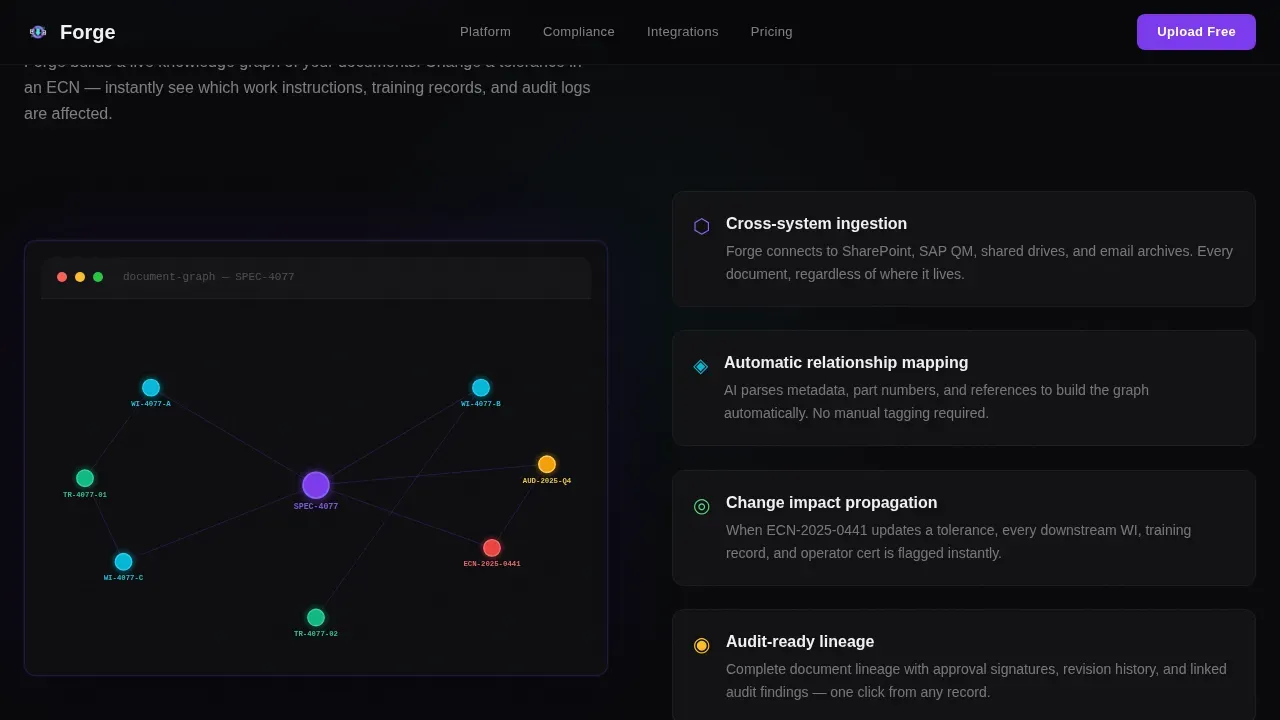
The second scroll reveal section explodes outward to show an interconnected node graph. Each node represents a document type in the system: a specification links visually to its work instructions, training records, maintenance records, and audit logs. This section helps visitors understand how Forge's model of document relationships eliminates the fragmentation that costs manufacturers time and compliance standing. The visualization makes the concept of a single source of truth immediately tangible, even for a vice president evaluating the platform for the first time.
Compliance Countdown Animation
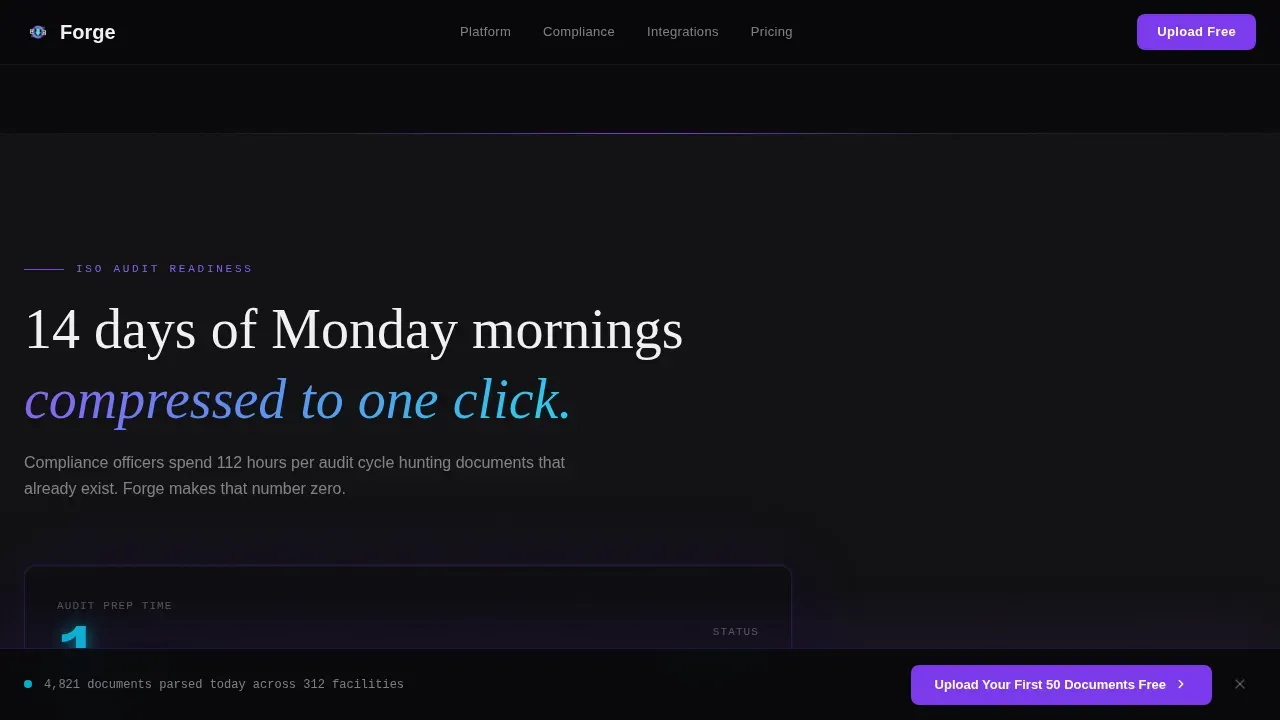
The third section simulates an ISO audit preparation scenario, collapsing the journey from fourteen days of manual document gathering to a single click. This animation directly addresses the compliance requirements that drive purchasing decisions for quality managers and compliance officers. It presents success metrics in motion, showing the before and after in a format that resonates with anyone who has prepared an audit binder by hand.
Revision Conflict Detection Timeline
The fourth scroll reveal section animates a live revision-control timeline. Conflicts between document versions appear and then resolve, demonstrating the system's ability to catch errors that human review alone would miss. This section builds trust by showing the review process in action rather than describing it in abstract terms. Teams evaluating document management solutions for edge cases in version control will find this section particularly persuasive.
Progressive Freemium Conversion Flow
The final section presents a two-stage upload form. Visitors enter their email and company name first, then encounter a drag-and-drop upload zone that accepts portable document format files, Word documents, and computer-aided design files. A secondary path, labeled "See It Parse Your Documents," invites visitors to paste or upload a single document and watch the AI extract data, suggest tags, and identify revision conflicts in real time. No credit card field appears anywhere. The form is designed to reduce friction and turn the signup into a continuation of what the visitor just experienced.
Launch Energy Scroll Reveal Animation System
Every section is designed to detonate into view as the visitor scrolls downward. Elements do not float in gently; they snap, lock, and hold. The pacing accelerates like a production line reaching full speed, with each reveal hitting harder than the last. The animation system uses GSAP ScrollTrigger concepts throughout, with GPU-accelerated transforms specified for smooth performance across desktop workstations, which is the primary device context for quality managers and plant directors.
Page sections overview
| Section | Purpose |
|---|---|
| Hero Terminal | Open with typed AI query and instant document result |
| Document Graph | Show interconnected document nodes and data relationships |
| Compliance Countdown | Animate 14-day audit prep collapsing to one click |
| Revision Timeline | Demonstrate live conflict detection and resolution |
| Live Demo call to action | Present progressive upload form and secondary parsing demo |
| Linear Footer | Deliver minimal single-row navigation and legal links |
Design & branding system
Forge uses a Data Command visual identity that feels like a CNC machine's touchscreen at two in the morning: factory dark around it, the display impossibly crisp. The palette is built around contrast and hierarchy, with each color assigned a specific role so the interface reads as purposeful rather than decorative.
The design system includes the following defined elements:
- Color roles: void black (#09090B) as the dominant background, holographic violet (#7C3AED) for primary actions and glow states, liquid cyan (#06B6D4) for data highlights and secondary accents, and phosphor white (#F0F0F3) for all text and interface elements
- Typography stack: DM Sans for body copy, JetBrains Mono for terminal and code display, and Fraunces for display headlines, creating a clear visual hierarchy between narrative, technical, and commanding text
- Interaction behavior: interactive elements carry a subtle iridescent shimmer on hover, violet drives action, cyan annotates and illuminates, and backgrounds remain deep and recessive throughout the scroll experience
Mobile & speed optimization
Forge is designed desktop-first, which aligns with the primary context for its target users: quality managers and compliance officers working at dedicated workstations. The template specification also includes full mobile responsiveness so plant managers and vice president level reviewers can access the page on tablets or phones without losing the core experience.
The animation and performance model is built around specific technical priorities:
- GPU-accelerated transforms are specified for all scroll reveal animations, keeping motion smooth without taxing the browser on lower-powered devices
- Next.js Server Components handle static sections of the page, while Client Components manage interactive elements like the terminal typing animation, the node graph, and the drag-and-drop upload zone
- The result is a page architecture that keeps the heavy animation work isolated to the components that need it, reducing unnecessary rendering load across the rest of the document structure
How this template helps you convert
Forge is structured around a freemium conversion model where the product earns trust before the visitor is asked to commit. The page does not open with a form; it opens with a demonstration. Each section that follows adds a new layer of proof until the signup feels like a natural next step rather than a leap of faith.
The conversion architecture works in three deliberate stages:
- The terminal hero demonstrates the core value immediately: ask a plain-language question, get the exact document, instantly. The primary call-to-action, "Upload Your First 50 Documents Free," appears directly beneath the header before the visitor has scrolled a single pixel, capturing high-intent visitors at peak attention
- The compliance countdown and revision timeline sections present quantifiable outcomes in motion, giving quality managers and compliance officers the evidence they need to advocate internally, whether they are presenting to a vice president or preparing a vendor shortlist
- The persistent bottom call-to-action bar resurfaces after the third scroll reveal, and the live document parsing demo gives hesitant visitors a zero-commitment way to experience the AI before signing up, targeting the segment that needs to see the system extract data from their own documents before they believe it
Other information about this template
The Forge AI powered manufacturing document management landing page template sits at the intersection of several high-value trends in industrial technology. Understanding those trends helps teams position their platform more effectively and develop copy that resonates with technically informed buyers.
Relevant context for teams using this template:
- AI-powered documentation systems can reduce manual work by 60 to 80 percent, and companies implementing them report 30 to 50 percent faster document creation. These figures present compelling value for a vice president evaluating costs and return on investment
- Forge compresses the document processing journey into minutes by automating extraction and validation. The platform model targets a review ratio of 95 percent automation and 5 percent human review, with the human review stage reserved for edge cases and critical decisions
- The system uses natural language processing and computer vision to eliminate manual entry and error. It can connect to over 200 data sources, including enterprise resource planning systems and IoT sensors, and can extract data from unstructured text, excel spreadsheets, portable document format files, and computer-aided design formats
- AI agents within the system can draft deviation reports, standard operating procedures, and batch records quickly using existing production data. Document generation happens automatically when the system detects a triggering event in the workflow, reducing the burden on quality teams
- Intelligent search capabilities can save two to four hours per week per technical employee. For an organization with twenty engineers, that is a meaningful reduction in costs over a quarter. The system ensures auditors see the latest approved document version with automatic alerts for outdated documents
- Compatibility with enterprise resource planning, product lifecycle management, and customer relationship management systems enables automatic data flow, which supports the broader digital transformation goals that plant directors and vice president level stakeholders use to justify the project budget
- The platform supports multiple document type categories: work instructions, engineering change notices, standard operating procedures, quality records, maintenance records, and audit logs. Each document type is automatically tagged, categorized, and archived using high-accuracy optical character recognition and smart search
- Industry best practices for AI document management implementation typically follow phases of assessment, data infrastructure setup, pilot implementation, validation, and scaling. Forge's template supports this model by presenting the pilot pathway through the freemium upload flow, letting clients experience the core components before full commitment
- The immense potential of AI in manufacturing documentation extends beyond retrieval. Generative AI can handle document generation for entire document families, connecting supply chain records, production data, and quality control logs into a coherent, auditable structure. This immense potential is what gives the platform its competitive value proposition
- Integrating AI in manufacturing workflows can enhance productivity by automating repetitive tasks, allowing engineers to focus on process improvement rather than paperwork. The business logic embedded in the Forge system model reflects industry best practices for how documentation should flow from creation through approval, distribution, and archival
- Every document in the system includes secure, timestamped electronic signatures and a full version history for audit trails. Test coverage for version conflicts is demonstrated directly on the page through the revision timeline animation, giving prospective clients a live example of how the system handles real-world document management complexity
- Regular reviews of document currency are automated. The system flags outdated documents before they reach the production floor, addressing the single most common source of quality control failures in mid-size manufacturing operations. Evolving needs of the business are accommodated through configurable document workflows that adapt as the organization grows
- The evolving needs of teams at different growth stages are reflected in the freemium model itself. Small teams can start with fifty documents free and develop their document structure before committing to a paid tier, making the platform accessible to quality managers who do not yet have a software budget approved
Theme
Data Command
Creative direction
Launch Energy
Color system
AI Iridescent
Style
Scroll Reveal (Progressive)
Direction
Freemium/Trial
Page Sections
Animated Terminal Hero
Document Graph Visualization
ISO Compliance Countdown
Revision Conflict Timeline
Progressive Freemium Upload Flow
Launch Energy Scroll Animation System
Related questions
What sections does the Forge template include?
What conversion model does the Forge template support?
Who is the primary target audience for this template?
Does the template demonstrate AI document parsing on the page?
What design style does Forge use?



