Specialist Construction Software & SaaS Professional Website Template
Buildstream is a scroll reveal construction marketing automation landing page template. It uses a Dashboard Pro theme with a deep charcoal and teal color system to present bid follow-up automation, subcontractor nurture sequences, and project milestone emails. Built for mid-size contractors and specialty trade firms, it turns a complex sales pitch into a system that feels like it's already running.
by Rocket studio
Quick summary
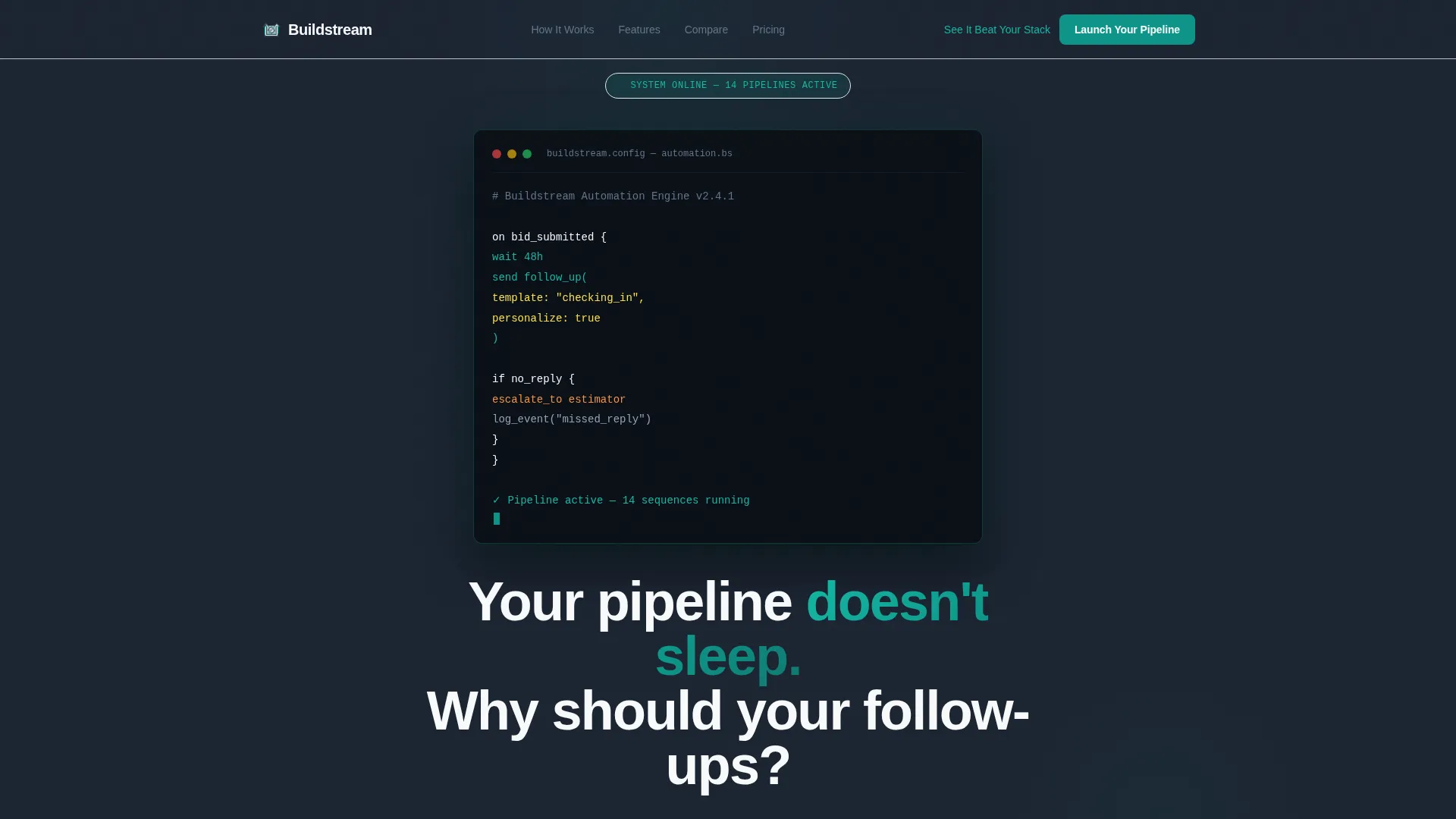
Buildstream is a single-page construction marketing automation landing page template. It opens with a live-typed code snippet showing a real bid follow-up sequence, then scrolls through a comparison narrative that pits automated pipelines against manual chaos. The dark Dashboard Pro design and teal color system make the whole page feel like a command center already running at full speed.
Who this template is for
This template is built for people selling or showcasing construction-focused marketing automation platforms. The page speaks directly to the teams and operators who feel the pain of slow follow-ups and disconnected tools.
- Mid-size general contractors running fifteen or more bids per month with a small marketing team
- Specialty trade shop owners still sending proposals manually from the road late at night
- Construction marketing directors managing multiple CRMs that do not understand a submittal schedule
What problem this template solves
Most marketing automation tools were not built for construction. Generic platforms miss bid-stage triggers, subcontractor segmentation, and project milestone logic. The result is estimators losing work to competitors who simply replied faster. This template frames that problem clearly and shows the fix.
- Manual follow-up chaos leaves money on the table when bids go unanswered over a weekend
- Generic tools force construction teams to adapt workflows that were never designed for their industry
- A disconnected stack of CRMs creates duplicate work and missed touchpoints across the project lifecycle
What you get with this template
You get a fully structured, scroll reveal landing page template built specifically for a construction marketing automation platform. Every section is designed to build momentum as the visitor scrolls deeper into the product story.
- A live-typed code snippet header showing an actual bid automation sequence with teal pulse animation
- A sticky comparison table that progressively fills with checkmarks and marks for construction-specific features as the visitor scrolls
- A dual call-to-action system including a primary form and a secondary interactive tool selector path
Feature list
This template ships with a tightly designed set of interactive and structural features grounded in the source brief. Each one serves the core goal of turning a skeptical visitor into a confident buyer.
Live-Typed Code Snippet Header
The header opens with a terminal-style block floating over the charcoal background. It displays a readable pseudo-code automation sequence and animates line by line as if typed live. Each line lights up in catalyst teal on execution, with a blinking cursor completing the effect.
Scroll Reveal Progressive Layout
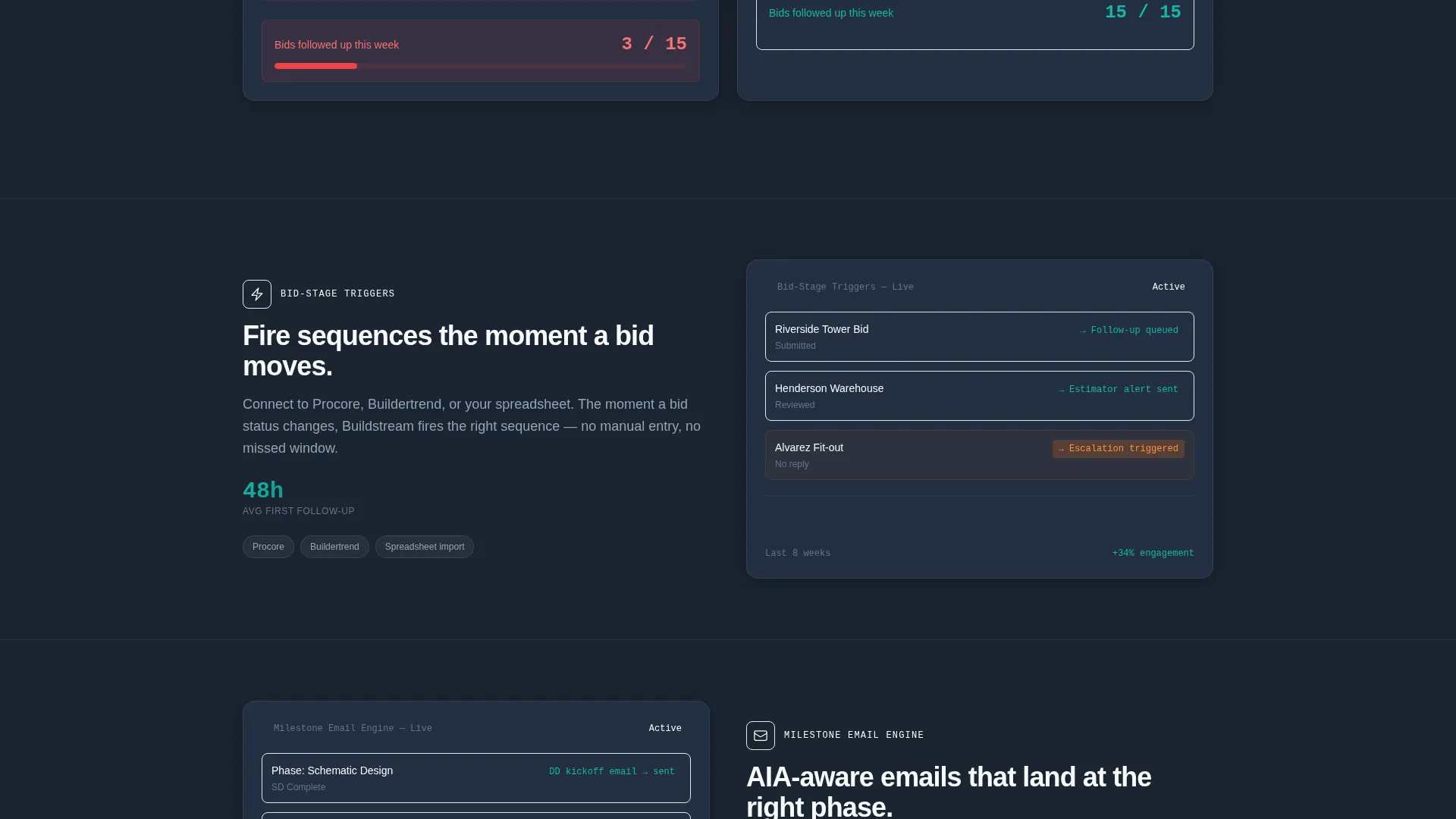
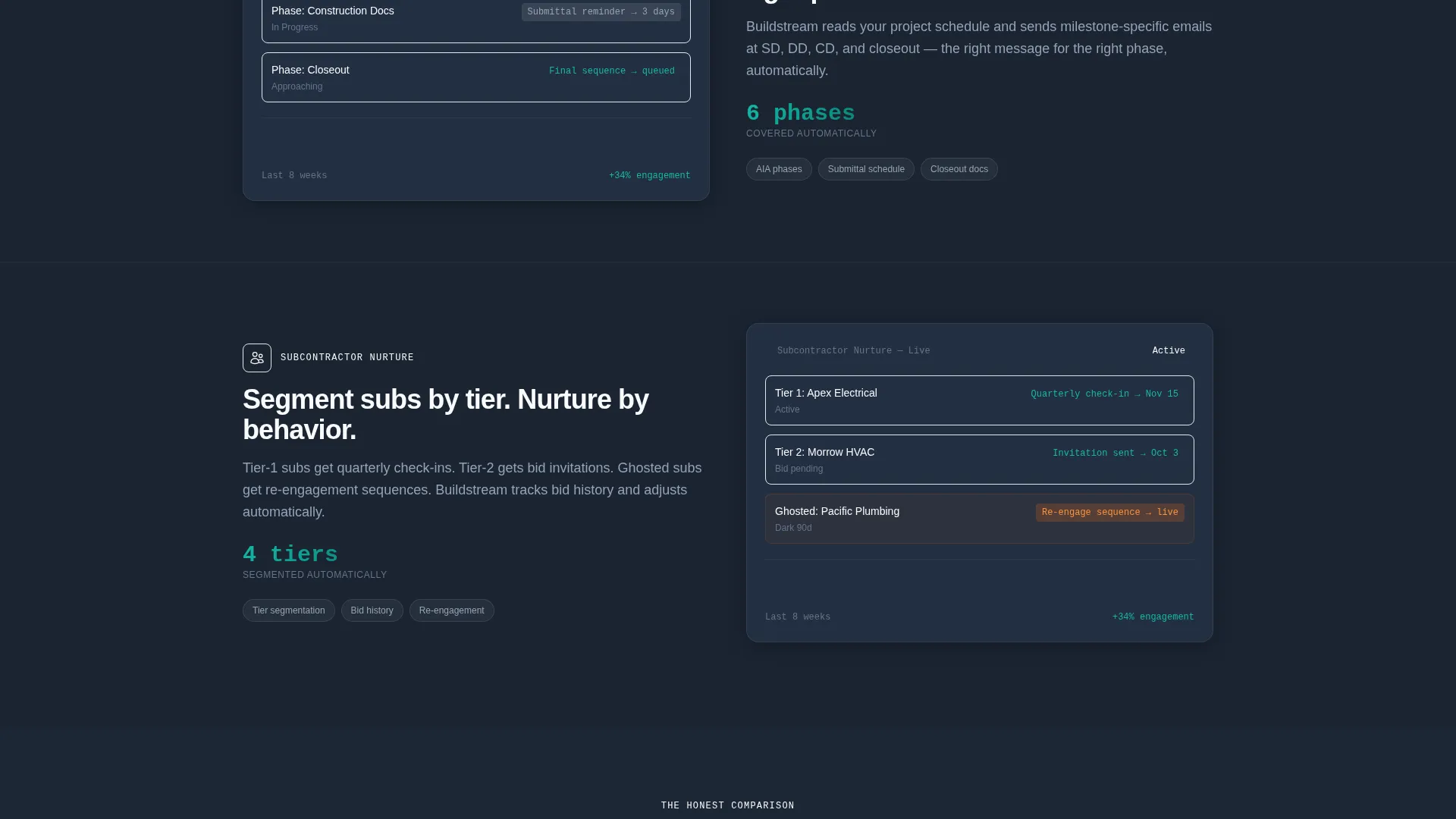
Each section of the page reveals itself as the visitor scrolls, using kinetic slide-in animations from the edges. Feature panels snap into place like dashboard tiles. The effect builds a sense of a system booting up in real time, section by section.
Sticky Comparison Table
A comparison table locks to the viewport as the visitor scrolls and progressively fills its columns. It covers construction-specific features including bid-stage triggers, plan room integrations, AIA document awareness, and subcontractor tier segmentation. Checkmarks and marks populate the columns as the visitor moves through the narrative.
Problem Versus Solution Panel
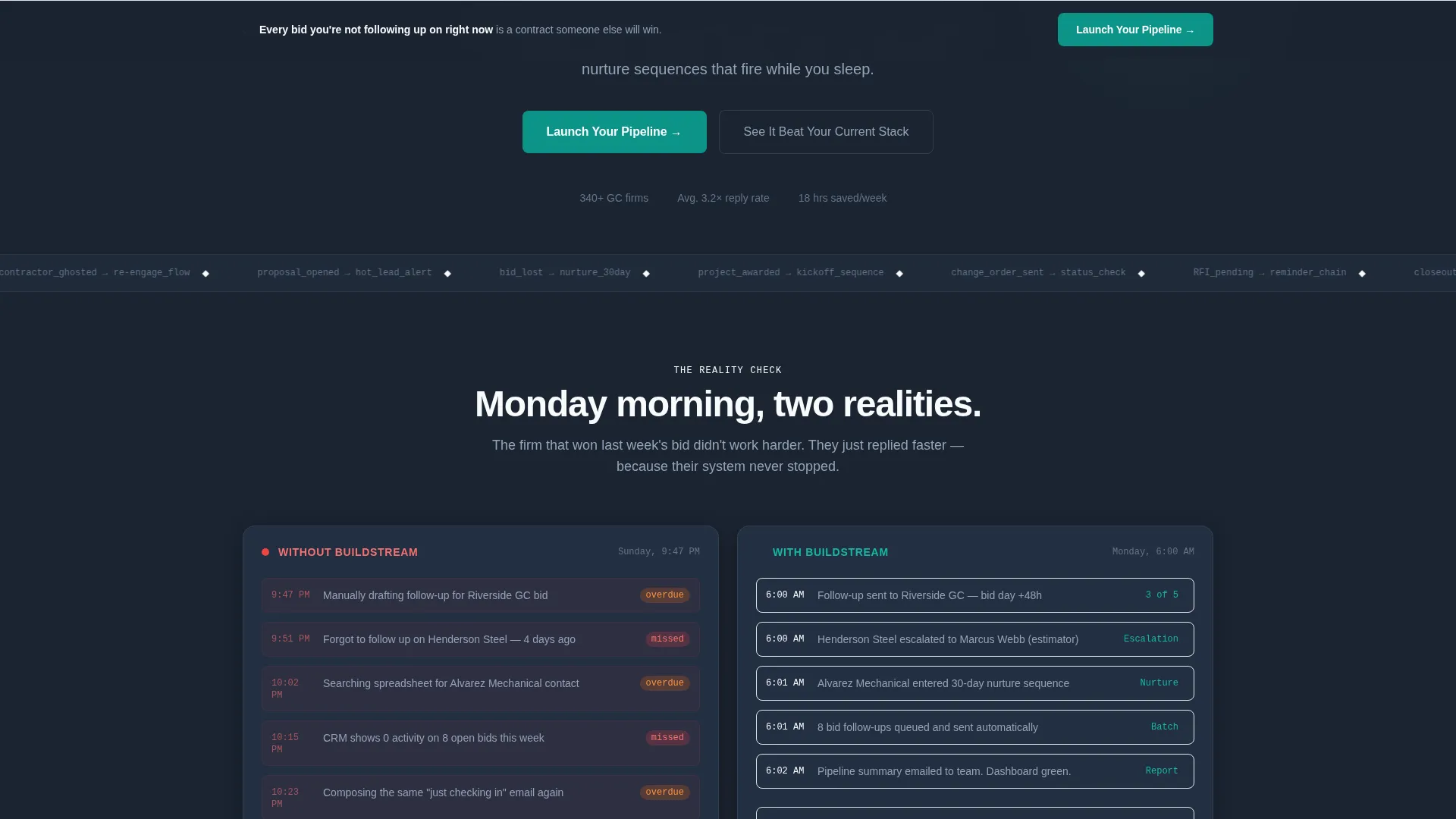
A side-by-side section contrasts manual follow-up chaos with automated pipeline calm. This visual contrast lands the core problem early and anchors the rest of the page's argument in a single, scannable moment.
Animated Metrics and Integration Map
Metric counters animate upward as the visitor reaches them. Integration logos appear and connect with drawn lines, giving the impression of a live system coming online. This section reinforces confidence in the platform's reach and capability.
Dual Call-to-Action System
The primary call to action, "Launch Your Pipeline," appears after the comparison table and repeats as a floating bar after 60 percent scroll depth. The form collects company name, monthly bid volume via dropdown, and current CRM. A secondary path invites visitors to explore an interactive tool selector that generates a personalized comparison.
Page sections overview
| Section | Purpose |
|---|---|
| Code Snippet Header | Opens with live-typed bid automation sequence and headline fade-in |
| Problem Side-by-Side | Contrasts manual follow-up chaos with automated pipeline calm |
| Feature Reveal Panels | Slides construction-specific features into view with kinetic energy |
| Animated Metrics Row | Animates performance numbers upward as the visitor scrolls into view |
| Integration Logo Map | Connects integration logos with drawn lines to show system reach |
| Sticky Comparison Table | Progressively fills feature columns as visitor scrolls the narrative |
| Primary call to action Form | Collects company name, bid volume, and current CRM to start onboarding |
| Secondary Tool Selector | Generates a personalized comparison via interactive tool path |
| Floating call to action Bar | Repeats the launch action after 60 percent scroll depth |
Design & branding system
The template uses the Teal Catalyst color system inside a Dashboard Pro visual theme. The overall feel is a dark command center glowing with purposeful data, not decorative noise.
- Deep command-center charcoal (#1B2431) as the primary background, cool slate (#64748B) for secondary text and divider lines, and sharp white (#F8FAFC) for card surfaces and input fields
- Catalyst teal (#0D9488) pulses across active states, data highlights, teal line animations, and live-typed code elements to serve as the visual heartbeat of the page
Mobile & speed optimization
The scroll reveal animations and dashboard layout are structured to translate cleanly across screen sizes. The template's layout logic keeps the most impactful moments readable on smaller viewports.
- Progressive section reveals are designed so the scroll narrative remains coherent on mobile without losing the kinetic urgency of the desktop experience
- The sticky comparison table is built to remain functional and legible across viewport widths so visitors on any device can follow the feature contrast
How this template helps you convert
The page is engineered around the emotional weight of a missed follow-up. It does not ask the visitor to imagine benefits. It makes them feel the cost of not acting, then hands them the solution.
- The live-typed code header creates immediate product credibility by showing the automation logic in plain sight before any marketing copy appears
- The sticky comparison table builds a progressive case for switching, filling in construction-specific feature gaps that generic tools cannot answer, and arriving at the call to action with the argument already won
Other information about this template
This template is part of a broader library of niche-specific SaaS and technology landing page templates. It is a strong fit for teams building go-to-market pages for construction technology products.
- The template style is Scroll Reveal (Progressive), meaning sections animate into view rather than loading all at once, giving the page a sense of momentum
- The creative direction, Launch Energy, was chosen to reflect the feeling of a system going live, making it well suited for product launches, beta announcements, or competitive repositioning campaigns
- The comparison narrative structure is designed to address buyers who are evaluating purpose-built construction automation tools against general-purpose platforms they may already use
- The header concept, Code Snippet, is a deliberate trust signal for technical buyers and marketing operations professionals who want to see the logic before they read the pitch
- The Dashboard Pro theme and Teal Catalyst palette can be adapted to match an existing brand's color system while keeping the dark-mode command-center aesthetic intact
Theme
Dashboard Pro
Creative direction
Launch Energy
Color system
Teal Catalyst
Style
Scroll Reveal (Progressive)
Direction
Comparison/Versus
Page Sections
Live-typed Code Snippet Header
Scroll Reveal Progressive Sections
Sticky Comparison Table
Problem Versus Solution Panel
Animated Metrics and Integration Map
Dual Call-to-action System
Related questions
Who is this landing page template designed for?
Can I edit the comparison table to reflect my own feature set?
Does this template work for a product launch or beta announcement?
What form fields does the call-to-action section include?
Do I need coding experience to use this template?



