Bureau - Official Municipal Tourism Event Registration Landing Page Template
Bureau - Official Municipal Tourism Event Registration Landing Page Template
Bureau is a single-column event registration landing page designed specifically for municipal tourism offices. It combines an illustrated infographic map header, animated civic data counters, a Vision and Mission architecture, three strategic pillar sections with flagship event cards, a multi-event registration form, and a low-friction city calendar subscribe path, all styled in an Institutional Authority palette built to earn immediate public trust.
by Rocket studio
Loading preview…
Quick Summary
Bureau is a civic tourism landing page built to turn cultural interest into confirmed event registrations. The page opens with a living infographic map displaying verified city data, then guides visitors through a clear mandate statement, three strategic pillars, and a focused registration form. Every section narrows attention toward one goal: securing a seat at an official city event.
Who This Template Is For
Bureau is designed for municipal tourism offices that coordinate public events, heritage programs, and local business partnerships from a single civic desk. It serves organizations that need one authoritative landing page to handle several different audiences at once.
Event coordinators scouting venues for a regional conference or civic gathering
Travel bloggers and press contacts requesting official credentials
Residents seeking the official city calendar before committing their weekends
Tourism professionals researching destinations and planning group itineraries
What Problem This Template Solves
Most municipal tourism offices rely on cluttered, multi-page websites that scatter event details across several tabs. Potential attendees abandon the process before they ever reach a registration form. Bureau solves this by consolidating everything into one focused, scannable landing page that guides each visitor from first impression to confirmed sign-up.
No clear hierarchy forces visitors to hunt for important information across different pages
Disconnected event listings make it hard for attendees to register for multiple events at once
Generic layouts fail to project the institutional authority a civic office needs to earn trust quickly
What You Get With This Template
Bureau delivers a complete, ready-to-adapt event registration landing page. Every section is pre-structured with civic content in mind, so your team can fill in real event details and publish without rebuilding the page from scratch. Using templates like this one simplifies the entire process and guarantees a professional result.
Theme
Institutional Authority
Creative direction
Vision & Mission
Color system
Cloud Canvas
Direction
Event Registration
Page Sections
Animated Infographic Map Header
Vision and Mission Pillar Architecture
Multi-event Registration Form
Persistent Scroll-activated Bottom Bar
City Calendar Subscribe Block
Scroll-triggered Interactivity
Related questions
What is a landing page for event registration?
How do you create a landing page for an event?
What are the two types of landing pages?
What is a good landing page example for a civic tourism office?
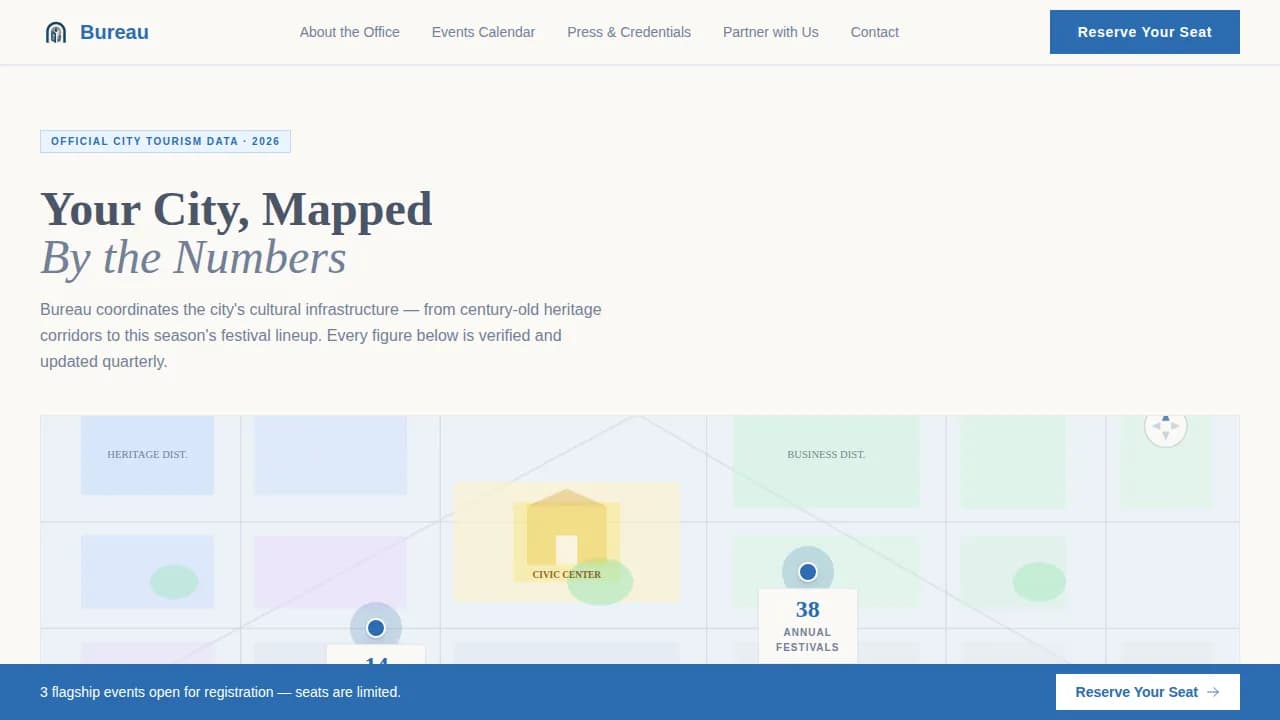
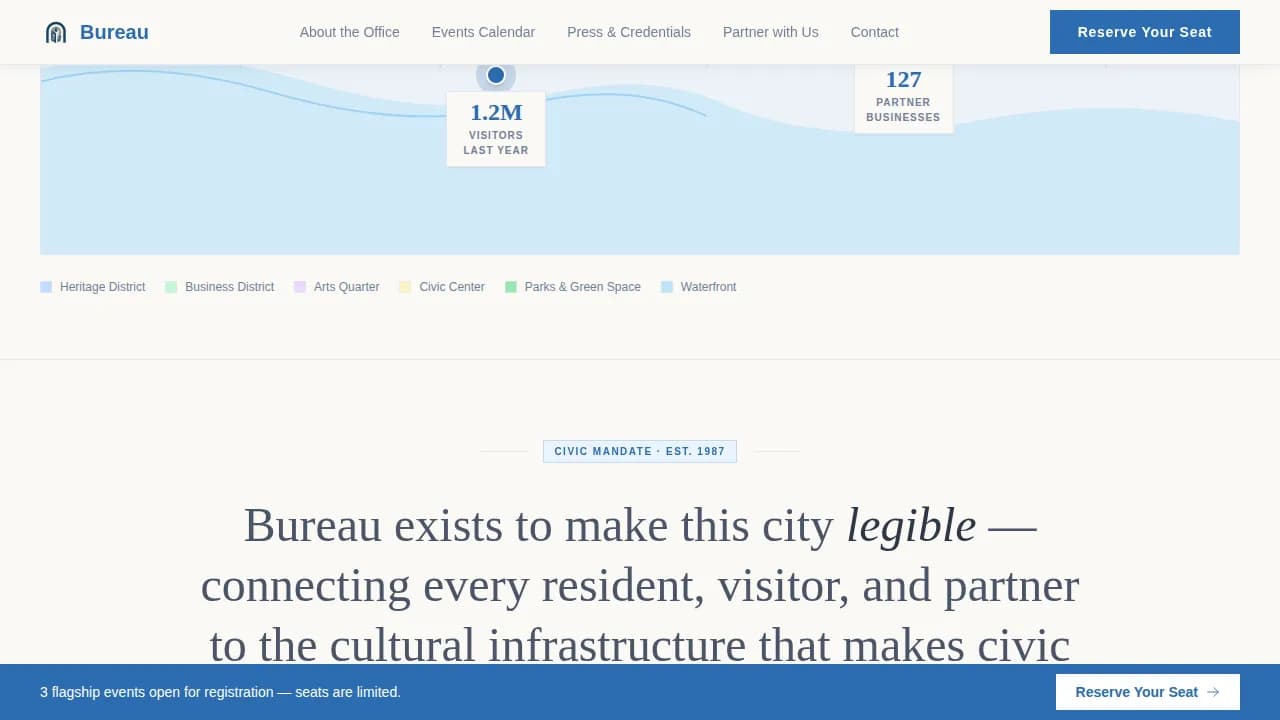
An animated infographic map header with four data counter pins (heritage sites, festivals, business partners, annual visitors)
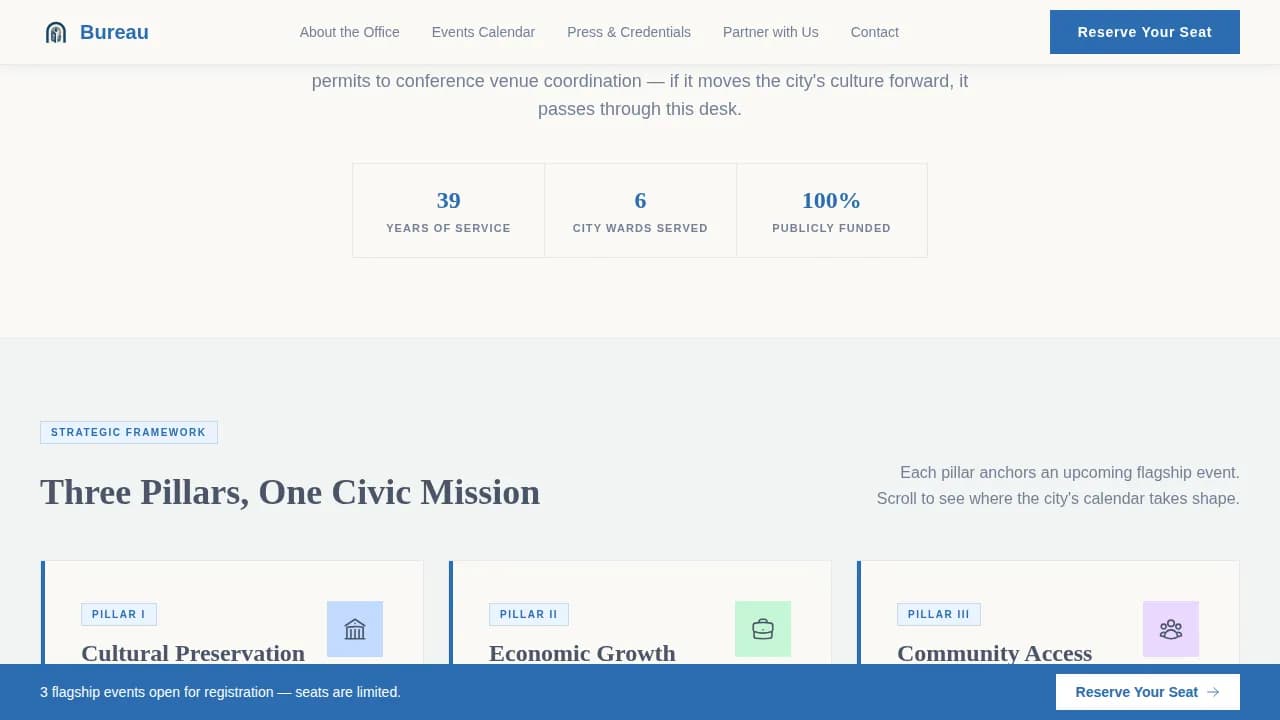
A full Vision and Mission block with a declarative mandate statement and three pillar cards, each linked to a flagship event and a "Reserve Your Seat" call to action
A multi-event registration form capturing full name, email, event selection via checkbox, and an optional affiliation field
A secondary "Subscribe to the City Calendar" email capture for visitors not yet ready to commit to a single event
A persistent bottom bar that activates after the first scroll milestone, keeping the registration path visible at all times
Feature List
Bureau is packed with purposeful features that serve civic event organizers and the public alike. Each feature earns its place by solving a real page problem, from first-glance credibility to final form submission.
Living Infographic Map Header
The page opens with a stylized illustrated city map rendered in the Cloud Canvas palette. Animated counters tick upward to display four verified data points: 14 heritage sites, 38 annual festivals, 127 partnered businesses, and 1.2 million visitors. Each figure is pinned to its geographic location on the map, so the city introduces itself through evidence rather than stock photography. This approach to striking images builds immediate credibility.
Vision and Mission Architecture
After the infographic header, a full-width declarative statement communicates the office's civic mandate. The page then cascades into three strategic pillars: Cultural Preservation, Economic Growth, and Community Access. Each pillar displays one upcoming event card with a date, a venue name, and a chair count, pulling the visitor from broad civic awareness down to a specific, actionable registration moment. This rhythm is a best practice for event landing pages focused on a single conversion goal.
Multi-Event Registration Form
The registration form is simple and user-friendly by design. Visitors fill in their full name and email, select one or more events via checkbox, and optionally identify their affiliation, resident, business owner, press, or tourism professional. Keeping the form short follows established best practices: a lean form reduces abandonment and lifts sign ups without sacrificing the essential details the office needs.
Persistent Bottom Bar
Once a visitor scrolls past the first strategic pillar, a sticky bottom bar activates and stays visible for the rest of the page. This bar carries the primary "Reserve Your Seat" call to action button, ensuring the registration path is never out of sight. The persistent prompt is a proven technique to encourage visitors to act before they navigate away.
City Calendar Subscribe Path
Not every visitor is ready to commit to a specific event on a first visit. The secondary subscribe path captures their email against the full city calendar, keeping the funnel open. This lower-friction option means the page captures sign ups from browsers and planners alike, not just visitors who arrive with a firm decision already made.
Scroll-Triggered Interactivity
The page uses IntersectionObserver-powered count-up counters in the header and CSS pulse animations on each map data pin. The bottom bar activates on scroll. These medium-weight interactions add life to the page without slowing load speed, making the landing experience feel authoritative and dynamic without overwhelming mobile devices or older hardware.
Page Sections Overview
Section
Purpose
Infographic Map Header
Display animated civic data counters and geographic data pins to establish authority
Vision Mission Block
Deliver the office's declarative civic mandate in a single full-width statement
Cultural Preservation Pillar
Showcase a flagship heritage event card with date, venue, and seat count
Economic Growth Pillar
Showcase a flagship business-aligned event card with registration call to action
Community Access Pillar
Showcase a flagship community event card and direct visitors to register
Registration Form Section
Capture full name, email, multi-event checkboxes, and optional affiliation
Calendar Subscribe Block
Offer a low-friction email capture for visitors not ready to commit to one event
Persistent Bottom Bar
Keep the primary registration call to action visible after the first scroll milestone
Civic Footer
Close the page with structured navigation adapted to a civic office context
Design & Branding System
Bureau's visual identity follows an Institutional Authority theme. The palette and typography are chosen to feel like an official letterhead held up to diffused window light: trustworthy without being cold, formal without being fortress-like. Every color decision has a functional role, and the type pairing reinforces civic legibility at every scroll depth.
Document cream (#FAF9F6) dominates the background, evoking quality bond paper and giving the page an open, readable feel
Civic slate (#4A5568) anchors all body text and secondary labels, providing contrast without harshness
Municipal blue (#2B6CB0) is reserved exclusively for buttons, badges, and active states, so every blue element carries the visual weight of a stamped seal
Fraunces, a humanist serif typeface, handles all headlines; DM Sans handles body copy for clean, accessible reading across screen sizes
Mobile & Speed Optimization
Bureau is built desktop-first with full responsive layouts that adapt cleanly to tablets and mobile devices. Civic audiences span all ages and access the page from a wide range of hardware. Mobile optimization is treated as a non-negotiable standard, not an afterthought. Tourism site loading speed directly impacts conversion rates, so the template separates static server-rendered sections from client-side interactive components to keep the initial load lean.
Static content sections use server components for fast initial render; animations and scroll behaviors run as isolated client components
The registration form is mobile-optimized with large tap targets and a single-column layout on smaller screens
The persistent bottom bar and sticky navigation are tested across mobile devices to remain visible and usable at every viewport width
How This Template Helps You Convert
Event registration landing pages work best when they focus on a single conversion goal and remove every obstacle between interest and action. Bureau is engineered around that principle. The page architecture, the call to action placement, and the form design all push in the same direction: confirmed registrations.
The infographic header acts as instant social proof, displaying verified civic data that reassures event coordinators, travelers, and residents that they are engaging with an authoritative, active office rather than an outdated website.
The three-pillar cascade narrows each visitor from broad civic interest to a specific event card with essential details, date, venue, and seats available, then places a clear "Reserve Your Seat" call to action button immediately below, making the registration decision feel natural rather than pressured.
The dual-path funnel captures both ready-to-register attendees and earlier-stage browsers: the primary registration form secures immediate sign ups, while the city calendar subscribe block keeps the page converting even for visitors who need more time before they participate.
Other Information About This Template
Bureau is an excellent example of how civic event registration landing pages can serve multiple audience types simultaneously without fragmenting into a cluttered multi-page website. The template style is Single Column Flow, meaning every user moves through the same deliberate narrative sequence regardless of their reason for visiting.
The bureau official municipal tourism event registration landing page template is designed specifically for government and public-sector tourism contexts, making it a practical resource for offices that need to display event details professionally and drive registrations without a large development team
Different designs exist for event landing pages across industries, but few templates address the hybrid civic audience that includes residents, press, conference planners, and tourism professionals at the same time; Bureau handles all four within a single page structure
The page can support both free event registrations and ticketed civic programs, making it adaptable for events that sell tickets as well as open-access public gatherings
Event organizers benefit from the affiliation field in the registration form, which helps the office segment its audience, a research and planning advantage for future promotion and outreach
The template includes video-ready section slots where civic offices can embed short recap clips or destination highlight reels, adding multimedia depth to each pillar card
Travelers and out-of-town conference attendees can find transportation context and nearby destinations within the map header, reducing the practical friction that often stops potential attendees from completing their reservations
The cta copy throughout the page is action-oriented and consistent: "Reserve Your Seat" on event cards and "Subscribe to the City Calendar" on the lower-funnel path, ensuring the cta button language always matches the commitment level being asked of the user
These are great tools for civic offices that want to create a polished, conversion-ready event registration experience without building from a blank canvas
Note that the template is structured for English-language civic use with US date format conventions, and all placeholder content can be replaced to reflect your city's specific events, partners, and services