Zero-Knowledge Workflow Automation Landing Page Template
Cadence is a Bold Brutalist landing page template built for privacy-first workflow automation platforms. It pairs a live compliance calculator with a stats-driven scroll experience, guiding compliance officers, healthcare ops directors, and govtech CTOs toward a guided product demo. Every section is designed to build trust through verifiable numbers and zero-tolerance data exposure messaging.
by Rocket studio
Quick summary
Cadence is a split-screen landing page template purpose-built for zero-knowledge workflow automation platforms. It opens with a live calculator that reacts to visitor inputs and closes every scroll section with compounding proof. The design is Bold Brutalist: near-black backgrounds, violet accents, and oversized monospace numerals that function like concrete monuments. It targets regulated industries where trust is the only currency that matters.
Who this template is for
This template is built for teams selling privacy-first automation software to buyers who have already been burned. These are not early adopters browsing features. They are seasoned operators with compliance obligations and real consequences for getting it wrong.
- Compliance officers at mid-market fintechs managing SOC 2 and Payment Card Industry Data Security Standard (PCI-DSS) obligations who need to follow up with prospects and internal stakeholders without exposing sensitive records
- Healthcare operations directors tracking Protected Health Information (PHI) handoffs under the Health Insurance Portability and Accountability Act (HIPAA), where every process step must be auditable
- Chief Technology Officers at govtech contractors with Federal Risk and Authorization Management Program (FedRAMP) targets who want cryptographic verification before they engage with a new vendor
What problem this template solves
Most landing pages for automation tools look like marketing brochures. They describe what a product does, but they do not prove it. For buyers in regulated industries, that gap between claim and evidence is a deal-breaker. The cadence of the sales process breaks down because trust never gets established. A sales rep loses the deal not on price, but on credibility.
- No interactive proof: standard templates cannot show a prospect their specific latency reduction or compliance coverage in real time, which means every follow up email is a guess
- No emotional resonance with the buyer's actual fear: data breach disclosures, failed audits, and plaintext records in transit are existential threats, not product concerns
- Weak conversion architecture: pages designed for generic software-as-a-service (SaaS) audiences scatter attention across multiple calls to action, making it hard to determine which next step matters
What you get with this template
This template gives you a complete, deployment-ready landing page that leads with evidence and converts with precision. Every section is defined with a specific job: create belief, sustain interest, and move the visitor toward the compliance simulation. There are no decorative elements, no stock imagery, and no filler copy blocks.
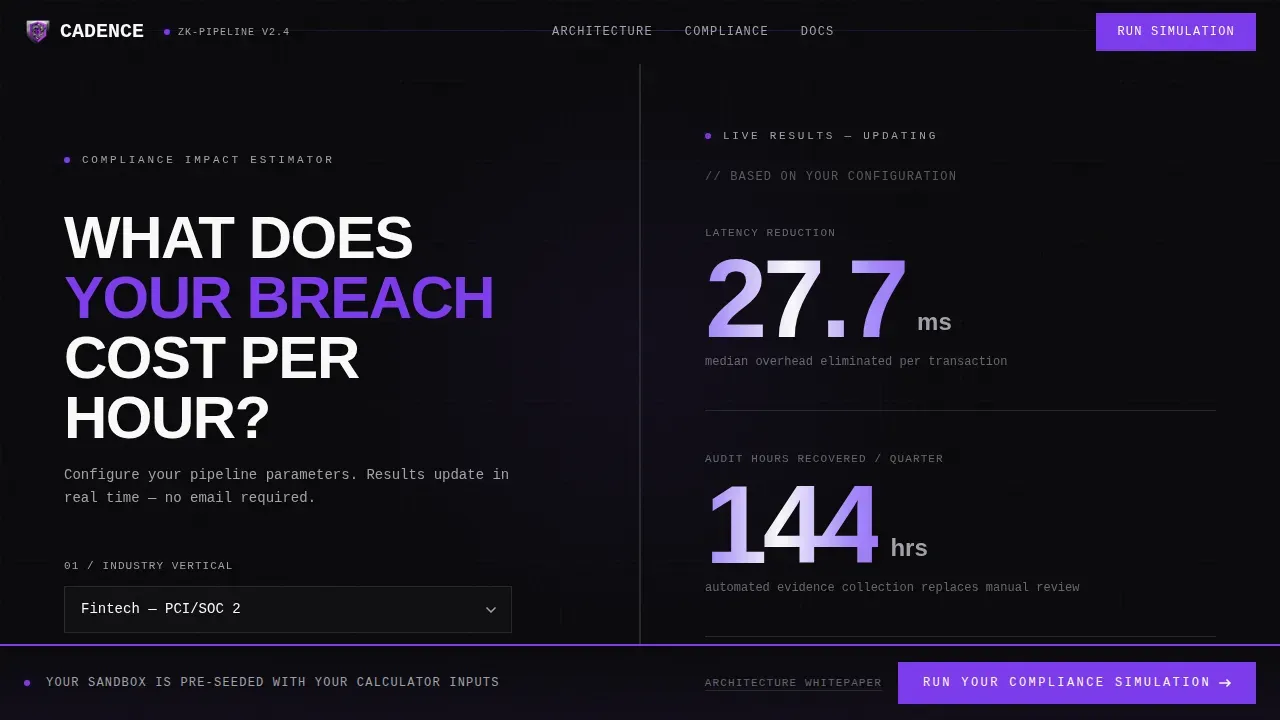
- A live split-screen calculator hero that lets visitors select their industry, set their monthly process volume, and see real-time compliance outputs including estimated audit-hour savings displayed as stacked violet numerals
- A Stats-First Impact scroll section that pairs three oversized statistics on the left with tight technical explanations on the right, using the punch-then-prove rhythm to build an evidence wall
- A fixed bottom call-to-action bar labeled "Run Your Compliance Simulation" that persists after the second scroll section, keeping the primary conversion target visible without interrupting reading flow
Feature list
This section details the core capabilities built into the Cadence template. Each feature is defined by what it does for the visitor and for the business trying to convert them.
Live Compliance Calculator Hero
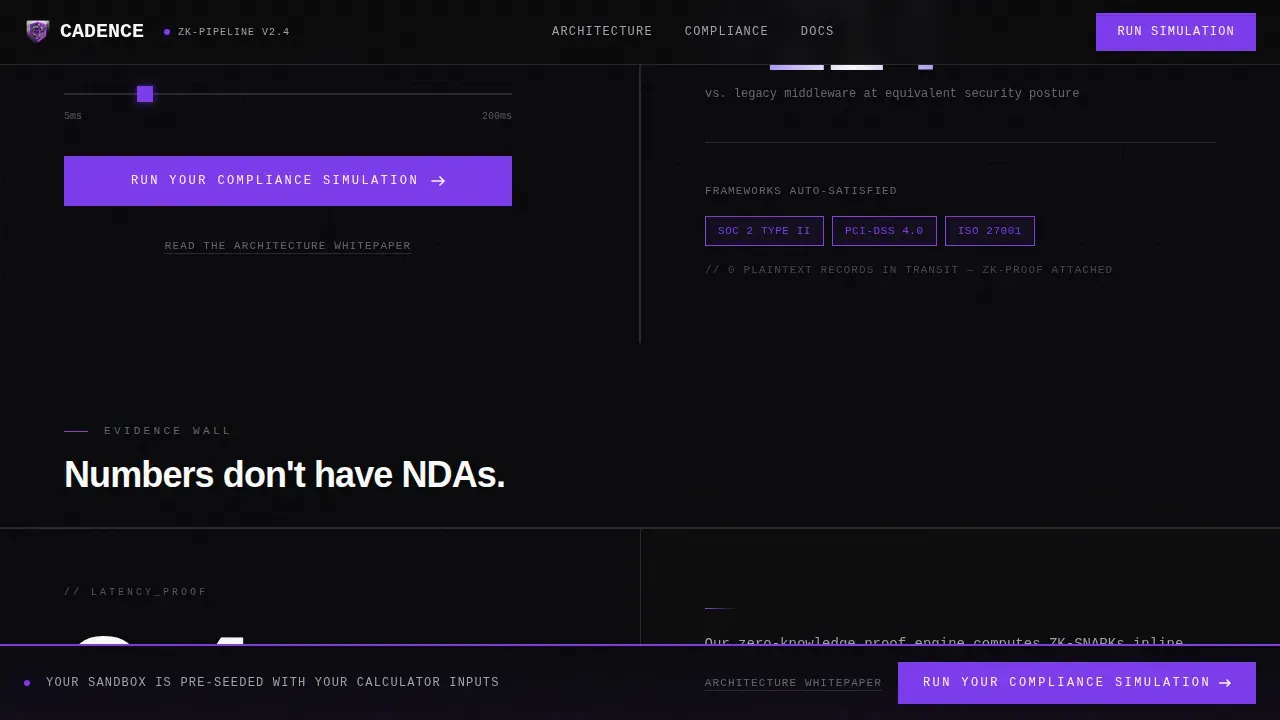
The header is a 50/50 split-screen calculator. The left side holds a brutalist input form: an industry dropdown covering fintech, healthtech, govtech, and legal; a slider from 10,000 to 10 million monthly records; and a field for current encryption overhead in milliseconds. The right side renders results live, showing latency reduction estimates, compliance frameworks auto-satisfied (SOC 2, HIPAA, FedRAMP), and annual audit-hour savings in massive violet numerals. This is the engine that makes every visitor feel like the page was built for them personally. It is the most powerful single engagement tool in the template.
Stats-First Impact Scroll Sections
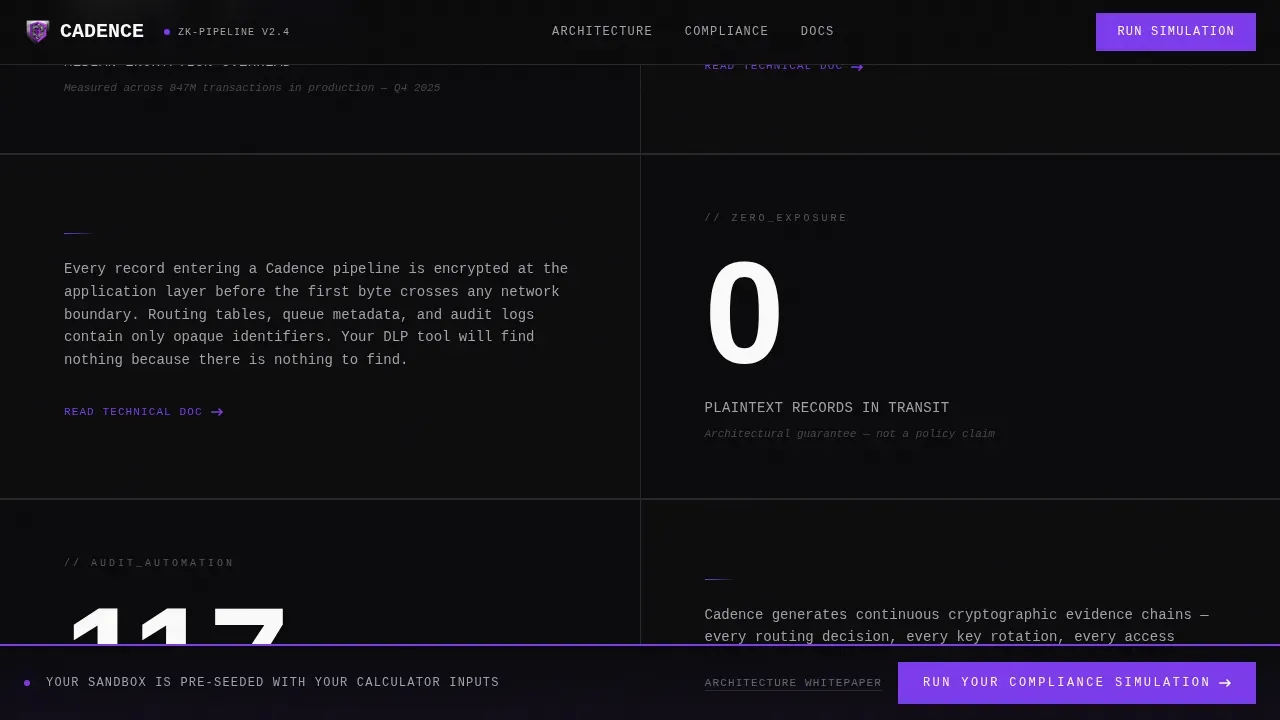
Below the calculator, each scroll section follows a strict split-screen format. An oversized statistic on the left anchors the eye: examples include "2.4ms median encryption overhead," "0 plaintext records in transit," and "117 audit hours recovered per quarter." The right side delivers a tight technical explanation in smaller monospace text. The rhythm is punch-then-prove, and it repeats across three sections, each stat bolder than the last. Sales teams find this structure particularly effective because it mirrors how a skilled sales rep builds a case: lead with the number, then explain why it is real.
Compliance Frameworks Section
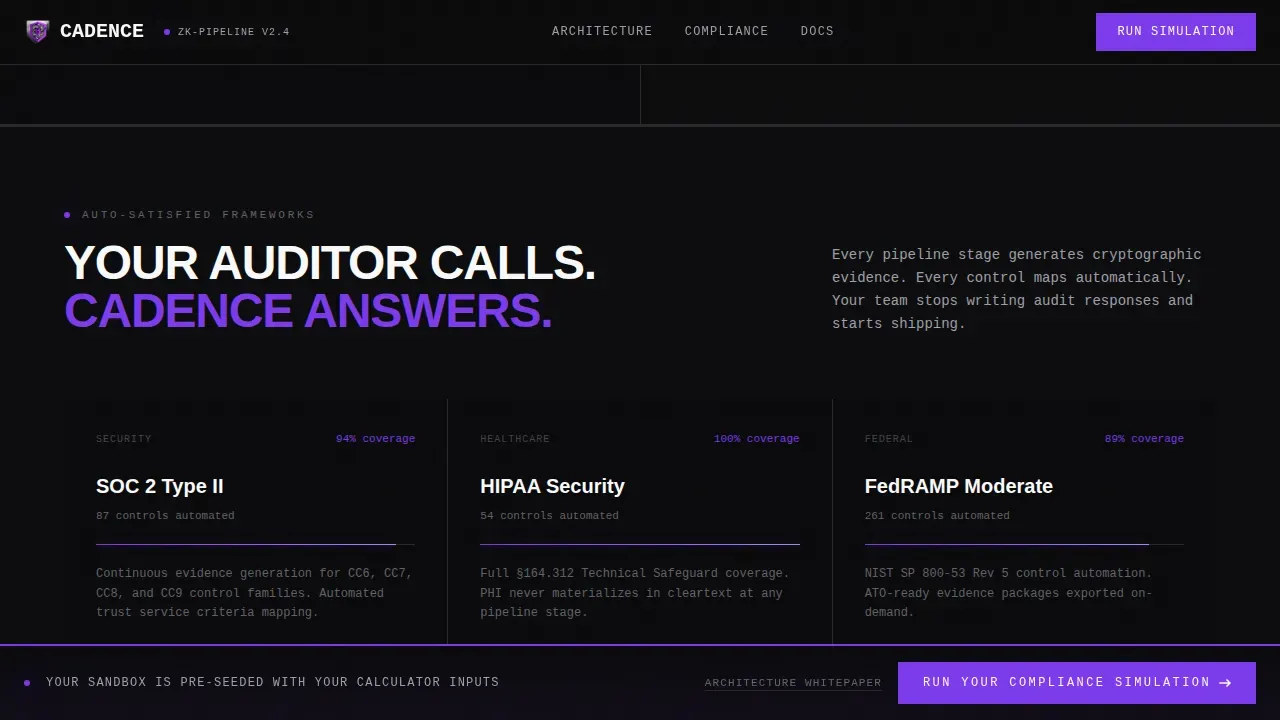
After the stats wall, the template surfaces a dedicated compliance frameworks section. This block displays framework badges for SOC 2, HIPAA, and FedRAMP alongside a coverage visualization. It functions as a visual trust anchor, giving the prospect a scannable confirmation that the platform tracks against the frameworks they are accountable to. For a compliance officer, this section is the moment the page stops feeling like a pitch and starts feeling like a peer conversation.
Architecture Trust Block
This section is built for the high-intent technical buyer. It presents a technical credibility block describing the workflow architecture, including how the cadence worker manages execution and state while remaining blind to sensitive data. A secondary text link, "Read the Architecture Whitepaper," sits below the block. It captures buyers who are not ready to touch a demo but want to verify the cryptographic claims. This two-track conversion approach means no lead falls off because they need more detail before they commit.
Fixed Persistent Call-to-Action Bar
After the second scroll section, a fixed bottom bar appears and stays visible for the rest of the page. It carries the primary call to action: "Run Your Compliance Simulation." The click routes to a pre-authenticated sandbox seeded with the visitor's calculator inputs. There are no form fields on this page. The experience is frictionless by design. The fixed bar function ensures that no matter how deep a visitor reads, the next step is always one click away.
Bold Brutalist Visual System
The entire cadence of the visual experience is controlled by the Void & Violet color system and a strict typographic hierarchy. Backgrounds are abyssal black (#09090B). Section dividers are raw 2px concrete gray (#A1A1AA) rules. Violet (#7C3AED) hits only on interactive states and live data outputs. Body text is hard white (#FAFAFA) set in JetBrains Mono. Display headlines use Manrope. The palette feels like a parking garage lit by a single ultraviolet strip: monolithic surfaces interrupted by electric color that makes you pay attention.
Page sections overview
| Section | Purpose |
|---|---|
| Calculator Hero Split | Live input form on the left, real-time compliance outputs on the right |
| Stats Impact Wall | Three oversized proof statistics paired with tight technical explanations |
| Compliance Frameworks Block | Framework badges for SOC 2, HIPAA, and FedRAMP with coverage visualization |
| Architecture Trust Block | Technical credibility block with secondary whitepaper call-to-action link |
| Fixed Bottom Bar | Persistent "Run Your Compliance Simulation" call-to-action after second scroll |
| Developer Minimal Footer | Minimal footer following GitHub-style developer pattern |
Design & branding system
The design language is Bold Brutalist. It treats whitespace as a material, not an absence. Every surface is intentional, every divider is structural, and every violet accent earns its place by marking something that matters: a live data output, an interactive state, or a conversion trigger.
- Color system: abyssal black (#09090B) for backgrounds, deep vault violet (#7C3AED) for interactive and live-data accents, exposed concrete gray (#A1A1AA) for 2px section dividers, and hard white (#FAFAFA) for all body text and typographic punch
- Typography: JetBrains Mono for body text and technical explanations, Manrope for display headlines; oversized numerals function as visual anchors and reinforce the message that this platform deals in verifiable numbers, not marketing claims
- Animation and interactivity: high-intensity scroll-triggered reveals, beam drop animations, text shimmer effects, counter animations on the live calculator, and real-time slider and dropdown interactions that respond without page reloads
Mobile & speed optimization
The template is designed desktop-first. The live calculator user experience requires horizontal space to function as intended, and the target audience (compliance officers, CTOs, healthcare operations directors) primarily works on desktop environments. The layout accounts for this without sacrificing responsiveness on smaller screens.
- Desktop-first layout: the 50/50 split-screen structure is optimized for wide viewports where the calculator and its results can be read side by side without scrolling
- Client and server component architecture: static sections are built as Server Components for fast initial load, while the live calculator runs as a Client Component so real-time interactivity does not happen at the cost of overall page performance
- Scroll-triggered animation control: reveal animations are scoped to scroll position, so content below the fold does not create layout shifts or rendering overhead before the visitor reaches it
How this template helps you convert
This template is built around a single conversion path: get the visitor into the compliance simulation sandbox. Every design and content decision on the page supports that one goal. There are no secondary navigation links, no blog teasers, and no distraction loops. The page function is conversion, and the architecture reflects that.
- The live calculator creates personal investment before the visitor has read a single line of copy. By the time they scroll, they have already interacted with the page using their own numbers, their own industry, and their own process volume. Their interest is no longer generic; it is specific to their situation.
- The Stats-First scroll rhythm builds compounding credibility. Each stat is harder to dismiss than the last. By the third proof pair, the visitor is not evaluating the product; they are calculating whether they can afford not to try it. The fixed bottom bar is always present to capture that moment the instant it arrives.
Other information about this template
The Cadence landing page template sits at the intersection of several well-established practices that are worth understanding before you customize or deploy it. These details help teams make informed decisions about setup, testing, and how to think about engagement metrics after launch.
- Sales cadences and workflow cadences share a structural logic: both are defined sequences where each step builds on the previous one, and both can be paused, resumed, or stopped based on specific conditions or a desired response from the lead
- Sales cadences are structured sequences of follow-up actions designed to engage leads over time; they can include emails, phone calls, and task-based interactions, and sales managers use them to monitor and optimize team performance
- A healthy email cadence typically includes three to five touches spaced two to four days apart; engagement decay is real, meaning each follow up has a smaller chance of earning a reply rate improvement as the cadence progresses, so front-loading credibility (as this template does with the calculator) is critical
- Email cadence strategy matters for the platform being marketed here: a well-built cold email cadence considers timing, spacing, and deliverability to create predictable engagement without damaging domain reputation; subject lines matched to body keyword targets and plain-text footers both improve deliverability
- Sales teams can use the cadences page and cadence overview data to track reply rate trends, determine which email step drives the most engagement, and edit their follow up sequences accordingly; configuration settings for enrollment, start date, due date, and actions menu options allow teams to customize each cadence run
- Users can manually enroll records into a cadence or set rules to automate enrollment based on specific conditions; the actions menu allows teams to add steps, edit remaining steps, or pause a cadence mid-sequence without losing state
- The total number of touches in a cadence should reflect the prospect's buying cycle length; for govtech and healthcare buyers, longer cycles with more educational steps make sense because these prospects need to verify claims before they commit
- For engineering teams evaluating workflow automation at a deeper level: certain specialized automation languages are designed specifically to handle repetitive tasks in technical workflows, allowing engineers to customize environments, integrate advanced checks, and automate routine tasks with domain-specific logic
- Cadence zero knowledge workflow automation enables developers to define, execute, and verify sensitive, multi-step workflows without exposing private data to intermediate systems; cadence zero knowledge workflows maintain state, making them well-suited for complex, asynchronous processes
- The cadence worker manages execution and state while remaining blind to sensitive data; raw data is stored in a secure local vault while zero-knowledge (ZK) proofs are generated and verified by external systems acting as verifiers
- Zero-knowledge (ZK) integration allows a system to generate a cryptographic proof for data verification without revealing the raw data; examples of this in practice include Know Your Customer (KYC) checks and loan eligibility verification without personal data exposure
- Cadence separates business logic from external interactions, allowing workflows to run for extended periods while handling retries automatically; it preserves the entire application state so it can recover and replay workflows from the last checkpoint after failures
- Cadence supports integration with programming languages including Go and Java and provides application programming interfaces (APIs) for easy integration; it is an open-source framework originally developed for fault-oblivious, stateful code orchestration
- This cadence zero knowledge workflow automation landing page template is designed to function as a focused conversion asset; it does not include a blog, navigation menu, or multi-page architecture; teams should treat it as a single-purpose acquisition page linked from outbound campaigns, paid ads, or the cadences page of an existing website
- A/B testing different versions of this template (for example, testing headline variations or calculator default values) can help teams determine which configuration leads to better engagement and conversion; using analytics to track user behavior on the page provides insight for further optimization
Theme
Bold Brutalist
Creative direction
Stats-First Impact
Color system
Void & Violet
Style
Split Screen (50/50)
Direction
Click-Through
Page Sections
Live Split-screen Compliance Calculator
Stats-first Punch-then-prove Scroll Sections
Compliance Frameworks Coverage Block
Architecture Trust Block with Whitepaper Link
Persistent Fixed Bottom Call-to-action Bar
Bold Brutalist Void and Violet Visual System
Related questions
What industries does this template target?
Does the live calculator require a backend integration to function?
Can I customize the statistics shown in the Stats Wall sections?
Who is the primary conversion target on this page?
Is this template suitable for a multi-page website?



