State PSC Coaching Landing Page Template
Cadre is a card grid landing page built for state Public Service Commission coaching institutes. It leads with trust-building selection stats, mirrors the aspirant's inner monologue through FAQ-driven cards, and funnels every visitor into a 15-question adaptive prelims readiness diagnostic. The result is a warm, qualified enrollment lead without a single hard-sell moment.
by Rocket studio
Quick summary
Cadre is a focused, single-page coaching institute landing page. It opens with credibility numbers, flows through a modular FAQ card grid, and closes with a gated diagnostic scorecard. Every section earns the next scroll by speaking directly to the aspirant's real doubts. The design runs on a charged, neon-lit color palette built for late-night study energy.
Who this template is for
This template fits coaching institutes and educators who serve serious, exam-focused students. It works best when the brand already has selection results worth showing and a structured curriculum to back up its claims.
- State PSC coaching institutes targeting prelims and mains aspirants
- Exam-prep educators who want leads qualified by subject readiness, not just curiosity
- Institute owners replacing generic "Register Now" forms with a smarter diagnostic funnel
What problem this template solves
Most coaching landing pages ask visitors to register before earning their trust. Aspirants arrive with real doubts, scan a page full of generic promises, and leave without converting. Cadre fixes this by matching the student's thought process at every scroll step.
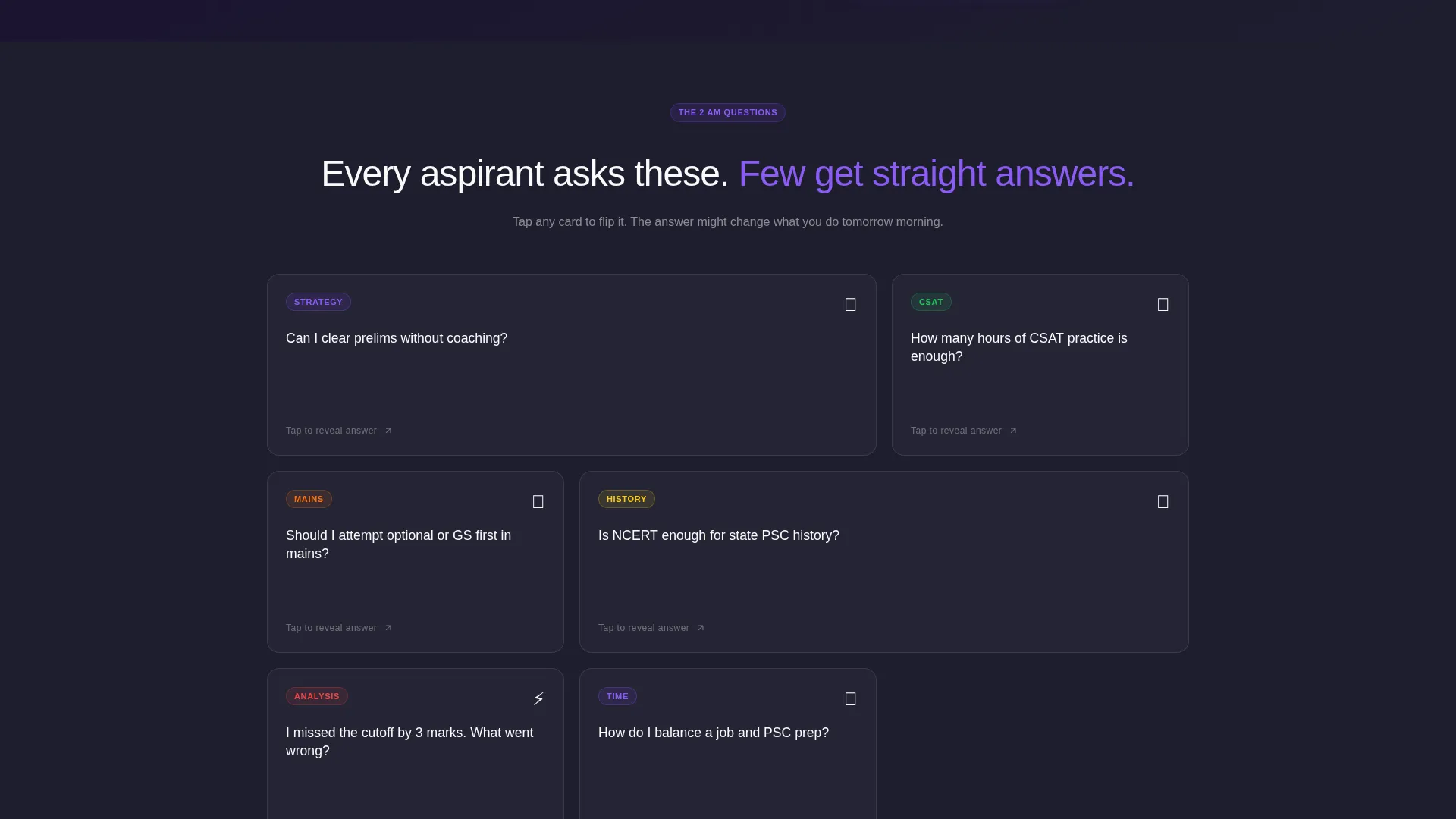
- FAQ cards address the exact questions aspirants ask themselves at 2 AM, building recognition before asking for anything
- The shift from passive reading to active mini-diagnostics keeps engagement high and drop-off low
- The gated scorecard collects phone number and batch preference only after the student has already invested effort, making every lead warm and self-qualified
What you get with this template
Cadre delivers a fully structured, single-page layout with distinct functional zones. Each zone serves a specific conversion purpose, from first impression to lead capture.
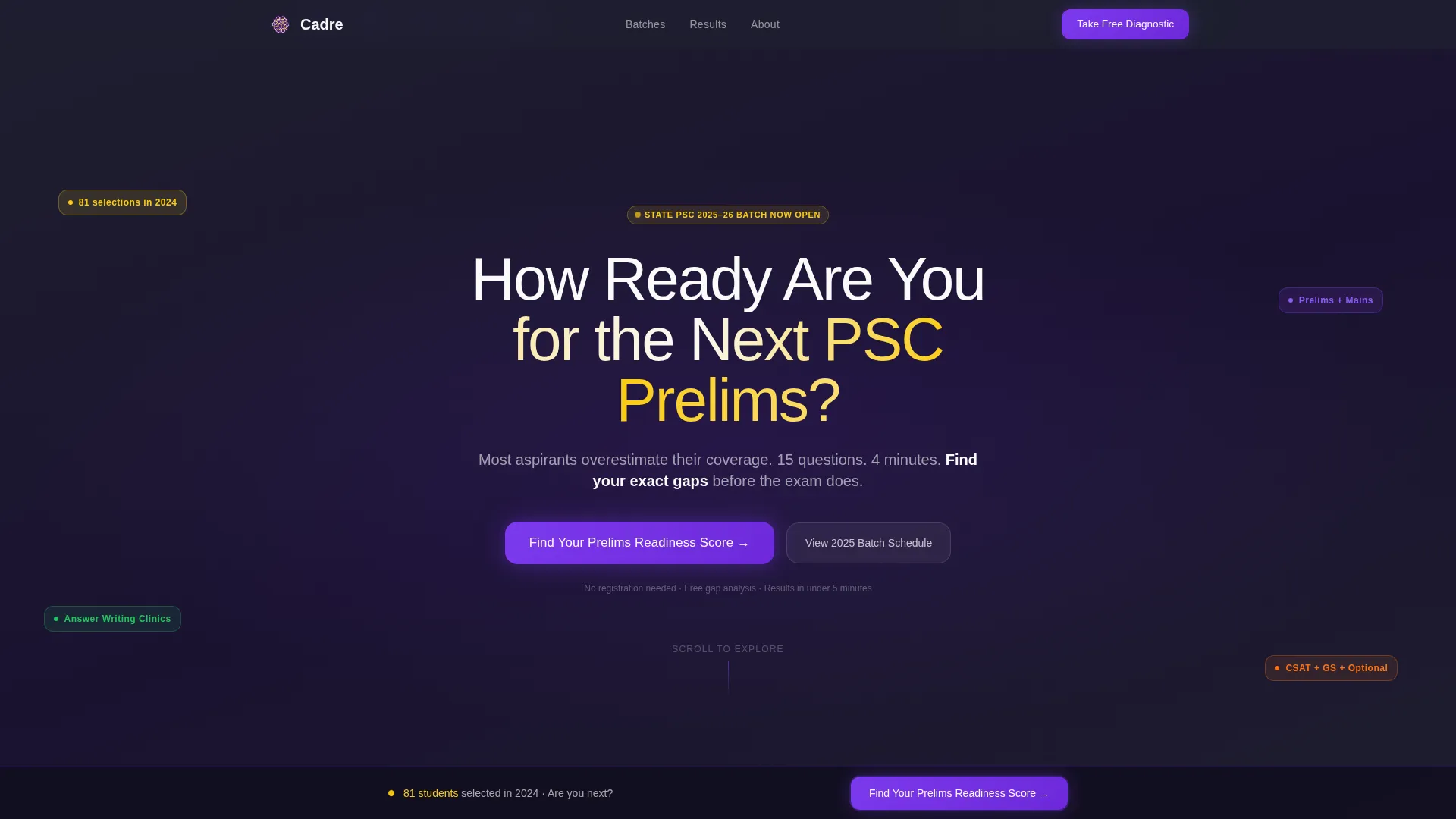
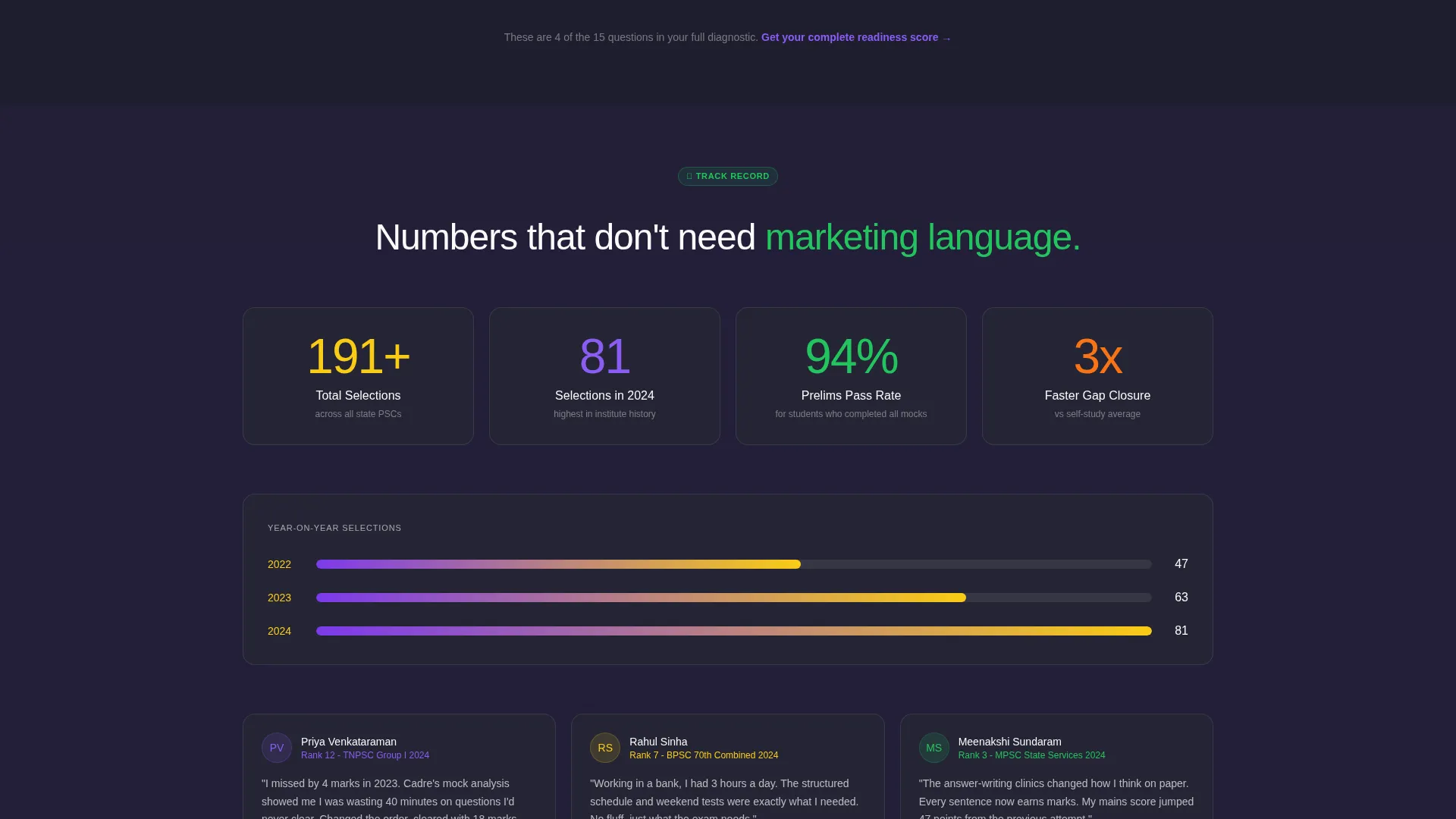
- A Logo Bar header with selection-year statistics (2022: 47 selections, 2023: 63 selections, 2024: 81 selections) and a bold readiness headline
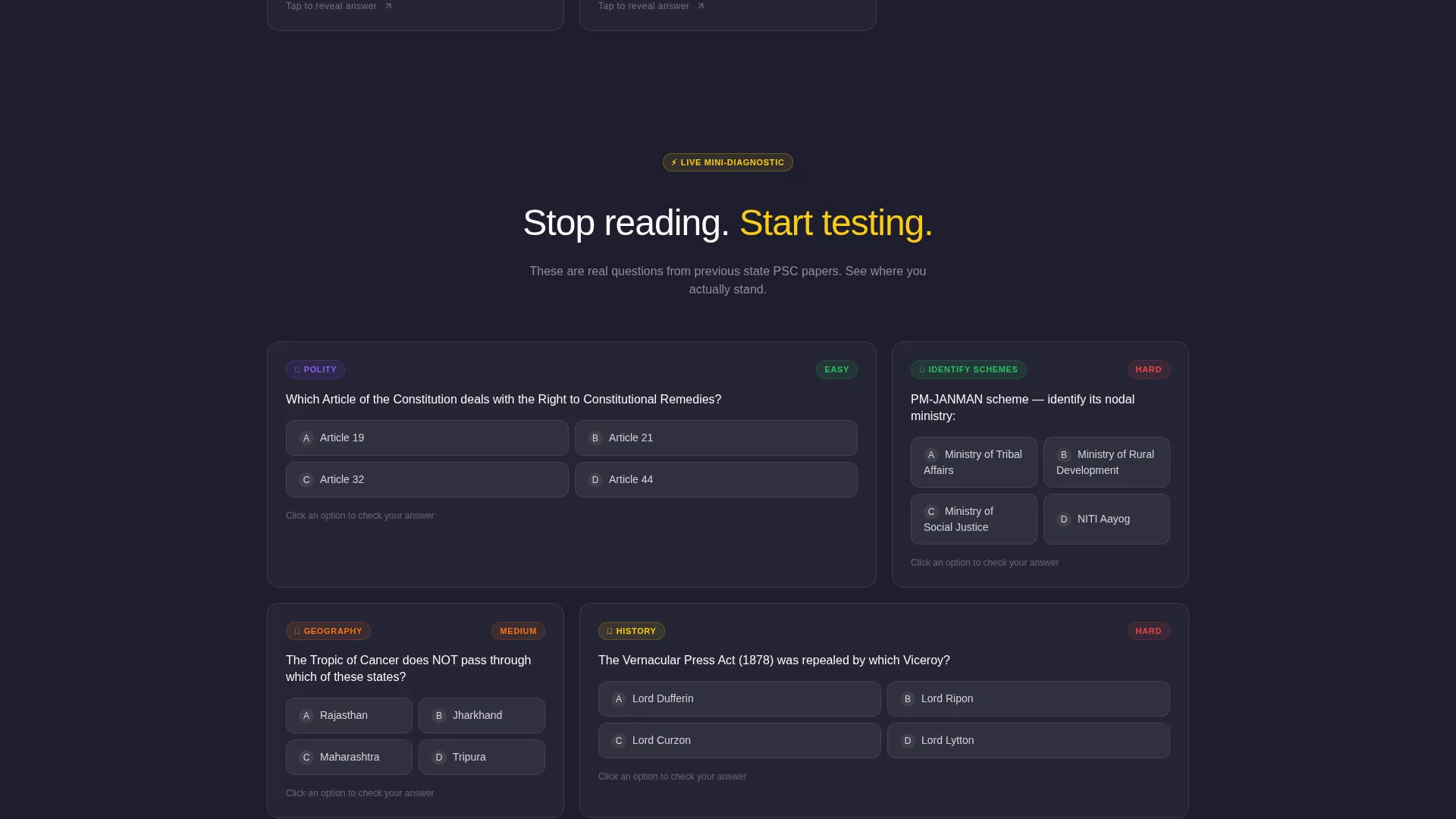
- A modular card grid with FAQ flip-cards and embedded mini-diagnostic MCQ cards
- A 15-question adaptive diagnostic flow with a gated gap-analysis scorecard as the primary lead capture mechanism
Feature list
This template is built around several interconnected components that work together to move a doubtful visitor toward a committed enrollment inquiry.
FAQ Flip-Card Grid
Each card in the modular grid poses a real aspirant question on its face. Tapping flips the card to reveal a concise, authoritative answer ending with a diagnostic nudge. The grid mirrors the student's internal monologue, building trust card by card.
Adaptive Prelims Diagnostic
The primary call to action opens a 15-question flow: name and target exam year first, then subject-confidence sliders, then ten rapid-fire multiple-choice questions from previous year papers. This sequence qualifies intent and subject readiness in one sitting.
Gated Gap-Analysis Scorecard
On completing the diagnostic, the student receives a personalized gap-analysis result. Access is gated behind a phone number and preferred batch timing input, turning a completed quiz into a warm, enrollment-ready lead automatically.
Mini-Diagnostic MCQ Cards
Midway through the card grid, question-style cards replace FAQ cards. Each card presents a quick factual challenge such as "Pick the correct Article" or "Identify this scheme's ministry." This converts passive scrolling into active testing without leaving the page.
Sticky Readiness call to action Bar
A sticky bottom bar reading "Find Your Prelims Readiness Score" appears after the third card row. It stays visible as the user scrolls, ensuring the primary call to action is always one tap away without disrupting the reading flow.
Logo Bar with Selection Crests
The header strip displays the institute's emblem alongside state PSC logos, university affiliation seals, and year-wise selection crests. The numbers speak before any copy does, grounding trust in verifiable proof rather than claims.
Page sections overview
| Section | Purpose |
|---|---|
| Logo Bar Header | Display trust markers, selection stats, and the primary readiness headline |
| FAQ Card Grid | Mirror aspirant doubts and deliver authoritative flip-card answers |
| Mini-Diagnostic Cards | Shift passive reading into active MCQ testing within the scroll |
| Readiness call to action Block | Place the diagnostic prompt below the header and as a sticky bottom bar |
| Diagnostic Quiz Flow | Collect name, exam year, confidence sliders, and ten rapid-fire MCQs |
| Gated Scorecard Gate | Capture phone number and batch preference before releasing results |
Design & branding system
The visual identity follows an Educational Guide theme executed through a Dopamine Pop color system. Every color choice rewards attention the same way a correct answer rewards effort, keeping the palette purposeful rather than decorative.
- Deep charcoal (#1E1E2E) for card backgrounds, serotonin violet (#7C3AED) for buttons and progress indicators, highlighter yellow (#FACC15) for badges and score callouts, and chalk white (#FAFAFA) for text and card borders
- The overall feel is a neon-lit study café at 11 PM: focused and energizing at once, serious without feeling heavy
- No hero image is used; the header relies entirely on selection numbers and the bold readiness question to command attention
Mobile & speed optimization
The card grid layout is inherently suited to single-column reflow on smaller screens. Each card is a self-contained module, so the layout adapts without losing the flip-card interaction or the sticky call to action bar.
- Modular card structure allows clean vertical stacking on phone screens without breaking the FAQ-to-diagnostic flow
- The sticky bottom bar stays anchored at the base of the viewport on mobile, keeping the primary call to action visible at all times
- The no-hero-image header keeps the above-the-fold area light, letting the trust numbers and headline load crisply on slower connections
How this template helps you convert
Cadre replaces the traditional registration push with a conversational, effort-based funnel. Each step builds investment before asking for contact details.
- The FAQ flip-cards build immediate recognition and credibility by answering real aspirant doubts, making visitors feel understood rather than sold to.
- The mini-diagnostic MCQ cards increase time-on-page and personal investment, so by the time the gated scorecard appears, the student is motivated to complete the step.
- The scorecard gate collects phone number and batch preference from a student who has already proven intent through the full diagnostic, producing a significantly warmer lead than a standard inquiry form.
Other information about this template
This template was designed specifically for the state PSC coaching niche within Indian exam preparation. It suits institutes that serve a mixed audience of first-attempt graduates, working professionals, and repeat aspirants preparing for state-level civil services exams.
- The template style is Card Grid (Modular), making it easy to reorder, add, or remove individual cards to match a specific exam calendar or syllabus focus
- The creative direction is FAQ-Driven, which aligns naturally with the way aspirants research coaching options before committing to a batch
- The header concept is a Logo Bar, a format that prioritizes proof over imagery and works well for institutes with documented selection track records
- The landing page direction is Quiz and Assessment, meaning the entire page architecture is built to funnel visitors into the diagnostic rather than toward a passive contact form
Theme
Educational Guide
Creative direction
FAQ-Driven
Color system
Dopamine Pop
Style
Card Grid (Modular)
Direction
Quiz/Assessment
Page Sections
FAQ Flip-card Grid
Adaptive Prelims Diagnostic
Gated Gap-analysis Scorecard
Mini-diagnostic MCQ Cards
Sticky Readiness Call to Action Bar
Logo Bar with Selection Crests
Related questions
Can this template be used for both prelims and mains coaching programs?
How does the gated scorecard capture leads without a traditional registration form?
Can the diagnostic quiz questions be changed to match a specific state PSC syllabus?
Why does the header use a Logo Bar instead of a hero image?
Does the sticky call to action bar interfere with reading the card grid?



