Micro-SaaS & Developer Tools Specialist Cost Calculator Website Template
The Calc landing page template is a bold brutalist, dashboard-style single-page layout built for no-code calculator platforms. It drops visitors straight into a live ROI calculator, then moves them through a dense feature matrix, a template mosaic, and real customer metrics, all without a single line of coding required. Every section earns the click before asking for one.
by Rocket studio
Quick summary
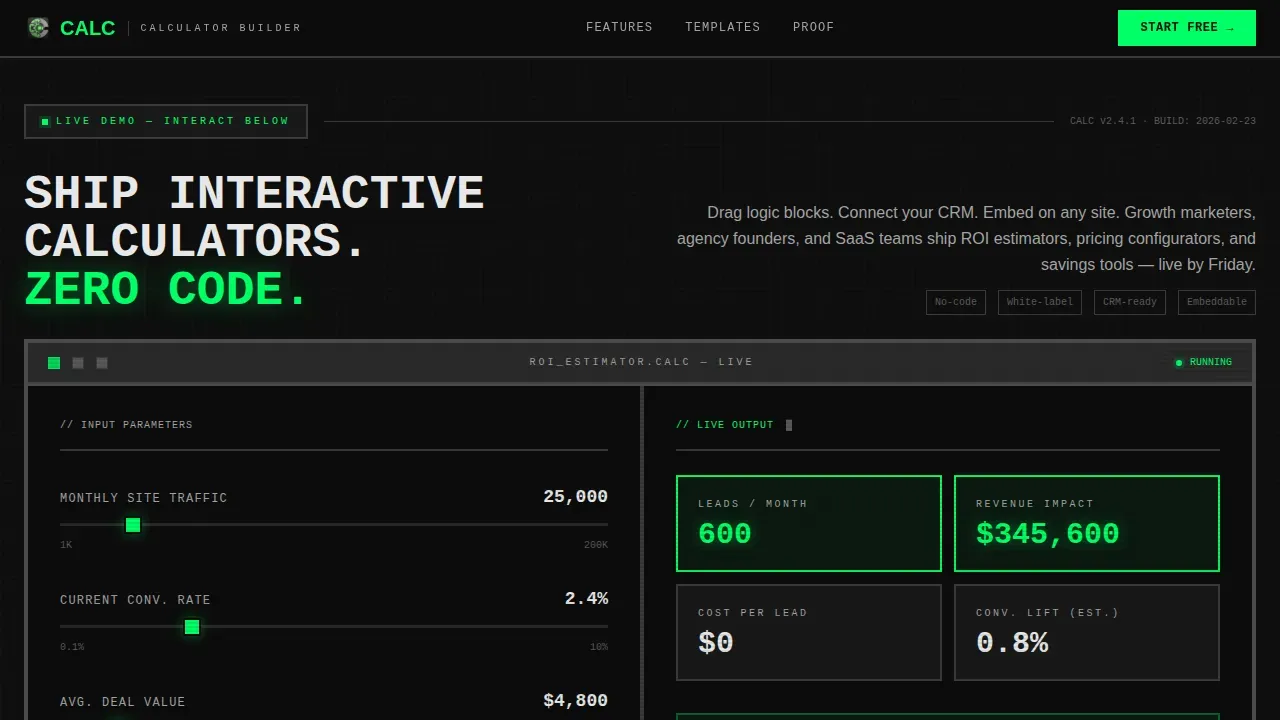
Calc is a high-voltage, data-grid landing page template designed for no-code calculator builder platforms. Visitors land directly inside a working interactive calculator. They drag sliders, watch live outputs animate in electric green, and understand the product's value before reading a single word of copy. The template is built for teams who need to ship fast and convert harder.
Who this template is for
This template is built for growth-focused teams who rely on interactive tools to drive pipeline. It targets users who need a live calculator on their website without touching code.
- Growth marketers who need a lead generation calculator live fast, often within days
- Agency founders who embed white-labeled cost calculators and custom calculators into client sites
- Product teams replacing static pricing pages with a dynamic web calculator that closes deals
What problem this template solves
Most calculator landing pages bury the tool below a hero image and a paragraph of copy. By the time a visitor reaches the calculator, they have already lost interest. This template removes that friction entirely.
- Visitors have no reason to trust a web calculator they cannot see working, so the template puts a fully interactive calculator at full viewport width above the fold
- Teams waste days trying to build interactive tools from scratch or with a clunky spreadsheet embed, when a purpose-built calculator template handles all the elements cleanly
- Static pricing pages fail to help customers make informed decisions, while a live pricing calculator or roi calculator delivers instant, personalized output
What you get with this template
You get a complete, single-page layout with five structured sections, each designed to move a visitor from curiosity to click. No coding is needed to customize the layout.
- A full-viewport interactive calculator hero with live animated outputs, slider user input, and a brutalist chrome frame
- A scrollable feature matrix data grid comparing build methods, a tight template mosaic, an integration rail, and an oversized customer metrics block
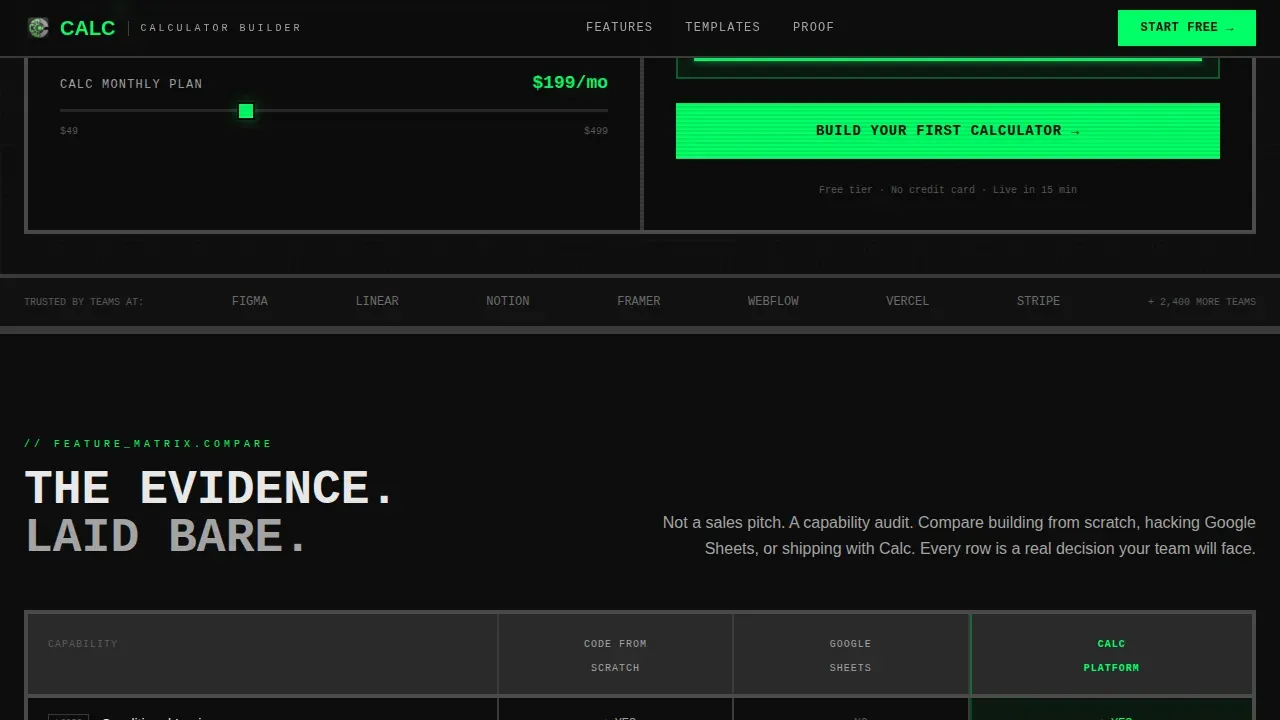
- Two conversion-focused call-to-action placements: one locked below the live calculator demo and one as a persistent floating bar triggered after the second scroll
Feature list
This template ships with purpose-built sections and design choices that reflect how good calculator landing pages actually perform.
Live Interactive Calculator Hero
The header section is a fully working roi calculator rendered at full viewport width. Users drag sliders to set monthly site traffic and current conversion rate. Calculation fields update in real time, showing leads generated, revenue impact, and cost-per-lead. The calculated result animates in electric green as each slider moves. No image, no tagline, the calculator itself is the proof.
Feature Matrix Data Grid
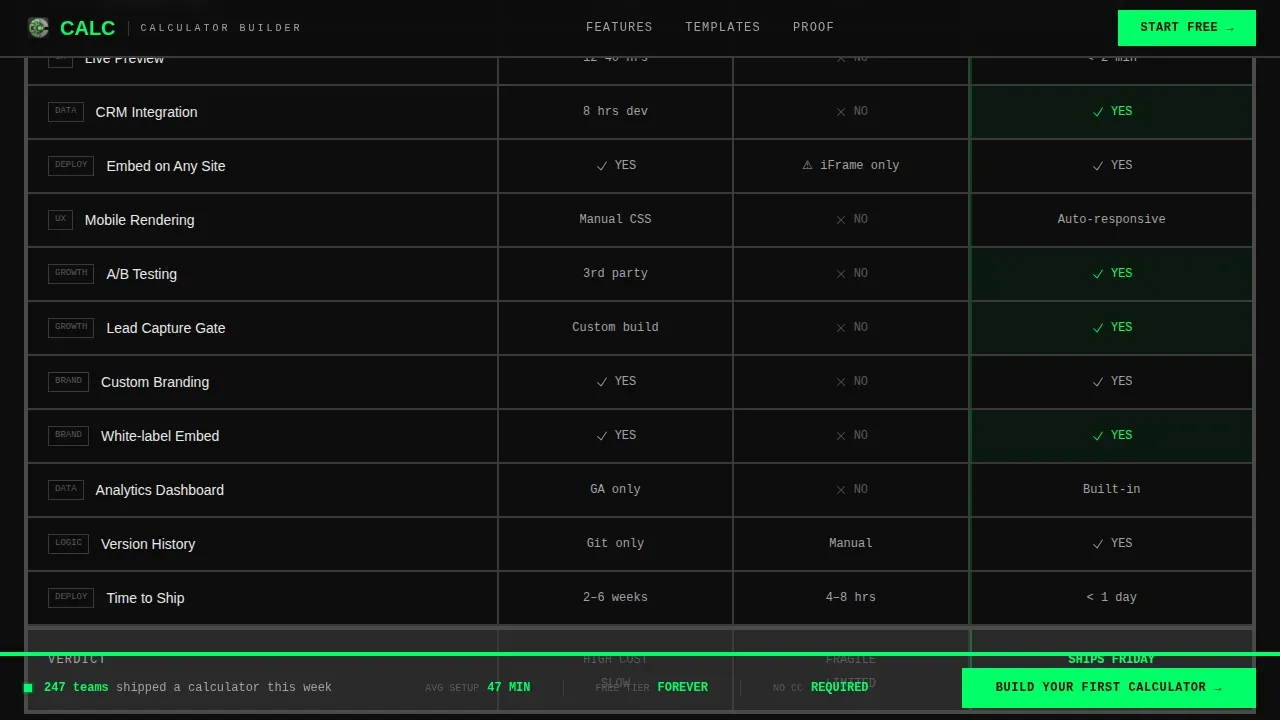
Scrolling past the hero reveals a dense comparison grid. Each row covers a core capability: conditional logic, integration depth, embed speed, mobile rendering, and more. Columns compare building from scratch versus a spreadsheet embed versus using this platform. Each cell renders checkmarks, cross marks, and benchmark data in brutalist table cells. The density of the grid is the argument, users see the evidence laid bare.
Template Mosaic with Secondary Call to Action
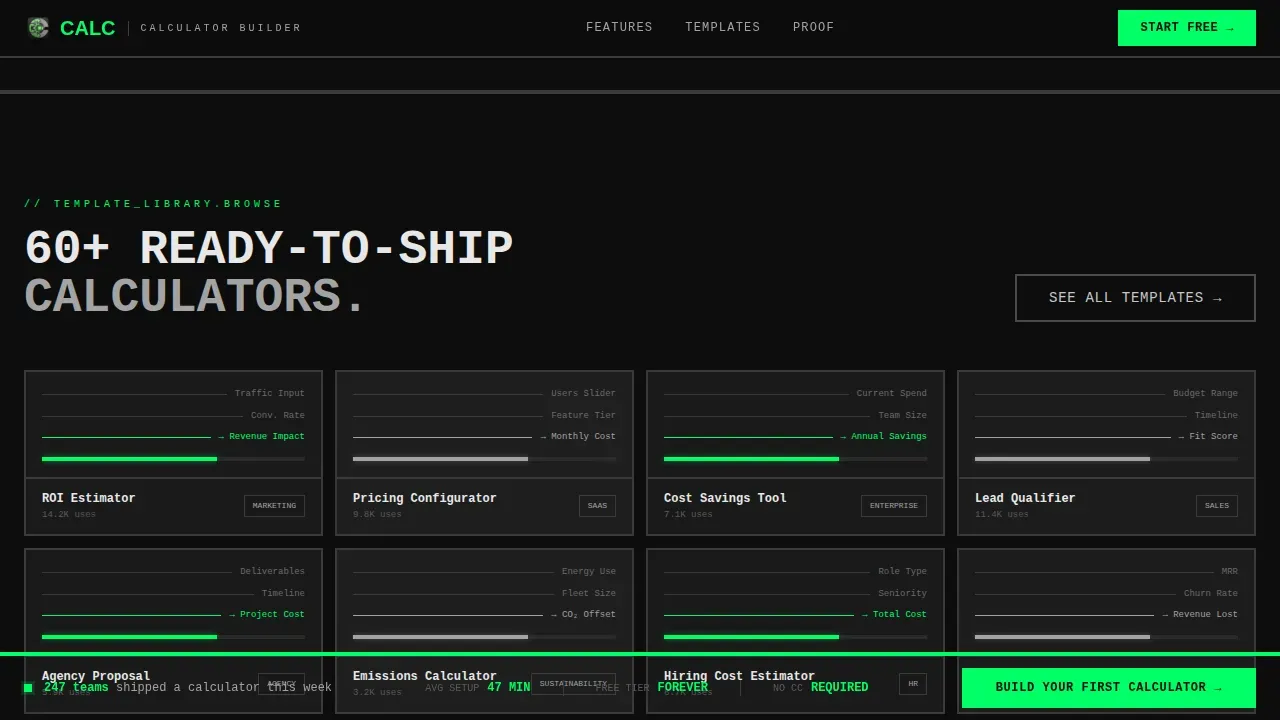
A tight thumbnail grid displays calculator template previews, from a bmi calculator to shipping calculators to cost calculators. Users can scan available formats at a glance. A "See All Templates" call to action sits inside the grid, offering a lower-commitment path for visitors who want to explore before committing to a free account signup.
Integration Rail
A dark panel section displays integration logos against a near-black background. This section communicates platform compatibility at a glance. It covers the range of tools the platform connects to, letting customers quickly assess whether it fits their existing stack.
Customer Metrics Block
Oversized monospaced numbers carry the social proof. Real metrics, qualified leads generated, calculators published, customers served, render in JetBrains Mono at display scale. The format is raw and credible. No testimonial carousel, no star ratings, just collected data presented with industrial confidence.
Floating Call-to-Action Bar
After the visitor scrolls past the second section, a persistent floating bar appears at the bottom of the viewport. It carries the primary call to action, "Build Your First Calculator", in electric green on black. The bar stays visible throughout the rest of the page, keeping the conversion path open without interrupting the reading flow.
Page sections overview
| Section | Purpose |
|---|---|
| Interactive Calculator Hero | Demonstrate live calculator value immediately |
| Feature Matrix Grid | Compare build methods with evidence |
| Template Mosaic | Browse ready to use templates with a secondary call to action |
| Integration Rail | Show platform compatibility at a glance |
| Customer Metrics Block | Display proof numbers in raw monospaced type |
| Footer | Linear single-row navigation and links |
Design & branding system
The visual identity follows a Bold Brutalist theme. Every color and type choice is functional, not decorative. The palette feels like a server rack interior: monochromatic, industrial, and alive only where electricity flows.
- Carbon Fiber color system: deep carbon black (#0D0D0D) background, machined aluminum gray (#A3A3A3) for body text, exposed concrete (#2A2A2A) for card surfaces, and high-voltage green (#00FF66) reserved exclusively for interactive states, live calculation outputs, and call-to-action elements
- Typography pairing: JetBrains Mono for all labels, data values, and calculator fields; DM Sans for body paragraphs and section descriptions
- Section dividers are thick and architectural, reinforcing the grid structure; no soft gradients, no decorative illustration
Mobile & speed optimization
The template is designed desktop-first, reflecting the data-grid and dashboard nature of the layout. The dense feature matrix and full-viewport calculator render best on larger screens. However, the layout adapts for mobile visitors who arrive via shared links or email notifications.
- Static sections use server-rendered components for fast initial load; the interactive calculator and floating call-to-action bar use client-side components scoped to interactivity only
- Scroll-reveal animations, green pulse effects, and live calculator number updates are scoped to avoid layout shift on smaller viewports
How this template helps you convert
This template earns the click by letting visitors use the product before asking for anything. The conversion architecture is deliberate and sequenced.
- The live roi calculator at the top of the page lets users calculate real numbers, leads, revenue impact, cost-per-lead, using their own input data, creating immediate personal relevance and making it easy to collect leads once results appear
- The feature matrix and customer metrics sections build trust through evidence rather than narrative, so by the time a visitor reaches the primary call to action, the case is already made
- The floating call-to-action bar ensures the signup path is always one click away without forcing a form on the page, routing users to a free account with a pre-loaded calculator template that matches what they just used
Other information about this template
This template is a strong fit for anyone who wants to build interactive calculators and ship them quickly. It works well alongside several established calculator builders and no-code platforms in the broader ecosystem.
- Tools like Calconic and SpreadsheetWeb are popular for creating interactive web-based calculators; this template provides the landing page infrastructure to present any such tool with maximum conversion intent
- ConvertCalculator supports excel like formulas and formula builder logic, making it compatible with the kind of advanced functions this template is designed to showcase
- Involve.me specializes in multi-step interactive calculator flows that capture leads and personalize user journeys, which pairs naturally with this template's lead capture architecture
- Embeddable platforms that generate an embed code or iFrame make it straightforward to add a calculator to your website or drop a web calculator onto any existing web page
- You can embed your calculator on platforms including WordPress and Wix using the provided embed code, making this template useful for teams across a wide range of stacks
- Cost calculators for cleaning services, shipping calculators for logistics providers, a mortgage calculator for finance sites, and a bmi calculator for wellness brands are all examples of the custom calculators this template can support
- The template layout is compatible with calculator builders that support conditional logic, dropdown menus, text fields, math functions, and complex formulas
- Teams who want to quickly create and publish a free calculator can open a free account on most no-code builder platforms and go live in just a few minutes using ready to use templates
Theme
Bold Brutalist
Creative direction
Feature Matrix
Color system
Carbon Fiber
Style
Dashboard/Data Grid
Direction
Click-Through
Page Sections
Live ROI Calculator Hero Section
Feature Matrix Comparison Grid
Template Mosaic with Secondary Call to Action
Oversized Customer Metrics Block
Persistent Floating Call to Action Bar
Integration Rail Section
Related questions
Can I customize the calculator fields and design without coding?
How do I add a calculator to my website using this template?
What types of calculators can I build with this template?
How does this template support lead generation?
Is this template suitable for agencies building calculators for clients?



