Intelligent Court Management Landing Page Template
Docket is a Bold Brutalist hub-and-spoke landing page template built for legal AI scheduling software. It presents five precision spec-card sections, INGEST through COMPLY, using a carbon fiber color system, monospace typography, and a lead-gen form anchored at every spoke. Firms selling litigation automation get a deployment-ready page that earns trust before asking for the click.
by Rocket studio
Quick summary
Docket is a single-page, anchor-nav landing page template designed for legal AI scheduling assistants. It uses a Bold Brutalist visual identity, a carbon fiber palette, and five technical spec-card sections to walk legal professionals through every capability, from file intake to jurisdictional compliance, before presenting a lead capture form that feels inevitable.
Who this template is for
This template is built for teams marketing AI litigation scheduling software to legal buyers. The copy architecture and layout speak directly to the people who feel the pain of manual docket management every day.
- Managing partners at mid-size law firms juggling multi-jurisdictional discovery timelines and complex court schedules
- Legal ops directors working to eliminate error prone, time consuming calendar math from their workflows
- Solo practitioners and legal technology founders who need a professional page that speaks fluent law, not generic SaaS
What problem this template solves
Manual docket management is one of the most critical and costly workflows in litigation. Attorneys and paralegals spend valuable time tracking filings, cross-referencing court rules, and reconciling opposing counsel availability across multiple courts, leaving less room for actual case strategy.
- Legal teams lose billable focus when humans handle deadline arithmetic across federal and state dockets
- Scheduling mistakes across many courts create compliance risk and can damage client relationships
- Firms need a landing page that communicates AI depth fast, without burying visitors in jargon before the form
What you get with this template
You get a fully structured, single-page lead generation landing page with five anchor-linked spoke sections, a fixed navigation bar, and a bottom-anchored audit form. Every section is built to showcase a discrete AI capability in spec-card format.
- Five brutalist spec-card sections: INGEST, PARSE, SCHEDULE, SYNC, and COMPLY, each presenting a distinct docket automation capability
- A lead capture form collecting firm name, practice management platform, active matter count, and work email, plus a secondary email-gated download path
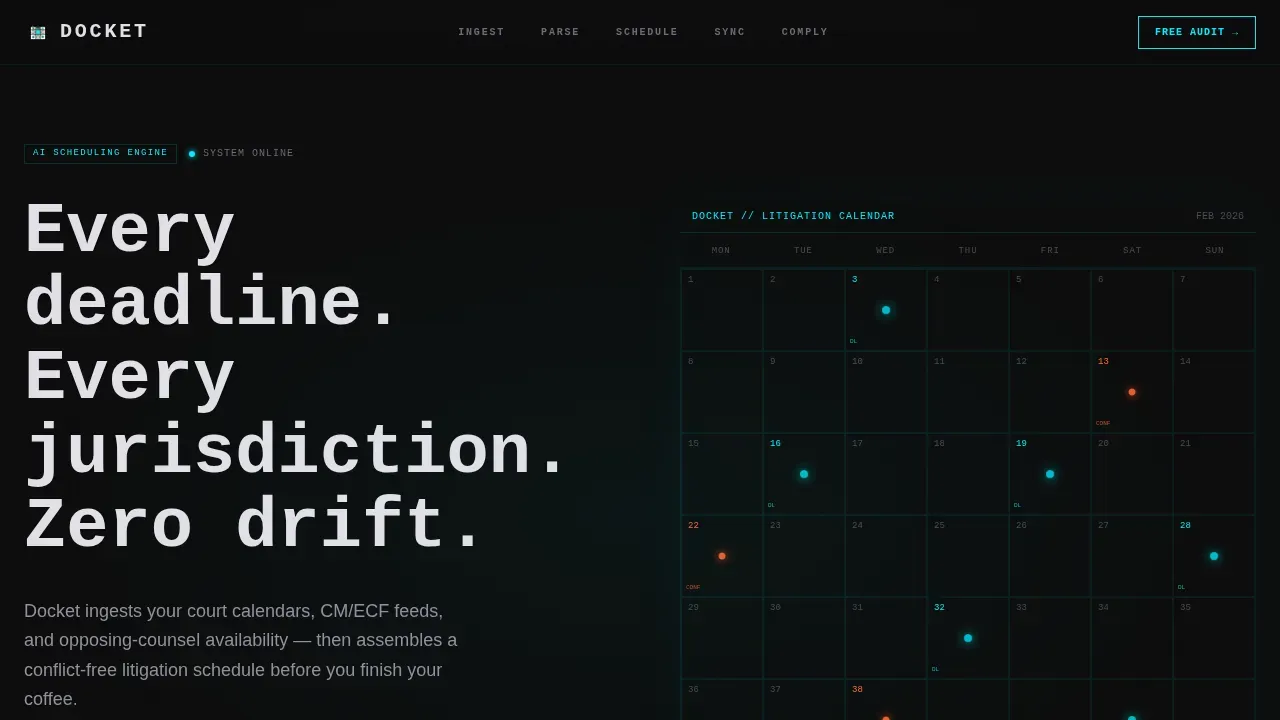
- A hero section with a typewriter headline, a wireframe calendar grid, and a fixed anchor nav with active-state tracking
Feature list
The template ships with a tightly engineered set of sections and components drawn directly from the source brief. Each piece is designed to build the case for AI litigation scheduling, one spec card at a time.
Anchor Navigation with Active State Tracking
The fixed top nav labels each spoke in brutalist caps: INGEST, PARSE, SCHEDULE, SYNC, COMPLY. As visitors scroll, the active section highlights in electric cyan, keeping legal professionals oriented across a long, data-dense page.
Typewriter Hero with Wireframe Calendar Grid
The hero fills the viewport with a pure dark background. A luminous wireframe calendar grid emerges from center, with deadline nodes pulsing faintly along the grid. The headline types itself in an oversized monospace face, communicating precision before a single paragraph is read.
Five Precision Spec-Card Sections
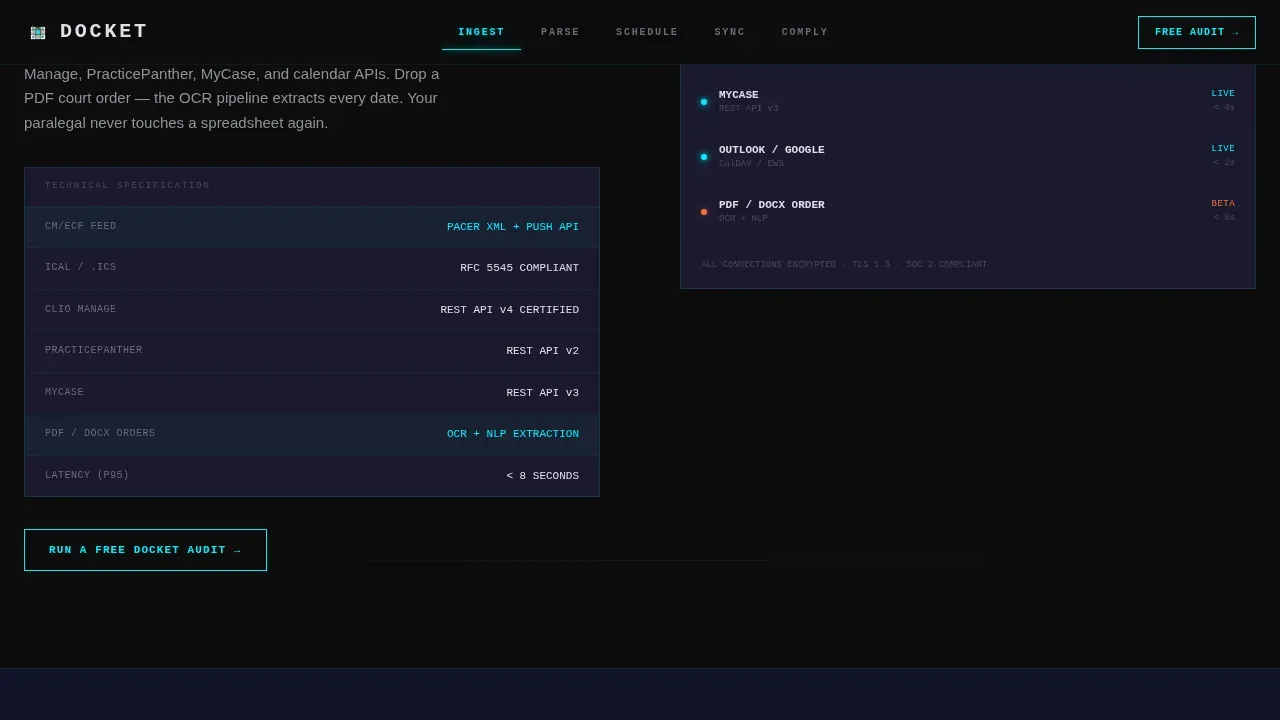
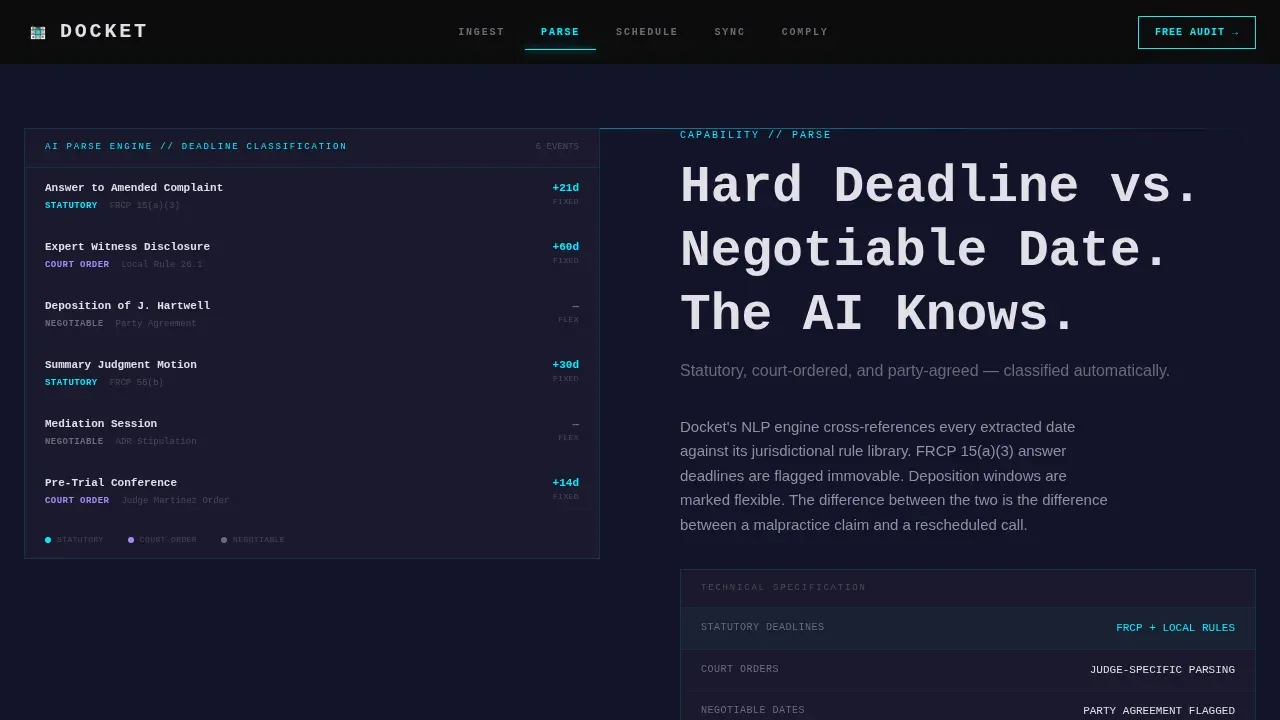
Each spoke reads like a technical data card for one AI capability. INGEST covers file-format intake. PARSE shows how the AI classifies statutory deadlines versus negotiable dates. SCHEDULE renders the output calendar with conflict flags. SYNC details two-way integration. COMPLY addresses jurisdictional rule libraries. Thick borders, monospace stats, and zero decoration give each card the authority of a classified spec document.
Lead Generation Audit Form
Every spoke ends with a call to action: "Run a Free Docket Audit." The form collects firm name, practice management platform via dropdown, number of active matters via range slider, and work email. A secondary path offers a downloadable compliance rule library behind an email gate.
Scroll-Triggered Reveal Animations
Section reveals fire on scroll using IntersectionObserver. Counter animations, cyan glow pulses, and scroll-triggered transitions keep the page dynamic without sacrificing the cold, precise tone of the Spec Sheet creative direction.
Social Proof and Metric Blocks
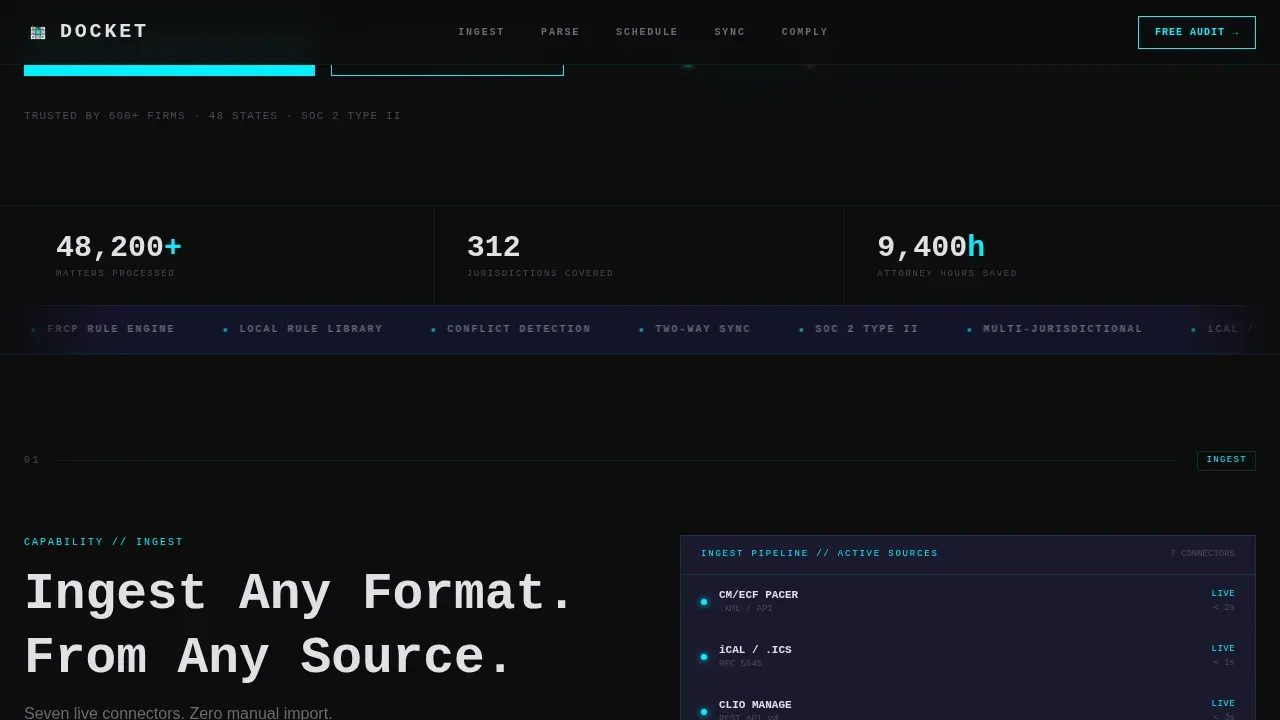
Dedicated blocks display specific metrics: matters processed, jurisdictions covered, and hours saved. Firm-type testimonials sit alongside these numbers, providing the trust signals that legal buyers need before they contact a new vendor.
Page sections overview
| Section | Purpose |
|---|---|
| Hero with Nav | Typewriter headline, wireframe calendar grid, fixed anchor navigation |
| INGEST Spec Card | File-format intake: iCal,.ics, CM/ECF, e-filing feeds |
| PARSE Spec Card | AI deadline classification, statutory versus. negotiable dates |
| SCHEDULE Spec Card | Output calendar with conflict flags and court event mapping |
| SYNC Spec Card | Two-way integration details and update handling |
| COMPLY Spec Card | Jurisdictional rule libraries and compliance rule coverage |
| Audit Lead Form | Primary call to action: Free Docket Audit with dropdown and slider |
| Secondary Download | Email-gated compliance rule library download path |
| Social Proof Block | Metrics, testimonials, and firm-type evidence |
| Footer Row | Linear single-row footer pattern |
Design & branding system
The visual identity is Bold Brutalist with a Spec Sheet creative direction. Every design decision signals precision and control, the exact qualities legal buyers need to trust an AI scheduling system with their court deadlines.
- Color palette: cockpit black (#0D0D0D) backgrounds, woven carbon gray (#1A1A2E) panels, titanium mid-tone (#4A4A5A) borders, platinum text (#E0E0E6), and electric cyan (#00F0FF) reserved exclusively for interactive states, glow effects, and anchor nav highlights
- Typography: JetBrains Mono for headlines and monospace data blocks, DM Sans for body and interface copy, creating a sharp contrast between spec-precision and readable prose
Mobile & speed optimization
The template is desktop-first by design, reflecting the reality that managing partners review this page on a laptop before a partners meeting. Mobile responsiveness is built in for attorneys and legal professionals reviewing on the go.
- Animations use CSS GPU transforms only, keeping scroll-triggered reveals and cyan glow pulses smooth without layout thrash
- IntersectionObserver drives all section reveals, meaning no animation fires until the relevant paragraph or card enters the viewport
How this template helps you convert
The page earns the lead before asking for it. By the time a visitor reaches the audit form, they have scrolled through five spec cards that address their exact workflow: file ingestion, deadline parsing, schedule output, calendar sync, and jurisdictional compliance.
- Each spoke section builds cumulative proof of AI depth, so the form feels like the logical next step rather than an interruption to the review
- The floating "Run a Free Docket Audit" call to action stays visible in the nav throughout the scroll, reducing friction for attorneys ready to act at any point in the page
Other information about this template
This template is the docket precision ai litigation scheduling landing page template in the Docket product line. It is purpose-built for legal technology teams selling AI-driven scheduling tools to attorneys, paralegals, and firm administrators.
- The page supports court docket search use cases by presenting how the AI ingests and parses case data using case number lookups, party names, and filing histories pulled from state dockets and federal and state dockets alike
- Search results from CM/ECF, iCal feeds, and practice management platforms are surfaced inside the INGEST and PARSE cards, giving visitors clear evidence of how the AI handles real court data
- The COMPLY section addresses jurisdictional rule libraries for state courts, federal courts, and specialty dockets, including bankruptcy court scenarios where rules and timelines differ sharply from civil litigation
- Machine learning powers the deadline classification engine, distinguishing statutory deadlines from negotiable dates and surfacing relevant information about upcoming events without human intervention
- The AI-powered rules engine handles specific requirements across many courts, automatically applying correct court rules so attorneys avoid mistakes that typically arise from manual cross-referencing
- The template supports plain language search inside the PARSE card, letting legal teams find case details without needing to know the exact case number or filing code
- Expert witnesses, motions, pleadings, and responses can all be surfaced as docket events with relevance scores, helping firms track the full arc of litigation from first step to final order
- The secondary download path, offering the compliance rule library, gives legal ops directors a low-friction entry point for new business conversations before they commit to a full audit
- Customizable calendar features shown in the SCHEDULE card allow firms to tailor deadline notifications and reminders, supporting collaboration across legal teams
- The template is structured to highlight benefits such as 70% faster document processing and automated, error-free deadline tracking, communicating ROI clearly to legal buyers
Theme
Bold Brutalist
Creative direction
Spec Sheet
Color system
Carbon Fiber
Style
Hub & Spoke (Anchor Nav)
Direction
Lead Generation
Page Sections
Anchor Navigation with Active-state Tracking
Typewriter Hero and Wireframe Calendar Grid
Five Precision AI Spec-card Sections
Lead Generation Audit Form with Dual Paths
Scroll-triggered Animations and Glow Effects
Social Proof Metric Blocks and Testimonials
Related questions
What types of law firms is this template designed for?
How does the lead capture form work?
Can I customize the spoke sections for different AI capabilities?
Does the template address compliance across different court systems?
What makes this template different from a generic SaaS landing page?



