Cannabis Digital Presence Professional Website Template
The Cannaboard real time dispensary menu dashboard landing page template is a scroll-reveal, stats-first landing page built for cannabis tech and dispensary operations software. It displays live inventory data, THC details, and real-time metrics on a gunmetal and electric-green dashboard interface. One clear call to action drives visitors toward an interactive demo. No form, no friction.
by Rocket studio
Quick summary
Cannaboard is a single-page, scroll-reveal landing page template built for digital menu software in the cannabis dispensary space. It leads with oversized operational metrics, builds trust through a punch-then-explain scroll rhythm, and closes with a clear demo call to action. The design is industrial and clinical, built to earn clicks from dispensary operators who need proof before they commit.
Who this template is for
This template is made for founders, operators, and product teams in the cannabis industry who sell or build digital signage software for dispensaries. It speaks directly to buyers who already know the problem and need to see evidence before acting.
- Dispensary owners managing multi-location retail operations who need a dispensary menu board solution that scales
- Compliance officers who need menus to automatically update and display accurate regulatory data across every screen
- Software teams in the cannabis industry launching a digital menu board product to operators and floor employees
What problem this template solves
Running a cannabis dispensary means managing constant change. Prices shift, stock runs out, and promotions rotate. Printed menus and slow digital signage create friction for customers and extra work for employees. This template shows how a real-time digital menu platform solves those problems before a visitor even reads the headline.
- Customers ask budtenders about items that are already out of stock, slowing sales and frustrating floor employees
- Operators running multiple locations cannot manage menus consistently across every screen from one place
- Compliance gaps happen when menus display outdated THC percentages or incorrect prices on digital displays
What you get with this template
This template delivers a fully structured, scroll-reveal landing page ready to customize and launch. Every section is purposeful. Every pixel is built to display data with clarity and push visitors toward action.
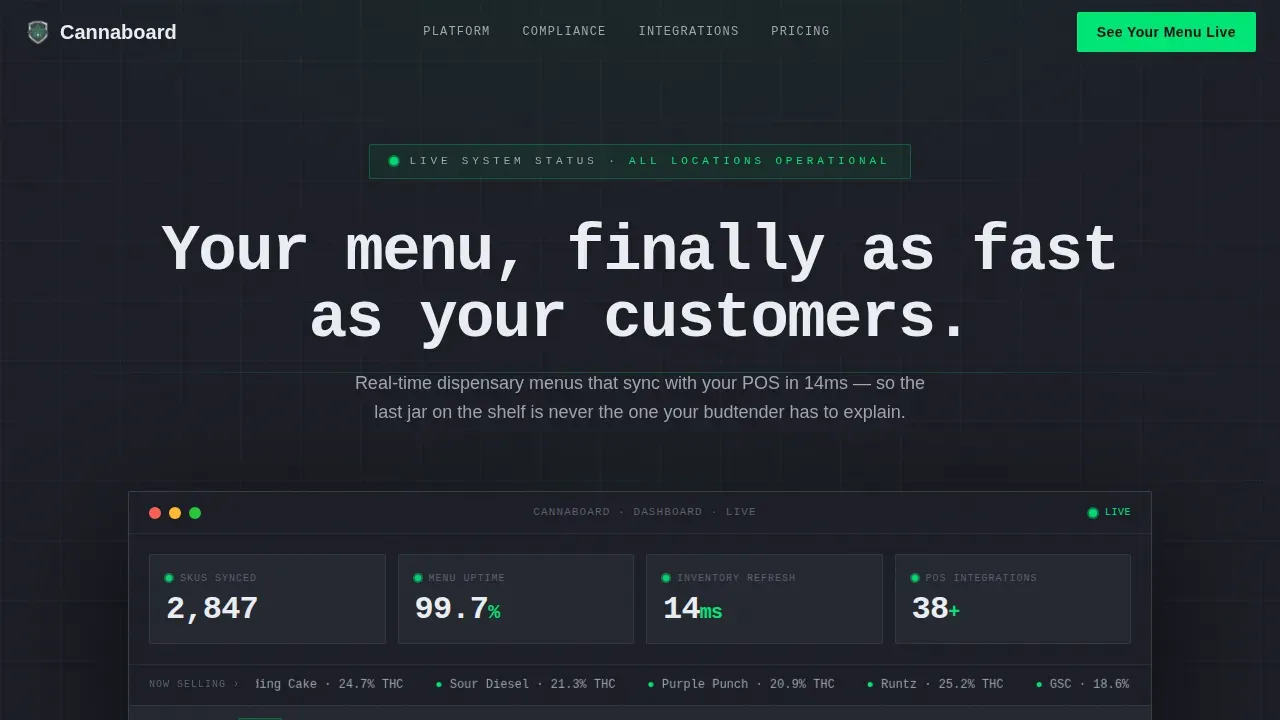
- A full-viewport stats dashboard header with live-metric layout, electric-green pulsing indicators, and a strain ticker marquee
- Three strategically placed primary call-to-action buttons and a secondary text link beneath each, with no form required
- Five punch-then-explain content sections covering dwell time, compliance error rate, revenue lift, integrations, and a final device mockup close
Feature list
This template is built around a specific scroll experience for digital menu software. Each feature reflects a deliberate design and layout decision drawn from the project brief.
Stats-First Hero Dashboard
The header is a full-viewport mockup that displays real operational numbers: synced SKU counts, menu uptime percentage, and inventory refresh speed. Numbers are set in terminal white on a gunmetal background. An electric-green dot pulses beside each active metric. A live strain ticker cycles product names in and out of stock in real time, making the product itself the visual centerpiece.
Scroll-Reveal Punch-Then-Explain Layout
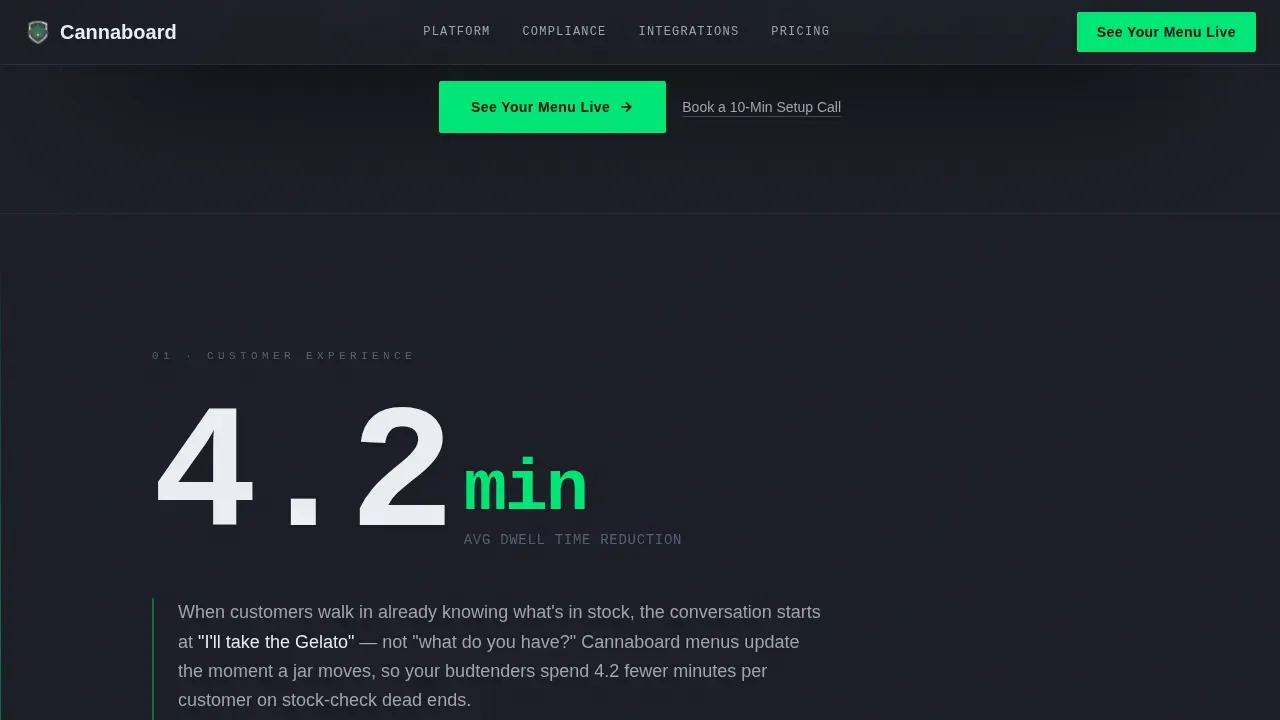
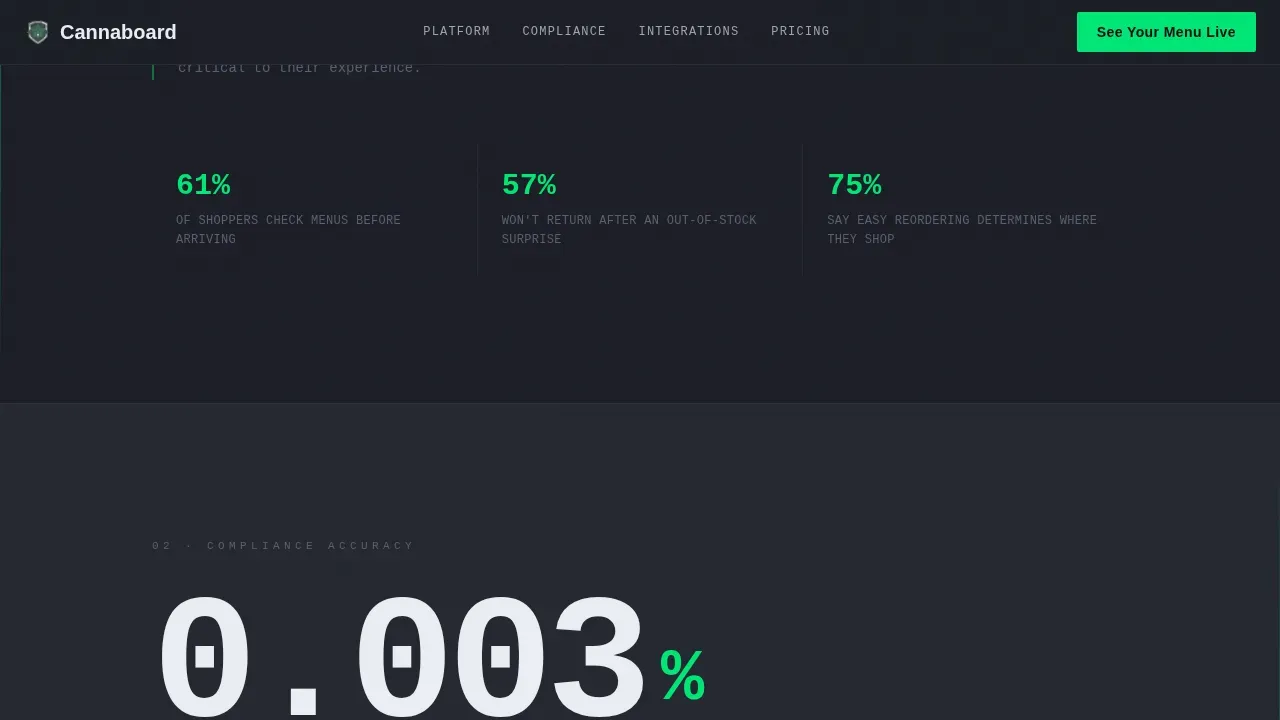
Each scroll step drops a single large metric into view before the explanation follows. The first reveal shows average customer dwell time reduction. The second covers compliance error rate. The third presents revenue lift per location. This rhythm creates a cumulative, evidence-based case that feels informative and direct, not promotional.
Triple Call-to-Action Architecture
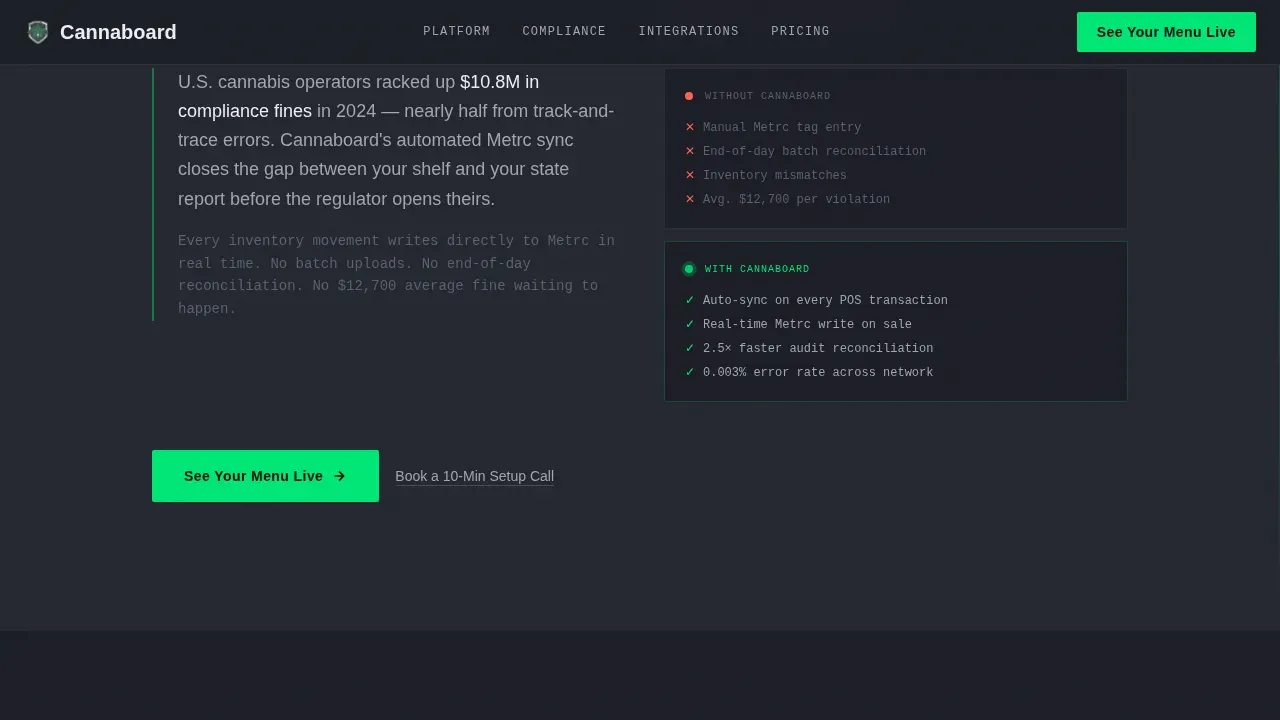
The primary call to action, "See Your Menu Live," appears three times across the page. It floats after the header stats, reappears after the compliance metric mid-scroll, and anchors the final section beside a device mockup. A secondary text link sits beneath each instance for visitors already sold. No credit card required messaging can be placed alongside each call to action to reduce friction.
POS Integration Section
A dedicated section displays point-of-sale integration logos, giving operators confidence that the software connects to the systems their dispensary already runs. This section answers the integration question before a visitor has to ask it, reducing drop-off before the final call to action.
Industrial Dashboard Visual System
The template uses a Monochrome Steel color system: gunmetal base, brushed aluminum mid-tone, terminal white for data text, and a single electric-green accent for live-status indicators and primary calls to action. Typography pairs DM Sans for body and headings with IBM Plex Mono for metrics, giving every number a clinical, data-terminal weight.
Developer-Minimal Footer
The footer follows a clean, minimal pattern with no decorative elements. It keeps the page focused and professional without pulling attention away from the conversion path. Essential links and legal text store cleanly in a compact layout.
Page sections overview
| Section | Purpose |
|---|---|
| Stats Hero Header | Display live dispensary metrics and strain ticker to establish product credibility immediately |
| Dwell Time Reveal | Punch-then-explain scroll reveal showing customer dwell time reduction stat |
| Compliance Metric | Highlight the 0.003% compliance error rate with a short mechanism explanation |
| Revenue Lift Reveal | Display 23% revenue lift per location stat beside a device mockup |
| Integration and call to action | Show point-of-sale integration logos and deliver the final demo call to action |
| Minimal Footer | Store legal links and contact details in a clean, distraction-free layout |
Design & branding system
The visual identity is built around the Dashboard Pro theme with a Monochrome Steel palette. Every color choice is intentional. Nothing is decorative. The design feels like a matte-black commercial screen mounted on a dispensary wall, built to display data and nothing else.
- Colors: gunmetal base (#1C1E26), brushed aluminum mid-tone (#A0A4B0), terminal white (#EAEDF3) for data, electric green (#00E676) for live indicators and calls to action only
- Typography: DM Sans for all body copy and headings; IBM Plex Mono for metrics and data readouts to reinforce a clinical, terminal feel
- Motion: high-intensity animationIn scroll reveals, IntersectionObserver step activation, GPU-accelerated transforms, pulsing green dots, and a marquee strain ticker all create a living digital signage feel
Mobile & speed optimization
This template is desktop-first, reflecting the primary audience of dispensary operators working at desks and tablets. Mobile support is included so the page remains fully usable across device types.
- GPU-accelerated transforms and will-change properties on animated elements keep scroll reveals smooth on high-density screens
- The layout is fully responsive, allowing the dashboard mockup and metric blocks to reflow cleanly on smaller screen sizes without losing readability
How this template helps you convert
This template is engineered to move visitors from skeptical to convinced through evidence before asking for a click. The conversion architecture is deliberate and layered.
- The header stats section places a clear call to action above the fold immediately after the metric wall, following proven above-the-fold action principles for dispensary software landing pages
- The compliance and revenue-lift reveals build a cumulative proof case, so visitors arrive at the final call to action already persuaded by the data they have seen
- No form fields appear anywhere on the page, removing friction entirely and routing all engagement to a single interactive demo click that pre-loads with sample dispensary data
Other information about this template
This template is a strong fit for teams building or marketing digital menu board software in the cannabis dispensary space. It was designed to help operators understand a digital menu board solution in seconds, not minutes. The layout can support multiple screens in a dispensary environment by demonstrating how the software manages menus across locations from one centralized platform.
- The template can be utilized to highlight promotions, news, videos, and product category pages alongside live inventory data
- Digital signage solutions built on this template style can display engaging content including videos and images on led screens and commercial-grade displays
- The design team can customize brand colors and typography without rebuilding the layout from scratch, keeping maintenance minimal
- A support team demo flow and "no credit card required" message can be added to each call-to-action block to further reduce visitor hesitation
- The Cannaboard real time dispensary menu dashboard landing page template is available as a ready-to-launch starting point for cannabis tech founders who want to elevate their site's first impression without starting from zero
Theme
Dashboard Pro
Creative direction
Stats-First Impact
Color system
Monochrome Steel
Style
Scroll Reveal (Progressive)
Direction
Click-Through
Page Sections
Stats-first Hero Dashboard Display
Scroll-reveal Punch-then-explain Sections
Triple Call-to-action Architecture
POS Integration Logo Section
Industrial Monochrome Steel Visual System
Developer-minimal Animated Footer
Related questions
Does this template include a form or signup flow?
Can I customize the colors and data metrics shown in the template?
Is this template suitable for a dispensary running multiple locations?
What sections are included in the page?
Does the template include scroll animations and live data effects?



