Cannabis Software & SaaS Cost Calculator Website Template
Cannatrack is a compliance-first cannabis inventory management landing page template built for operators who can't afford discrepancies. It leads with a live shrinkage cost calculator, walks visitors through seed-to-sale tracking scenarios, and drives clicks toward a personalized demo. The Void and Violet design system makes every reconciled number feel like a win.
by Rocket studio
Quick summary
Cannatrack is a single-page template designed for cannabis inventory management platforms. It opens with an interactive shrinkage cost calculator, then guides visitors through a split-screen walkthrough that contrasts manual chaos with automated reconciliation. The page closes with persistent call-to-action bars that route visitors directly to a demo environment seeded with their own calculator inputs.
Who this template is for
This template is built for software companies and platform teams serving cannabis operations professionals. If your product helps operators stay audit-ready and inventory-accurate, this page speaks directly to your buyers.
- Dispensary operations managers who are buried in spreadsheet reconciliation and manual counts
- Multi-state cannabis operators managing different regulatory frameworks across multiple state markets
- Cultivation facility directors who track harvest batches and need shrinkage numbers that actually add up
What problem this template solves
Cannabis inventory management carries real regulatory weight. A single unreconciled discrepancy can trigger a state audit. Most operators are using manual processes that can't keep pace with compliance requirements, and they often don't know how much those gaps are costing them until it's too late.
- No clear way to quantify the financial cost of inventory variance before committing to a solution
- Manual workflows create METRC tag sync errors and harvest batch reconciliation failures
- Compliance anxiety grows as audit-readiness dashboards remain empty or out of date
What you get with this template
You get a fully structured, single-page landing page template built around a calculator-first persuasion flow. Every section is designed to escalate urgency and prove platform value before asking for any commitment.
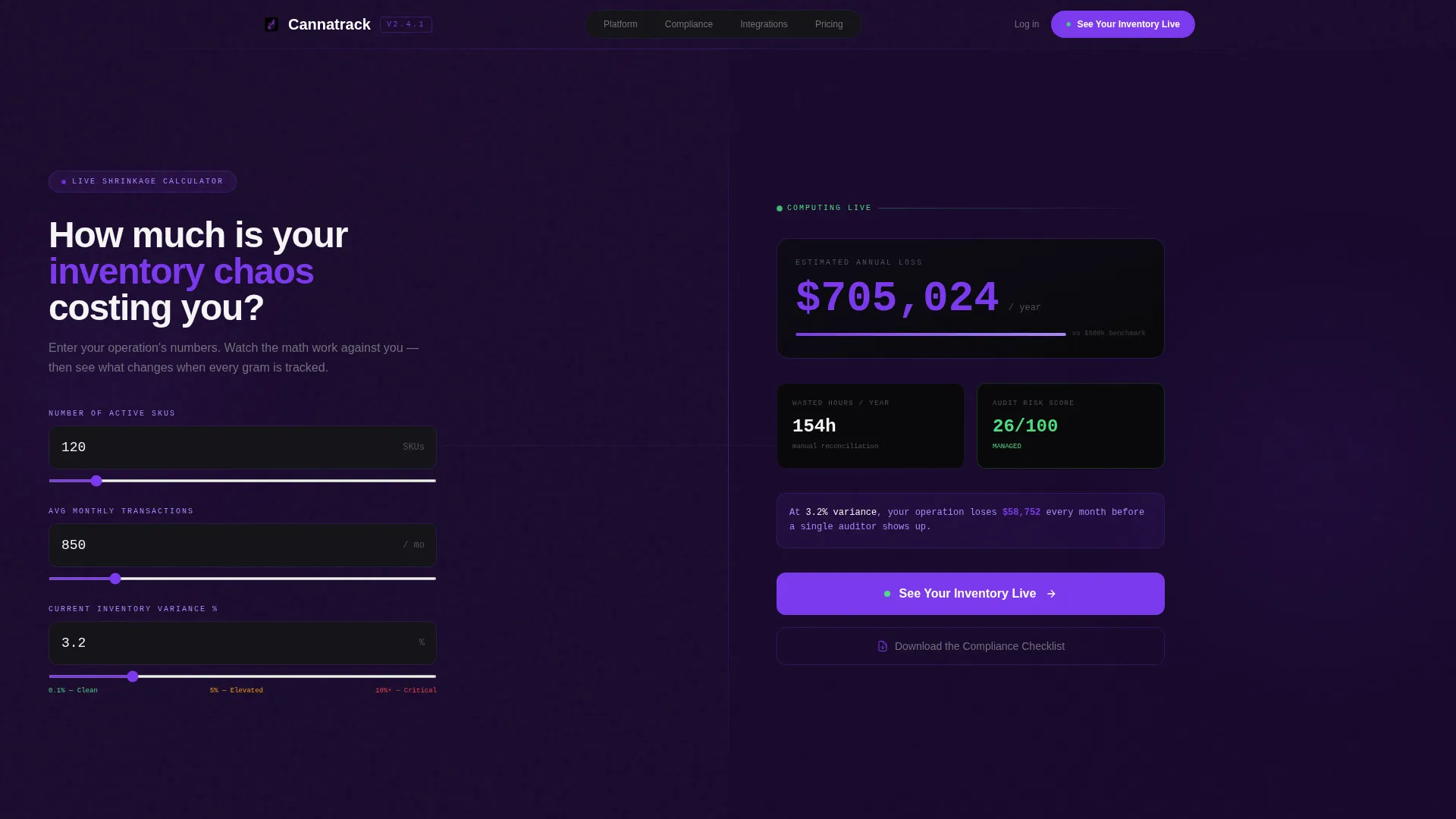
- A live shrinkage cost calculator in the header that accepts SKU count, monthly transaction volume, and inventory variance percentage as inputs
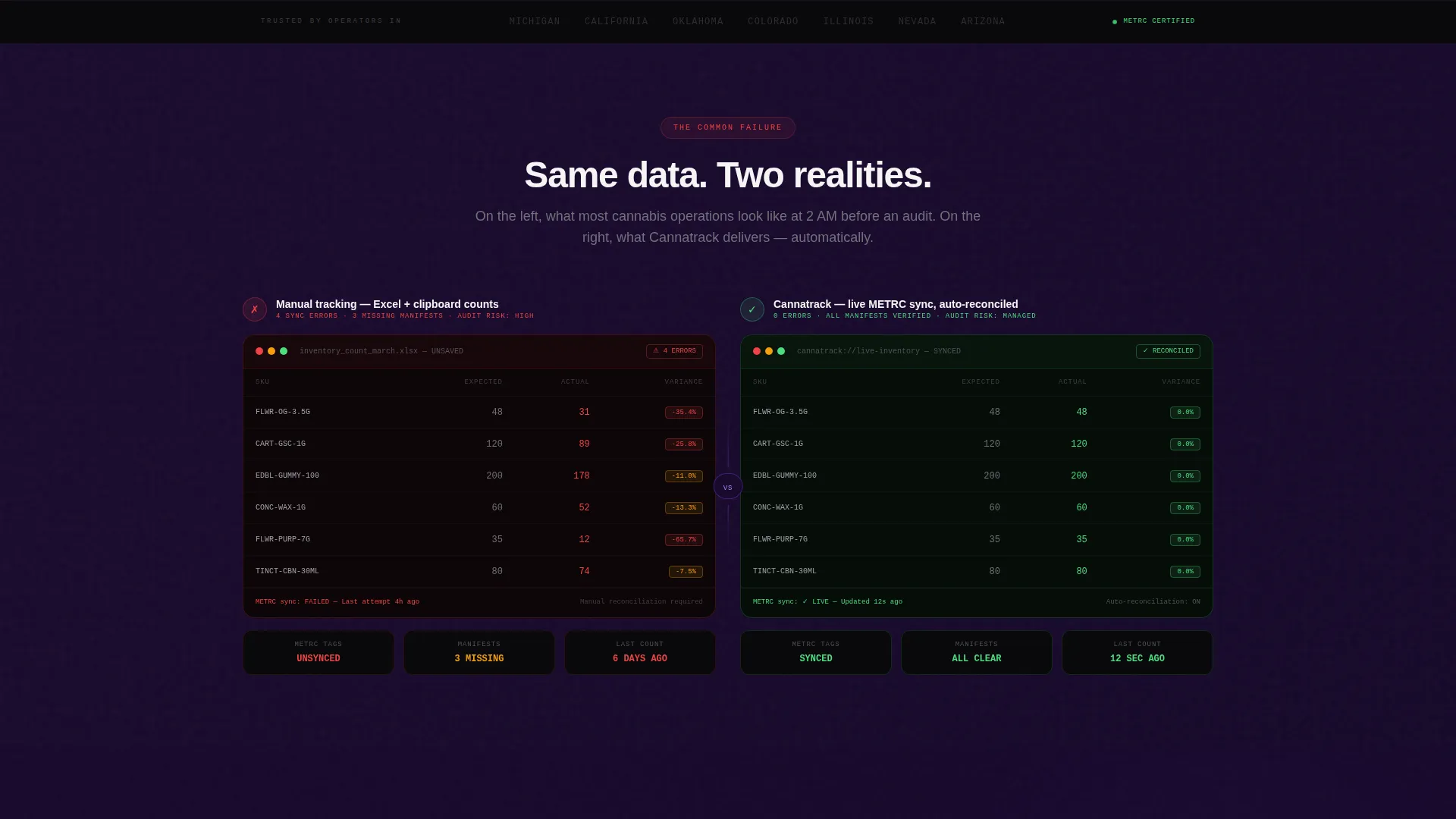
- A split-screen scroll walkthrough that shows error-state manual workflows alongside reconciled platform views
- Two clearly positioned calls to action: a primary demo click and a secondary compliance checklist email capture
Feature list
This template is built around a specific set of functional and visual components drawn directly from the source brief. Each one plays a role in the persuasion flow.
Live Shrinkage Cost Calculator
The header is split 50/50. The left side accepts three visitor inputs: number of stock-keeping units (SKUs), average monthly transactions, and current inventory variance percentage. The right side instantly renders estimated annual loss in dollars, wasted compliance hours, and an audit risk score. All three outputs animate in real time as inputs change, with counter-spin number transitions and violet particle trails on each recalculation.
Split-Screen Scroll Walkthrough
After the calculator delivers its result, the page transitions into a paired visual comparison. The left panel renders the common failure state: manual counts, spreadsheet chaos, and METRC tag sync errors shown as actual error-state interface elements. The right panel shows the same scenario inside the platform, automated, reconciled, and confirmed with phosphor green indicators.
Escalating Compliance Scenario Sections
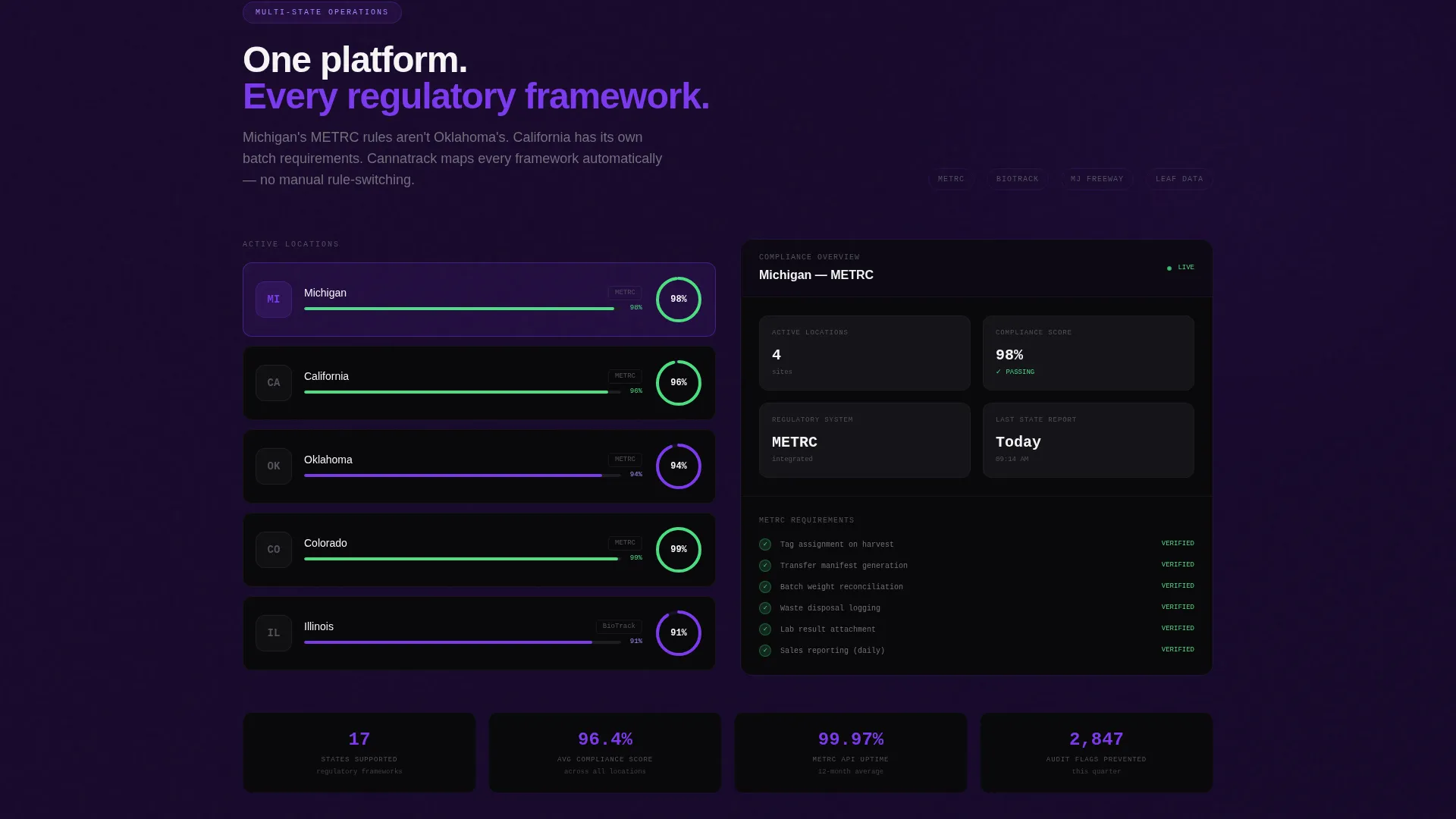
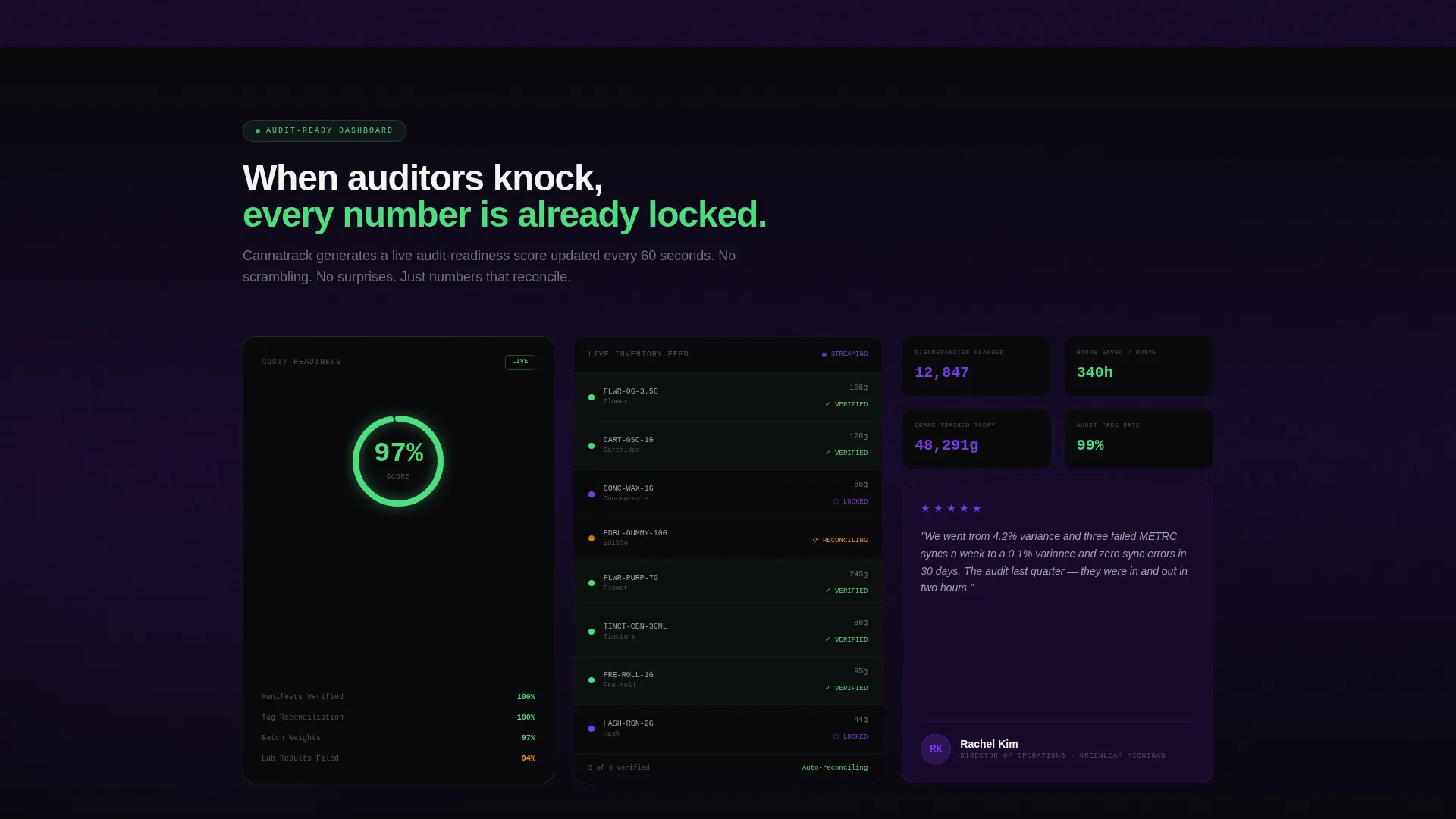
The walkthrough does not stay at one level. Each scroll section raises the operational stakes. Sections move through single-store tracking, multi-location consolidation, state-to-state compliance mapping, and real-time audit-readiness dashboards in sequence, matching the complexity profile of the target buyer.
Viewport-Triggered Data Animations
Data visualizations build themselves as they enter the viewport. Inventory counts tick upward, compliance meters fill progressively, and every animation is designed to reinforce that the platform is active and monitoring continuously. Motion is constant but purposeful throughout.
Persistent Call-to-Action Bar
The primary call to action, "See Your Inventory Live," appears first beneath the calculator results. It then reappears as a fixed bottom bar after the second scroll section. There is no form on this page. The click routes to a demo environment pre-seeded with the visitor's calculator inputs.
Secondary Email Capture call to action
A secondary call to action, "Download the Compliance Checklist," is placed for visitors who are not ready to demo but are deep enough in regulatory concern to want a resource. It captures an email address from a high-intent segment without requiring a full demo commitment.
Page sections overview
| Section | Purpose |
|---|---|
| Calculator Header Split | Quantify visitor shrinkage loss and audit risk in real time |
| Primary call to action Block | Route calculator-primed visitors to a seeded demo environment |
| Manual versus. Platform Split | Contrast error-state manual workflows with reconciled platform views |
| Persistent call to action Bar | Re-engage scrollers with a fixed demo prompt after section two |
| Single-Store Tracking | Demonstrate core seed-to-sale inventory tracking for one location |
| Multi-Location Consolidation | Show how the platform handles multiple dispensary locations at once |
| State Compliance Mapping | Address multi-state regulatory framework differences visually |
| Audit Readiness Dashboard | Present real-time compliance status and flagged discrepancy views |
| Compliance Checklist call to action | Capture emails from visitors seeking a compliance resource |
Design & branding system
The visual identity uses a Dynamic Motion theme built on the Void and Violet color system. The palette is designed to feel like a monitored server room: precise, active, and nothing left untracked.
- Void black (#09090B) dominates all backgrounds and primary panels; deep space purple (#1A0A2E) layers depth into cards and secondary surfaces; electric violet (#7C3AED) drives every interactive element and data highlight
- Phosphor green (#4ADE80) appears exclusively for positive-state indicators and success confirmations, such as when inventory counts reconcile or compliance meters complete
- No stock photography appears anywhere on the page; the visual language is entirely data-driven, using raw numbers, error-state interface mockups, and animated compliance meters
Mobile & speed optimization
The template is built with a responsive layout so the split-screen structure adapts cleanly across screen sizes. Viewport-triggered animations are scoped to sections rather than running continuously on load.
- The 50/50 split header and scroll walkthrough panels reflow to stacked layouts on smaller screens without losing their persuasion sequence
- Animations trigger only as each section enters the viewport, keeping the page from loading all motion assets simultaneously
How this template helps you convert
The calculator-first structure is designed to make every visitor self-qualify before they ever read a feature headline. By the time they reach the call to action, they have already seen their own loss number rendered in violet.
- The shrinkage calculator delivers a personalized gut-punch loss estimate in real time, making the cost of inaction concrete and visible before any marketing copy does the talking.
- The demo click is pre-seeded with the visitor's calculator inputs, so the first thing they see in the demo environment reflects their own operational reality rather than a generic product tour.
Other information about this template
This template is designed specifically for the cannabis software and SaaS category, where regulatory complexity and inventory compliance are core buying motivators. It is optimized for a click-through landing page direction, meaning the entire page is built to drive a single high-intent action rather than close a sale on the page itself.
- The template style is Split Screen (50/50), a layout choice that reinforces the before-and-after narrative running through every scroll section
- The header concept is Calculator/Estimator, a proven lead-in format for software products where the cost of the problem is not immediately obvious to the buyer
- The creative direction is Calculator/Tool First, meaning the tool does the persuasion work and the rest of the page supports the conclusion the visitor has already reached
- The theme is Dynamic Motion, with all animations tied to data state changes rather than decorative transitions
Theme
Dynamic Motion
Creative direction
Calculator/Tool First
Color system
Void & Violet
Style
Split Screen (50/50)
Direction
Click-Through
Page Sections
Live Shrinkage Cost Calculator
Split-screen Compliance Walkthrough
Escalating Scenario Scroll Sections
Viewport-triggered Data Animations
Persistent Demo Call-to-action Bar
Secondary Compliance Checklist Capture
Related questions
Does this template include a working calculator?
Can I use this template without a demo environment to link to?
Is this template suitable for a single-product cannabis software launch?
Can the split-screen layout adapt for mobile screens?
Does the compliance checklist section require a third-party email tool?



