IoT & Hardware Professional Website Template
Canopy is a smart agriculture IoT landing page template built for precision farming platforms. It features an interactive hub-and-spoke layout with anchor navigation across five data modules, a full-width dashboard screenshot header, and a dark heads-up-display visual identity. The design guides farm operations managers, vineyard owners, and ag consultants toward a live demo with zero friction.
by Rocket studio
Quick summary
Canopy is a single-page landing page template designed for intelligent farm management platforms. It opens with a full-width dashboard screenshot and leads visitors through five interactive data spokes, Soil, Weather, Irrigation, Scouting, and Yield. The layout is built to earn a demo click by letting visitors experience the product before committing.
Who this template is for
This template is built for teams marketing smart agriculture technology to professional growers and farm operators. It speaks directly to buyers who make high-stakes decisions under time pressure and thin margins.
- Operations managers running large-scale row crop farms who need a platform overview that respects their time
- Vineyard owners tracking microclimate shifts and brix readings who want proof of precision before booking a call
- Ag consultants managing multiple client farms who need to see how one tool can handle many operations at once
What problem this template solves
Farm management platforms are complex. A traditional landing page with bullet-point feature lists fails to communicate the intelligence behind the product. Visitors leave before they understand what the platform actually does.
- Static pages cannot convey real-time data behavior or the feeling of a live control room
- Enterprise buyers need to touch the product before they trust it enough to request a demo
- Platforms serving multiple buyer personas struggle to speak to all of them without losing focus
What you get with this template
You get a fully structured, single-page landing page with a hub-and-spoke anchor navigation system. Every section is purpose-built to move a visitor from curiosity to confidence.
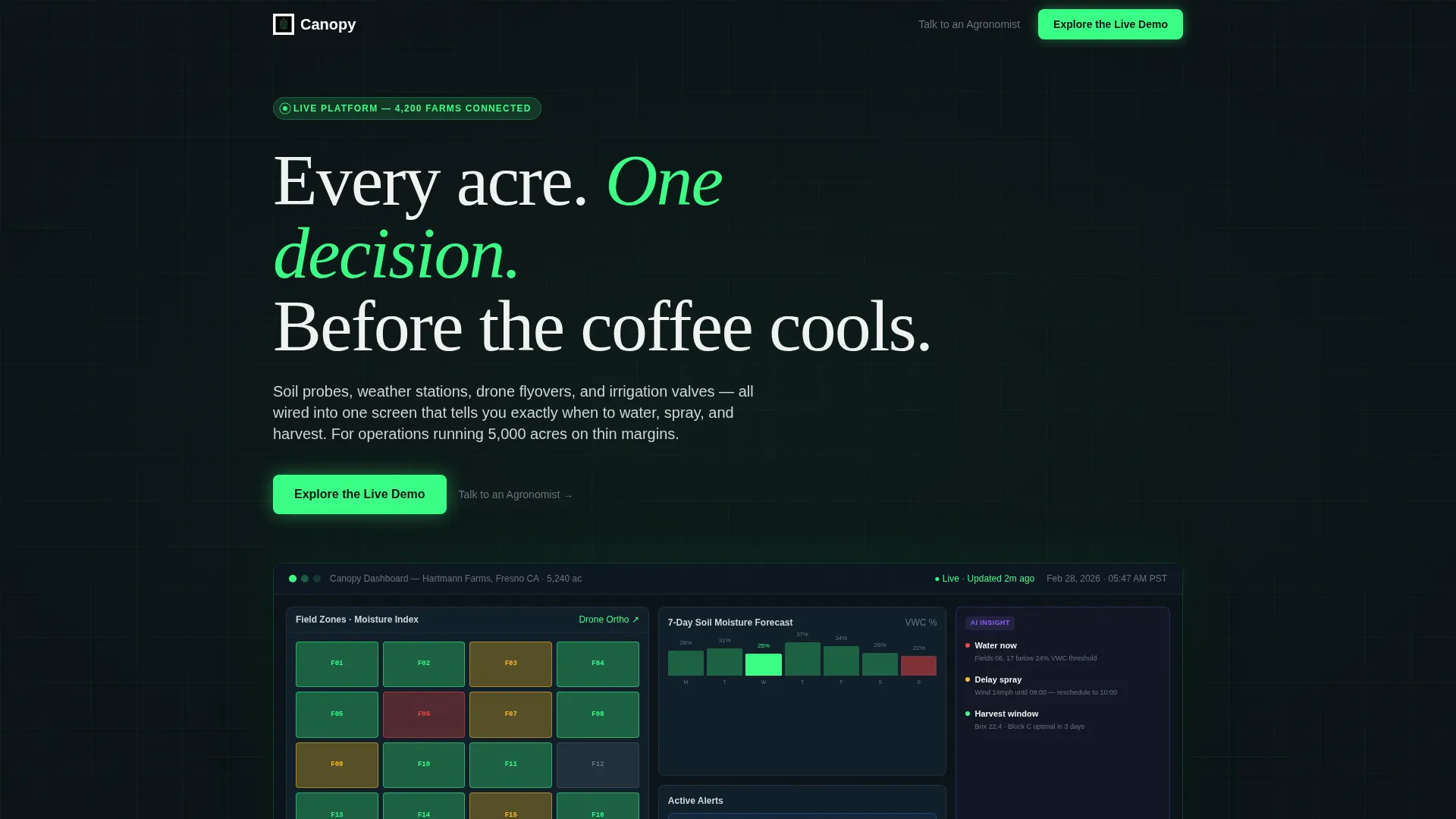
- A full-width product screenshot header showing the Canopy dashboard with live alert badges, a moisture forecast graph, and a drone thumbnail
- Five interactive spoke sections covering Soil, Weather, Irrigation, Scouting, and Yield, each escalating from raw data to actionable insight
- A click-through conversion layout with a primary "Explore the Live Demo" call-to-action and a secondary "Talk to an Agronomist" text link beneath each section
Feature list
This template is built around specific design and interaction decisions that reflect how precision agriculture buyers evaluate tools.
Full-Width Dashboard Screenshot Header
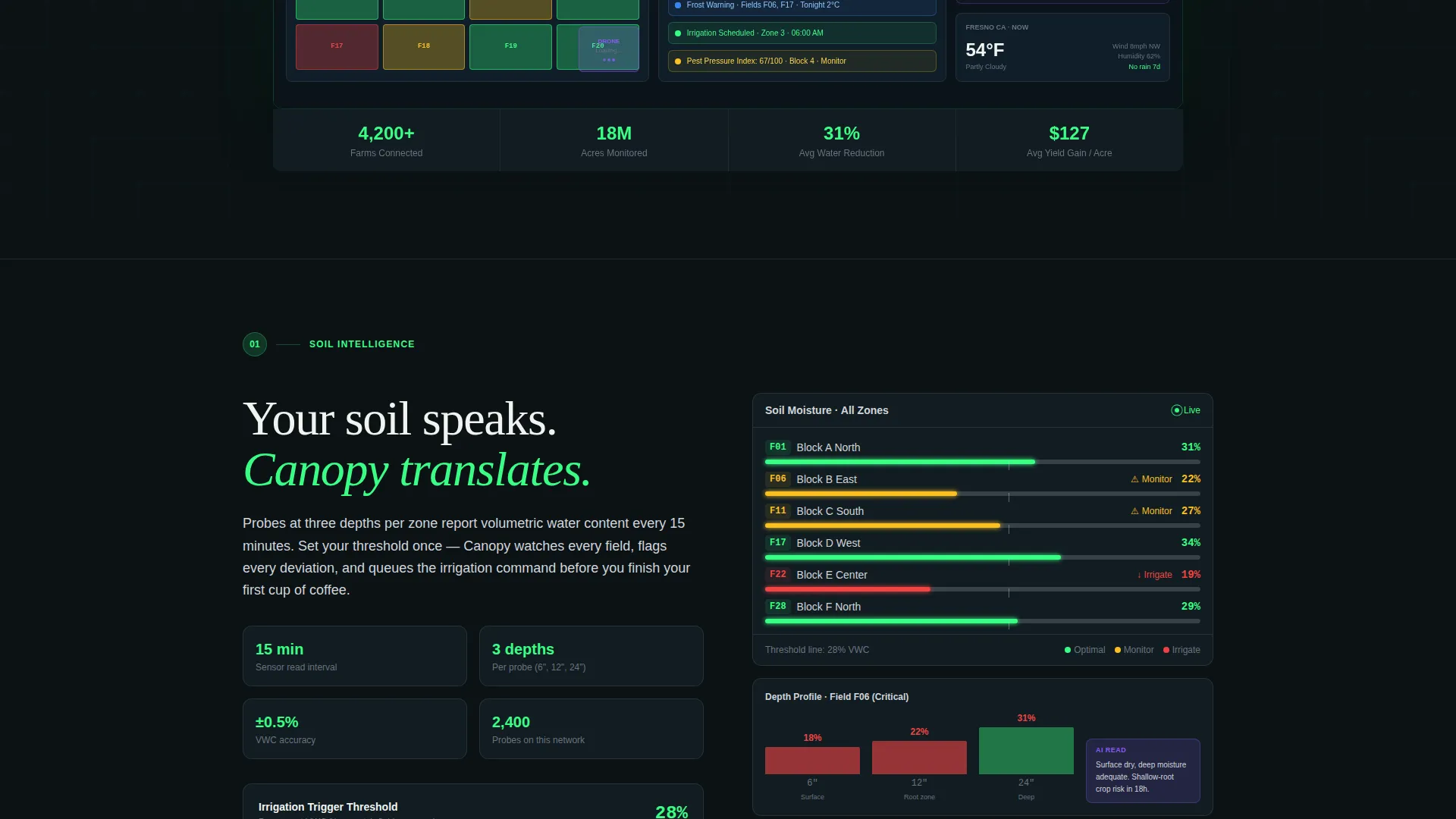
The header renders the Canopy dashboard at native resolution with no mockup frame or device bezel. It shows color-coded field zones, a seven-day moisture forecast graph, three active alert badges, and a drone orthomosaic thumbnail. A subtle animated pulse on one alert badge makes the interface feel live.
Anchor Navigation with Five Data Spokes
A sticky anchor navigation bar pins to the top of the page with five labeled sections: Soil, Weather, Irrigation, Scouting, and Yield. Each spoke is a self-contained module that follows the rhythm of input, analysis, and action, building the case for the platform's intelligence layer by layer.
Interactive Module Previews
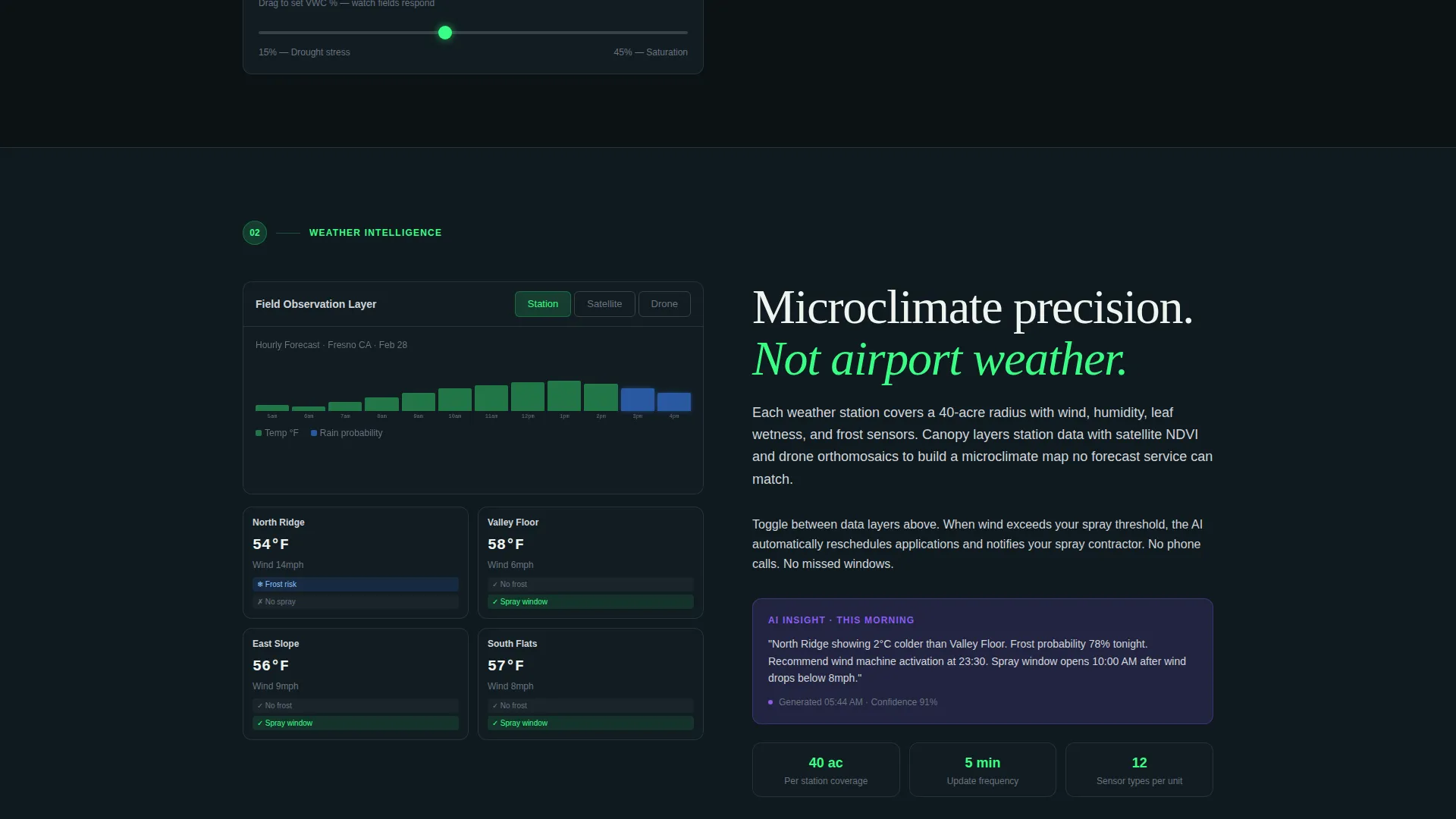
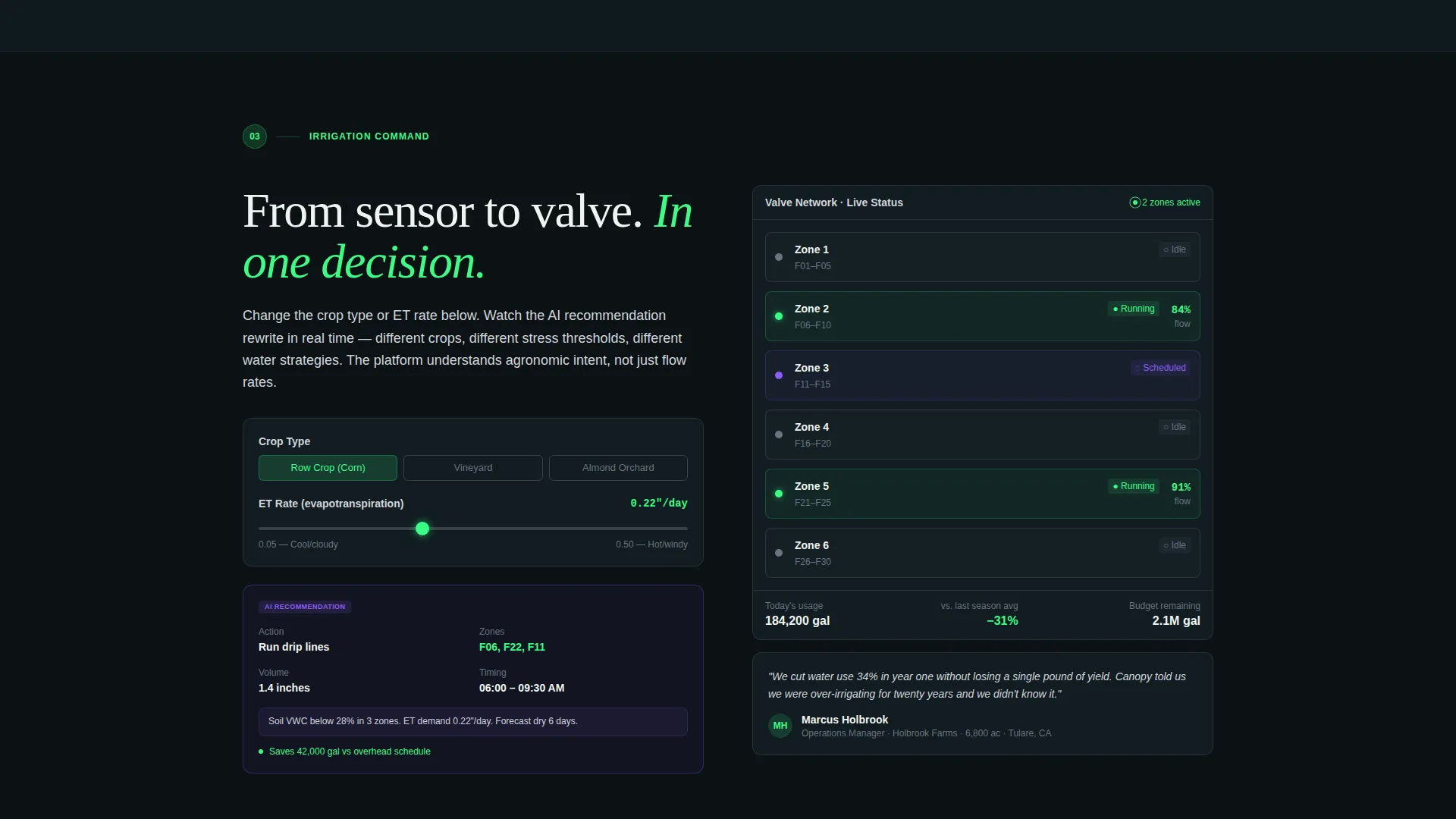
Each spoke section includes a simplified interactive element. Visitors can drag a moisture threshold slider to trigger a simulated irrigation command, toggle between satellite and drone field views, and watch an AI recommendation card rewrite itself as inputs change.
Persistent Floating Call-to-Action
After the first spoke interaction, a floating "Explore the Live Demo" button appears and stays visible throughout the rest of the page. This persistent element reduces the distance between intent and conversion without interrupting the scroll experience.
AI Insight Callout System
Spectral violet callout cards surface AI-driven recommendations at the right moment within each spoke. They appear only when the simulated AI has something to say, reinforcing the platform's intelligence without cluttering the interface.
Secondary Enterprise Conversion Path
A "Talk to an Agronomist" text link sits beneath every primary call-to-action. This gives enterprise buyers a lower-commitment entry point without competing with the primary demo click goal.
Page sections overview
| Section | Purpose |
|---|---|
| Dashboard Header | Opens with the full product screenshot and primary call-to-action |
| Anchor Navigation Bar | Pins to top, links to all five data spoke sections |
| Soil Module Spoke | Shows moisture data input, analysis, and irrigation trigger simulation |
| Weather Module Spoke | Presents station data and AI forecast interpretation |
| Irrigation Module Spoke | Demonstrates schedule logic and simulated valve command output |
| Scouting Module Spoke | Toggles satellite and drone field views with pest pressure context |
| Yield Module Spoke | Connects harvest timing recommendations to real input data |
| Persistent Demo Button | Floating call-to-action that appears after first spoke interaction |
Design & branding system
The visual identity follows a heads-up-display aesthetic built for readability in bright outdoor conditions. Every color choice serves a functional role in the interface hierarchy.
- Deep field black (#0B1215) covers the primary background, spectral violet (#8B5CF6) marks AI-driven insight callouts, bioluminescent green (#39FF85) pulses on live data accents and active states, and morning fog gray (#D1D5DB) handles secondary text and divider lines
- The palette reads like a control room display projected at dawn, dark enough to stay legible in direct sunlight, bright enough to signal live intelligence
- Green pulses wherever data is fresh; violet appears only when the AI has a recommendation to surface
Mobile & speed optimization
The template layout is structured to remain readable and navigable on smaller screens without losing the immersive control-room feel.
- The sticky anchor navigation collapses cleanly so spoke sections remain reachable by touch
- Interactive module elements such as the moisture threshold slider and the field view toggle are designed for touch input as well as mouse interaction
- The dark background system reduces visual noise on mobile displays and keeps data accents legible at smaller sizes
How this template helps you convert
The entire page is structured as a click-through funnel toward a live interactive demo environment, with no form barrier on the landing page itself.
- The full-width dashboard header earns immediate attention and credibility by showing the real product interface before a single line of marketing copy appears
- Each interactive spoke section turns passive reading into active product exploration, so visitors arrive at the demo click already convinced rather than merely curious
- The persistent floating button and the "Talk to an Agronomist" secondary link together serve both self-serve buyers ready to explore and enterprise buyers who want a human conversation first
Other information about this template
This template is part of the Dashboard Pro theme family and uses the AI Iridescent color system to distinguish it from standard agricultural marketing pages. A few additional details worth noting:
- The template style is Hub and Spoke with Anchor Navigation, making it straightforward to adapt spoke labels to different platform module names
- The Interactive Explorer creative direction means the page is built around visitor-driven discovery rather than top-down storytelling
- The header concept is a Product Screenshot, not an illustration or stock photo, which sets an expectation of authenticity from the first second
- The landing page direction is Click-Through, meaning no lead capture form appears on the page itself; conversion happens in the demo sandbox
- The template fits the Smart Agriculture IoT niche within the broader IoT and Hardware subcategory of the Technology category
Theme
Dashboard Pro
Creative direction
Interactive Explorer
Color system
AI Iridescent
Style
Hub & Spoke (Anchor Nav)
Direction
Click-Through
Page Sections
Full-width Dashboard Screenshot Header
Sticky Anchor Navigation with Five Spokes
Interactive Module Previews Per Spoke
Persistent Floating Demo Button
AI Insight Callout Cards
Dual Conversion Path Design
Related questions
Does this template include a contact form or lead capture form?
Can I rename the five spoke sections to match my platform's modules?
Is the animated alert badge pulse a live data connection?
Is this template designed for teams marketing to multiple buyer types?
What page type is this template, a single page or a multi-page site?



