Photography Studio Client Testimonials Mosaic Website Template
Shutter is a photography studio testimonials landing page built on an Electric Indigo palette. It turns real client stories into a living, cursor-reactive mosaic grid, pairs them with count-up stats, filterable testimonial cards, and a muted video feature, then drives every visitor toward a clear app download call to action. Mobile-first, visually bold, and packed with social proof.
by Rocket studio
Quick summary
This template is a single-page testimonial experience designed for photography studios that rely on social proof to drive app downloads. It opens with an interactive mosaic header, moves into massive count-up stats, filters client stories by session type, surfaces a muted video testimonial, and finally closes with a floating download bar. Every section is built to earn trust and turn curiosity into action.
Who this template is for
Photographers finally ready to let real results do the talking will find this template a natural fit. It is built for studios whose strongest asset is not a polished portfolio page but the weight of genuine client reactions captured in their own words. If you are taking bookings across wedding, portrait, commercial, and family sessions, this page organises all of that story into one compelling scroll.
- Brides comparing studio portfolios late at night who need strong social proof before they commit
- Small business owners looking for headshots that feel authentic, not staged
- Family photographers whose clients rebook every autumn because the prints already hang on the wall
What problem this template solves
Most photography studio pages bury their best asset. The client story gets pushed below the fold, squeezed into a small quote block, or lost entirely behind a slideshow. Visitors arrive, scan a few photo samples, and leave without the emotional confirmation they were looking for. That is the wrong approach for a studio whose reputation is built on trust.
- Testimonials are supposed to lead the experience, not support it from the bottom of the page
- Stats like average rating, total reviews, and rebooking percentage are supposed to hit first, not last
- Visitors need to read real words from real clients before any download prompt feels earned
What you get with this template
You get a fully structured single-page layout that puts overwhelming social proof at the centre of every scroll interaction. The page is developed around a dashboard and data grid style, so it reads like a living record of successful sessions rather than a static gallery. Each built-in section has a clear job, and together they create a logical path from curiosity to conversion.
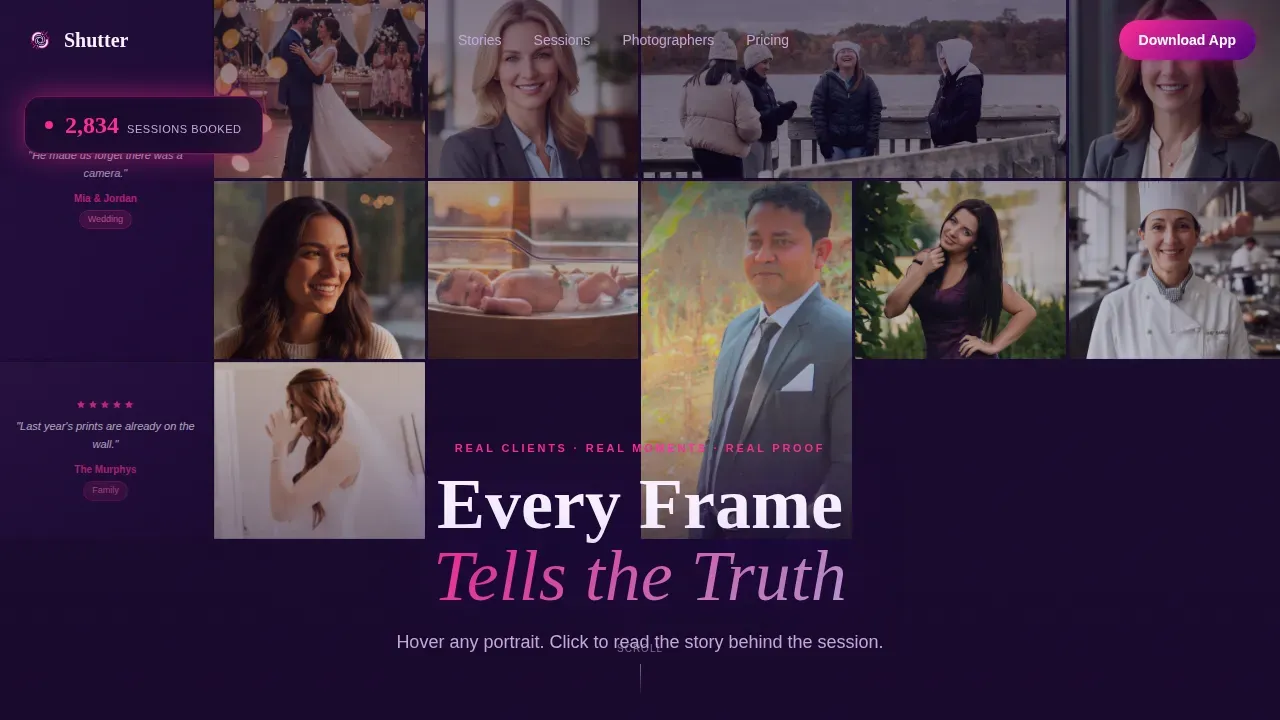
- An interactive mosaic header with cursor-reactive parallax tiles that flip to reveal star ratings and one-line quotes
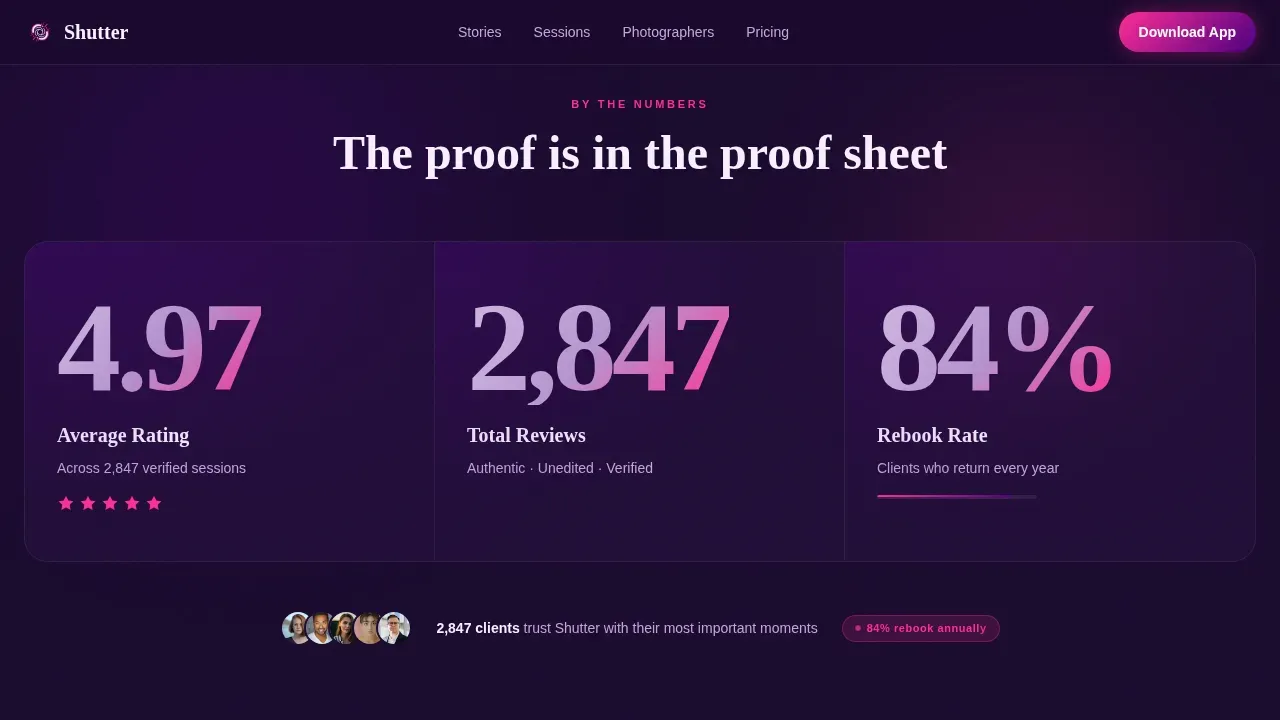
- A stats impact row with three count-up numbers: average rating, total reviews, and rebooking percentage
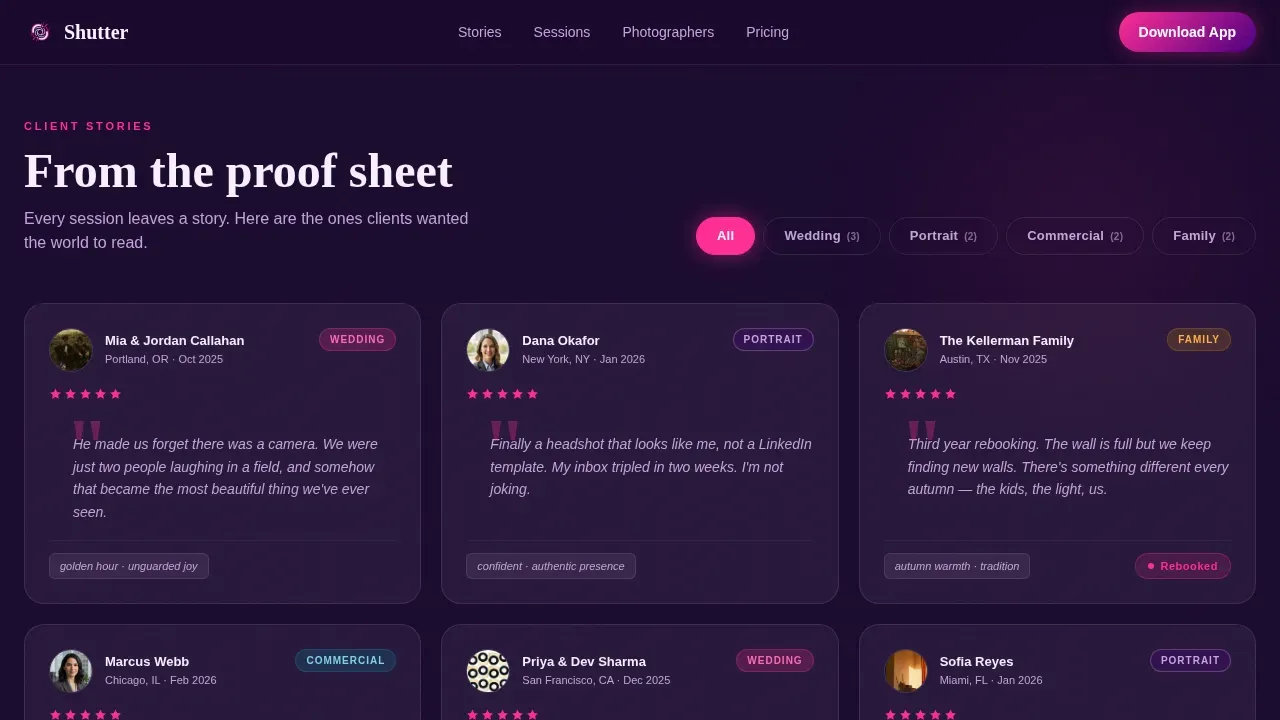
- Filterable testimonial cards organised by session type, a muted autoplay video testimonial block, and a floating app download bar
Feature list
Every feature described below comes directly from the template brief. Nothing here is speculative. Each piece of functionality is already wired into the layout, so you can start customising without building from scratch.
Cursor-Reactive Mosaic Header
The header is a live mosaic grid of thumbnail portraits. Each tile responds to cursor movement with a subtle parallax technique. Tiles occasionally flip on their own to surface fresh testimonials. On hover, a star rating and one-line quote appear over each photo frame. A glowing live counter in the top-left logs a running total of sessions booked. This is the scene that greets every visitor, and it sets a strong first impression without a single static hero image.
Count-Up Stats Impact Row
Three massive numbers appear below the fold and count upward on scroll entry. Average rating, total reviews, and rebooking percentage each animate into view, and each number is larger than any photo on the page. This section creates immediate excitement and enthusiasm for the studio's track record before the visitor has read a single written testimonial. The animation is driven by Intersection Observer so the count only starts when the numbers are actually visible.
Filterable Testimonial Card Grid
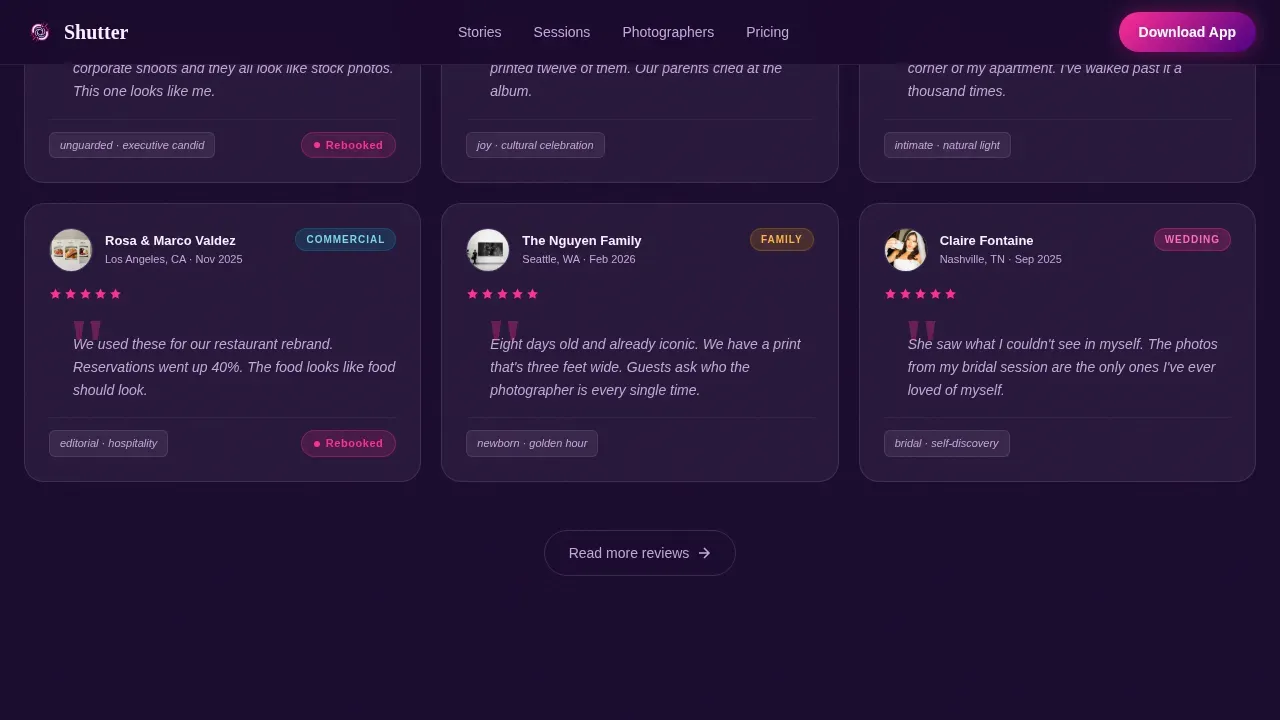
The main testimonial grid is organised by session type. Filter tabs let visitors sort cards by wedding, portrait, commercial, or family. Each card shows the client photo, their words, a session type tag, and a mood indicator for before-and-after context. The cards are developed to feel like proof sheets on a light table, easy to scan and honest in tone. This design makes it simple to find the story most relevant to your own situation.
Muted Autoplay Video Testimonial
Deeper in the scroll, a long-form video testimonial autoplays without sound. This technique keeps the page load feeling clean while still offering the intimacy of a real spoken account. Visitors who have already read several cards are finally ready for something longer and more personal. The video block takes the experience from data-driven to deeply human, turning a statistics-first page into a genuine dialogue between the studio and its future clients.
Floating App Download Bar
On mobile, a sticky bottom bar stays pinned throughout the scroll. It carries the primary call to action: "Download and Browse Portfolios." Device-frame mockups show the booking flow in context. App store badges are placed where they feel earned, after three full screens of social proof. A secondary "Read More Reviews" link deepens engagement before the download prompt surfaces again, making the action feel like a natural conclusion rather than an interruption.
Session-Type Tagging and Client Photo Cards
Every testimonial card accounts for the session context. Tags identify the session type so readers can filter by what matters to them. Client photos appear alongside quotes, giving each account a face and making the social proof feel grounded in real life. This tagging system means a bride scrolling at midnight and a CEO comparing headshot options can both find the specific kind of story that speaks to their situation.
Page sections overview
| Section | Purpose |
|---|---|
| Interactive Mosaic Header | Cursor-reactive photo grid with flip tiles, live star ratings, and a session counter |
| Stats Impact Row | Three count-up numbers driving immediate credibility |
| Filterable Testimonial Cards | Session-type-tagged client cards with photos and mood indicators |
| Video Testimonial Block | Muted autoplay long-form story card for deeper engagement |
| App Download Call to Action | Device mockups, app store badges, and floating mobile bar |
| Footer | Horizontal flow layout closing the page |
Design & branding system
The visual identity follows a Directory and Discovery theme built on an Electric Indigo palette. The overall feel is a UV darkroom: luminous, magnetic, and slightly charged against deep violet. Fraunces handles all display typography, bringing an editorial weight to headings that suits a studio built on craft. DM Sans handles body text, keeping longer passages clean and easy to read. Electric magenta sparks across ratings, counters, and hover states, giving every interactive moment a jolt of energy.
- Deep darkroom violet (#1A0A2E) as the base background, charged indigo (#4B0082) as the primary layer, soft exposure lilac (#C3A6D8) for secondary text, and hot flash white (#F8F0FF) for card surfaces
- Electric magenta (#FF2D95) applied to all accent states including star ratings, animated counters, and hover highlights
- Parallax scrolling effects, tile flip animations, staggered card reveals, and counter animations using CSS transforms for smooth GPU-accelerated rendering
Mobile & speed optimization
The page is built mobile-first, which is the right call for a studio whose core audience includes brides scrolling late at night on a phone. The floating bottom bar means the download call to action is always within reach, no matter how deep into the page a visitor scrolls. On desktop, the full mosaic grid gets space to breathe and showcase the cursor-reactive parallax in its best light.
- Intersection Observer triggers the count-up animations only when those numbers enter the viewport, keeping the initial load feeling sharp
- CSS transforms handle all tile flips and parallax movement, keeping animations on the GPU and out of the main thread
- Responsive design means the layout adapts across screen sizes without any section losing its core function or visual impact
How this template helps you convert
Positive testimonials influence potential clients' decision-making processes in ways that no photo gallery alone can match. This page is structured so that every scroll step builds more confidence, moving from raw numbers to personal stories to a direct download invitation. An effective landing page should have a clear and compelling call to action, and this one offers that call at multiple points without ever feeling pushy.
- The mosaic header turns every photo into an entry point for social proof, so visitors are reading real client words from the very first second they arrive on the page
- The count-up stats row delivers average rating, total reviews, and rebooking percentage in a format that is impossible to overlook, creating strong credibility before the visitor reads a single card
- The floating download bar and secondary "Read More Reviews" path work together as a two-stage conversion loop, giving hesitant visitors more story before surfacing the download prompt again
Other information about this template
This article covers a template designed to enhance the online presence of a photography studio by taking its strongest asset, real client stories, and making them the entire experience. Photography studio website templates are designed exactly for this purpose. Including testimonials on a landing page can improve conversion rates for photography services significantly, because social proof demonstrates quality in a way that no written claim can match.
The template draws on techniques common to successful photography studio website templates, including ready-made HTML page structure, social media integration support, and a contact-ready footer layout. Vibe coding allows users to create visually appealing websites without extensive coding knowledge, and this template supports that process by giving you a fully structured starting point. No-code platforms and AI-powered tools can assist with further customisation, making it easy to adapt the layout to your own studio brand without starting from scratch.
From a composition standpoint, the photo cards in this template follow strong visual advice: fill the frame, use backlighting to enhance your subject's appearance, and keep backgrounds clean. The best time to photograph outdoors is early in the day or late in the day for optimal light. These principles are baked into the mood of the card design. When shooting portraits, having the subject turn slightly rather than facing the camera directly creates a more natural, unguarded feel, which is exactly the kind of scene this template celebrates.
The Shutter Electric Indigo Photography Studio Testimonials Landing Page Template is a strong choice for studios that want to account for every stage of the visitor's trust-building journey. Readers arrive skeptical and leave convinced, not because the page makes big promises but because it lets real clients do the talking. The template is available to study, customise, and launch, and it offers everything a photography studio needs to turn its testimonials into its most powerful public asset.
- Social media integration points are built into the footer layout to support audience reach across platforms
- The template's books-style scroll depth, moving from numbers to narrative to video, mirrors the way magazines and editorial photo features guide readers through a story
- Responsive design is a key feature, allowing the page to adapt to various screen sizes without losing visual strength
- The template is developed to make it easy to write your own session tags, client quotes, and session type filters directly into the card components
Theme
Directory & Discovery
Creative direction
Stats-First Impact
Color system
Electric Indigo
Style
Dashboard/Data Grid
Direction
App Download
Page Sections
Cursor-reactive Mosaic Header
Count-up Stats Impact Row
Filterable Testimonial Card Grid
Muted Autoplay Video Testimonial
Floating App Download Bar
Session-type Tagging and Client Photo Cards
Related questions
Can I customise the session type filter tabs?
Does the mosaic header work on mobile devices?
Is the video testimonial section required?
How does the floating download bar behave on desktop?
What makes this different from a standard testimonials page?



