Senior Care Digital Presence Careers Website Template
A comparison table landing page built for senior living marketers who need ready-to-use social media templates fast. The page features an interactive phone mockup, tiered plan comparison, and a lead-capture form with a free content calendar offer. Everything is designed to help assisted living communities post consistently without hiring a designer.
by Rocket studio
Quick summary
This landing page template gives assisted living marketers a scroll-stopping showcase of a social media template library. Visitors explore branded carousels, caregiver recruitment graphics, and resident spotlight reels through an interactive phone mockup. A tiered comparison table and a lead-generation form with a free content calendar offer guide visitors from discovery to sign-up.
Who this template is for
Senior living marketing teams rarely have a dedicated designer on staff. This template was built with that reality in mind. It speaks directly to the people managing content across one property or forty, without the budget or bandwidth for custom creative work.
- Marketing directors overseeing multiple senior living communities who need brand-consistent posts at scale
- Solo activity coordinators who inherited a Facebook page and are figuring out content strategy on their own
- Franchise operators who require uniform visual branding across dozens of locations without a full design team
What problem this template solves
Posting inconsistent, outdated, or off-brand graphics is a real credibility risk for senior care communities. Families researching memory care or assisted living options judge quality by what they see on social media. This template gives marketers a structured, visual way to present a ready-made solution to that daily content pressure.
- Eliminates the time spent building social graphics from scratch each week
- Removes the guesswork around what to post, when to post it, and how it should look
- Helps operators maintain brand consistency across multiple properties without redundant design effort
What you get with this template
The page is built around an interactive experience that lets visitors touch, preview, and compare before committing. Every section deepens their understanding of what the template library delivers, and the lead-capture flow is short enough to feel effortless.
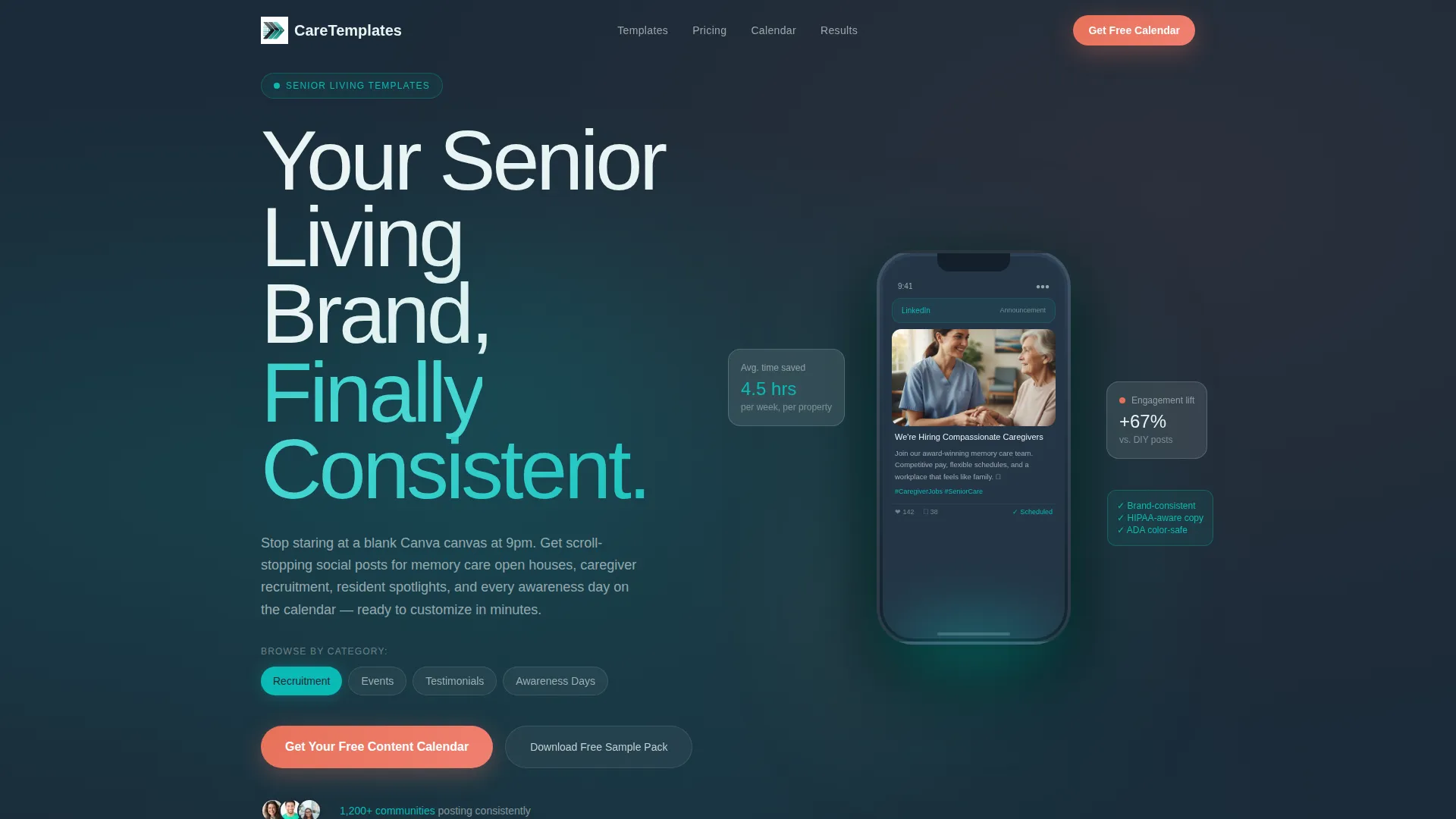
- An interactive phone-frame header that previews real template examples by category
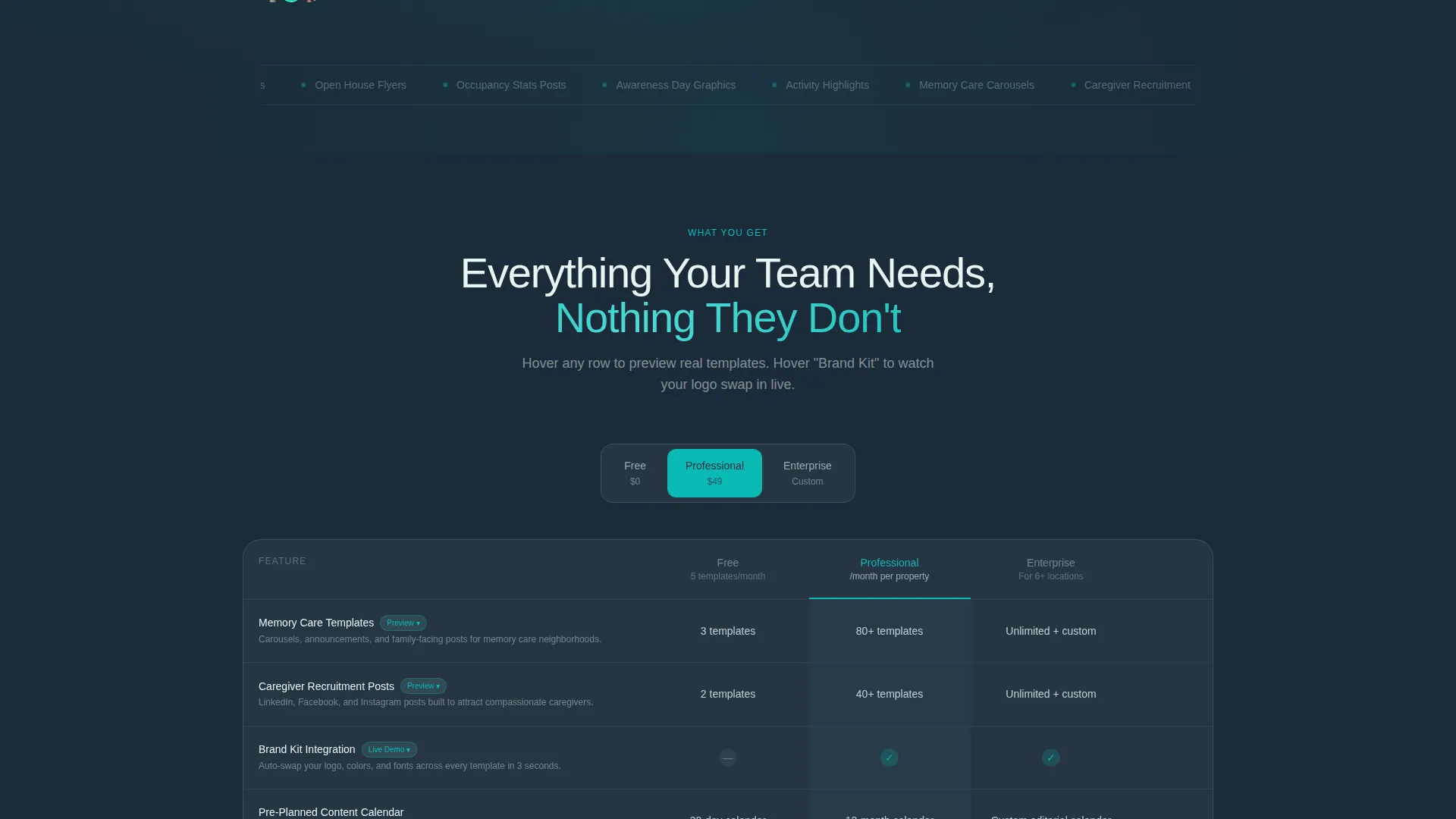
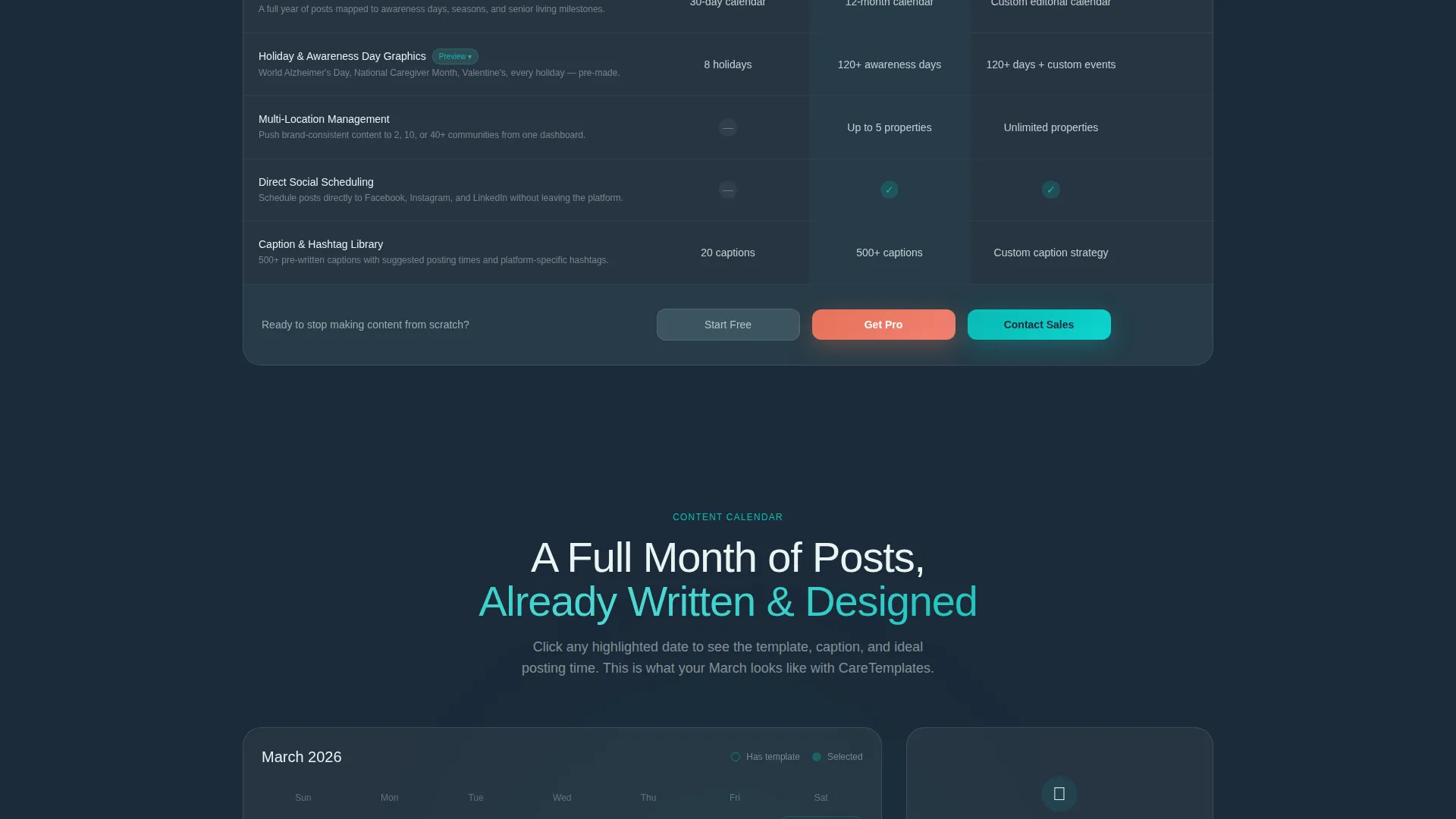
- A three-tier comparison table (Free, Professional, Enterprise) with hover-triggered mini-galleries and animations
- A frosted-glass modal form that collects community name, email, property count, and top content challenge
- A secondary path offering an instant free template pack download for lighter-intent visitors
Feature list
This section covers the core functional components built into the landing page template.
Interactive Phone Mockup Header
A live phone-frame mockup sits center-screen in the header. Visitors tap between template categories, including Recruitment, Events, Testimonials, and Awareness Days, and the phone fills with real styled examples. The frame floats on a frosted-glass surface with subtle parallax depth.
Three-Tier Comparison Table
A toggleable comparison table breaks down Free, Professional, and Enterprise plan differences row by row. Hovering over rows like "Memory Care Templates" expands a mini-gallery. Hovering over "Brand Kit Integration" triggers a short animation showing logo and color swaps in real time.
Interactive Content Calendar
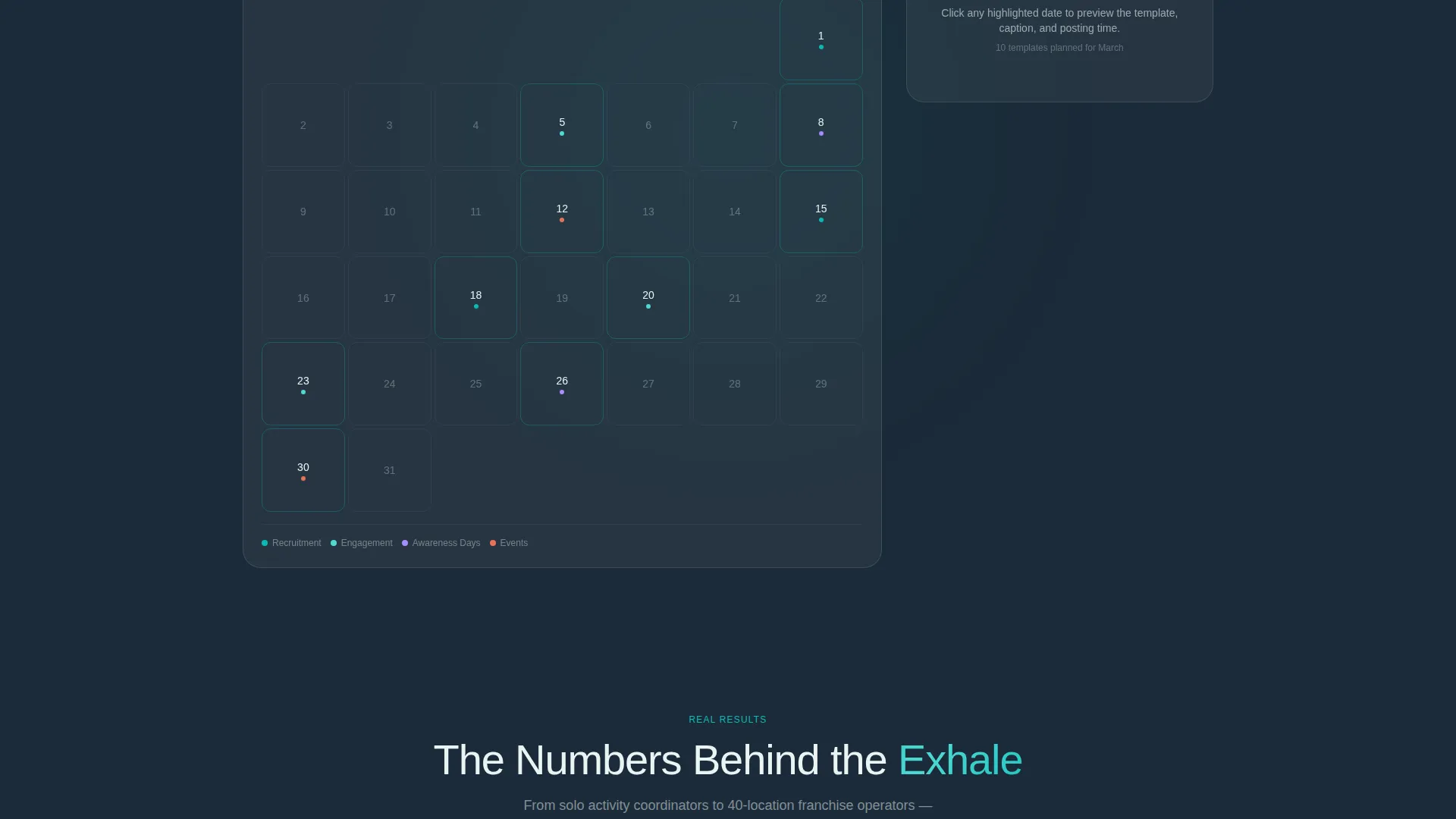
A full-month calendar below the comparison table shows pre-planned post ideas for every day. Clicking any date reveals the matching template, suggested caption, and recommended posting time. This gives visitors a concrete preview of the workflow they are buying into.
Lead Capture Modal Form
The primary call to action opens a frosted-glass modal form. It asks for community name first, which makes the experience feel personalized immediately. Follow-up fields cover email, number of properties, and a single-select prompt about the visitor's biggest content challenge.
Free Template Pack Download
A secondary conversion path lets visitors download a free template pack with only an email address. This captures lighter-intent leads who are not yet ready to book a demo but want proof the designs are worth their time.
Floating Teal call to action Button
After the first scroll, a teal "Get Your Free Content Calendar" button stays pinned on screen. It follows the visitor through the page, maintaining a constant low-friction path back to the lead form at any point during the session.
Page sections overview
| Section | Purpose |
|---|---|
| Interactive Header Preview | Showcase template categories inside a live phone mockup |
| Comparison Table Tiers | Let visitors toggle and compare Free, Professional, Enterprise plans |
| Content Calendar Explorer | Display a full month of pre-planned posts with clickable date details |
| Lead Capture Modal | Collect community info and content challenge via a short personalized form |
| Free Template Download | Offer an instant pack to capture email-only, lighter-intent visitors |
| Floating call to action Button | Keep the primary sign-up action visible throughout the full scroll |
Design & branding system
The visual identity uses a Tech Glass theme built on the Teal Catalyst color system. The palette balances clinical professionalism with the warmth that senior care content actually requires. It feels like a clean, modern interface without losing the human element.
- Deep interface charcoal (#1B2A38) grounds the layout and gives the page structural weight
- Catalytic teal (#0ABAB5) drives attention to interactive elements and primary navigation cues
- Frosted glass white (#EAF4F4) surfaces card areas, comparison cells, and the modal overlay for a layered, dimensional look
- Warm coral (#E8725A) is reserved exclusively for call-to-action buttons and urgency indicators throughout the page
Mobile & speed optimization
The interactive elements in this template are designed with a hands-on, touch-first mindset. Visitors on phones and tablets can tap through the phone-frame mockup and use the comparison table the same way desktop visitors do.
- The phone-frame header is tappable on mobile, with the same category-switching behavior available on touch screens
- The comparison table toggles and modal form are structured to work cleanly within narrow viewport widths
- The floating call to action button stays accessible regardless of scroll position or screen size
How this template helps you convert
Every section of this landing page is designed to move a visitor closer to taking action. The experience is built around progressive investment: the more someone explores, the more they feel ready to commit.
- The interactive header gives visitors an immediate hands-on preview, building confidence in the product before they read a single line of copy.
- The comparison table with hover animations turns passive reading into active product evaluation, which shortens the mental distance to a purchase decision.
- The dual conversion paths, one for high-intent leads and one for browsers, ensure that no visitor leaves the page empty-handed.
Other information about this template
This template is part of a senior care digital presence toolkit built specifically for the social media content needs of assisted living and memory care communities. It is designed to work within real marketing constraints, including limited staff, multiple locations, and rotating content calendars.
- The template style is a comparison table layout, optimized for showcasing tiered product or service offerings
- The creative direction follows an Interactive Explorer approach, where each scroll triggers a new layer of engagement
- The header concept is an Interactive Preview built around a phone-frame mockup with category navigation
- The primary lead-generation goal is collecting qualified contacts through a personalized short-form modal
- The page is themed in Tech Glass with a Teal Catalyst color system for a modern, trustworthy interface feel
- This template is suited for senior care social media template libraries, senior living content platforms, and caregiver marketing tools
Theme
Tech Glass
Creative direction
Interactive Explorer
Color system
Teal Catalyst
Style
Comparison Table
Direction
Lead Generation
Page Sections
Interactive Phone Mockup Header
Tiered Comparison Table
Interactive Content Calendar
Personalized Lead Capture Modal
Free Template Pack Download
Floating Call-to-action Button
Related questions
Who is this landing page template designed for?
What does the comparison table section include?
Can visitors preview actual templates before signing up?
What information does the lead capture form collect?
Is there a way for visitors to try templates without booking a demo?



