E-Commerce Digital Presence Pricing & Packages Website Template
Cartflow is a bento grid landing page template built for e-commerce membership platforms. It presents tier logic, webhook payloads, and a live revenue calculator in discrete technical cards against a void-black Midnight Blue palette. A sticky lead generation bar and three-field progressive form guide Shopify operators and developers from first scroll to signup.
by Rocket studio
Quick summary
Cartflow is a single-page bento grid template designed for e-commerce membership platforms. It combines a Dynamic Motion visual system with a Spec Sheet creative direction, displaying tier logic, Stripe integration schemas, and churn analytics as art-directed technical cards. The page is built around lead generation, guiding store operators and developers toward one focused action.
Who this template is for
This template is built for operators and builders running serious e-commerce businesses. They understand acquisition costs, know their average order value, and are ready to add a membership layer to their existing customer base.
- Shopify store operators running six-figure stores who have hit a ceiling on paid acquisition
- Direct-to-consumer brand founders testing VIP tier structures and exclusive product drops
- Solo developers building headless storefronts with Stripe webhook integrations
What problem this template solves
Most e-commerce stores generate revenue from one-time purchases. There is no built-in presentation layer to communicate a membership offer clearly, qualify prospective members, or demonstrate recurring revenue potential. Cartflow solves that gap with a focused single-page experience.
- The page lacks a mechanism to show tier logic and gating rules in a way developers and operators both understand
- Stores struggle to convert one-time buyers into recurring members without a compelling, data-forward pitch
- Developers need a credible front-end that speaks their language before they commit to a build
What you get with this template
You get a complete bento grid landing page with every section pre-designed and ready to customize. The layout is structured to move a visitor from awareness to lead capture in one focused scroll.
- A syntax-highlighted animated code header, a dynamic revenue calculator card, and a full bento grid of technical capability cards
- A sticky bottom bar with a three-field progressive lead capture form that activates after the third bento row
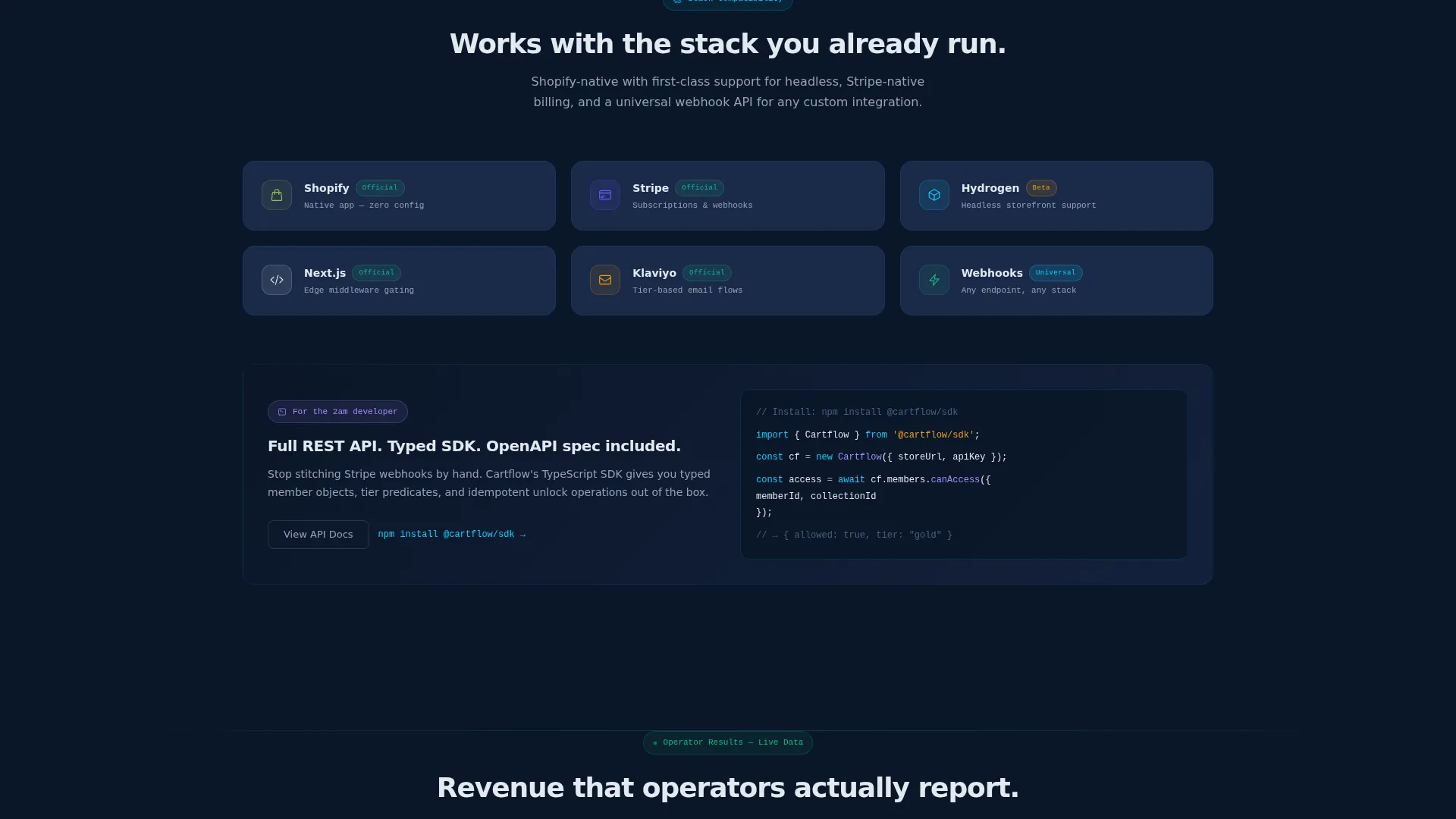
- A secondary developer path via an "Explore the Docs" call to action for visitors who need to inspect before committing
Feature list
This section covers the core capabilities built into the Cartflow template as described in the source brief.
Animated Code Snippet Header
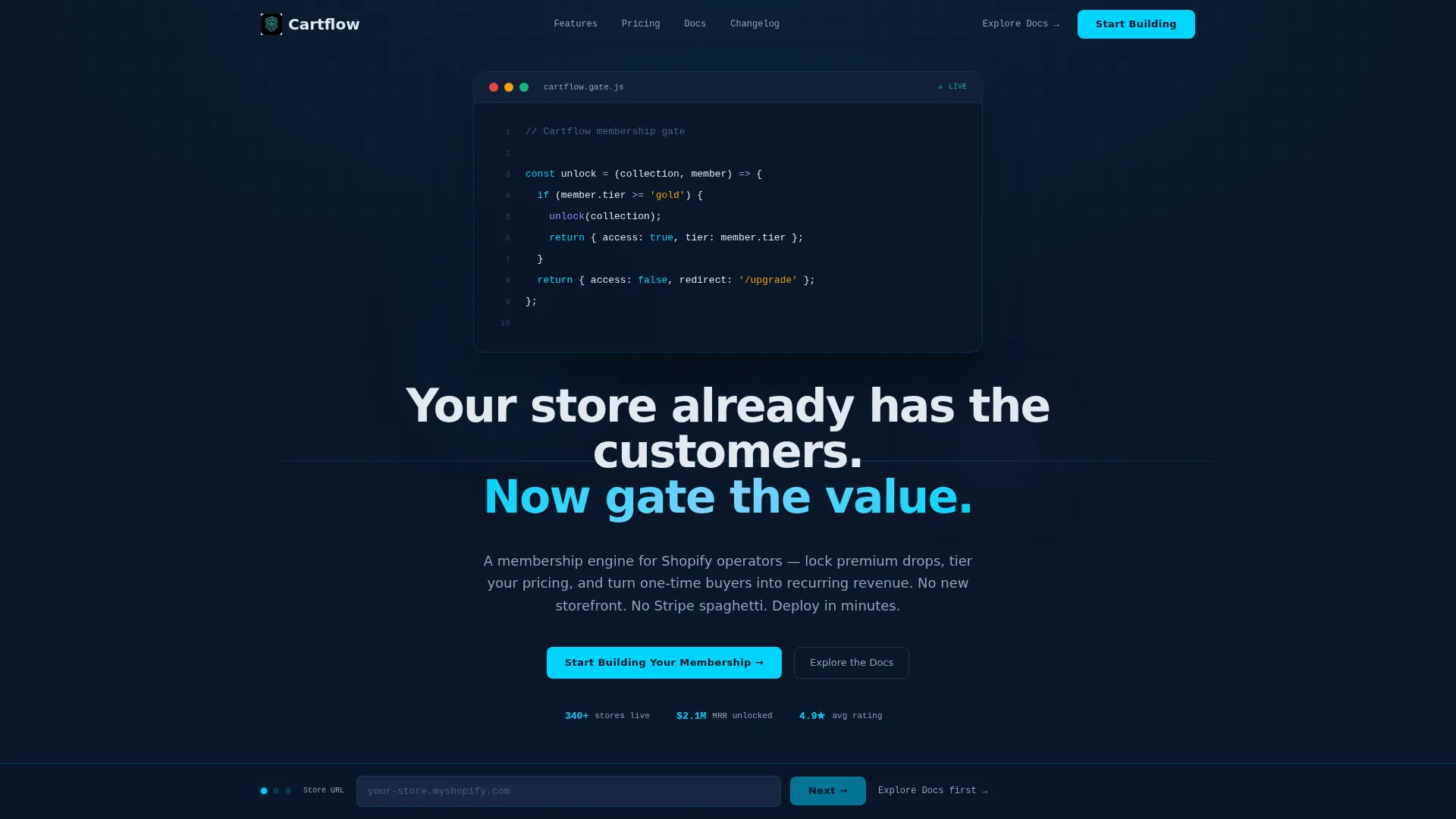
The header renders a live-typed JavaScript membership gating function with syntax highlighting in cyan and amber. Each line animates in sequence as if typed in real time, with a blinking cursor. The headline below fades in after the snippet completes.
Bento Grid Capability Cards
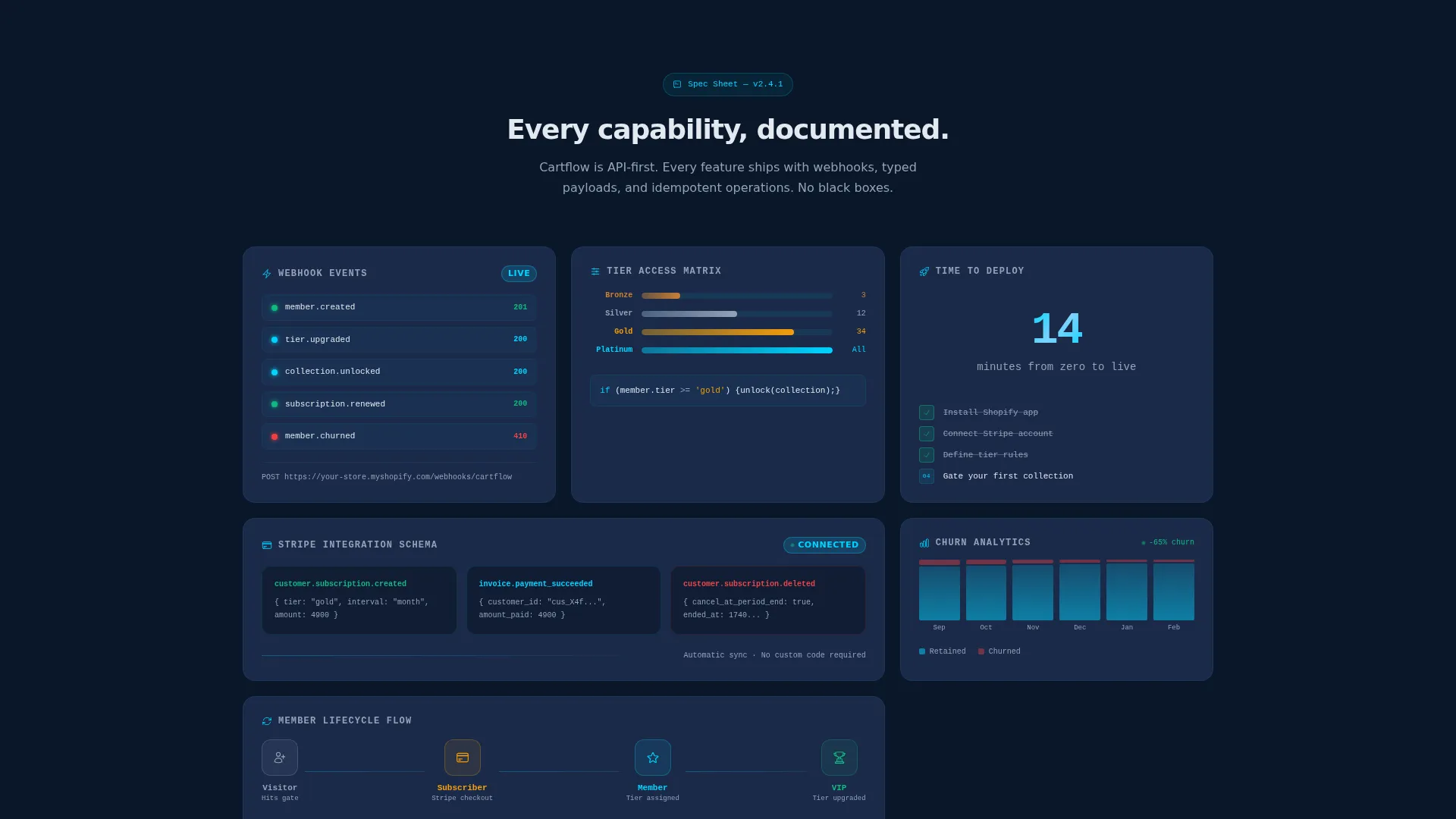
The page body is organized as a bento grid of discrete technical cards. Each card presents one capability, webhook event payloads, tier logic diagrams, Stripe integration schemas, churn analytics dashboards, or member lifecycle flows. Cards feature micro-animations on entry and code fragments that expand on hover.
Dynamic Revenue Calculator
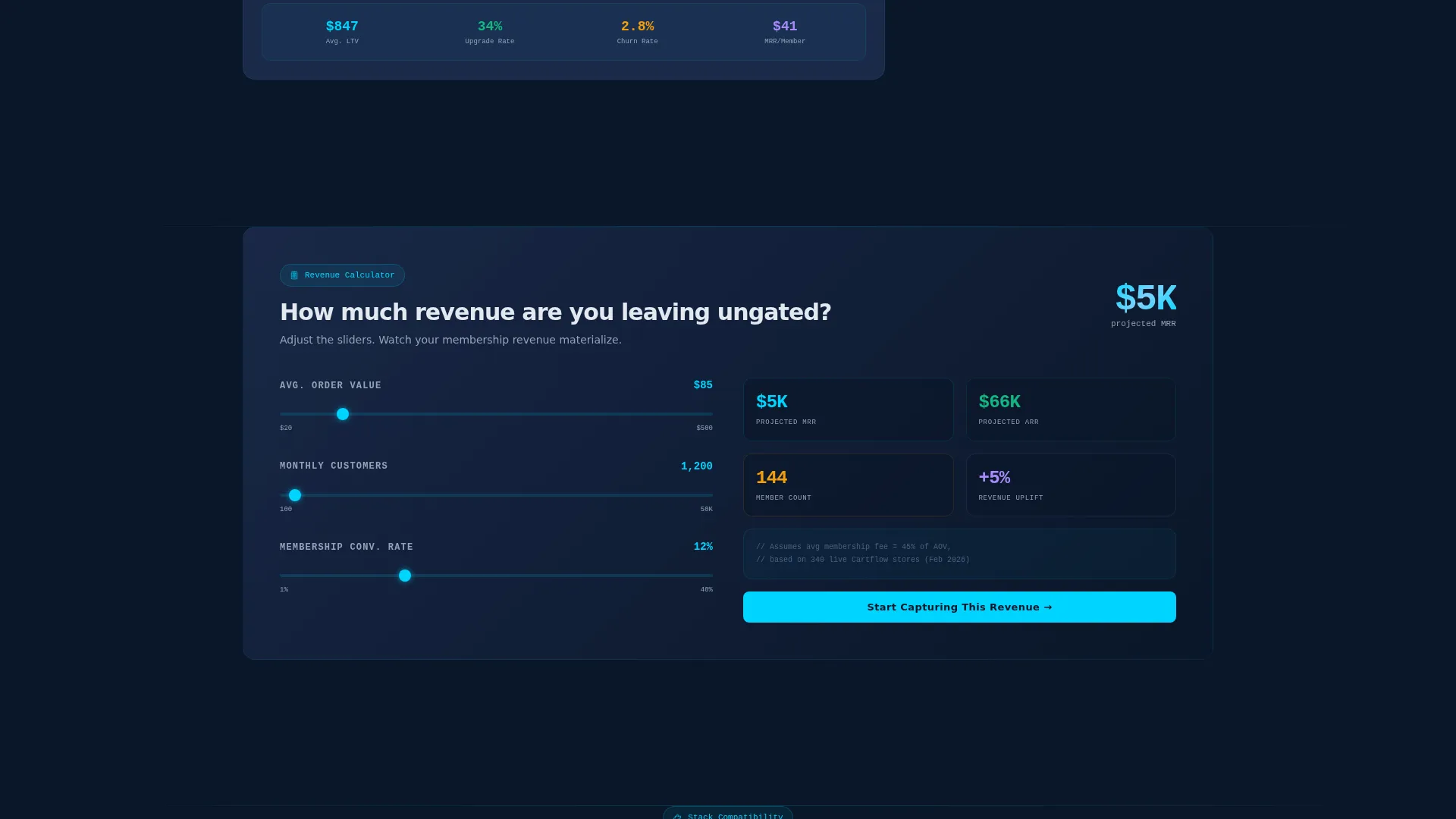
A dedicated bento card lets visitors input their average order value and customer count. Projected membership revenue animates upward in real time as values change, making the business case visible and immediate.
Sticky Lead Generation Bar
A persistent bottom bar activates after the visitor scrolls past the third bento row. It anchors the primary call to action, "Start Building Your Membership", and keeps it accessible throughout the rest of the page.
Three-Field Progressive Form
The lead capture form uses a deliberate three-step sequence: store URL first to signal intent, monthly order volume second to qualify scale, then email. This structure filters serious operators from casual browsers.
Parallax Bento Motion System
Cards subtly shift position as the viewport scrolls, creating a living mosaic effect. The Dynamic Motion theme ensures the grid breathes and rewards exploration rather than sitting static.
Page sections overview
| Section | Purpose |
|---|---|
| Animated Code Header | Opens with live-typed membership gating logic and a fading headline |
| Tier Logic Cards | Presents membership tier rules as visual technical diagrams |
| Webhook Payload Cards | Displays real webhook event structures as Spec Sheet cards |
| Stripe Schema Card | Shows integration schema layout for payment and subscription logic |
| Churn Analytics Card | Visualizes member lifecycle and churn data with sample numbers |
| Revenue Calculator Card | Lets visitors input store data and watch projected revenue animate |
| Member Lifecycle Card | Maps the full arc from first purchase to recurring membership |
| Sticky call to action Bar | Activates after third row with primary lead capture form |
| Developer Docs Path | Offers a secondary route for developers who need to inspect first |
Design & branding system
The visual identity uses a Midnight Blue color system built around high contrast and focused illumination. The palette feels purposeful and technical, like a cockpit dashboard at cruising altitude.
- Void-black (#0A1628) primary background, deep command-line navy (#1B2A4A) card surfaces, electric cyan (#00D4FF) for all active accents and hover states, and silver-white (#E2E8F0) for body text
- Cyan pulses on buttons, code highlights, and interactive elements; navy cards float against the void with subtle parallax drift on scroll
- The Dynamic Motion theme governs card entry animations, hover expansions, and the living mosaic scroll behavior across the full grid
Mobile & speed optimization
The bento grid layout is designed to adapt across viewport sizes without losing the technical card structure. Motion and animation are scoped to the layout in ways that preserve the intended experience on smaller screens.
- Bento grid reflows to maintain readable card hierarchy on tablet and mobile viewports
- Micro-animations and parallax drift are built into the motion system, designed to work within the scroll behavior of standard mobile browsers
- The sticky bottom bar remains accessible on mobile, keeping the lead capture form within reach throughout the scroll
How this template helps you convert
Cartflow earns the click rather than demanding it. Every layout decision is a deliberate step toward a qualified lead submission.
- The animated code header and Spec Sheet cards establish technical credibility immediately, filtering for the right audience before the form ever appears.
- The dynamic revenue calculator makes the business case personal, showing projected membership revenue based on each visitor's own store data.
- The three-field progressive form and sticky bottom bar work together to capture intent at the right moment, after the visitor has seen enough to commit.
Other information about this template
Cartflow is built specifically for the e-commerce membership site niche, sitting at the intersection of Technology and E-Commerce Digital Presence. It is a strong fit for teams exploring membership platform tooling and developers evaluating front-end templates before integrating backend subscription logic.
- Template style: Bento Grid; theme: Dynamic Motion; creative direction: Spec Sheet; header concept: Code Snippet; page direction: Lead Generation
- The color system, motion behavior, and card structure can be adapted to match an existing brand system or kept as-is for a launch-ready deployment
- This template works well alongside subscription and membership platform tooling, headless commerce frameworks, and developer-led store builds
Theme
Dynamic Motion
Creative direction
Spec Sheet
Color system
Midnight Blue
Style
Bento Grid
Direction
Lead Generation
Page Sections
Animated Code Snippet Header
Bento Grid Technical Cards
Dynamic Revenue Calculator
Three-field Progressive Lead Form
Sticky Bottom Call to Action Bar
Parallax Bento Motion System
Related questions
Who is this template designed for?
What does the bento grid layout include?
How does the three-field lead capture form work?
Is there a path for developers who are not ready to sign up?
Does the revenue calculator use live data?



