Automotive Software Cost Calculator Website Template
Caseload is a split-screen landing page template built for an automotive case management platform. It leads with a live JSON code snippet paired with a rendered dashboard card, then guides visitors through an interactive ROI estimator, a side-by-side workflow comparison, and a feature comparison table, ending with a qualifying pilot sign-up form designed for service managers, insurance adjusters, and fleet coordinators.
by Rocket studio
Quick summary
Caseload is a single-page template for a B2B automotive case management platform. It follows a Calculator/Tool First creative direction, opening with a split hero, then an ROI estimator, a legacy-versus-platform workflow comparison, and a head-to-head feature table. The page closes with a qualifying lead form. Every section is built around the 50/50 split-screen layout.
Who this template is for
This template is purpose-built for teams selling or promoting automotive case management software to operational buyers. It speaks directly to the people most likely to feel the pain the platform solves.
- Service managers at multi-franchise dealerships handling 10 to 50 or more open repair orders at any given time
- Insurance adjusters tracking liability timelines across multiple body shops and repair facilities
- Fleet coordinators who need a single view of every vehicle currently in legal or mechanical limbo
What problem this template solves
Managing repair orders, insurance claims, and warranty disputes across multiple locations is chaotic without the right structure. Teams rely on spreadsheets, disconnected dealer management system modules, or email threads, none of which produce a clean audit trail when a case goes to arbitration.
- Open cases get lost, reopened, or misassigned with no traceable record
- Resolution times stretch because there is no centralized status view across locations
- Arbitration and compliance reviews stall when documentation is scattered across tools
What you get with this template
You get a fully structured, single-page layout that puts the platform's value in front of operational buyers immediately. The template is built for desktop-first use, with responsive mobile support for field access.
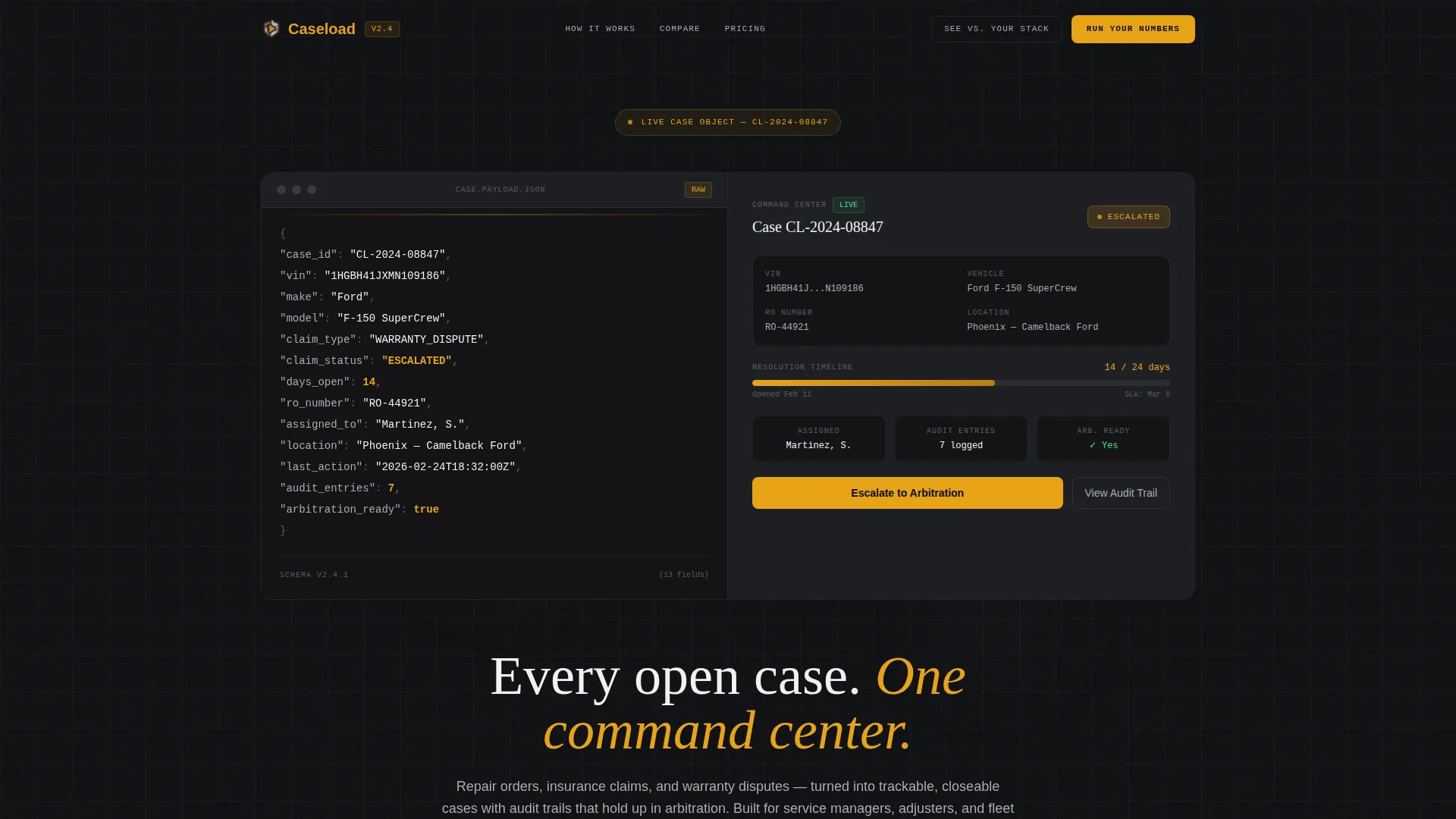
- A split hero section pairing a live-formatted JSON case object with a rendered dashboard card showing status badges, a timeline bar, and action buttons
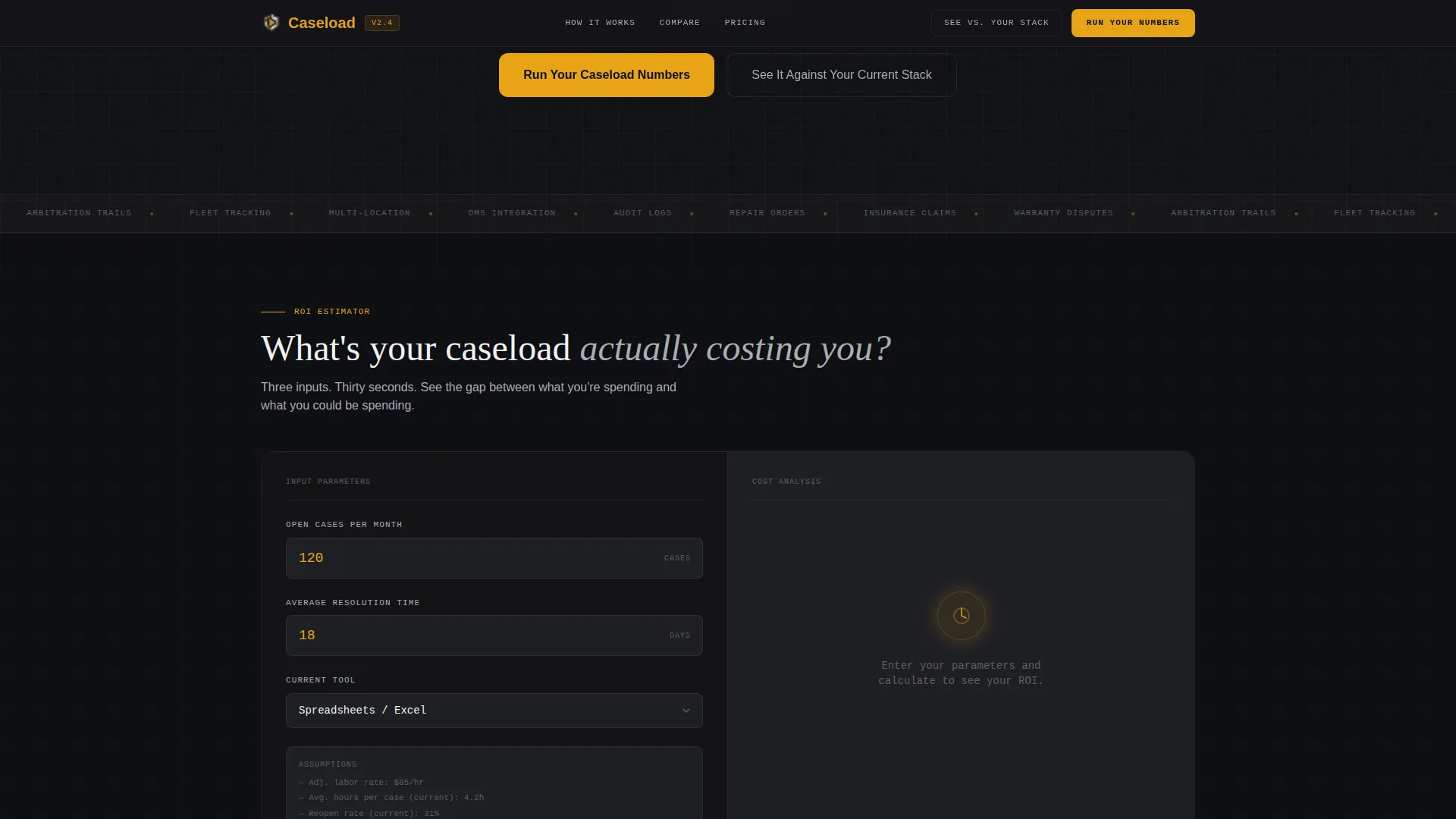
- An interactive three-input ROI estimator that calculates current cost versus projected savings based on the visitor's own case volume and resolution time
- A scroll-linked workflow comparison, a side-by-side feature comparison table, and a qualifying pilot sign-up form
Feature list
This template includes several purpose-built components drawn directly from the source brief.
Split Hero with Live Code Snippet
The hero opens with a formatted JSON payload on the left, showing fields like case_id, vin, claim_status, days_open, and assigned_to, rendered in a monospaced font with amber and aluminum syntax highlighting. The right panel shows the same case as a clean dashboard card with status badges, a timeline bar, and action buttons.
Interactive ROI Estimator
Before any marketing copy, visitors encounter a three-input calculator: number of open cases per month, average resolution time in days, and current tool selection from a dropdown. The output splits the screen between current cost in lost hours and reopened cases versus projected resolution time and cost with the platform.
Scroll-Linked Workflow Comparison
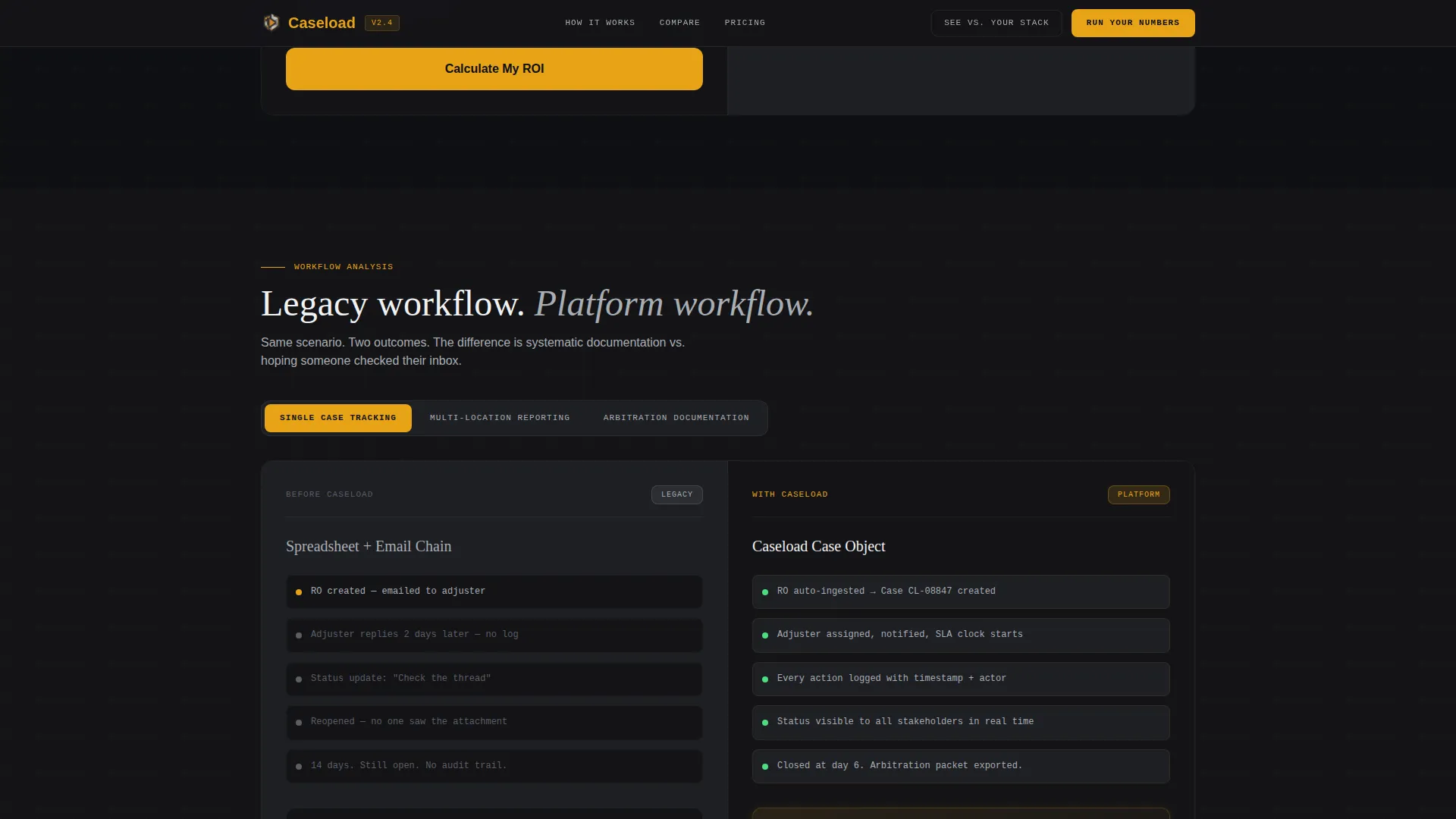
Each scroll section below the calculator follows the same 50/50 split logic. The left side shows the legacy workflow; the right side shows the platform workflow. The comparison escalates from single-case tracking to multi-location reporting to arbitration-ready documentation.
Head-to-Head Feature Comparison Table
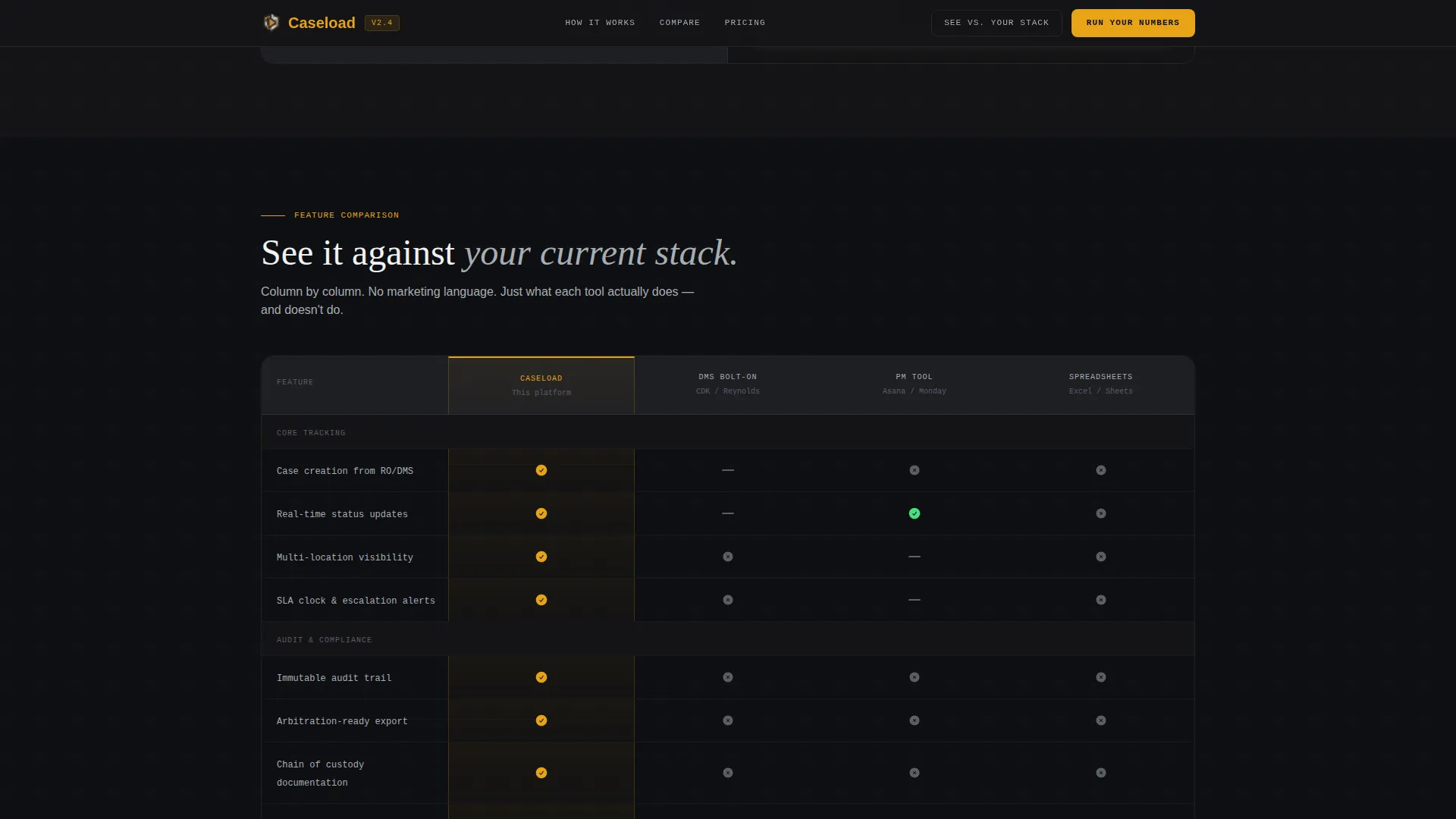
A dedicated section places the platform column-by-column against dealer management system bolt-ons, generic project management tools, and spreadsheet workflows. This section is anchored by the persistent secondary button "See It Against Your Current Stack."
Qualifying Pilot Sign-Up Form
The bottom-of-page form collects dealership or shop name, monthly case volume, and current system in use. This structure qualifies leads by operational scale before any sales contact, keeping the pipeline clean and relevant.
Inline Social Proof Metrics
The template includes inline metric callouts for average resolution time reduction, total cases managed, and audit success rate. These data points appear as live counter animations embedded within the page flow.
Page sections overview
| Section | Purpose |
|---|---|
| Split Hero | Show raw case data alongside a rendered dashboard card |
| ROI Calculator | Let visitors calculate their own cost and savings |
| Workflow Comparison | Contrast legacy processes with platform workflows |
| Feature Comparison Table | Compare platform against DMS tools and spreadsheets |
| Pilot Sign-Up Form | Qualify leads by dealership scale and current system |
| Footer | Minimal developer-style footer with essential links |
Design & branding system
The visual identity follows the Dashboard Pro theme with a Monochrome Steel color system. Every design decision reinforces the automotive instrument cluster metaphor, functional, legible, nothing decorative.
- Color palette: deep chassis black (#141417) as the base, instrument cluster dark (#1E1F24) for panel backgrounds, brushed aluminum (#A8ADB3) for muted text and secondary elements, and diagnostic amber (#E8A317) reserved exclusively for interactive elements and live data points
- Typography: JetBrains Mono for all code and data display, DM Sans for interface and body copy, and Fraunces for display headings
- Animation: syntax highlighting pulse on the JSON hero, live counter animations on social proof metrics, and scroll-linked transitions across workflow comparison sections
Mobile & speed optimization
The template is designed desktop-first to match the workstation environment where service managers spend most of their time. Responsive mobile support is included for field access by adjusters and fleet coordinators.
- Static sections use server component architecture for fast initial load; interactive components such as the ROI calculator are handled client-side
- The split-screen layout adapts to a stacked single-column view on smaller screens without losing section logic or readability
How this template helps you convert
The entire page is structured as a progressive trust-building sequence that moves operational buyers from curiosity to action.
- The ROI estimator at the top makes the value personal and numeric before any copy asks for commitment, with the primary call to action "Run Your Caseload Numbers" anchored directly to it
- The workflow comparison and feature table earn trust through honest side-by-side evidence, supported by the persistent secondary button "See It Against Your Current Stack"
- The pilot sign-up form at the bottom closes the loop with a low-commitment entry point, "Start a Free Pilot", while pre-qualifying leads by dealership name, monthly case volume, and current tool in use
Other information about this template
This template is built specifically for the automotive case management software category, where buyers are operational professionals evaluating tools based on workflow fit, not general features.
- The template style is Split Screen (50/50), which reinforces the before-and-after, raw-versus-rendered narrative throughout every section
- The header concept is a Code Snippet, which immediately signals technical credibility to service managers and adjusters familiar with dealer management system data structures
- The creative direction is Calculator/Tool First, meaning the ROI estimator appears before any persuasive copy, reducing friction by letting the visitor's own numbers make the case
- The landing page direction is Comparison/Versus, positioning the platform against spreadsheets, dealer management system modules, and generic project management tools throughout the page
- Localization defaults are set to English, United States Dollar (USD), and MM/DD/YYYY date format
- The footer follows the GitHub Developer Minimal pattern for a clean, distraction-free close to the page
Theme
Dashboard Pro
Creative direction
Calculator/Tool First
Color system
Monochrome Steel
Style
Split Screen (50/50)
Direction
Comparison/Versus
Page Sections
Split Hero with JSON Code Snippet
Interactive Three-input ROI Estimator
Scroll-linked Workflow Comparison
Head-to-head Feature Comparison Table
Qualifying Pilot Sign-up Form
Inline Social Proof Metric Counters
Related questions
Who is this landing page template designed for?
What makes the hero section different from a standard product screenshot?
Can the ROI calculator inputs be customized for my platform's actual data?
Is this template suitable for desktop-heavy operational environments?
Does the feature comparison table require manual updates?



