Headless Enterprise Software Cost Calculator Website Template
Catalog is a headless product information management (PIM) landing page template built for enterprise software teams. It opens with an interactive ROI calculator, reveals comparison tables on scroll, and drives two clear conversion paths. The Dynamic Motion design system uses void black, holographic violet, refracted cyan, and soft pearl to make complex data feel alive and navigable.
by Rocket studio
Quick summary
Catalog is a scroll-reveal landing page template for a headless PIM platform. It leads with a high-fidelity dashboard screenshot and an interactive ROI calculator before progressively unmasking competitor comparison tables. Two conversion paths capture visitors at different buying stages. The AI Iridescent color system gives the page a synthetic, signal-like visual clarity.
Who this template is for
This template is built for teams selling or presenting a headless product information management platform to an enterprise audience. It speaks directly to the people who feel the pain of fragmented product data every working day.
- E-commerce directors managing product data across fifteen or more channels simultaneously
- Integration engineers who maintain brittle custom connectors to storefronts and marketplaces
- Merchandising leads who spend hours each week reconciling attribute mismatches between their ERP and their webstore
What problem this template solves
Selling a headless PIM is hard because buyers arrive skeptical and data-fatigued. They need to feel the value before they read a single feature claim. This template solves that by putting the visitor's own numbers first.
- Manual ROI quantification: the calculator shows hours reclaimed and time-to-market gains in real time, using the visitor's own SKU and channel inputs
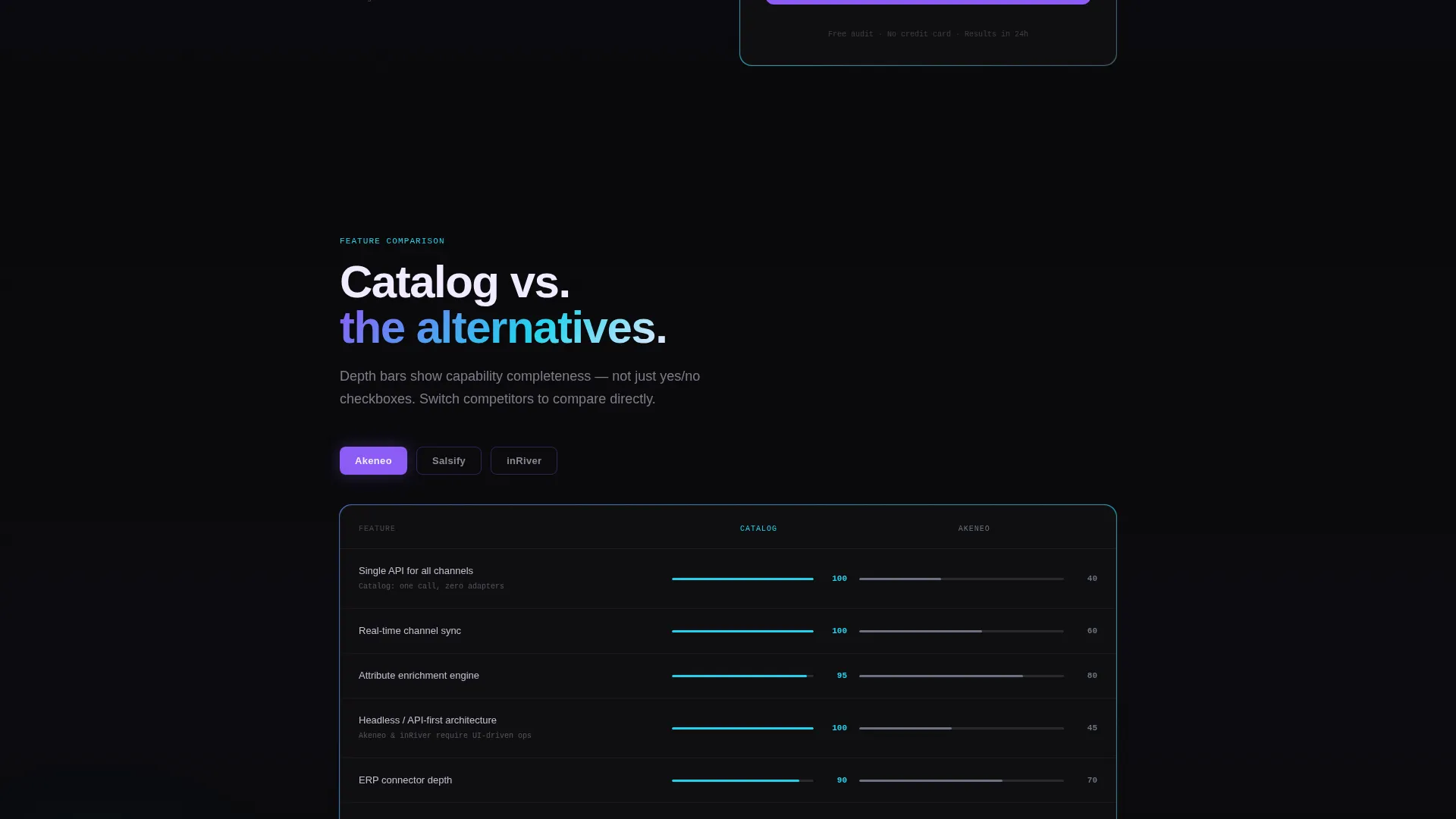
- Comparison fatigue: instead of a static feature grid, each versus table slides into view on scroll, making the evaluation feel like discovery
- Conversion drop-off: two distinct calls to action capture both the ready buyer and the early-stage researcher without friction
What you get with this template
The template delivers a fully structured, single-page layout designed around progressive disclosure and dual-path conversion. Every section is purpose-built to move a skeptical buyer forward.
- A parallax product screenshot header with iridescent edge gradients and a scroll-triggered headline reveal
- An interactive three-question ROI calculator with animated real-time output showing hours saved, error rates reduced, and time-to-market compressed
- Scroll-reveal competitor comparison blocks with capability depth bars, each animating up from opacity zero on entry
Feature list
This section covers the core built-in capabilities that define the Catalog template's structure and interaction design.
Interactive ROI Calculator
Three slider-driven inputs collect SKU count, channel count, and weekly manual data entry hours. As sliders move, the output panel animates live savings projections in real time. This earns buyer attention before a single marketing claim appears.
Scroll Reveal Progressive Layout
Every comparison block and content section enters the viewport from opacity zero with an upward slide animation. The scroll feels like discovery rather than a static read-down, keeping visitors engaged through the full page length.
Parallax Dashboard Screenshot Header
A high-fidelity PIM dashboard screenshot floats on the void-black canvas with a subtle cursor-responsive parallax tilt. Iridescent gradients refract along the image edges, reinforcing the "data in motion" visual narrative from the first second.
Dual Conversion Path Architecture
The primary call to action, "Run Your Migration Audit," sits beneath the ROI result and reappears in a sticky bar after the first comparison table scrolls into view. A secondary path offers a gated downloadable comparison matrix for visitors still in evaluation mode.
Competitor Comparison Tables
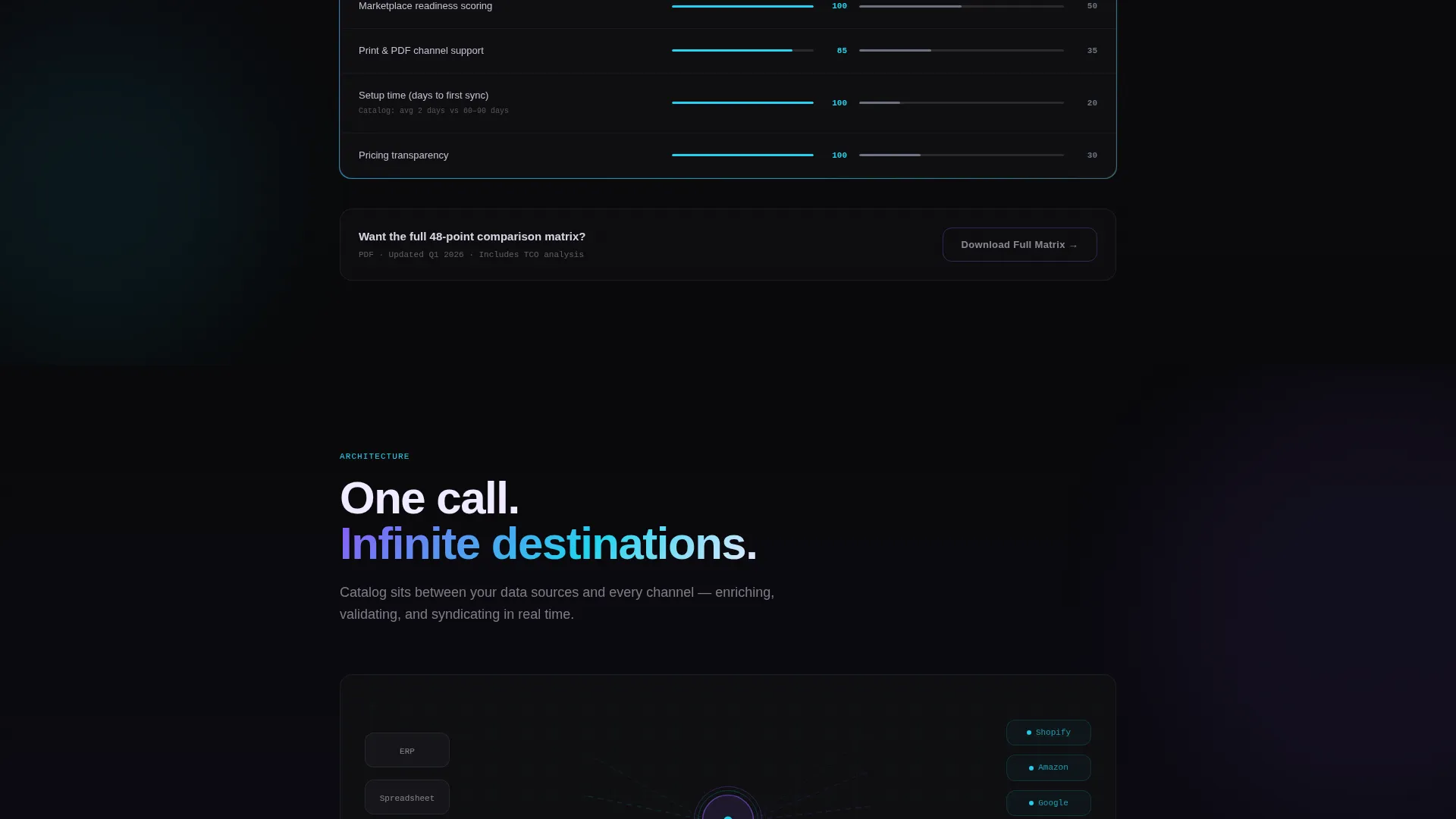
Feature-by-feature versus tables compare the platform against named competitors using checkmarks and capability depth bars. Each table block reveals on scroll entry, giving the layout a controlled, argument-building rhythm.
Dynamic Motion Theme
The page uses the AI Iridescent color system with void black dominating backgrounds, violet pulsing through active states and calls to action, cyan tracing architectural diagram lines, and soft pearl carrying body text and data labels.
Page sections overview
| Section | Purpose |
|---|---|
| Header screenshot hero | Anchors attention with the dashboard user interface and headline |
| ROI calculator block | Quantifies switching value using visitor's own inputs |
| Calculator results panel | Displays animated savings projections in real time |
| Primary call to action placement | Prompts migration audit form below the result |
| Comparison table one | Reveals first feature-by-feature versus block on scroll |
| Sticky call to action bar | Reappears after first comparison table enters view |
| Additional comparison blocks | Continues scroll-reveal versus sections for evaluation |
| Gated download section | Offers comparison matrix PDF for email capture |
| Migration audit form | Collects PIM setup, SKU range, and work email |
Design & branding system
The visual identity follows the Dynamic Motion theme, rendered through the AI Iridescent color system. The palette is intentionally synthetic and signal-like, suggesting data moving through infrastructure rather than a static marketing page.
- Void black (#09090B) dominates all backgrounds, giving the interface a server-rack depth
- Holographic violet (#8B5CF6) pulses through calls to action, active slider states, and interactive elements
- Refracted cyan (#22D3EE) traces connecting lines in architectural diagrams, implying data in transit
- Soft pearl (#F0EAFF) carries all body text, data labels, and card surfaces for legibility against dark backgrounds
Mobile & speed optimization
The template's layout and motion system are designed to translate cleanly across screen sizes. Scroll-reveal animations and the ROI calculator are structured to function on touch-based devices without losing the interactive experience.
- Parallax tilt on the header screenshot adapts to touch input on mobile viewports
- Sticky call to action bar and dual conversion paths remain accessible and visible across device widths
- Animated number outputs in the ROI calculator render responsively within the results panel
How this template helps you convert
The conversion strategy is built around earning trust with the visitor's own data before asking for anything in return.
- The ROI calculator delivers a personalized savings estimate upfront, so the visitor already knows the value of switching before they reach a single comparison table or form field.
- The scroll-reveal comparison tables build a logical, progressive case for the platform, making the decision feel confirmed rather than forced by the time the migration audit call to action appears.
Other information about this template
This template is suited to teams evaluating or presenting headless PIM solutions in a competitive enterprise software market. It is designed to speak to buyers who are actively comparing options and need both quantified value and feature-level proof.
- The migration audit form includes a dropdown for current setup with options for Akeneo, Salsify, Excel, and other configurations
- The gated PDF download path targets buyers in early evaluation who are not yet ready for a direct sales conversation
- The template is categorized under Technology and Headless Enterprise Software, making it appropriate for SaaS and API-first product positioning
- The page type is a single scroll-reveal landing page, not a multi-page website


Theme
Dynamic Motion
Creative direction
Calculator/Tool First
Color system
AI Iridescent
Style
Scroll Reveal (Progressive)
Direction
Comparison/Versus
Page Sections
Interactive ROI Calculator
Scroll Reveal Progressive Layout
Parallax Dashboard Screenshot Hero
Dual Conversion Path Architecture
Competitor Comparison Tables
Dynamic Motion Color System
Related questions
Who is this landing page template designed for?
What does the ROI calculator actually do?
How many conversion paths does the template include?
Can this template support a competitive comparison layout?
Is this a single-page layout or a multi-page website?



