Physical Education Education Specialist Education Website Template
Certify is a landing page template built for physical education certification platforms. It guides gym teachers, coaching staff, and kinesiology graduates through a personalized enrollment flow using a multi-step header form, a problem-to-solution zigzag layout, and a freemium trial conversion path. The result is a calm, credible page that earns trust before asking for a single click.
by Rocket studio
Quick summary
Certify is a single-page template designed for online physical education certification platforms. It opens with a multi-step intake form that personalizes the visitor's path before asking for anything. A zigzag problem-to-solution layout guides each visitor from their specific barrier toward enrollment. The free first module is the primary conversion offer, supported by a secondary lead-capture PDF download.
Who this template is for
This template is built for teams running structured online credentialing programs in physical education and related fields. It serves educators and institutions that need a focused, professional enrollment page rather than a generic course catalog.
- Physical education certification platforms targeting career-changers, active educators, and kinesiology graduates
- Online course providers offering state-aligned practicum tracking and national credentialing paths
- Program directors who want a single conversion page that speaks to multiple audience types without feeling generic
What problem this template solves
Many credentialing platforms struggle to speak to more than one visitor type at once. A career-changer studying between shifts has a very different mindset from a senior undergrad preparing for student teaching. One page rarely addresses both without feeling unfocused or overwhelming.
- Visitors arrive with different experience levels and leave without a clear next step
- Generic course pages fail to connect real-world barriers ("no transcript yet") to specific solutions
- Enrollment drop-off happens when visitors feel unrecognized before they are asked to commit
What you get with this template
You get a complete, ready-to-customize landing page structure that moves visitors from self-identification to a personalized course recommendation in three steps. Every section is purposefully ordered to reduce friction and build institutional trust.
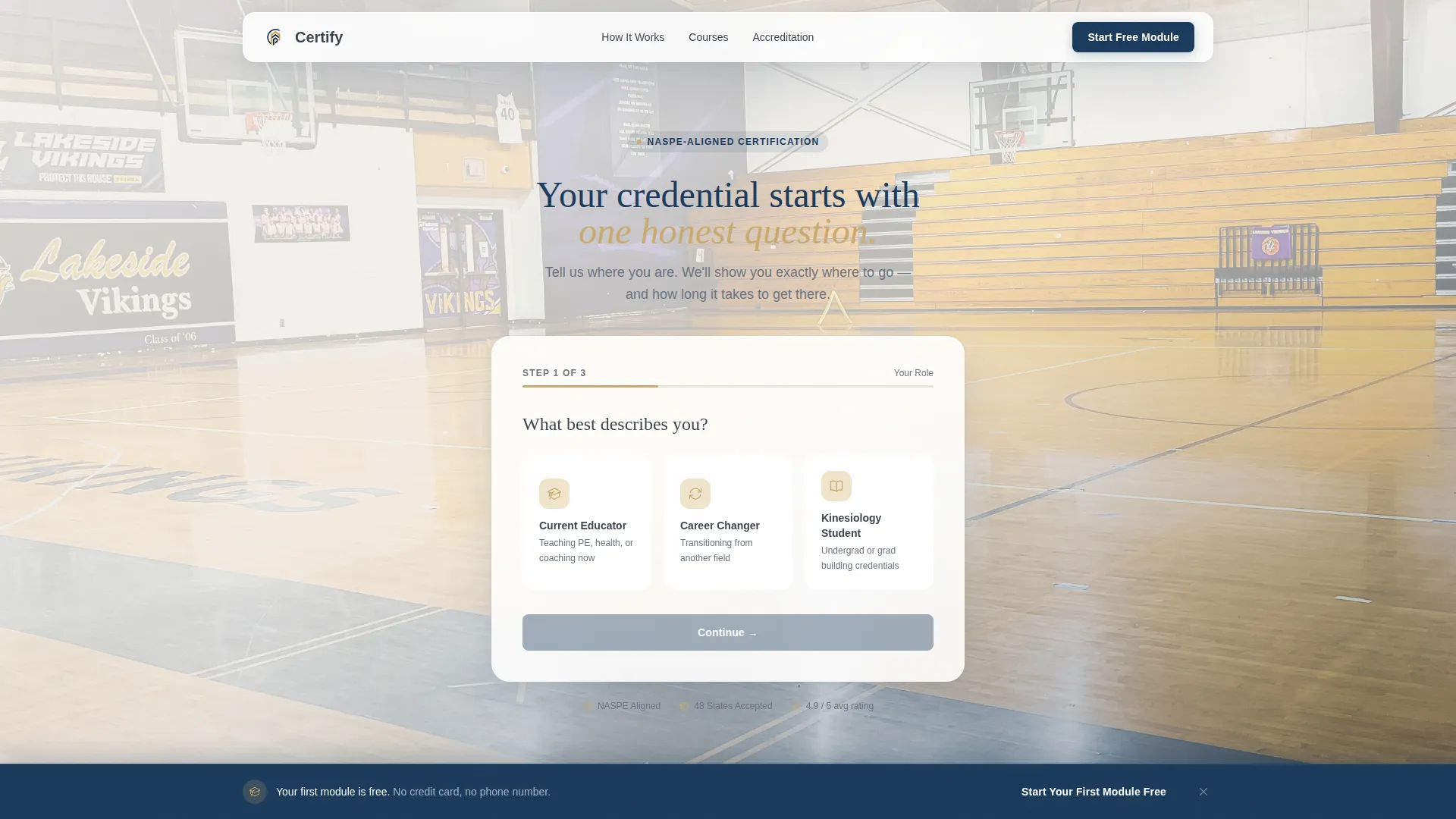
- A multi-step header form with three visitor-type tiles, a state dropdown, and a personalized course result card
- A zigzag alternating layout that walks visitors through four progression stages: uncredited, enrolled, practicing, and certified
- Three placements of the primary call to action, a sticky bottom bar, and a secondary PDF lead-capture path
Feature list
This template brings together several purpose-built components. Each one is grounded in the specific enrollment and trust-building needs of a physical education certification platform.
Multi-Step Intake Form Header
The header opens with a three-tile question asking visitors to identify as a Current Educator, Career Changer, or Student. Step two collects the target certification state via dropdown. Step three reveals a personalized course recommendation with an estimated completion date, all inside a clean white card floated over a soft-focus gymnasium background image.
Zigzag Problem-to-Solution Arc
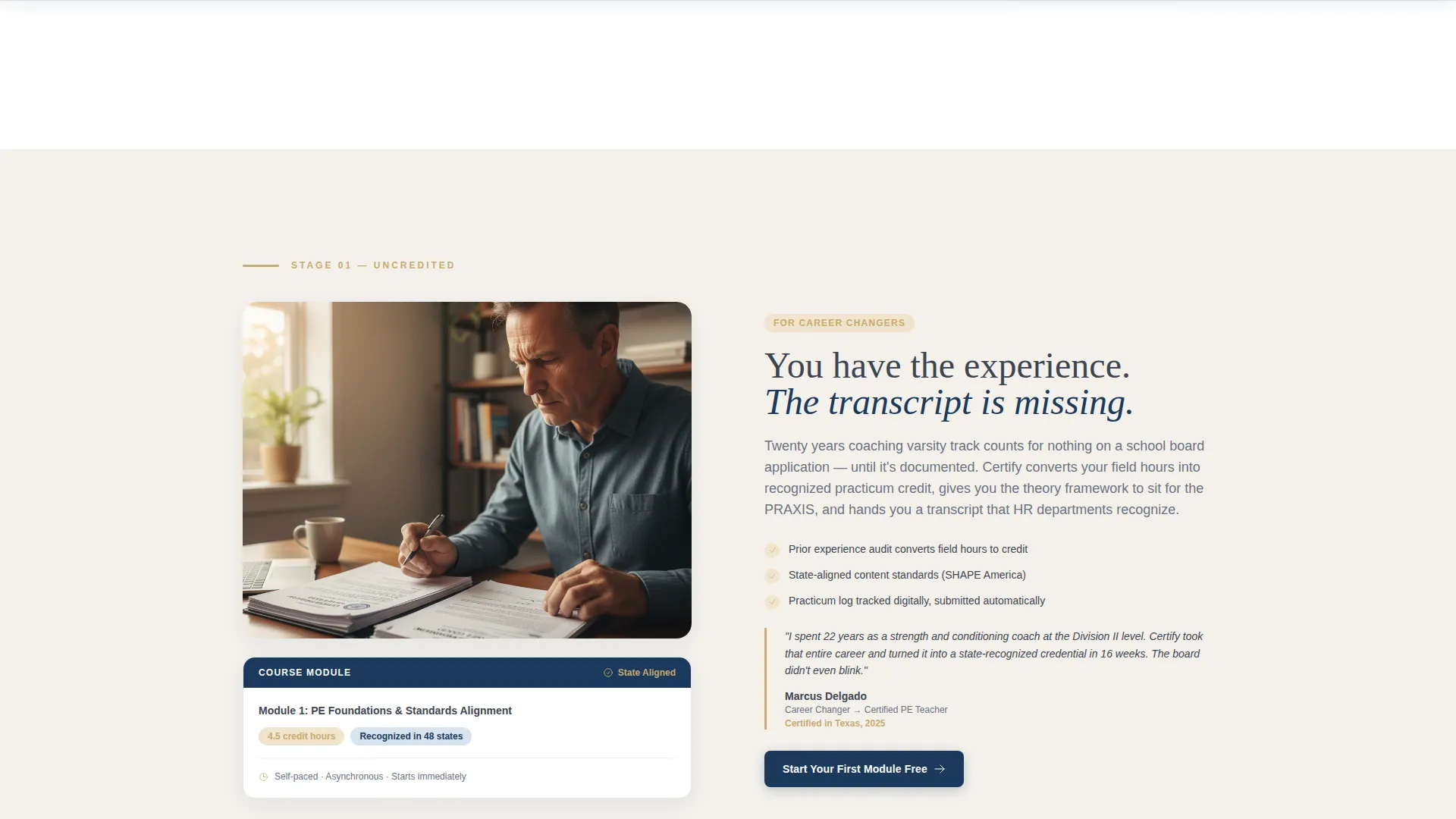
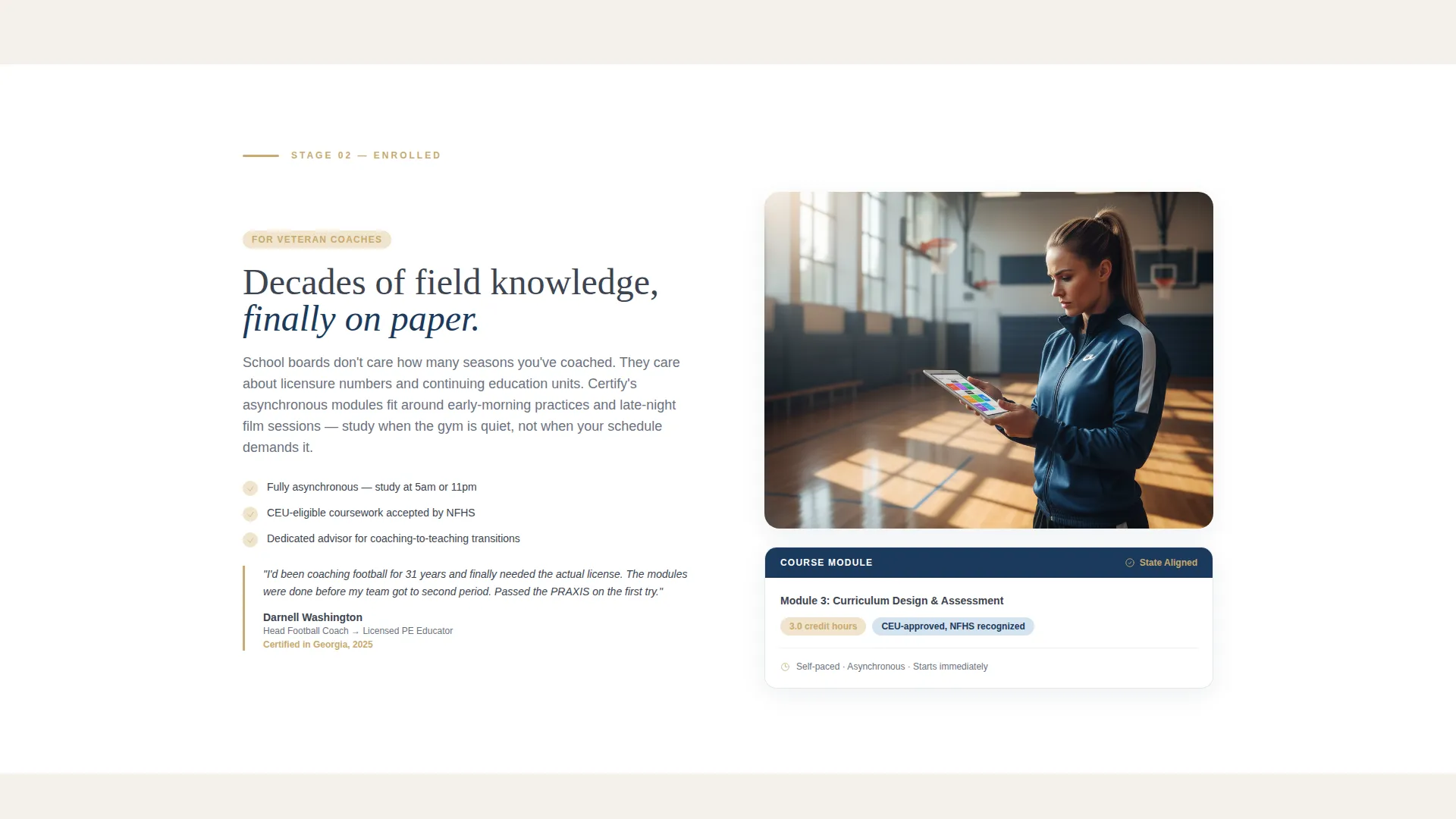
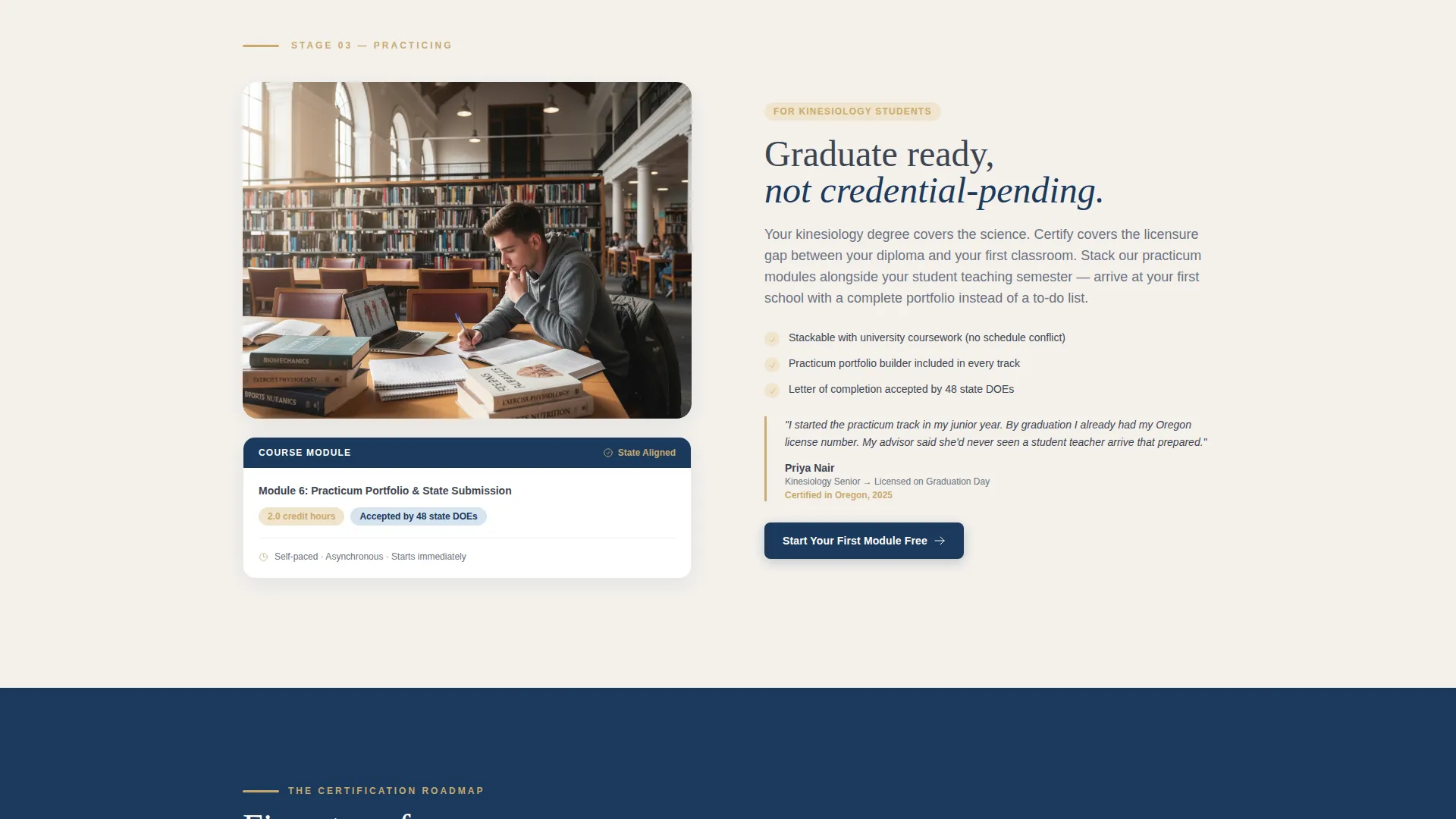
The main body layout alternates left-right sections, each one addressing a specific barrier in sequence. The four stages move from uncredited through enrolled, practicing, and certified. Each section pairs a named obstacle with a course module screenshot showing credit hours and state alignment, so visitors see their path made concrete.
Embedded Contextual Testimonials
Testimonials are placed inside the arc at the exact section that matches the reviewer's profile. A quote from a 42-year-old career changer appears at the career-changer stage, not in a generic bottom carousel. This placement makes social proof feel relevant rather than decorative.
Freemium Trial Conversion Path
The primary call to action, "Start Your First Module Free," appears three times: in the header form result card, at the midpoint after the certification roadmap, and in a sticky bottom bar that activates after 40 percent scroll. The free module requires only a name and email address, no credit card or phone number needed.
Secondary PDF Lead Capture
A secondary conversion path offers a downloadable certification checklist for visitors still in research mode. This PDF gate captures leads who are not yet ready to enroll, extending the platform's reach into the earlier consideration stage.
Institutional Visual System
The layout uses the Soft Mist color palette with registrar ivory backgrounds, chalkboard slate body text, gymnasium maple for section dividers and icon strokes, and credential navy reserved for buttons and trust badges. The result is a page that reads as authoritative without feeling cold or corporate.
Page sections overview
| Section | Purpose |
|---|---|
| Multi-Step Form Header | Personalizes visitor path before asking for commitment |
| Course Recommendation Card | Delivers a tailored module suggestion with completion estimate |
| Uncredited Stage Section | Names the "no transcript" barrier and shows the solution |
| Enrolled Stage Section | Confirms the path from registration to active coursework |
| Practicing Stage Section | Shows practicum tracking in action with module screenshot |
| Certified Stage Section | Connects completed coursework to a recognized credential |
| Certification Roadmap | Summarizes the full progression path at the midpoint |
| Mid-Page Call to Action | Second placement of the free module offer |
| PDF Checklist Gate | Captures research-stage leads with a downloadable resource |
| Sticky Bottom Bar | Persistent free module prompt activating at 40 percent scroll |
Design & branding system
The Soft Mist palette gives this template a grounded, institutional feel. Every color choice is deliberate: warm enough to feel approachable, muted enough to signal long-standing credibility.
- Registrar ivory (#F4F1EC) dominates backgrounds; chalkboard slate (#3D4551) carries all body text for clean legibility
- Gymnasium maple (#C9A96E) warms section dividers and icon strokes, referencing the physical environment of the field
- Credential navy (#1B3A5C) is reserved exclusively for call-to-action buttons and trust badges, so authority marks stand out immediately
Mobile & speed optimization
The template is structured for a clean single-column reading experience on smaller screens. The multi-step form, zigzag sections, and sticky bar all adapt to narrower viewports without losing their visual hierarchy.
- The multi-step form collapses into a vertically stacked flow on mobile, keeping the three-step intake readable on any screen size
- Sticky bottom bar and call-to-action placements remain visible and tappable throughout the scroll experience on touch devices
How this template helps you convert
The conversion strategy is built into the page structure itself. Every section earns the next click rather than demanding it.
- The multi-step form shows visitors their personalized course recommendation before asking for an email address, making enrollment feel like a natural conclusion rather than a cold commitment
- The zigzag arc places the right testimonial at the right objection point, so social proof lands at the exact moment a visitor needs reassurance
- Three call-to-action placements at different scroll depths, including a sticky bottom bar, ensure the free module offer is always one tap away without ever feeling aggressive
Other information about this template
This template is designed specifically for the physical education online course platform niche. It suits programs that offer nationally recognized credentials and need to serve multiple visitor types from a single page.
- The page style is zigzag alternating, a layout that physically mirrors the visitor's forward progress through the certification journey
- The Institutional Authority theme is intentional: the design signals permanence and credibility to school boards and hiring committees who will review the credential
- This template works equally well for kinesiology graduate programs, coaching certification bodies, and state-specific physical education licensure prep providers
Theme
Institutional Authority
Creative direction
Problem→Solution Arc
Color system
Soft Mist
Style
Zigzag/Alternating
Direction
Freemium/Trial
Page Sections
Multi-step Personalization Form
Zigzag Problem-to-solution Layout
Contextual Testimonial Placement
Three-point Free Module Call to Action
PDF Certification Checklist Gate
Institutional Soft Mist Branding
Related questions
Who is this landing page template designed for?
What is the primary conversion model used in this template?
Can this template speak to multiple visitor types at once?
How does the zigzag layout support the enrollment journey?
Where do testimonials appear in this template?



