Babysitter Certification Course Landing Page Template
Certify is a sidebar companion landing page template built for a weekend babysitter certification course. It uses a playful geometric design in Electric Indigo to guide teens, college students, and returning caregivers through a five-module journey. A fixed sidebar tracks progress, a free first module lowers the barrier to sign up, and a coral-accented call to action keeps conversions moving.
by Rocket studio
Quick summary
Certify is a single-page sidebar companion template designed for a babysitter certification course. It pairs a fixed progress sidebar with a scrollable step-by-step main panel. The visual identity is playful and geometric, built in Electric Indigo. The template is structured around a freemium entry point, with a free first module leading toward a full $49 course upgrade.
Who this template is for
This template is built for course creators, childcare educators, and training program operators who want to sell a babysitter certification course online. It works especially well for weekend-format programs with a defined curriculum and a clear upgrade path.
- Teens and young adults seeking their first real childcare credential
- College students who want to build side income through certified babysitting
- Stay-at-home parents returning to childcare work and needing documented proof of training
What problem this template solves
Many certification course pages dump curriculum details into a plain list and hope visitors read them. That approach loses the people who need the most convincing. This template solves the engagement gap by making the course feel real before anyone signs up.
- Visitors lose trust when a course page feels flat or disorganized
- The free module offer removes the hesitation that blocks first-time sign-ups
- Without visual progress cues, visitors scroll past the curriculum without feeling invested
What you get with this template
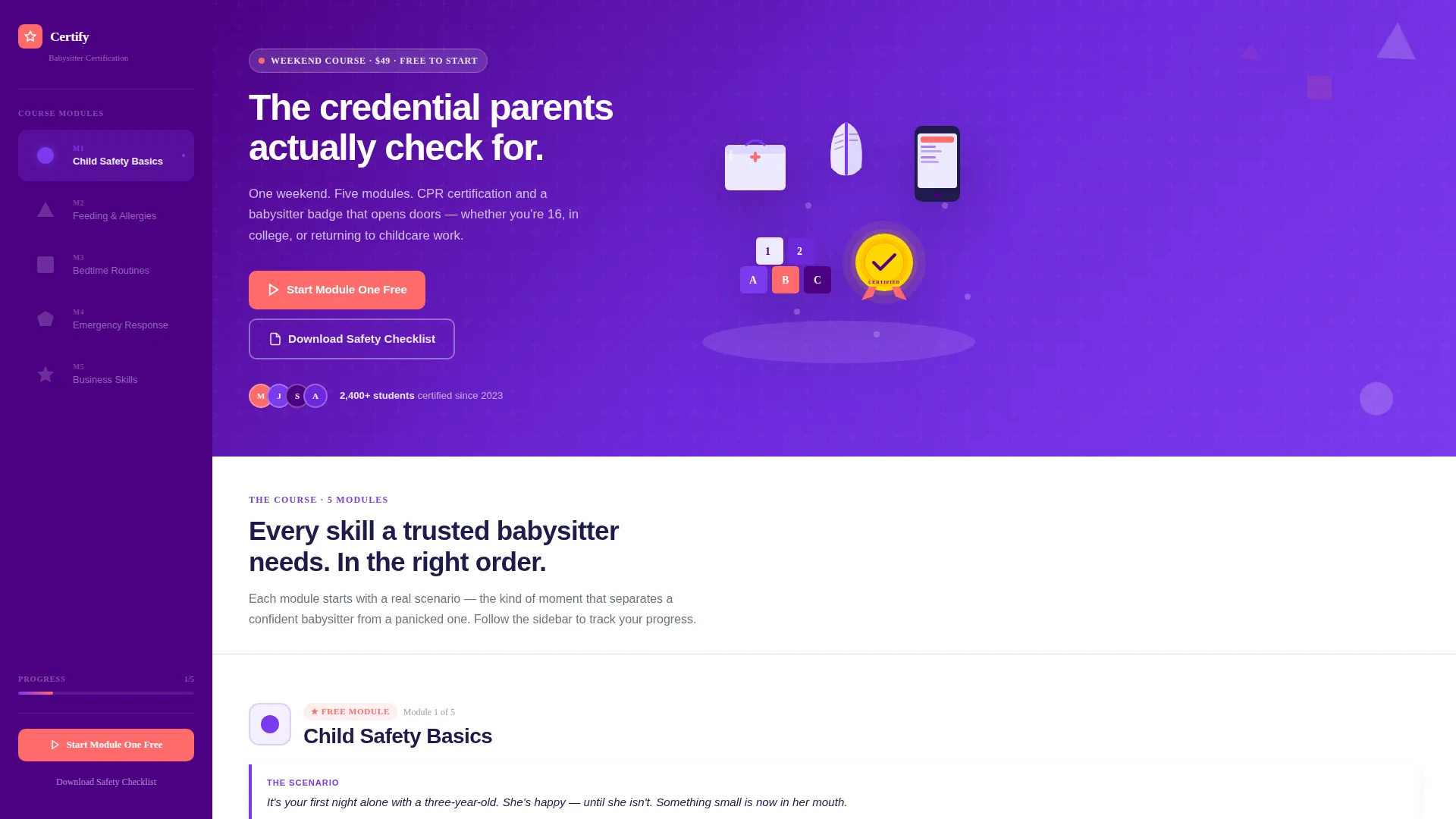
You get a fully structured landing page with two synchronized panels. The main content panel walks visitors through each course module using scenario-led storytelling. The sidebar stays fixed and fills with color as the visitor scrolls, creating a live sense of forward momentum.
- A custom isometric illustration header showing a babysitter's toolkit in indigo and coral on lavender
- A five-module sidebar with geometric icons that visually fill as the visitor scrolls through each section
- An inline signup form asking only for first name and email, with no credit card required
- A secondary lead magnet offering a downloadable Safety Checklist PDF for visitors not ready to start
Feature list
This section covers the core capabilities built into the Certify template as described in the source brief.
Fixed Progress Sidebar
The sidebar stays in view as the visitor scrolls the main panel. Five geometric icons, one per module, fill with vivid violet as each corresponding section is passed. This gives visitors a tangible sense of progress before they have committed to anything.
Scenario-Led Module Sections
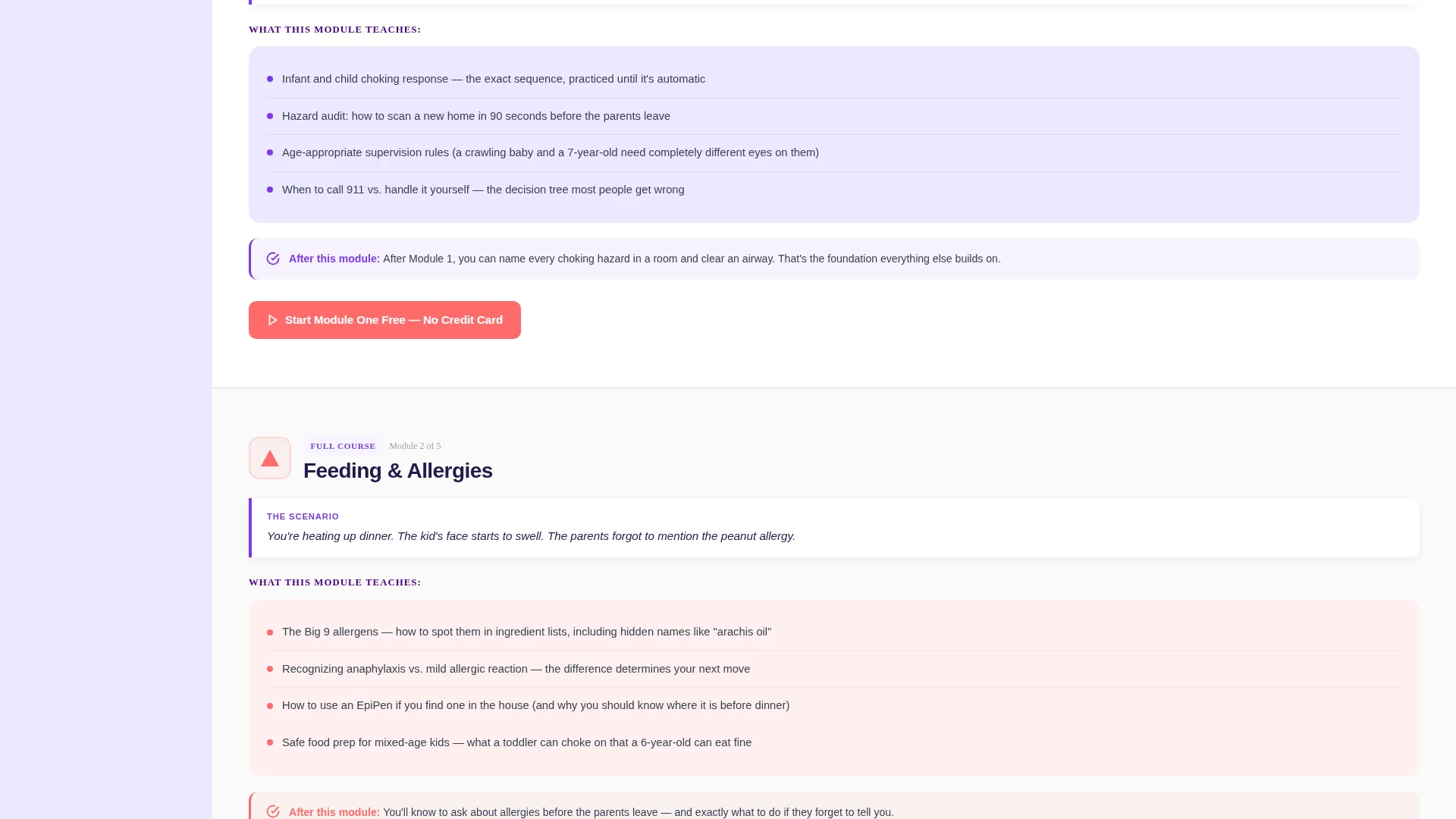
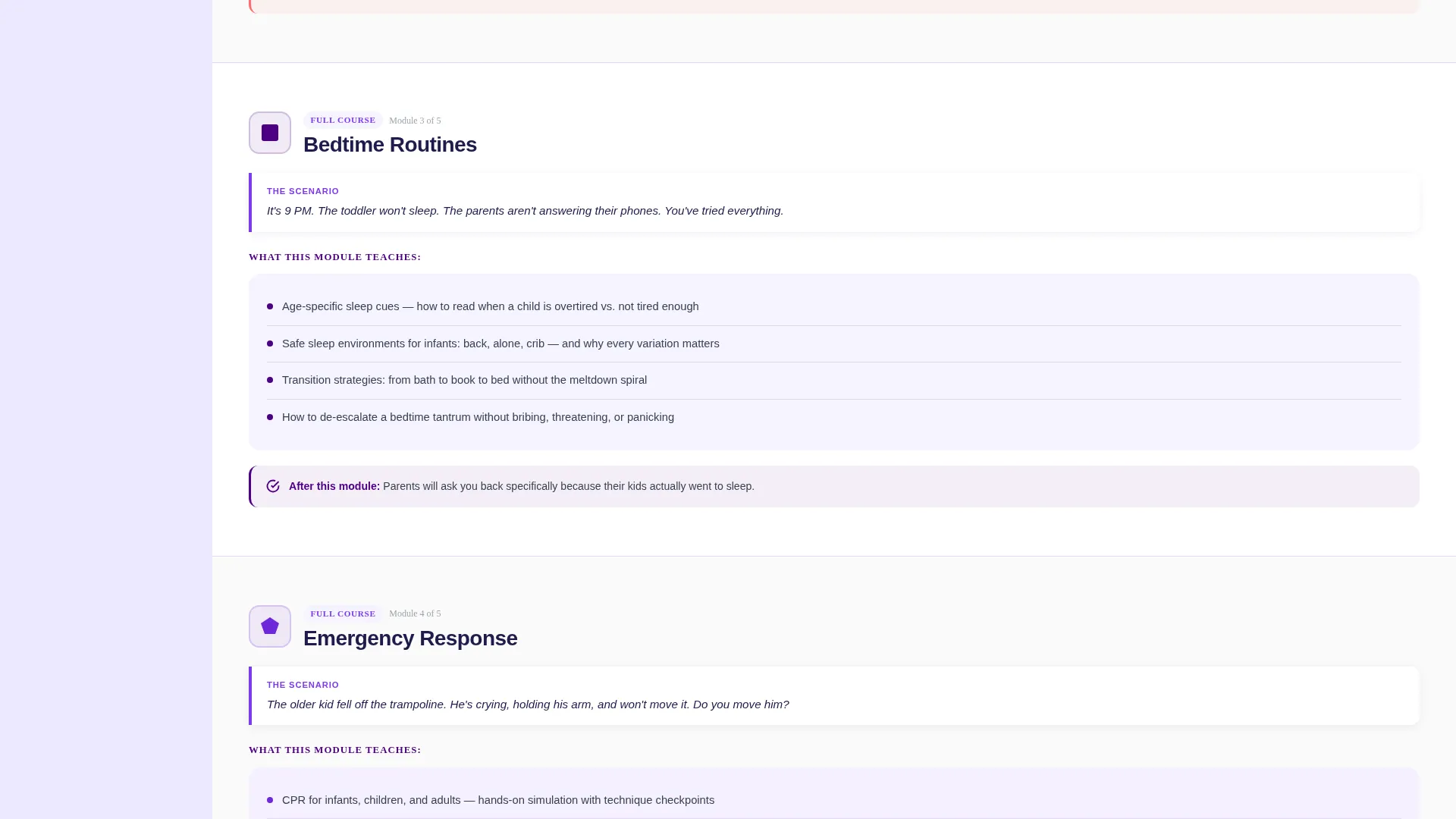
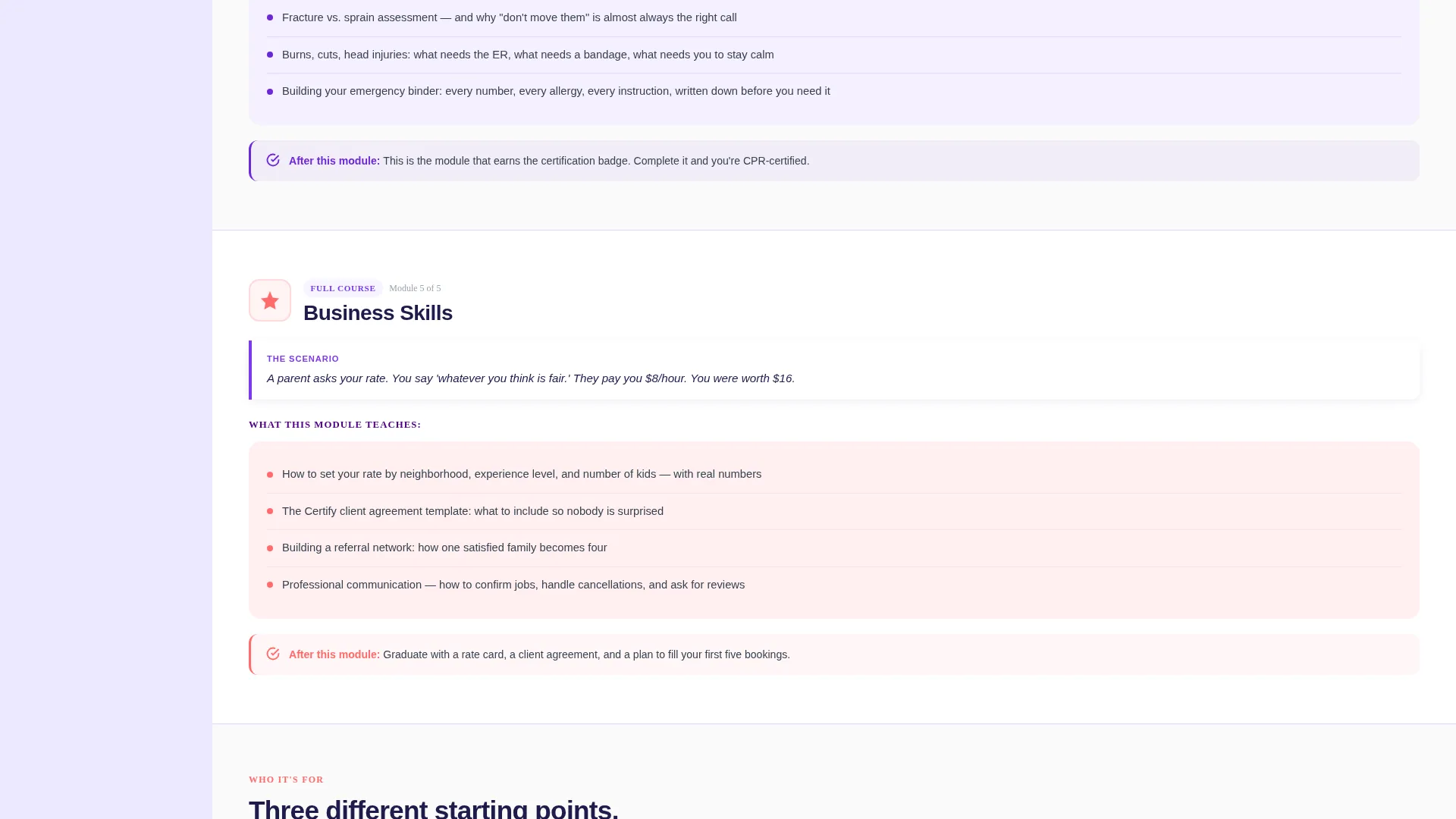
Each of the five module sections in the main panel opens with a single real-world sentence. The scenario sets a clear stake before revealing what the course teaches for that moment. Stakes build from everyday situations to urgent emergencies, pulling the reader forward with natural curiosity.
Freemium Entry Point with Inline Signup
The primary call to action, "Start Module One Free," appears at the top of the main panel and pins to the bottom of the sidebar after the visitor scrolls past Module Two. Clicking it opens an inline form asking only for first name and email.
Dual Conversion Paths
Visitors who are not ready to start can choose the secondary path: "Download the Safety Checklist." This PDF lead magnet captures contact details from a wider pool of visitors, including those who want value before committing.
Custom Isometric Illustration Header
The header fills the main content panel with a top-down isometric scene. It shows a first-aid kit, an open storybook, a phone displaying emergency contacts, building blocks, and a glowing certification badge. There are no stock photos and no real faces.
Geometric Visual Identity System
Every shape, icon, and color is placed with intention. Deep indigo anchors the sidebar and headings. Vivid violet marks hover states and progress fills. Soft lavender washes the main content background. Punchy coral is reserved for calls to action and milestone badges only.
Page sections overview
| Section | Purpose |
|---|---|
| Isometric Illustration Header | Sets the course tone and visual world immediately |
| Primary call to action Block | Invites visitors to start Module One for free |
| Fixed Progress Sidebar | Tracks scroll position across all five modules |
| Module One: Child Safety Basics | Opens the curriculum with a foundational safety scenario |
| Module Two: Feeding and Allergies | Covers meal safety and allergy awareness in a real context |
| Module Three: Bedtime Routines | Addresses evening care challenges with practical guidance |
| Module Four: Emergency Response | Builds CPR and emergency-response credibility at the course's highest-stakes moment |
| Module Five: Business Skills | Closes the curriculum with booking, rates, and professional positioning |
| Secondary Lead Magnet Block | Offers the Safety Checklist PDF to capture undecided visitors |
| Pinned Sidebar call to action | Re-presents the free module offer after the visitor passes Module Two |
| Inline Signup Form | Collects first name and email with no credit card required |
Design & branding system
The Electric Indigo color system was chosen to feel like a children's museum designed by a graphic designer. Every color serves a specific purpose and nothing is decorative for its own sake.
- Deep indigo (#4B0082) anchors the sidebar and all primary headings for strong visual hierarchy
- Vivid violet (#7C3AED) activates on hover states and fills the sidebar progress icons as the visitor scrolls
- Soft lavender (#EDE9FE) covers the main content background, keeping the reading surface light and open
- Punchy coral (#FF6B6B) appears exclusively on call-to-action buttons and milestone badges, making every action point unmissable
Mobile & speed optimization
The template layout is designed to translate clearly from desktop to smaller screens. The sidebar companion format adapts so the progress context remains visible without crowding the reading experience.
- The fixed sidebar collapses or repositions on smaller viewports so the main content stays readable
- The inline signup form is minimal by design, asking only for two fields, which keeps load and interaction weight low
- The illustration header uses clean geometric shapes rather than complex photography, which supports lighter rendering on all devices
How this template helps you convert
Every structural decision in this template is built to move hesitant visitors toward a clear next step.
- The free module offer removes the biggest barrier to entry. Visitors try before they pay, and completing Module One creates the momentum to finish the full course at $49.
- The scrolling sidebar progress effect makes visitors feel like they are already inside the course. By the time they reach Module Three, the upgrade feels like a natural continuation rather than a new commitment.
- The dual conversion path means no visitor leaves empty-handed. Those not ready to start can download the Safety Checklist, staying in your audience for a future nudge.
Other information about this template
This template was built specifically for the babysitter certification course niche, where trust and credibility are the primary conversion levers. A few additional points are worth noting for anyone evaluating this template for their program.
- The $49 full-course price point is baked into the template's conversion logic, and the freemium structure supports it directly
- The five modules, Child Safety Basics, Feeding and Allergies, Bedtime Routines, Emergency Response, and Business Skills, are laid out in a deliberate order that builds emotional stakes
- The illustration header avoids real faces and stock photography, which helps course creators maintain a consistent branded look without licensing concerns
- The coral accent color is locked to calls to action and badges only, which means it retains visual punch throughout the entire scroll
Theme
Playful Geometric
Creative direction
Step-by-Step Guide
Color system
Electric Indigo
Style
Sidebar Companion
Direction
Freemium/Trial
Page Sections
Fixed Progress Sidebar with Icon Fill
Scenario-led Module Storytelling
Freemium Inline Signup
Dual Conversion Path Design
Custom Isometric Illustration Header
Electric Indigo Color System
Related questions
Can I change the course modules listed in the sidebar?
Does the free module signup require a payment method?
What is the Safety Checklist lead magnet included in the template?
Who is this landing page template best suited for?
Can I adjust the Electric Indigo color palette to match my own brand?



