Cloud-Native Enterprise Software Advanced Professional Website Template
Chainlink is a split-screen landing page template built for cloud-native supply chain management platforms. It combines an animated network graph, scrolling partner logo bar, and data-card-driven storytelling to speak directly to procurement leaders and logistics operators. The page guides enterprise buyers from first impression to app install through a confident, dashboard-inspired visual experience.
by Rocket studio
Quick summary
Chainlink is a single-page template designed for cloud-native supply chain platforms. It uses a 50/50 split-screen layout, an animated node-and-connection graph, and an industry-report scroll cadence to build trust with operations leaders. The page ends with a modal-based app install flow and a secondary PDF lead capture path.
Who this template is for
This template is built for B2B software teams launching a supply chain management platform to a technical enterprise audience. It speaks the language of operators who live inside dashboards, not marketing pages.
- VP-level supply chain operators at mid-market manufacturers
- Third-party logistics coordinators managing multiple carrier connections
- Operations directors at direct-to-consumer brands who have outgrown spreadsheet workflows
What problem this template solves
Supply chain platforms are complex, and a generic landing page undersells that complexity. Buyers in this space need proof before they commit. A page that leads with data, shows integration breadth, and mirrors how operators already think closes that credibility gap fast.
- Procurement teams need to see real-time visibility communicated visually, not just described
- Enterprise buyers expect benchmark data and case studies before downloading anything
- A weak first impression loses VP-level visitors who judge platform maturity in seconds
What you get with this template
You get a fully structured, single-page layout that takes a visitor from brand recognition to conversion in one confident scroll. Every section is purposefully sequenced to escalate value and reduce hesitation.
- A scrolling logo bar header with shipper, carrier, and ERP partner silhouettes
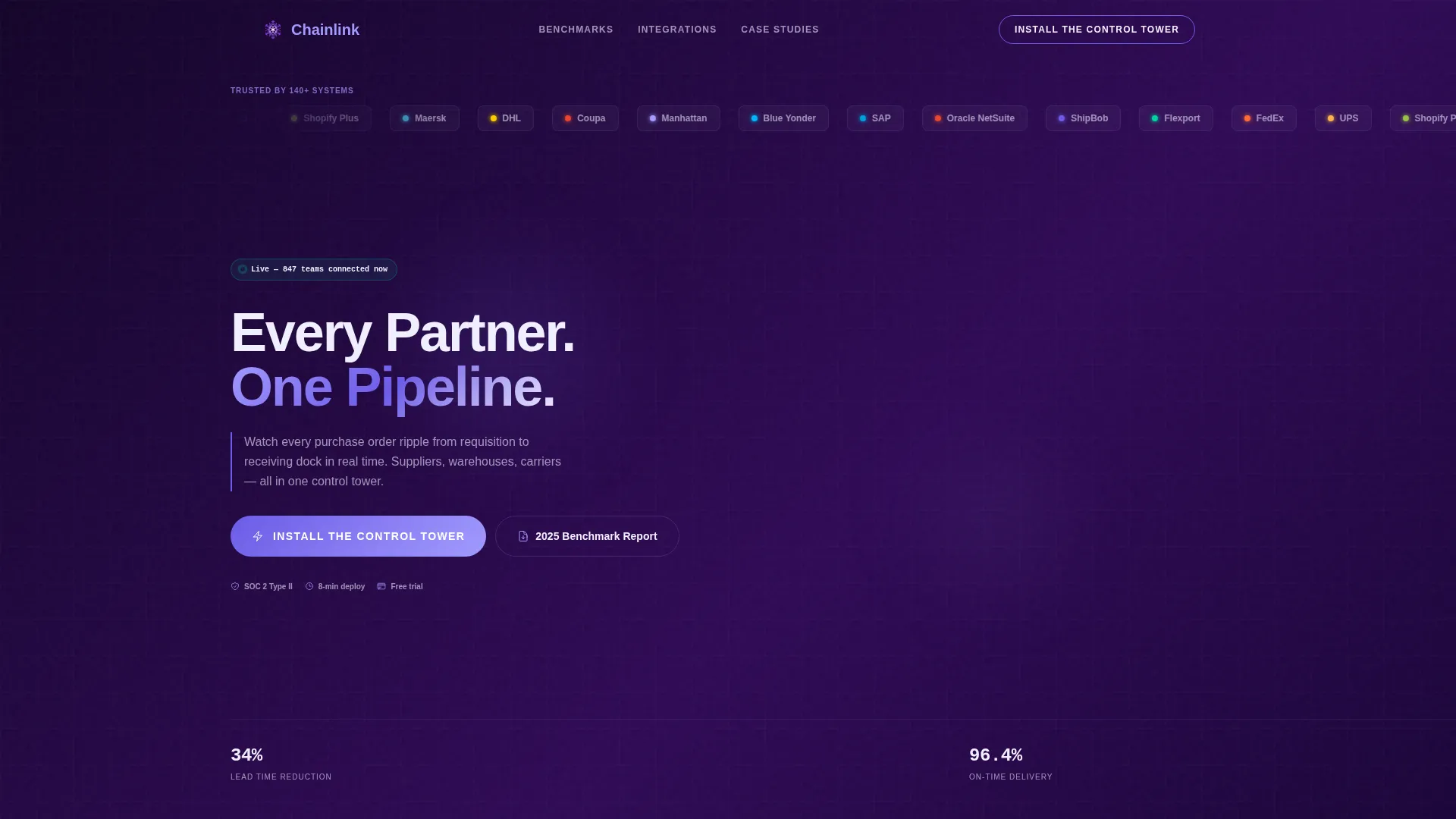
- A split-screen hero with an animated network graph on the right panel
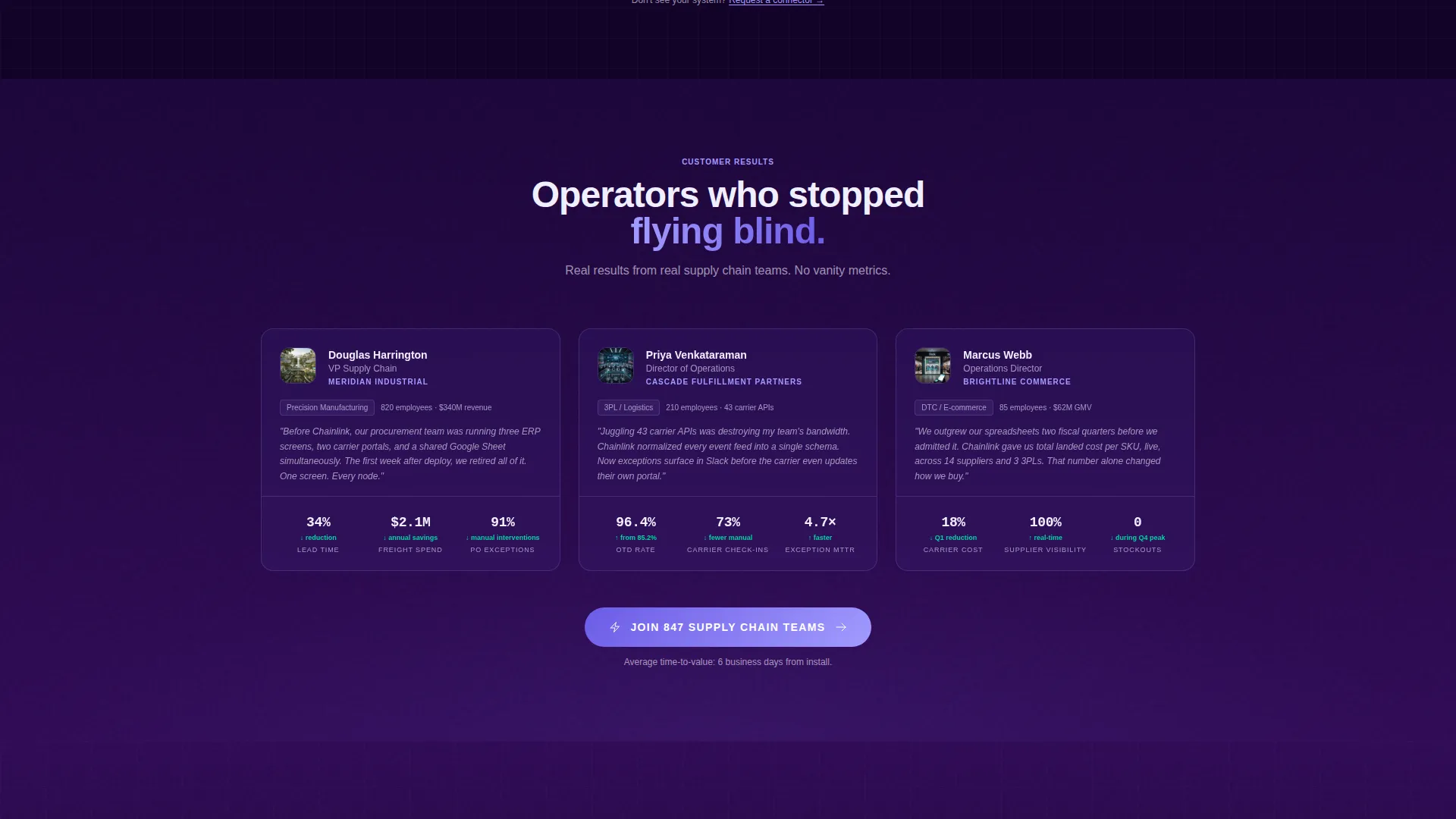
- Proprietary-style data cards, analyst paragraphs, and mini case studies across four content sections
- A sticky bottom-bar call to action, a full-width closing section, and a platform-detect install modal
- A secondary PDF gate capturing leads who want the benchmark report before installing
Feature list
This template ships with purpose-built components designed for enterprise software positioning and conversion.
Split-Screen Hero Layout
The hero divides into two equal panels. The left holds the logo bar and headline. The right displays a stylized, animated network graph where nodes pulse as new connections activate. This immediately communicates platform scale and live connectivity.
Infinite-Loop Logo Bar
A horizontal ribbon scrolls partner logos in a continuous loop against the deep indigo background. It establishes integration breadth before the visitor reads a single line of body copy, which is critical for enterprise trust-building.
Data Card and Analyst Panel Pairing
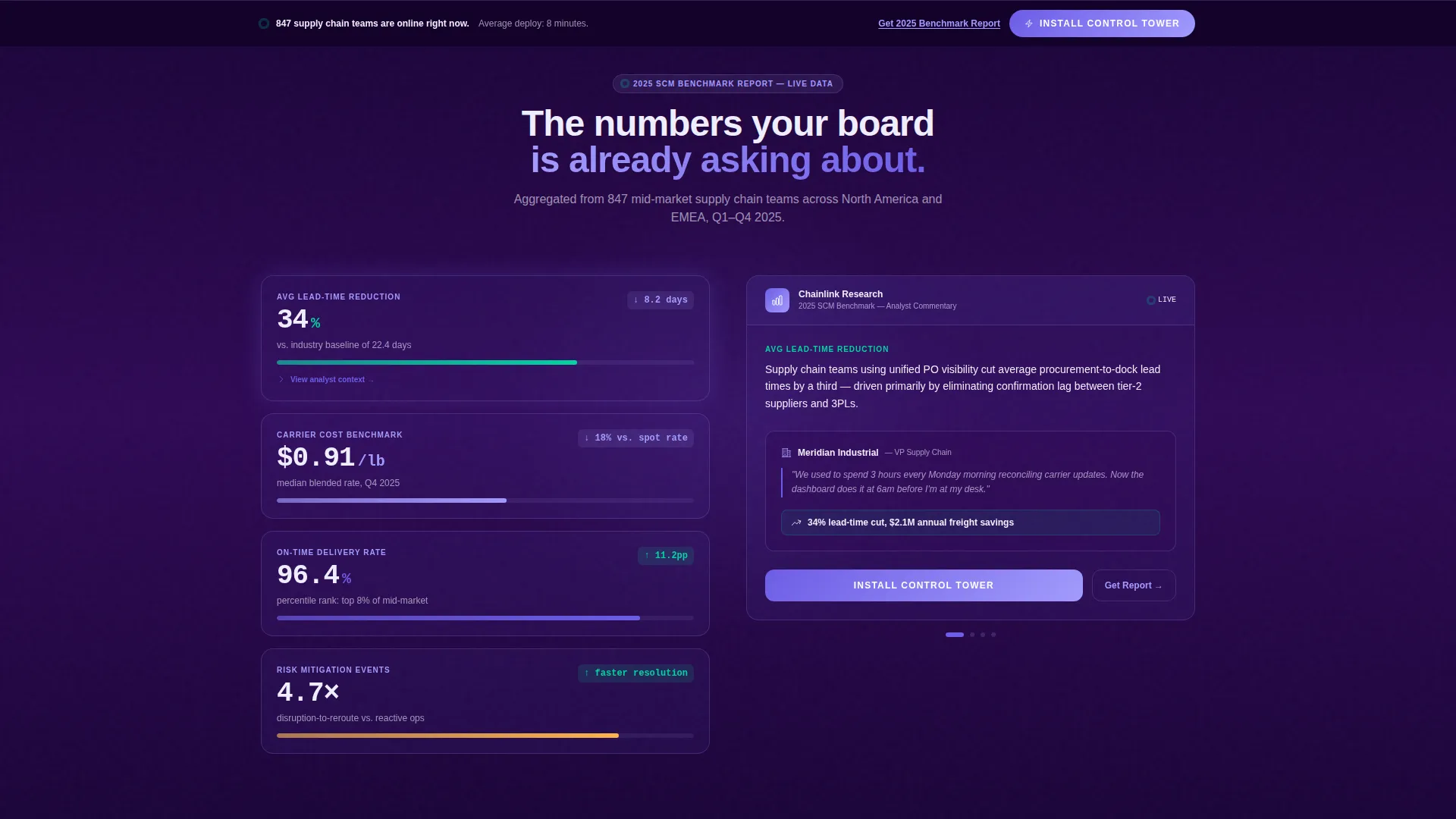
Each scroll section pairs a proprietary data card on the left with a short analyst-style paragraph and mini case study on the right. The four-section cadence covers visibility, speed, cost savings, and risk mitigation in that order.
Sticky App Install Call to Action
A sticky bottom bar appears after the second scroll section with the primary call to action: "Install the Control Tower." It persists as the visitor scrolls, then reappears as a full-width section closer, keeping the conversion path always in view.
Platform-Detect Install Modal
Tapping the primary call to action opens a modal with iOS, Android, and Desktop Agent toggles, a work email field, and a company-size dropdown. This collects qualified lead data while reducing friction at the moment of highest intent.
PDF Benchmark Report Gate
A secondary conversion path offers the 2025 SCM Benchmark Report as a downloadable PDF. It captures visitors who are deeply engaged with the data but not yet ready to install, extending the lead funnel without disrupting the primary flow.
Page sections overview
| Section | Purpose |
|---|---|
| Scrolling Logo Bar | Establish integration breadth instantly |
| Split-Screen Hero | Introduce platform with animated network graph |
| Visibility Data Section | Lead with real-time tracking proof |
| Speed Data Section | Benchmark lead-time reduction metrics |
| Cost Savings Section | Present carrier-cost comparison data |
| Risk Mitigation Section | Close the data narrative with on-time delivery percentiles |
| Sticky call to action Bar | Keep primary install path always visible |
| Full-Width Closer | Final push toward app install conversion |
| Install Modal | Capture qualified leads with platform-detect flow |
| PDF Report Gate | Secondary lead capture for research-stage buyers |
Design & branding system
The visual identity follows a Directory and Discovery theme powered by an Electric Indigo color system. The palette is built to feel like the glow of a live dispatch screen in a darkened operations center.
- Deep terminal indigo (#2E0854) anchors full-bleed background panels throughout the page
- Luminous iris (#6C5CE7) highlights interactive cards and hover states
- Signal white (#F0EFFF) is used for body text and data labels to ensure contrast
- Hot volt accent (#A29BFE) traces progress bars and live-status indicators across data sections
Mobile & speed optimization
The template is designed with a responsive split-screen structure that adapts the 50/50 layout for smaller viewports. Animated elements are built to remain purposeful without overwhelming mobile rendering.
- The network graph animation scales gracefully so node pulses remain visible on tablet and phone screens
- The sticky call-to-action bar is touch-optimized with adequate tap target sizing for mobile users
- The install modal presents iOS, Android, and Desktop Agent toggles in a clean stacked format on small screens
How this template helps you convert
The page is engineered around a deliberate conversion architecture that matches how enterprise buyers evaluate platforms before committing.
- The scrolling logo bar and animated network graph create immediate category authority, reducing the time it takes a VP-level visitor to trust the platform.
- The industry-report scroll cadence builds a data-backed case across four escalating sections, so by the time the sticky call to action appears the visitor already has the evidence they need.
- The dual conversion path, primary install modal and secondary PDF gate, captures buyers at two different stages of readiness in a single scroll session.
Other information about this template
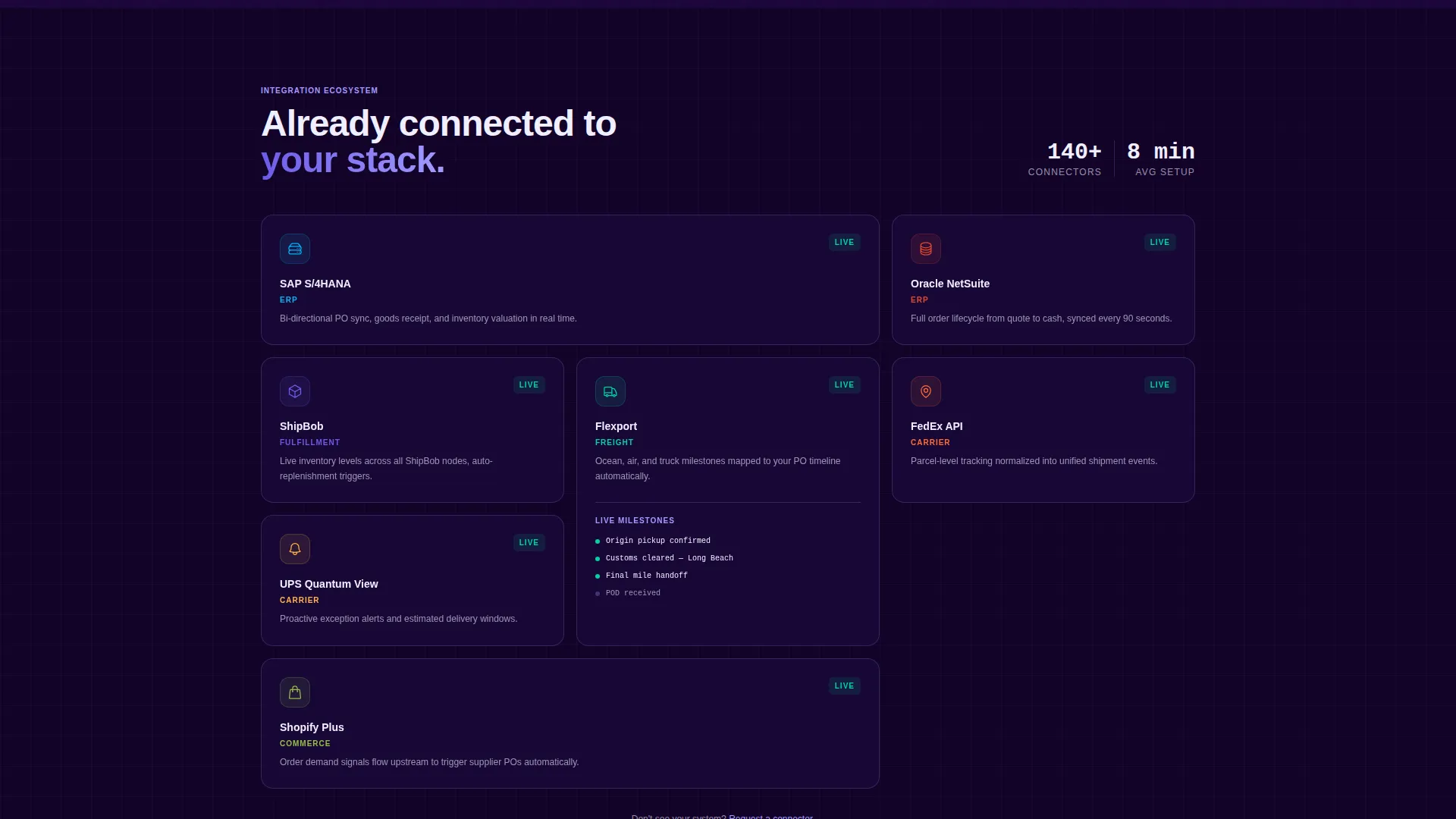
This template is built within the cloud-native enterprise software category and is designed specifically for the supply chain management niche. It is a strong fit for teams positioning a platform that connects suppliers, warehouses, and logistics partners into a unified operations view.
- The template style is Split Screen (50/50), making it well suited for platforms that need to show both data and context side by side
- The Industry Report creative direction pairs naturally with platforms that have proprietary benchmark data to share
- The App Download landing page direction makes this template actionable for teams launching a new product or entering a new market segment
- The Logo Bar header concept is especially effective for platforms with established integration ecosystems, as it signals partnership depth before any copy loads
Theme
Directory & Discovery
Creative direction
Industry Report
Color system
Electric Indigo
Style
Split Screen (50/50)
Direction
App Download
Page Sections
Split-screen Hero with Network Graph
Infinite-loop Partner Logo Bar
Data Card and Analyst Panel Pairing
Sticky App Install Call to Action
Platform-detect Install Modal
PDF Benchmark Report Lead Gate
Related questions
Who is the primary audience for this template?
Can I customize the data cards and benchmark figures?
How does the dual conversion path work?
Is this template suitable for a platform still in early access?
What layout style does this template use?



