Dynamic Dental Client Management Landing Page Template
Chairside is a scroll-reveal dental client management landing page built for practice decision-makers who need a single animated dashboard to control scheduling, revenue tracking, and multi-location oversight. The landing page uses a Dynamic Motion design with an Electric Indigo color system, interactive animated sections, and a "Get Chairside Free" app download flow driven by a two-question practice assessment.
by Rocket studio
Quick summary
Chairside is a focused dental care landing page template purpose-built for dental software teams targeting office managers, associate dentists, and practice owners. It uses a scroll-reveal structure, a live animated dashboard hero, and an industry-report narrative that quantifies each daily pain point before presenting the feature solution. The goal is a single, decisive action: download the app.
Who this template is for
This landing page template is designed for dental software companies and SaaS founders building a dentist landing page that speaks directly to practice operations teams. It targets decision-makers who run busy clinic environments and want product proof before committing to a purchase.
- Dental office managers overseeing multiple operatories and appointment boards who need fast, visible data each morning
- Associate dentists and practice owners tracking case acceptance rates and revenue across more than one clinic location
- Dental software teams who want a dentist landing page that demonstrates the product working, not just describing it
What problem this template solves
Most dental care landing page designs fail because they rely on stock photos and generic claims. They do not show the product. They do not quantify the cost of the problem. A well-built dentist landing page should guide visitors toward one clear action quickly. This template solves the gap between a passive brochure-style clinic landing page and a conversion-led product demo.
- Practices lose real revenue to broken appointments and unworked recall queues, and a dentist landing page that surfaces those numbers builds immediate urgency
- Generic dental clinic landing pages bury insurance info, hide payment options, and leave potential patients without clear next steps
- Teams building a new landing page for a dental SaaS product have no starting structure that combines animated product previews with a direct app download flow
What you get with this template
This template delivers a fully structured, section-led dental care landing page with high interactivity built in from the first scroll. Every section is mapped to a specific stage of the buyer journey, from daily scheduling pain to annual growth ambition. You get a landing page design that earns the tap by showing the product alive before asking for the sign-up.
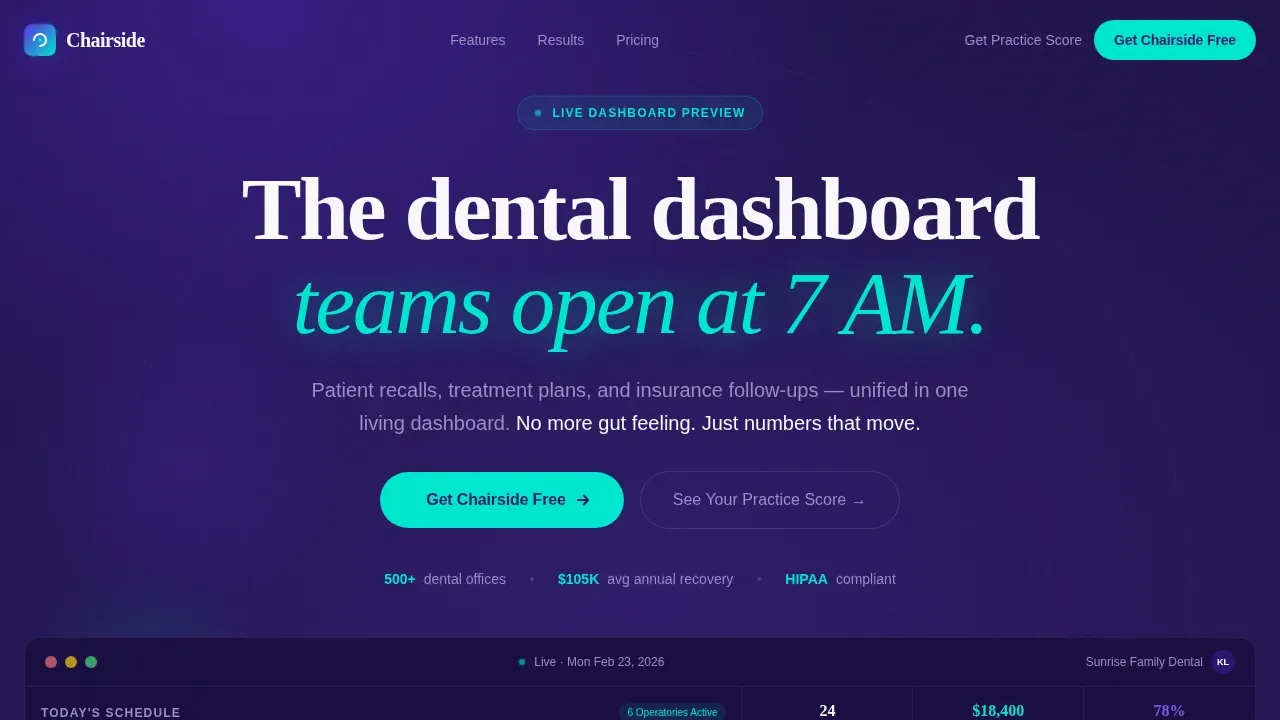
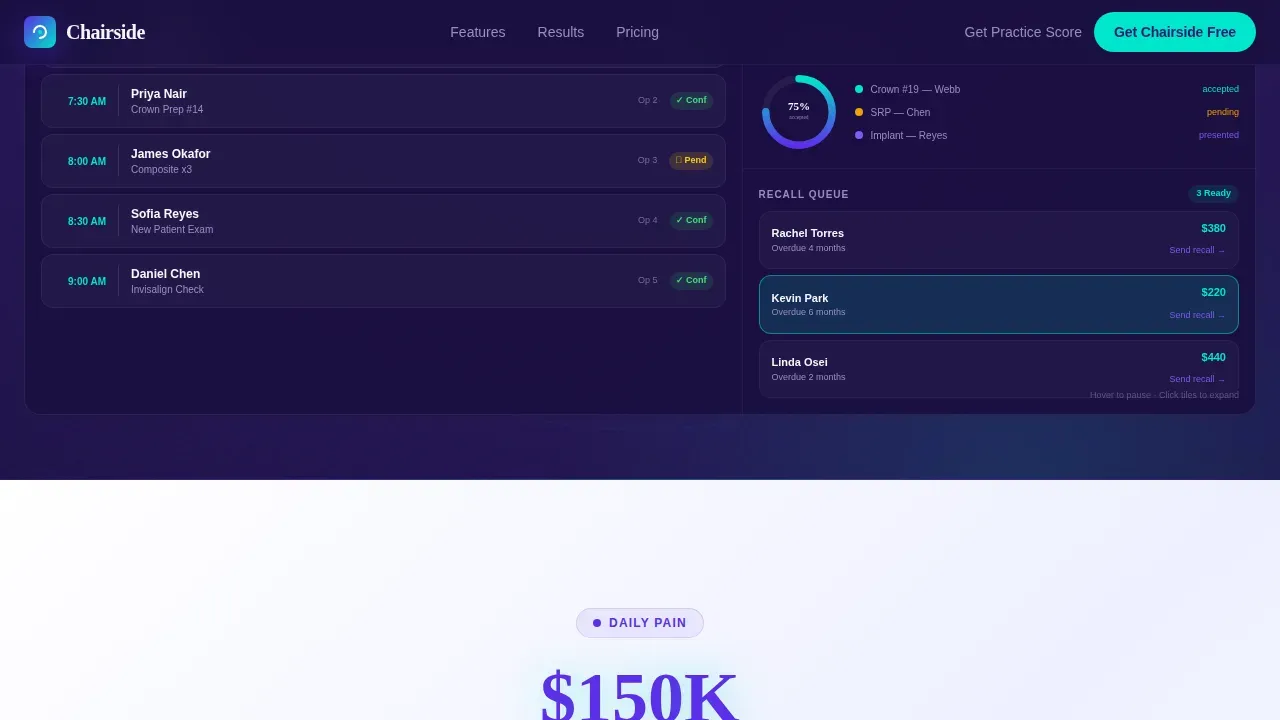
- An interactive hero dashboard with animated patient cards, a recall queue that pulses with live indicators, and a treatment acceptance ring chart that fills in real time
- Five core content sections that each open with a bold industry stat, animate a corresponding product feature into view, and close with a persistent "Get Chairside Free" call to action
- A two-question micro-assessment that delivers a personalized practice efficiency grade, guiding potential patients and practice teams toward the app download with relevant context
Feature list
This landing page template includes several prompt-defined capabilities that work together to create a professional, high-motion dental care landing page experience.
Interactive Animated Dashboard Hero
The header renders a full-viewport interactive preview of the actual dashboard. Animated patient cards slide into appointment slots, a treatment acceptance ring chart draws in real time, and a recall queue pulses cyan each time a new entry surfaces. Visitors can hover to pause the animations and click mock patient tiles to see detail panels expand. There are no stock photos of smiling dentists here. The product is the hero.
Scroll-Reveal Industry Report Structure
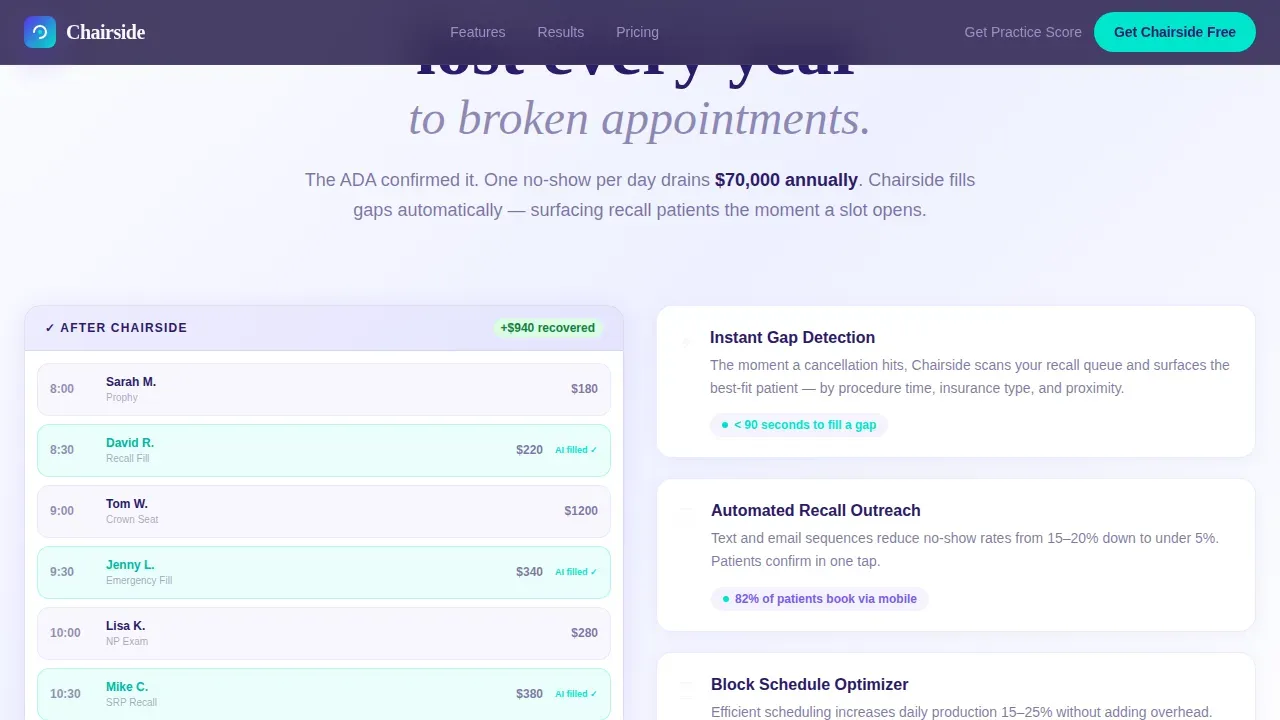
Each section scrolls into view one practice metric at a time. A bold stat opens every segment, for example calling out that 67 percent of practices lose significant revenue to broken appointments each year. The corresponding feature then animates into view as the direct answer. This structure builds urgency through dental industry data and resolves it immediately with a product interaction, keeping visitors engaged from the first scroll to the final sign-up prompt.
Persistent App Download Call to Action
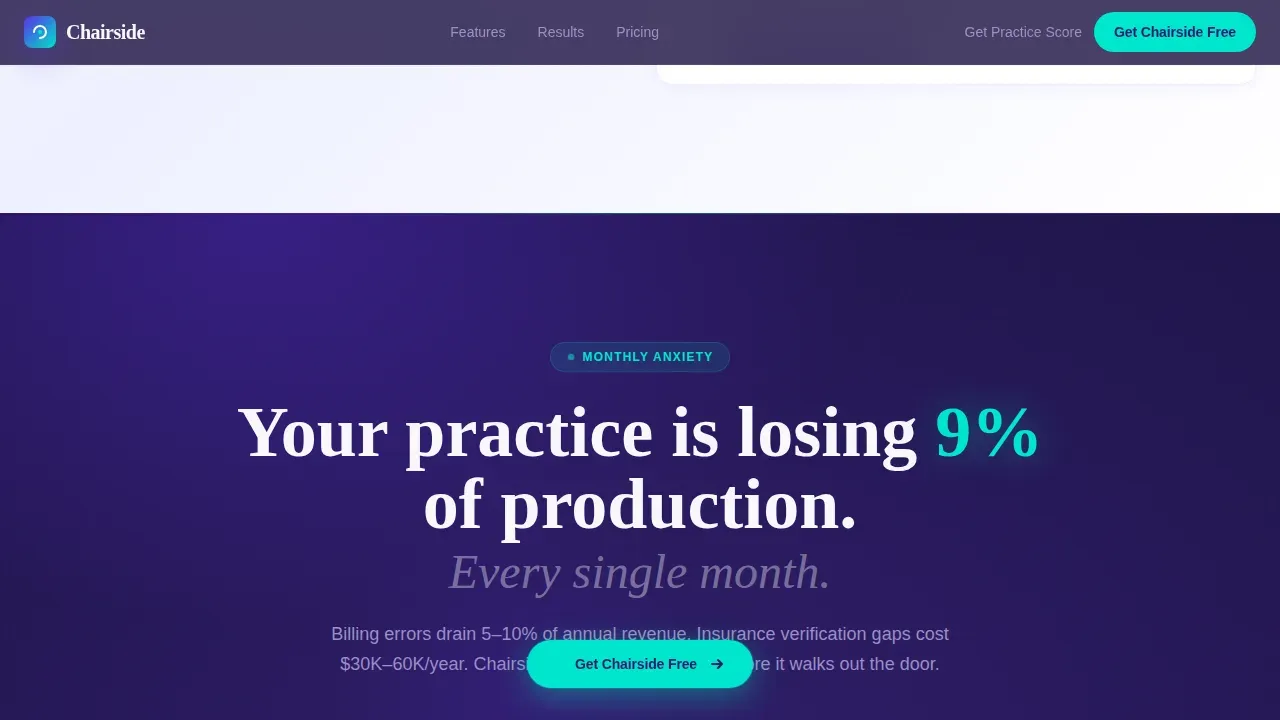
A floating pill button reading "Get Chairside Free" appears after the third scroll reveal and anchors to the bottom of every subsequent section. Tapping opens a phone number input field with instant SMS link delivery, paired with App Store and Google Play badges. This landing page design keeps the primary conversion path visible at all times without disrupting the content flow.
Two-Question Practice Score Assessment
A micro-assessment embedded near the bottom of the page asks two focused questions: practice size and current software. It returns a personalized efficiency grade, making the recommendation feel relevant to each visitor. This approach provides social proof of a gap before presenting the download as the solution, which increases the likelihood that potential clients act.
Multi-Location Comparison Dashboard Section
The annual ambition section displays a location comparison dashboard that lets practice owners see performance differences across sites. Counters tick up, charts draw, and cards slide, demonstrating multi-location visibility as a real-time experience rather than a static screenshot. This section speaks directly to dental service organizations and growing practices managing more than one clinic.
Dynamic Motion Animation System
Every element on the page moves with purpose. Counters tick, charts draw, and cards slide using a continuous motion language that reflects the Electric Indigo visual identity. The cyan accent color appears only on active buttons, real-time counters, and notification badges, so the interface feels alive without becoming visually noisy. This is a landing page that demonstrates its theme rather than describing it.
Page sections overview
| Section | Purpose |
|---|---|
| Interactive Dashboard Hero | Display live animated dashboard as the primary product proof |
| Daily Pain Reveal | Quantify scheduling chaos cost, animate appointment board solution |
| Monthly Anxiety Reveal | Surface revenue leakage stat, animate billing and insurance tracker |
| Annual Ambition Reveal | Show multi-location growth stat, animate location comparison dashboard |
| Practice Score Assessment | Deliver two-question efficiency grade leading to app download |
| Persistent Download Footer | Anchor "Get Chairside Free" call to action with SMS input and app badges |
Design & branding system
The visual identity follows a Dynamic Motion theme built on the Electric Indigo color system. The palette is precise and clinical, referencing the focused glow of a curing light rather than the generic blue-and-white aesthetic common across dental clinic landing pages. Typography pairs DM Sans for interface and body text with Fraunces for editorial headlines, giving the landing page a futuristic clinical voice that feels distinct and professional.
- Colors: deep operatory violet (#2D1B69) for backgrounds, charged indigo (#5B2FE8) as the primary interactive color, clinical white (#F7F7FB) for text and surface contrast, and pulse-bright cyan (#00E5CC) reserved strictly for active buttons, live data indicators, and notification badges
- Typography and layout: DM Sans handles all body descriptions, data labels, and interface copy, while Fraunces sets the editorial headline tone; the layout alternates between deep violet and clinical white backgrounds to create clear section rhythm and support brand identity across the full page
Mobile & speed optimization
This template is built desktop-first, reflecting the reality that dental office managers are typically at a workstation at 7 AM when they first engage with a dental care landing page. A mobile-responsive fallback ensures the landing page remains functional and readable on any device, which matters because many potential patients and dental team members also access pages on smartphones.
- Desktop-first layout prioritizes the full animated dashboard experience for office workstation users, with all interactive components accessible via hover and click
- Mobile-responsive fallback keeps the landing page readable and navigable on smaller screens, ensuring easy navigation and access to the app download flow regardless of device
How this template helps you convert
This landing page is engineered to earn the conversion by demonstrating value before asking for it. Every structural choice, from the animated hero to the persistent download button, is designed to move visitors from skeptical observers to active app downloaders.
- The interactive dashboard hero shows the product working on arrival, so visitors do not need to imagine the experience. Content accompanied by images is 80 percent more likely to be read, and a live animated interface goes further by removing doubt about what the app actually does.
- Each scroll reveal pairs a specific industry cost with a live product animation, building urgency through social proof in the form of real dental industry data before presenting the download as the logical next step.
- The two-question practice score assessment gives each visitor a personalized efficiency grade, making the call to action feel earned and relevant rather than generic, which significantly increases the likelihood of an app download.
Other information about this template
This landing page template is built for the dental software and SaaS category, and it covers the full range of concerns that decision-makers bring when evaluating a new landing page for a practice management platform. The template is structured to support easy customization of all text descriptions, color values, and section content without rebuilding the animation logic. Builders can swap in real patient photos or high resolution images of actual clinic environments to replace the animated placeholder tiles, maintaining the professional visual standard. The layout is designed with an SEO friendly structure so that descriptive headings, page sections, and text blocks are readable by search engines and discoverable by dental professionals searching for practice management tools online.
- The dentist landing page layout supports addition of contact details, an interactive map for each clinic location, and insurance info blocks for practices that want to provide information about accepted plans and payment options to new patients before they arrive
- Sections are modular, so teams can focus on the specific pain points most relevant to their audience, for example emphasizing the scheduling section for a single-location dental clinic or leading with the multi-location dashboard for a dental service organization
- The template avoids stock photos by design, placing the animated product interface as the primary visual; builders choosing to add real imagery should use high resolution images and patient photos that reflect the professional standard of the clinic
- The cosmetic dentistry landing use case is supported by the treatment acceptance section, which can be adapted for cosmetic dentistry services to show case acceptance rates for elective procedures
- Customer testimonials and trust signals can be inserted into any section, for example adding a social proof row of practice manager quotes between the monthly anxiety and annual ambition reveals, or embedding video testimonials that increase conversion rates
Theme
Dynamic Motion
Creative direction
Industry Report
Color system
Electric Indigo
Direction
App Download
Page Sections
Interactive Animated Dashboard Hero
Scroll-reveal Industry Report Sections
Persistent App Download Call to Action Flow
Two-question Practice Score Assessment
Multi-location Comparison Dashboard
Dynamic Motion Animation System
Related questions
Who is this landing page template designed for?
Does the template include real dental industry data?
Can I customize the color system and typography?
How does the app download flow work in the template?
Can I add insurance and payment information to the page?



