Certified Micro-SaaS & Developer Tools Cost Estimator Website Template
The Changelog Dynamic Roadmap landing page template transforms scattered release notes into a clean, structured product timeline. Built for product managers, developer advocates, and startup founders, it combines an interactive Release Velocity Calculator, anchor-nav spoke sections, and a Void & Violet motion design system into one high-impact, single-page experience that makes shipping velocity visible and credible.
by Rocket studio
Quick summary
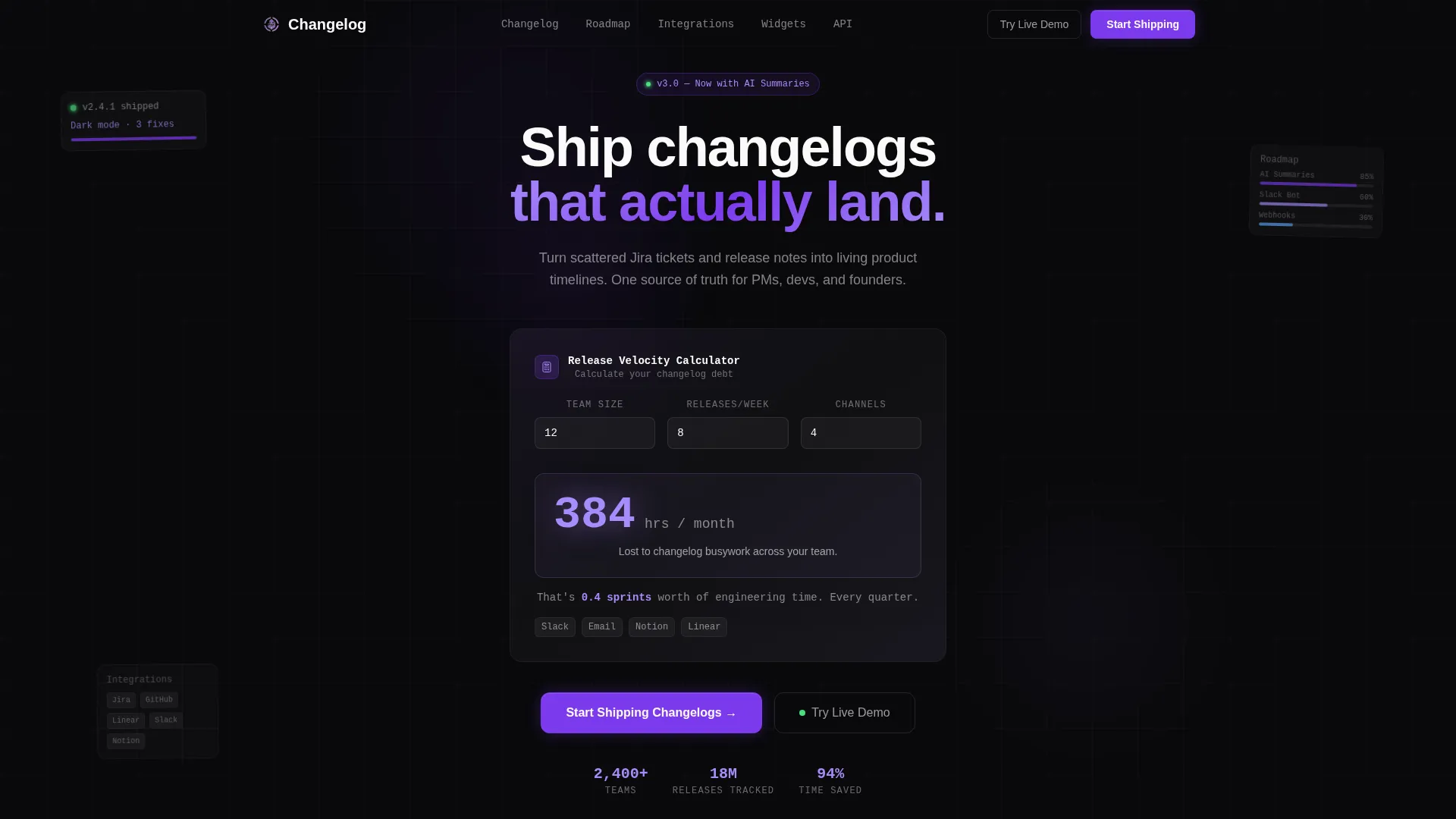
This landing page template is built for changelog and roadmap tools. It opens with an interactive calculator that makes the cost of disorganized release communication immediate and personal. From there, a hub-and-spoke anchor navigation guides visitors through five dense spec sections. The Dynamic Motion theme and Void & Violet palette give every scroll a sharp, technical edge.
Who this template is for
This template is designed for teams that ship often and communicate poorly about it. It speaks directly to the people who feel that pain every sprint.
- Product managers coordinating multiple squads who need one living timeline everyone can read
- Developer advocates building public-facing changelogs that reflect well on the engineering team
- Startup founders who want a roadmap page that shows investors real, measurable velocity
What problem this template solves
Release notes get lost. Jira tickets go unread. Slack threads disappear. The result is a communication gap between what the team shipped and what the rest of the company, or the public, actually knows. This template gives that gap a name and a number.
- Teams waste engineering time tracking down and reformatting changelog updates across multiple tools
- Stakeholders and investors lack a single, trustworthy place to see product progress
- Scattered communication across Slack, email, Notion, and docs makes velocity look slower than it is
What you get with this template
You get a single-page hub-and-spoke landing page with anchor navigation and five core content spokes. The design is pre-built with the Void & Violet color system and Dynamic Motion theme already applied.
- An interactive Release Velocity Calculator hero with live-animated, spring-physics number counters
- Five anchor-nav spokes covering Changelog, Roadmap, Integrations, Widgets, and API
- A sticky anchor nav with scroll-tracked violet underline, two calls to action, and a full-width conversion block
Feature list
This template packs a specific set of functional and visual components. Each one is designed to serve the technical buyer who skims fast and digs deep.
Interactive Release Velocity Calculator
Visitors enter their team size, average releases per week, and number of communication channels. The calculator instantly renders hours lost per month to changelog busywork in large phosphor lilac numerals that animate upward like a cost counter. Below the result, a single contextual line converts the number into sprints of wasted engineering time per quarter.
Hub and Spoke Anchor Navigation
Five spoke sections, Changelog, Roadmap, Integrations, Widgets, and API, each connect back to a persistent anchor nav bar. The active section state is marked by a violet underline that slides like a cursor as the visitor scrolls. The sticky nav also carries both primary and secondary calls to action at all times.
Spec Sheet Content Blocks
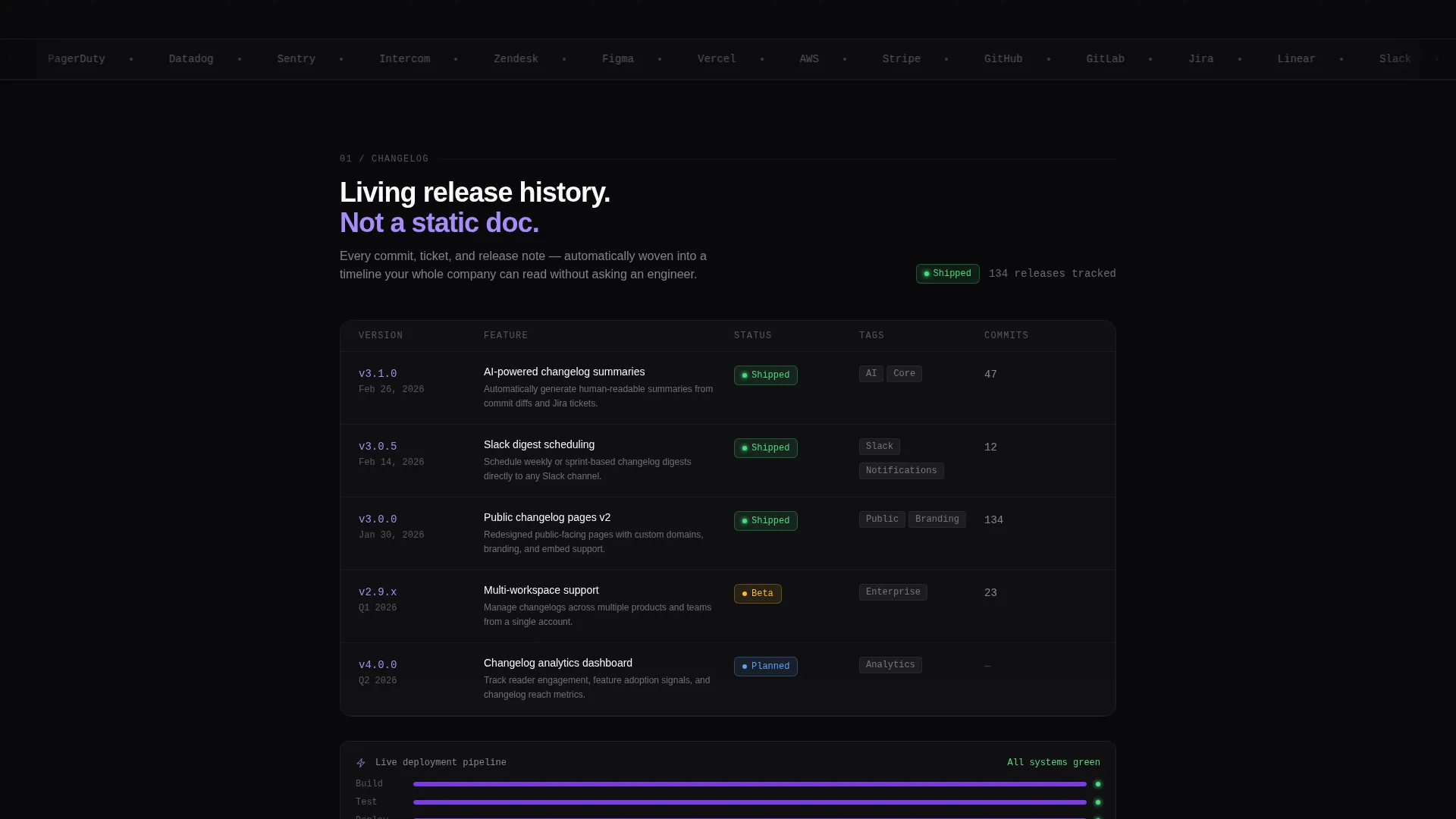
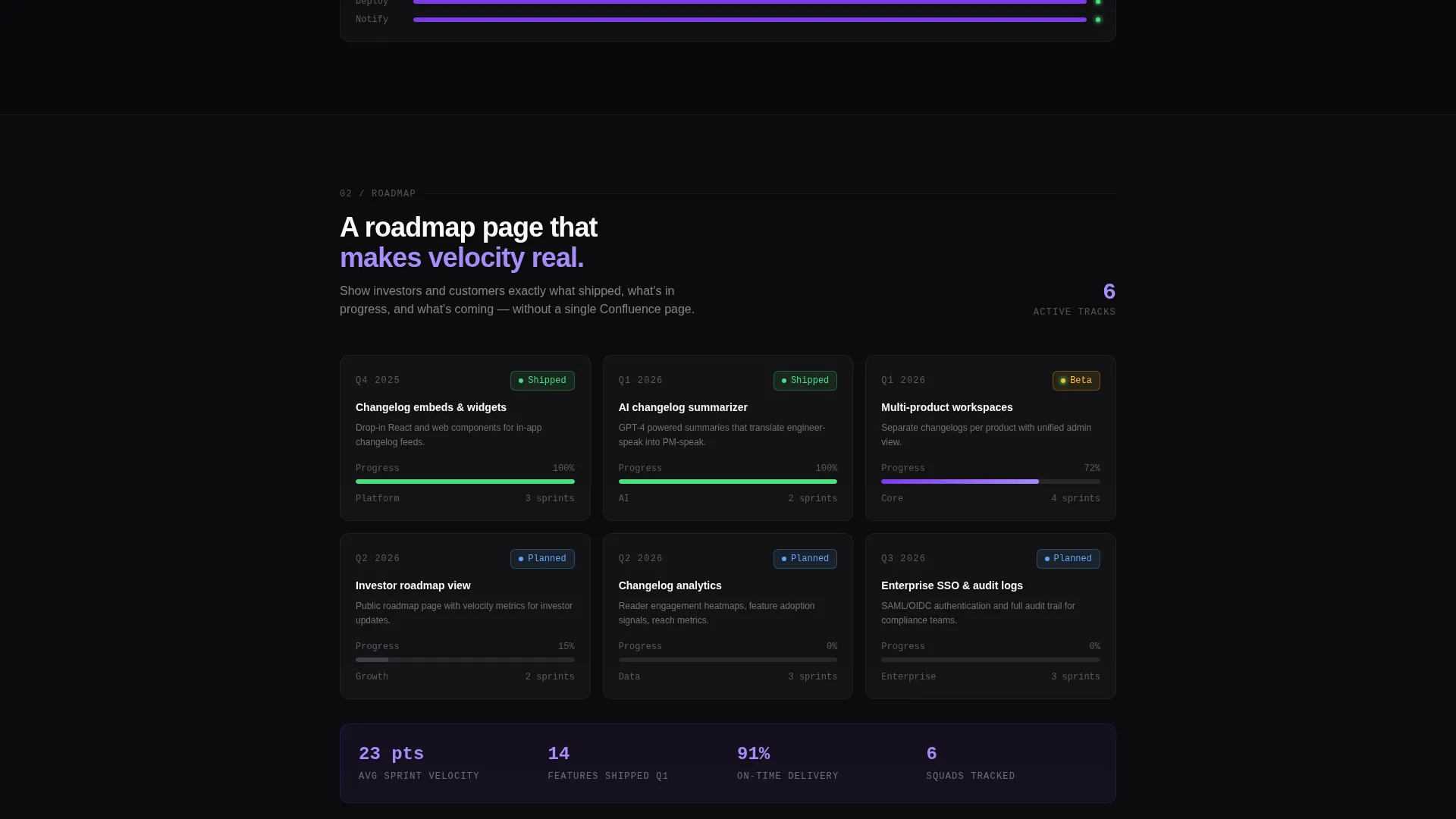
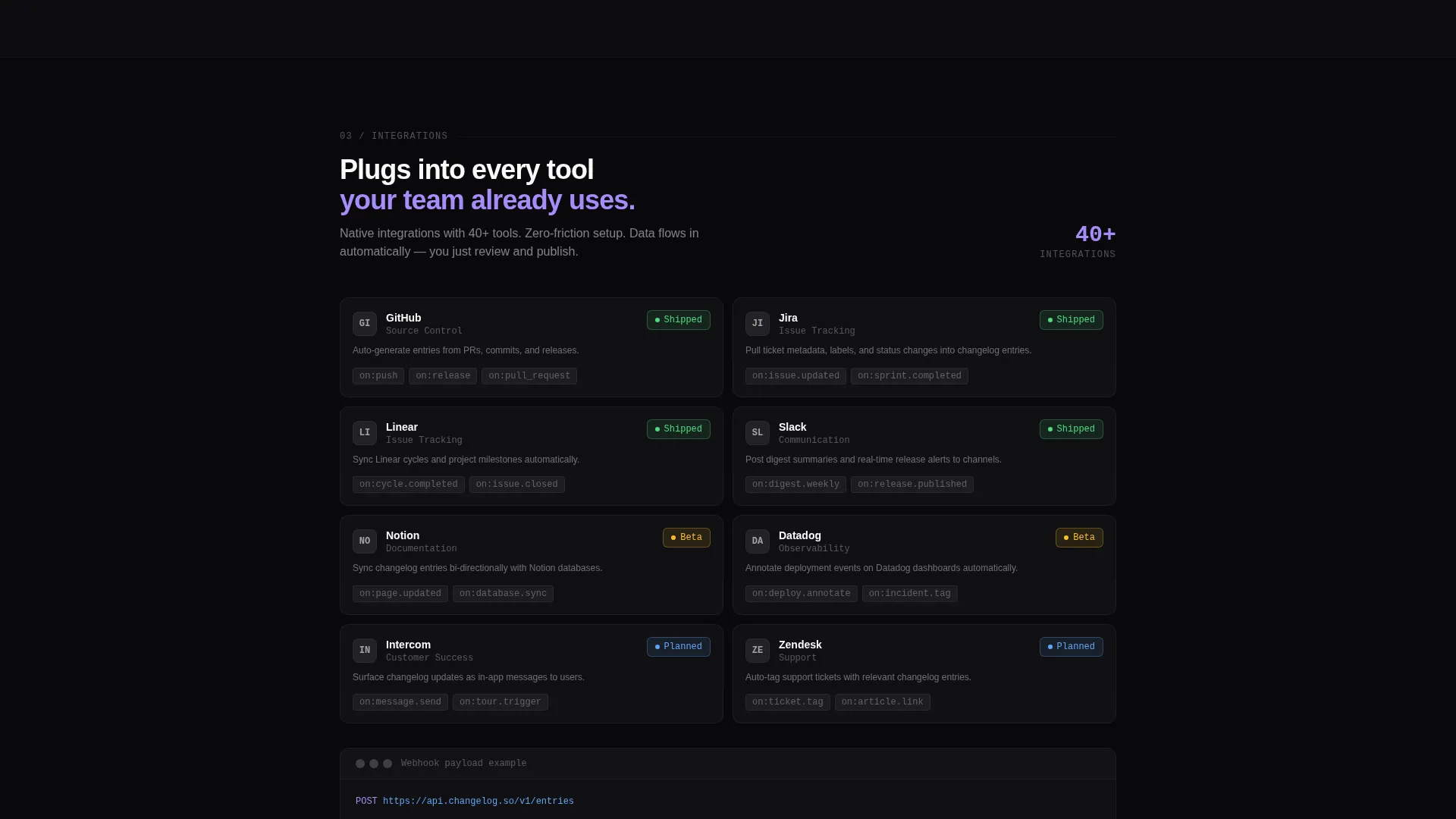
Each spoke section is structured like a technical data sheet. Feature name, status badge showing shipped, beta, or planned, integration count, API endpoint example, and a looping micro-animation showing the feature in use appear together in a dense, scannable block. No marketing paragraphs, just stacked evidence.
Scroll-Triggered Motion System
Cards slide in on scroll with staggered timing. Status badges pulse once on arrival. Every section entrance has directional velocity built into its animation. The spring-physics easing and subtle motion blur on digit flips reinforce the Dynamic Motion theme throughout the entire page.
Dual Call-to-Action Structure
The primary call to action, "Start Shipping Changelogs," appears in the sticky anchor nav and again as a full-width block after the final spoke. A secondary call to action, "Try the Live Demo," opens an interactive sandbox changelog without requiring signup, reducing friction for skeptical buyers before they commit.
Page sections overview
| Section | Purpose |
|---|---|
| Hero Calculator Block | Quantify changelog busywork cost instantly |
| Anchor Nav Bar | Persistent scroll-tracked section navigation |
| Changelog Spoke | Showcase shipped release timeline features |
| Roadmap Spoke | Display planned and in-progress feature status |
| Integrations Spoke | List connected tools and integration count |
| Widgets Spoke | Present embeddable changelog widget options |
| API Spoke | Show endpoint examples and developer specs |
| Primary call to action Block | Drive signups with full-width action section |
Design & branding system
The visual identity follows a Dynamic Motion theme built on the Void & Violet color system. The palette is designed to feel like a code editor at its darkest setting, where color carries meaning rather than decoration.
- Absolute void black (#09090B) dominates all backgrounds and card surfaces; deep ultraviolet (#7C3AED) marks every interactive element and active navigation state
- Phosphor lilac (#A78BFA) handles secondary labels, the calculator numerals, hover glows, and animated digit counters; terminal white (#FAFAFA) keeps body text clean and readable against dark backgrounds
- Motion design includes spring-physics easing on number counters, staggered card entrances on scroll, single pulse on status badge arrival, and a sliding violet underline on the anchor nav
Mobile & speed optimization
The template is structured for a responsive single-page layout. The anchor nav and calculator hero are the most interaction-heavy components, and both are built to adapt across screen sizes.
- The sticky anchor nav collapses cleanly on smaller viewports so navigation stays usable without crowding the content
- Staggered scroll animations use timing offsets rather than complex media queries, keeping the motion system intact on mobile without adding layout complexity
How this template helps you convert
The conversion strategy is layered. The calculator earns trust with the visitor's own data before the product is introduced. The spec blocks satisfy the technical buyer. The calls to action close the loop.
- The Release Velocity Calculator makes the cost of inaction personal and numerical in the hero, so visitors arrive at the product sections already invested in finding a solution
- The "Try the Live Demo" secondary call to action removes the signup barrier for skeptical product managers and developer advocates who want proof before they commit
- The full-width "Start Shipping Changelogs" block after the final spoke catches visitors at peak intent, right after they have reviewed all five spoke specs
Other information about this template
This template is built specifically for the changelog and roadmap tool niche inside the broader micro-SaaS and developer tools category. It suits teams that operate in fast-release environments.
- The template style is hub and spoke with anchor navigation, which works well for products with multiple distinct feature areas that need equal visibility
- The header concept is a Calculator/Estimator, a format that converts abstract pain into a concrete, personal number before any product claim is made
- The creative direction follows a Spec Sheet approach, prioritizing evidence density over persuasive copy, which matches the expectations of technical buyers
- The landing page direction targets app download and direct signup, making the primary call to action the functional endpoint of the entire scroll journey
Theme
Dynamic Motion
Creative direction
Spec Sheet
Color system
Void & Violet
Style
Hub & Spoke (Anchor Nav)
Direction
App Download
Page Sections
Interactive Release Velocity Calculator
Hub and Spoke Anchor Navigation
Spec Sheet Content Blocks
Scroll-triggered Motion System
Dual Call-to-action Structure
Related questions
Who is this landing page template built for?
Can I customize the color system and motion settings?
What are the five anchor-nav spoke sections?
Does the Release Velocity Calculator require a backend connection?
Is the 'Try the Live Demo' call to action pre-connected to a sandbox?



