Developer Documentation Pricing Website Template
The Changelog Precision Angular Landing Page Template is a split-screen, dark-mode dashboard built for frontend leads, DevOps engineers, and solo developers who need a clear, reliable view of every Angular version change. It pairs an interactive migration cost estimator with versioned spec-sheet scroll sections, a sticky lead-capture bar, and a downloadable migration report gate, all in one focused landing page.
by Rocket studio
Quick summary
This template delivers a single-page Angular changelog and release notes tracker. It uses a 50/50 split-screen layout, a live migration cost estimator in the header, and versioned card sections that escalate from minor patches to major releases. The primary goal is lead generation, using a "Track My Stack" call to action and a downloadable migration report as a secondary conversion path.
Who this template is for
This template speaks directly to the people closest to Angular upgrade pain. It is built for technical professionals who track breaking changes as part of their daily or sprint-level work.
- Frontend leads managing Angular upgrades across large enterprise monorepos
- DevOps engineers writing migration scripts under tight sprint deadlines
- Solo developers maintaining legacy Angular applications who need clear, version-by-version guidance
What problem this template solves
Angular projects move fast. Deprecations accumulate quietly, and developers often discover breaking changes only when a continuous integration pipeline fails at the worst possible moment. This template makes that problem visible and manageable before it becomes a crisis.
- No central place to see all breaking changes, deprecated APIs, and migration paths in one view
- Manual version tracking is error-prone, especially across monorepos with many affected modules
- High friction between knowing a problem exists and estimating how long it will take to fix
What you get with this template
The template ships as a complete, ready-to-customise landing page with every section already laid out. You get a cohesive visual system and functional layout built around Angular changelog and release notes needs.
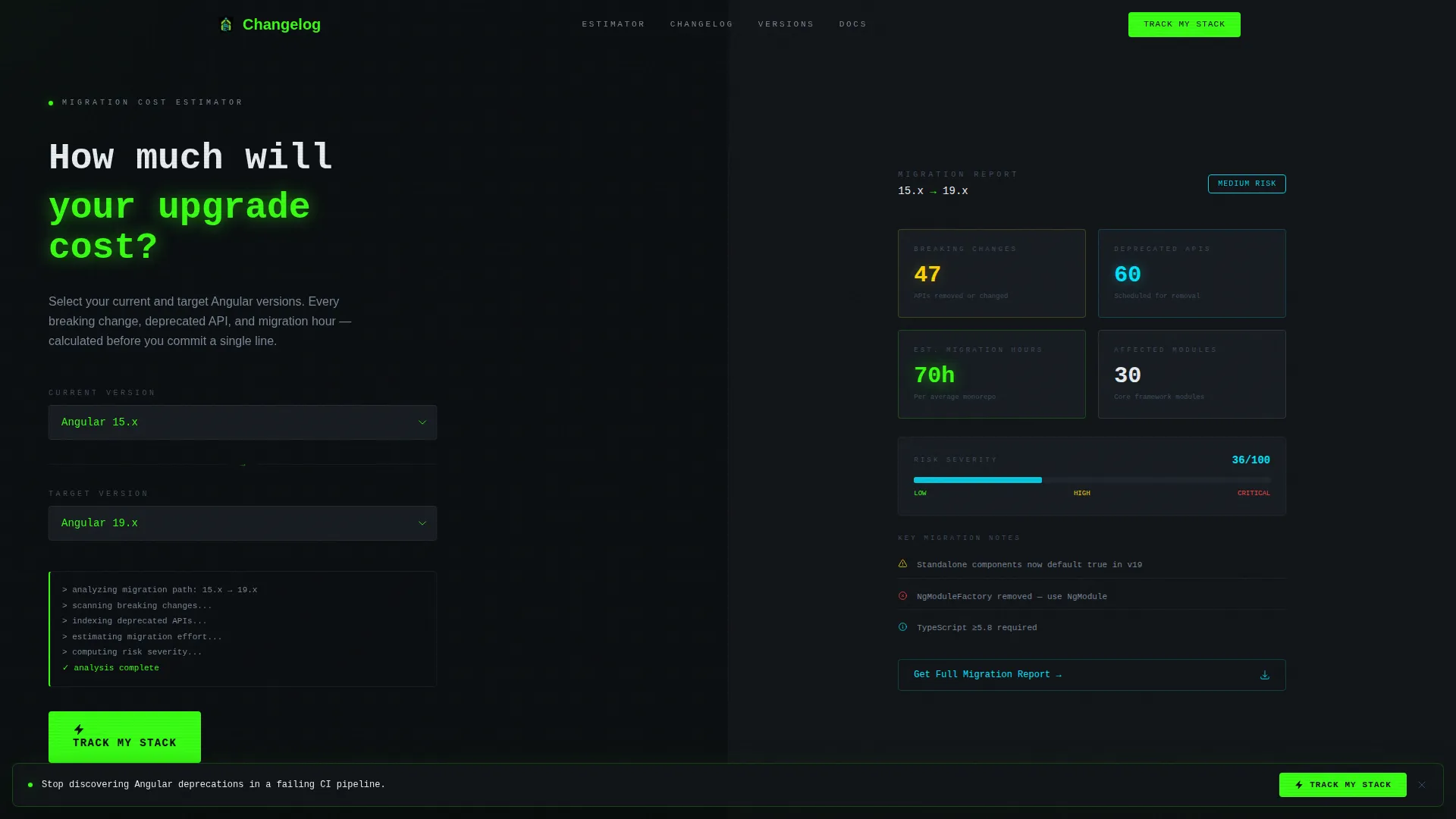
- A split-screen header with an interactive migration cost estimator pre-wired to animate results as selections change
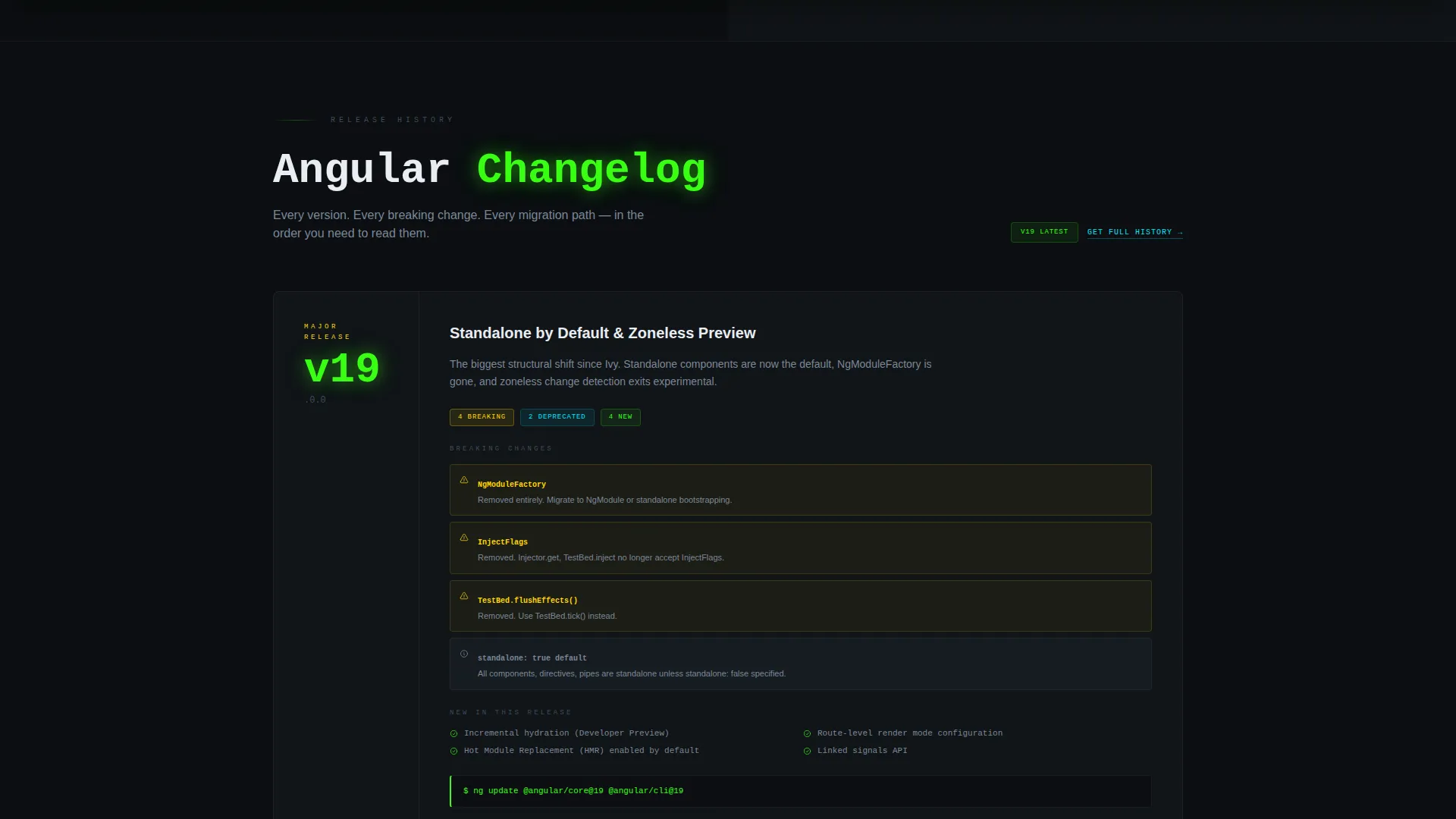
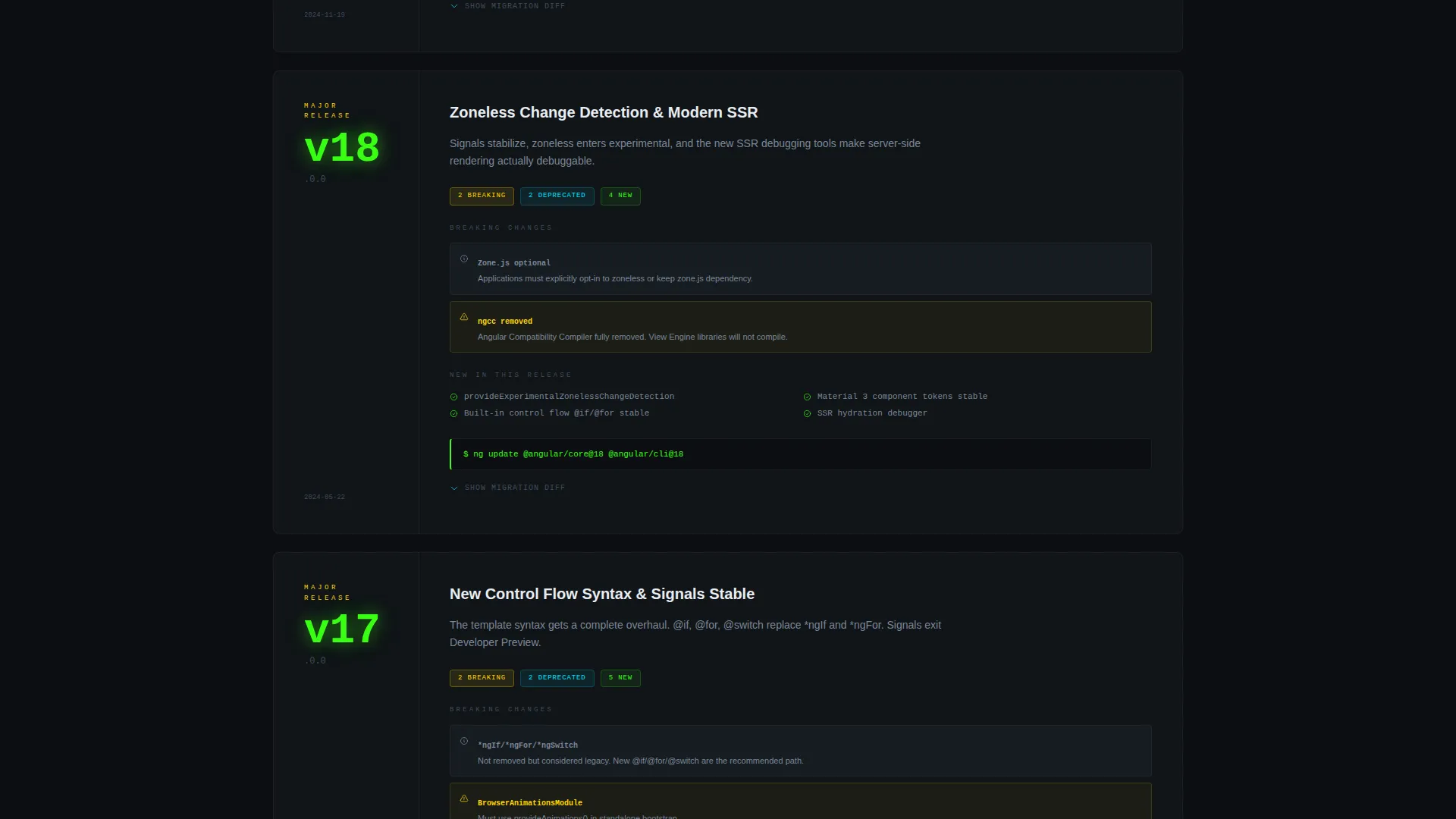
- A full sequence of versioned spec-sheet scroll sections, from minor patches through major releases, with collapsible code diff blocks and inline migration snippets
- A sticky lead-capture bar, a primary "Track My Stack" form, and a secondary downloadable PDF report gate for lower-friction conversion
Feature list
This section covers the core built-in capabilities included in the template layout.
Interactive Migration Cost Estimator
The header section features a 50/50 split estimator. The left panel holds a version selector with monospaced typography on a void black background. The right panel updates live as selections change, displaying total breaking changes, deprecated APIs, estimated migration hours, affected modules, and a risk severity gauge that pulses between green and amber.
Animated Build-Log Number Display
Estimated figures in the right panel animate into view line by line, mimicking the cadence of a live build log. This gives the estimator a dynamic, real-time feel that immediately communicates the depth of information available.
Versioned Spec-Sheet Scroll Sections
Each scroll section is a versioned card styled like a technical changelog entry. Version numbers are set in oversized phosphor green type on the left column. The right column unpacks changes, broken APIs, and step-by-step migration guidance, with collapsible code diffs and inline snippets.
Escalating Severity Visual System
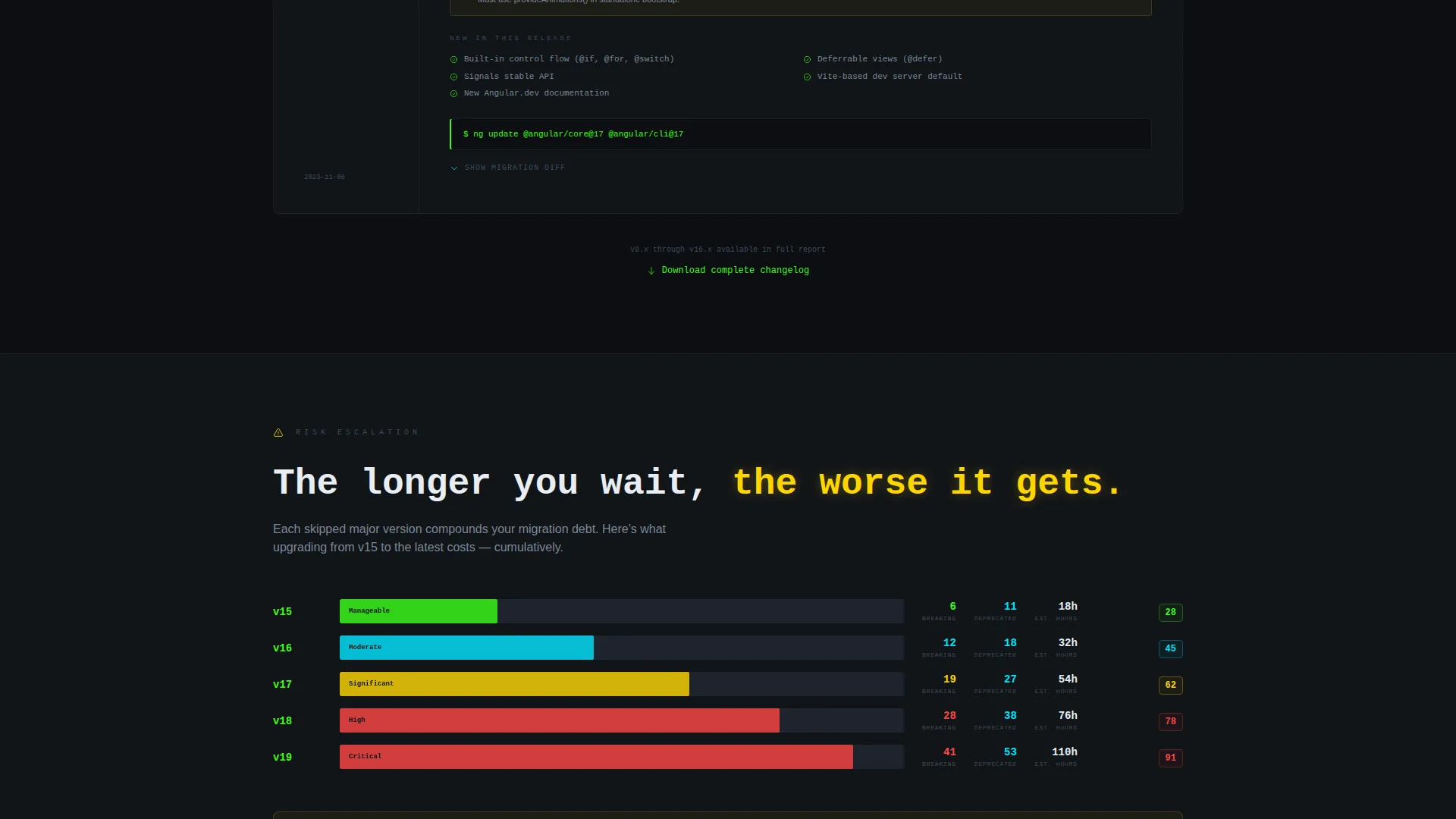
As the visitor scrolls from minor patches toward major releases, amber warning badges appear with increasing frequency and code blocks grow longer. The layout builds a clear, visual argument that tracking Angular changes manually becomes unsustainable at scale.
Sticky Lead Capture Bar
After the third scroll section, a sticky bar appears at the bottom of the viewport. It presents the "Track My Stack" call to action without interrupting the reading flow, keeping conversion opportunities persistent throughout the page.
Dual Conversion Path Forms
The primary form collects framework version (pre-filled from the estimator when used), email address, and team size via a three-option toggle: solo, small team, or enterprise. A secondary path offers a downloadable PDF migration report gated by email only, reducing friction for visitors who want data before committing further.
Page sections overview
| Section | Purpose |
|---|---|
| Migration Cost Estimator | Interactive header tool for version comparison and risk assessment |
| Estimator Results Panel | Live-updating spec sheet showing breaking changes and migration estimates |
| Minor Patch Cards | Versioned changelog entries for smaller Angular updates |
| Major Release Cards | Detailed breakdown of significant Angular version changes with amber severity badges |
| Sticky Capture Bar | Persistent call-to-action bar activating after third section scroll |
| Track My Stack Form | Primary lead-generation form with version, email, and team size fields |
| PDF Report Gate | Secondary email-only download path for the full migration report |
Design & branding system
The visual identity follows a Dashboard Pro theme built on the Acid Digital color system. Every color in the palette carries a specific meaning, so the interface reads like a well-configured dark-mode IDE rather than a decorative layout.
- Void black (#0B0E11) forms the background, terminal phosphor green (#39FF14) anchors version numbers and active states, and syntax highlight cyan (#00E5FF) handles secondary interface elements
- Warning amber (#FFD600) is reserved exclusively for breaking-change callouts and severity badges, ensuring it retains its signal value throughout the page
- Monospaced typography runs throughout the estimator and changelog cards, reinforcing the terminal and spec-sheet aesthetic
Mobile & speed optimization
The template layout is designed to translate cleanly from the split-screen desktop experience to narrower viewports. The two-column estimator stacks vertically on smaller screens so both panels remain fully usable.
- Collapsible code diff blocks keep changelog cards from becoming unwieldy on mobile, letting visitors expand only what they need
- The sticky lead capture bar is sized and positioned to remain usable on touch screens without covering critical content
How this template helps you convert
Every structural decision in this template supports a clear conversion goal: turn a developer's need for Angular migration clarity into a captured lead with minimal friction.
- The migration cost estimator creates immediate personal relevance. Visitors input their own version range and instantly see their specific risk profile, which makes the "Track My Stack" call to action feel like a logical next step rather than an interruption.
- The escalating severity design builds a visual case across the scroll sections, so by the time the sticky bar appears after the third section, visitors have already seen evidence that manual tracking is unsustainable.
- The secondary PDF download gate offers a no-commitment entry point, capturing email addresses from developers who are not yet ready for full sign-up but still want actionable migration data.
Other information about this template
This template is categorised under Documentation and Support, specifically within Angular Documentation and the Angular Changelog and Release Notes niche. It is built as a single-page lead-generation layout, not a multi-page documentation site, so it is most effective as a campaign or product landing page rather than a full knowledge base.
- The template style is Split Screen (50/50), the theme is Dashboard Pro, and the color system is Acid Digital
- The creative direction follows a Spec Sheet approach, where each section reads like a versioned technical entry while still functioning as a product reveal
- The header concept is a Calculator and Estimator, which is the primary interactive element driving engagement and pre-filling the lead form
Theme
Dashboard Pro
Creative direction
Spec Sheet
Color system
Acid Digital
Style
Split Screen (50/50)
Direction
Lead Generation
Page Sections
Interactive Migration Cost Estimator
Animated Build-log Number Entry
Versioned Spec-sheet Scroll Cards
Escalating Severity Visual Flow
Sticky Lead Capture Bar
Dual Conversion Path Forms
Related questions
Can I customise the version numbers and changelog content in the cards?
Does the migration estimator require a backend connection to work?
Can I remove one of the two conversion forms and keep only the other?
Is this template only for Angular, or can it cover other frameworks?
What information does the team size toggle collect on the lead form?



