Inspiring School Landing Page Template
Charter is a lead-generation landing page template built for charter schools that earn trust through real family stories. It pairs a Half-Page Photo+Text header with case-study scroll sections and side-by-side comparison tables. The Slate and Sky color system and Family First theme give it the warm, grounded feel that first-generation families and military parents immediately recognize.
by Rocket studio
Quick summary
Charter is a single-page, lead-generation template designed for charter schools. It leads with an unposed family photograph and a headline that speaks directly to parents. Comparison tables show school practices side by side with what families experienced before. Every scroll section follows one named child from enrollment worry to a specific milestone, building evidence until the visitor is ready to book a tour.
Who this template is for
This template is built for charter school admissions teams and school leaders who need to earn parent trust quickly. It speaks to families who have felt overlooked before and need to see proof before they schedule a visit.
- First-generation college-dreaming families who want a school that knows their child by name
- Military families relocating frequently who need to evaluate a new school fast
- Working parents who are skeptical of polished marketing and respond better to real stories
What problem this template solves
Most school landing pages lead with mission statements and test scores. Parents who have already sat through disappointing conferences do not connect with abstract promises. This template replaces generic claims with named children, dated milestones, and honest side-by-side comparisons.
- Families cannot picture how this school is different from the last one they tried
- Generic contact forms feel impersonal and reduce the chance a parent follows through
- A single hero image and a blurb do not carry enough evidence to earn a tour booking
What you get with this template
The template delivers a complete, scroll-driven landing page with every section a charter school admissions page needs. Each component is designed to lower skepticism and raise confidence one family story at a time.
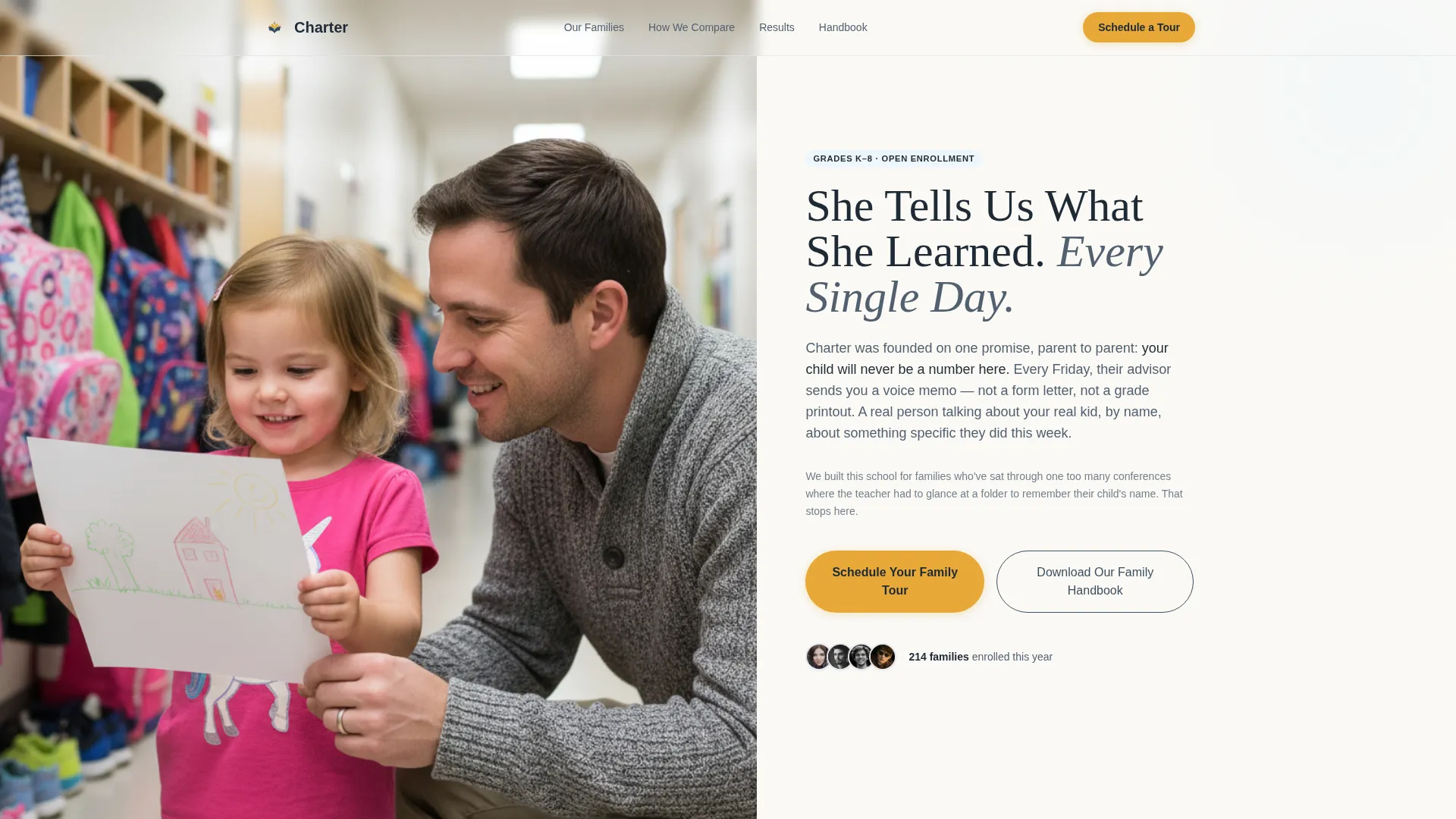
- A Half-Page Photo+Text header with a real, unposed family photograph on the left and the school's founding promise on the right
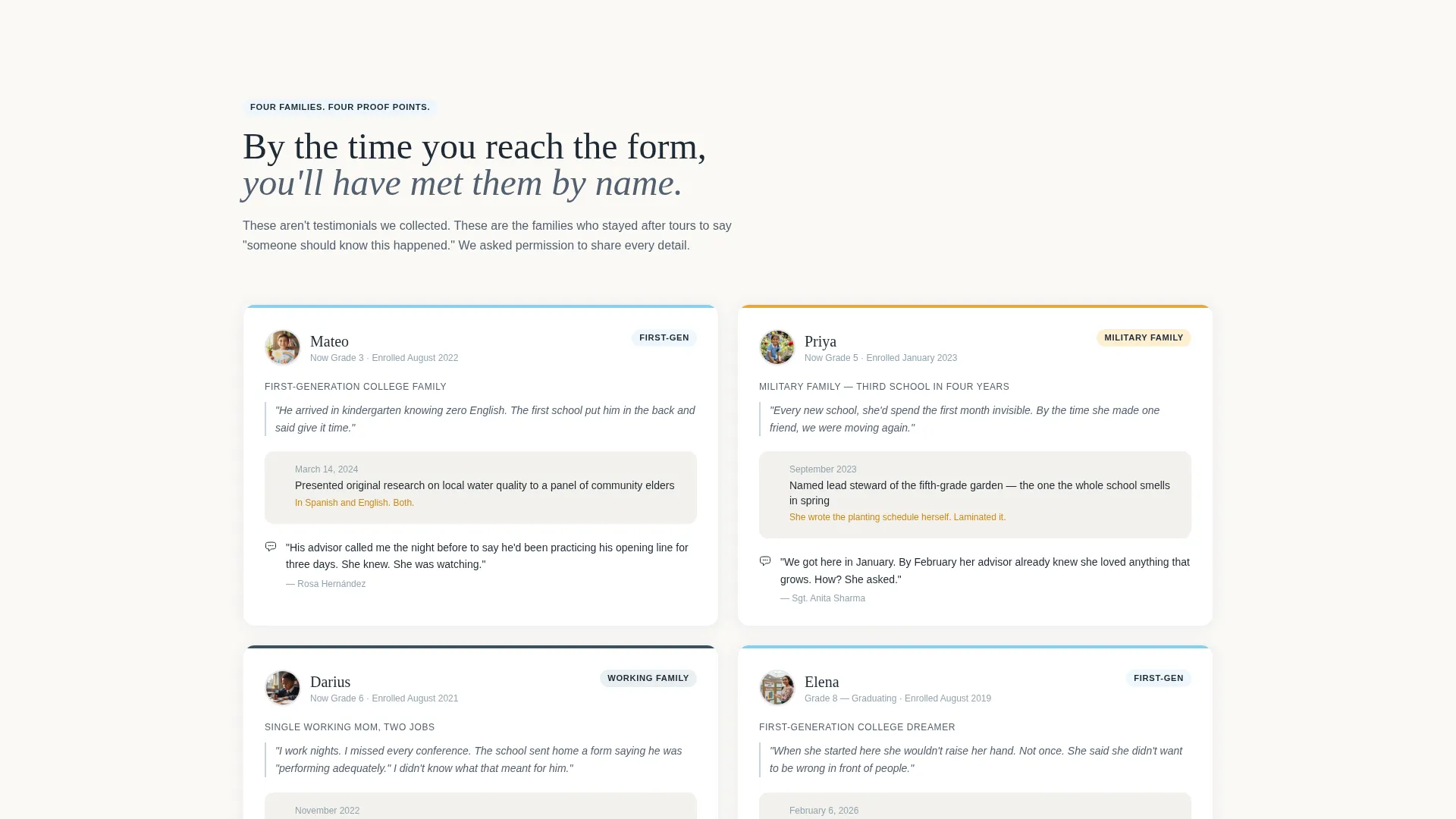
- Case-study scroll sections that follow named children from kindergarten through eighth grade, each ending on a specific, dated achievement
- Two conversion paths: a primary "Schedule Your Family Tour" form and a secondary "Download Our Family Handbook" soft-capture option
Feature list
The Charter template is built around a small set of carefully considered components. Each one does a specific job in moving a cautious parent from scrolling to submitting.
Half-Page Photo+Text Header
The header splits the viewport into two equal halves. The left side holds a natural, unposed photograph of a father and daughter reading together at a hallway cubby. The right side carries a headline in weathered chalkboard slate and a short founding-promise paragraph written in plain, parent-to-parent language.
Case Study Narrative Scroll Sections
Each section follows one real family from their enrollment worry to a specific, dated outcome. Stories span kindergarten through eighth grade, building a compounding body of evidence. By the time the visitor reaches the call to action, they have already met four children by name.
Side-by-Side Comparison Tables
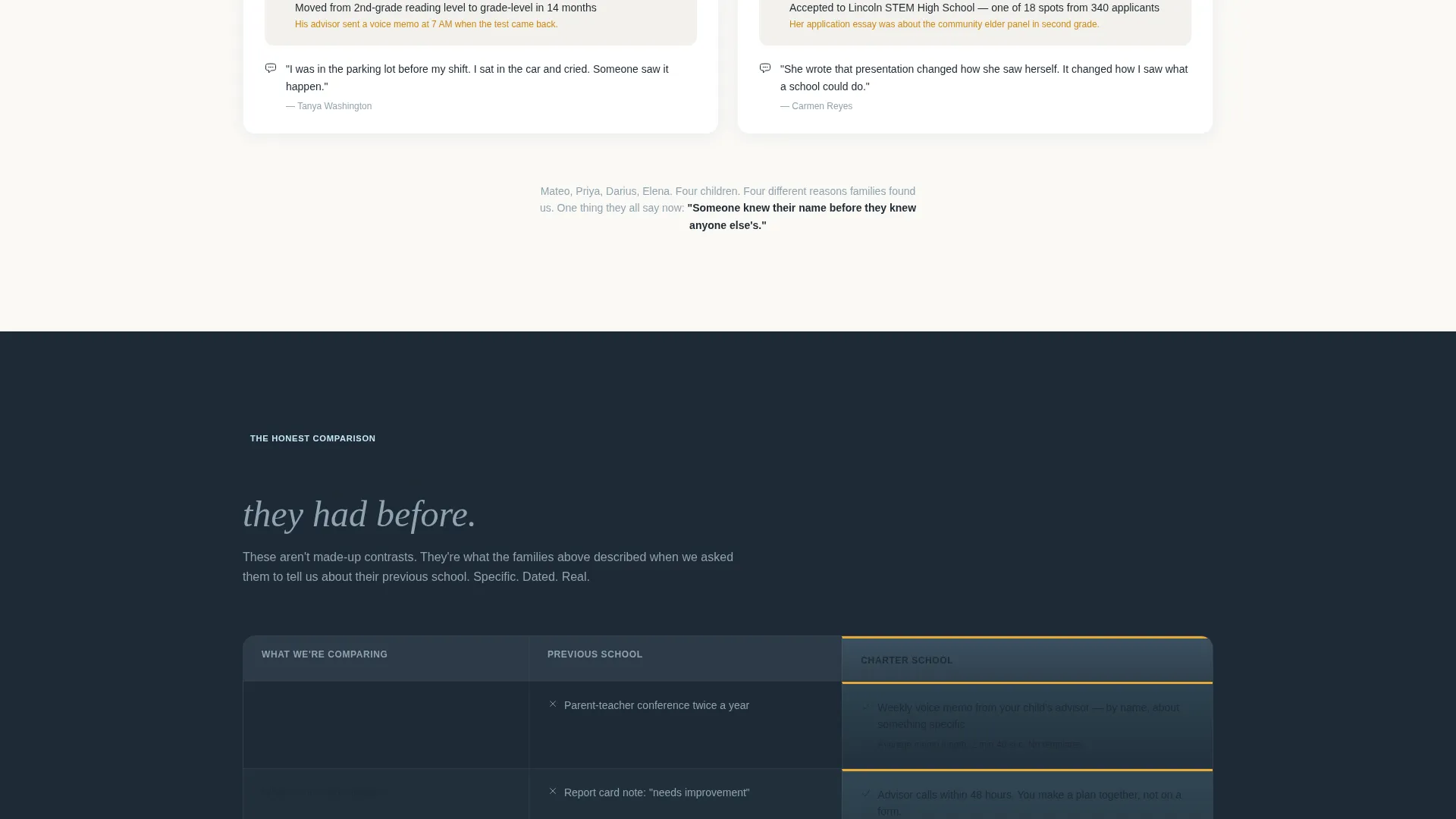
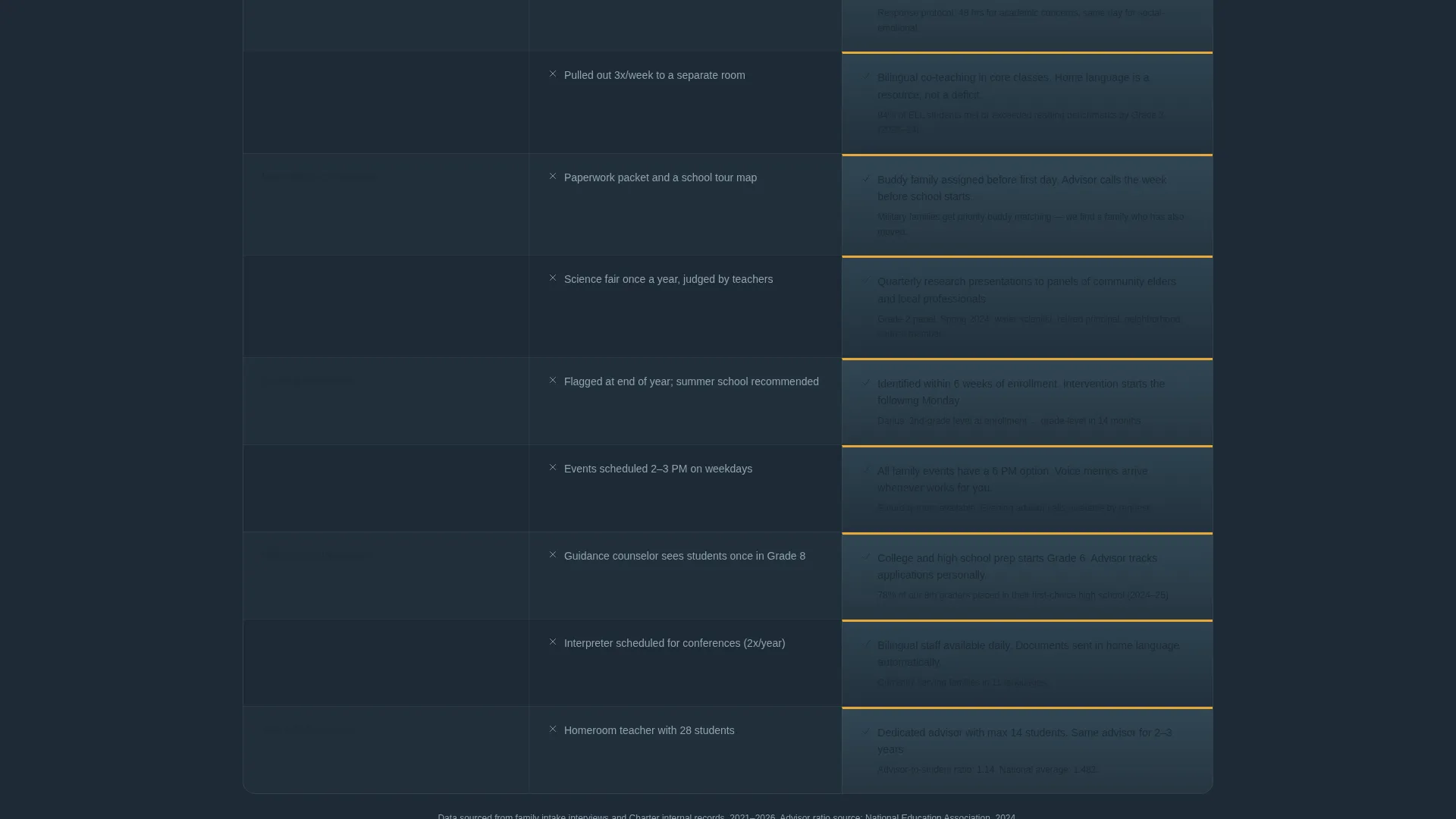
The comparison tables are not abstract feature grids. They place this school's actual practices next to what the family experienced at a previous school, using plain language. Each row is a concrete contrast, such as twice-yearly parent conferences versus weekly voice memos from a child's advisor.
Two-Path Lead Capture Forms
The primary form opens with the child's first name and current grade before asking for parent contact details. A single optional line invites the parent to share what matters most to them. The secondary path captures only a name and email in exchange for the Family Handbook, giving hesitant parents a lower-commitment first step.
Slate and Sky Color System
The palette uses four deliberate colors: weathered chalkboard slate, open-morning sky blue, warm classroom white, and hand-raised-hand gold on buttons and highlights. The combination feels like a schoolyard at 7:45 in the morning, before the day gets loud.
Family First Visual Theme
Every design decision reinforces the idea that this school sees the whole family, not just the student. Unposed photography, plain language, and story-led layouts work together to create a page that feels like a conversation rather than a brochure.
Page sections overview
| Section | Purpose |
|---|---|
| Header photo split | Establish emotional connection immediately |
| Founding promise text | State the school's core commitment plainly |
| Family story one | Follow a kindergartener's English-language journey |
| Comparison table one | Contrast previous school practices with current ones |
| Family story two | Show a mid-grade student's specific academic milestone |
| Comparison table two | Deepen side-by-side evidence with new practices |
| Family story three | Feature a military family's transition experience |
| Comparison table three | Contrast communication and belonging practices |
| Family story four | Highlight an eighth-grader's STEM high school placement |
| Tour booking form | Capture child name, grade, parent contact, and one optional line |
| Handbook download | Offer a soft-capture path for parents not yet ready to visit |
Design & branding system
The visual identity is built around the Slate and Sky color system, which draws its mood from a schoolyard in early morning. Every color has a clear job, and nothing in the palette feels institutional or cold.
- Weathered chalkboard slate (#3D4F5F) for headlines and body text, open-morning sky (#87CEEB) for backgrounds and section dividers, and warm classroom white (#FAF9F6) for content surfaces
- Hand-raised-hand gold (#E8A838) reserved for buttons and key highlights, ensuring every call to action stands out without shouting
- Unposed, natural photography throughout, with no styled props or artificial lighting, keeping the visual tone honest and parent-friendly
Mobile & speed optimization
The layout is designed to read cleanly on a phone held in one hand while waiting in a pickup line. Every section stacks in a logical order so the story still builds even on a small screen.
- The half-page header collapses into a full-width image above the headline text on smaller viewports, keeping the emotional hook intact
- Comparison tables reformat into clearly labeled stacked rows on mobile so no column is too narrow to read
- Both lead-capture forms are short by design, reducing friction for parents filling them out on a phone
How this template helps you convert
The page is structured so that trust is built before any ask is made. By the time a parent sees the tour form, the school has already made its case through four family stories.
- The comparison tables do the persuasion work early, replacing vague promises with specific, recognizable contrasts that parents have likely lived themselves
- The primary form asks about the child first, signaling that the school sees the student as a person before it sees them as an enrollment number
- The secondary handbook download gives skeptical parents a no-commitment way to stay connected, keeping them in reach for a follow-up conversation
Other information about this template
Charter is a ready-to-use landing page template suited to any charter school that wants to lead with community evidence rather than institutional claims. It is especially effective for schools serving families who have experienced inconsistent schooling environments and need more than a mission statement to feel confident.
- The template is built on a single-page structure, making it straightforward to launch without a large web team
- The optional handbook download path is designed to work alongside the primary tour form, giving admissions staff two types of leads to follow up with
- The case-study narrative format can be adapted to the real stories a school already has, keeping the content honest and specific to its own community
- The template style is Comparison Table, the creative direction is Case Study Narrative, and the lead-generation structure supports both high-intent tour bookings and early-stage family research visits
Theme
Family First
Creative direction
Case Study Narrative
Color system
Slate & Sky
Style
Comparison Table
Direction
Lead Generation
Page Sections
Half-page Photo and Text Header
Case Study Narrative Scroll Sections
Side-by-side Comparison Tables
Two-path Lead Capture System
Slate and Sky Color System
Family First Visual Theme
Related questions
Can I use this template without professional photography?
How does the comparison table work if my school is new?
Is the Family Handbook download section included in the template?
Why does the tour form ask about the child before the parent?
Can the case study sections be updated with my school's own stories?



