E-Commerce Privacy Policy Interactive Dashboard Website Template
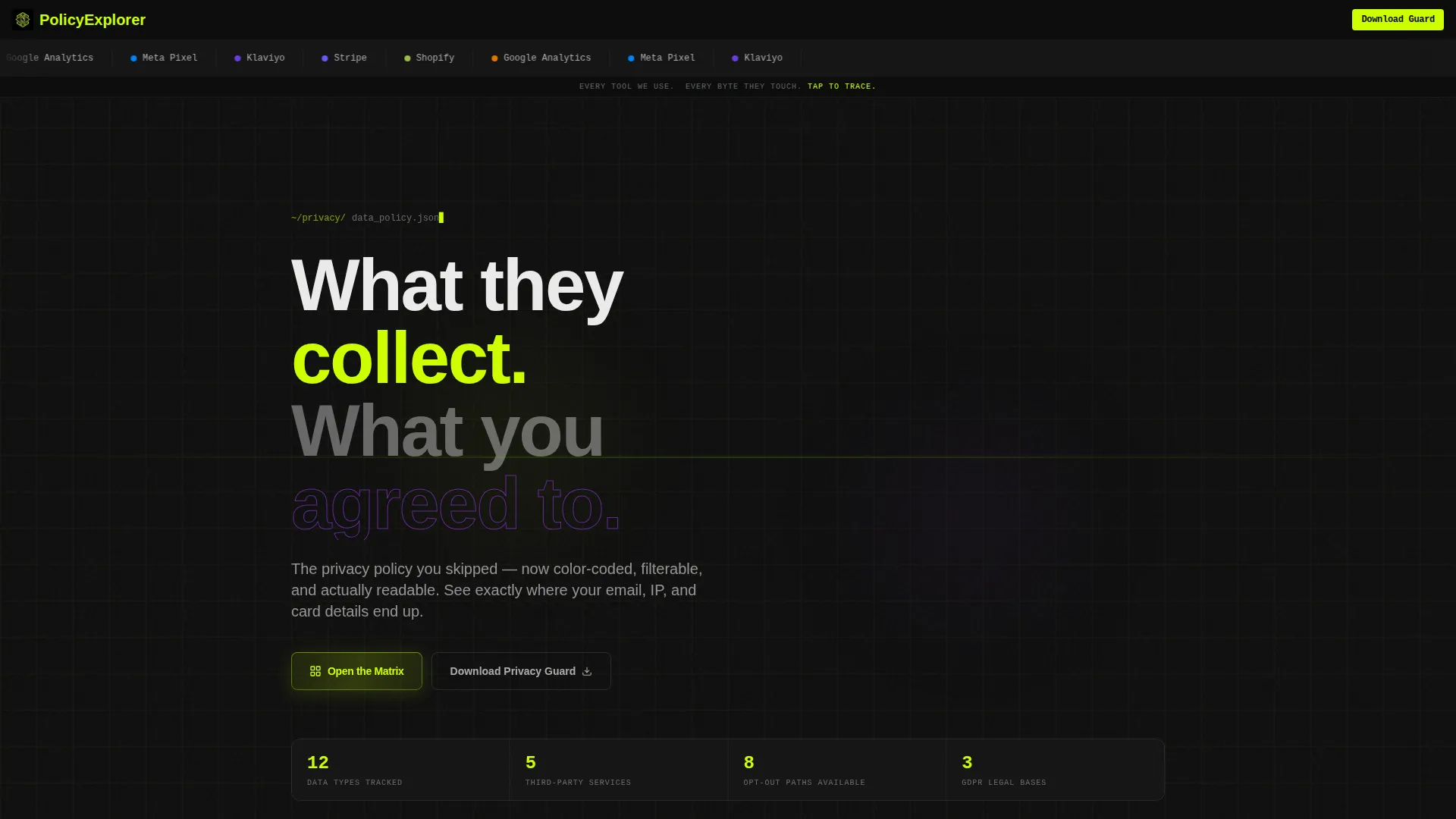
Comply is a single-page landing page template that turns a dense e-commerce privacy policy into an interactive data-flow dashboard. Visitors explore a color-coded comparison table, tap individual cells for plain-English explanations, and find direct opt-out controls. The design pairs a terminal-dark aesthetic with electric highlights so that legal compliance content feels transparent, navigable, and worth reading.
by Rocket studio
Quick summary
Comply transforms a standard e-commerce privacy policy page into a scannable, interactive experience. An animated logo bar links directly to relevant policy sections. A live comparison table shows exactly which data types each third-party service touches. A persistent app-download call to action and a PDF lead-capture field work together to convert curious visitors into engaged users.
Who this template is for
This template serves anyone who needs to present data privacy information clearly and build shopper trust at the same time. It is built for operators who want their policy page to do real work.
- Online store owners who want a privacy policy page that shoppers actually read before accepting cookies
- Shopify merchants looking for a structured, visually guided policy layout to adapt for their own stores
- EU-based e-commerce teams serving General Data Protection Regulation (GDPR)-conscious customers who expect full transparency on data handling
What problem this template solves
Most e-commerce privacy policy pages are walls of dense legal text that visitors skip entirely. That creates distrust at the exact moment a shopper is deciding whether to complete a purchase.
- Shoppers abandon checkout when they cannot quickly verify what happens to their payment or browsing data
- Store owners have no easy way to present third-party data sharing in a format that feels honest rather than buried
- Policy pages rarely capture leads or drive any action beyond a reluctant "accept all" click
What you get with this template
You get a fully structured single-page layout built around an interactive comparison table and a clear conversion path. Every section is purposeful and the design system is consistent from header to footer.
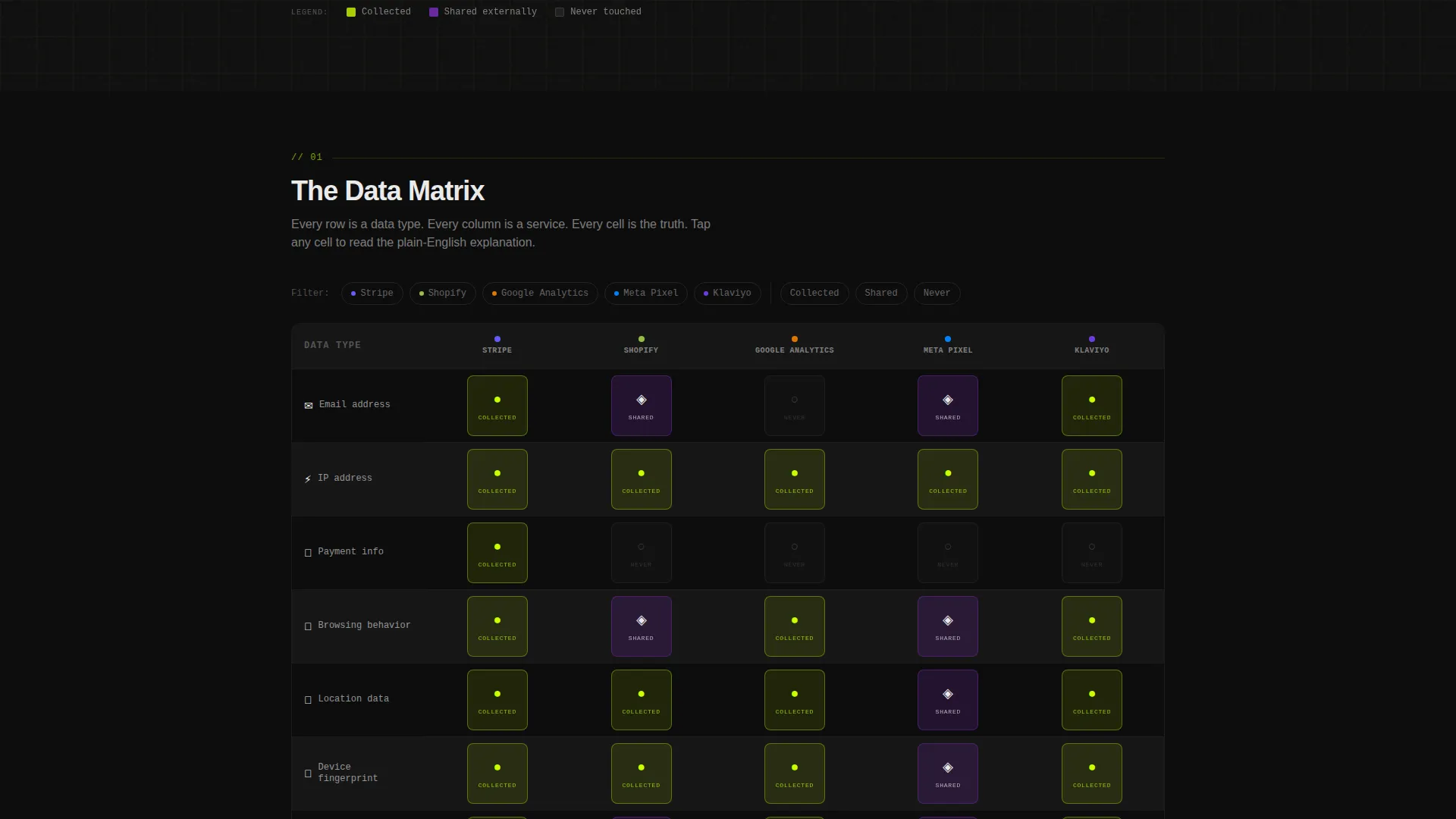
- A scrollable comparison table mapping five data types against five third-party service columns, with color-coded cell states and tap-to-expand plain-English explanations
- A horizontal logo bar header that functions as navigation, linking each recognizable service logo directly to the matching policy section
- Two conversion paths: a persistent bottom-bar app download call to action and an inline email field for PDF lead capture
Feature list
This section covers the core interactive and structural capabilities built into the Comply landing page template.
Scrollable Data Comparison Table
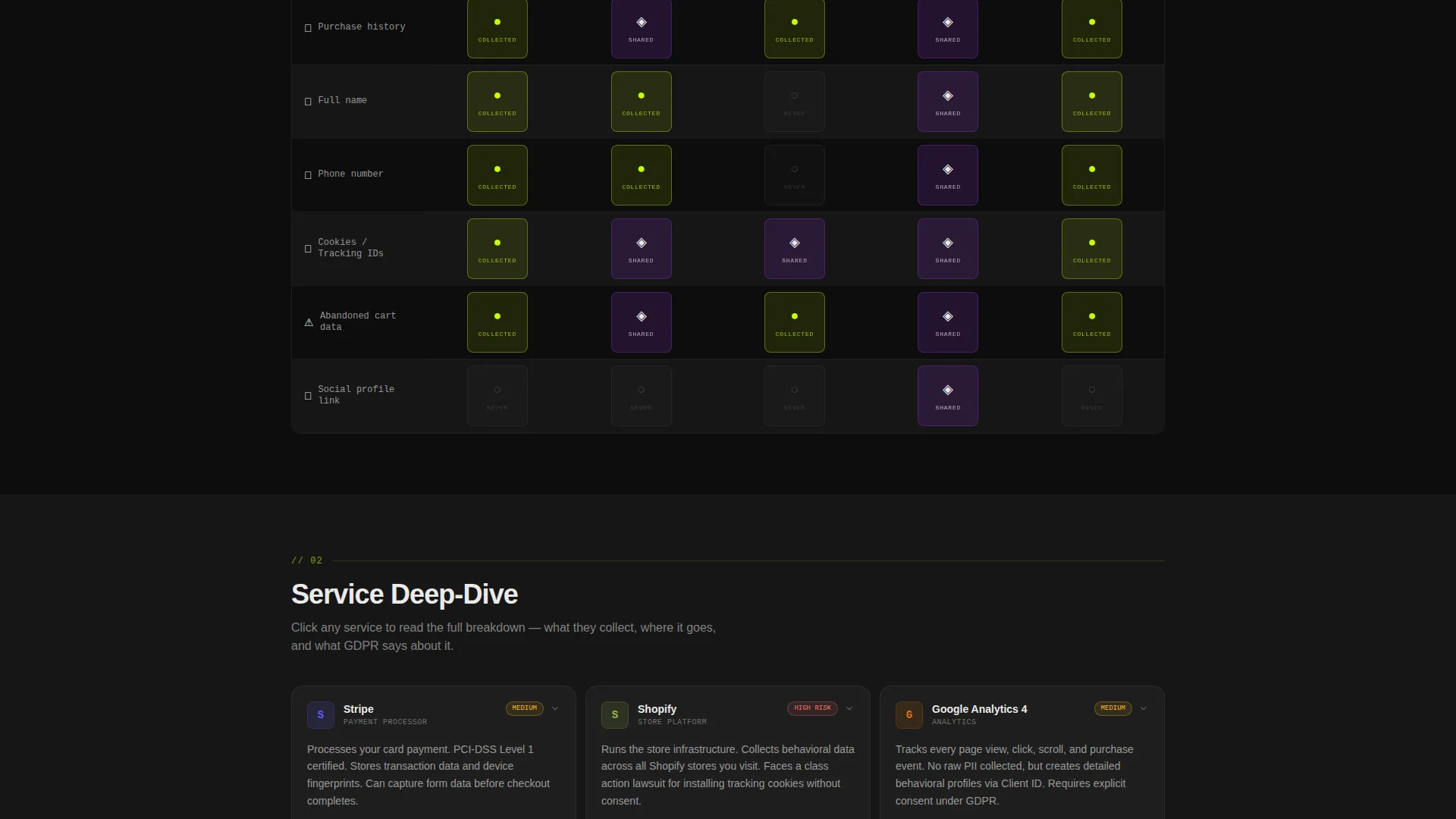
Each table row represents a data type such as email address, IP address, payment information, browsing behavior, or location. Each column represents a third-party service. Cells are color-coded: chartreuse for collected, violet for shared, and dark for never touched. Visitors can drag, filter, and toggle the view to audit data exposure at a glance.
Tap-to-Expand Cell Details
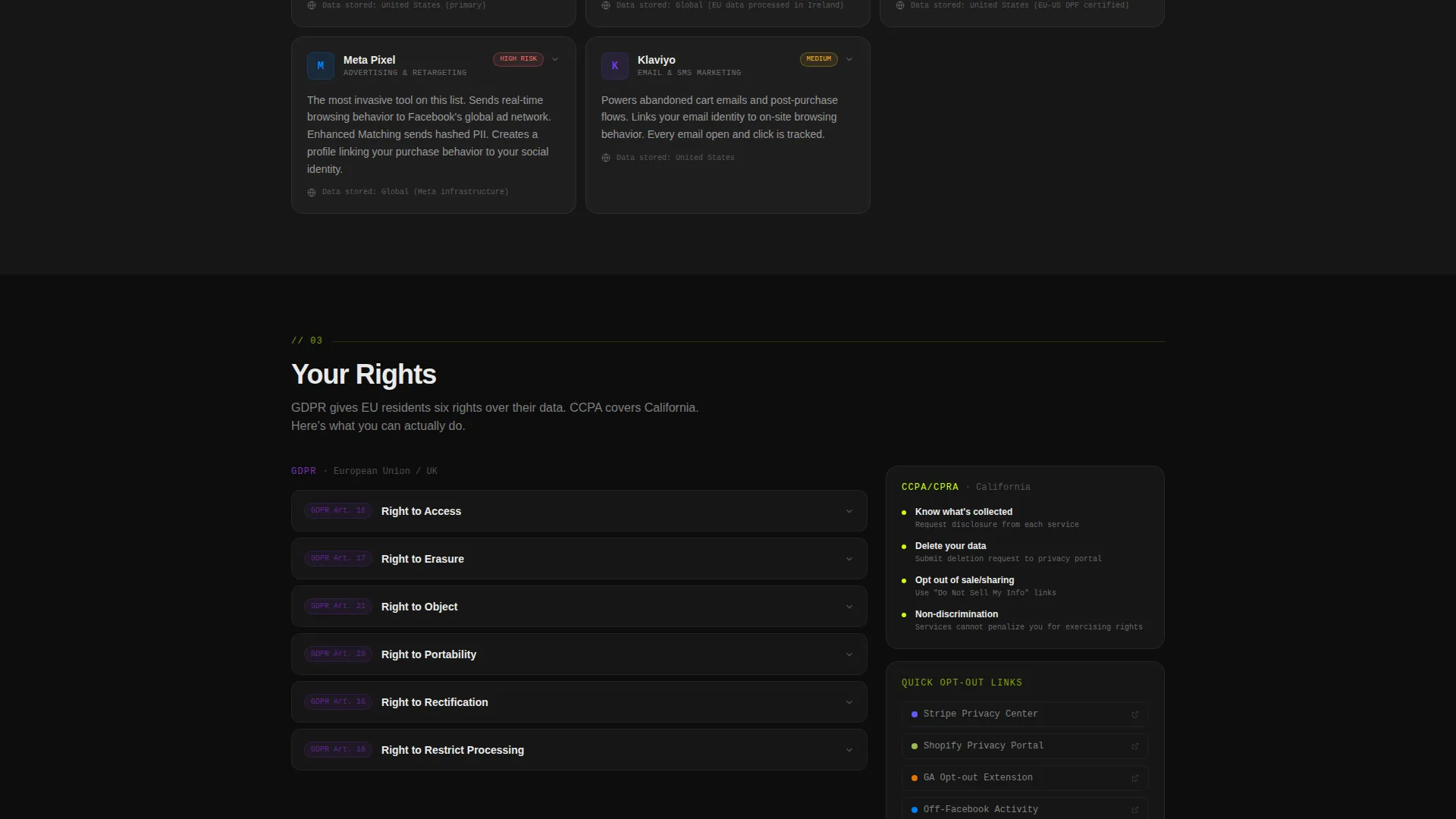
Tapping any table cell opens a plain-English explanation of what that service collects, the legal basis for collection, and a direct opt-out button. This keeps the main table clean while giving detail-hungry visitors exactly what they need without leaving the page.
Navigable Logo Bar Header
A horizontally scrolling strip of recognizable platform, payment processor, and analytics service logos sits at the top of the page. Each logo is clickable and jumps the visitor to the specific policy section describing that service. A single descriptor line below the bar reads: "Every tool we use. Every byte they touch. Tap to trace."
Persistent App Download Bar
After a visitor interacts with three table cells, a bottom bar appears prompting them to download the Privacy Guard app. The bar includes a miniature phone screen previewing real-time data-flow alerts. A single tap routes to the appropriate app store.
PDF Lead Capture Field
Visitors who are not ready to install an app can enter their email address to receive the policy as a downloadable document. This secondary conversion path captures leads from visitors at every stage of intent.
Engagement-Triggered Call to Action
The primary call to action only appears after the visitor has interacted with three table cells. This proof-of-engagement trigger means the conversion prompt arrives at the right moment, when interest is already demonstrated.
Page sections overview
| Section | Purpose |
|---|---|
| Logo Bar Header | Links service logos to their corresponding policy sections |
| Header Descriptor Line | Sets context with a single navigational statement |
| Interactive Comparison Table | Maps data types against third-party services visually |
| Expanded Cell Panel | Delivers plain-English detail, legal basis, and opt-out action |
| Persistent App Bar | Triggers app download after three cell interactions |
| PDF Capture Field | Collects email leads from document-preference visitors |
Design & branding system
The visual identity follows a Directory and Discovery theme using the Acid Digital color system. Every color choice carries a functional meaning rather than a decorative one, giving the page a heads-up display quality.
- Terminal black (#0D0D0D) as the background, scanner white (#EAEAEA) for body text, electric chartreuse (#CCFF00) for interactive elements and active policy categories, and UV violet (#7B2FBE) for section dividers and iconography
- The contrast between the dark background and the glowing highlights makes the table cells readable and scannable even when the visitor is scrolling quickly
- The overall aesthetic feels like reading source code on a monitor late at night: precise, intentional, and unexpectedly inviting
Mobile & speed optimization
The Comply landing page is structured to work on small screens where shoppers are most likely to tap a privacy link mid-checkout. The interactive table and tap-to-expand cells are built with touch interaction in mind.
- The comparison table supports drag and filter gestures so mobile visitors can navigate data categories without pinching or zooming
- The persistent bottom bar and PDF email field are positioned for thumb-friendly reach on portrait-oriented phone screens
- The logo bar scrolls automatically, keeping the header functional on narrow viewports without requiring horizontal scrolling by the visitor
How this template helps you convert
The Comply landing page converts passive policy readers into app users or email subscribers by making the experience engaging rather than obligatory.
- The logo bar immediately signals that the page is organized by service rather than by legal clause, which reduces the feeling of being overwhelmed and encourages visitors to explore instead of closing the tab
- The color-coded comparison table gives visitors a sense of control and transparency, which builds the trust needed to complete a checkout or accept data terms with confidence
- The dual conversion paths ensure that visitors at different intent levels are captured: high-intent visitors download the app, while research-stage visitors share their email for the PDF version
Other information about this template
Comply is a Technology category template listed under the E-Commerce Store Website Templates subcategory with a specific focus on the e-commerce store privacy policy page niche. It is designed as a single landing page, not a multi-page site.
- The template style is a Comparison Table, with the Interactive Explorer creative direction guiding all interactive behavior across the page
- The Logo Bar header concept is central to the navigation experience, replacing a traditional menu with logos for services such as Stripe, Shopify, Google Analytics, Meta Pixel, and Klaviyo
- The landing page direction is App Download, with a secondary email capture path built in for lead generation at every intent stage
- The theme is Directory and Discovery, which shapes the visual language of the Acid Digital color system and the overall dashboard-like feel of the layout
Theme
Directory & Discovery
Creative direction
Interactive Explorer
Color system
Acid Digital
Style
Comparison Table
Direction
App Download
Page Sections
Interactive Data Comparison Table
Tap-to-expand Cell Panels
Navigable Service Logo Bar
Engagement-triggered App Download Bar
PDF Lead Capture Field
Related questions
Is this template suitable for a non-Shopify store?
Can I add or remove rows and columns from the comparison table?
Does the app download call to action require a live app?
Is the PDF email capture field connected to a mailing list?
Who is this landing page most useful for during a checkout flow?



