Intelligent Point-of-Sale Landing Page Template
Terminal is a modular, card-grid landing page template built for open-source point-of-sale systems. It combines an interactive browser-rendered POS preview, deployment-style card animations, and a direct lead-generation form into one cohesive dark-mode experience. Designed for technical operators and dev teams, it proves product capability before asking for anything.
by Rocket studio
Quick summary
Terminal is a single-page, card-grid landing page template for open-source point-of-sale software. It opens with a live interactive POS dashboard in the browser, unfolds core capabilities through animated module cards, and closes with a focused three-field lead form. The design runs on a dark-mode Electric Indigo palette that signals technical confidence from the first scroll.
Who this template is for
This template speaks directly to technically fluent buyers who are done compromising on their point-of-sale setup. It is built for people who want full ownership of their stack and need a landing page that earns trust before asking for a commitment.
- Restaurant group operators managing multiple locations who need a system they can audit and control
- Independent retail founders who have outgrown entry-level solutions and want a forkable alternative without enterprise licensing costs
- Developer shop consultants who deploy white-label point-of-sale software for clients and need a customizable, credible front door
What problem this template solves
Most point-of-sale landing pages are built for passive buyers. They use static screenshots and vague feature lists that fail to convince a technical evaluator or a cost-conscious operator. Terminal is built for a different kind of buyer: one who wants proof before a demo call.
- Visitors can interact with a simulated checkout screen inside the browser, so capability is demonstrated rather than described
- Animated module cards build scope progressively, preventing the overwhelm of a long feature dump
- A clear two-path conversion design serves both ready-to-deploy buyers and technical evaluators who need documentation first
What you get with this template
The template is a fully structured landing page that handles both impression and conversion in one linear scroll. Every section has a defined role, and nothing is decorative without purpose.
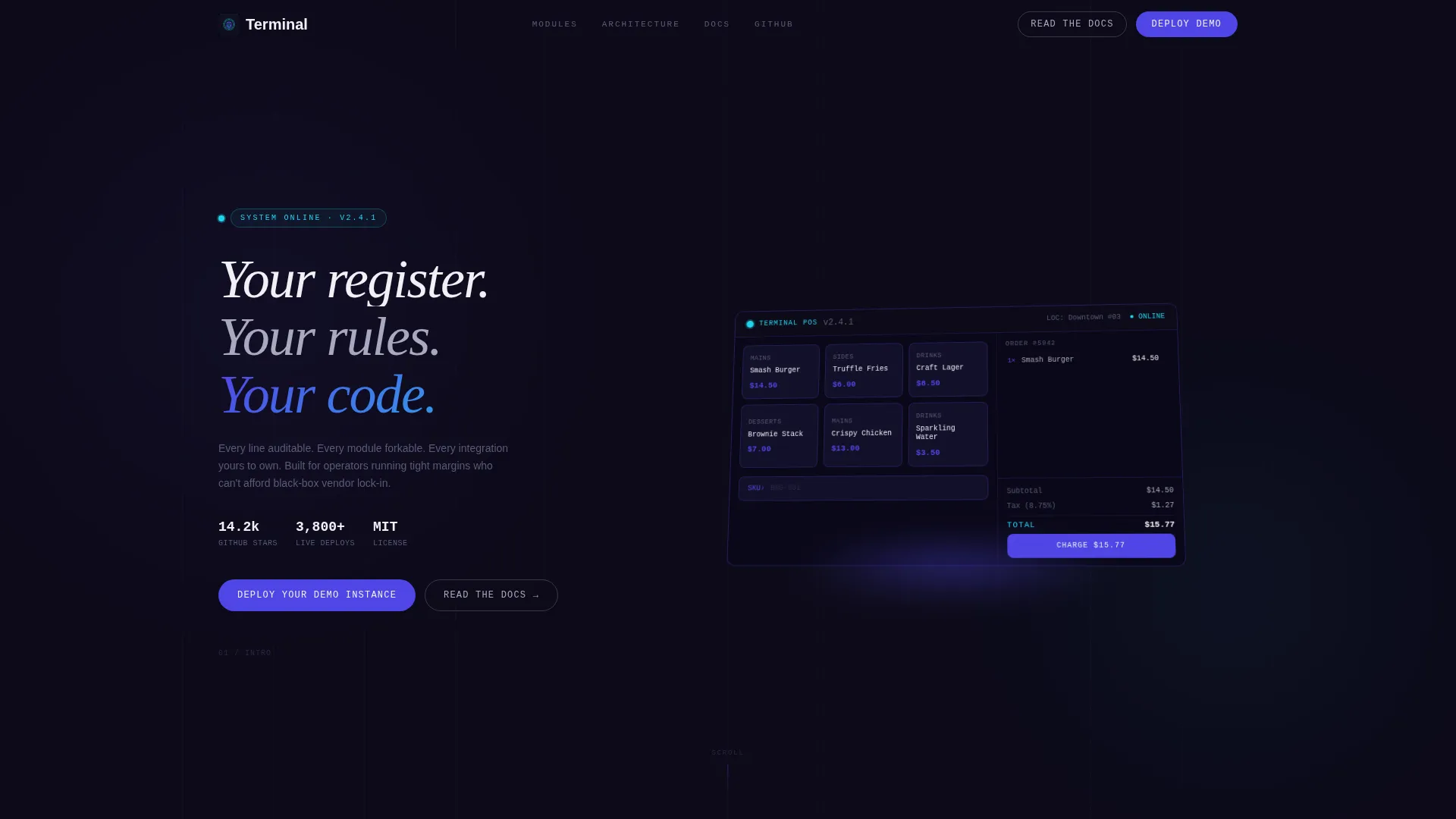
- An interactive POS dashboard header with a live running order total, tax calculator, and SKU search bar rendered in the browser
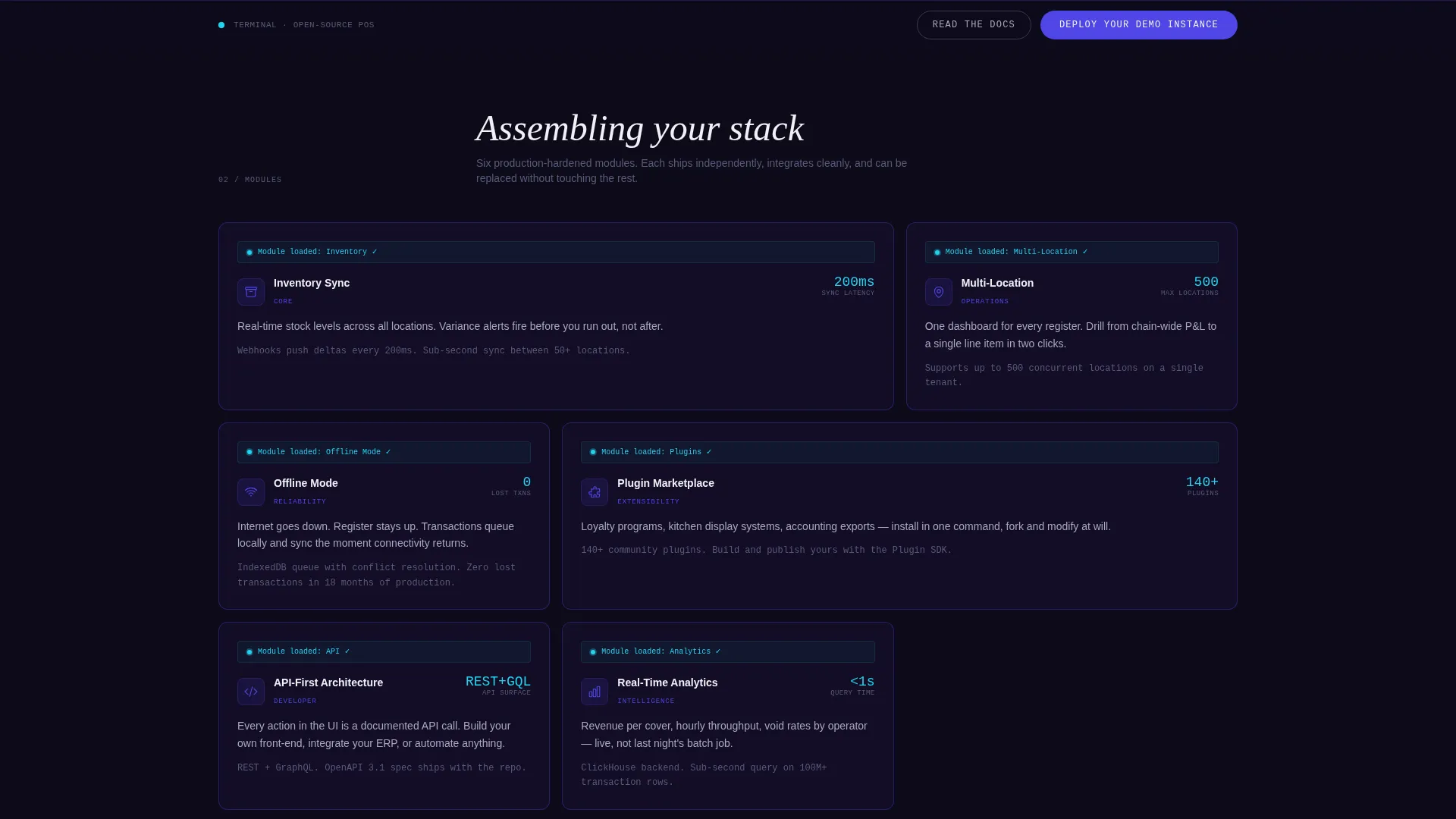
- A sequence of animated capability cards covering inventory sync, multi-location management, offline mode, plugin marketplace, API-first architecture, and real-time analytics
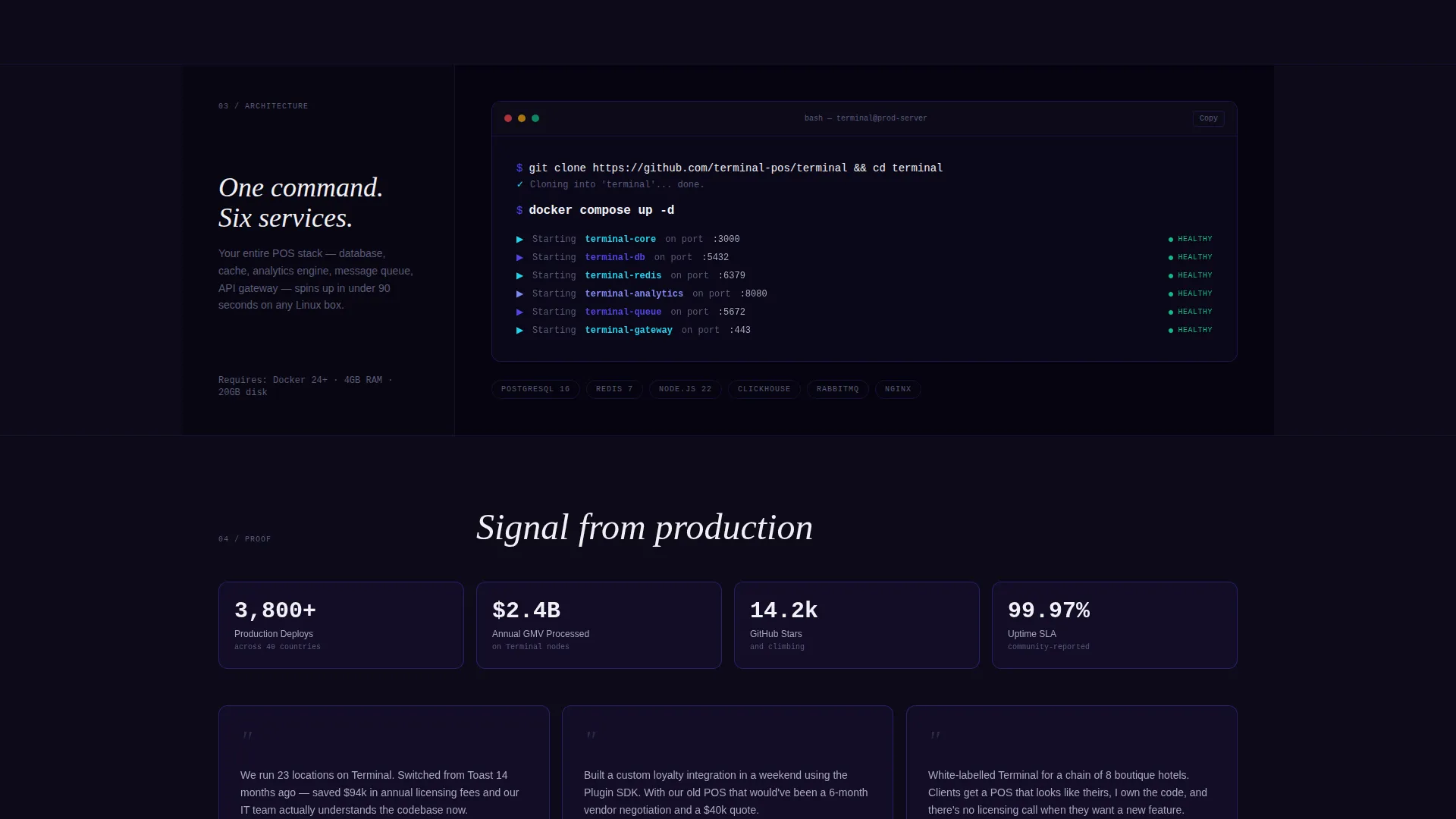
- A full-width terminal code block showing a
docker compose upcommand alongside the six services it launches - A three-field lead generation form (work email, estimated locations dropdown, current provider) paired with a ghost-button path to documentation
Feature list
This section covers the core template capabilities drawn directly from the design and functionality brief.
Interactive Browser POS Preview
The header renders a functioning point-of-sale dashboard directly in the browser. It shows real product tiles, a running order total, a live-ticking tax calculator, and a blinking cursor in the SKU search bar. The whole interface is displayed in a slight perspective tilt with a soft indigo glow beneath it, creating the impression of a holographic projection above a dark ground plane.
Deployment-Style Card Animations
Each capability card animates into view with a brief status line mimicking a deployment log, for example "Module loaded: Inventory ✓", before revealing its content. The rhythm is staccato and additive, giving visitors the sensation that the system is assembling itself as they scroll.
Full-Width Terminal Code Block
Midway through the page, a full-width dark block displays a single docker compose up command and lists the six services it starts. This section makes the technical promise concrete and visceral for developer and operator audiences alike.
Two-Path Conversion Design
The primary call to action, "Deploy Your Demo Instance", appears in the header and again as a sticky bottom bar that locks in after the third card. A secondary ghost-bordered button reading "Read the Docs" routes technical evaluators to the GitHub repository. Both paths capture intent without forcing every visitor through the same funnel.
Three-Field Lead Generation Form
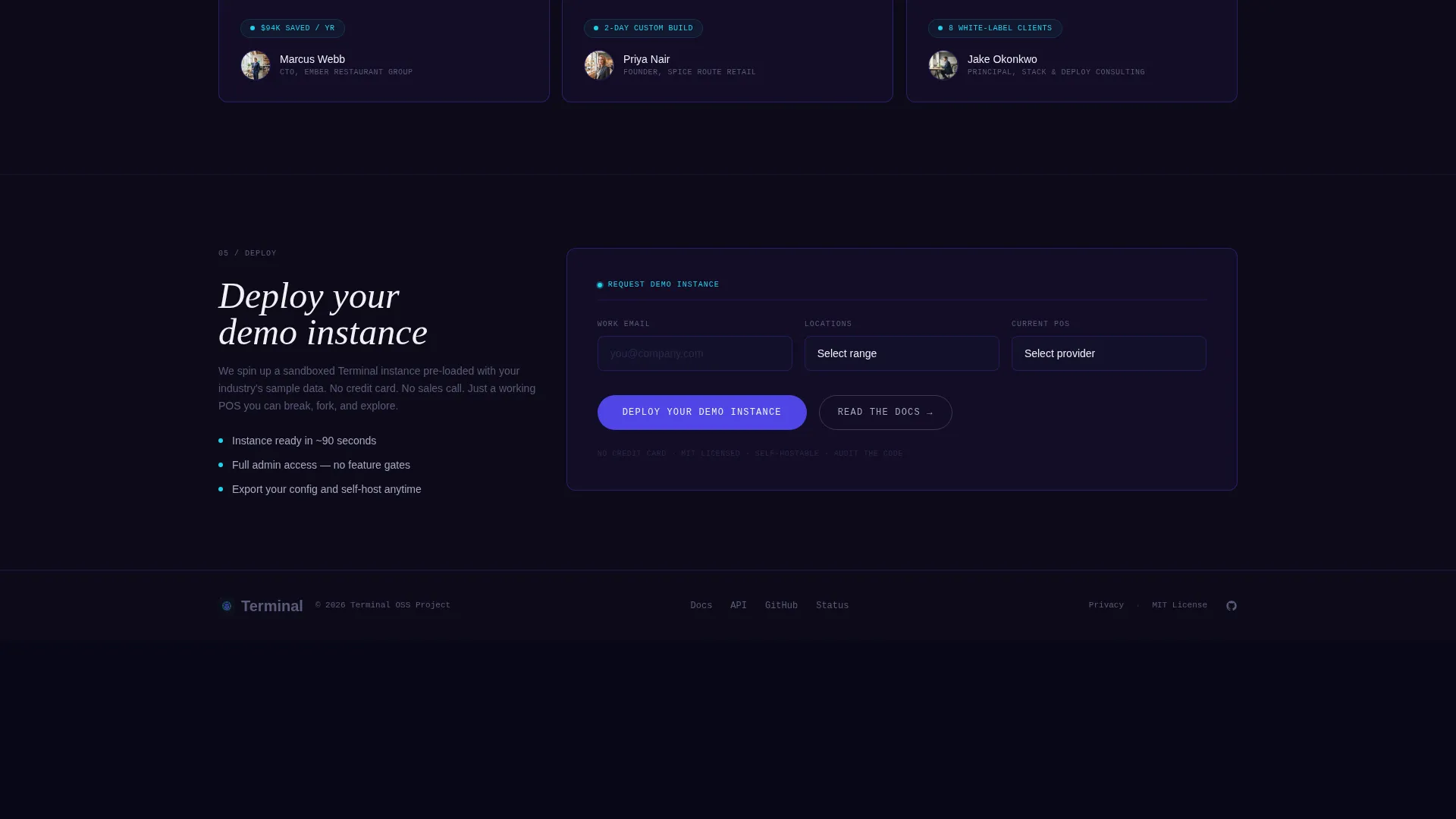
The form places work email, an estimated locations dropdown (with options for 1, 2 to 10, 11 to 50, and 50 or more locations), and current point-of-sale provider in a single inline row. This keeps the friction low while collecting the qualification data most relevant to an open-source enterprise software sales process.
Modular Card Grid Layout
The capability section is structured as a card grid where each card represents one core function of the point-of-sale system. Cards float on the dark background with one-pixel indigo borders that transition to cyan on hover, making the page feel both organized and alive.
Page sections overview
| Section | Purpose |
|---|---|
| Interactive Header Preview | Renders a live POS dashboard with order total, tax calculator, and SKU search in the browser |
| Hero Headline Block | Anchors the value proposition with the line "Your register. Your rules. Your code." |
| Capability Card Grid | Presents six core modules through animated deployment-style cards |
| Docker Command Block | Shows a full-width docker compose up command and its six launched services |
| Lead Generation Form | Collects work email, location count, and current provider in a single inline row |
| Sticky call to action Bar | Locks a persistent "Deploy Your Demo Instance" bar into view after the third card |
| Docs Ghost Button | Provides a secondary path to the GitHub repository for technical evaluators |
Design & branding system
The visual identity follows a Data Command theme built entirely around dark-mode contrast and technical precision. Every color and interaction choice reinforces the idea of a system that is live, ready, and under your control.
- Color palette: deep terminal black (#0D0B1A) as the base, charged indigo (#4F46E5) for borders and structural accents, phosphor cyan (#22D3EE) for live-data indicators and hover states, and stark white (#F0F0F5) for card surfaces and body text
- Card treatment: cards float on the black field with one-pixel indigo borders that pulse to cyan on hover, giving interactive elements the look of status indicators on rack-mounted hardware
- Interactive elements including toggles, buttons, and status dots are styled in phosphor cyan, reinforcing the feeling of a system-ready signal on a dark terminal screen
Mobile & speed optimization
The modular card grid layout is designed to reflow cleanly across screen sizes. Each card is a self-contained unit, which means the grid can collapse from multi-column to single-column without losing the deployment-animation sequence or the card border interactions.
- The sticky call to action bar is built to remain accessible on smaller screens without obscuring content
- The inline three-field form collapses to a stacked layout on mobile viewports, keeping each field fully usable without pinching or horizontal scrolling
- The perspective-tilted interactive header is designed to scale with viewport dimensions, preserving the holographic floating effect on both desktop and tablet views
How this template helps you convert
The page is structured around a principle of proof before ask. Every section earns the next scroll before it asks for anything.
- The interactive browser preview demonstrates working software immediately, so visitors arrive at the lead form already convinced the product is real rather than a concept deck
- The animated card grid builds a progressive sense of scope, turning a feature list into a felt experience that stacks capability in the visitor's mental model before the form appears
- The two-path conversion design means technical evaluators who are not ready to fill a form still take a trackable action by clicking through to documentation, keeping them in the funnel on their own terms
Other information about this template
Terminal is categorized under open-source enterprise software and sits at the intersection of the technology sector and the open-source point-of-sale niche. It is well suited for teams evaluating alternatives to proprietary systems and wanting to present their product with the credibility of a mature, developer-first project.
- The template style is a card grid (modular), making it straightforward to add or remove capability cards as the product roadmap evolves
- The Data Command theme and Electric Indigo color system are purpose-built for dark-mode enterprise and developer tool products, where visual density and contrast signal quality
- The intersection match score for this template across its category, subcategory, and niche alignment is 13, indicating a high degree of relevance for open-source point-of-sale use cases
- The template is designed with a lead generation direction, meaning every structural decision from section order to call to action placement prioritizes moving qualified visitors toward the form or the documentation path
Theme
Data Command
Creative direction
Launch Energy
Color system
Electric Indigo
Style
Card Grid (Modular)
Direction
Lead Generation
Page Sections
Interactive Browser POS Dashboard
Deployment-style Card Animations
Full-width Docker Command Block
Two-path Conversion Architecture
Three-field Inline Lead Form
Modular Card Grid Layout
Related questions
Can I change the capability cards to match my product's features?
Does the interactive POS preview require a live backend connection?
Who is the lead generation form designed for?
Can the ghost-button documentation path be pointed to any URL?
Does this template work for smaller single-location deployments or only large operators?



