Semiconductor Vertical SaaS Booking Website Template
Wafer is a scroll-reveal landing page template built for semiconductor booking platforms. It opens with a live capacity calculator, then progressively uncovers a scheduling engine, animated Gantt blocks, and an interactive priority queue. The Tech Glass visual system, built on void black and deep violet, gives every section the precise, clinical weight that fab operations teams expect.
by Rocket studio
Quick summary
Wafer is a single-page, scroll-reveal landing page template designed for semiconductor foundry booking systems. It leads with a fully interactive capacity calculator, then layers in animated scheduling visuals and a drag-to-reorder priority queue. The Void and Violet color system creates a clean-room aesthetic that earns immediate credibility with technical buyers.
Who this template is for
This template is built for teams selling or promoting complex, capacity-constrained manufacturing platforms. It speaks directly to the people making high-stakes production decisions, not general software audiences.
- Fab operations managers who need to communicate real-time scheduling capabilities to internal and external stakeholders
- Fabless design houses and procurement leads at automotive original equipment manufacturers (OEMs) looking to evaluate and book wafer starts across multiple process nodes
- Semiconductor vertical SaaS teams who need a landing page that demonstrates platform depth before asking for a sign-up
What problem this template solves
Booking platforms for foundry capacity are technically dense. Most landing pages fail to convey that depth and lose buyers before they understand the product's value. Wafer solves this by letting visitors do real work on the page itself.
- Buyers arrive skeptical and leave before a demo request form ever loads
- Complex scheduling logic is invisible on a static page, making it hard to justify premium pricing
- High-intent visitors like fab managers and procurement leads need evidence of precision, not marketing copy
What you get with this template
You get a complete, scroll-driven landing page built around a Calculator-First creative direction. Every section is designed to reward engagement and build trust progressively.
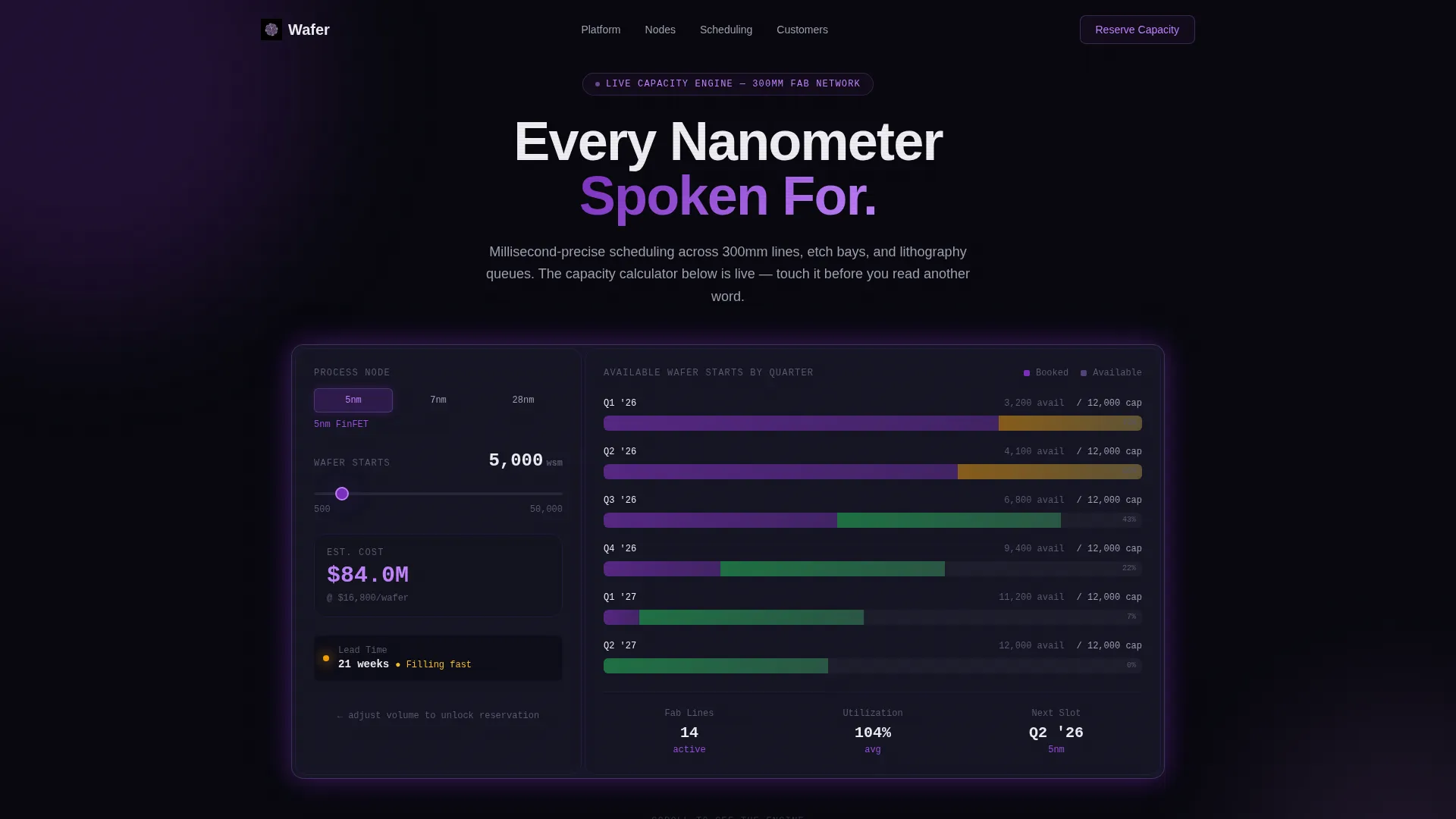
- An interactive header calculator preloaded with a fictional 5nm process node, complete with a node selector, volume slider, utilization bars, cost-per-wafer estimates, and a pulsing lead-time indicator
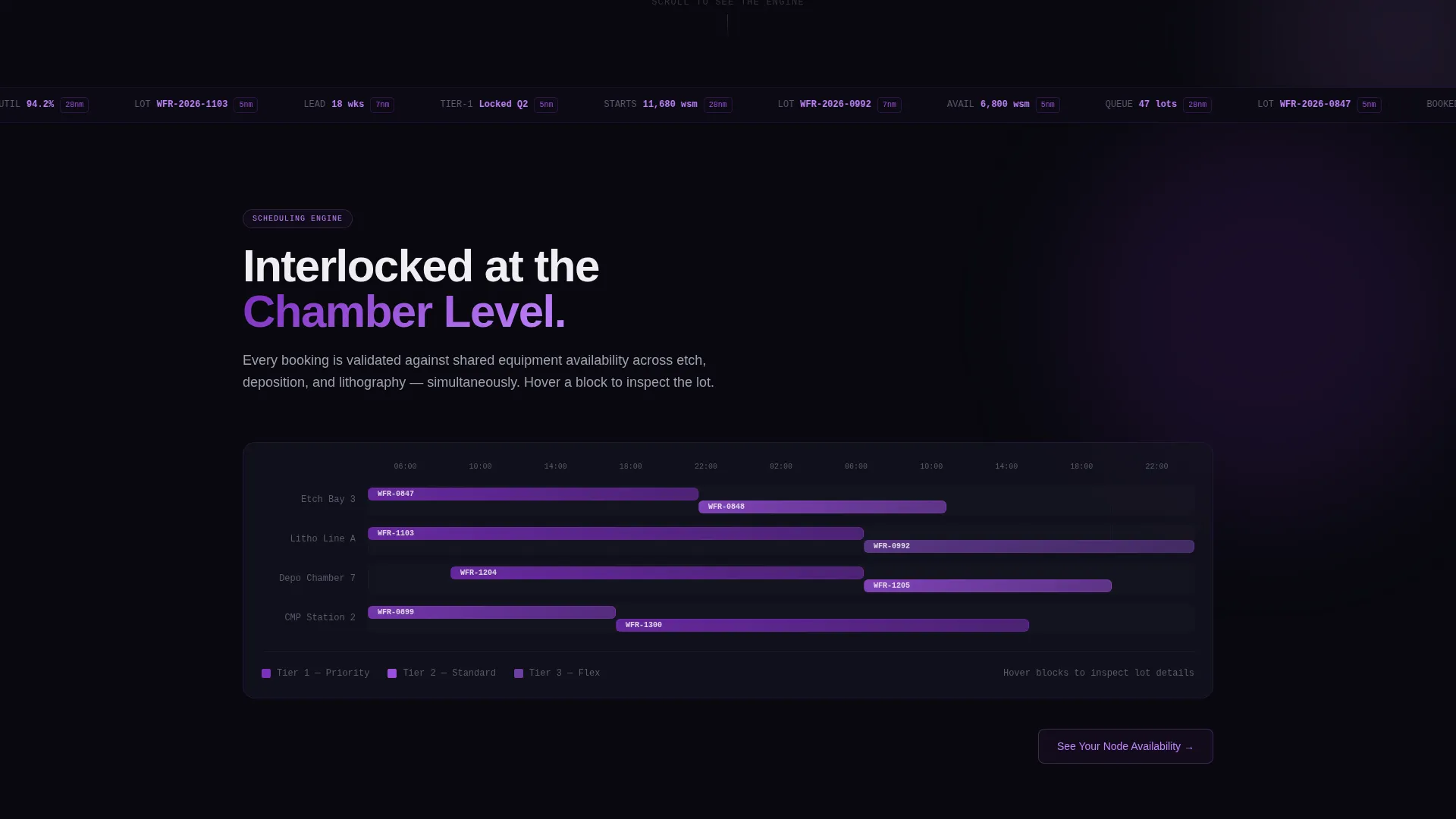
- Animated Gantt-style scheduling blocks in section two that show how bookings interlock across shared etch and deposition chambers, with violet hover states revealing lot ID, customer tier, and cycle time
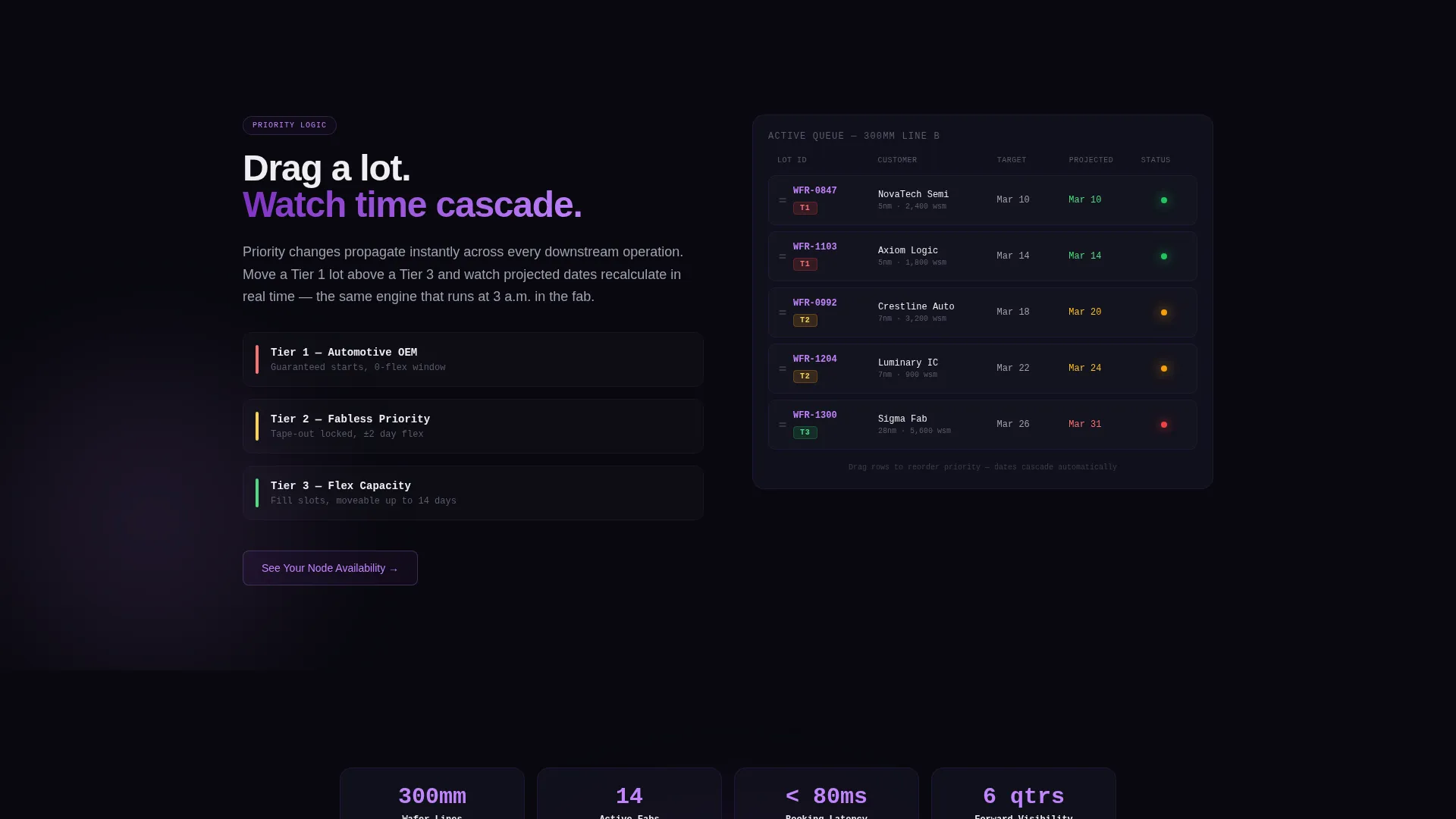
- A drag-and-drop priority queue in section three where visitors reorder lot cards and watch downstream dates cascade and recalculate in real time
Feature list
This template packages several distinct interactive and visual capabilities into one cohesive landing page experience.
Live Capacity Calculator Header
The page opens with a dark glass panel calculator already loaded with a 5nm node scenario. Visitors toggle between 5nm, 7nm, and 28nm process nodes, drag a volume slider from 500 to 50,000 wafers, and immediately see utilization bars, cost-per-wafer shifts, and a color-coded lead-time indicator update in real time. No sign-up is required to use it.
Scroll-Reveal Progressive Disclosure
Each scroll increment reveals one additional layer of platform intelligence. The calculator shrinks into a persistent floating mini-widget that stays visible as the visitor moves down the page, keeping their session context anchored throughout the experience.
Animated Gantt Scheduling View
Section two progressively exposes animated Gantt-style blocks representing how bookings interlock across shared fabrication resources including etch bays and deposition chambers. Hovering any block glows it in deep violet and surfaces the lot ID, customer tier, and cycle time for that booking slot.
Interactive Priority Queue
Section three presents a simulated scheduling queue. Visitors drag a lot card above or below other lots and watch downstream delivery dates cascade and recalculate automatically. This interaction makes the scheduling engine's logic tangible without requiring a live product walkthrough.
Engagement-Gated Primary call to action
The primary call to action, "Reserve Fab Capacity," appears inside the calculator only after the visitor has interacted with at least one input. This gates the ask behind proven intent, surfacing the button at the moment the visitor is most engaged.
Parameter-Carrying Secondary call to action
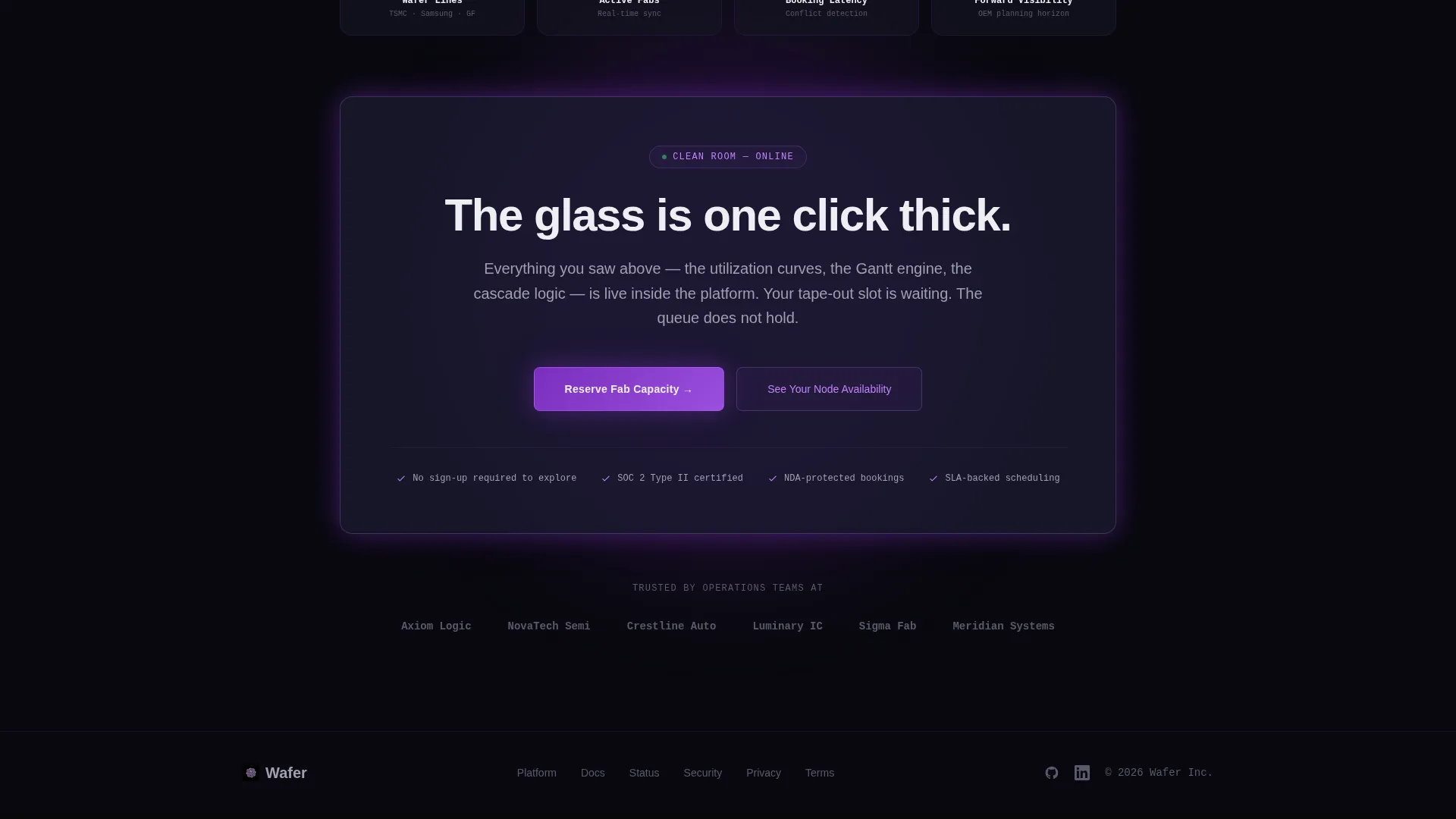
A secondary call to action, "See Your Node Availability," anchors the bottom of each revealed section. When clicked, it routes the visitor to the full platform demo environment and carries their calculator selections as URL parameters, so the next page loads pre-populated with their choices.
Page sections overview
| Section | Purpose |
|---|---|
| Calculator Header Panel | Opens with a live capacity tool preloaded for immediate engagement |
| Node and Volume Controls | Lets visitors configure process node and wafer volume interactively |
| Utilization and Lead-Time Display | Shows real-time fill rates and lead-time urgency signals |
| Floating Mini-Widget | Persists the calculator as a thumbnail while the visitor scrolls |
| Gantt Scheduling View | Animates booking interlocks across shared fab resources |
| Lot Hover Details | Reveals lot ID, tier, and cycle time on Gantt block hover |
| Priority Queue Section | Enables drag-to-reorder lot cards with live date cascading |
| Reserve Fab Capacity call to action | Surfaces primary action after first calculator interaction |
| Node Availability call to action | Anchors a secondary action at the base of each revealed section |
Design & branding system
The visual identity follows a Tech Glass theme built on the Void and Violet color system. Every design decision reinforces precision, depth, and technical credibility.
- Core palette: absolute void black (#09090F) for all backgrounds, deep crystalline violet (#7B2FBE) for interactive surfaces and progress indicators, phosphor lilac (#C084FC) for hover states and data highlights, and clean-room white (#EEEEF2) for typography and divider lines
- Interactive surfaces illuminate in violet; lilac fires on mouseover like a photoresist layer under ultraviolet exposure, giving every hover a purposeful, data-driven feel
- Typography floats in clean-room white with the clinical detachment of a technical specification sheet, reinforcing trust with audiences who read data sheets for a living
Mobile & speed optimization
The scroll-reveal structure and interactive components are designed with a mobile-first layout approach so the experience remains usable on smaller screens.
- The capacity calculator, node selector, and volume slider are structured to reflow cleanly on tablet and mobile viewports without losing interactive functionality
- The floating mini-widget and section-by-section reveal pacing are designed to feel intentional at all screen sizes, not like desktop content force-fitted to a phone
- Visual weight is concentrated in meaningful interactive moments rather than heavy decorative assets, keeping the page light enough for field use on a tablet at a fab site
How this template helps you convert
The entire page is built around a Click-Through conversion strategy. It earns the click rather than demanding it.
- The live calculator in the header lets high-intent visitors do real work immediately, so by the time the "Reserve Fab Capacity" button appears, the visitor has already invested in the experience and is far more likely to act.
- The parameter-carrying call to action removes friction at the moment of conversion. The visitor's calculator inputs travel into the sign-up flow as URL parameters, so the next page feels like a continuation of the same session rather than a cold form.
Other information about this template
This template is purpose-built for the semiconductor booking system vertical and carries several qualities that make it useful beyond the immediate visual impact.
- The scroll-reveal (progressive) template style means complexity is introduced gradually, which suits highly technical buyers who need time to absorb system depth before committing to a demo
- The Tech Glass theme and Void and Violet palette are deliberately niche-specific. They signal domain expertise to fab operations managers and procurement leads who would immediately distrust a generic SaaS aesthetic
- Because no form exists on the page itself, there is zero data-entry friction before the call to action. The entire page functions as a pre-qualification and trust-building layer
- The template is categorized under Technology and Semiconductor Vertical SaaS, making it a strong fit for platforms targeting fabless design houses, automotive OEM procurement teams, and foundry capacity brokers
Theme
Tech Glass
Creative direction
Calculator/Tool First
Color system
Void & Violet
Style
Scroll Reveal (Progressive)
Direction
Click-Through
Page Sections
Live Capacity Calculator with Node Selector
Scroll-reveal Progressive Disclosure
Animated Gantt Scheduling Blocks
Drag-and-drop Priority Queue
Engagement-gated Primary Call to Action
Parameter-carrying Secondary Call to Action
Related questions
Do visitors need to sign up to use the capacity calculator?
How does the page pass visitor data into the sign-up flow?
What makes this template different from a standard SaaS landing page?
Who is the primary audience this landing page is designed to reach?
Can the visual style be adapted to match an existing brand?



