Vocal Academy Landing Page Template
Chorus is a single-column landing page template built for vocal and singing academies. It combines a warm serif-led design with a personalized inline quiz that guides each visitor toward a practice kit matched to their age and goal. The soft, linen-toned palette and gentle layout feel welcoming to every learner, from shy five-year-olds to adults finally ready to start.
by Rocket studio
Quick summary
Chorus is a landing page template designed for vocal and singing academies. It opens with a full-viewport serif headline, moves visitors through a short personalized quiz, and delivers a downloadable practice kit as its primary call to action. The warm Soft Mist palette and single-column flow create a calm, inviting experience that earns trust before it ever asks for an email.
Who this template is for
This template suits any vocal or singing academy that serves a broad mix of learners and wants a page that feels personal rather than generic. It works equally well for solo coaches, small studios, and established performing arts schools.
- Studio owners enrolling children, teenagers, and adult beginners
- Independent vocal coaches offering discovery lessons and resource bundles
- Music and performing arts schools running awareness campaigns
What problem this template solves
Most music school pages look like static brochures. They list class times and prices but give nothing away. Visitors leave before they ever feel a connection to the studio. Chorus fixes that by making the page itself feel like a first interaction.
- Visitors lose interest when a page offers no immediate, relevant value
- A single generic call to action does not speak to a shy parent, a teen preparing an audition, or a retired adult picking up singing for the first time
- Studios miss email leads because the exchange feels one-sided and transactional
What you get with this template
Chorus delivers a complete, ready-to-customize single-column landing page with a built-in interactive quiz flow and a dual call-to-action structure. Every section is designed to move a visitor forward at their own pace.
- A centered giant headline section with a subline that triggers the inline quiz
- A three-step personalized quiz that reorganizes content based on age, goal, and experience level
- A primary resource call to action and a secondary fixed discovery-lesson button
Feature list
This template is built around a handful of thoughtful, purposeful components. Each one is described below.
Giant Centered Headline Section
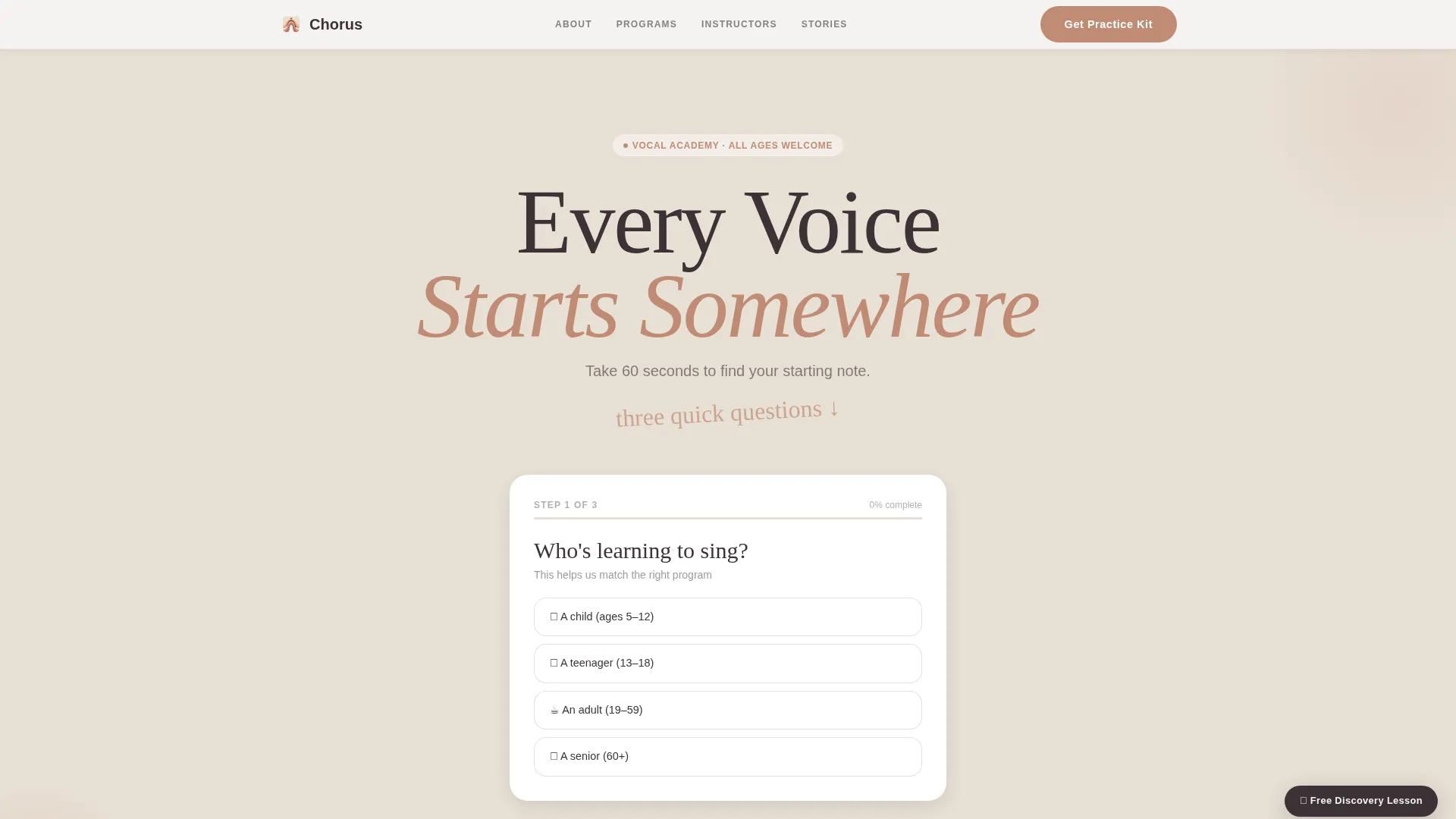
The header carries a single large serif headline, "Every Voice Starts Somewhere," centered across the full viewport on a warm linen background. Nothing competes with it. The generous whitespace is intentional and creates a calm, confident opening that invites rather than sells.
Inline Personalization Quiz
A three-step quiz sits directly below the headline subline. It asks visitors for their age range, their goal, and their experience level using friendly, non-intimidating language. Based on the answers, the page accent color subtly shifts and the content below the quiz reorganizes into a relevant resource hub.
Dynamic Content Resource Hub
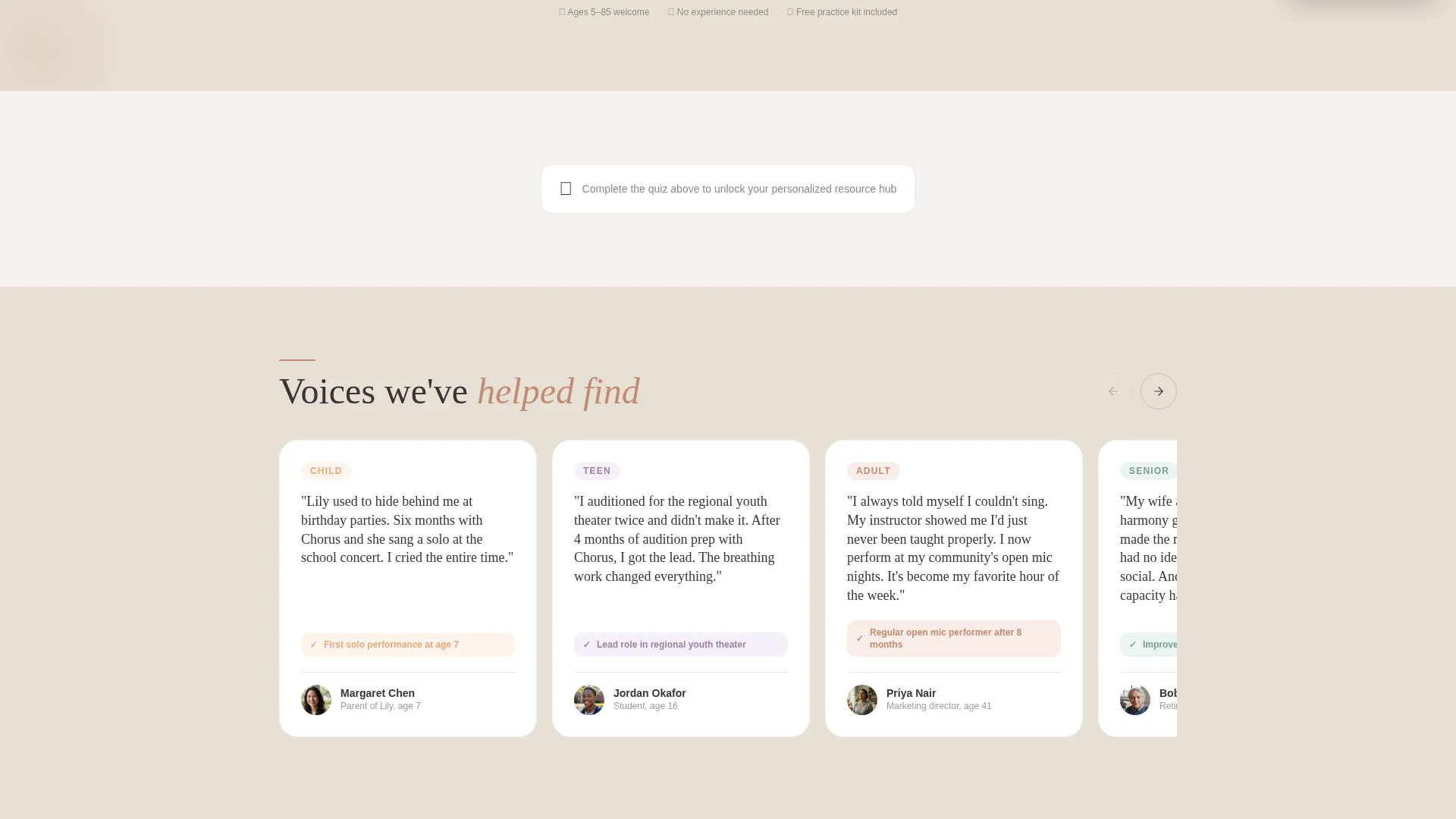
After the quiz, the page surface below reorganizes to show curated warm-up videos, a downloadable practice schedule matched to the visitor's goal, and a sample lesson clip featuring a student in their age group. The layout responds to quiz answers without requiring a page reload.
Practice Kit Lead Capture
The primary call to action, "Get Your Practice Kit," unlocks a personalized PDF bundle in exchange for a first name and email. The bundle includes warm-up routines, song suggestions by skill level, and a printable practice tracker. The quiz earns this click by delivering value first.
Fixed Discovery Lesson Button
A quiet secondary button stays anchored in the bottom corner of the page throughout the entire scroll. It offers visitors the option to book a free discovery lesson without requiring them to complete the quiz, giving a direct path for high-intent visitors who are ready to commit.
Soft Mist Color System
The Soft Mist palette uses morning fog white, warm linen, muted blush, deep charcoal text, and terracotta accents on buttons and interactive elements. The accent color temperature also shifts subtly in response to quiz selections, reinforcing the personalized feel through visual feedback.
Page sections overview
| Section | Purpose |
|---|---|
| Giant Headline Header | Opens with full-viewport serif headline and quiz trigger subline |
| Inline Quiz Flow | Collects age, goal, and experience in three friendly steps |
| Personalized Resource Hub | Displays curated videos, lesson clip, and practice schedule |
| Practice Kit call to action | Captures first name and email in exchange for PDF bundle |
| Fixed Discovery Button | Persistent secondary path to book a free lesson |
Design & branding system
The visual identity follows a Family First theme, built to feel domestic and safe rather than institutional or commercial. Every color and font choice reinforces a sense of warmth and creative ease.
- Soft Mist palette: morning fog white (#F4F1EE), warm linen (#E8E0D5), muted blush (#D4A59A), deep charcoal (#3B3336), and terracotta accent (#C08B73)
- A generous serif typeface carries the headline at full viewport width, with lighter-weight supporting text below
- Accent color temperature shifts slightly based on quiz answers, with cooler blush tones for teen selections and warmer terracotta tones for adult selections
Mobile & speed optimization
The single-column flow of this template naturally adapts to smaller screens without complex reflow. The layout is inherently linear, which means the reading and interaction order stays consistent across device sizes.
- Single-column structure removes the need for complex grid adjustments on mobile
- The inline quiz and resource hub reflow cleanly into a vertical stack on narrow viewports
- The fixed discovery lesson button remains accessible at the bottom of the screen on all device sizes
How this template helps you convert
Chorus is structured around a give-first, ask-second conversion model. By the time a visitor reaches the email capture, the page has already delivered personalized, relevant content tailored to their answers.
- The quiz creates a personalized experience that makes visitors feel understood before any offer is made, raising the perceived value of the practice kit
- The "Get Your Practice Kit" call to action feels like a natural continuation of the quiz rather than a cold ask, which lowers the friction of sharing an email address
- The fixed "Book a Free Discovery Lesson" button ensures that high-intent visitors always have a direct path to the studio, even if they skip the quiz entirely
Other information about this template
Chorus is part of a broader template library built for education and performing arts businesses that want professional, content-led pages without starting from scratch. It is well-suited to studios that market across multiple learner demographics on a single page.
- The template uses a single-column flow, which makes it straightforward to customize section by section
- The quiz-driven personalization is designed to be adjusted to match your studio's own age groups, goals, and experience descriptors
- The downloadable PDF bundle concept can be adapted to any resource type your studio already offers, such as sheet music collections or video lesson previews
- This template fits the Category of Education and Training, specifically within Music and Performing Arts School niches
Theme
Family First
Creative direction
Quiz & Personalize
Color system
Soft Mist
Style
Single Column Flow
Direction
Content/Resource
Page Sections
Giant Centered Headline Section
Three-step Inline Personalization Quiz
Dynamic Personalized Resource Hub
Practice Kit Lead Capture
Fixed Discovery Lesson Button
Soft Mist Color System with Reactive Accents
Related questions
Can I use this template if I only teach adults?
Does the page require a third-party quiz tool to function?
Can I change the headline and call-to-action text?
Is this template suitable if I do not offer a downloadable PDF resource?
How does the accent color shift work in the quiz?



