Cinematic History Video Lesson Landing Page Template
Chronicle is a cinematic history video lesson landing page template built for educators, students, and lifelong learners. It uses a hub-and-spoke era navigation layout, a deep indigo and ember gold color system, and a freemium signup flow. Five free lessons unlock instantly, no card required. The design makes history feel like a conversation worth having.
by Rocket studio
Quick summary
Chronicle is a single-page history video lesson template with hub-and-spoke era navigation. It leads visitors through a hero journey from curiosity to signup, using cinematic stills, autoplay trailers, and ember gold epigraphs as chapter dividers. The freemium model unlocks five full lessons immediately, making it easy for any learner to get started without friction.
Who this template is for
This template is shaped for educators and learners who take history seriously. It serves audiences who want depth, atmosphere, and a clear path into the material.
- Homeschool parents who need structured history lessons and curriculum resources
- AP History students cramming for exams and seeking engaging video lessons
- Retired professionals who explore the world through lifelong learning
What problem this template solves
Most history pages feel like a newspaper archive: flat, hard to navigate, and easy to abandon. This template solves the engagement problem by guiding visitors through a cinematic journey, era by era.
- Visitors leave before signing up because the value is buried below the fold
- Learners cannot tell which lessons suit their needs or level
- Generic pages fail to engage audiences who expect visual quality from video products
What you get with this template
The template delivers a fully structured landing page with every section built to carry viewers from first impression to free trial. Each era spoke is ready to showcase your lessons, complete with episode card grids and trailer slots.
- A sticky history timeline ribbon with five era anchor nodes
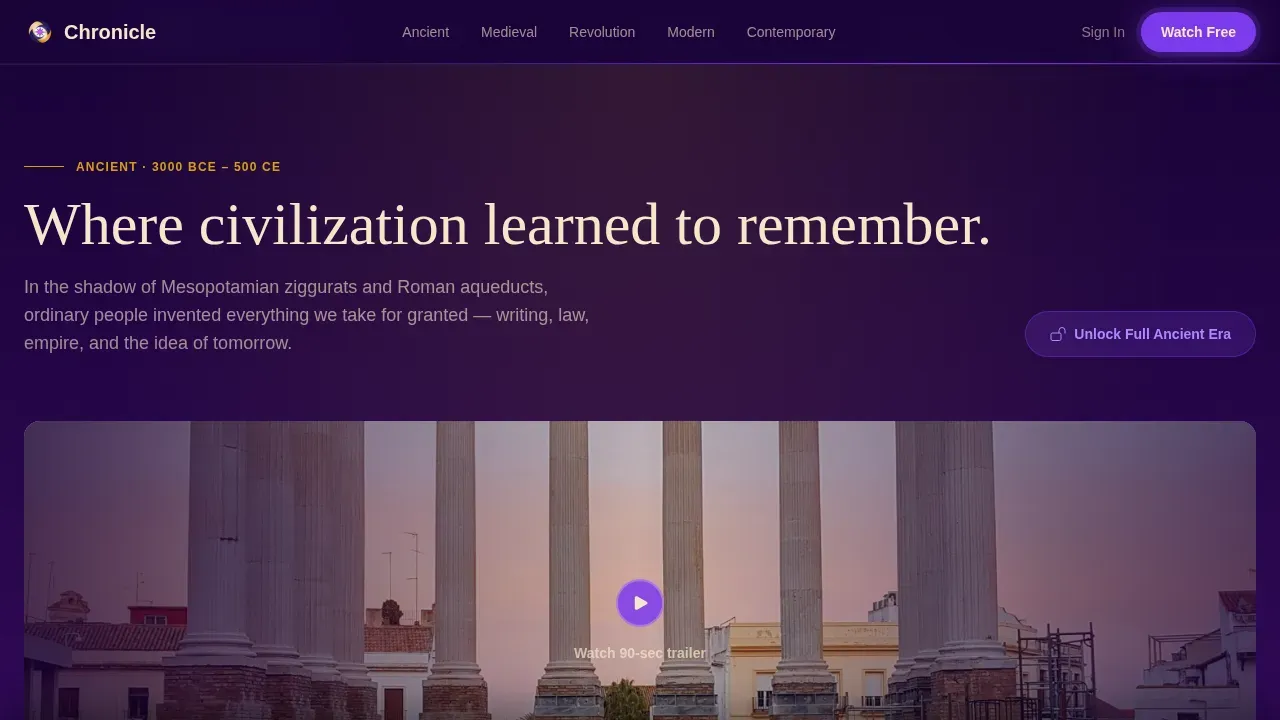
- Muted autoplay trailer slots inside each era spoke to prove production quality
- A personalized learning path builder in the final "Your Journey" section
Feature list
This template includes six purpose-built sections that create a complete, conversion-ready history timeline experience for any history video library.
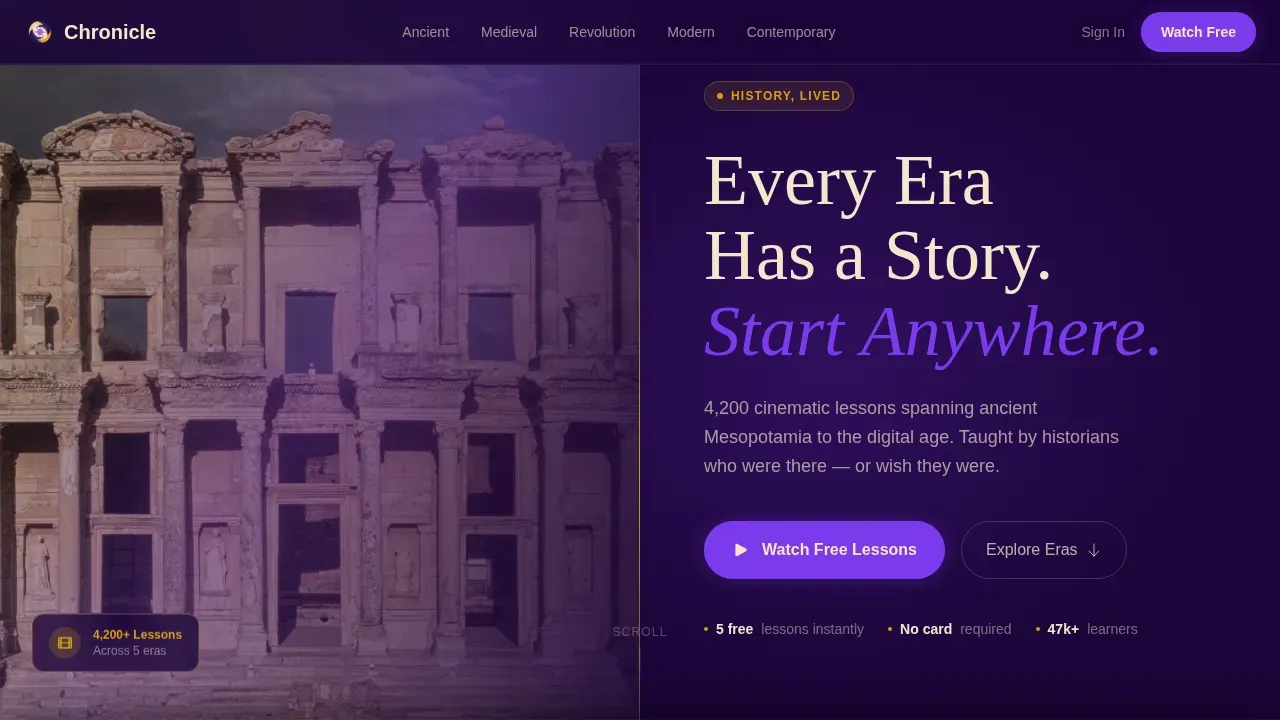
Cinematic Hero Section
The header splits into a rich library photograph and a bold parchment headline. A pulsing violet call-to-action button invites visitors to start watching. Beam animations and blur-in text make the first impression feel cinematic and warm.
Sticky Era Timeline Ribbon
A horizontal timeline ribbon pins to the top as visitors scroll. It holds five era anchors covering Ancient, Medieval, Revolution, Modern, and Contemporary history milestones. Clicking any node smooth-scrolls to that era's spoke section.
Era Spoke Sections
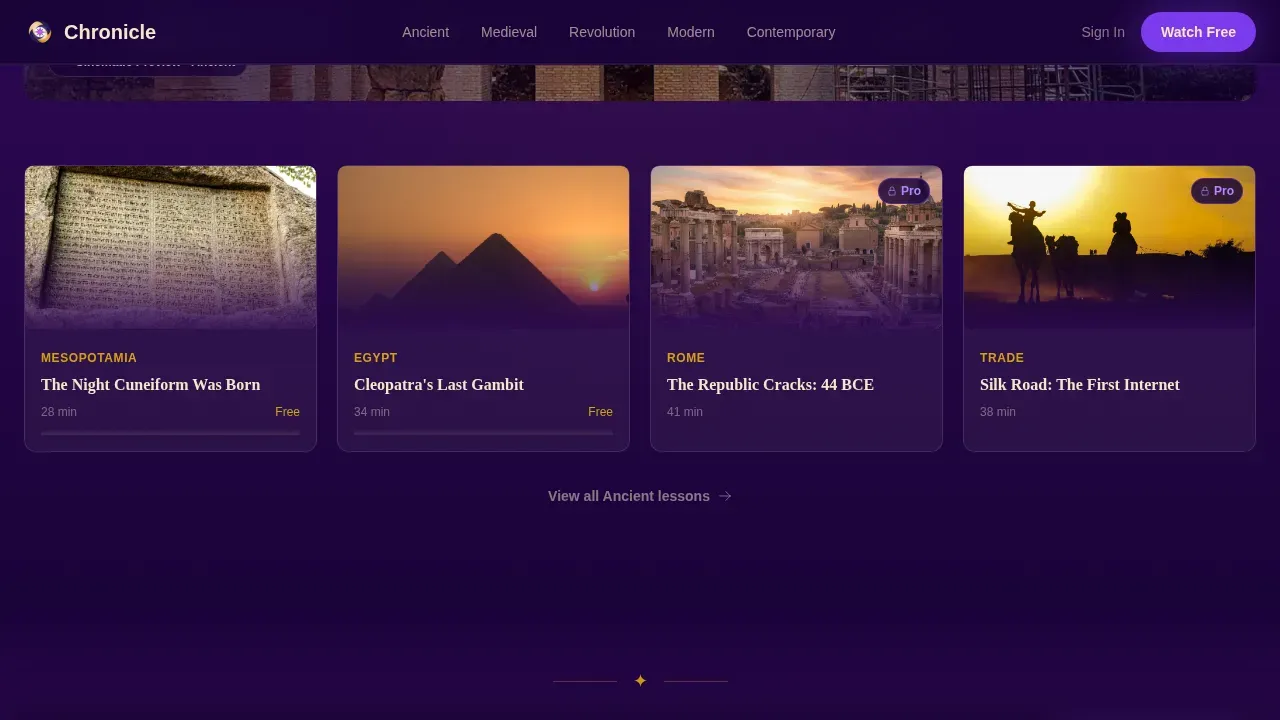
Each of the five era spokes opens with a cinematic still, a two-sentence narrative hook, and an episode card grid. A muted autoplay trailer autoplays inside each spoke. An "Unlock Full Era" button offers a secondary path to the annual plan.
Interstitial Epigraph Dividers
Single-sentence ember gold epigraphs appear between eras. They act like chapter titles in a book, pulling viewers deeper into the journey. This design element is a small detail that makes the timeline feel like a curated slideshow of milestones.
Freemium Signup Modal
The primary call-to-action opens a lightweight modal asking only for a first name and email. A learner-type toggle lets visitors select student, parent, or lifelong learner. No card is required to finish signup and unlock five full lessons.
Your Journey Section
The final spoke presents a personalized learning path builder. It ties all previous era milestones together and delivers the closing conversion call-to-action. This section helps visitors feel the timeline is built for them specifically.
Page sections overview
| Section | Purpose |
|---|---|
| Hero Header | Introduce the library and launch the primary call-to-action |
| Era Timeline Ribbon | Anchor-navigate between five historical era spokes |
| Ancient Era Spoke | Showcase Ancient history lessons and trailer |
| Medieval Era Spoke | Showcase Medieval history lessons and trailer |
| Revolution Era Spoke | Showcase Revolution history lessons and trailer |
| Modern Era Spoke | Showcase Modern history lessons and trailer |
| Contemporary Era Spoke | Showcase Contemporary history lessons and trailer |
| Epigraph Dividers | Reinforce emotional pacing between era sections |
| Your Journey Section | Deliver personalized path builder and closing call-to-action |
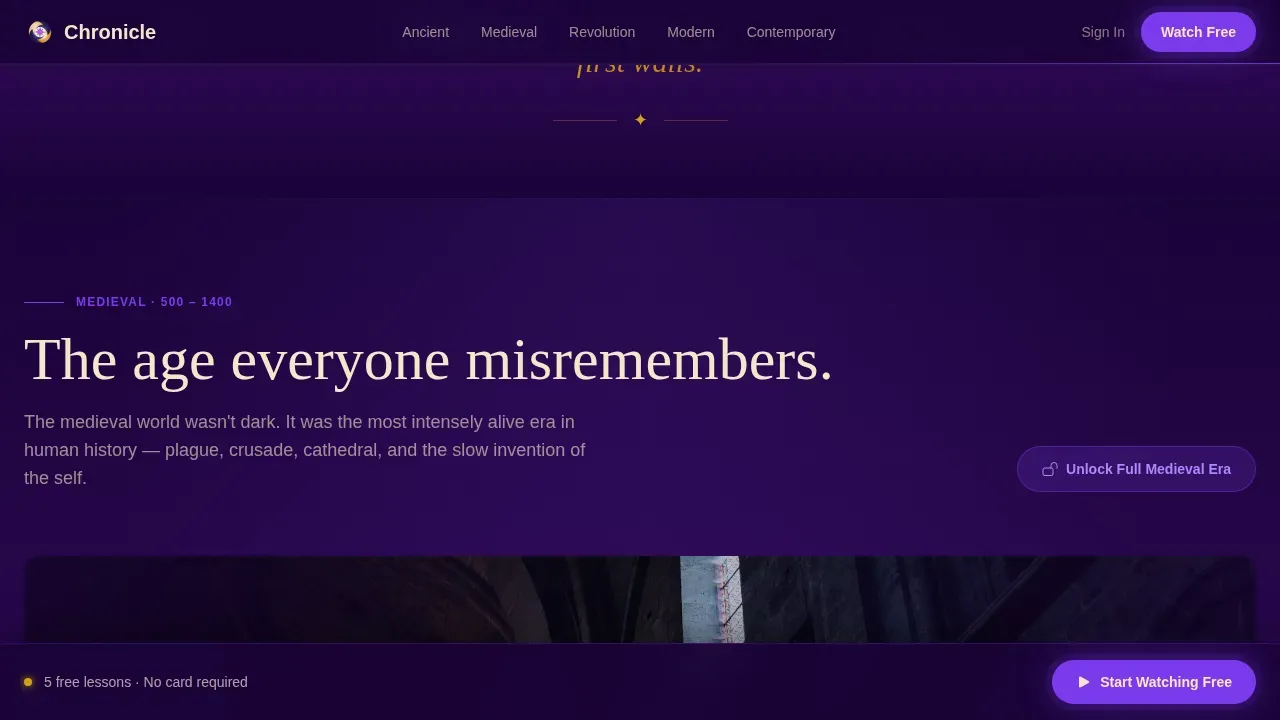
| Sticky Bottom Bar | Repeat primary signup call-to-action after second spoke |
| Linear Footer | Provide contact links and support information |
Design & branding system
The design follows a Community Hearth theme that feels like a university library after hours. The color system creates atmosphere without sacrificing readability.
- Deep hearthstone indigo (#2E0854) as the primary background, parchment (#F5E6CA) for text panels
- Electric violet (#7C3AED) on buttons, progress bars, and timeline navigation nodes
- Ember gold (#D4A017) for epigraph accents, testimonial highlights, and era milestone markers
Mobile & speed optimization
The template is desktop-first but fully responsive for every device. Students often explore lessons on mobile at midnight, so the layout adapts cleanly across screen sizes.
- Lazy video loading keeps the page light as visitors scroll through era spokes
- Intersection observer triggers GSAP scroll reveals and blur-in text animations
- CSS smooth scroll keeps the timeline ribbon navigation fluid on any device
How this template helps you convert
The template earns the signup by giving value before asking for anything. Every design and layout decision is built to reduce hesitation and build trust.
- Embedded muted trailers inside each era spoke let viewers judge quality before they ever see a form, making the decision to sign up easy and informed.
- The sticky bottom bar repeats the free-trial call-to-action after the second spoke, so the offer stays visible as visitors engage with more history milestones.
- The learner-type toggle in the signup modal personalizes the post-signup experience, which helps new users feel the platform was built for their specific needs.
Other information about this template
This template is well suited for any history video library that needs a compelling site to showcase its lessons and grow its learner base. The design concept is flexible enough to support a range of educational products and services.
- History timeline templates like this one include editable text layers and placeholders for images, making it easy to customize content without code
- Customizable presentation templates can enhance classroom materials and business reports, and this template follows the same principle of adaptable, structured design
- Platforms like Google Slides use slideshow-style layouts for business presentations; this template brings that same structured slideshow logic to a live web page
- No-code tools such as Prezi offer expansive libraries of presentations and allow users to customize each project to suit their needs; this template works within a similar philosophy
- You can download the template and edit text, swap images, and update icons across all pages without writing code
- The template supports contact links and support resources in the linear footer for learner and administrator needs
- Art direction, newspaper-style epigraph typography, and paper-textured card elements add to the scholarly atmosphere throughout
Theme
Community Hearth
Creative direction
Hero's Journey
Color system
Electric Indigo
Style
Hub & Spoke (Anchor Nav)
Direction
Freemium/Trial
Page Sections
Sticky Era Timeline Ribbon
Cinematic Era Spoke Sections
Freemium Signup Modal
Interstitial Epigraph Dividers
Your Journey Path Builder
Sticky Conversion Bottom Bar
Related questions
Does this template require coding skills to edit?
How many pages does this landing page template include?
Can I customize the history timeline for my own lessons?
Who are the main audiences this template serves?
Is a credit card required to use the freemium signup flow?



