Salon & Spa Software Booking Website Template
The Ledger Data Command salon management landing page template is a hub-and-spoke single-page layout built for multi-location spa owners, franchise managers, and booth renters who need every appointment, staff schedule, and revenue figure on one screen. It pairs a live stats dashboard hero with spec-sheet spoke sections, a comparison rail, and a calculator modal to turn visitors into qualified leads.
by Rocket studio
Quick summary
Ledger is a Data Command landing page template designed for salon and spa management platforms. It opens with a full-viewport metrics wall showing seven live figures, then guides visitors through five spoke sections covering scheduling, commission tracking, multi-location oversight, and reporting. A pinned anchor nav, a comparison rail, and a free calculator modal handle conversion from first scroll to email capture.
Who this template is for
This template is built for B2B software teams who sell salon and spa management tools to operators who track revenue, staff schedules, and client appointments at scale. It fits equally well for solo booth renters who currently organize commissions on spreadsheets and for enterprise franchise managers who need same-day visibility across many locations.
- Multi-location spa owners managing three or more sites who need real-time data on every chair and every therapist
- Franchise managers who decide on staffing and pricing based on same-day revenue reports across all doors
- Solo booth renters and small businesses tracking payments and commissions manually and ready to upgrade to a professional system
What problem this template solves
Salon owners who run several locations face a specific frustration: sticky notes for scheduling conflicts, shoebox receipts for cash transactions, and disconnected tools for booking, inventory, and accounting. Switching between separate systems to manage appointments, track expenses, and review staff schedules costs hours every week. This template makes the case against that fragmentation, clearly and visually.
- Missed appointments, double-bookings, and manual commission errors erode revenue and damage the client experience
- No unified view means managers cannot track upcoming appointments or same-day revenue across locations in real time
- Manual ledger entry creates data errors, incorrect liabilities, and slow month-end closes that slow every successful salon down
What you get with this template
This template delivers a complete single-page layout that displays salon performance data as the hero and structures every section like a technical spec sheet. You can customize the color values, typography, section copy, and comparison table rows to match the platform you are presenting. Download the template and all layout blocks are ready to populate with your own figures and service offerings.
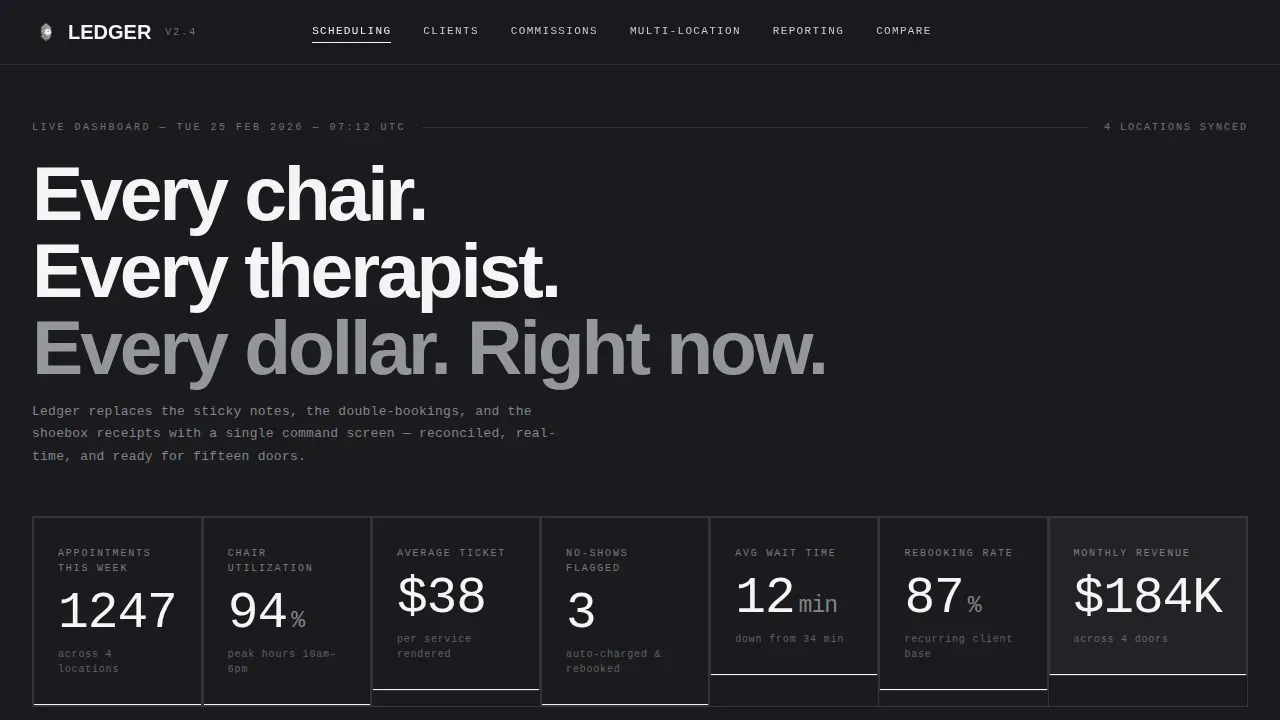
- A full-viewport stats dashboard hero with seven metric slots, hairline chrome dividers, and counter animation placeholders
- Five anchor-linked spoke sections formatted as two-column spec grids with a persistent comparison rail
- A calculator modal block, a full feature comparison table, and a linear single-row footer pattern
Feature list
Live Stats Dashboard Hero
The hero section fills the full viewport with seven real numbers displayed large in signal-white on forge black. Metrics include appointments, chair utilization, average ticket, no-shows, wait time, rebooking rate, and monthly revenue. Each figure is set in a tight grid with hairline chrome dividers. Counter animation placeholders let developers trigger a single pulse-and-lock sequence on page load to present the data with impact.
Hub-and-Spoke Anchor Navigation
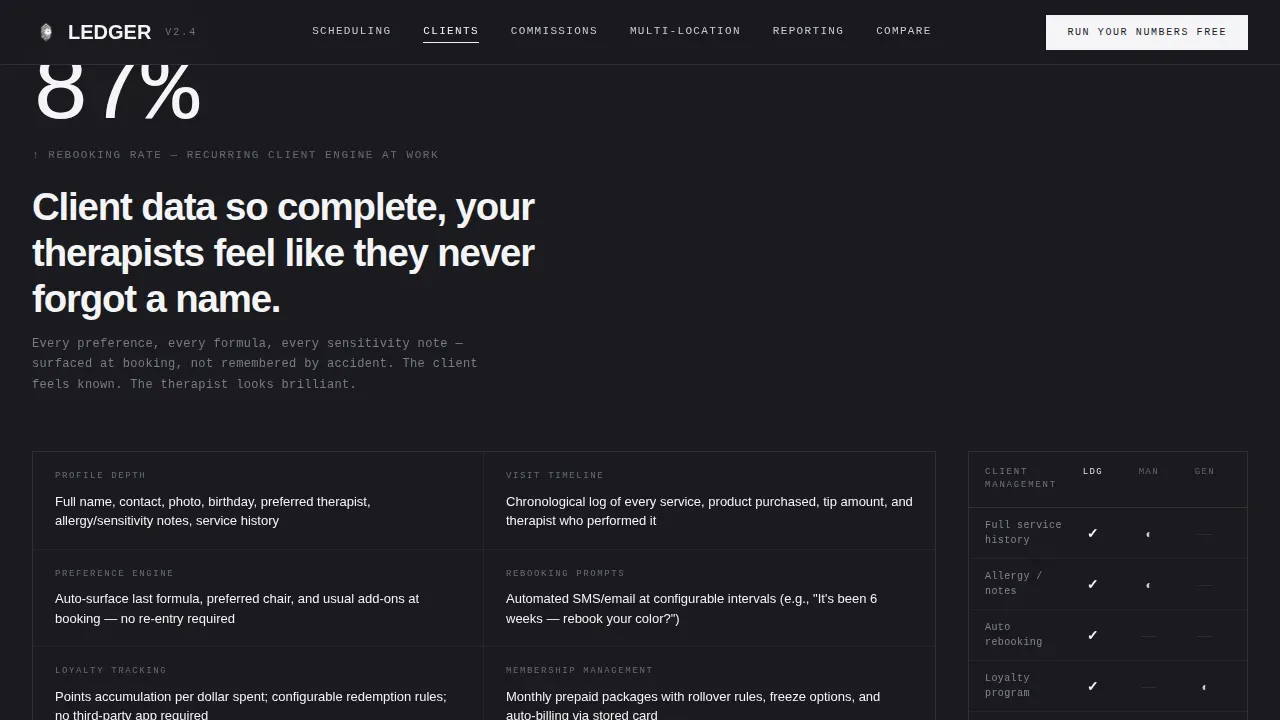
A persistent top navigation bar links directly to each spoke section: Scheduling Engine, Client Profiles, Staff Commission Tracking, Multi-Location Oversight, and Reporting Suite. The nav stays pinned as visitors scroll so managers can jump to the module that matters most without losing context. Active anchor states use a sharp white underline, never a gradient or glow, keeping the interface clinical and focused.
Spec-Sheet Two-Column Capability Grid
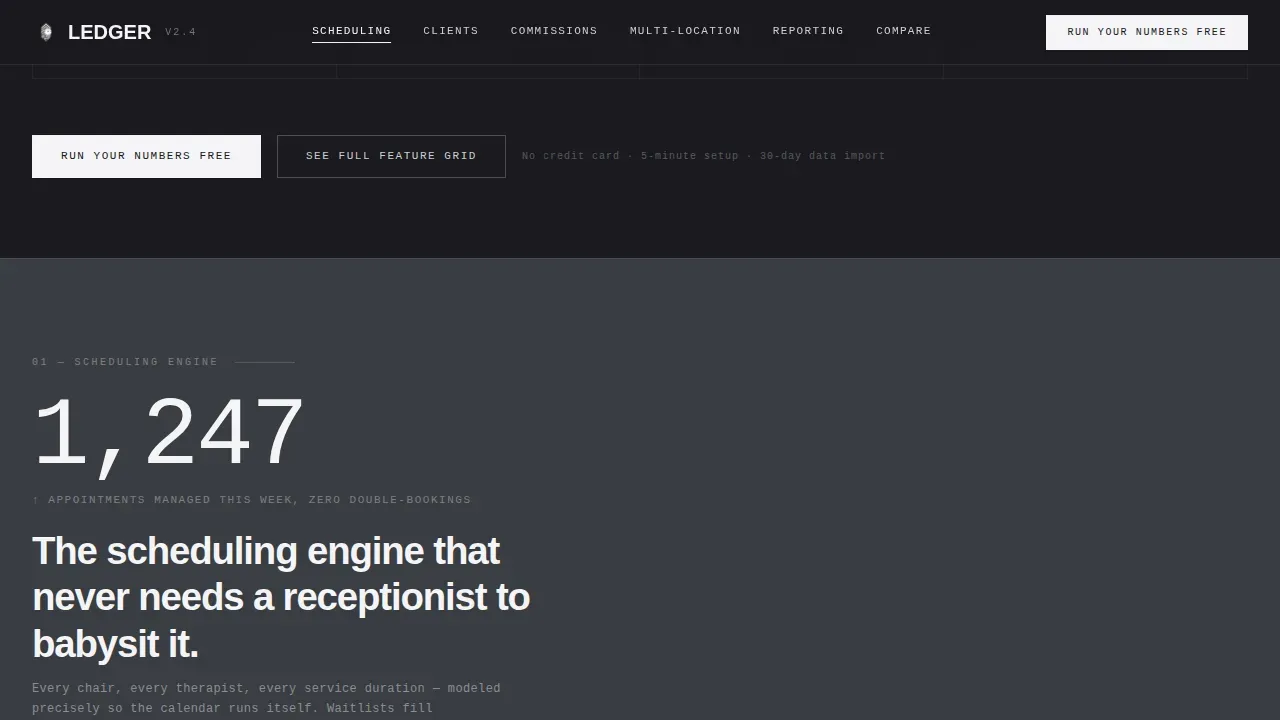
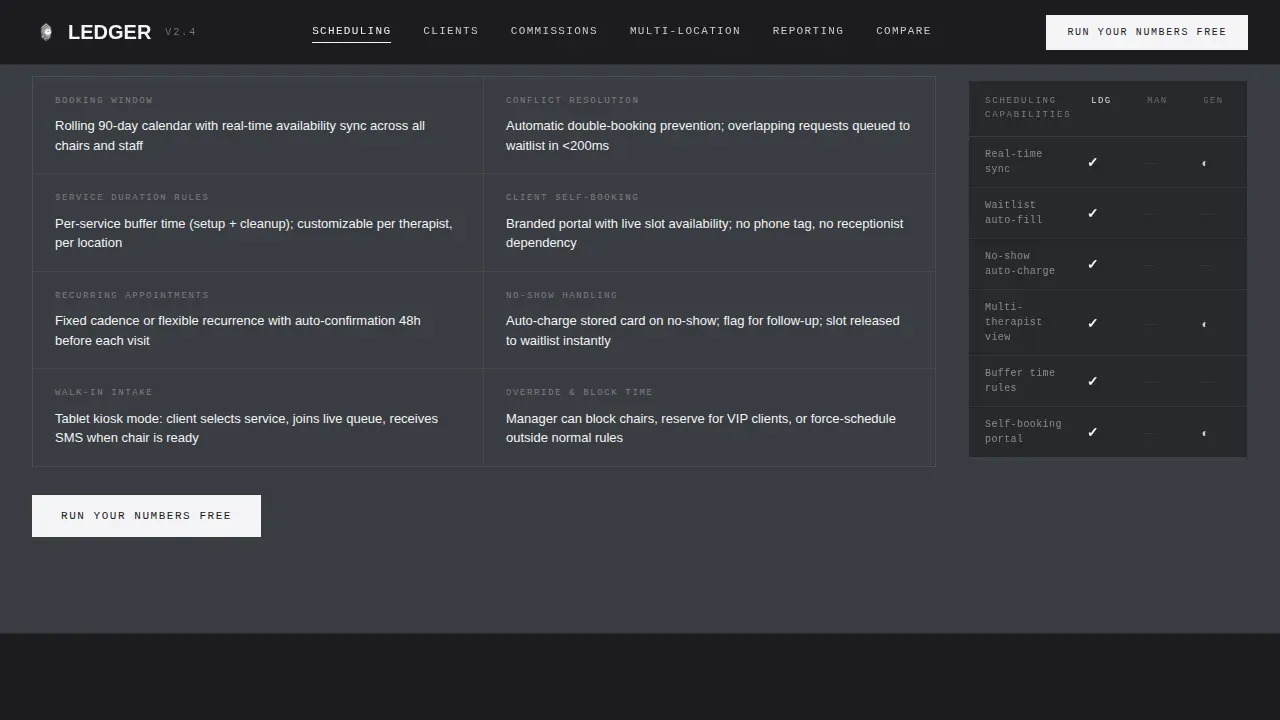
Each spoke section opens with a single stat pulled from the hero, then breaks into a two-column grid listing exact capabilities the way a technical data sheet would. Visitors scan line by line to compare features the way they compare device specifications. The layout helps salon owners and franchise managers decide quickly whether the platform covers the services and workflows they need.
Persistent Comparison Rail
A fixed rail on the right edge of each spoke section tracks how the platform's specs stack against manual methods and two named competitor tiers. Cells fill with checkmarks or dashes as the visitor scrolls, making the versus argument visual and immediate. This layout element is ideal for conversion-focused landing pages where the goal is to help clients move from consideration to action.
Free Calculator Modal
A lightweight modal block collects four inputs: number of locations, average daily appointments, current no-show percentage, and staff count. On submission, the template generates a personalized savings estimate before prompting for an email to unlock a full comparison document. This block is the primary conversion point and is also referenced in the floating anchor nav after first scroll.
Full Feature Comparison Table
A detailed versus table at the base of the page positions the platform beside spreadsheets, generic booking tools, and legacy salon software. Every row is a spec, every cell a verdict. The table helps hair salon operators, spa managers, and booth renters evaluate the platform against the tools they already use. A secondary call-to-action link labeled "See Full Feature Grid" jumps visitors directly to this table.
Page sections overview
| Section | Purpose |
|---|---|
| Hero Stats Wall | Display seven live salon metrics in a full-viewport dashboard grid |
| Anchor Nav Bar | Pinned hub navigation linking to all five spoke sections |
| Scheduling Engine | Spec grid detailing appointment and calendar management capabilities |
| Client Profiles | Spec grid for client data, service preferences, and intake forms |
| Staff Commission Tracking | Spec grid covering commission calculations and staff schedule details |
| Multi-Location Oversight | Spec grid for cross-location revenue and manager-level access |
| Reporting Suite | Spec grid for revenue reports, expense tracking, and data exports |
| Feature Comparison Table | Full versus table comparing platform against competing tools |
| Calculator Modal | Interactive savings estimator and email capture form |
| Footer Pattern | Linear single-row footer with links and account details |
Design & branding system
The visual identity follows a Monochrome Steel system built to feel like the stainless-steel instrument tray beside a stylist's station. Every color decision is clinical and fingerprint-resistant. The data itself becomes the only accent on the page, which keeps hair salon operators focused on numbers rather than decoration. You can customize hex values to match your platform's brand without breaking the architectural structure.
- Forge black (#1A1A1E) as the primary background, alternating with brushed gunmetal (#3A3D42) across horizontal section bands
- Polished chrome (#C8CCD0) for body text and dividers, with signal-white (#F4F4F6) reserved for active states and data highlights
- DM Mono for numerical and technical data display paired with Manrope for all descriptive and navigational copy
Mobile & speed optimization
The template is built desktop-first to serve command-center operators who manage appointments and review staff schedules on a full monitor. All layout blocks are responsive and reflow cleanly on smaller screens so salon owners reviewing data on a mobile device do not lose context. Fast loading is treated as a structural priority: server components handle static sections while client components are scoped only to the modal and counter animations.
- Responsive reflow on every device size, preserving the spec-grid column structure and comparison rail readability
- Server component architecture for static spoke sections keeps the page lightweight and quick to render
- Client-side interactivity is scoped to the calculator modal and counter animations to minimize render-blocking on load
How this template helps you convert
The template is engineered around a single primary conversion path and one secondary path. Every design and copy decision points visitors toward a clear action without distractions. Salon owners who arrive knowing their problem find the answer in the comparison rail before they reach the modal. Those who need to quantify the value land on a personalized number before they hand over an email address.
- The "Run Your Numbers Free" call to action appears at the bottom of every spoke section and floats in the anchor nav after first scroll, keeping the primary action visible to visitors at all times without interrupting the spec-scanning flow
- The "See Full Feature Grid" secondary link gives fence-sitters a structured path to the comparison table, where the platform's capabilities are laid out row by row against every alternative a hair salon manager might currently use
- The calculator modal collects context-aware inputs and returns a savings estimate tied to the visitor's own numbers, making the email-capture prompt feel like a fair exchange rather than a cold gate
Other information about this template
The Ledger Data Command salon management landing page template sits at the intersection of B2B software marketing and operational clarity for the salon business. It includes sections designed to present professional offerings with the precision operators expect. Below are additional details relevant to buyers evaluating this template.
- Templates that include necessary fields for health regulations, such as daily sanitization checklists and client intake forms covering medical history and allergies, help salons maintain consistent compliance records. This template's client profile section includes form slots designed to collect that essential information.
- Collecting customer feedback is a core part of running a successful salon. The template includes a feedback module placeholder where managers can organize standardized forms to collect and review responses. Analyzing customer feedback through structured forms helps salons improve offerings and address issues promptly.
- The comparison table structure helps salon owners attract clients by demonstrating the platform's value over spreadsheets and generic booking tools in plain language. Visitors who share the page with colleagues or friends can see exactly how the spec rows match their workflows.
- The template is free to download and customize on the platform. Users can adjust every section, reorder spoke modules, update pricing rows in the comparison table, and assign new metric figures to the hero dashboard without touching the core layout.
- The design system supports professional presentation for spa and hair salon platforms that offer premium services. Every block is built to present revenue figures, upcoming appointments, automated reminders, and service preferences clearly across any device. Managers who need to display treatments, track transactions, and review cash and payments data will find the layout ready to support those use cases out of the box.
- Resources such as the built-in comparison rail and the calculator modal save development time. Teams can download the template, customize the copy, and launch a conversion-ready page without building spec-grid or modal components from scratch.
Theme
Data Command
Creative direction
Spec Sheet
Color system
Monochrome Steel
Style
Hub & Spoke (Anchor Nav)
Direction
Comparison/Versus
Page Sections
Live Stats Dashboard Hero
Hub-and-spoke Anchor Navigation
Spec-sheet Two-column Capability Grid
Persistent Comparison Rail
Free Calculator Modal
Full Feature Comparison Table
Related questions
Can I customize the hero metrics for my own salon data?
Does the template support multiple salon locations in its layout?
How does the calculator modal work within the template?
Is this template suitable for a solo booth renter or only for large operators?
Can I add customer feedback forms to the template?



