History Flashcard App Landing Page Template
Chronicle is a single-column landing page template built for a history flashcard and review app. It guides visitors from exam-day panic to confident study momentum using an interactive Problem-to-Solution scroll flow, inline flippable sample cards, and a dual call-to-action structure that captures both ready signups and email leads.
by Rocket studio
Quick summary
Chronicle is a single-column landing page template designed for a history flashcard and review app. It opens with an illustrated timeline header, walks visitors through a Problem-to-Solution narrative arc, and lets them flip real sample cards inline. Two conversion paths capture both immediate signups and lead-generating email opt-ins.
Who this template is for
This template is built for creators and developers launching a history study app. It speaks directly to the audiences who need it most and puts the product's value on display before asking for anything in return.
- Advanced Placement (AP) History students who need fast, focused exam prep
- University freshmen managing dense survey courses with limited study time
- Self-taught history enthusiasts who want to master chronology from scratch
What problem this template solves
History learners face a common wall: too many dates, treaties, and turning points crammed into too little time. A wall of textbook text feels paralyzing, not productive. This template gives the app a page that mirrors that tension and then dissolves it.
- Visitors feel the overwhelm of traditional studying before seeing the solution
- The inline flip mechanic proves the product's value without requiring a download
- Two distinct calls to action meet visitors wherever they are in their decision
What you get with this template
The template delivers a full single-page layout with every section, visual, and interaction needed to launch the app's marketing page. Nothing needs to be built from scratch.
- A custom illustrated timeline header with animated pulse effect and bold serif headline
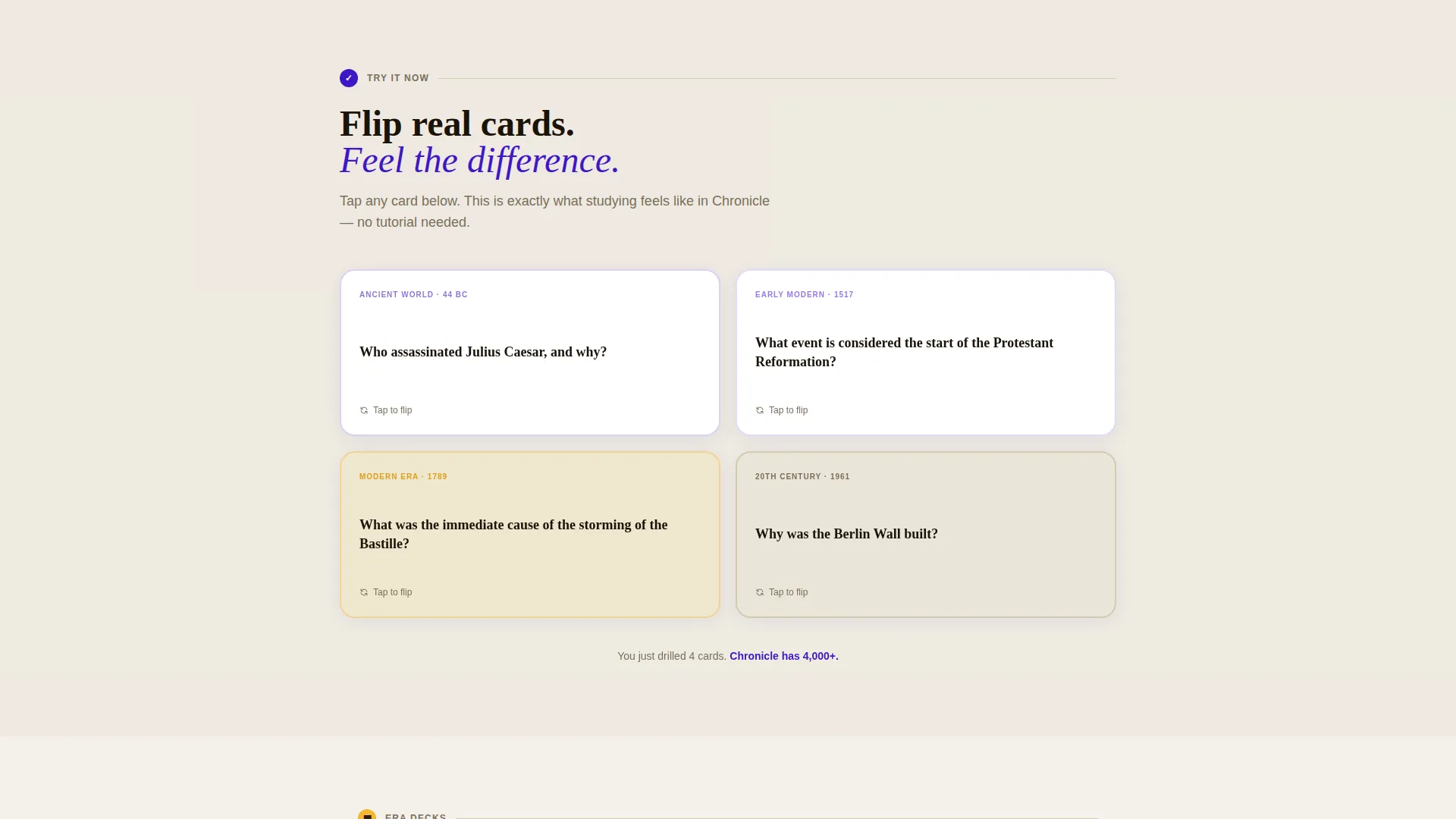
- A live-demo flashcard section where visitors tap or click to flip sample cards inline
- A sticky bottom call-to-action bar and a secondary email lead-capture offer
Feature list
This template ships with purpose-built sections and design decisions that serve the history study niche directly. Each feature earns its place by either building trust, demonstrating value, or driving a conversion action.
Animated Timeline Header Illustration
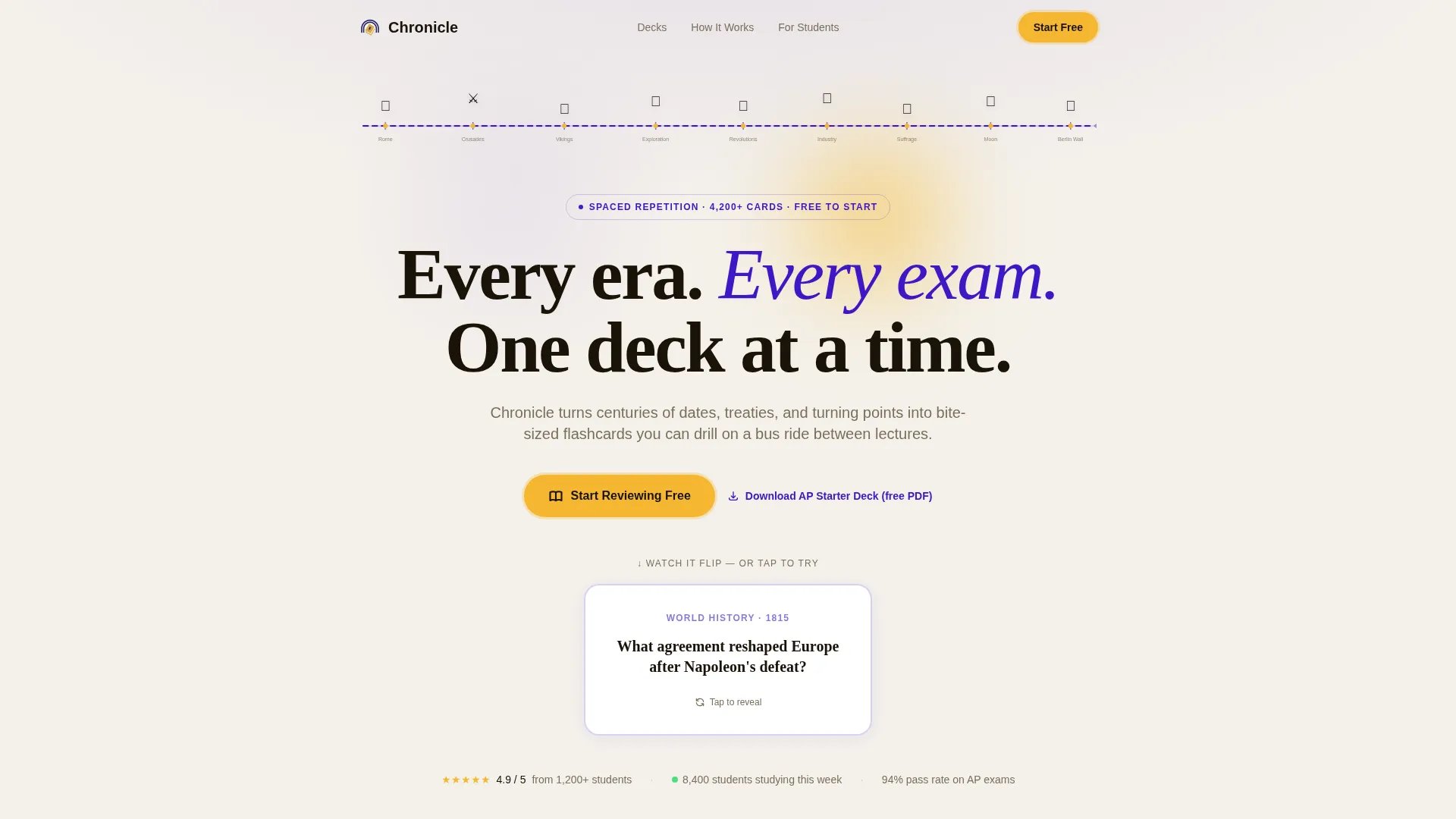
A hand-drawn horizontal timeline spans the full viewport width. It features illustrated landmarks including a Roman column, a Viking longship, a suffragette banner, and a moon landing capsule. The line pulses gently left to right, setting an academic yet energetic tone from the first scroll.
Problem-to-Solution Narrative Arc
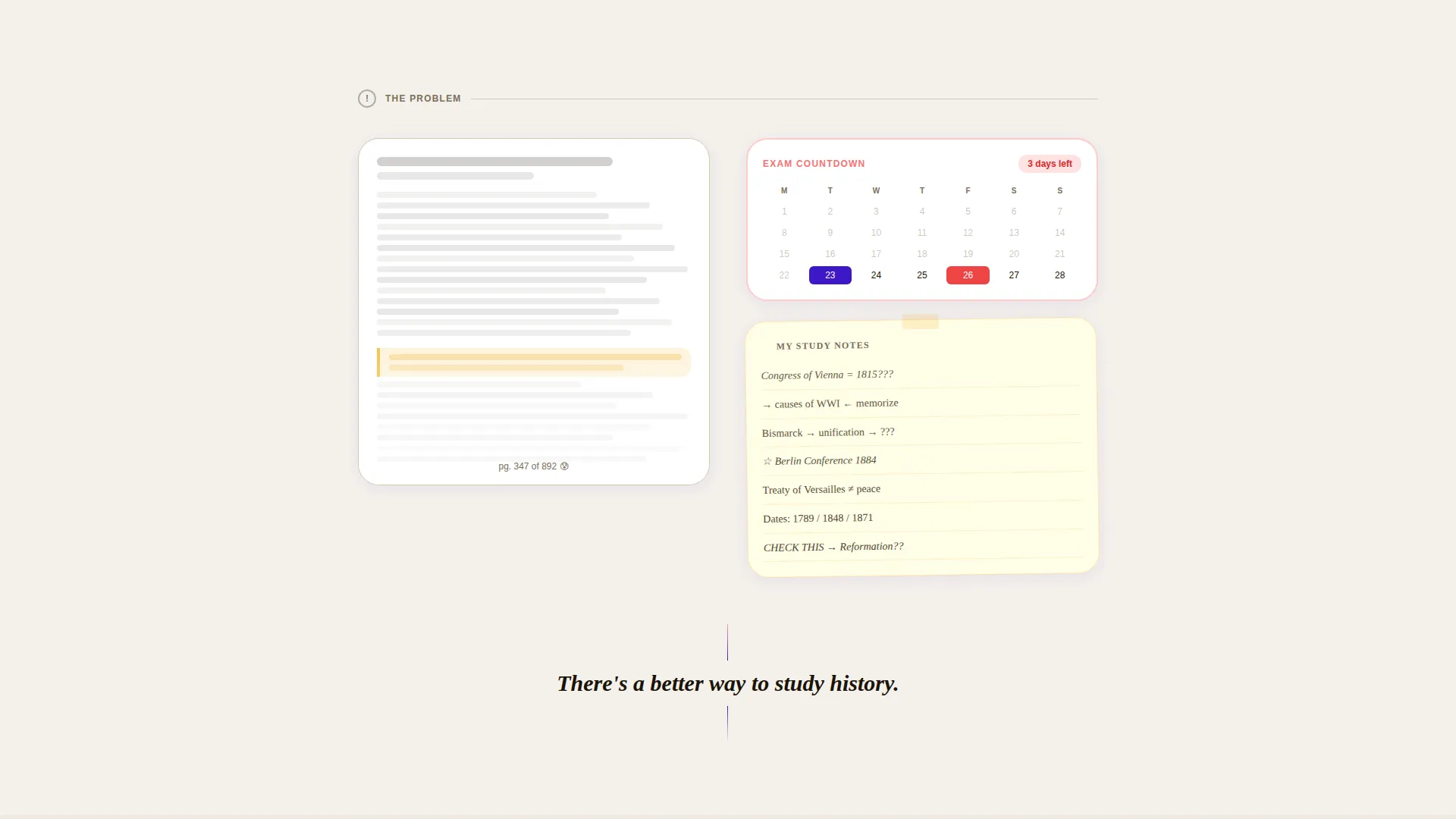
The page opens in the chaos of the problem: a wall-of-text paragraph, a three-day exam countdown calendar, and scribbled overwhelmed notes. Each subsequent section introduces one layer of the solution. The tension releases gradually, letting the visitor feel the shift before reading about it.
Inline Flippable Flashcard Demos
Visitors can tap or click real sample cards directly on the page. Cards cover features like spaced repetition scheduling, era-specific decks, visual timeline mapping, and confidence-rated self-grading. The core product loop is experienced before any account is created.
Dual Conversion Path Structure
The primary call to action, "Start Reviewing Free," appears first below the header and again as a sticky bottom bar after the page midpoint. A secondary path offers a free AP World Starter Deck PDF in exchange for an email address, capturing leads who need more time.
Animated Single Flashcard Demo in Header
Directly below the headline, a single animated flashcard flips from question to answer in approximately two seconds. This immediate demonstration of the core mechanic removes any ambiguity about what the app does.
Era-Specific Deck Section Panels
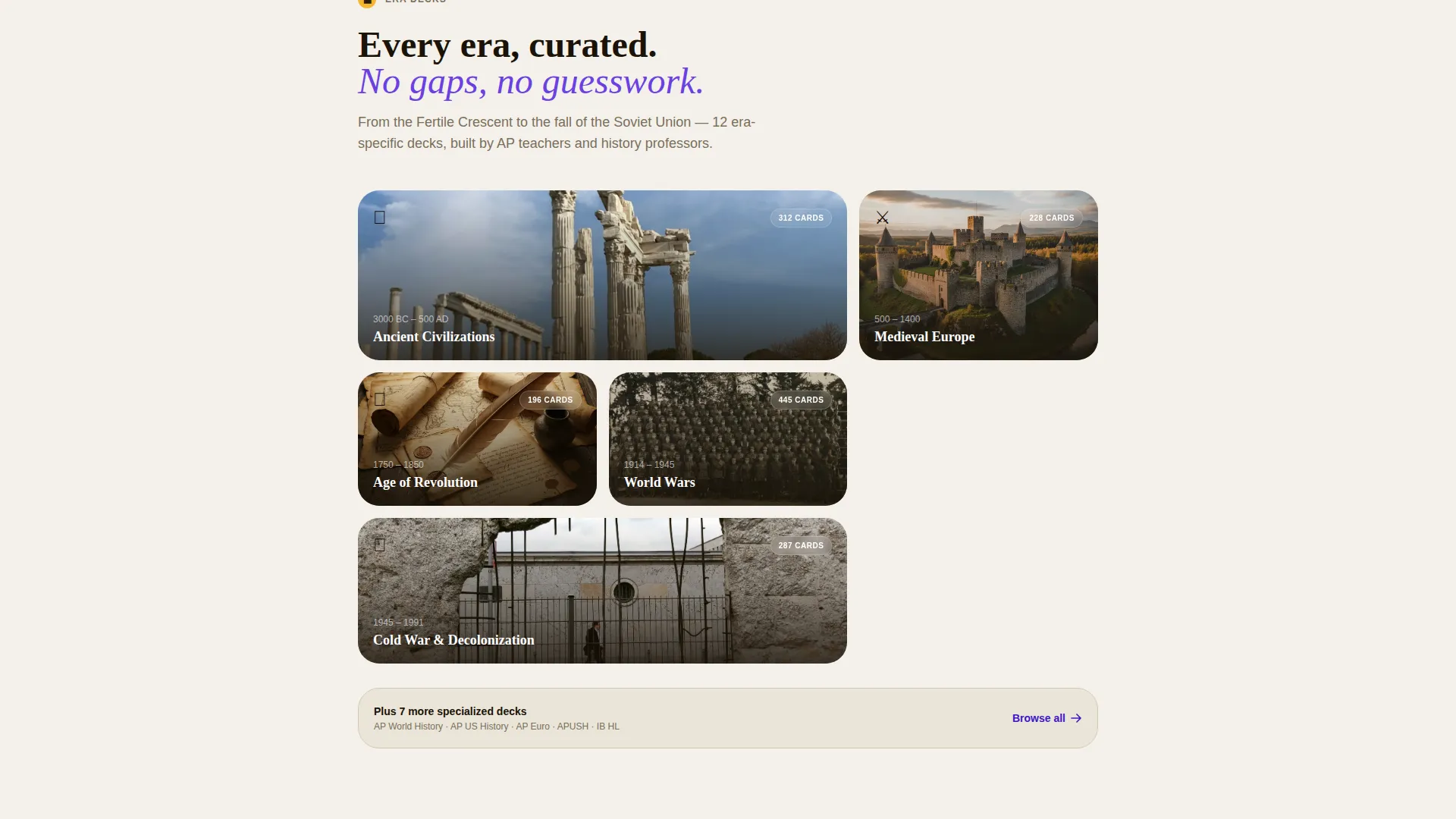
Individual content panels introduce the solution layer by layer, each styled as a flashcard. Topics covered include spaced repetition, era decks, timeline mapping, and self-grading. This structure reinforces the product's organization while keeping the scroll engaging.
Page sections overview
| Section | Purpose |
|---|---|
| Header Timeline Illustration | Opens with illustrated history timeline, bold serif headline, and animated card flip demo |
| Problem Statement Block | Visualizes exam pressure with textbook wall-of-text, calendar, and scribbled notes |
| Spaced Repetition Panel | Introduces spaced repetition scheduling as the first solution layer via flippable card |
| Era Decks Panel | Presents era-specific study decks as an interactive flippable section |
| Timeline Mapping Panel | Shows visual timeline mapping feature through a tappable card demo |
| Self-Grading Panel | Demonstrates confidence-rated self-grading with an inline flip interaction |
| Primary call to action Block | "Start Reviewing Free" button in goldenrod above the page fold midpoint |
| Lead Capture Offer | Email opt-in exchanging AP World Starter Deck PDF for a visitor's address |
| Sticky Bottom Bar | Persistent "Start Reviewing Free" bar appearing after the page midpoint |
Design & branding system
The visual identity follows an Educational Guide theme. It balances scholarly authority with the energy of late-night digital studying. The palette feels like a neon bookmark glowing inside an old library.
- Deep scholarly indigo (#3D17C6) anchors headings and structural elements as the primary brand color
- Pale parchment (#F4F1EB) provides the background, keeping eyes rested during long study sessions
- Charged violet (#6C3FE2) surfaces interactive card elements and hover states; goldenrod (#F5B731) highlights progress indicators, streak badges, and all call-to-action buttons
Mobile & speed optimization
The single-column flow layout is inherently suited to smaller screens. Every interactive element is built for touch, ensuring that students on a bus ride between lectures can use the page as naturally as on a desktop.
- Tap-to-flip card interactions work on touchscreens without requiring a mouse hover
- Single-column stacking means no horizontal overflow or layout breakage on mobile viewports
- The sticky bottom call-to-action bar stays accessible without blocking reading content on small screens
How this template helps you convert
Chronicle is designed to earn the click, not demand it. By letting visitors experience the product before signing up, the page builds genuine trust and reduces friction at every decision point.
- Inline flippable cards act as a free product trial, making the value tangible before any commitment is asked
- The goldenrod "Start Reviewing Free" button appears at two high-intent moments: after the header and again as a persistent sticky bar after the midpoint
- The PDF lead-capture offer creates a second conversion path for visitors who need more time, turning a "not yet" into a warm email lead
Other information about this template
Chronicle is purpose-built for the history education niche and fits naturally into any marketing stack for a study app, course platform, or digital learning product. A few additional details worth knowing before you build:
- The template style is a single-column flow, making customization straightforward section by section
- The creative direction follows a Problem-to-Solution Arc, a proven content structure for app landing pages in education
- The header concept uses a custom illustration rather than photography, giving the page a distinctive hand-crafted feel
- The lp direction is Content and Resource focused, meaning the page teaches and demonstrates before it sells
- The theme is Educational Guide, which informs the typography choices, serif headline style, and overall tone
Theme
Educational Guide
Creative direction
Problem→Solution Arc
Color system
Electric Indigo
Style
Single Column Flow
Direction
Content/Resource
Page Sections
Animated Timeline Header Illustration
Problem-to-solution Narrative Arc
Inline Flippable Flashcard Demos
Dual Conversion Path Structure
Header Animated Flashcard Demo
Era-specific Solution Panels
Related questions
Can I customize the flashcard content shown on the page?
Does the template include the email lead-capture form for the free PDF offer?
Is this template suitable for subjects other than history?
How does the sticky bottom bar behave on the page?
What file format does the template come in?



