Intelligent Automotive Booking Landing Page Template
Slate is a scroll-reveal landing page template built for automotive appointment scheduling apps. It pairs a Tech Glass visual identity with a Feature Tab Switcher header, a live Time Saved Calculator, and a persistent floating call to action. The result is a sharp, mobile-first page that turns a 40-second booking promise into a compelling app download moment.
by Rocket studio
Quick summary
Slate is a single-page, scroll-reveal template designed to promote an automotive appointment scheduling app. It layers glassmorphic user interface mockups, an interactive calculator widget, animated booking flows, a garage partner map, and a testimonial flip wall into one cohesive experience. Every section stays hidden until the visitor scrolls into it, rewarding attention with motion and new data.
Who this template is for
Slate is built for teams and independent developers who need a high-converting landing page that speaks to time-pressed drivers and fleet operators alike. It fits anyone creating a public-facing website to drive app downloads for a mobile service booking product.
- Commuters and parents who need to book oil changes, brake jobs, or tire rotations without phone queues
- Fleet managers routing multiple vehicles through quarterly service sessions
- Car dealerships and independent garages launching a digital booking channel for clients
What problem this template solves
Scheduling a car service visit still means hold music, uncertain availability, and wasted trips. An app can fix that, but only if visitors immediately understand the value. A generic website page rarely communicates speed and convenience fast enough to prevent drop-off. Bounce rate climbs when the page fails to hook attention above the fold.
- Drivers cannot see real time slot availability without calling ahead, which wastes time and creates worry
- Fleet managers juggling multiple vehicles need a clear display of service history and upcoming appointments at a glance
- A high bounce rate on app download pages signals that the value proposition is not landing quickly enough
What you get with this template
Slate gives you a fully structured, ready-to-customize landing page that covers every stage of the visitor journey, from first impression to app store download. All sections are pre-built; you configure the copy, branding, and data to reflect your service and your customers.
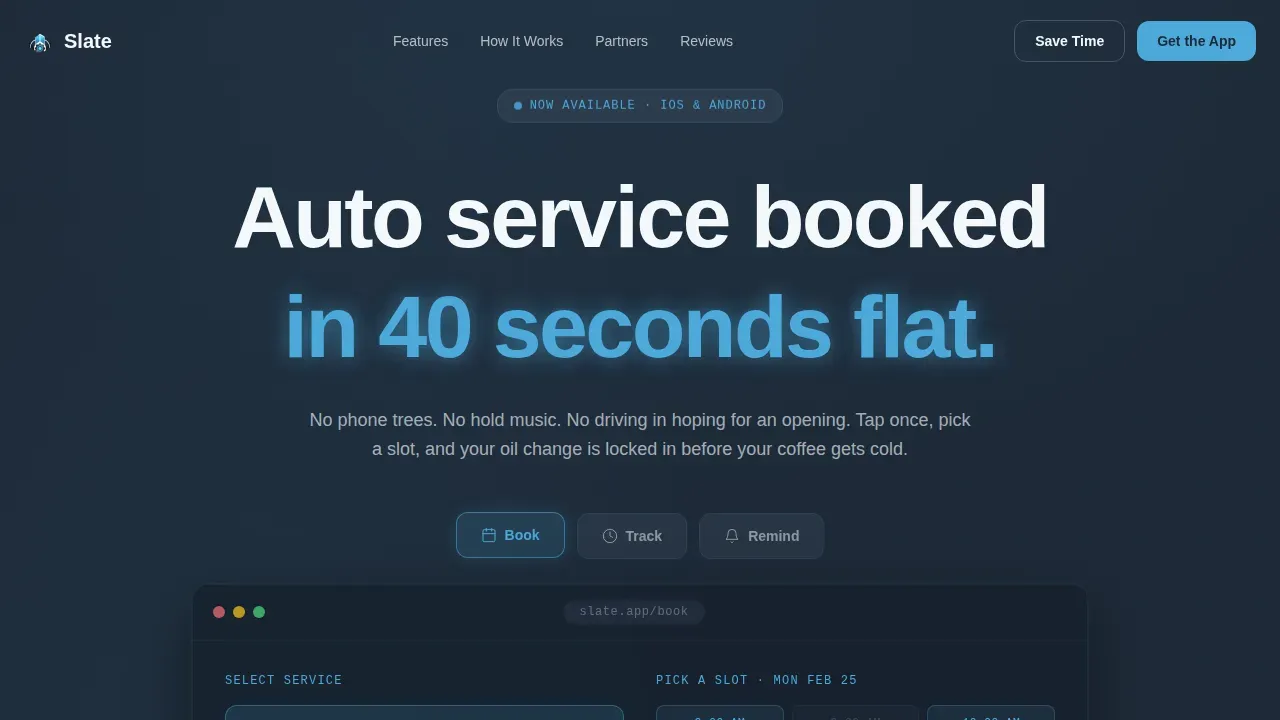
- A Feature Tab Switcher header with three glassmorphic tabs: Book, Track, and Remind, each displaying an animated device mockup
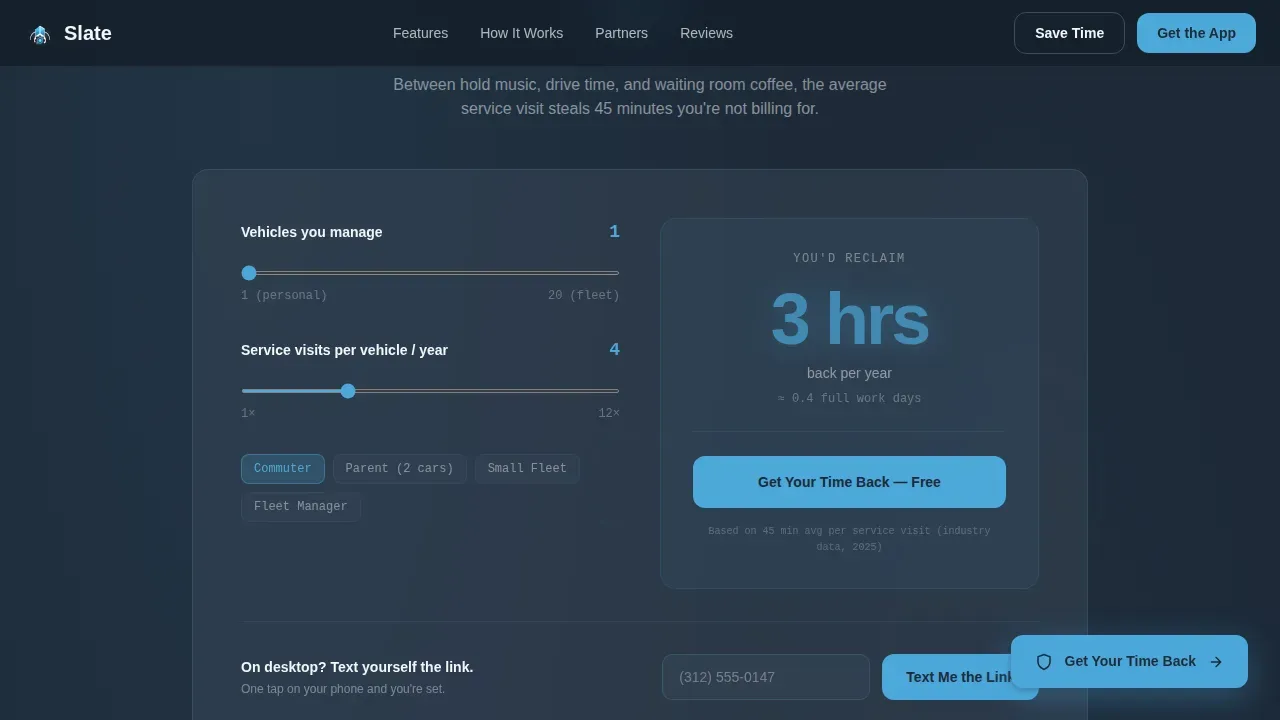
- A Time Saved Calculator widget that accepts two inputs and returns an instant sky-blue result, acting as the primary emotional trigger for download
- Scroll-reveal sections covering the three-step booking flow, a viewport-triggered garage partner map, and a testimonial flip wall
Feature list
Slate ships with six purpose-built sections and a set of interactive components. Each one addresses a specific stage in the visitor-to-downloader journey.
Glassmorphic Feature Tab Switcher
Three frosted-glass tabs labeled Book, Track, and Remind float over a deep slate background. The active tab displays a device mockup mid-interaction: a calendar grid with sky-blue available slots, a live service progress bar, or a push notification for an upcoming oil change. Inactive tabs dim to frosted glass, keeping focus on the active state.
Time Saved Calculator Widget
This two-input tool asks how many vehicles a user manages and how often they service each one. The result appears instantly in sky-blue type, quantifying reclaimed hours per year. The calculator output feeds directly into a pulsing download button, making the request to act feel logical rather than pressured.
Animated Three-Step Booking Flow
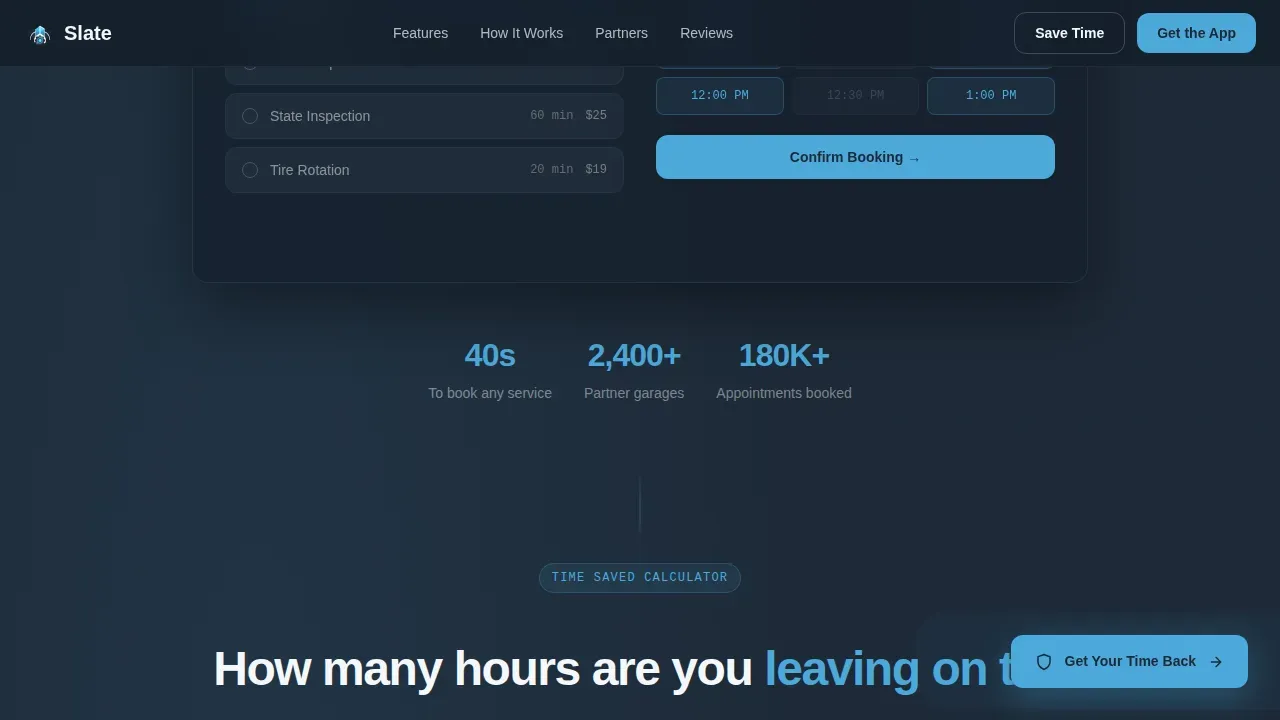
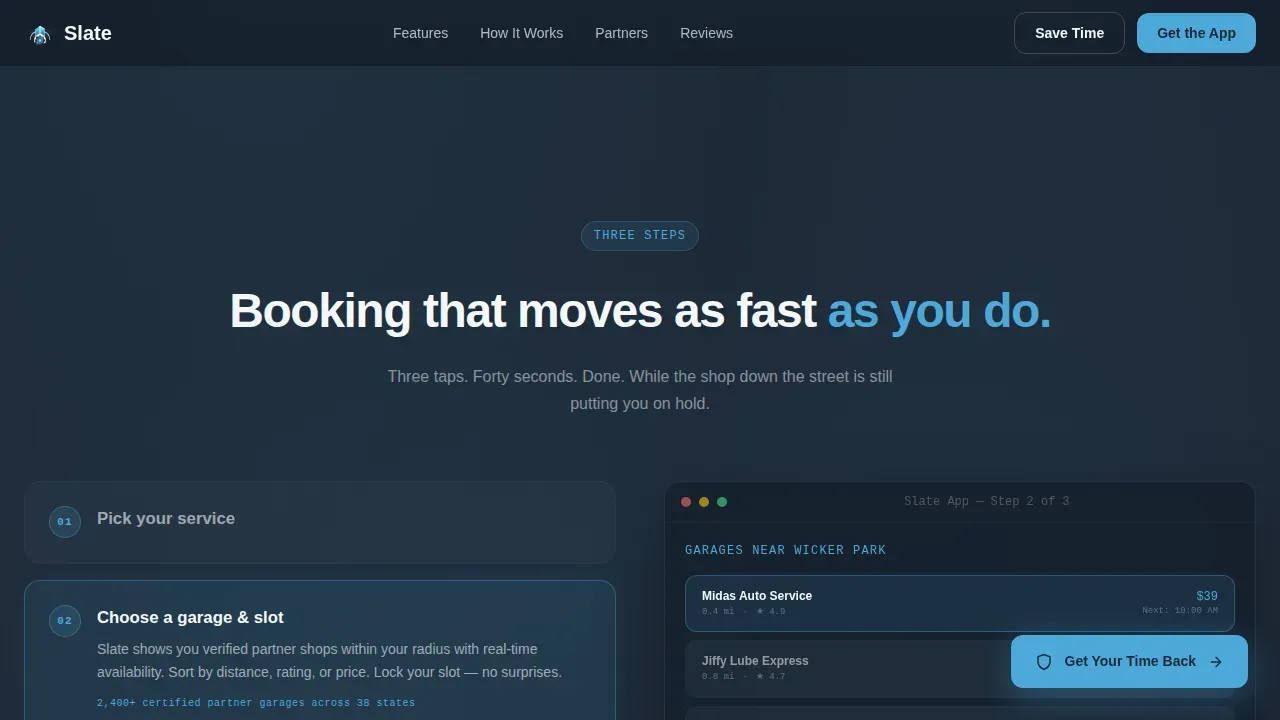
The booking sequence animates in real time as the visitor scrolls into view. It shows how users select a service type, choose a date and available slot, and confirm their appointment, all in under 40 seconds. This section makes the app's core promise tangible before the visitor reaches the download call to action.
Viewport-Triggered Garage Partner Map
A map section populates partner location pins as soon as it enters the viewport. This gives visitors a concrete sense of service coverage and helps address the critical question of whether their local garage participates. No configuration is needed to display the map section in the template layout.
Testimonial Flip Wall
Stacked cards display customer feedback on the front face. On tap or hover, each card flips to reveal an actual appointment confirmation screenshot on the back. This format builds trust by letting the app's own data serve as social proof, enhancing credibility beyond text alone.
Persistent Floating Call to Action
A sky-blue "Get Your Time Back" button follows the scroll at all times. On tap, it splits into paired App Store and Google Play badges. Desktop visitors who prefer a different path see a single phone-number form field with the micro-call-to-action "Text Me the Link," reducing friction to one step.
Page sections overview
| Section | Purpose |
|---|---|
| Hero Tab Switcher | Introduces Book, Track, Remind features via glassmorphic device mockups |
| Time Saved Calculator | Quantifies wasted hours to trigger an emotional download request |
| Three-Step Booking | Animates the full appointment booking flow in real time |
| Garage Partner Map | Populates service location pins as the viewport reaches the section |
| Testimonial Flip Wall | Flips customer feedback cards to show real appointment confirmation screenshots |
| Footer | Horizontal flow layout with app store links and contact details |
Design & branding system
Slate uses a Tech Glass aesthetic built on four colors that work together like a freshly detailed windshield. The palette feels precise and premium without relying on car photography. Typography supports fast scanning across sessions on any screen size.
- Color system: deep asphalt slate (#1E2A38) for backgrounds, brushed-panel gray (#3B4A5C) for card surfaces, open-sky blue (#4DA8DA) for all active and interactive elements, and clean windshield white (#F4F7FA) for text and negative space
- Typography: DM Sans for headings, JetBrains Mono for data labels and calculator output, Manrope for body paragraphs
- Animations: GSAP ScrollTrigger drives scroll-reveal transitions; Intersection Observer controls map pin population and tab depth swaps; CSS keyframes handle the floating button pulse
Mobile & speed optimization
Over 60% of web traffic is mobile, and the core audience for this template books appointments from their phones. Every interactive element, including the booking form, tab switcher, and calculator widget, is optimized for touchscreens with large tap targets. Page load performance is treated as a design constraint, not an afterthought.
- Server Components handle static sections to keep initial load lean; Client Components power the calculator, tab switcher, and flip cards
- The floating call-to-action button and SMS link fallback address both mobile and desktop visitors without adding friction
- Short forms asking only for essential information reduce form abandonment and keep sessions moving toward download
How this template helps you convert
Slate structures the visitor journey so that each scroll step builds conviction before the next call to action appears. The page earns the download request rather than demanding it upfront.
- The calculator widget quantifies the visitor's wasted hours in sky-blue type the moment they fill in their vehicle count and service frequency, making the benefits of the app concrete and personal before any booking flow is shown.
- Progressive scroll reveal means visitors discover the animated booking steps, partner map, and testimonial flip wall in sequence, each layer enhancing trust and addressing a potential objection before it forms.
- The persistent floating button and paired app store badges keep the download path available at every scroll position, so visitors can act the moment conviction peaks without needing to navigate back to the top.
Other information about this template
The Slate smart automotive appointment scheduling app landing page template is one of a collection of ready-made templates designed for technology and automotive software products. It can support a range of deployment scenarios, from solo developers launching a consumer app to agencies creating a website for car dealerships rolling out a digital service channel.
- Users can customize colors, copy, and branding to reflect their own service identity; the template's format makes it straightforward to swap the Slate & Sky palette for a different color system
- Configure time zones, notification tags, and service categories in the scheduling sections to address different regional or fleet-specific booking scenarios
- The footer follows a horizontal flow model and includes placeholder address fields, contact details fields, and app store link slots, so clients can paste in their own data without writing new layout code
- Access to the source files lets developers optimize individual components, add a database connection, or extend agent-driven booking functions in future product iterations
- The template can also serve as a starting point for teams that want to protect brand consistency across multiple pages or store a reusable component library for ongoing scheduling software development
- Feedback collected through flip-card comment layers and the SMS link form can feed a report or inform future improvements to the booking experience
Theme
Tech Glass
Creative direction
Calculator/Tool First
Color system
Slate & Sky
Style
Scroll Reveal (Progressive)
Direction
App Download
Page Sections
Glassmorphic Feature Tab Switcher
Time Saved Calculator Widget
Animated Three-step Booking Flow
Viewport-triggered Partner Map
Testimonial Flip Wall
Persistent Floating Call to Action
Related questions
Can I customize the color system and typography in Slate?
Does the Time Saved Calculator require a backend or database connection?
Can car dealerships and fleet operators both use this template?
How does the testimonial flip wall display social proof?
Can users reschedule appointments through the app this template promotes?



