Church & Religious Software Specialist Professional Website Template
A modular card grid landing page built for church and ministry fleet operations. It combines a scrolling logo bar, a feature matrix organized into Operations, Safety, and Stewardship rows, and a lead generation flow with a fleet size slider and role dropdown. The design uses Electric Indigo tones and chartreuse calls to action for an electric, purposeful feel.
by Rocket studio
Quick summary
This is a single-page, card grid landing page template for a church and religious fleet management platform. It uses a Dynamic Motion visual theme, a Feature Matrix creative direction, and a lead generation conversion flow. Cards are grouped into three rows and expand on click. The design feels organized, purposeful, and immediately trustworthy to ministry decision-makers.
Who this template is for
This template is built for teams managing vehicles across faith-based organizations of any size. It speaks directly to people responsible for keeping ministry transportation safe, scheduled, and compliant.
- Executive pastors coordinating fleets of fifteen-passenger vans across multiple campuses
- Mission trip directors planning cross-country convoy logistics and driver schedules
- Denominational fleet managers overseeing large vehicle inventories across a diocese
What problem this template solves
Volunteer coordinators and ministry leaders often juggle maintenance schedules, driver certifications, and route planning using paper checklists and scattered spreadsheets. That clipboard chaos leads to missed inspections, unqualified drivers, and last-minute scrambles before Sunday services or mission trips.
- No clear single view of vehicle status, routes, and driver readiness
- Maintenance deadlines and insurance compliance items fall through the cracks
- Reservation conflicts and fuel reporting go untracked across campuses
What you get with this template
You get a fully structured, modular landing page that presents every fleet management capability in a scannable, organized format. The layout is designed to build instant credibility and guide visitors toward a lead generation form or a downloadable resource.
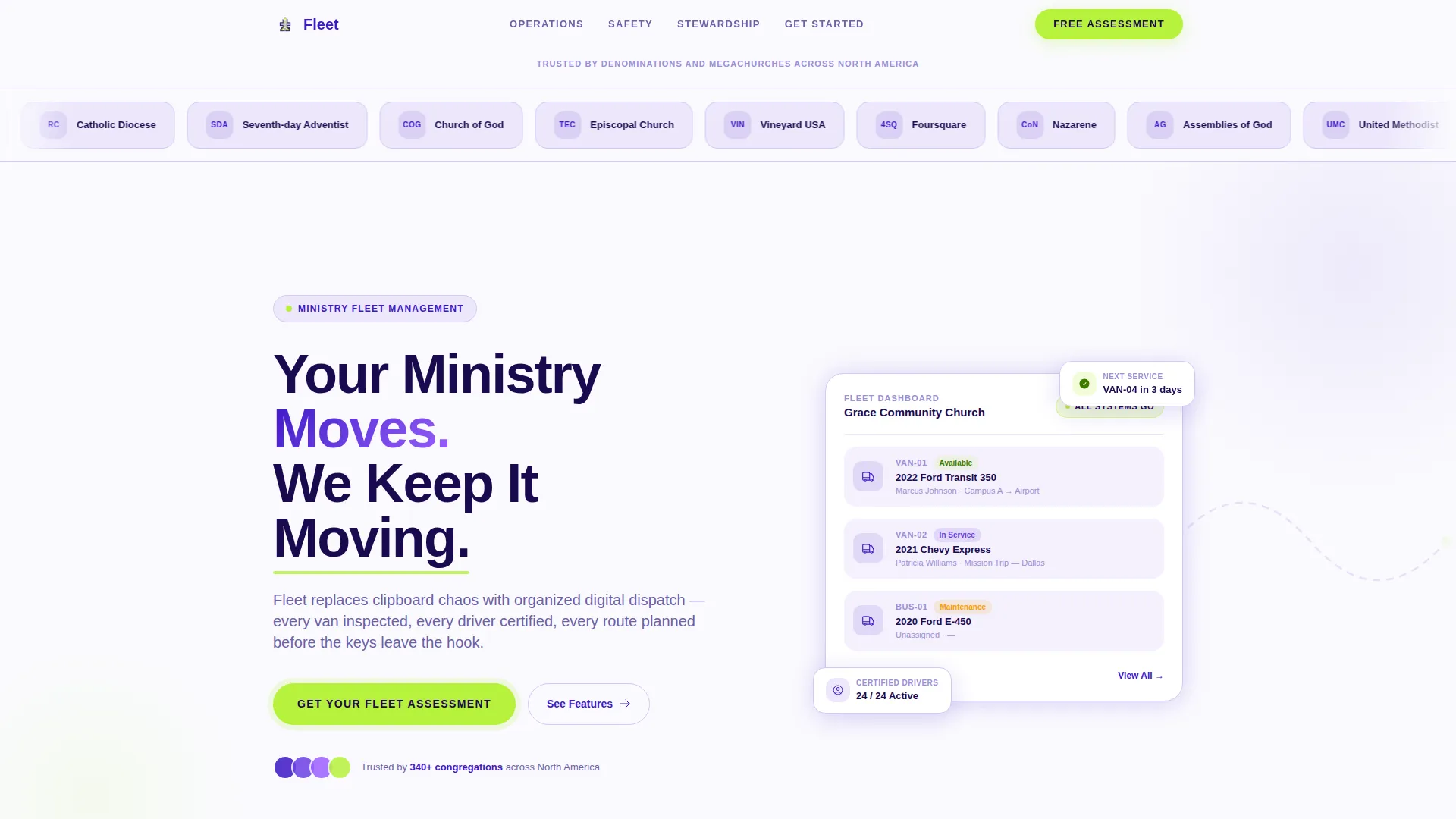
- A scrolling Logo Bar header with denomination and megachurch logos for institutional trust
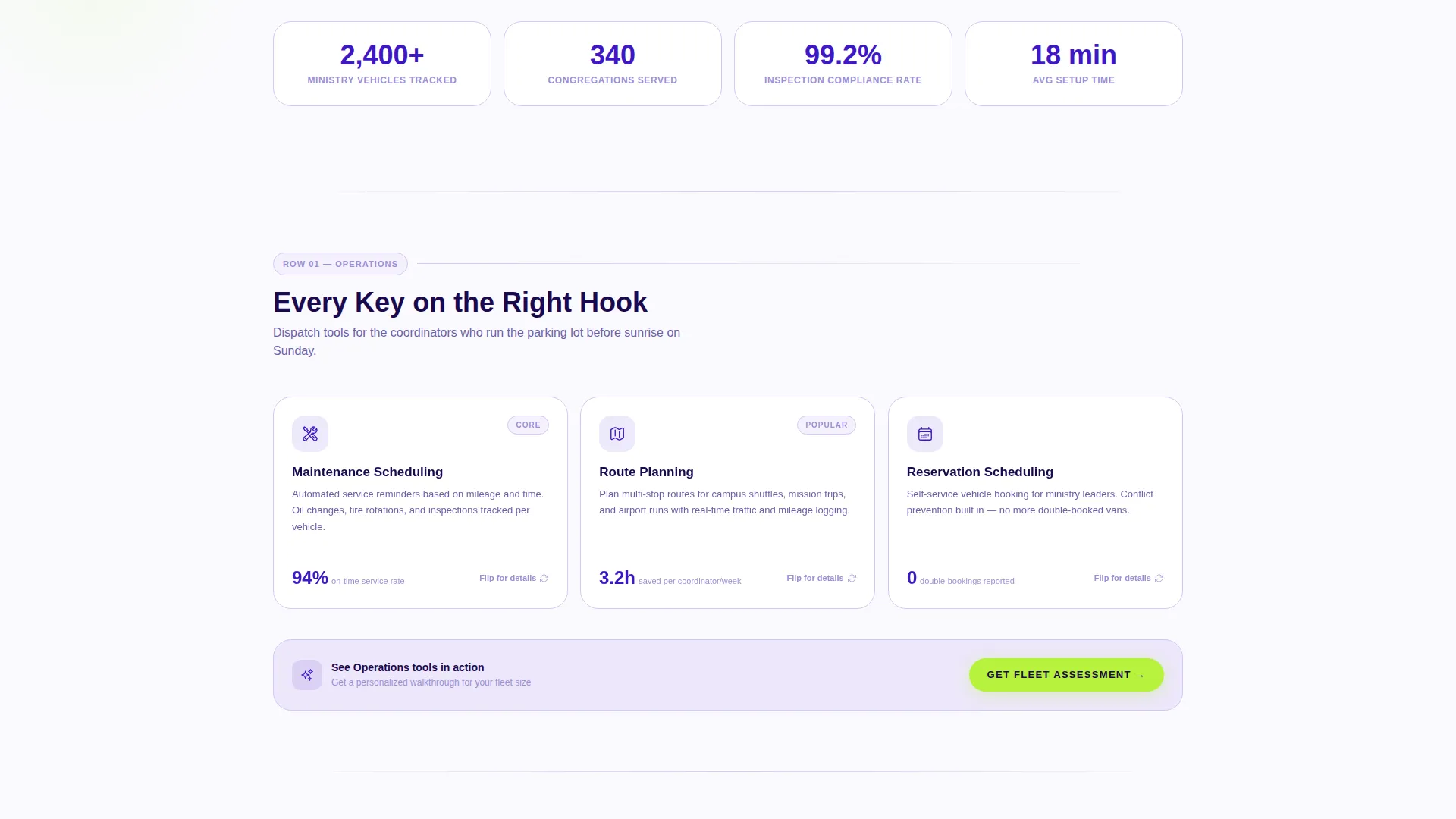
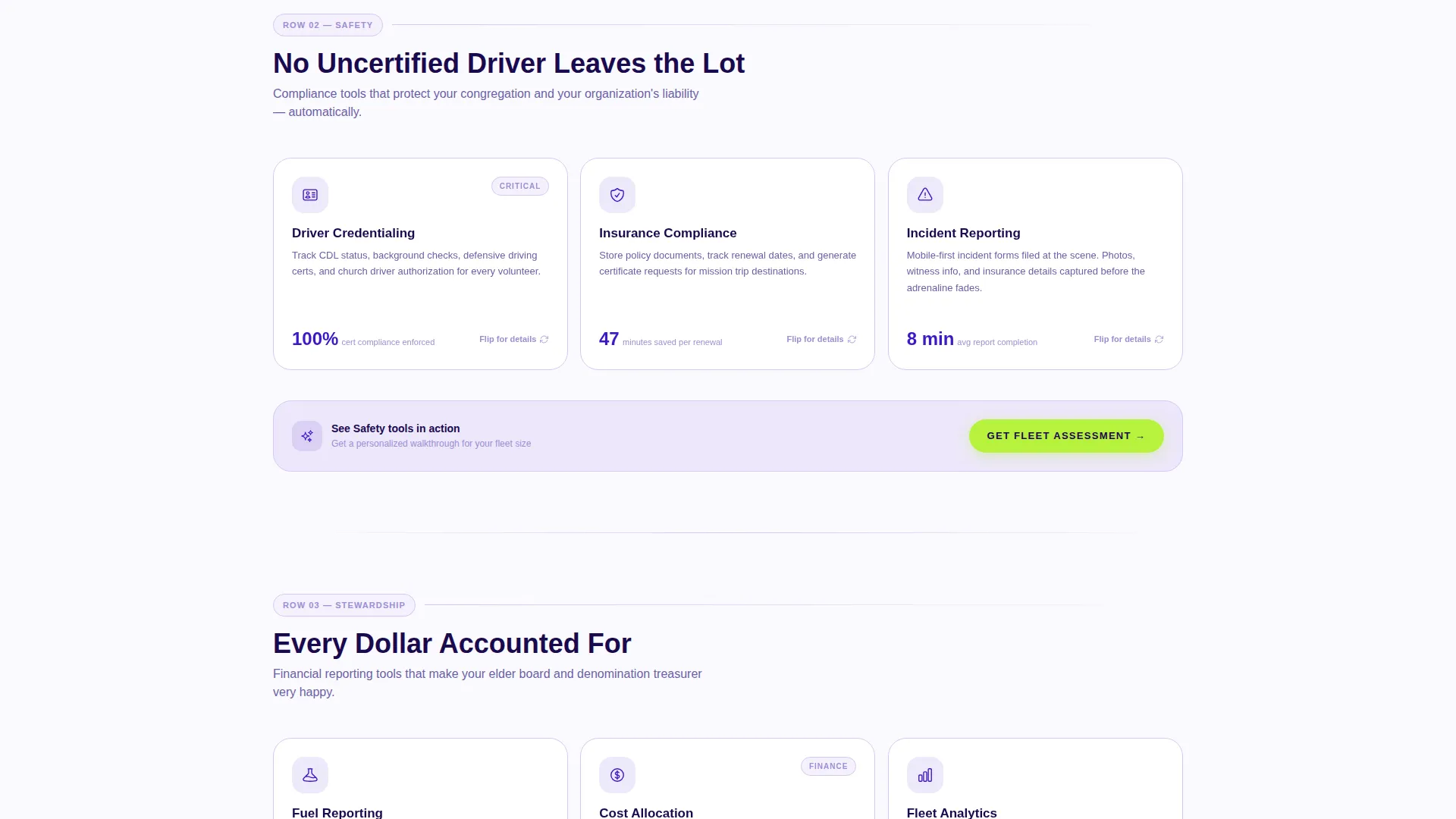
- A three-row Feature Matrix grid covering Operations, Safety, and Stewardship capabilities
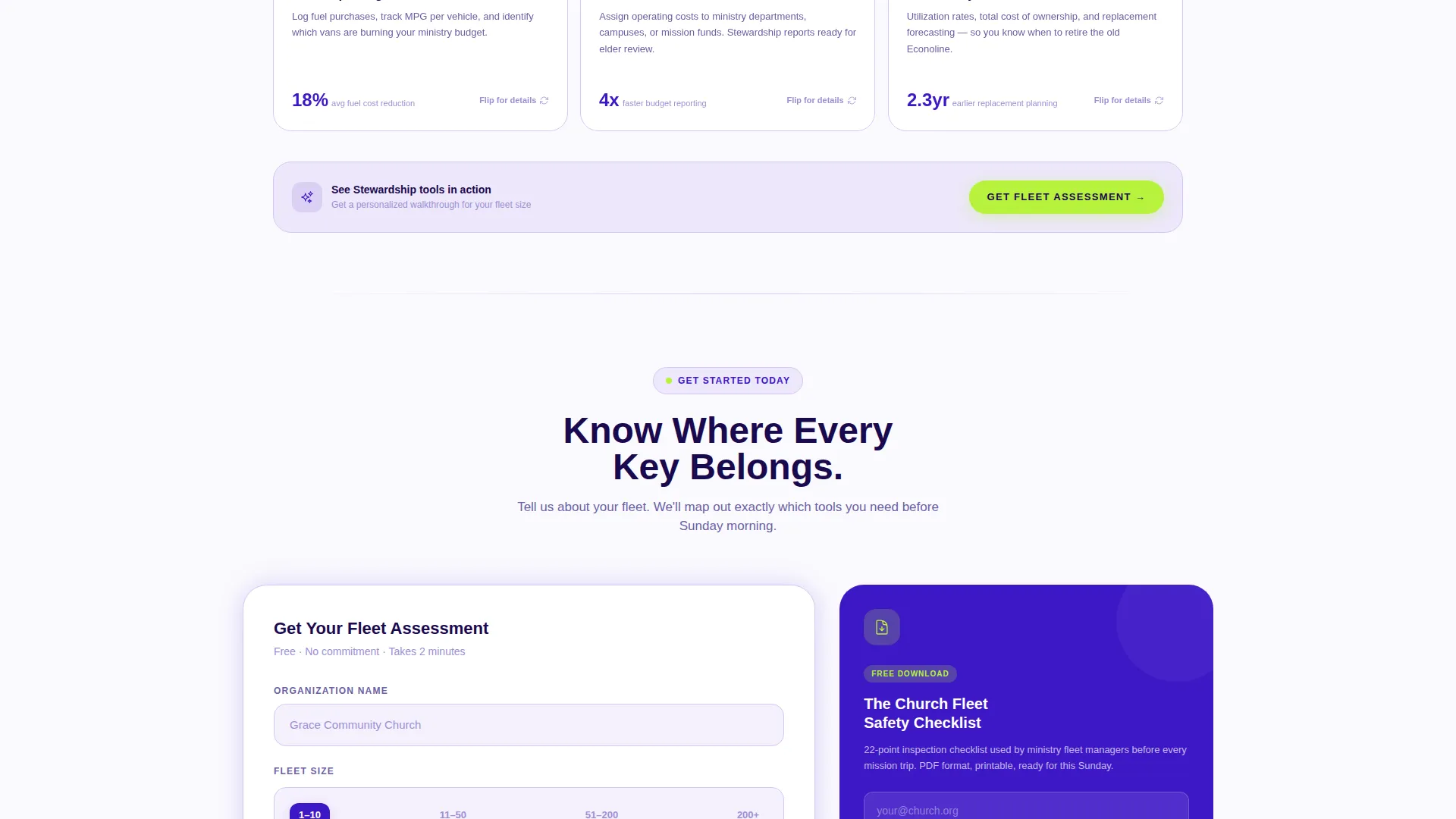
- A lead generation form with fleet size slider, role dropdown, and a secondary PDF download path
Feature list
This template includes purpose-built sections and interactive components drawn directly from the source brief. Each element serves a specific role in converting ministry fleet decision-makers into qualified leads.
Scrolling Logo Bar Header
A horizontal ribbon of denomination and megachurch logos scrolls in continuous motion above the main headline. The motion reinforces the Dynamic Motion theme and provides immediate institutional credibility to first-time visitors.
Expandable Feature Matrix Cards
Each card in the grid represents one fleet management capability. Cards are grouped into three labeled rows: Operations, Safety, and Stewardship. On click, each card flips or expands to reveal a deeper feature description, a micro-illustration, and a single supporting stat.
Lead Generation Form with Fleet Slider
The primary conversion form collects organization name, fleet size via a four-range slider, submitter role via dropdown, and email address. This staged input reduces friction while capturing the qualification data most useful for a fleet assessment conversation.
Secondary PDF Download Path
A gated downloadable resource called "The Church Fleet Safety Checklist" is offered as a secondary conversion path. It requires only an email address, catching visitors who are not yet ready for a full assessment but need an immediate, practical resource.
Floating Chartreuse call to action Button
The "Get Your Fleet Assessment" call to action is pinned as a floating button during scroll and repeated after every row of the feature matrix. The chartreuse accent color ensures it stands out clearly against the indigo and lilac card backgrounds.
Mobile Swipeable Row Carousel
On smaller screens, each row of the feature matrix converts into a swipeable carousel. This keeps the organized, drawer-like sense of the grid intact without overwhelming users on a phone.
Page sections overview
| Section | Purpose |
|---|---|
| Logo Bar Header | Scrolling denomination logos build trust and set Dynamic Motion tone |
| Main Headline | Bold indigo headline anchors the platform's core value proposition |
| Operations Row | Feature cards for maintenance tracking, route optimization, and reservations |
| Safety Row | Feature cards for driver credentialing and insurance compliance |
| Stewardship Row | Feature cards for fuel reporting and resource accountability |
| Inline call to action Rows | Chartreuse "Get Your Fleet Assessment" button repeated after each row |
| Lead Gen Form | Fleet size slider, role dropdown, org name, and email capture |
| PDF Download Gate | Email-only gated download for the Church Fleet Safety Checklist |
Design & branding system
The visual identity follows a Dynamic Motion theme anchored in an Electric Indigo color system. Every color choice carries intentional meaning, from the deep sanctuary tones of the primary palette to the single high-voltage accent used only where action is needed.
- Deep sanctuary indigo (#3D17C6) as the primary brand anchor, charged violet (#6C3FE2) for hover and active card states, and soft vestment lilac (#EDE7FB) washing across card backgrounds
- Road-line white (#FAFAFE) as the base canvas, keeping the layout clean and content readable
- Chartreuse (#B8F23D) reserved exclusively for calls to action and status indicators, creating an unmistakable visual signal
Mobile & speed optimization
The template is structured to stay fully functional and visually clear on smaller screens. Each design decision at the mobile level preserves the organized, row-based logic of the full grid.
- Feature matrix rows convert to swipeable carousels on mobile, one row per swipe session
- The floating chartreuse call to action button remains pinned during scroll on all screen sizes
- Card expand interactions are touch-friendly, keeping the flip or expand behavior accessible on phones and tablets
How this template helps you convert
The conversion architecture is layered. Visitors have two clear paths to take action, and neither path asks for too much too soon.
- The primary lead generation form qualifies visitors by fleet size and role before asking for an email, so the assessment conversation starts with context on both sides.
- The secondary PDF download path captures visitors earlier in their decision process by offering immediate value in exchange for only an email address.
Other information about this template
This template is part of the Church and Religious Software category under the broader Technology vertical. It is designed specifically for the church and religious fleet management niche, where operational complexity often outpaces the tools available to volunteer-driven organizations.
- The Feature Matrix creative direction makes it easy to communicate a wide range of platform capabilities without overwhelming the page or the reader
- The template style is Card Grid (Modular), which means individual capability cards can be updated, reordered, or replaced without restructuring the full layout
- The header concept is a Logo Bar, a proven trust-building pattern for platforms that serve established institutional clients
Theme
Dynamic Motion
Creative direction
Feature Matrix
Color system
Electric Indigo
Style
Card Grid (Modular)
Direction
Lead Generation
Page Sections
Scrolling Logo Bar with Institutional Trust
Three-row Feature Matrix Grid
Expandable Capability Cards
Staged Lead Generation Form
Gated PDF Checklist Download
Floating Call to Action with Persistent Visibility
Related questions
Who is this landing page template designed for?
What fleet capabilities does the feature matrix show?
How does the lead generation form qualify visitors?
What is the secondary conversion path included in this template?
Does this template work for large denominational fleets?



