Churn - Powerful Ecommerce Landing Page Template
Churn is a bold, brutalist eCommerce landing page template built for client management platforms. It opens with a live metrics wall, leads into an interactive ROI calculator, and drives visitors through a sharp comparison table toward a free trial click-through. The design uses an AI Iridescent color system on near-black surfaces with oversized monospaced typography.
by Rocket studio
Quick summary
Churn is a single-page, click-through landing page template for eCommerce client management platforms. It combines a live stats header, a calculator-first layout, and a brutal three-column comparison table. The visual system is Bold Brutalist with an AI Iridescent palette. Every section is designed to move operators from problem awareness to trial signup without friction.
Who this template is for
This template is built for teams that sell or position eCommerce client management software. It speaks directly to the operators who feel the daily cost of scattered tools and want one clear alternative.
- Direct-to-consumer brand founders running seven-figure stores who still track their best customers manually
- Retention marketers toggling between multiple platforms throughout the day to manage customer communications
- Agency operators managing multiple client storefronts who need a single, accountable view of performance
What problem this template solves
Managing eCommerce client relationships across disconnected dashboards creates real revenue leakage. The template is designed to surface that cost immediately and make the alternative obvious.
- Visitors arrive without a clear sense of what scattered tools are costing them in recoverable revenue
- No single page currently shows the comparison between spreadsheet chaos, a patched-together stack, and a unified platform
- Prospects need to feel the problem quantified before they trust the solution enough to start a trial
What you get with this template
You get a fully structured, single-page landing page template that guides visitors through a calculated, escalating argument for your platform. Every section earns the next scroll.
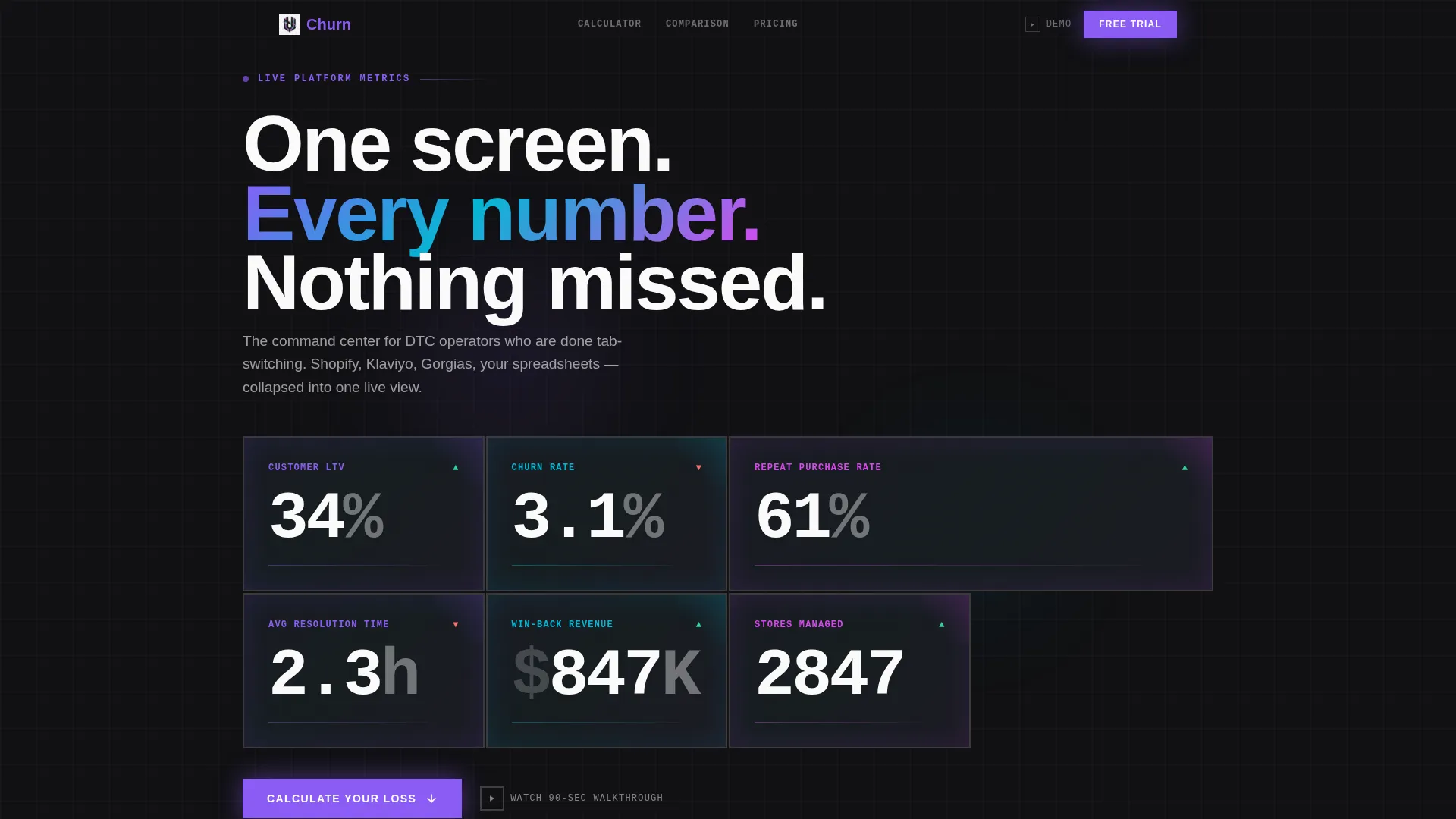
- A full-viewport live metrics header with oversized monospaced numbers inside bordered brutalist cards
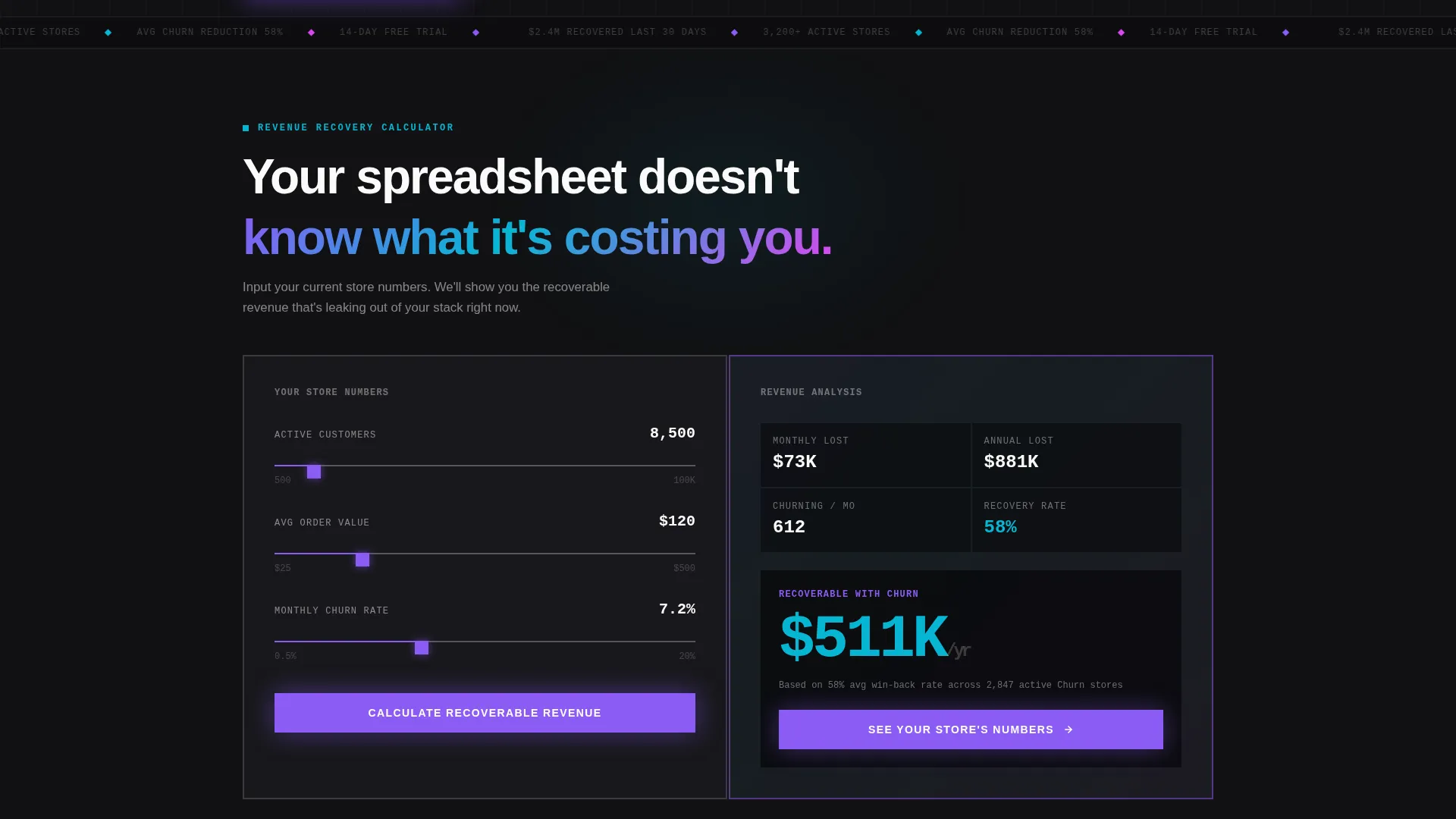
- An interactive ROI calculator section where visitors input their store data and see their recoverable revenue rendered instantly
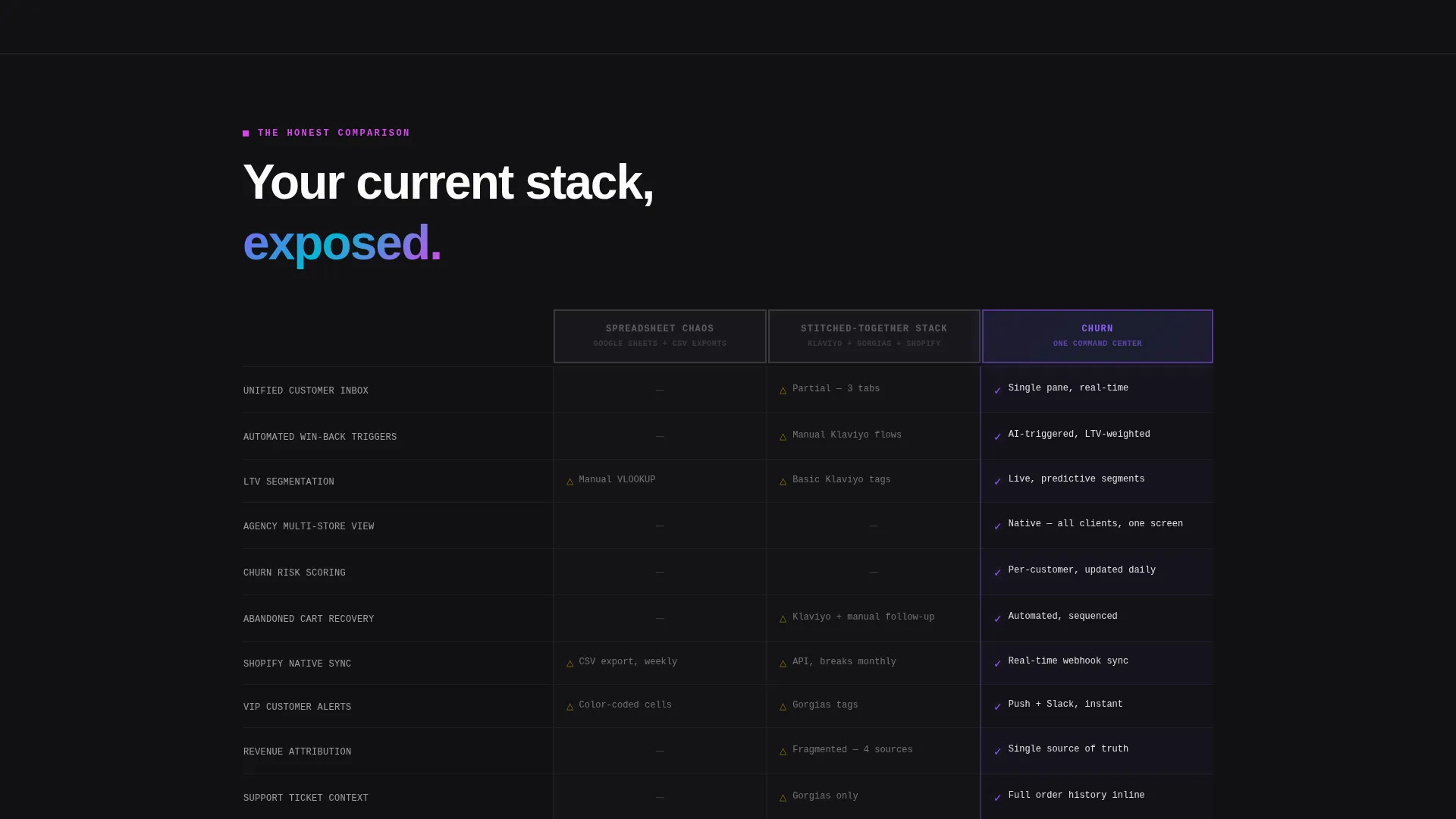
- A twelve-row, three-column comparison table contrasting spreadsheet chaos, a stitched-together stack, and your platform
- A floating bottom bar with the primary call to action that locks in after the comparison table
- A secondary modal trigger for a 90-second walkthrough video that preserves scroll position
Feature list
This section covers the core functional and design components delivered inside the Churn template.
Live Metrics Header Wall
The header fills the full viewport with a grid of real-time monospaced numbers. Metrics include customer lifetime value growth, churn rate reduction, repeat purchase rate, and average resolution time. Each stat lives inside its own brutalist card with a two-pixel border and no border-radius. Iridescent gradients pulse subtly behind each number, making the data feel alive rather than static.
Interactive ROI Calculator
Before any pitch copy, visitors hit a working input calculator. They enter their current customer count, average order value, and monthly churn percentage. The tool instantly renders their estimated recoverable revenue as an oversized glowing iridescent number. This single interaction earns the visitor's attention and trust before the comparison table loads.
Three-Column Comparison Table
The comparison table runs twelve rows across three brutal columns: Spreadsheet Chaos, Stitched-Together Stack, and Churn. Each row targets a real operational pain point such as unified inbox, automated win-back triggers, lifetime value segmentation, and agency multi-store view. Every Churn cell carries a violet checkmark that pulses on load.
Floating Call-to-Action Bar
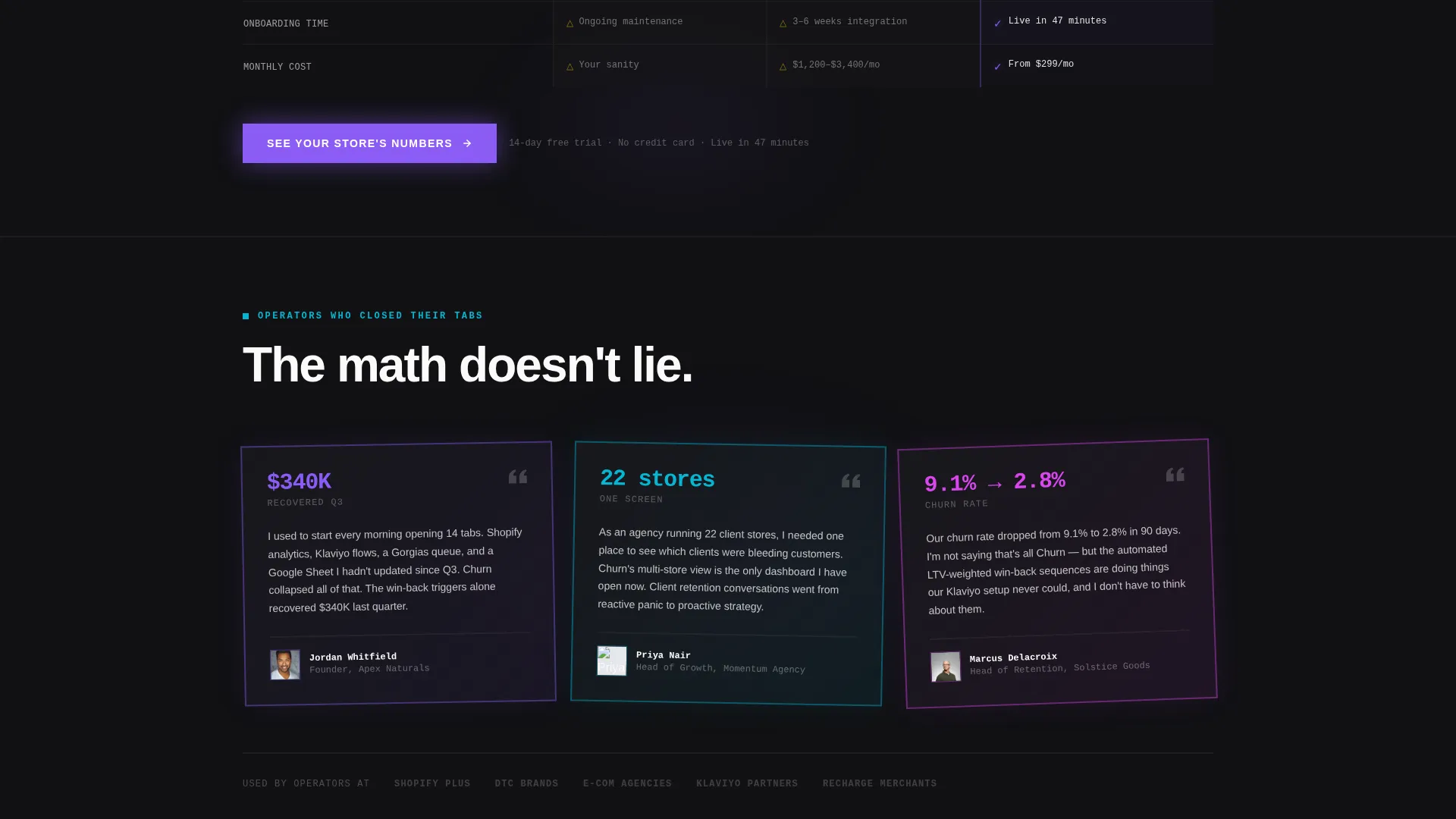
After the comparison table, the primary call to action locks into a persistent floating bar at the bottom of the viewport. The button reads "See Your Store's Numbers" and carries the visitor's calculator inputs forward into trial onboarding. No form appears on this page; the click-through handles data handoff entirely.
90-Second Walkthrough Modal
A secondary conversion path opens a video modal without navigating away from the page. Scroll position is preserved when the modal closes, keeping visitor intent intact. This gives hesitant visitors a low-commitment way to see the platform in action before committing to the trial.
Bold Brutalist Visual System
The entire layout uses stark two-pixel borders, zero border-radius, and near-black matte surfaces. Oversized stark-white typography punches through at heavy weights. Hot iridescent pink activates on interactive states and hover glows, while holographic violet and shifting cyan carry the data and structural elements throughout.
Page sections overview
| Section | Purpose |
|---|---|
| Live Metrics Header | Opens with full-viewport real-time stats to establish credibility immediately |
| ROI Calculator | Lets visitors quantify their own revenue leakage before reading any pitch copy |
| Comparison Table | Exposes three options side by side across twelve operational pain points |
| Floating call to action Bar | Locks the primary trial signup button into view after the comparison table |
| Video Walkthrough Modal | Provides a secondary no-commitment path via an in-page 90-second video |
Design & branding system
The Churn template uses a Bold Brutalist theme fused with an AI Iridescent color system. The result feels like precision engineering displayed on a concrete surface, where every color is functional and every element earns its place.
- Core palette: void black (#09090B) and near-black matte (#111114) as surfaces, stark white (#FAFAFA) for all primary typography, holographic violet (#8B5CF6) and shifting cyan (#06B6D4) for data and structural accents
- Hot iridescent pink (#D946EF) is reserved strictly for interactive states, hover glows, and active button fills
- Typography uses oversized monospaced weights throughout the header and calculator; no stock photography or illustrations appear anywhere on the page
Mobile & speed optimization
The template is structured to deliver the same visual impact and interactive logic across screen sizes. The brutalist grid and oversized type adapt without losing their authority on smaller viewports.
- The full-viewport metrics header and calculator reflow cleanly for mobile, keeping numbers legible and inputs usable on touch screens
- The floating call-to-action bar stays anchored at the bottom of the viewport on all device sizes, keeping the primary conversion path always visible
- The comparison table uses a horizontal scroll or stacked layout approach on narrower screens so all twelve rows remain readable without content being cut off
How this template helps you convert
The Churn template is engineered around a single conversion goal: get the visitor to click through to a free trial. Every section is sequenced to reduce resistance and increase commitment before the ask appears.
- The ROI calculator forces a personal, quantified moment early in the page visit. Visitors see their own recoverable revenue before they read a single marketing claim, making the rest of the page feel like a solution to a number they already believe.
- The comparison table lands after the calculator output, exposing the visitor's current tools as incomplete. By the time the floating call-to-action bar appears, the visitor has already agreed with the problem twice and seen your platform win every row.
Other information about this template
This template is built specifically for the eCommerce client management software category and performs best when the platform it represents can back up the metrics shown in the header with real product data.
- The template style is Comparison Table, making it well suited for competitive positioning pages where the product replaces a category of tools rather than a single competitor
- The creative direction is Calculator First, which is particularly effective for retention-focused platforms where recoverable revenue is a concrete and believable selling point
- The click-through landing page direction means no lead form appears on this page; all data capture happens inside the trial onboarding flow after the visitor clicks
- The header concept is Stats and Metrics, which works best when the platform has real performance numbers to display rather than placeholder values
- This template is part of the Bold Brutalist theme family and pairs naturally with other templates in that collection for teams building multi-page campaign funnels
Theme
Bold Brutalist
Creative direction
Calculator/Tool First
Color system
AI Iridescent
Style
Comparison Table
Direction
Click-Through
Page Sections
Live Real-time Metrics Header
Interactive ROI Calculator
Twelve-row Comparison Table
Floating Trial Call-to-action Bar
In-page Video Walkthrough Modal
Bold Brutalist Visual Identity
Related questions
Does this template include a form for collecting visitor details?
Can I replace the placeholder metrics in the header with my own numbers?
How does the ROI calculator pass data to the trial onboarding screen?
Is the 90-second walkthrough video included in the template?
Who is this template best suited for?



