Electrical Digital Presence Appointment Booking Website Template
Circuit is a glassmorphic landing page template built for electrical booking and scheduling platforms. It opens with a live-looking stats dashboard, walks visitors through a Problem to Solution arc, and closes with a clear app download call to action. The dark, translucent design makes the product feel already running and ready to work.
by Rocket studio
Quick summary
Circuit is a single-page template designed for electrical scheduling and booking platforms. It opens with a simulated glass dashboard full of live-looking job data, then scrolls through a Problem to Solution arc that mirrors the daily frustrations of independent electricians and growing electrical outfits. The page earns its app download call to action before it ever asks for a tap.
Who this template is for
This template is built for a very specific kind of electrical business operator. If your scheduling system is a whiteboard or a notepad on the dash, this template speaks directly to your situation.
- Independent master electricians managing ten to fifteen open tickets across multiple service areas
- Two-truck shops where the office manager doubles as the dispatcher
- Growing electrical outfits that recently expanded their crew and outgrew informal job-tracking methods
What problem this template solves
Most electrical service businesses lose time and revenue to scheduling friction. The template names those friction points plainly and then shows the solution on screen before the visitor scrolls past the hero.
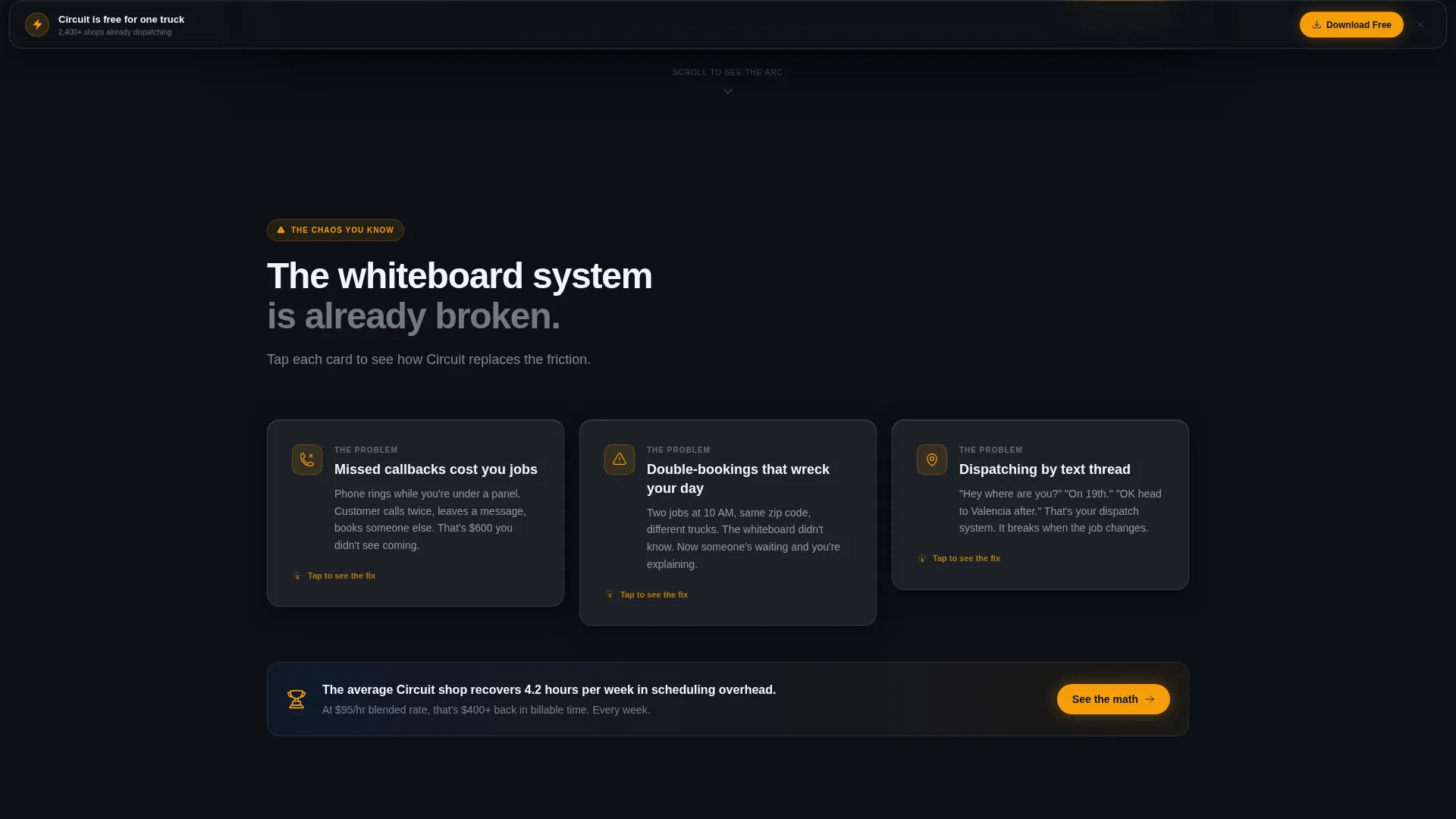
- Missed callbacks and double-bookings caused by scattered job notes
- No real-time visibility into where trucks are or which jobs are active
- No clear picture of weekly revenue or hours recovered until it is too late to act
What you get with this template
You get a fully structured, single-page layout built around a dashboard-first visual story. Every section is designed to move a skeptical trade-business owner from recognition to confidence.
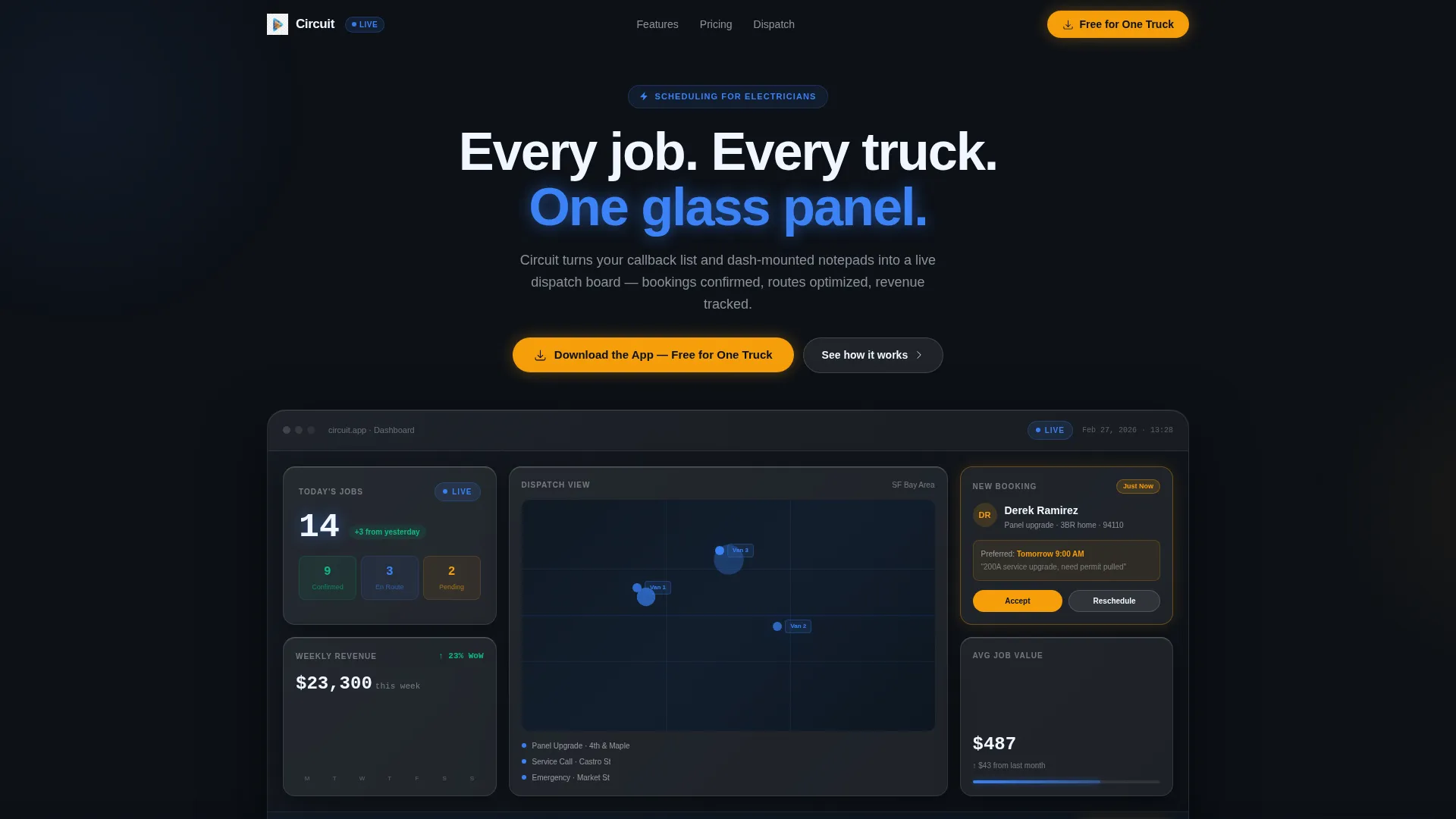
- A Stats and Metrics hero section with simulated live data tiles, a route map, a revenue graph, and an incoming booking notification
- A Problem to Solution arc with animated frosted problem cards that reveal solution panels on scroll
- Two conversion paths: a frosted pill button call to action inside the hero and a sticky bottom call to action after the first scroll, plus a desktop QR code option
Feature list
This section describes the core built-in capabilities of the Circuit template.
Simulated Glass Dashboard Hero
The hero section opens with a working-looking instrument panel. It shows four live-data tiles including jobs scheduled, active van positions on a route map, a climbing weekly revenue graph, and a sliding amber notification card. No photography, no people, just the product already running.
Problem to Solution Arc Layout
Each problem is presented as a frosted dark card. A subtle glass-crack animation shatters the card and reveals the solution panel beneath it. The arc moves from daily frustrations like missed callbacks and double-bookings up to monthly business metrics, ending on a transparent profit and loss summary card.
Sticky App Download Call to Action
The primary call to action reads "Download the App, Free for One Truck." It appears first as a frosted pill button inside the hero, then anchors to the bottom of the viewport after the visitor scrolls past the hero. The sticky placement keeps the download path visible without interrupting the content flow.
Desktop QR Code Install Path
A secondary conversion path targets desktop visitors who are browsing between jobs. A QR code sits alongside the line "Scan to install between jobs," giving field operators a fast path to the app without typing a URL.
Glassmorphic Data Grid Layout
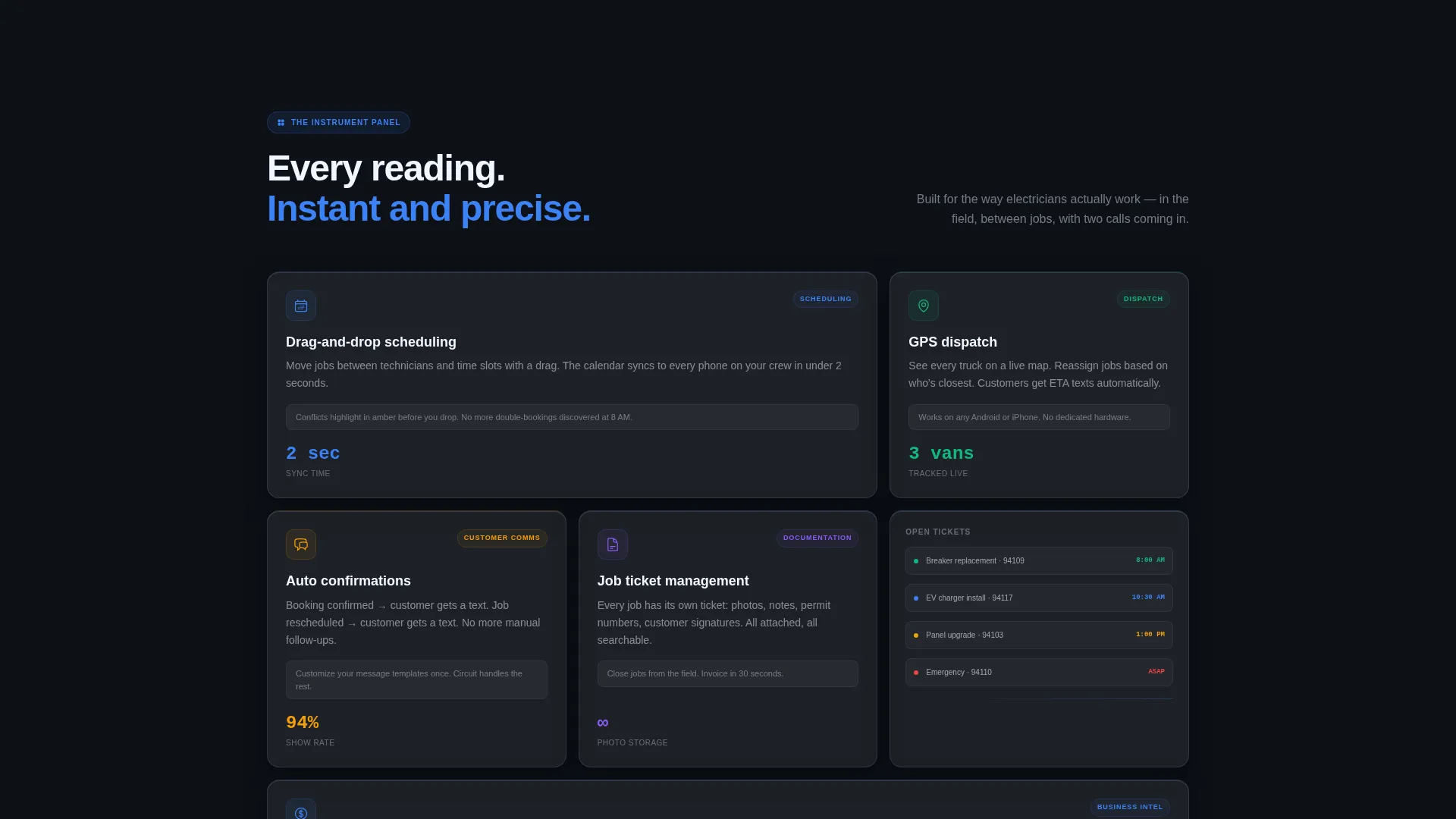
The template uses a dashboard and data grid structure throughout. Frosted glass cards float over a deep panel black background. Blue glowing data elements and amber alert accents make the layout feel like a live instrument panel rather than a static webpage.
Transparent ROI Summary Card
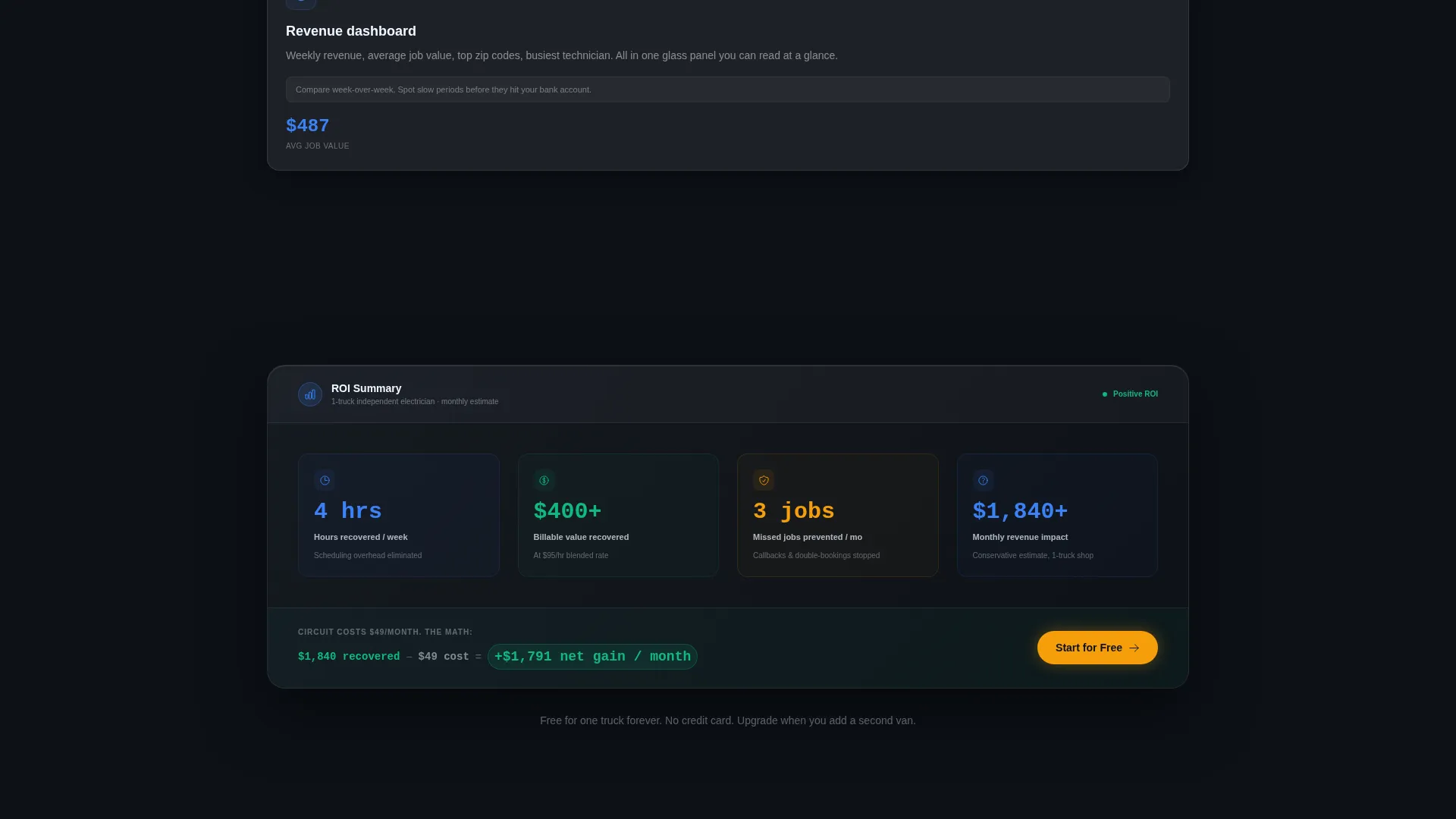
Near the bottom of the page, a transparent profit and loss style card surfaces hours recovered and revenue gained. The numbers make the return on investment feel concrete and inevitable before the final call to action appears.
Page sections overview
| Section | Purpose |
|---|---|
| Stats Dashboard Hero | Opens with simulated live job and revenue data tiles |
| Route Map Display | Shows pulsing van positions across active service zones |
| Problem Cards Row | Names scheduling chaos with frosted animated problem cards |
| Solution Panels Row | Reveals drag-and-drop and dispatch solutions beneath each card |
| Monthly Metrics Arc | Escalates from daily frustrations to revenue and hours recovered |
| ROI Summary Card | Shows transparent profit and loss figures to validate the investment |
| App Download call to action | Frosted pill button and sticky viewport anchor driving the download |
| QR Code Block | Desktop install path for field operators scanning between jobs |
Design & branding system
The visual language is built around a Tech Glass theme executed through a glassmorphic color system. Every design decision references the feel of a professional instrument panel viewed through smoked glass at night.
- Core palette: deep panel black (#0D1117) as the base, frosted glass card white at 12% opacity (#FFFFFF1F) for cards, live-wire electric blue (#3B82F6) for data and active elements, and fault-alert amber (#F59E0B) reserved strictly for notifications and calls to action
- Surface treatment: translucent layered cards with beveled light-catch edges, intentional glows on active data elements, no stock photography anywhere on the page
Mobile & speed optimization
The template is structured to work cleanly on the smaller screens that field electricians actually use between jobs. The sticky call to action and QR code path are both positioned with mobile and desktop contexts in mind.
- The sticky bottom call to action remains visible on mobile viewports after the first scroll, keeping the download path accessible at all times
- The layout avoids heavy image assets by using CSS-driven glass effects and simulated data visuals rather than large photograph files
How this template helps you convert
The conversion strategy in Circuit is built into the page structure itself. The visitor never feels sold to because the product is demonstrated before the ask appears.
- The hero dashboard shows the scheduling tool already full of real-looking work, so the visitor mentally places their own jobs inside it before reading a single headline
- The Problem to Solution arc mirrors the visitor's exact daily frustrations and resolves each one visually, building trust through recognition rather than claims
- The sticky call to action and QR code path remove every friction point between decision and download, offering two clear routes to install based on how the visitor is browsing
Other information about this template
Circuit is categorized under Technology with a subcategory focus on electrical digital presence. It was designed specifically for the electrical booking and scheduling site niche, making it a focused starting point rather than a generic service-business template.
- The template style is a Dashboard and Data Grid layout, meaning the visual hierarchy prioritizes live-looking data display over traditional hero photography
- The intersection match score of 13 reflects a tightly aligned combination of theme, creative direction, color system, template style, and landing page direction for this specific niche
- The page type is a landing page, meaning the entire conversion journey lives within a single scrollable view with no additional pages required
Theme
Tech Glass
Creative direction
Problem→Solution Arc
Color system
Glassmorphic
Style
Dashboard/Data Grid
Direction
App Download
Page Sections
Simulated Glass Dashboard Hero
Problem to Solution Arc
Sticky App Download Call to Action
Desktop QR Code Install Path
Transparent ROI Summary Card
Glassmorphic Data Grid Layout
Related questions
Who is Circuit built for?
Does the dashboard in the hero show real live data?
What are the two conversion paths on this landing page?
Can I update the colors to match my own brand?
Is Circuit designed as a single-page layout?



