Civic Admin — Government Landing Page Template
Schedule is a bento grid landing page template built for government staff scheduling platforms. It leads with animated performance metrics, steps through procurement-grade feature specifications, and closes with a dual-path lead capture form. The design uses a Monochrome Steel palette and Dynamic Motion interactions to match the precision and urgency of public-sector workforce operations.
by Rocket studio
Quick summary
Schedule is a single-page bento grid landing page template designed for government workforce scheduling platforms. It opens with a live-motion stats wall, moves through spec-level capability cells, and anchors with a lead generation form built for public-sector procurement audiences. The layout communicates operational authority from the first scroll.
Who this template is for
This template is built for software vendors and platform teams selling scheduling solutions to government clients. If your buyers include county HR directors, city operations managers, or state agency leads, this template speaks their language from the header down.
- Government software vendors targeting municipal and county HR decision-makers
- Public-sector SaaS teams that need a procurement-ready landing page for demos or RFP shortlisting
- Platform marketers who need a lead generation page that earns trust before asking for a form fill
What problem this template solves
Government scheduling buyers are skeptical. They evaluate vendors like they evaluate contracts. A generic landing page full of stock photography and marketing language loses them before the first scroll ends. This template is built to solve that trust gap.
- It replaces generic hero sections with animated, verifiable metrics that prove platform capability immediately
- It structures feature information the way procurement teams read it: one capability per cell, dense but scannable
- It gives research-mode visitors a secondary path so no qualified lead leaves without a point of capture
What you get with this template
You get a fully structured, single-page bento grid layout that handles the entire buyer journey from awareness to form submission. Every section has a defined role, and the layout is designed so no cell feels like filler.
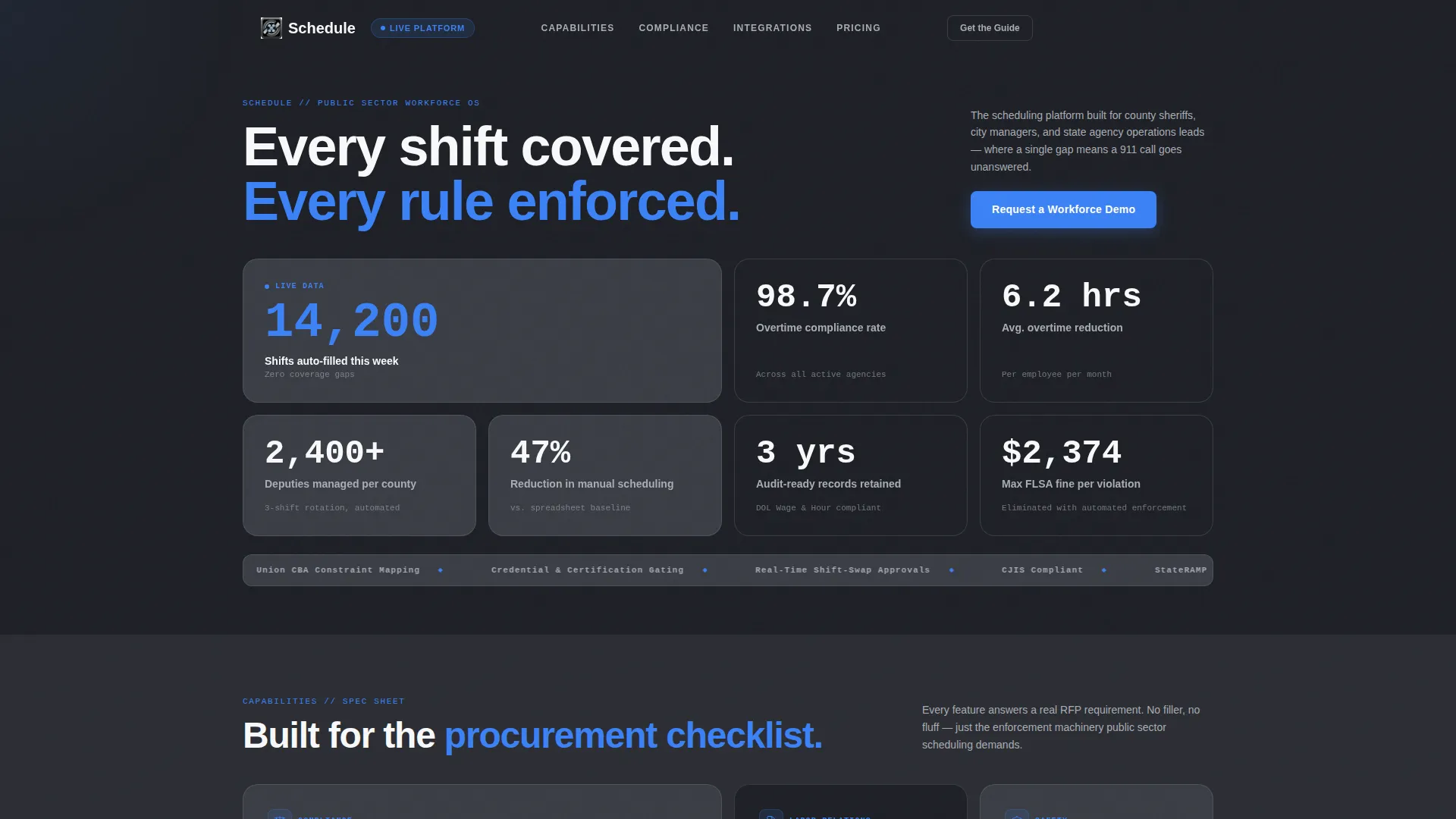
- An animated stats wall header with staggered counters displaying live-style workforce metrics
- A scrollable spec sheet body where each bento cell isolates a single platform capability with micro-animation
- A dual-path lead capture section with a full demo request form and a secondary email-only content download gate
Feature list
This template is built around six core design and functional capabilities drawn directly from the brief.
Animated Stats Wall Header
The header opens as a bento grid of counters already in motion on page load. Metrics like shifts auto-filled, compliance rates, and overtime reduction tick upward with eased animation. Each cell staggers slightly, so the grid feels like a live dashboard rather than a static number block.
Spring-Physics Bento Grid Layout
The page layout uses spring-physics easing to expand and collapse cells as visitors scroll. The grid reconfigures subtly between sections, reinforcing the Dynamic Motion theme and making the page itself feel like a working control interface.
Spec Sheet Feature Cells
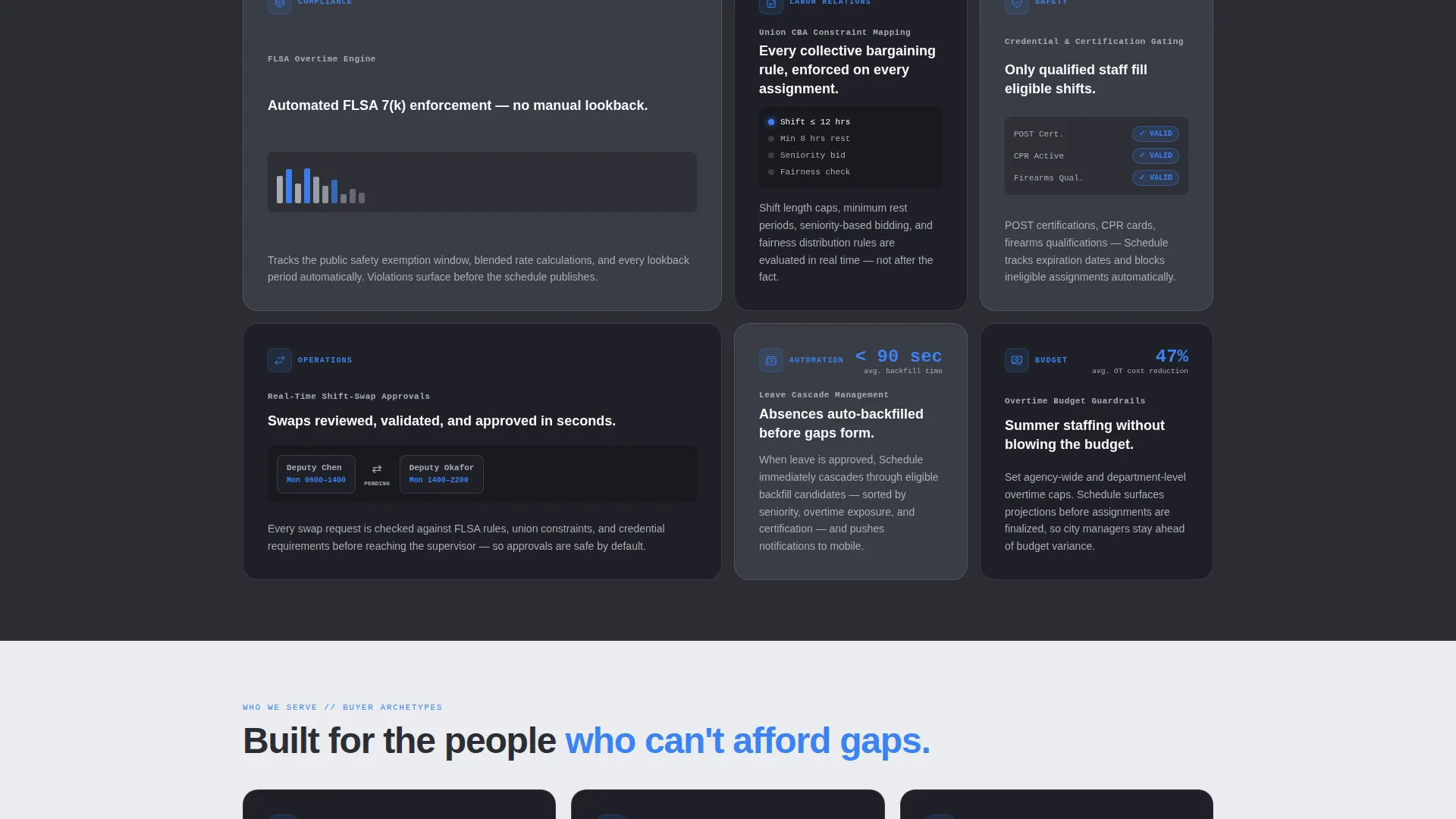
Each capability section below the header isolates one function: the Fair Labor Standards Act (FLSA) overtime rule engine, union contract constraint mapping, credential and certification gating, and real-time shift-swap approvals. Every cell includes a micro-animation that demonstrates the feature within three seconds.
Pinned Navigation Call to Action
After the first scroll, the primary call to action, "Request a Workforce Demo," pins to the top navigation bar. It stays visible throughout the entire page, reducing friction for buyers ready to convert at any scroll depth.
Dual-Path Lead Capture Form
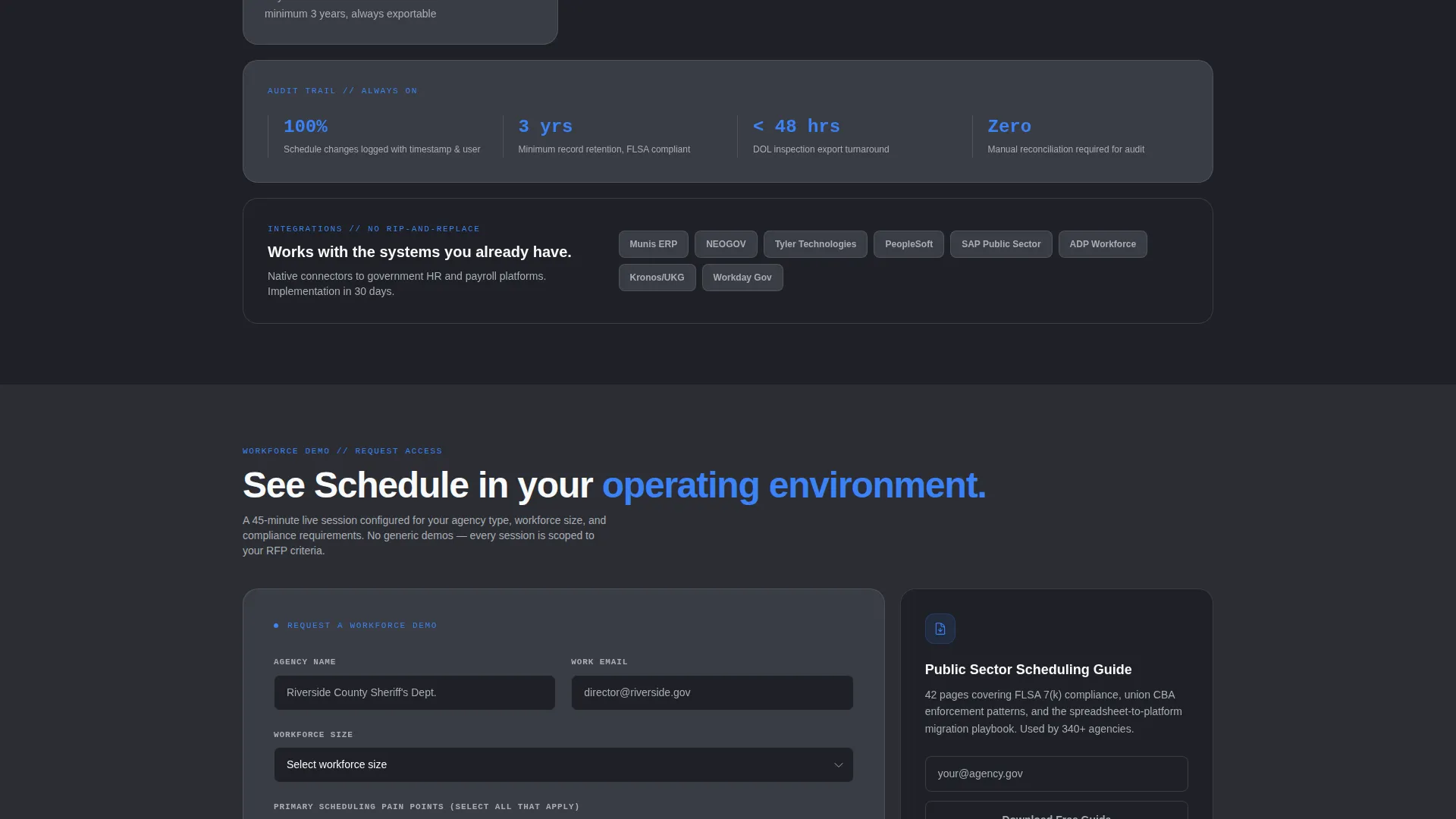
The final bento cell is a full-width lead generation panel. The primary form collects agency name, workforce size via dropdown, scheduling pain point via multi-select, and work email. A secondary path offers a downloadable public sector scheduling guide gated behind email-only capture for visitors still in research mode.
Monochrome Steel Signal System
Signal-blue (#3B82F6) appears exclusively on interactive elements and live data points. This trains visitors to trust that color as an action cue. All other tones, structural graphite, brushed aluminum, and panel gray, handle layout, text, and dividers without competing for attention.
Page sections overview
| Section | Purpose |
|---|---|
| Stats metrics wall | Opens with animated counters proving platform performance at a glance |
| Spec sheet cells | Walks through individual capabilities with micro-animations and dense detail |
| FLSA overtime cell | Highlights the overtime rule engine with a focused three-second demonstration |
| Union constraint cell | Shows union contract rule mapping as a standalone capability block |
| Credential gating cell | Covers certification and credential checks as a single isolated feature |
| Shift swap cell | Demonstrates real-time shift-swap approval flow with motion |
| Pinned nav call to action | Keeps the demo request visible after first scroll throughout the page |
| Demo request form | Full-width final panel with agency form fields and workforce size dropdown |
| Content download gate | Secondary capture path offering a scheduling guide behind email-only entry |
Design & branding system
The visual identity follows a Dynamic Motion theme expressed through a Monochrome Steel color system. The palette is deliberately instrument-grade: no decorative color, no warm tones, nothing that competes with the data on screen.
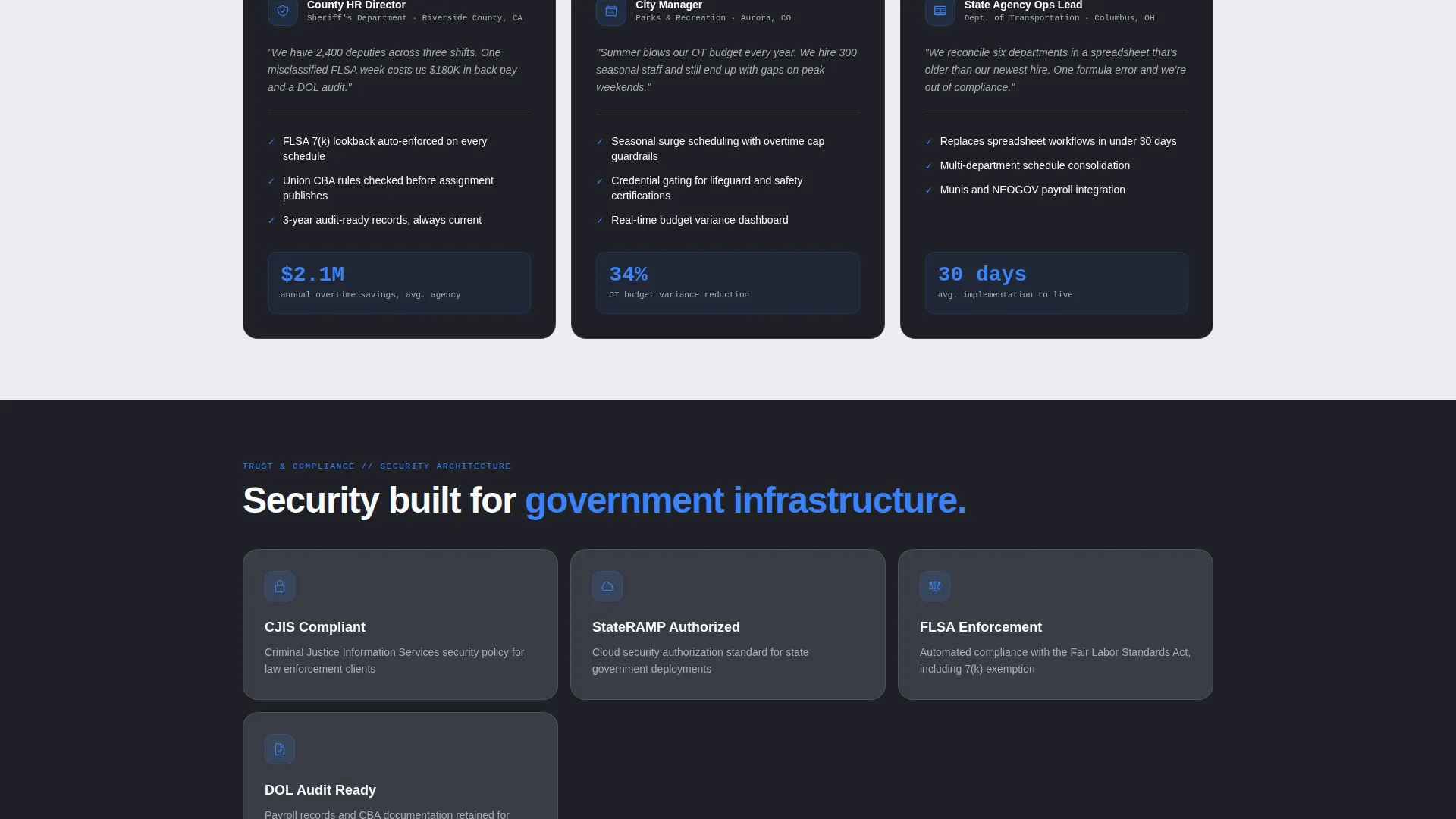
- Core tones are structural graphite (#2B2D33), brushed aluminum (#A8ADB5), and light panel gray (#EAECEF) for backgrounds, text, and dividers
- Signal-blue (#3B82F6) is reserved exclusively for interactive elements and live data points, training the eye to treat it as an action and information cue
- Background alternation between graphite and panel gray defines grid cell boundaries without borders, keeping the layout clean and dispatch-console precise
Mobile & speed optimization
The bento grid layout is structured to translate cleanly across screen sizes. Government buyers often review vendor pages on tablets during meetings or on phones between sessions, so the layout needs to hold its hierarchy at every width.
- Grid cells reflow and stack in a logical reading order on smaller screens so no capability cell is buried or cut off
- Animated counters and spring-physics transitions are scoped to the layout layer, keeping motion purposeful rather than decorative
- The pinned navigation call to action remains accessible on mobile, so the demo request path is never more than one tap away
How this template helps you convert
This template is engineered around the psychology of a government procurement decision. Buyers need proof before they trust, and trust before they act.
- The animated metrics header delivers verifiable proof immediately, so visitors arrive at feature content already primed to believe the platform works
- The spec sheet body mirrors the structure of an RFP evaluation, giving procurement-minded readers the density and specificity they expect from a shortlisted vendor
- The dual-path form close captures both ready-to-demo buyers and research-phase visitors in one panel, so no qualified lead exits without a conversion touchpoint
Other information about this template
This template is categorized under Government Software and SaaS within the Technology category. It is purpose-built for the government staff scheduling niche, where buyer journeys are longer, scrutiny is higher, and trust signals need to be operational rather than aspirational.
- The template style is Bento Grid, a layout format well suited to dashboard-native audiences who expect information density and spatial clarity
- The header concept, Stats and Metrics, is chosen specifically because government procurement teams respond to measurable outcomes over narrative claims
- The creative direction follows a Spec Sheet model, meaning content is organized to mirror how an operations lead or HR director reads a vendor capability document
- The lead generation direction means every design decision, from the pinned call to action to the dual-path form, is oriented toward capturing qualified agency contacts
Theme
Dynamic Motion
Creative direction
Spec Sheet
Color system
Monochrome Steel
Style
Bento Grid
Direction
Lead Generation
Page Sections
Animated Stats Wall Header
Spring-physics Bento Grid
Spec Sheet Feature Cells
Pinned Navigation Call to Action
Dual-path Lead Capture Panel
Monochrome Steel Signal System
Related questions
Who is this landing page template designed for?
Does the template include the animated counters and motion effects described?
Can I edit the lead capture form fields to match my platform?
Is this template suitable for a single product or multiple offerings?
What makes this template different from a generic SaaS landing page?



