Specialist Government Digital Presence Professional Website Template
Civic is a hub-and-spoke government services landing page template built around interactive tools that work before they ask for anything. Citizens can calculate benefits eligibility, estimate permit fees, check document checklists, and track application status, all from a single, glassmorphic dashboard that feels calm, fast, and genuinely useful at any hour.
by Rocket studio
Quick summary
Civic is a single-page government services portal template designed around usefulness first. Visitors arrive and immediately interact with live calculators, no forms, no friction, no PDFs. The hub-and-spoke layout guides citizens through benefits, permits, documents, and status tracking with sticky anchor navigation, spring-physics animations, and a glassmorphic visual system that feels modern without feeling cold.
Who this template is for
This template is built for government agencies, civic technology teams, and public-sector digital leads who need a credible, approachable front door for their services. It suits organizations that want citizens to self-serve confidently rather than call a help line.
- Municipal or local government portals managing multiple service types
- Civic technology teams building or redesigning digital service hubs
- Public-sector agencies replacing document-heavy or phone-dependent workflows
What problem this template solves
Most government web pages bury the actual answers. Citizens arrive and face PDFs, outdated phone trees, and multi-step forms before they learn anything useful. This template flips that pattern entirely.
- Citizens get instant calculator results without leaving the page or creating an account
- Service information is organized by task, benefits, permits, documents, status, not by department
- The layout removes ambiguity so users understand what to do next at every scroll point
What you get with this template
The template delivers a full hub-and-spoke landing page with four interactive service spokes, a dynamic header wall, and a conversion-focused app download modal. Every component is built from the same glassmorphic design system for a cohesive, professional result.
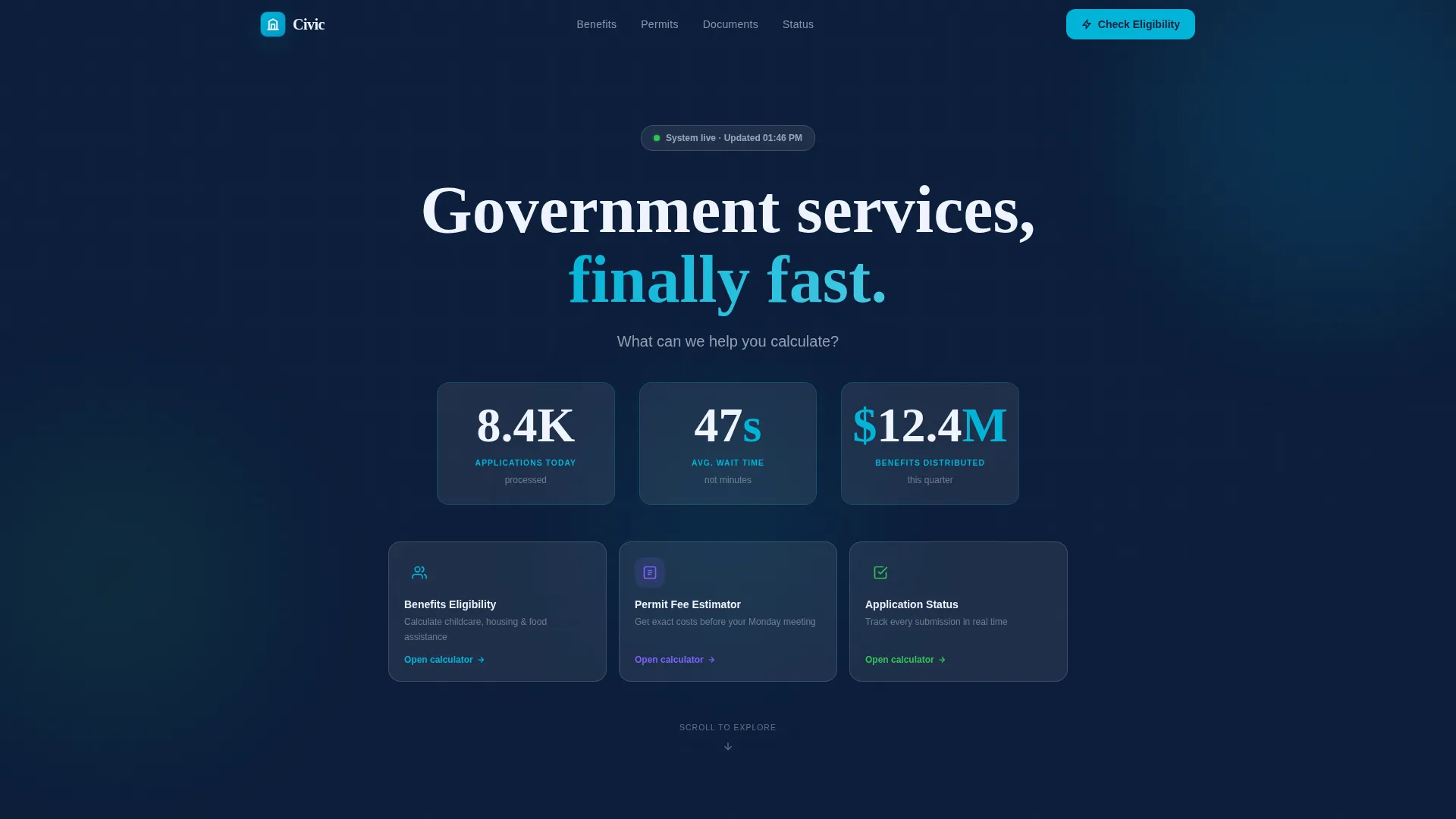
- A living Stats/Metrics header with three animated counters: applications processed today, average wait time in seconds, and benefits distributed this quarter
- Four tool-driven spokes covering eligibility calculation, permit fee estimation, document checklist confirmation, and real-time application status tracking
- A spring-motion bottom-sheet modal with an app download call to action, App Store and Google Play badges, and a no-signup "Text Me the Link" secondary path
Feature list
This section describes the core functional and design capabilities built into the Civic template.
Animated Stats Header Wall
Three oversized counters animate upward on page load using mechanical easing curves. The numbers tick in real time and feel trustworthy rather than decorative, similar to an airport arrivals board. Below the counters, a single guiding prompt reads: "What can we help you calculate?"
Eligibility Calculator Spoke
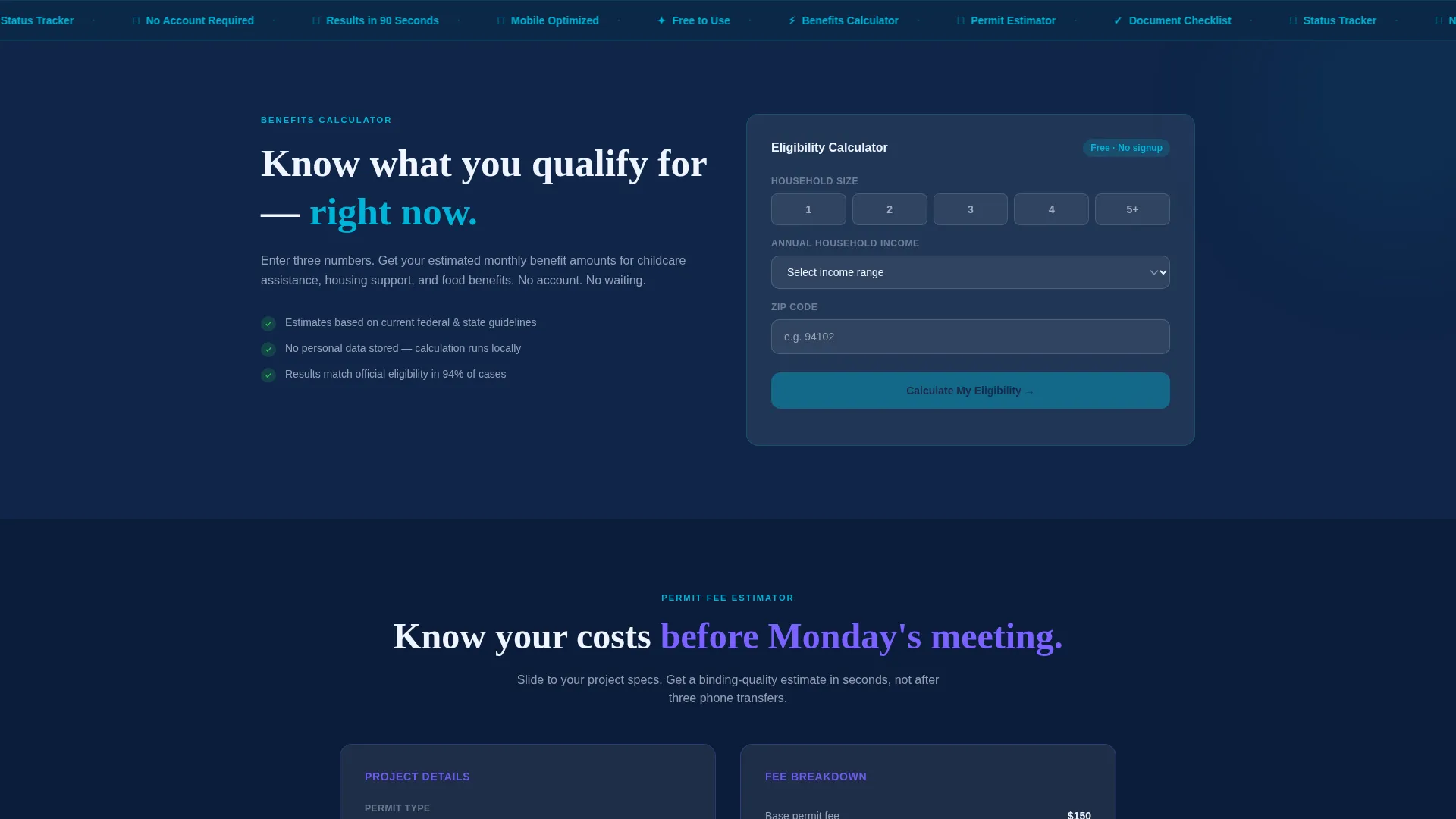
The first spoke lets visitors select household size, income range, and zip code. Results appear instantly inside the glass card without a page reload, so the tool proves its value immediately and without friction.
Permit Fee Estimator
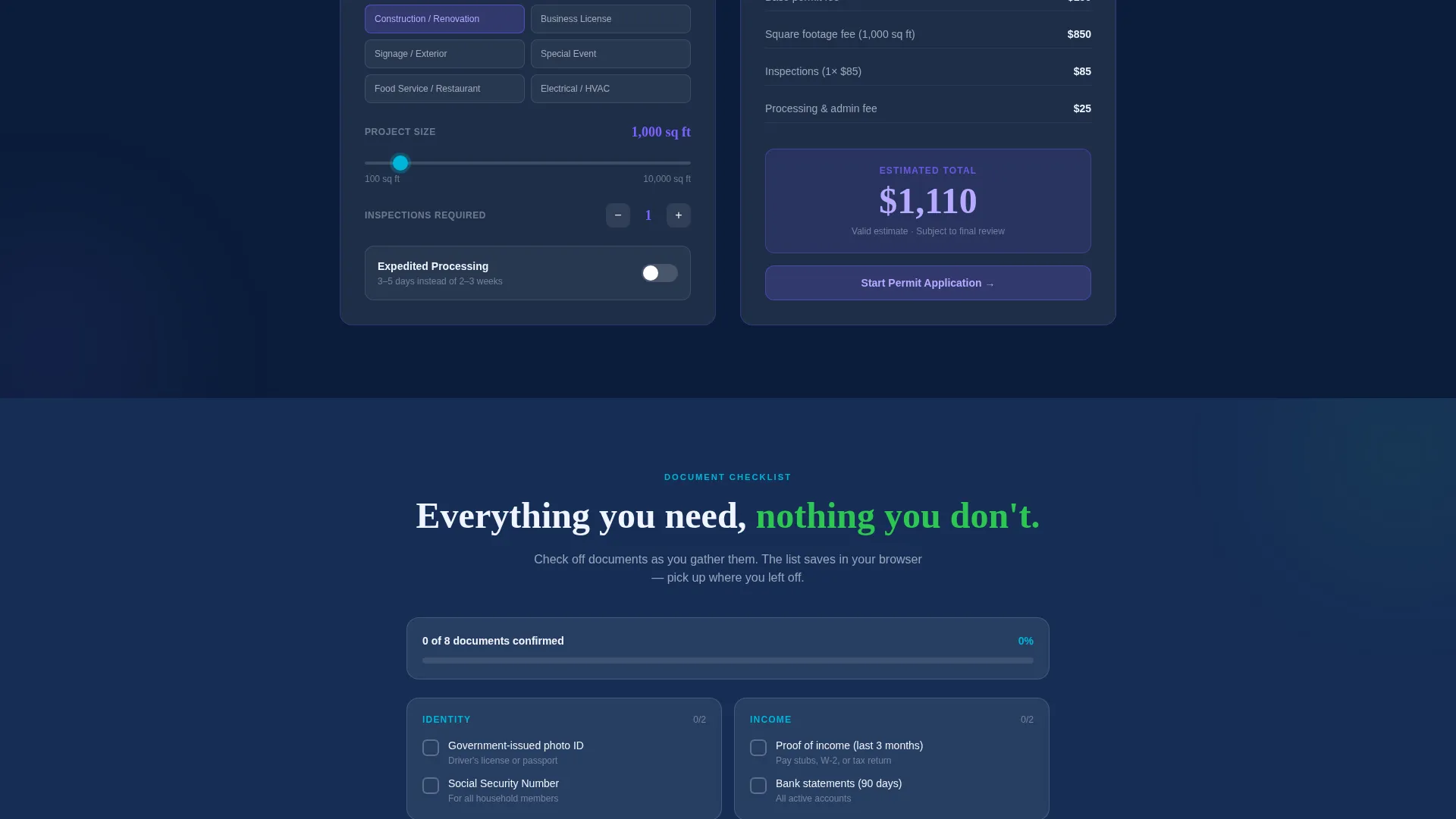
A sliding-input estimator lets small-business owners and contractors calculate permit fees before any formal submission. Inputs update the displayed total in real time, giving users a confident number before Monday's council meeting or a contractor call.
Document Checklist Tool
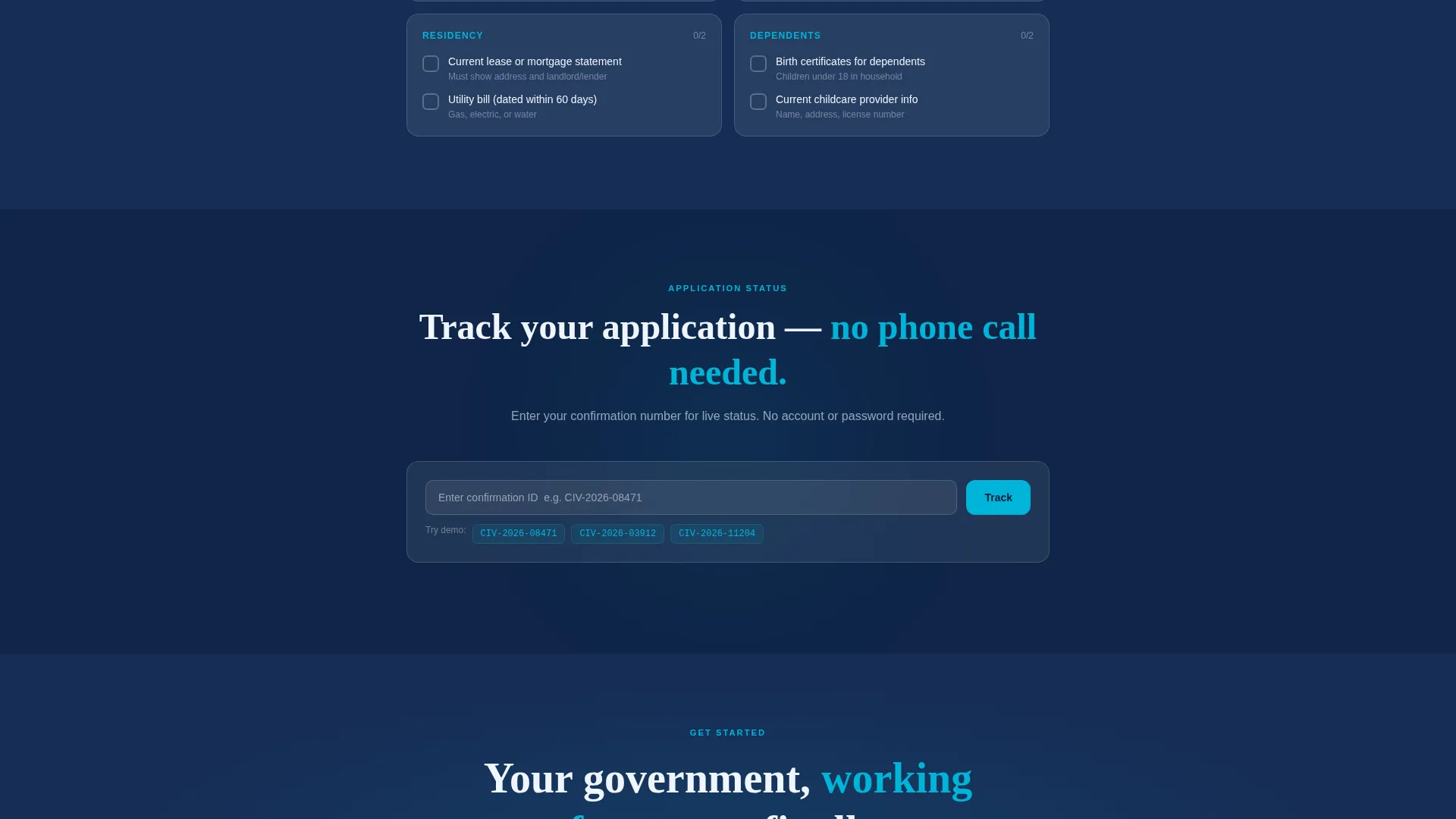
A task-style checklist lets users confirm which documents they have on hand. Confirmed items gray out visually, so the remaining requirements stay prominent and the path forward is always clear.
Application Status Tracker
A real-time tracker lets returning visitors check where their filing stands. The spoke uses progress bars and card-based states so citizens always know what stage their request has reached.
Spring-Motion App Download Modal
After a visitor uses at least one calculator, a bottom-sheet modal rises with spring-physics easing. The primary call to action reads "Download the App, Keep Your Estimate" in civic teal. A secondary option offers a phone-number-only "Text Me the Link" path with no email, no password, and no signup required.
Page sections overview
| Section | Purpose |
|---|---|
| Stats Header Wall | Builds immediate trust with live animated service metrics |
| Sticky Anchor Nav | Links quickly to Benefits, Permits, Documents, and Status spokes |
| Eligibility Calculator | Lets visitors check benefit eligibility by household inputs |
| Permit Fee Estimator | Calculates permit costs using sliding real-time inputs |
| Document Checklist | Tracks required documents with visual confirmation states |
| Status Tracker | Shows application progress with card-based status indicators |
| App Download Modal | Converts engaged users to app installs with low-friction calls to action |
Design & branding system
The template uses a Glassmorphic color system anchored by deep civic navy as the primary background. Every surface has a slightly transparent quality, so users feel the structure of the system behind each interaction. The palette communicates public-sector authority while feeling approachable and modern.
- Deep civic navy (#0B1D3A) backgrounds, frosted translucent white (rgba 255,255,255,0.12) glass cards, civic teal (#00B4D8) for active states and progress indicators, and soft signal green (#2DC653) for confirmation moments
- Cards float on soft box-shadows with backdrop-filter frost, and backgrounds blur subtly on scroll to create layered depth without clutter
- Teal pulses gently on interactive elements, and spring-physics easing governs card expansions, counter ticks, and modal entrances so every motion answers the question "what just happened?"
Mobile & speed optimization
The template is designed with the mobile citizen as the primary user. The brief specifically imagines a single mother checking childcare subsidy amounts on her phone at midnight, so every interactive element is sized and laid out for thumb-first use.
- Glass cards and calculator inputs are touch-friendly and stacked vertically for small screens
- The sticky anchor navigation remains accessible during scrolling so users can jump between spokes without losing their place
- Parallax drift and spring animations are subtle enough to stay smooth on mobile viewports without overwhelming the content
How this template helps you convert
The Civic template earns the conversion by being genuinely useful before it ever asks for anything. Visitors interact with real tools, get real results, and only then see the app download prompt.
- The calculator-first flow means visitors experience value, a concrete eligibility estimate or permit fee total, before any call to action appears, which builds trust organically.
- The spring-motion bottom-sheet modal rises only after tool use, so the "Download the App, Keep Your Estimate" prompt arrives at exactly the moment a visitor has a result worth saving.
- The "Text Me the Link" secondary path removes every sign-up barrier, letting users convert with just a phone number, which dramatically lowers the cost of saying yes.
Other information about this template
The Civic template sits at the intersection of government digital presence and civic technology, making it a strong fit for teams working on public-sector service design. It follows a Dynamic Motion theme, meaning every animation is purposeful rather than ornamental. The template style is hub and spoke with anchor navigation, which is well suited to portals that serve multiple distinct citizen tasks from one URL. The landing page direction is app download, so the entire content sequence is engineered to earn that final tap.
- Template style: Hub and Spoke with sticky anchor navigation covering four service spokes
- Theme: Dynamic Motion with spring-physics easing, parallax drift, and glassmorphic card transitions
- Primary conversion goal: App download with a low-friction secondary text-link path
- Ideal for civic agencies, municipal digital teams, and government-adjacent service organizations ready to replace static, document-heavy pages with an interactive citizen portal
Theme
Dynamic Motion
Creative direction
Calculator/Tool First
Color system
Glassmorphic
Style
Hub & Spoke (Anchor Nav)
Direction
App Download
Page Sections
Animated Stats Metrics Header
Eligibility Calculator with Instant Results
Permit Fee Estimator with Sliding Inputs
Document Checklist with Visual Confirmation
Real-time Application Status Tracker
Spring-motion App Download Modal
Related questions
Can I customize the calculator inputs for my specific services?
Does the template require a back-end system to work?
Is the page designed for mobile users?
Can I remove or replace the app download modal?
What makes this template different from a standard government web page?



