Nonprofit Organization Cost Calculator Website Template
Clarityterms is a single-page nonprofit terms of service landing page that transforms dense legal text into a scannable, glass-panel comparison table. Built for nonprofit directors, development officers, and volunteer coordinators, it pairs an interactive compliance estimator with a structured feature matrix so every visitor understands exactly what they are agreeing to before they click.
by Rocket studio
Quick summary
Clarityterms turns a nonprofit terms of service page into a transparent, interactive compliance tool. Visitors use a real-time estimator to identify the clauses most relevant to their organization, then scroll a structured comparison table that breaks every obligation into plain-English rows. Lead capture runs through two well-positioned calls to action, collecting qualified contacts at different commitment levels.
Who this template is for
This landing page is built for nonprofit professionals who need legal clarity without legal jargon. It serves people who are responsible for platform decisions, donor relationships, and volunteer onboarding, all at once.
- Executive directors of mid-size nonprofits running annual galas and fundraising events
- Development officers integrating donor management platforms with donation portals
- Volunteer coordinators onboarding large groups who must read and accept terms
What problem this template solves
Most nonprofit terms of service pages are unreadable walls of legal text. Staff members skip them, donors distrust them, and volunteers click through without understanding them. This template solves that by restructuring the same legal content into a format that feels like a product evaluation, not a contract review.
- Visitors cannot quickly identify which clauses apply to their organization's size or activity type
- Dense formatting discourages meaningful consent and creates compliance risk for the nonprofit
- Generic terms pages fail to capture leads or build trust with the people reading them
What you get with this template
You get a fully structured single-page layout that combines an interactive estimator, a multi-tier comparison table, and two distinct lead capture paths. Every section is designed to reward deeper reading while remaining useful to someone who only has two minutes.
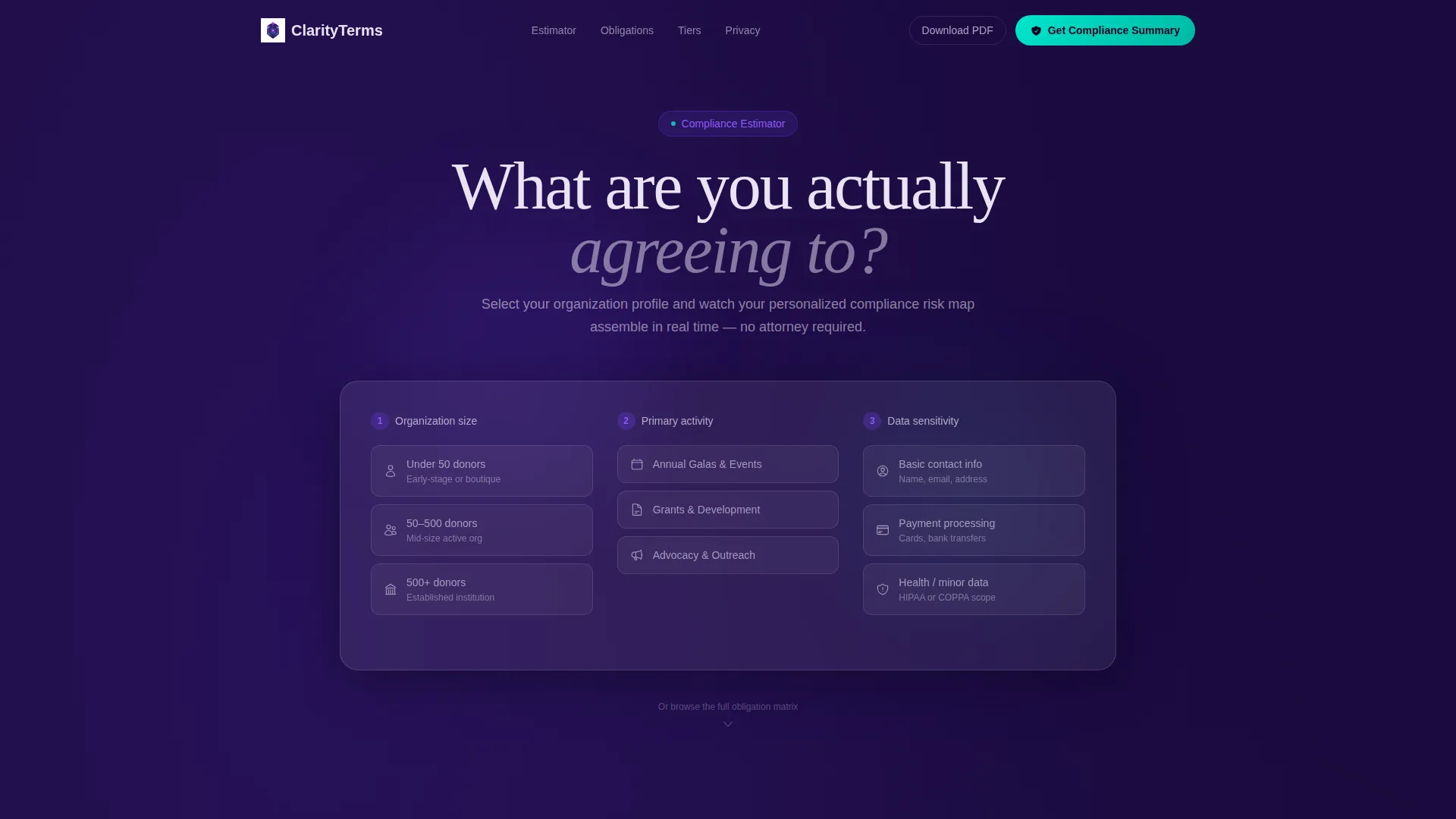
- An interactive calculator header that assembles a personalized compliance summary based on nonprofit size, activity, and data sensitivity
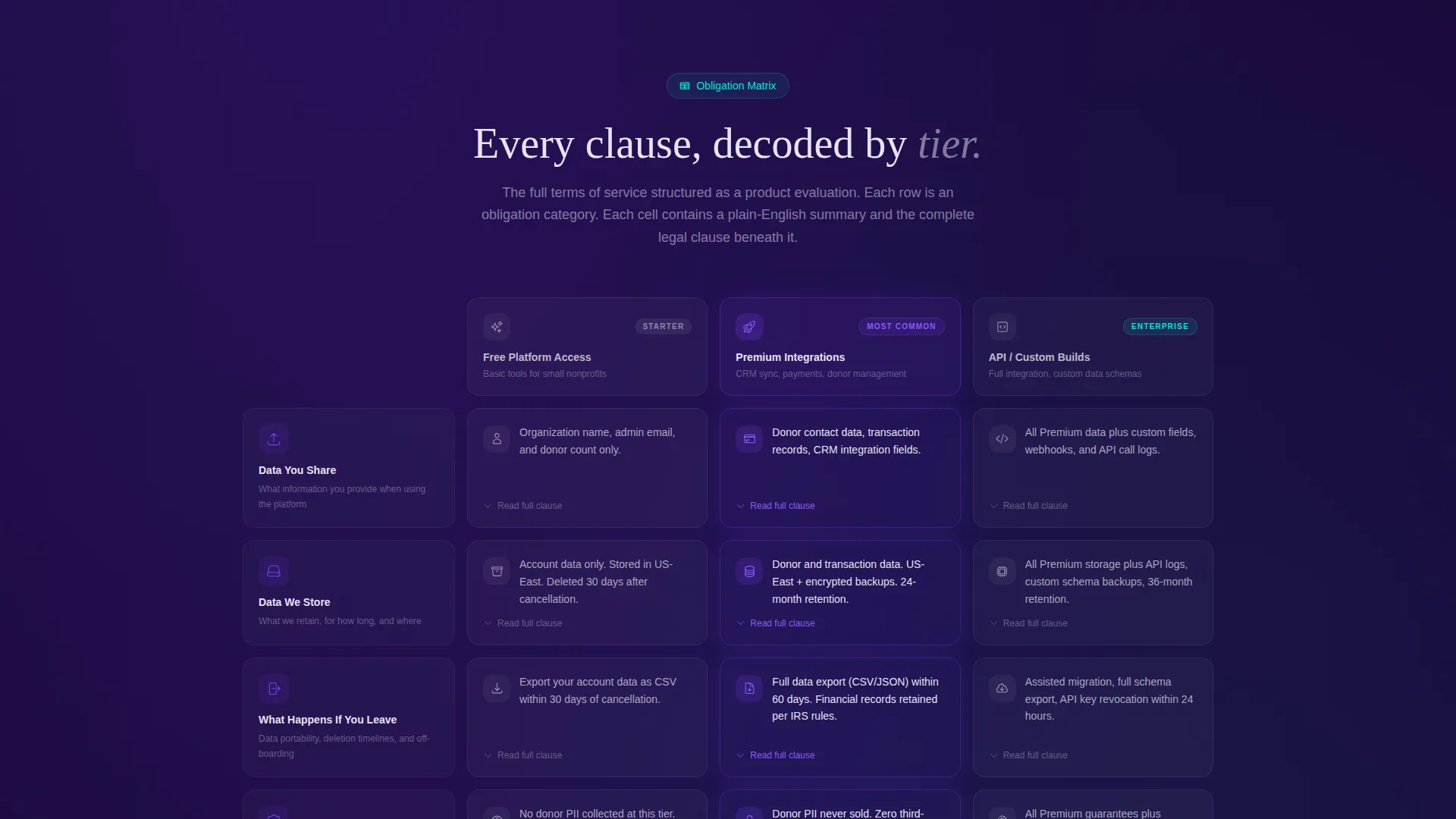
- A feature matrix comparison table with expandable glass-panel cards showing plain-English summaries and full legal clauses per tier
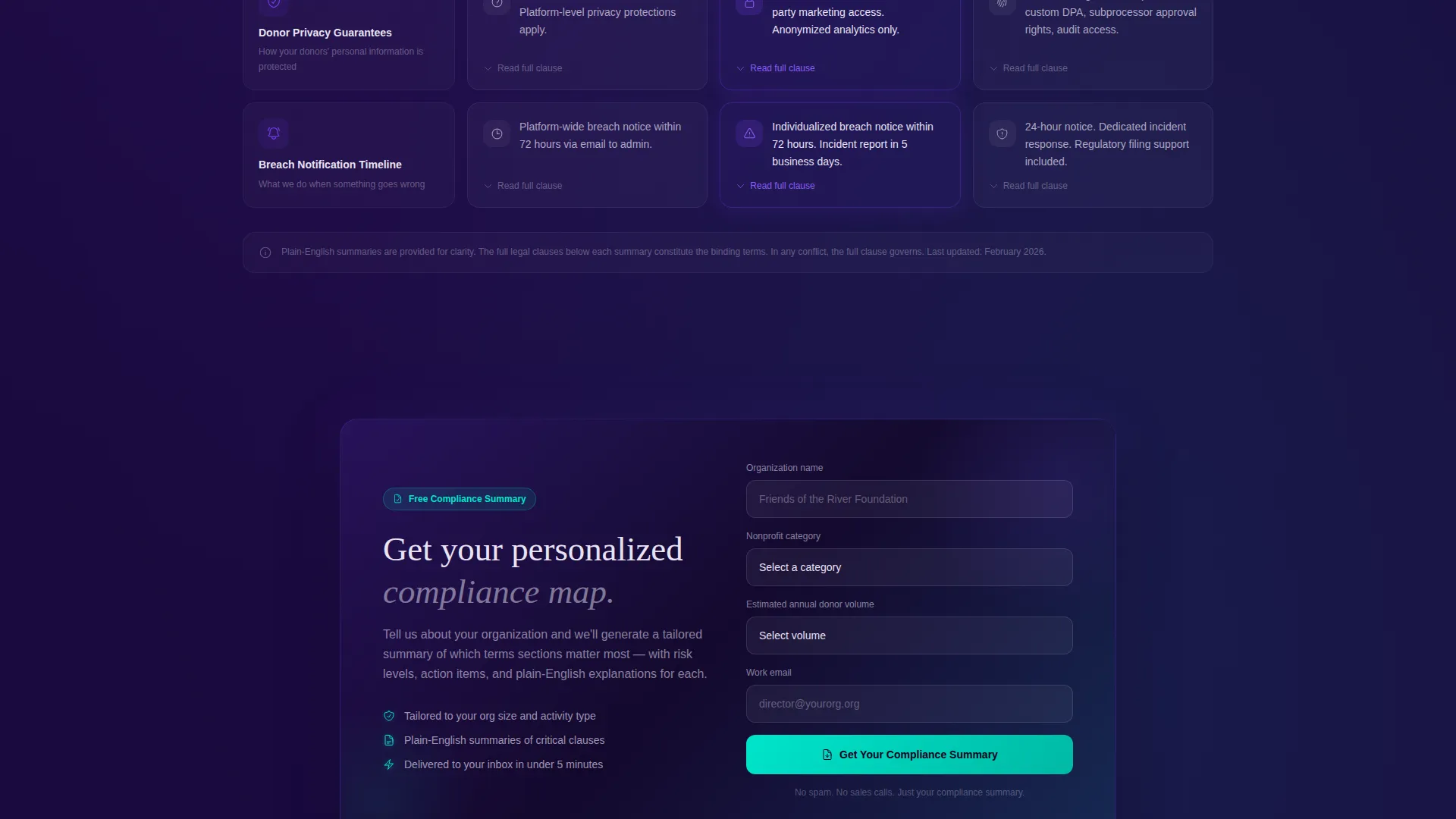
- Two lead generation flows: a primary "Get Your Compliance Summary" form and a secondary PDF download gated by email only
Feature list
This template includes a focused set of components, each serving a specific purpose in the compliance-clarity experience.
Interactive Compliance Estimator
Visitors select their nonprofit's size, primary activity, and data sensitivity level. As each choice is made, the estimator assembles a personalized summary highlighting the most critical terms sections. Risk-level indicators update in real time, graduated from deep indigo to cyan.
Tiered Terms Comparison Table
The full terms of service is restructured as a comparison table. Columns represent service tiers: Free Platform Access, Premium Integrations, and API or Custom Builds. Rows cover human-readable categories such as Data You Share, Data We Store, Donor Privacy Guarantees, and Breach Notification Timeline.
Expandable Glass-Panel Cards
Each table cell contains a glass-panel card with an icon, a one-sentence plain-English summary, and an expandable section revealing the full legal clause. This layered design lets casual readers get the summary and detail-oriented readers get the full text without cluttering the page.
Dual Lead Capture Paths
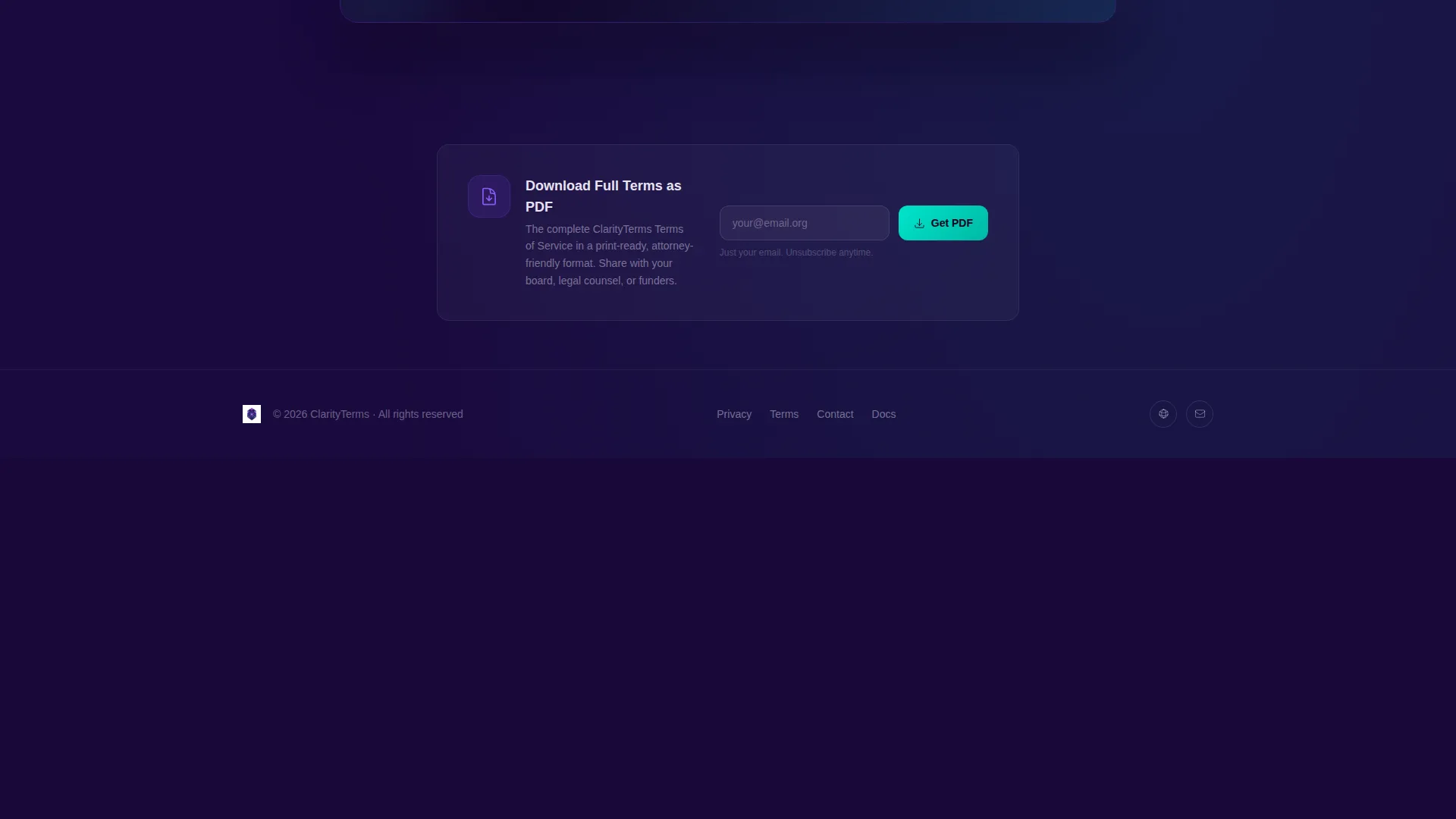
The primary call to action, "Get Your Compliance Summary," appears pinned after the estimator and again at the table midpoint. The form collects organization name, nonprofit category, estimated annual donor volume, and work email. A secondary path offers a PDF download gated behind email only, capturing lighter-touch leads.
Tech Glass Visual Theme
The layout uses frosted glass card surfaces, backdrop-blur transparency, and a layered depth system that makes every panel feel illuminated from within. Active states, hover effects, and interactive checkmarks follow a consistent visual logic so the page always feels purposeful and navigable.
Page sections overview
| Section | Purpose |
|---|---|
| Compliance Estimator Header | Personalizes terms sections by nonprofit size, activity, and data sensitivity in real time |
| Risk Summary Output | Displays graduated risk indicators after estimator selections are made |
| Pinned call to action Block | Presents the primary "Get Your Compliance Summary" form immediately after the estimator |
| Terms Comparison Table | Breaks obligations into rows and tiers with expandable plain-English card cells |
| Mid-Table call to action Repeat | Reinforces the primary lead capture at the table's midpoint to reduce scroll drop-off |
| PDF Download Gate | Offers a lighter secondary conversion path requiring only an email address |
Design & branding system
The visual identity follows a Tech Glass theme built on an Electric Indigo color system. Every surface is designed to feel crystalline and layered, as if the content is floating inside a lit gemstone.
- Background uses deep void indigo (#1A0A3E); active table headers and hover states use luminous electric violet (#6C3CE1); frosted glass white (#E8E3F3) defines card surfaces with backdrop-blur transparency
- Signal cyan (#00E5CC) is reserved exclusively for calls to action and interactive checkmarks, keeping conversion points visually distinct from informational content
- The overall palette reads like a compliance dashboard: precise, trustworthy, and lit from within at slightly different depths across layers
Mobile & speed optimization
The landing page layout is designed to remain scannable and usable at smaller screen sizes. The estimator, comparison table, and lead capture forms are each structured to adapt without losing their functional logic.
- The comparison table is built to allow horizontal scrolling on narrow screens so no column is hidden from mobile visitors
- Glass-panel cards with expandable clauses collapse by default on small screens, keeping the initial view clean while preserving access to full legal text on tap
- call to action blocks are positioned at logical scroll points so mobile visitors encounter them naturally without needing to hunt for next steps
How this template helps you convert
The estimator does the persuasion work before any form appears. By the time a visitor sees the call to action, they have already invested in understanding their own compliance profile.
- The interactive estimator creates a personalized risk summary that makes the "Get Your Compliance Summary" form feel like the logical next step rather than a sales ask
- The structured comparison table sustains engagement across the full scroll by rewarding curiosity with expanding detail, keeping qualified visitors on the page longer
- The dual lead capture paths convert visitors at two commitment levels, capturing both decision-ready contacts and document-focused leads with a single email field
Other information about this template
This template is designed for the nonprofit technology category, specifically for organizations that publish terms of service, donor agreements, or platform usage policies online.
- The template style is a comparison table, which makes it suitable for any nonprofit that needs to communicate tiered obligations across different user types or service levels
- The header concept is a calculator or estimator, making this layout relevant for compliance-focused use cases beyond terms of service, such as privacy policies or donor data agreements
- The lead generation direction means the page is built to collect qualified contacts, not just display legal text, making it a functional tool for development and operations teams
- This template fits naturally within a broader nonprofit organization website as a standalone compliance or legal framework page
Theme
Tech Glass
Creative direction
Feature Matrix
Color system
Electric Indigo
Style
Comparison Table
Direction
Lead Generation
Page Sections
Interactive Compliance Estimator
Tiered Terms Comparison Table
Expandable Glass-panel Cards
Dual Lead Capture Paths
Tech Glass Visual Theme
Related questions
Can I customize the estimator to reflect my nonprofit's actual service tiers?
Does the comparison table support more or fewer than three service tiers?
Is the PDF download path separate from the main lead capture form?
Who inside a nonprofit organization is this landing page best suited for?
Can this template be used for documents other than terms of service?



