Clearance - Powerful Government Landing Page Template
Clearance is a bento grid landing page template built for a government AI document processing platform. It presents OCR accuracy, processing speed, and security certifications as brutalist data cards in a spec-sheet layout. The design uses deep federal charcoal, reactor teal, and concrete gray to signal authority and precision to agency buyers.
by Rocket studio
Quick summary
Clearance is a single-page bento grid template designed for AI-powered federal document processing platforms. It speaks directly to agency program managers, contracting officers, and state administrators who need to trust a product fast. Every cell in the grid delivers a hard fact. The layout reads like a technical evaluation, not a sales pitch.
Who this template is for
This template is built for teams selling AI document processing tools into government and public sector markets. The layout is designed to earn trust from technically minded, risk-aware buyers.
- Agency program managers handling FOIA backlogs and compliance filings
- Contracting officers evaluating vendor proposals against Federal Acquisition Regulation clauses
- State-level administrators modernizing decades of paper records into structured digital systems
What problem this template solves
Government buyers do not respond to generic marketing copy. They need proof before they commit. This template solves the credibility gap between a modern AI product and a skeptical federal audience.
- It replaces narrative storytelling with factual, spec-sheet data cards that decision-makers already trust
- It gives technical evaluators a clear view of OCR accuracy, processing speed, and security posture in one layout
- It removes friction for high-intent buyers by pairing a direct deployment call to action with a live demo scanner
What you get with this template
You get a fully structured bento grid landing page that mirrors the visual language of government technical documentation. Every design decision is deliberate and prompt-backed.
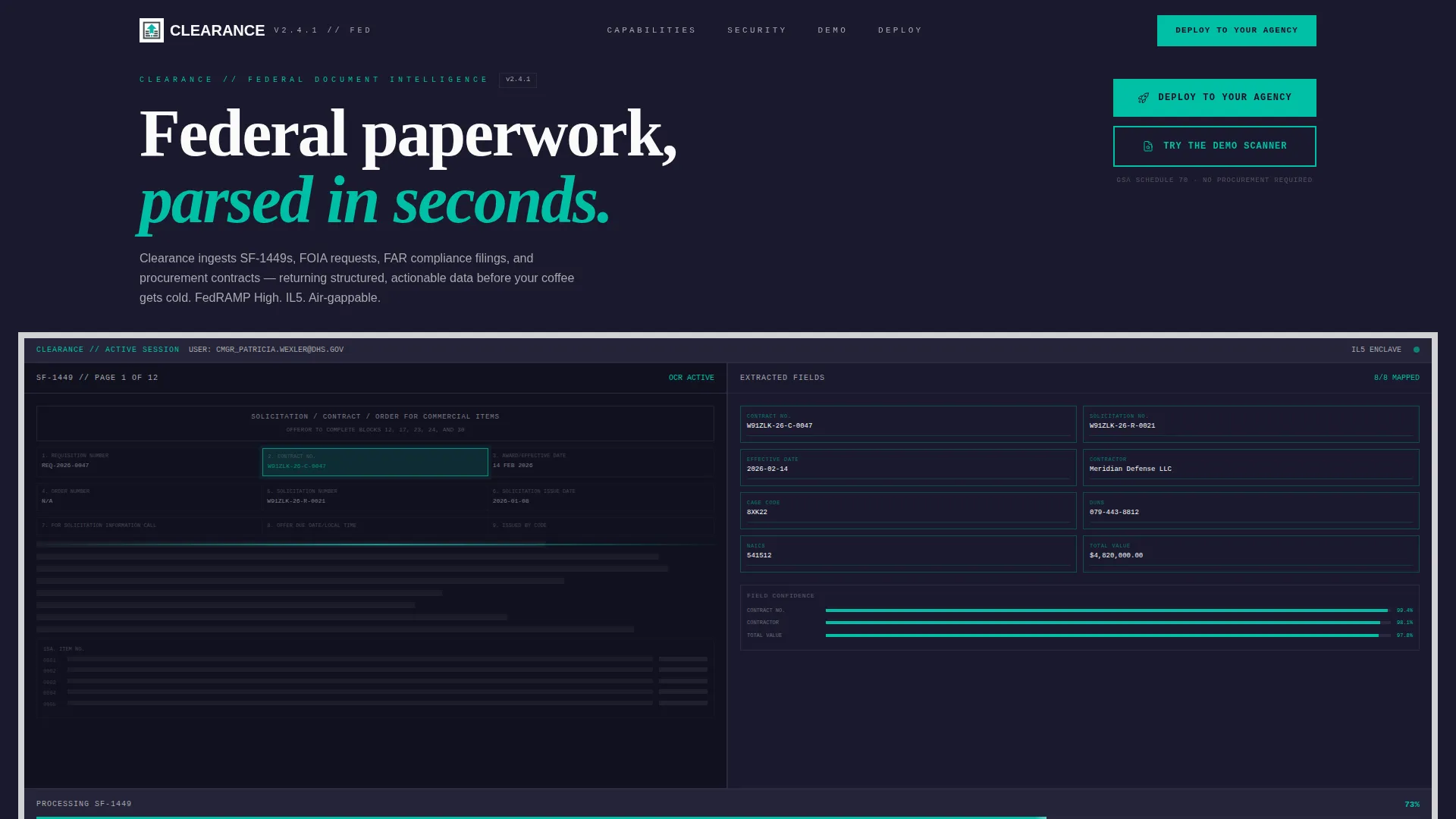
- A full-viewport product screenshot header showing the platform mid-process, with a scanned federal form on the left and auto-populated extracted fields on the right
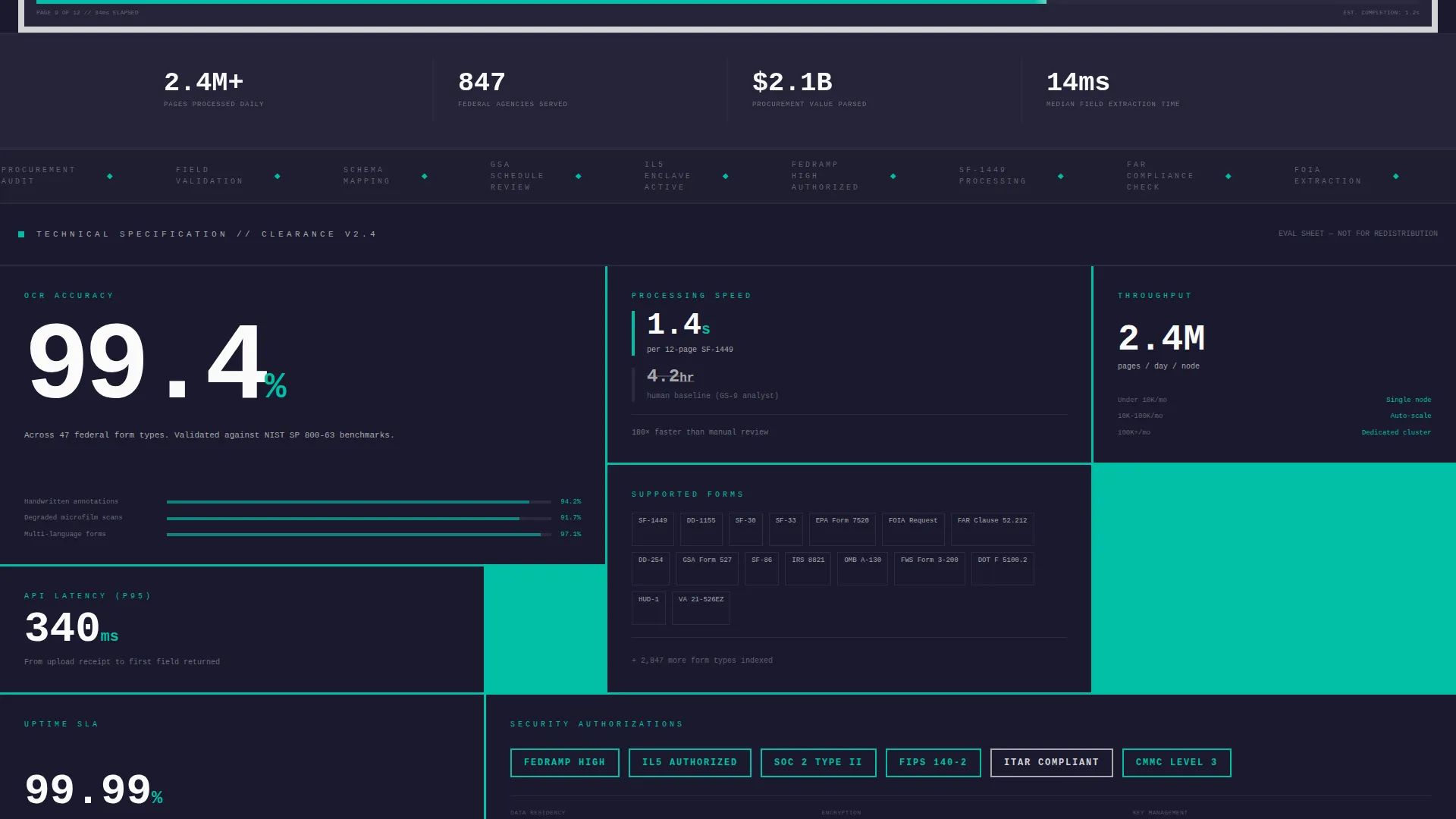
- A bento grid of brutalist data cards covering OCR accuracy, supported document types, processing speed benchmarks, and security certifications
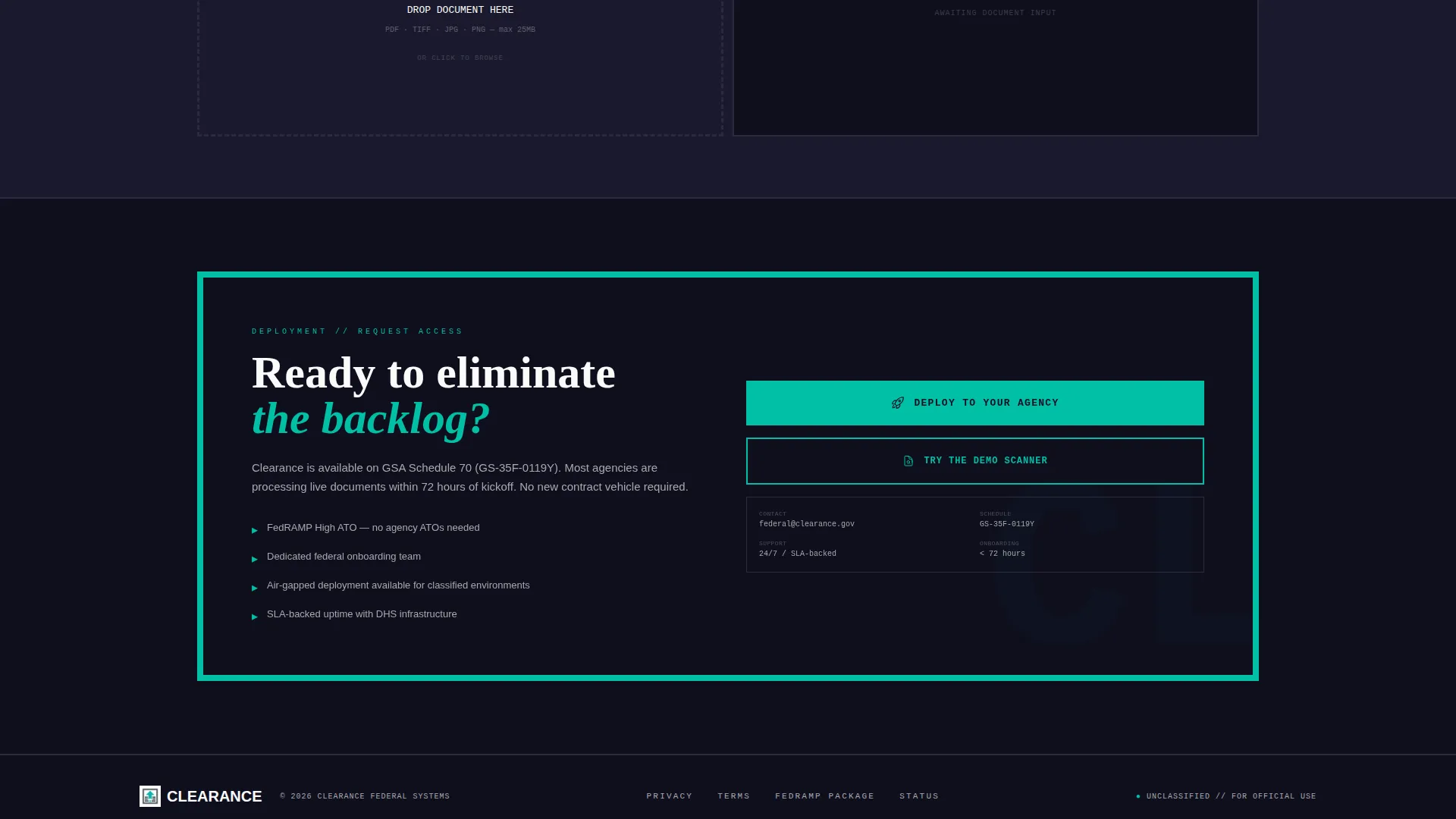
- A dual-path conversion system: a primary "Deploy to Your Agency" button and a secondary "Try the Demo Scanner" path for live document upload
Feature list
This section covers the core template capabilities delivered in the Clearance layout. Each feature is drawn directly from the design and structure brief.
Full-Viewport Product Screenshot Header
The header stretches edge to edge inside a concrete-colored brutalist frame. Thick 8-pixel borders, zero rounded corners, and no drop shadows give it the weight of classified technical documentation. The screenshot shows the platform at 73% progress processing a federal form, with teal highlights pulsing on each extracted data point.
Bento Grid Spec-Sheet Layout
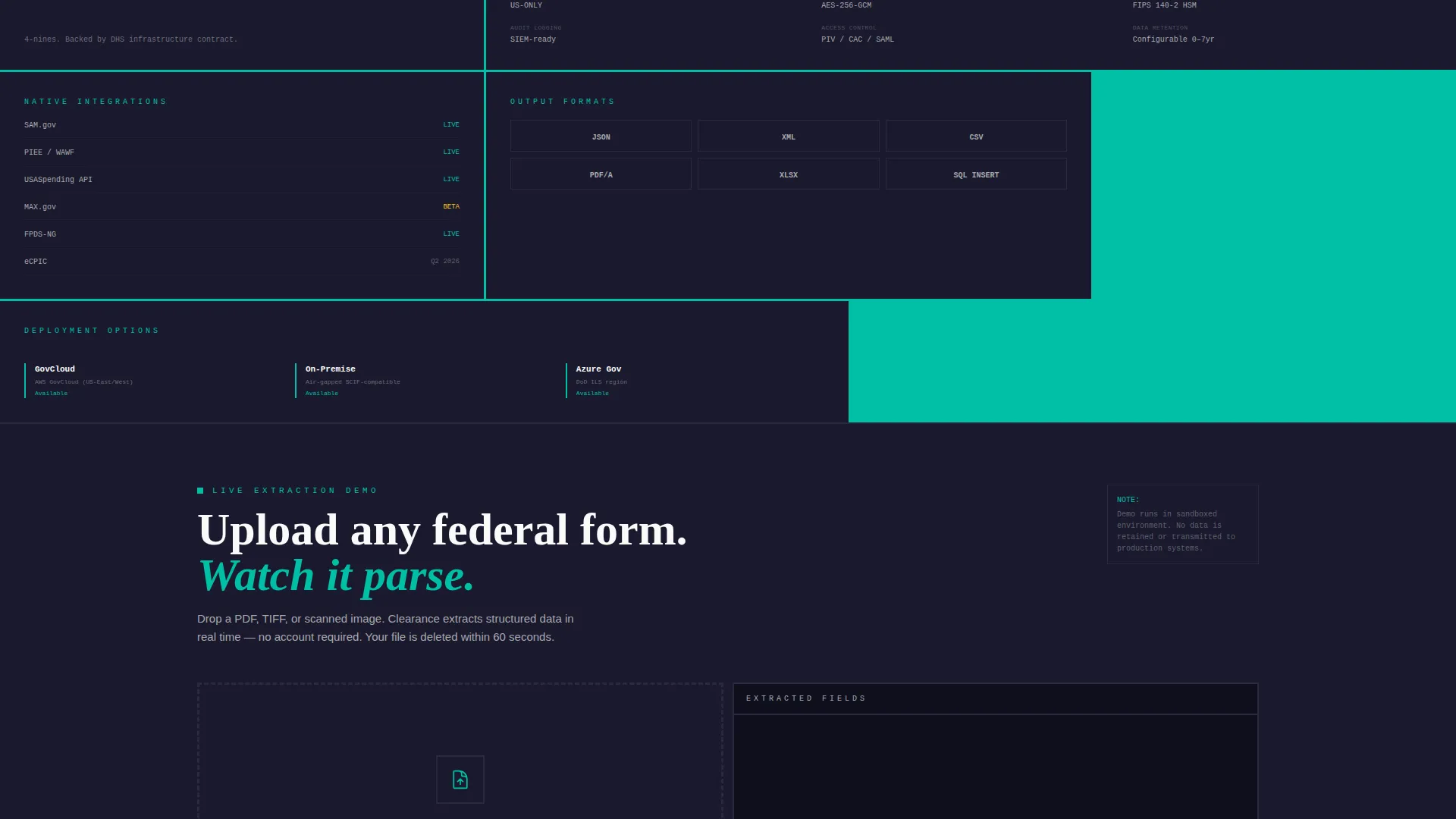
Each bento cell presents one capability as a standalone brutalist data card. OCR accuracy appears in oversized monospaced numerals. Supported document types read like a technical inventory. Processing speed is benchmarked against equivalent human hours. The grid lets a buyer's eye land anywhere and immediately find verifiable proof.
Security Certification Display
Federal security posture is communicated through stark certification glyphs inside dedicated bento cells. FedRAMP, Impact Level 5 (IL5), and SOC 2 designations are presented with no decoration, matching the visual register of an official compliance report.
Dual-Path Conversion System
The primary call to action, "Deploy to Your Agency," is a hard-edged teal button placed in the header and pinned to a sticky bottom bar on scroll. A secondary path, "Try the Demo Scanner," lets visitors upload a single document and watch live extraction before committing to any credentials.
Deployment Request Form
Tapping the primary call to action opens a minimal intake form. Fields include agency name, a dot-gov or dot-mil email address, estimated monthly document volume via a dropdown, and platform preference between iOS, desktop, or both.
Bold Brutalist Visual Identity
The Teal Catalyst color system pairs deep federal charcoal and concrete slab gray with reactor teal as an active accent. The result reads like a government server room that has been rewired for speed. Monospaced typography reinforces the spec-sheet aesthetic throughout every section.
Page sections overview
| Section | Purpose |
|---|---|
| Full-viewport header | Show platform mid-process with brutalist framing |
| OCR accuracy card | Display extraction precision in oversized numerals |
| Document types card | List supported federal form types as a technical inventory |
| Processing speed card | Benchmark AI speed against human processing hours |
| Security certifications card | Present FedRAMP, IL5, and SOC 2 as stark compliance glyphs |
| Demo scanner path | Let visitors upload a document and watch live extraction |
| Deployment form | Capture agency name, email, volume, and platform preference |
| Sticky bottom bar | Keep "Deploy to Your Agency" visible throughout the scroll |
Design & branding system
The Teal Catalyst palette was chosen to feel authoritative and alive at the same time. It signals that something inside this bureaucracy is finally moving at speed.
- Core colors: deep federal charcoal (#1A1A2E) for backgrounds, reactor teal (#00BFA6) for active accents and call-to-action buttons, concrete slab gray (#D2D2D4) for frames and card surfaces, and emergency white (#FAFAFA) for text and data readouts
- Typography uses monospaced type throughout to reinforce the spec-sheet and classified-software aesthetic
- Visual styling follows Bold Brutalist principles: 8-pixel hard borders, no rounded corners, no drop shadows, and no decorative flourishes anywhere in the layout
Mobile & speed optimization
The bento grid structure adapts naturally to narrower screens without losing the spec-sheet visual logic. The sticky bottom bar ensures the primary call to action remains reachable at every scroll depth on any device.
- Each bento card is self-contained, so reflow on smaller screens preserves the one-fact-per-cell reading experience
- The pinned "Deploy to Your Agency" bar keeps conversion visible without interrupting the technical content scan
How this template helps you convert
This template is engineered to move a skeptical government buyer from arrival to action without friction.
- The full-viewport product screenshot immediately shows the platform working, which builds credibility before a single word is read
- The bento grid spec-sheet layout gives technical evaluators every proof point they need in a single scan, removing the need for lengthy sales conversations
- The dual-path conversion system captures both ready-to-deploy buyers and early-stage evaluators, widening the funnel without weakening the primary signal
Other information about this template
Clearance is part of a growing category of AI for government tools that address the specific trust and compliance requirements of public sector procurement. This template is well-suited for teams positioning in the government AI document processing space.
- The template style is Bento Grid, the theme is Bold Brutalist, and the creative direction is Spec Sheet, making it distinct from consumer-facing SaaS layouts
- The header concept is a Product Screenshot, chosen specifically because government buyers respond to seeing software in operation rather than abstract illustrations
- The landing page direction is App Download, reflecting the template's focus on driving agency deployment requests and platform onboarding rather than passive awareness
Theme
Bold Brutalist
Creative direction
Spec Sheet
Color system
Teal Catalyst
Style
Bento Grid
Direction
App Download
Page Sections
Full-viewport Product Screenshot Header
Bento Grid Spec-sheet Layout
Security Certification Glyphs
Dual-path Conversion System
Minimal Agency Deployment Form
Bold Brutalist Visual Identity
Related questions
Who is this landing page template designed for?
What does the bento grid layout include?
Can visitors try the product before submitting a deployment request?
What security certifications does the template display?
What information does the deployment form collect?



