Nonprofit Organization Privacy Policy Website Template
Clearinghouse is a nonprofit privacy policy landing page template built for radical transparency. It translates complex data-handling language into searchable, navigable, human-readable commitments. A tabbed header lets visitors select their role, anchor navigation guides them through every clause, and a free compliance checklist offer converts engaged readers into leads.
by Rocket studio
Quick summary
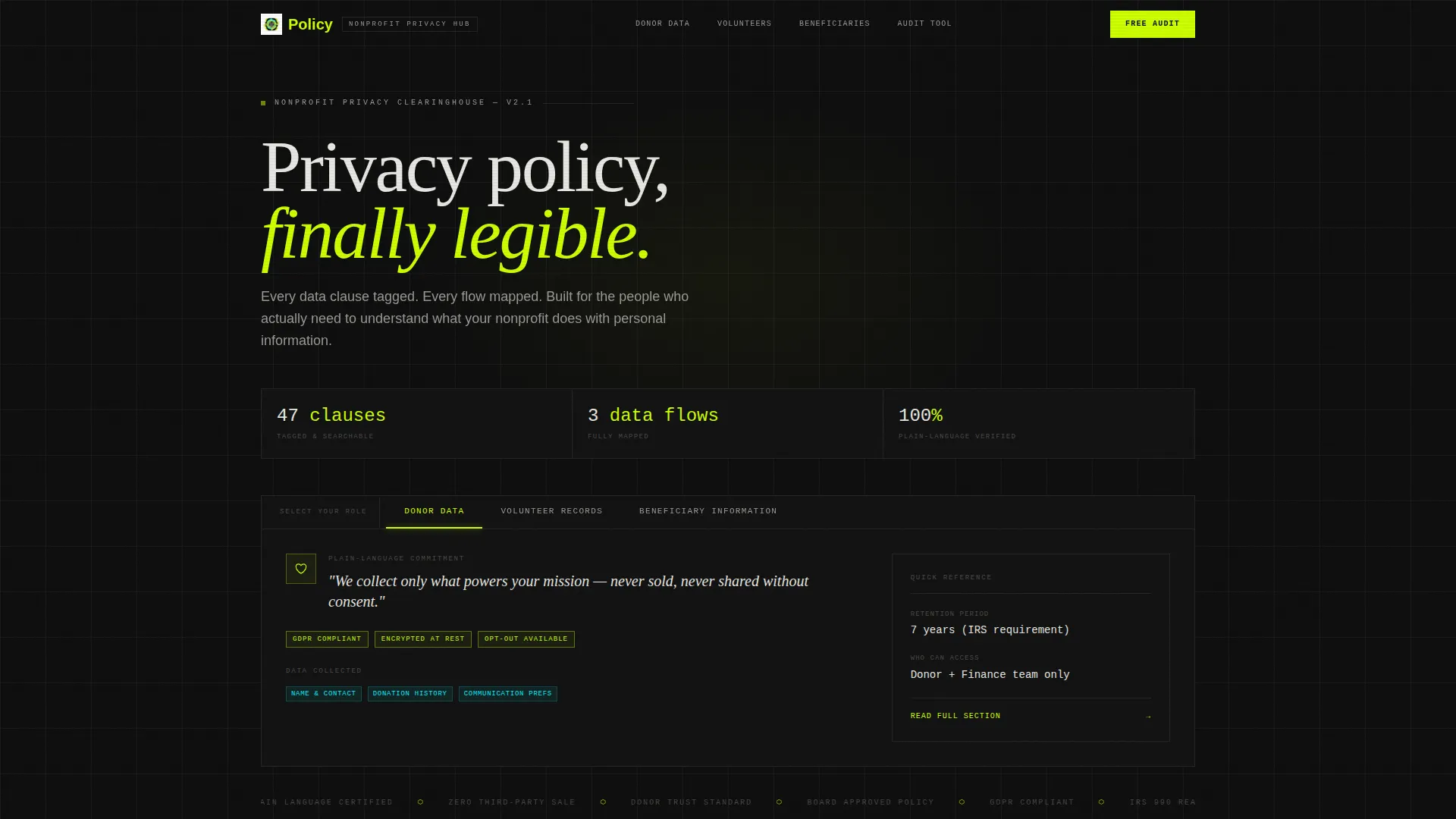
Clearinghouse is a single-page nonprofit privacy policy template designed to make dense data-handling language approachable. A Feature Tab Switcher at the top sorts policy content by audience role. Anchor navigation holds the left rail as visitors scroll. Every section opens with a plain-language commitment before expanding into detailed clauses.
Who this template is for
This template is built for nonprofit teams who need to communicate privacy practices clearly and credibly. It works equally well for the person writing the policy and the person reading it for the first time.
- Development directors auditing their organization's data compliance practices
- Board treasurers responding to funder inquiries about data protection regulations
- Volunteer coordinators figuring out what they can lawfully do with collected contact information
What problem this template solves
Nonprofit privacy policies are usually written by lawyers and read by no one. That gap creates real risk: donors distrust vague language, funders ask hard questions, and staff handle personal data without clear guidance.
- Policy pages bury critical commitments in walls of legal text that no visitor will read
- Different audiences need different answers, but most pages offer no way to navigate by role
- Organizations lose donor trust when they cannot quickly point to a clear, findable commitment
What you get with this template
This template gives you a fully structured privacy policy landing page where every component serves a specific communication purpose. The layout is modular and role-aware, so each visitor type finds relevant information without wading through unrelated clauses.
- A three-tab header unit sorting policy content into Donor Data, Volunteer Records, and Beneficiary Information
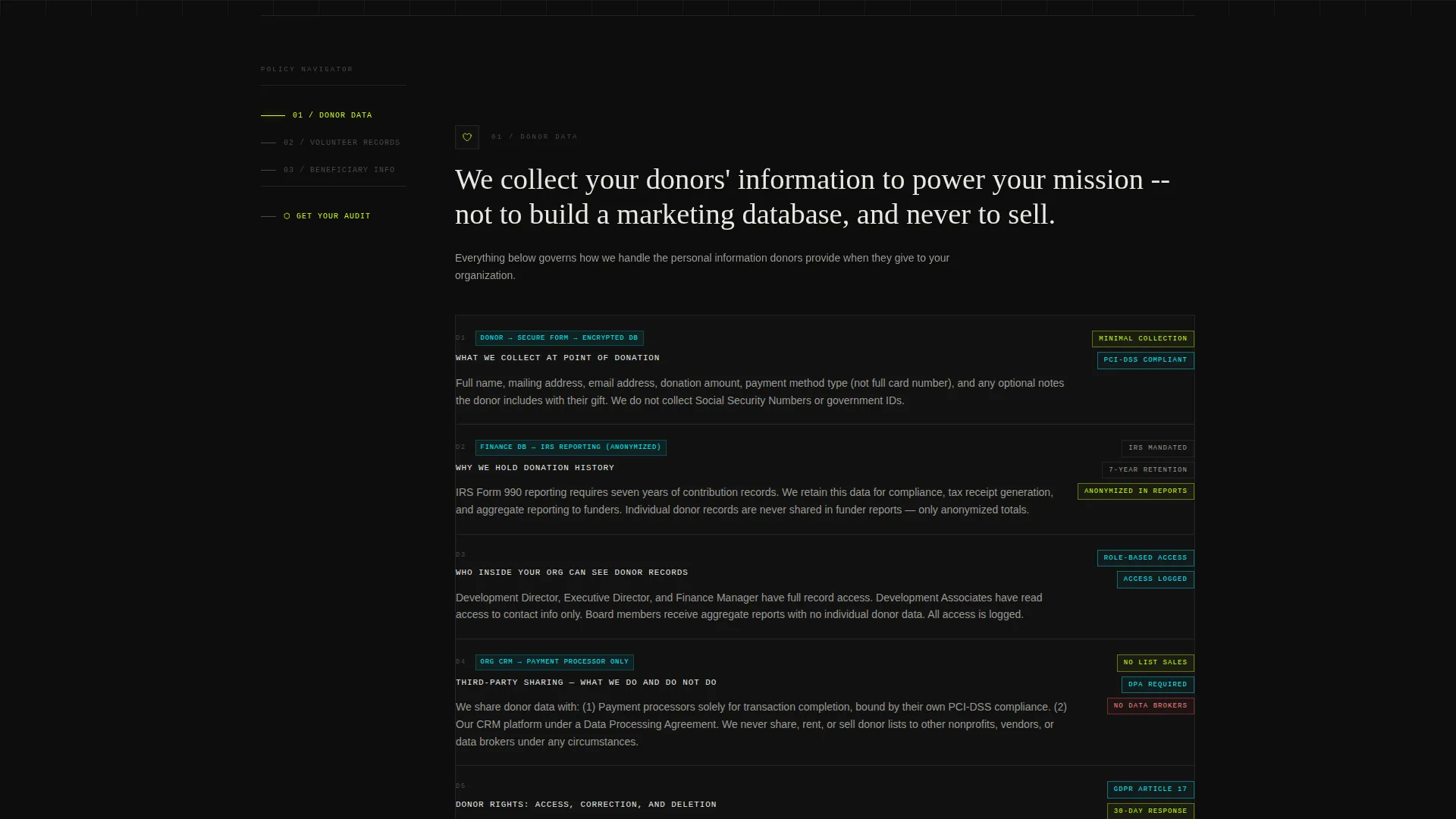
- A left-rail anchor navigation system that tracks the visitor's scroll position through each spoke section
- A freemium conversion form offering a free compliance checklist PDF in exchange for basic organization details
Feature list
This template ships with a focused set of purpose-built layout components. Each one is described below.
Three-Role Tab Switcher Header
The header presents three privacy lenses side by side: Donor Data, Volunteer Records, and Beneficiary Information. Each tab snaps to a distinct policy summary card with an icon, a plain-language one-liner, and an anchor link to the full section below. Active tab states use a cyan underline and chartreuse border treatment to signal focus clearly.
Sticky Anchor Navigation Rail
A left-rail navigation panel locks into place as the visitor scrolls. It lists every spoke section and highlights the current position, functioning like a progress indicator through the full policy. Visitors can jump to any clause, definition, or data-flow section directly from the rail.
Hub and Spoke Section Architecture
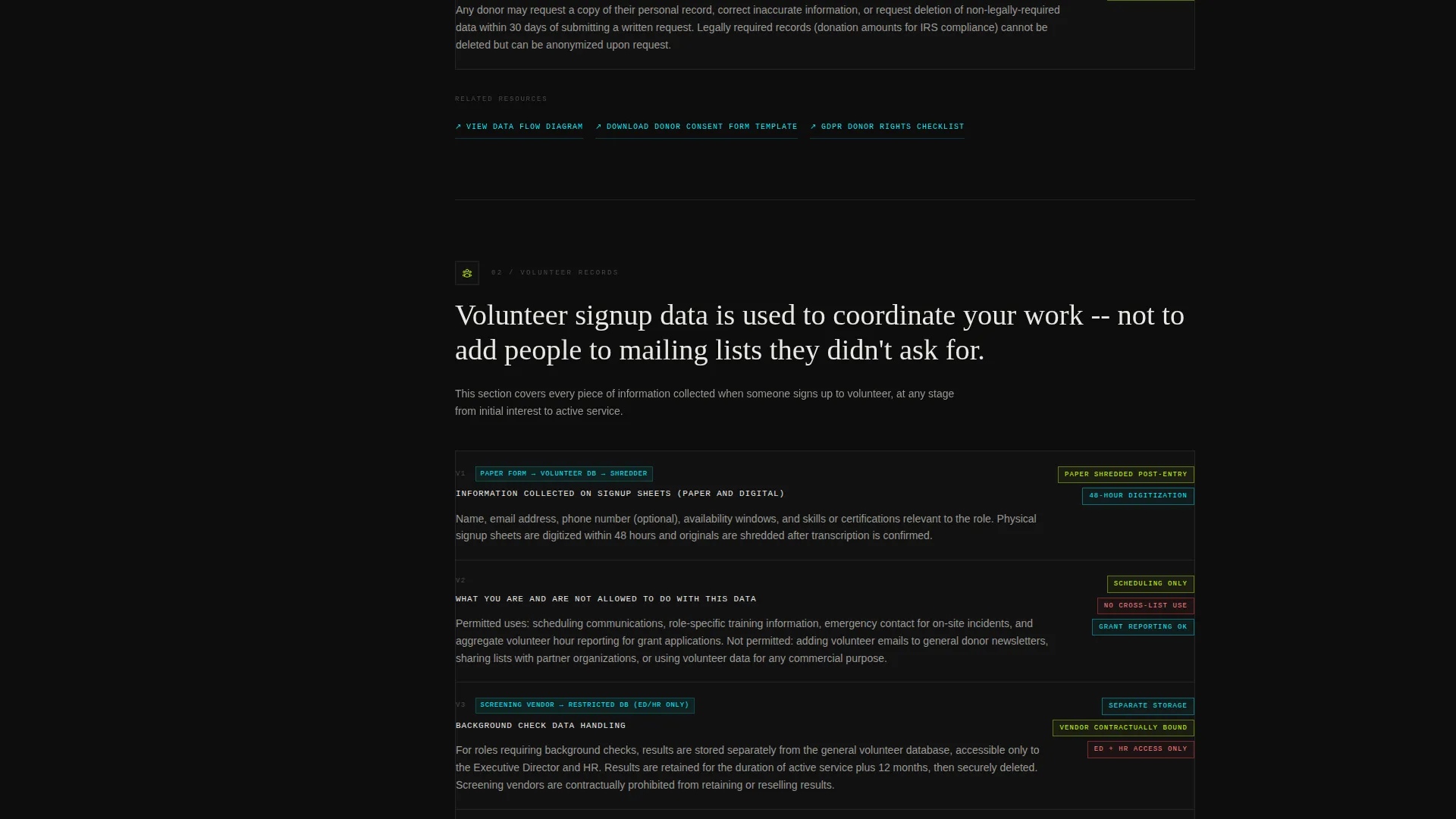
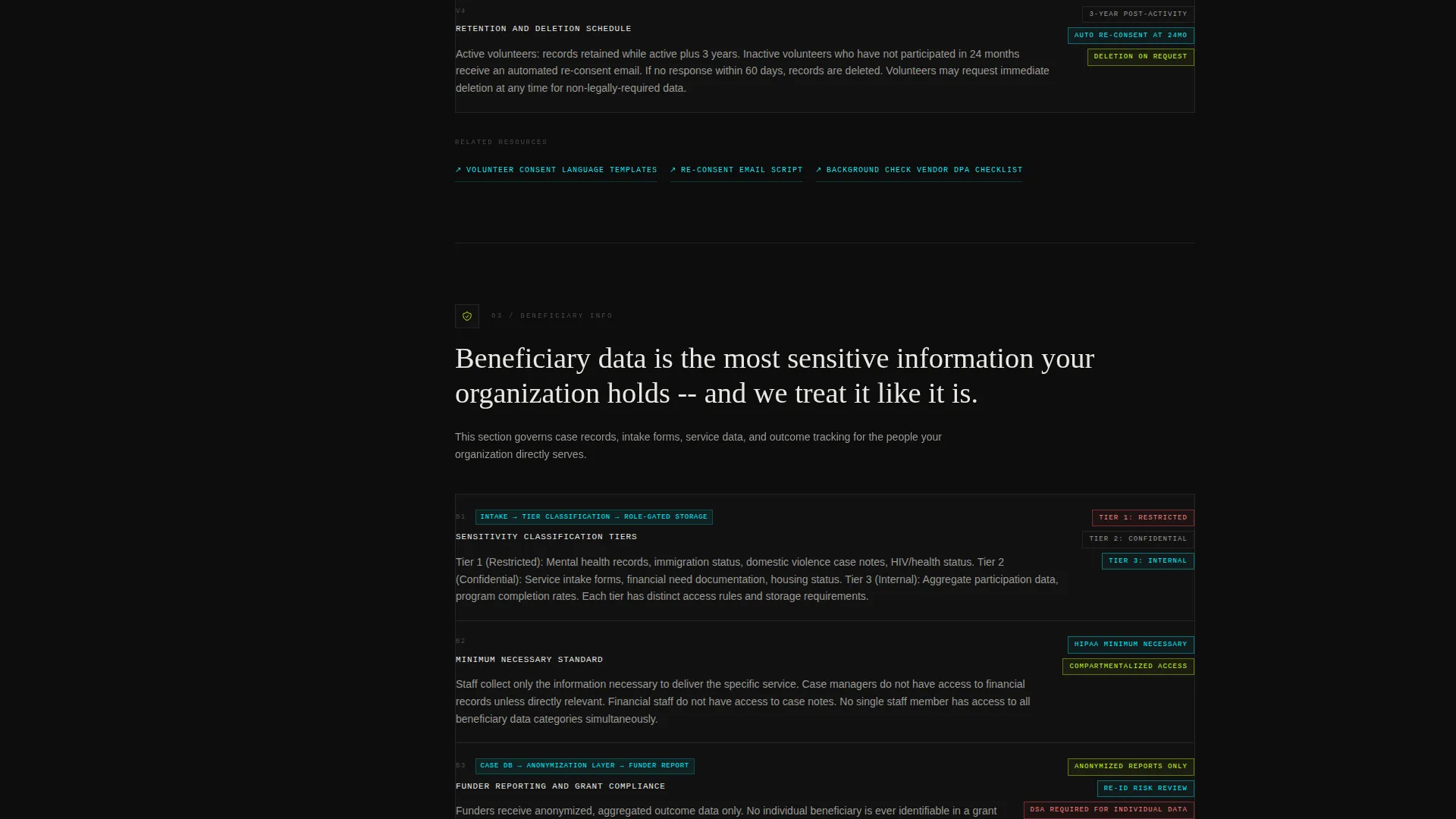
The page body stacks sections vertically in a hub-and-spoke pattern. Each hub section opens with an oversized plain-language commitment statement, then expands into granular clauses, sub-policies, and linked definitions. Spoke links branch outward to supporting content like data-flow diagrams and specific protocol details.
Freemium Compliance Checklist call to action
After the third spoke section, a conversion form appears offering a free compliance checklist PDF. Visitors provide their organization name, a nonprofit category from a preset dropdown, and a work email address. The form is positioned after the visitor has already experienced the template's clarity, making the offer feel earned rather than forced.
Terminal-Black Editorial Design System
The visual identity pairs a deep terminal-black background with electric chartreuse highlights, scanner-line cyan hover states, and soft phosphor-white body text. The result reads as archival and serious while remaining visually energetic. Every interactive element has a distinct active state so navigation always feels responsive.
Trust-First Secondary Path
A secondary call to action reads "Explore the Full Policy Library" and lets visitors browse all content without filling in the form. This path builds familiarity and trust by letting the content speak first, supporting conversion on a longer timeline.
Page sections overview
| Section | Purpose |
|---|---|
| Tab Switcher Header | Role-based policy entry point |
| Donor Data Hub | Core donor privacy commitments |
| Volunteer Records Hub | Volunteer data handling details |
| Beneficiary Information Hub | Beneficiary data scope |
| Data Flow Diagrams | Visual mapping of data movement |
| Definitions Reference | Plain-language clause glossary |
| Compliance Checklist call to action | Freemium lead capture form |
| Full Policy Library | Secondary trust-building browse path |
Design & branding system
The design system channels a Directory and Discovery aesthetic through an Acid Digital color palette. The overall effect is archival seriousness amplified by neon precision: every label, border, and hover state communicates purpose.
- Electric chartreuse (#CCFF00) marks active navigation states and section highlight borders
- Deep terminal black (#0D0D0D) covers the primary background, giving the page a focused, document-like feel
- Scanner-line cyan (#00F0FF) activates on hover states and cross-reference links throughout the policy text
- Soft phosphor white (#E8E8E3) carries all body text for comfortable long-form reading against the dark field
Mobile & speed optimization
The layout is structured for readability on smaller screens. The anchor navigation rail and tabbed header adapt so mobile visitors can still orient themselves and jump to relevant sections quickly.
- The tab switcher collapses to a stacked card format on narrow viewports without losing the role-switching function
- Anchor navigation converts to a compact in-page menu so the scroll-tracking experience remains usable on mobile
How this template helps you convert
The conversion strategy in this template is built on demonstrated value. The form appears only after the visitor has already read through meaningful policy content, so the ask feels natural.
- The tab switcher lets visitors self-select by role immediately, reducing friction and increasing relevance from the first interaction onward
- The sticky navigation rail keeps visitors oriented and moving forward rather than bouncing when the content gets detailed
- The compliance checklist call to action arrives at the moment a visitor has seen enough to understand what the offer is worth, making conversion feel like a logical next step
Other information about this template
This template fits organizations that want their privacy policy to function as a trust asset rather than a legal formality. It suits any nonprofit category covered by the dropdown in the checklist form: human services, education, arts, health, faith-based, and environmental organizations.
- The template style is Hub and Spoke with Anchor Navigation, making it well suited for long-form policy content that needs internal wayfinding
- The creative direction is Launch Energy, which means the reading rhythm is designed to accelerate from broad principles into specific protocols
- The header concept is a Feature Tab Switcher, a modular component pattern that works for any multi-audience policy page
- The freemium model is well matched to nonprofit contexts where budget sensitivity is high and trust must be built before any ask is made
Theme
Directory & Discovery
Creative direction
Launch Energy
Color system
Acid Digital
Style
Hub & Spoke (Anchor Nav)
Direction
Freemium/Trial
Page Sections
Three-role Tab Switcher Header
Sticky Anchor Navigation Rail
Hub and Spoke Section Architecture
Freemium Compliance Checklist Form
Terminal-black Acid Digital Visual System
Trust-first Secondary Browse Path
Related questions
Can this template handle multiple audience types on one page?
Does the template include a lead capture form?
Is this template suitable for small nonprofits without a legal team?
How is long-form policy content organized in this template?



